-
-
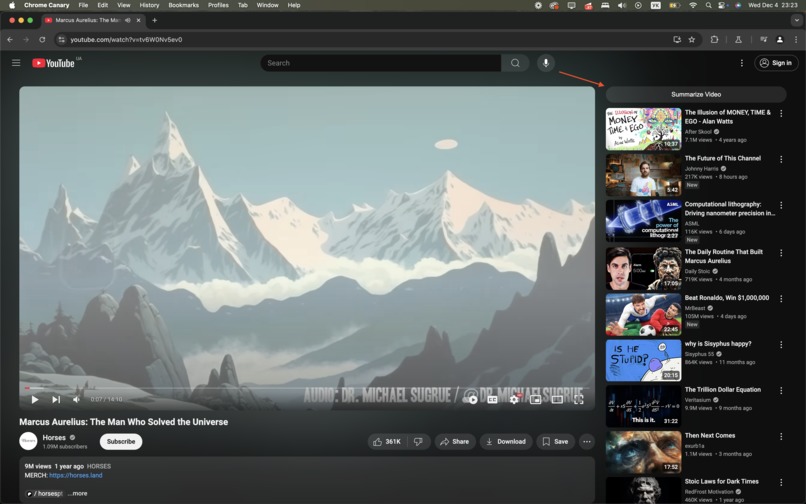
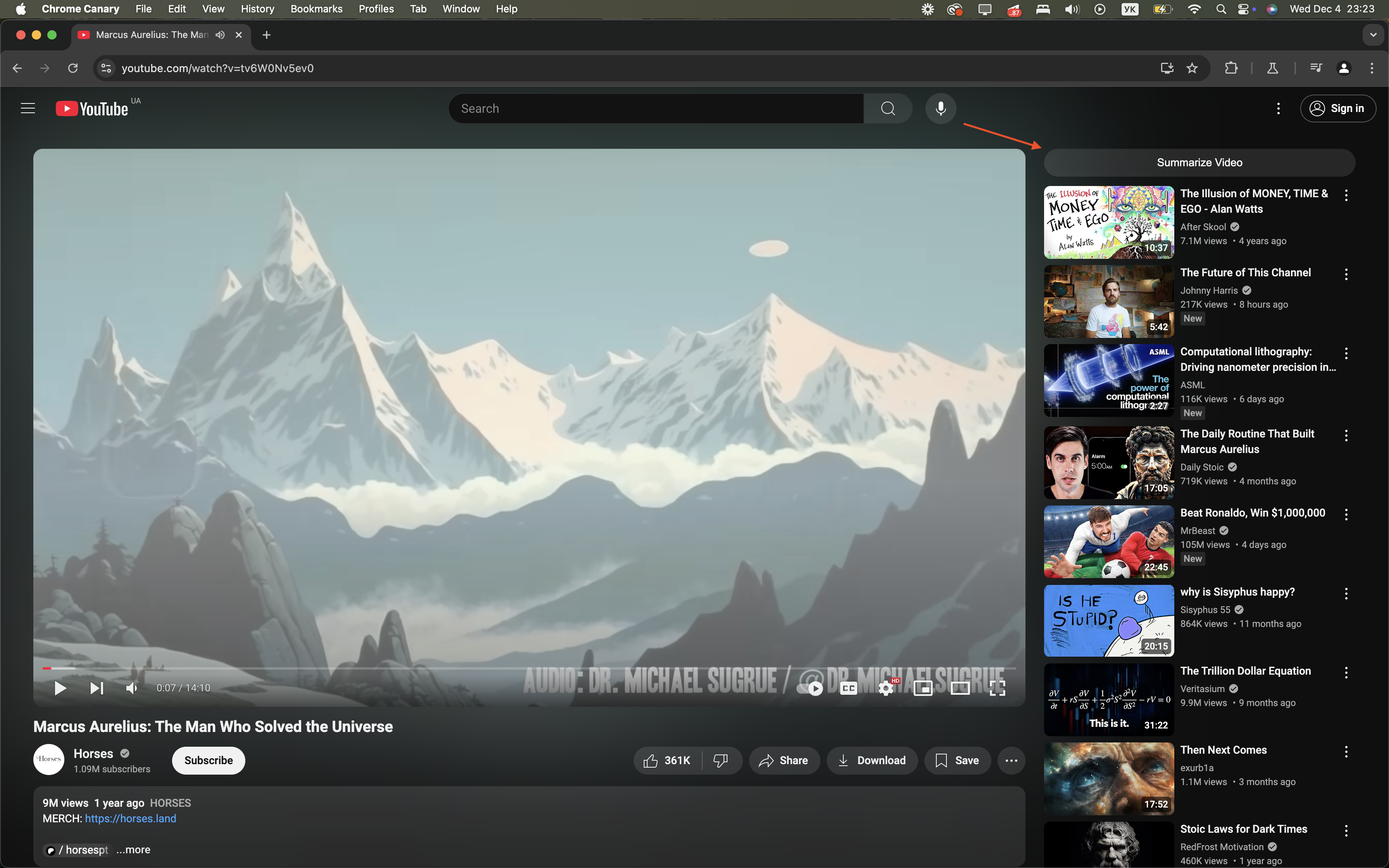
Initial Screen. Just a Summarize button above video list
-
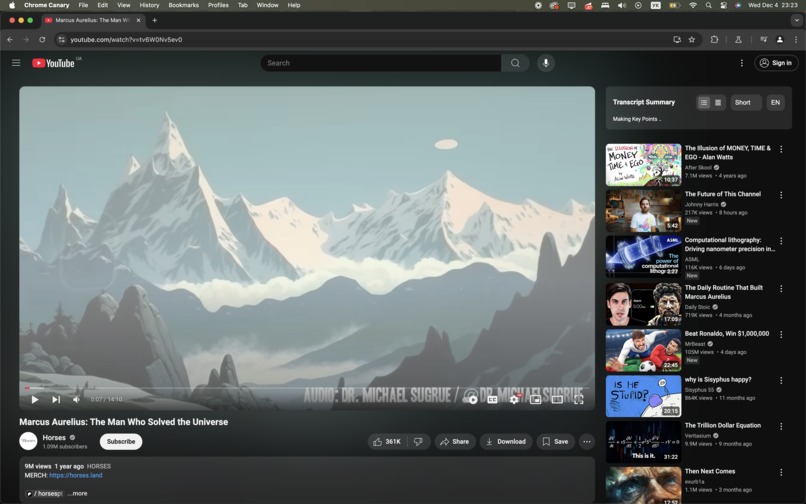
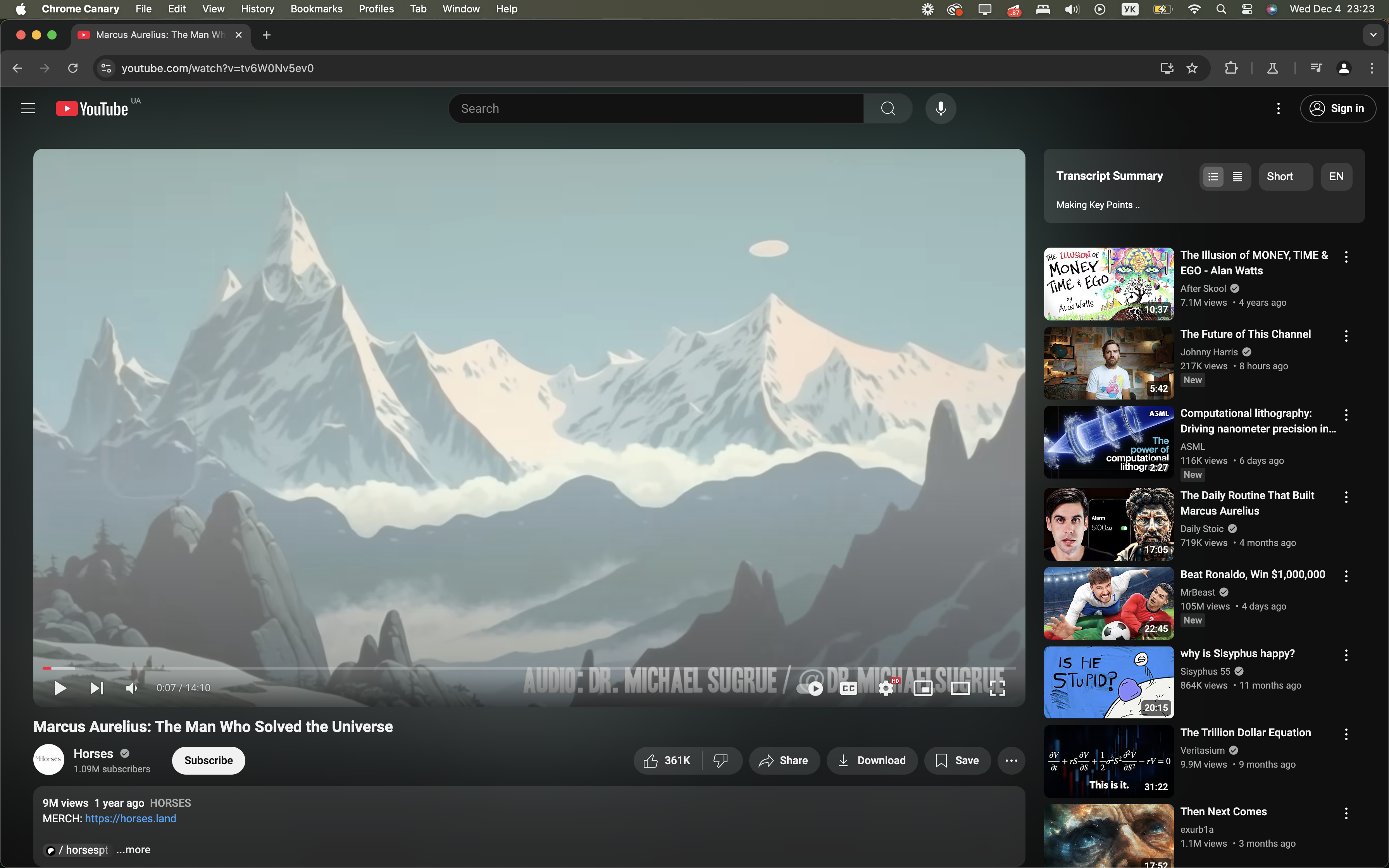
Once clicked, we see setting and progress
-
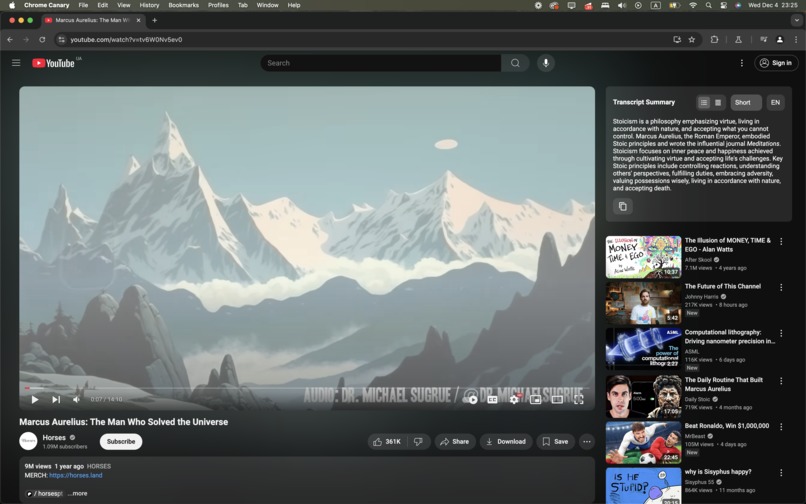
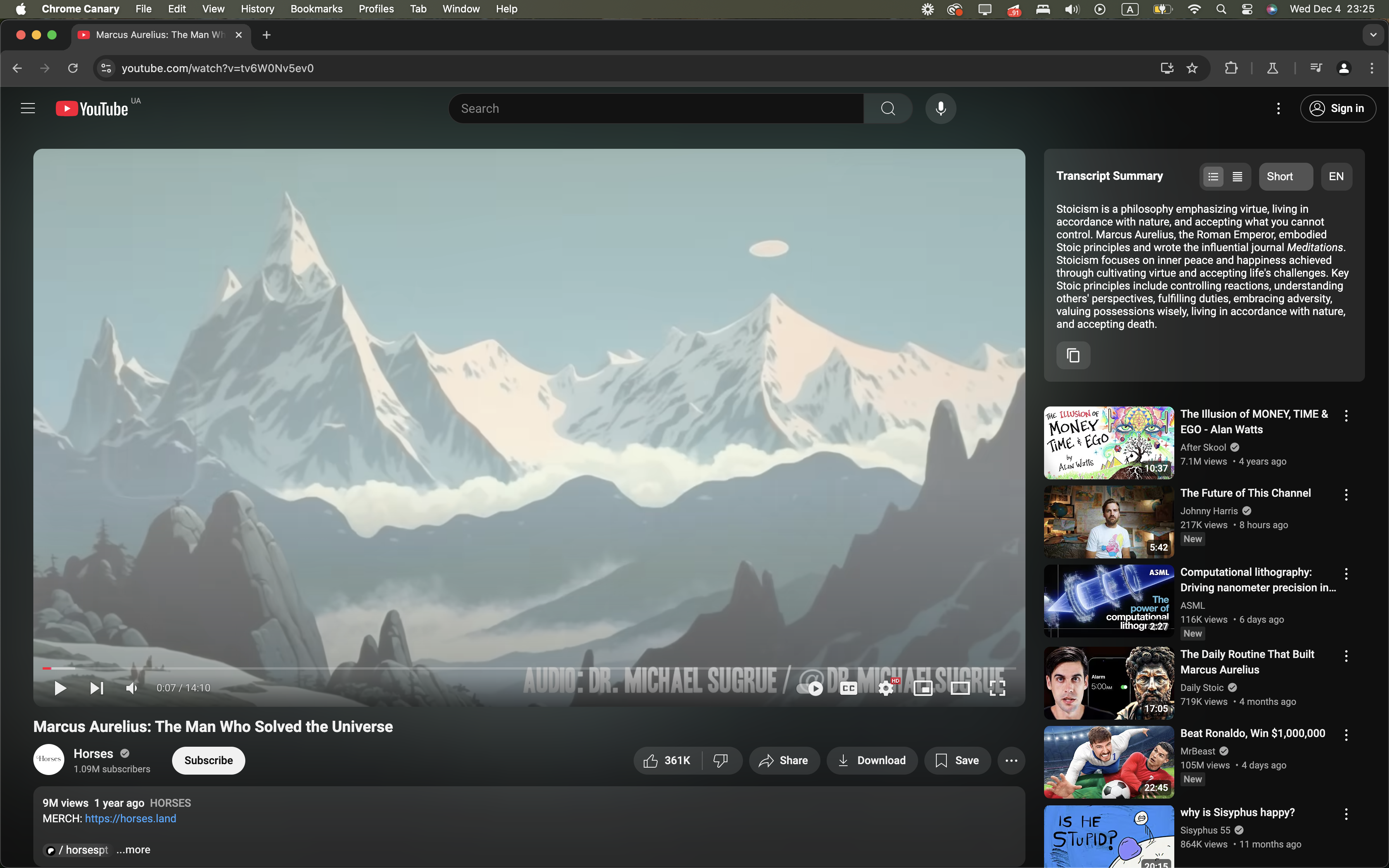
And here is short summary!
-
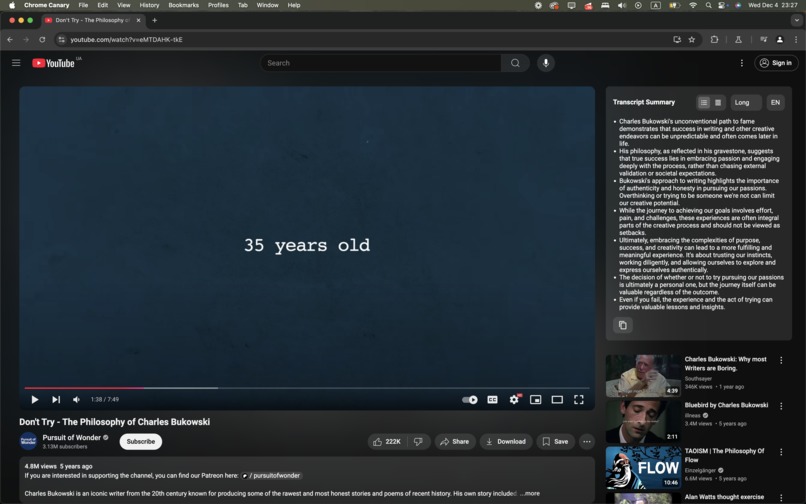
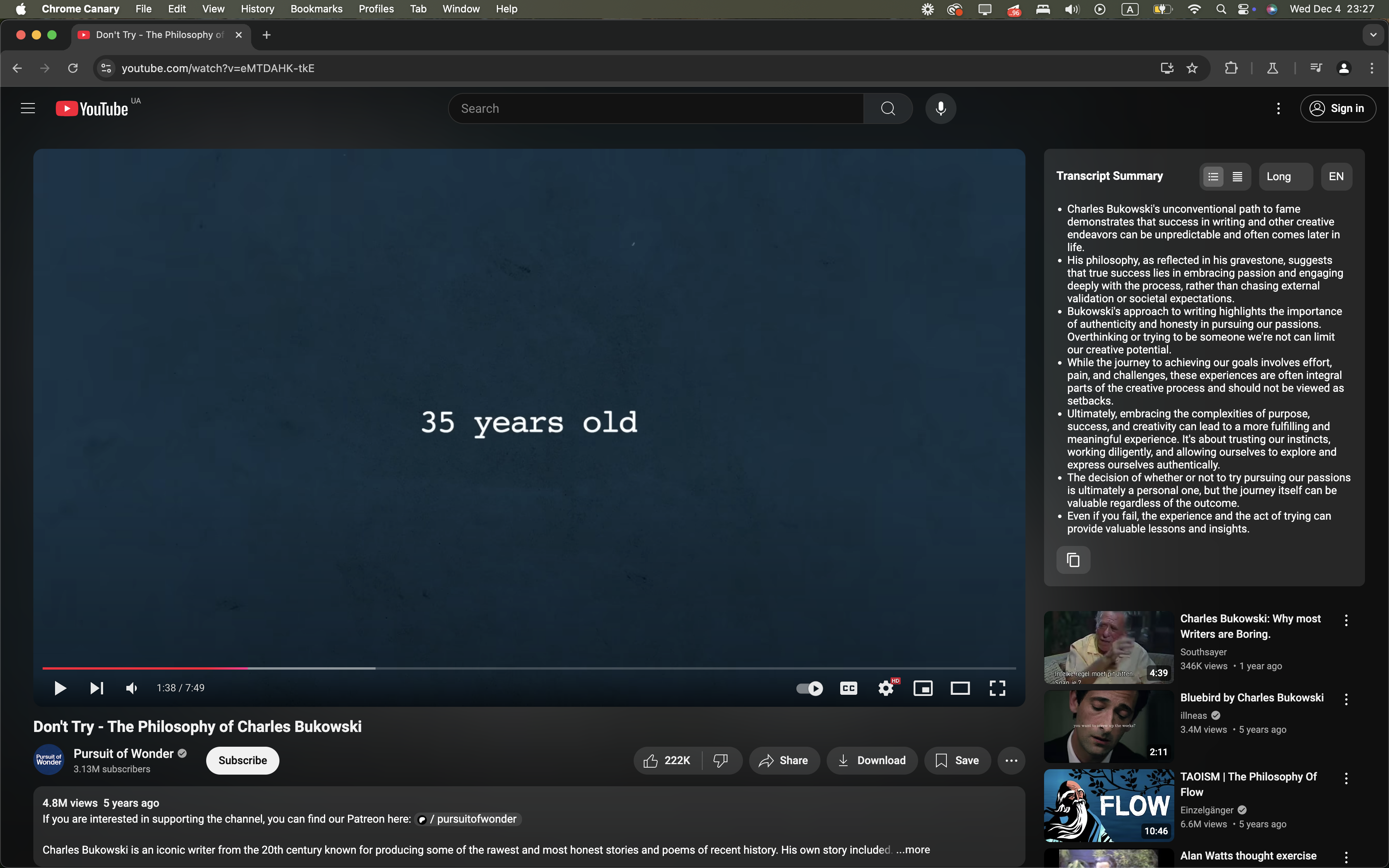
Main Key Points from the video
Inspiration
As passionate learners, we frequently turn to YouTube for educational content across various subjects. Lex Fridman Podcasts, Harvard Lectures, Pop Psychology, you name it.
However, we often used third party apps to get transcripts from the YT videos, and recently started to use LLMs to summarize them. The process of manually taking notes or using external tools for summarization disrupts the learning flow and highly inconvenient.
This inspired us to create a solution that seamlessly integrates into the YouTube experience, enabling users to generate concise key points summaries, or gists of video content. Our goal was to make learning more accessible and efficient for everyone, + regardless of language barriers.
I would like to add, that in our day time we are working on chrome plugin that brings AI tools for user, right into chrome. For example, I often read on foreign languages and complex articles, that I may not fully understand, and we've build an AI chat right into side panel with access to the page content. We are continuing working on it, yet, when we found out about challenge we wanted to give it a try and implement our "side" idea (YT summaries) that just may benfit a lot from on device llm.
We also were exploring concept of summarizing reviews on Google Maps, but decided to leave it to Google =D
What It Does
AIDER is a Chrome extension that enhances your YouTube viewing experience by:
- Summarizing Video Transcripts: Generates TL;DR or key-point summaries of YouTube video subtitles.
- Customizable Summary Length: Allows users to select the desired length of the summary.
- Multilingual Support: Translates summaries into the user's preferred language.
- Seamless Integration: Injects directly into the YouTube interface for a native look and feel.
- User-Friendly Interface: Offers easy-to-use controls without redirecting to external sites or tools.
By consolidating these features, AIDER helps users save time, overcome language barriers, and get the essence of the video, whether for lecture notes, or just quick gist.
How We Built It
- Technology Stack:
- Frontend: React, CSS, TS, Vite,
- APIs Used:
- Summarization API: To create concise summaries from video subtitles.
- Translation API: To translate the summaries into selected languages.
- Development Process:
- Subtitle Extraction: Capturing subtitles from YouTube videos using the platform's publicly available data.
- API Integration: Connected to the Summarization and Translation APIs to process the extracted text.
- Interface Design: Crafted a user interface that mimics YouTube's native design for a seamless experience.
Challenges We Ran Into
- API Limitations: The Summarization API initially only supported English, requiring us to implement an effective translation layer.
Technical Constraints: 1) Context limitation. We were exploring different techniques (such as: sliding window, recursive summarization) to overcome this limit. 2) Also we experiences the need to summarize several chunks at the same time. Which turned out to be problematic. 3) Speed. It takes quite a time.
Lack of system prompt: Still it would be nice to provide instructions or set notes for summarization. Like video context (description, title) so that summary uses instead of Author the name of the character, etc. Or that we need to omit mentions of ads. There were pretty hilarious summaries of videos, in which a lot of summary was about the ad.
UI Integration: Ensuring the extension's interface did not interfere with YouTube's layout required careful design considerations.
Time Zones & Coordination: Collaborating across different time zones and dealing with unexpected power outages in our region (Ukraine) posed some challenges, but that's fine.
Accomplishments That We're Proud Of
- Seamless YouTube Integration: Achieved a native-like extension that users can interact with intuitively.
- Efficient Summarization: Enabled users to quickly grasp video content without watching entire videos.
What We Learned
- Chrome Extension Development: Gained knowledge of building and deploying Chrome extensions.
- API Utilization: On Device LLMs may be tricky in terms of support, availability, and speed. Yet, as a free alternative, that's awesome for building features and giving them for free.
- User Experience Design: Understood the importance of UI/UX in tool adoption and user satisfaction.
- Problem-Solving Under Pressure: Enhanced our ability to troubleshoot and adapt quickly to unforeseen challenges.
What's Next for AIDER - YouTube Summaries
- Fallback support:
- Use cloud summarization for cases when on-device LLM is not available.
- Summarization Improvements:
- Optimize techniques for managing large texts.
- Implement caching mechanisms for repeated requests.
- Add support for additional languages.
- Add support for teaser summary.
- Bug Fixing:
- There are issues with dissapearing loader. It's embarrasing. We are fixing.
- Next Steps:
- Gather user feedback to refine features.
This small plugin gives us more convenient way to use YouTube, and sometimes watch video that friends are sharing (now that I can make a summary and either decide to watch it fully or not). Before I often was skipping, like oh no time, no time. Or oh I need to make lecture notes, what a pain...


Log in or sign up for Devpost to join the conversation.