-
-
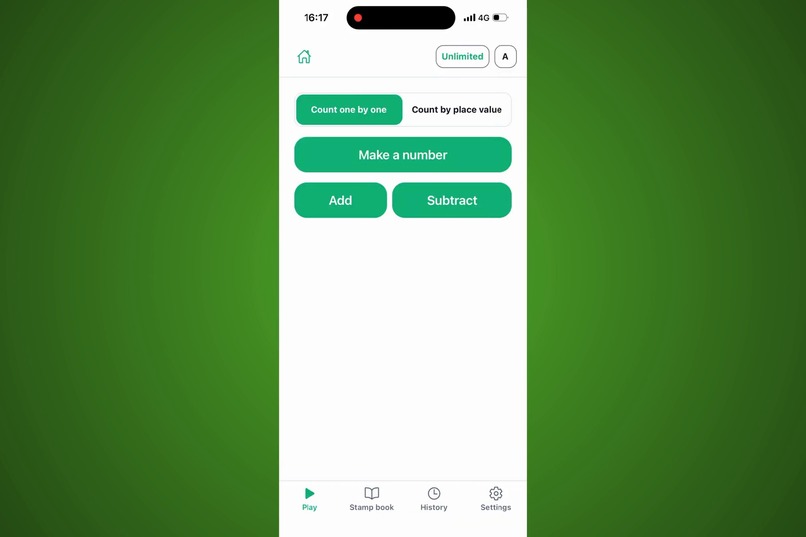
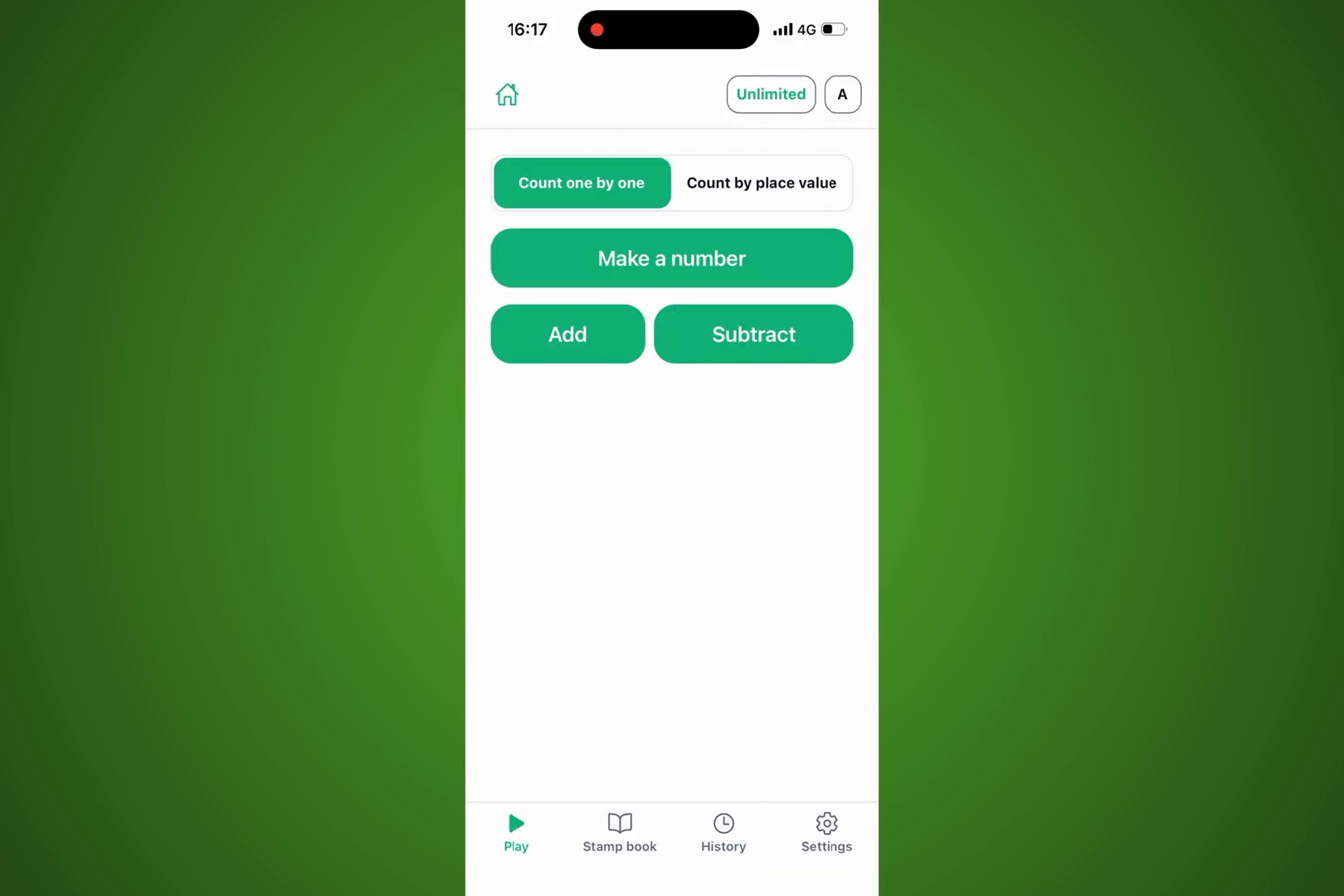
Three games: Make a number, Add, and Subtract. Count one by one, or by place value.
-
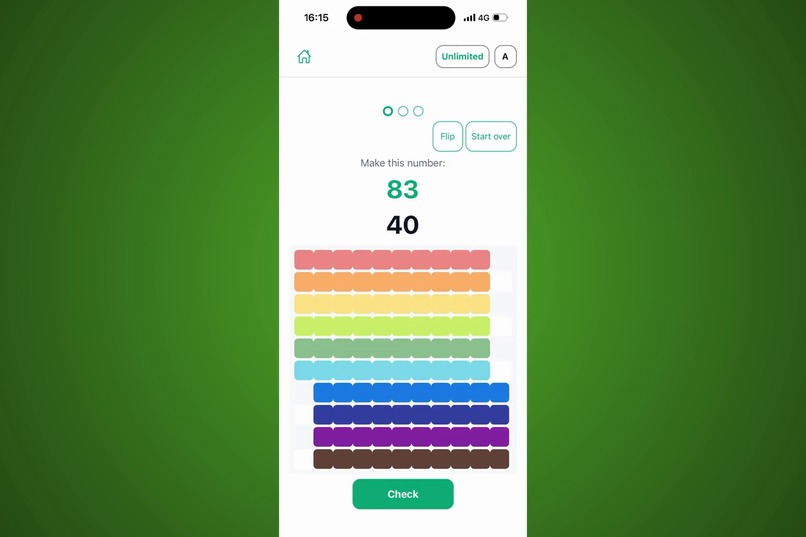
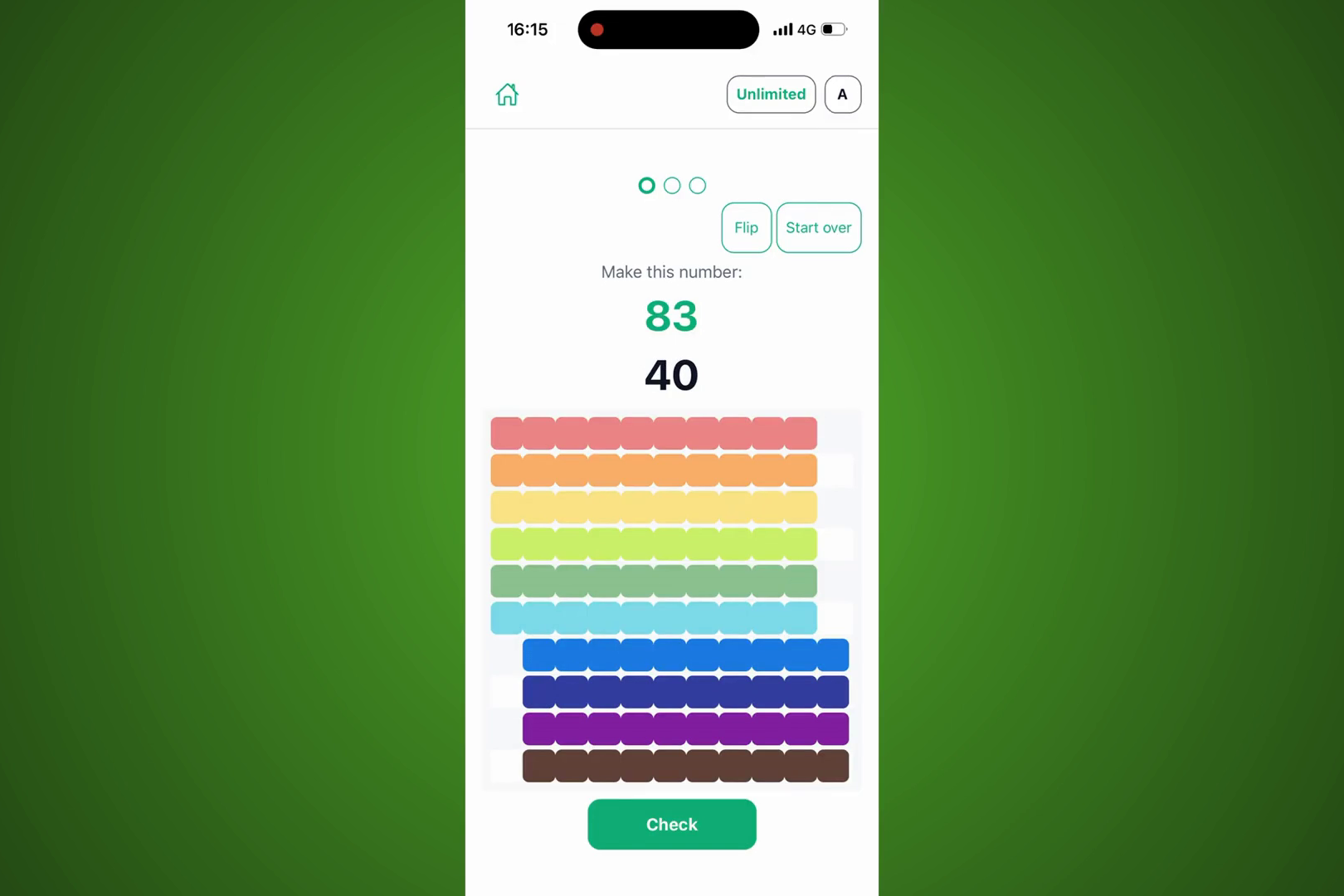
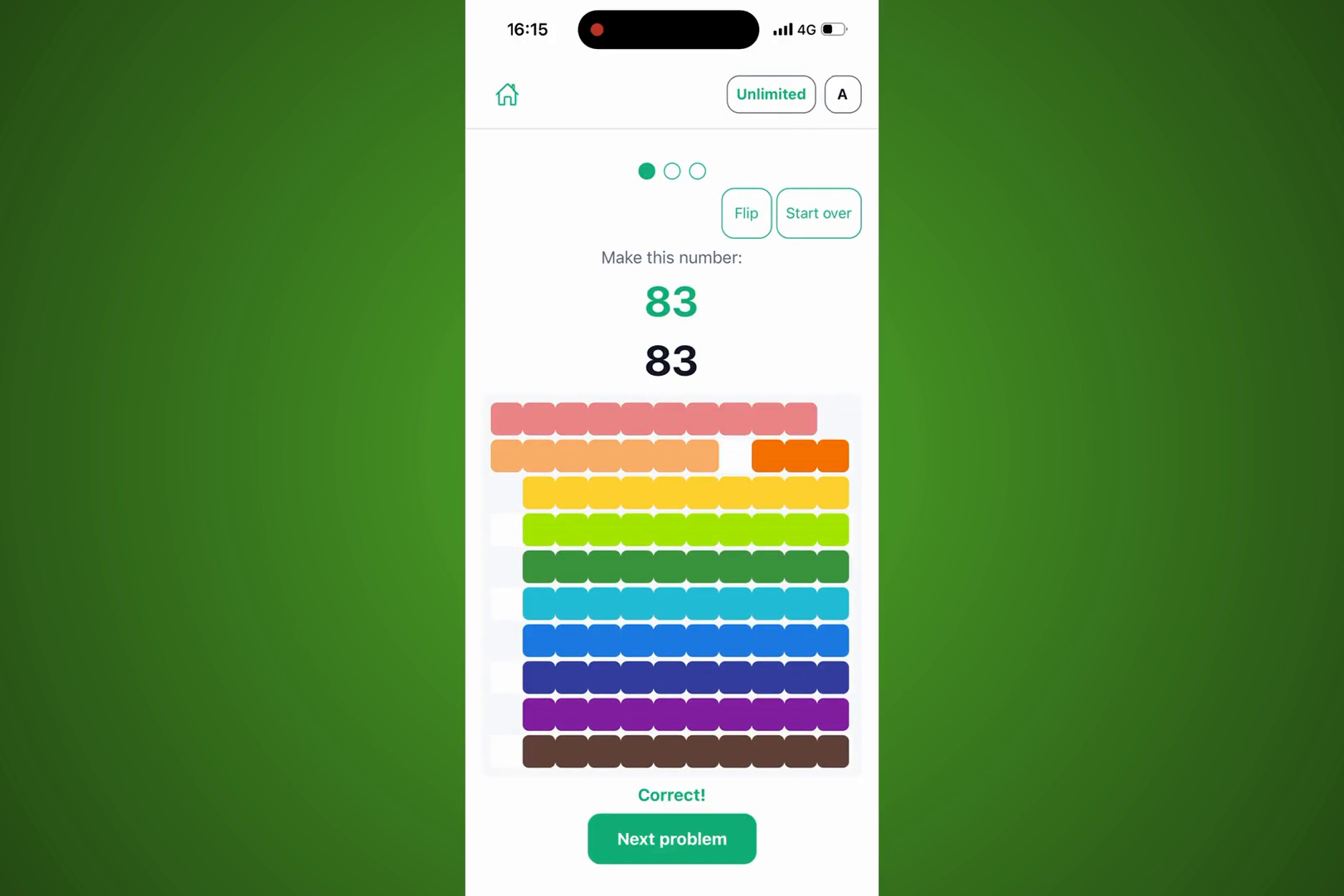
Build the number shown by dragging beads on a 100-bead soroban. For 83: ten by ten, then three more.
-
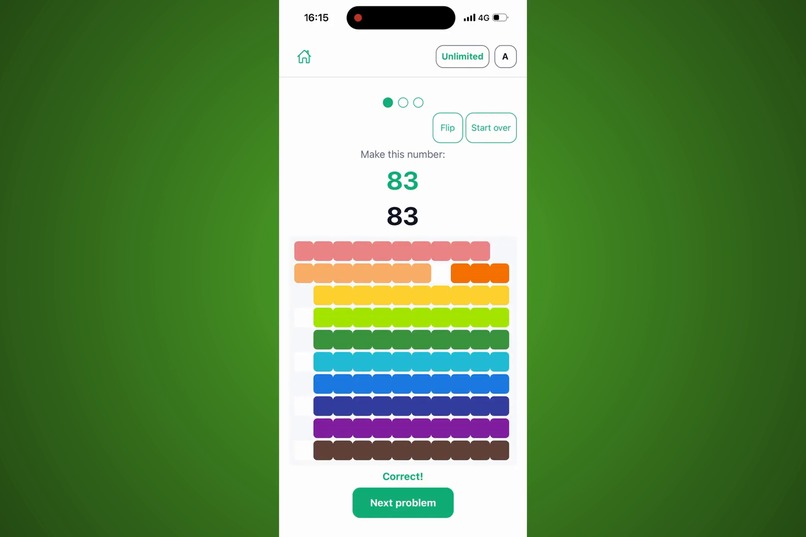
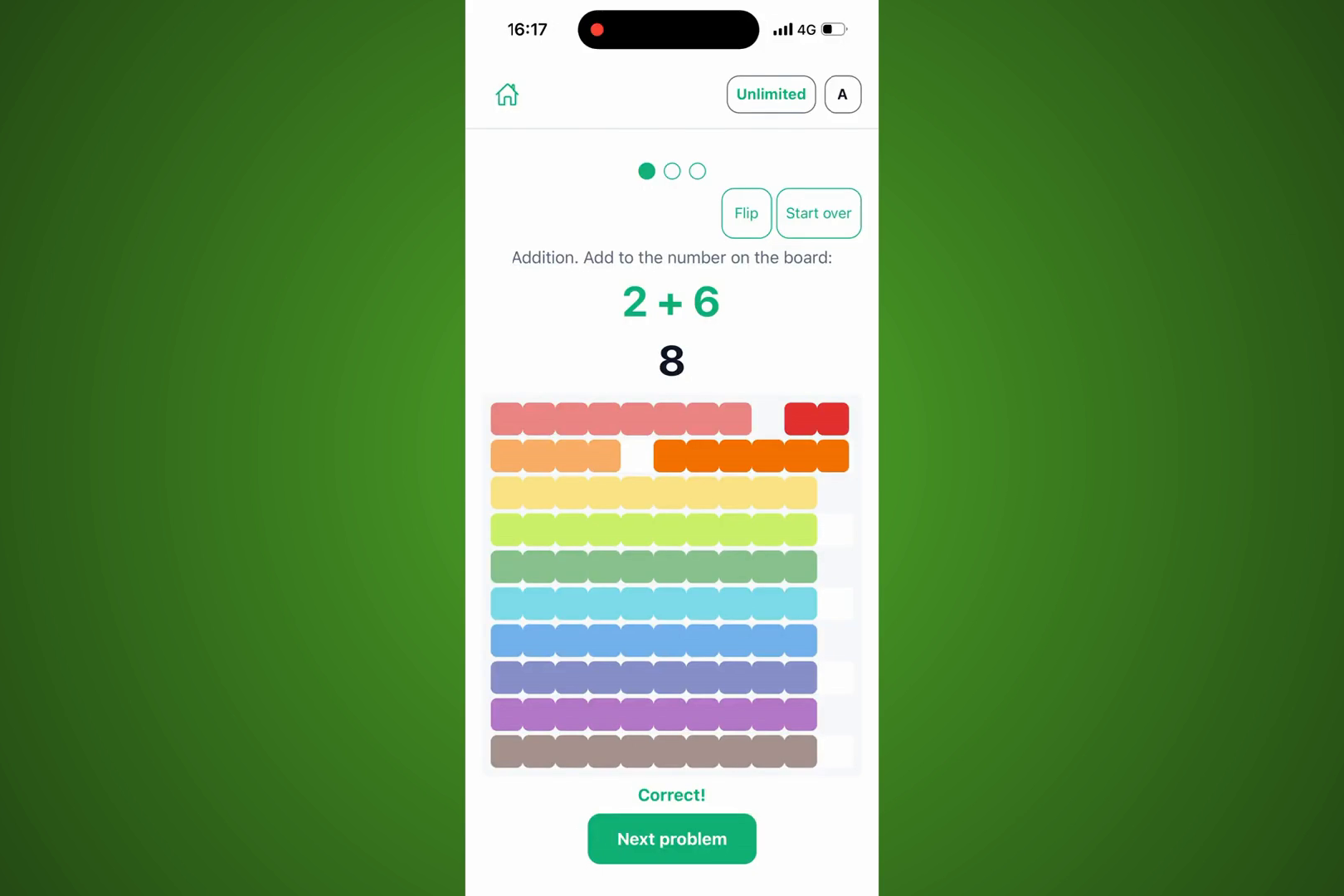
Tap Check to see if it's right. Correct! On to the next problem.
-
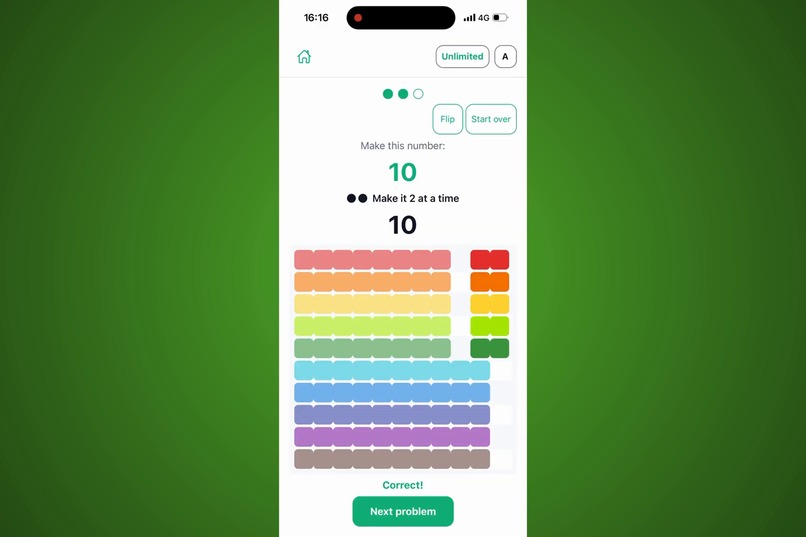
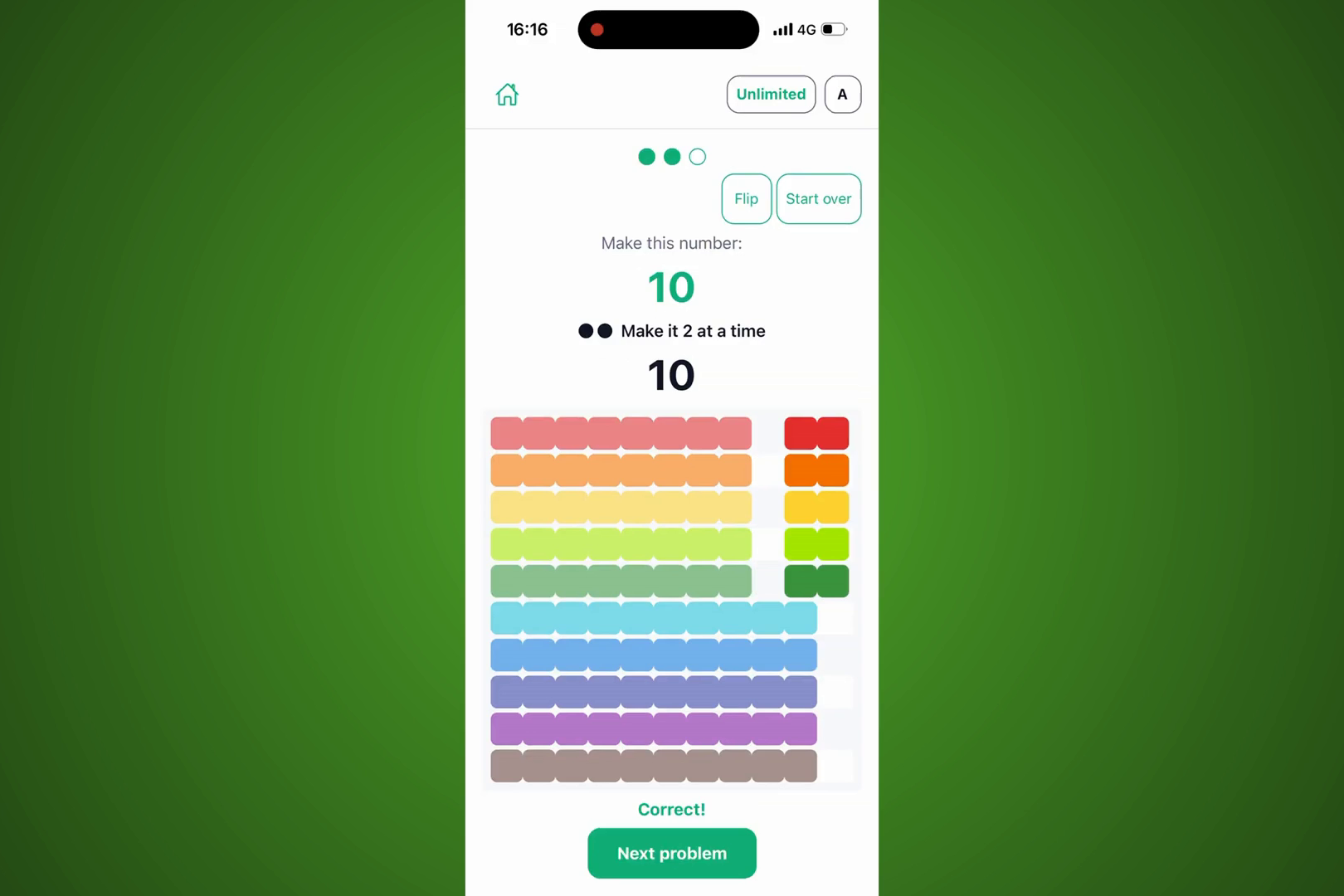
Some problems come with a challenge: "Make it 2 at a time." Two, four, six, eight, ten.
-
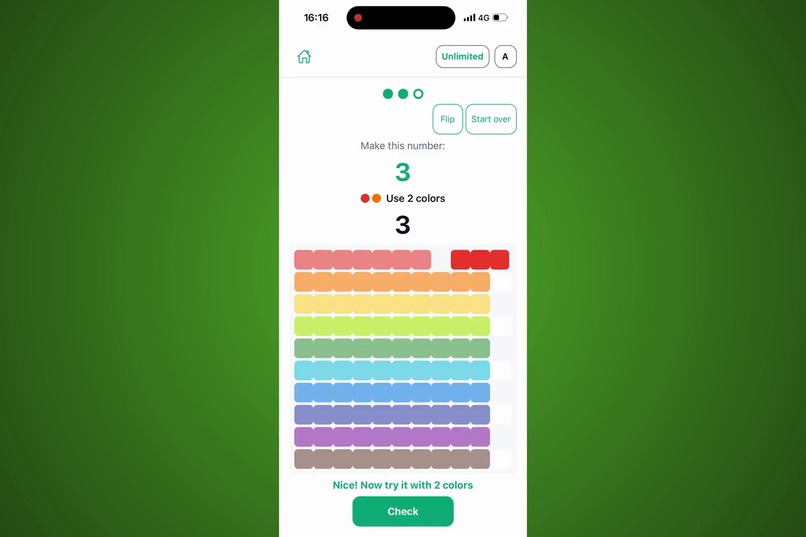
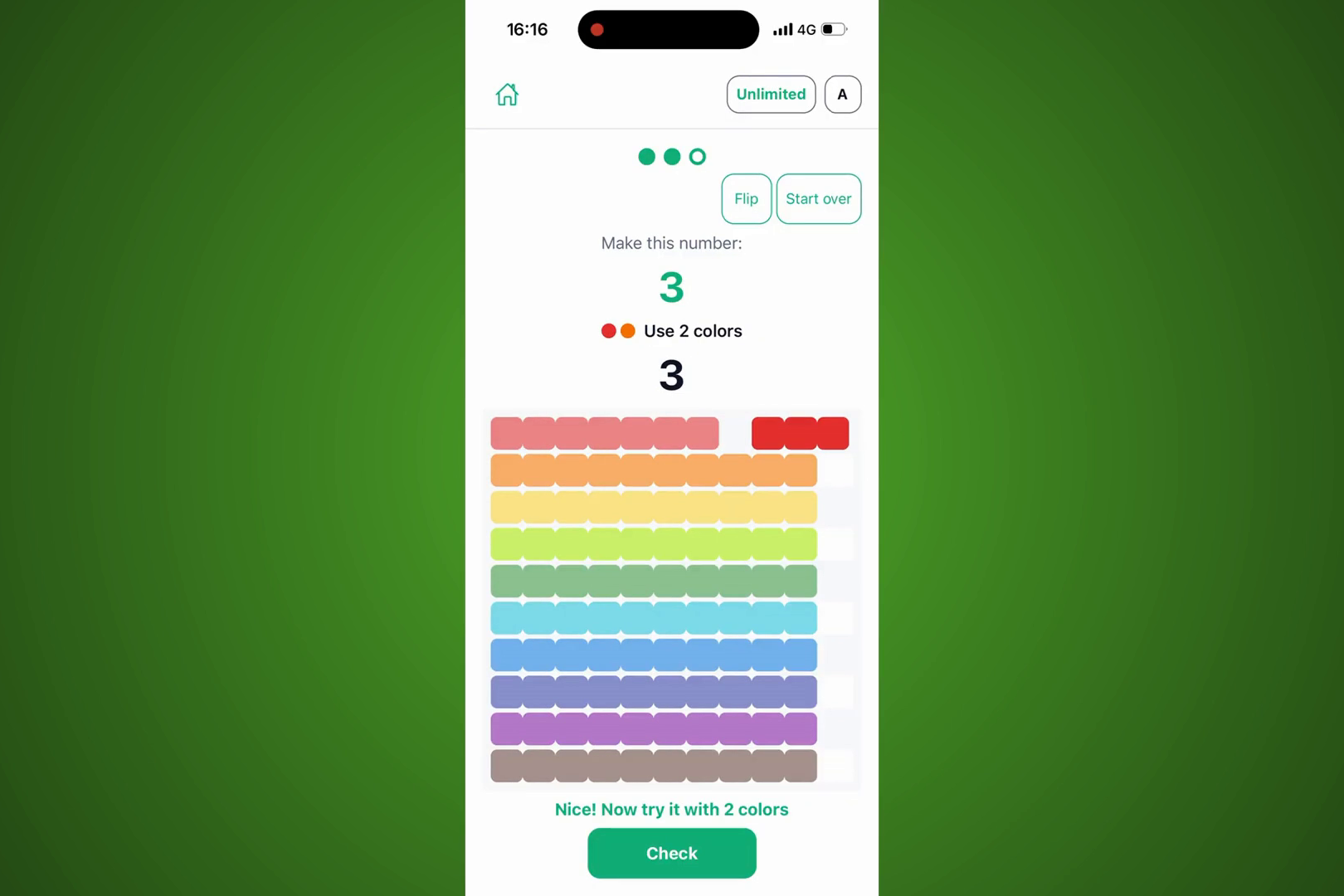
Another challenge: "Use 2 colors." One row works, but the app asks your child to try it a new way.
-
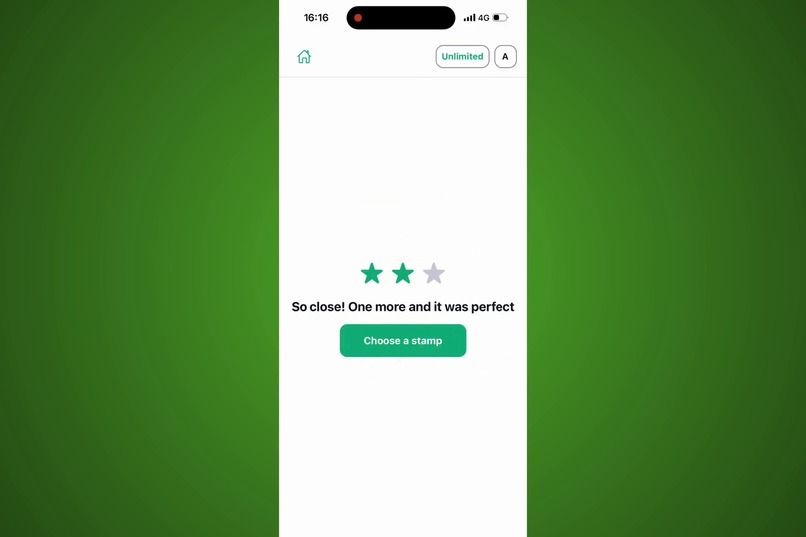
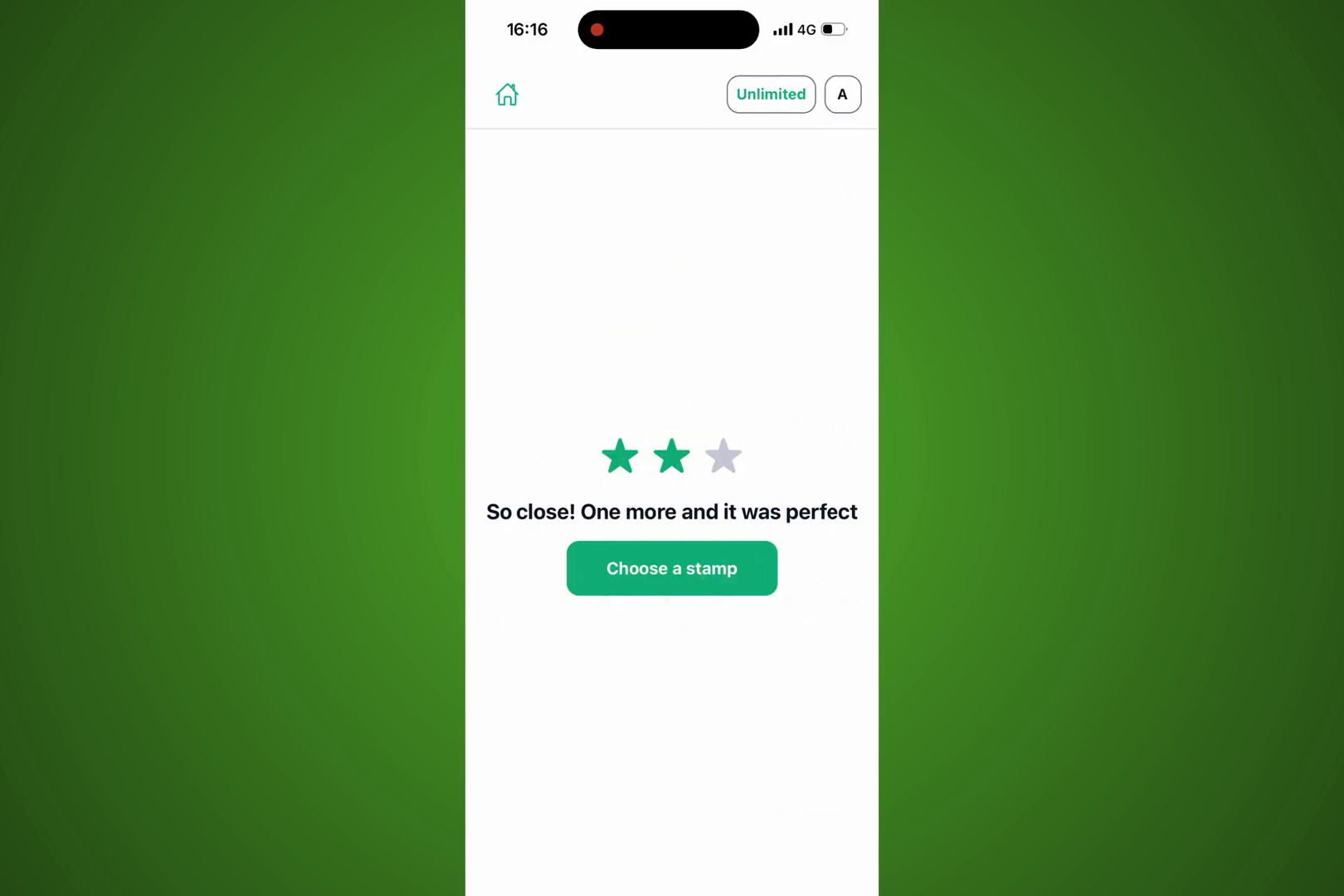
Finish a set of three problems to earn up to three stars.
-
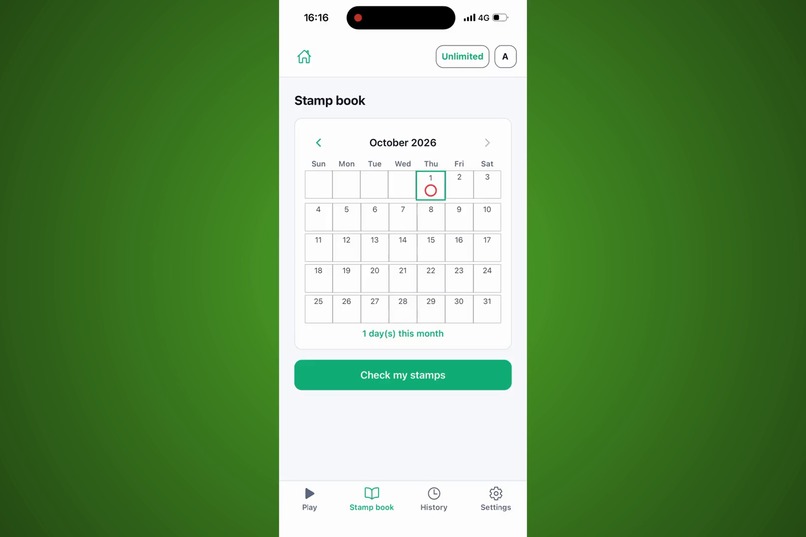
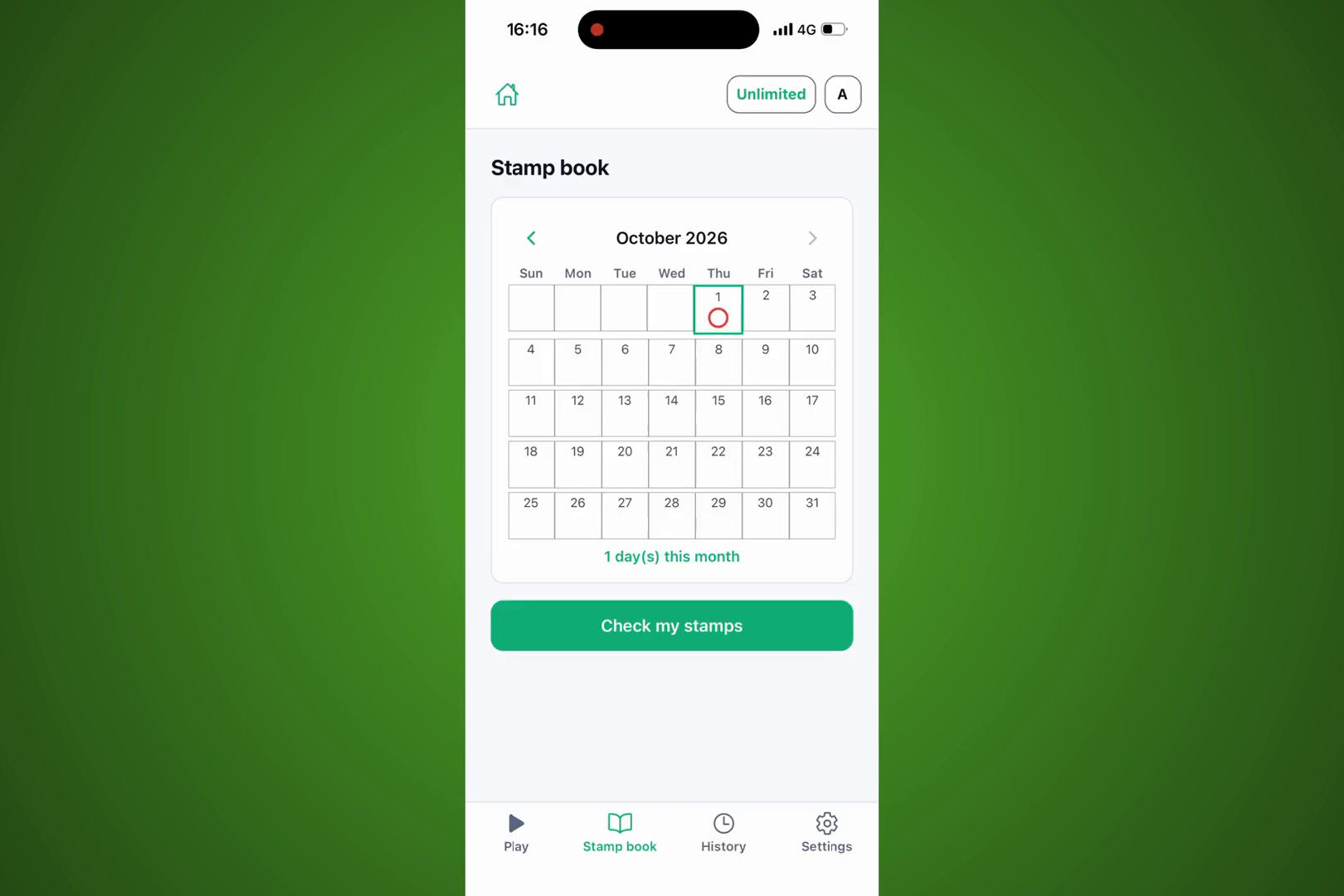
Pick today's stamp. The stamp book marks each day of practice, and points unlock new picture stamps.
-
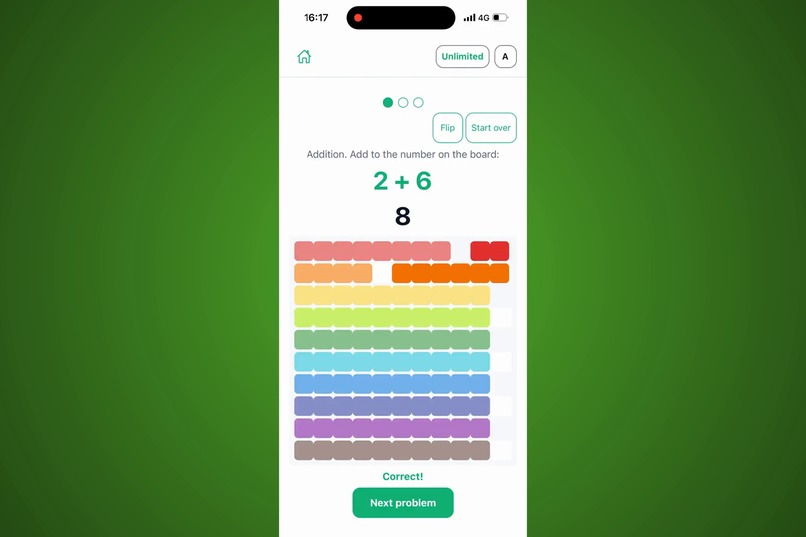
Addition works the same way: 2 is already on the board. Add 6 more, and there's 8.
-
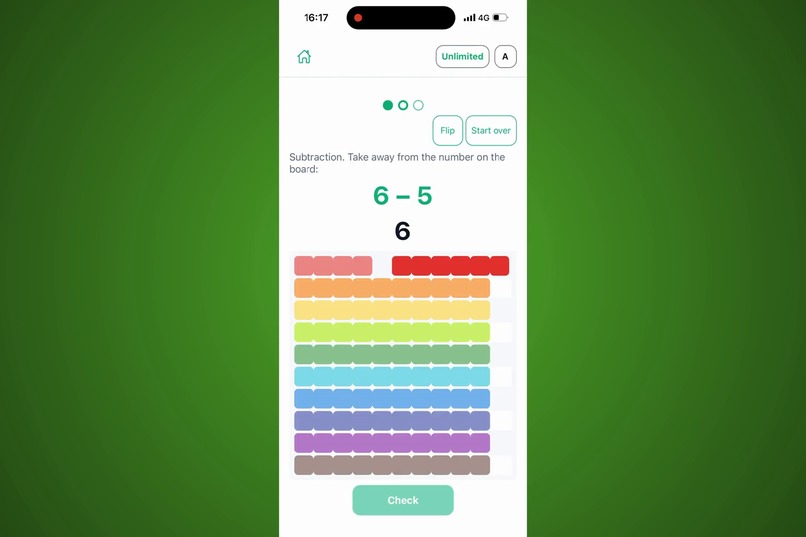
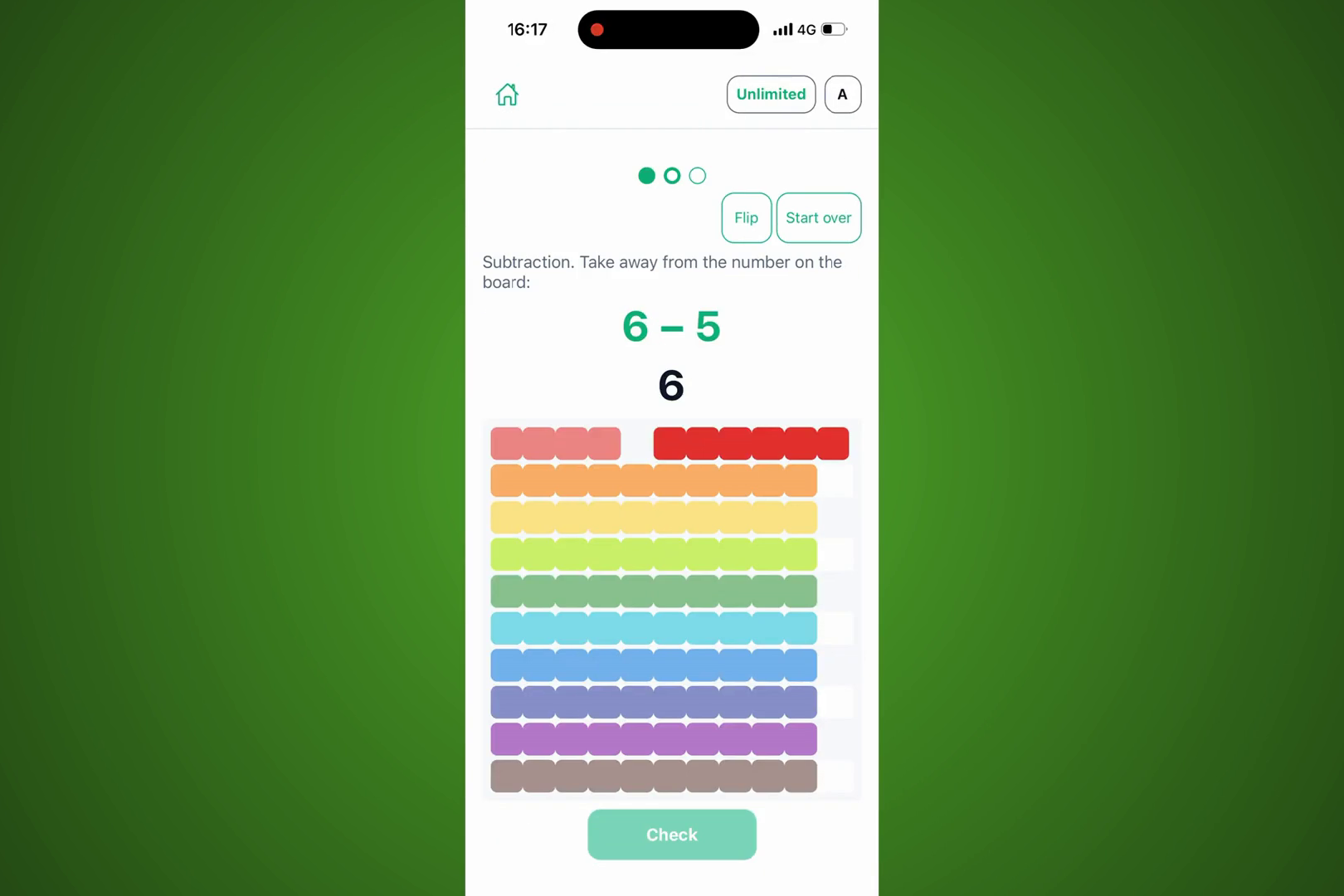
Subtraction: take beads away from the number on the board.
-
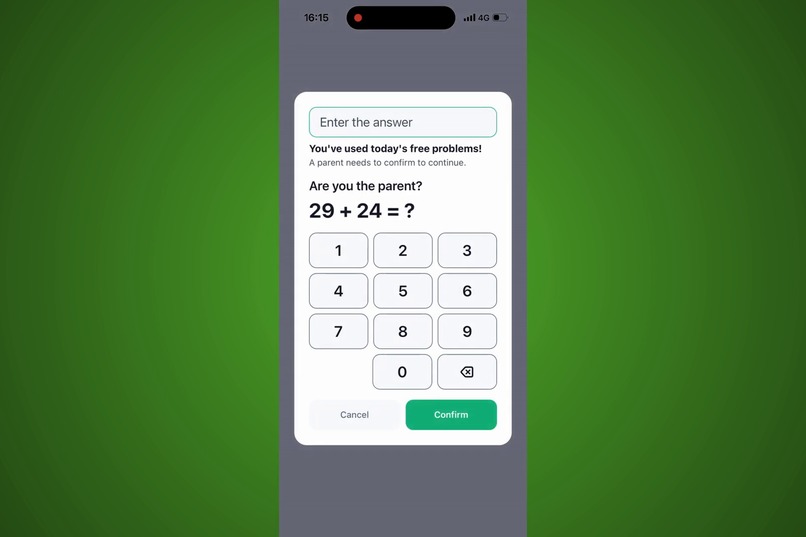
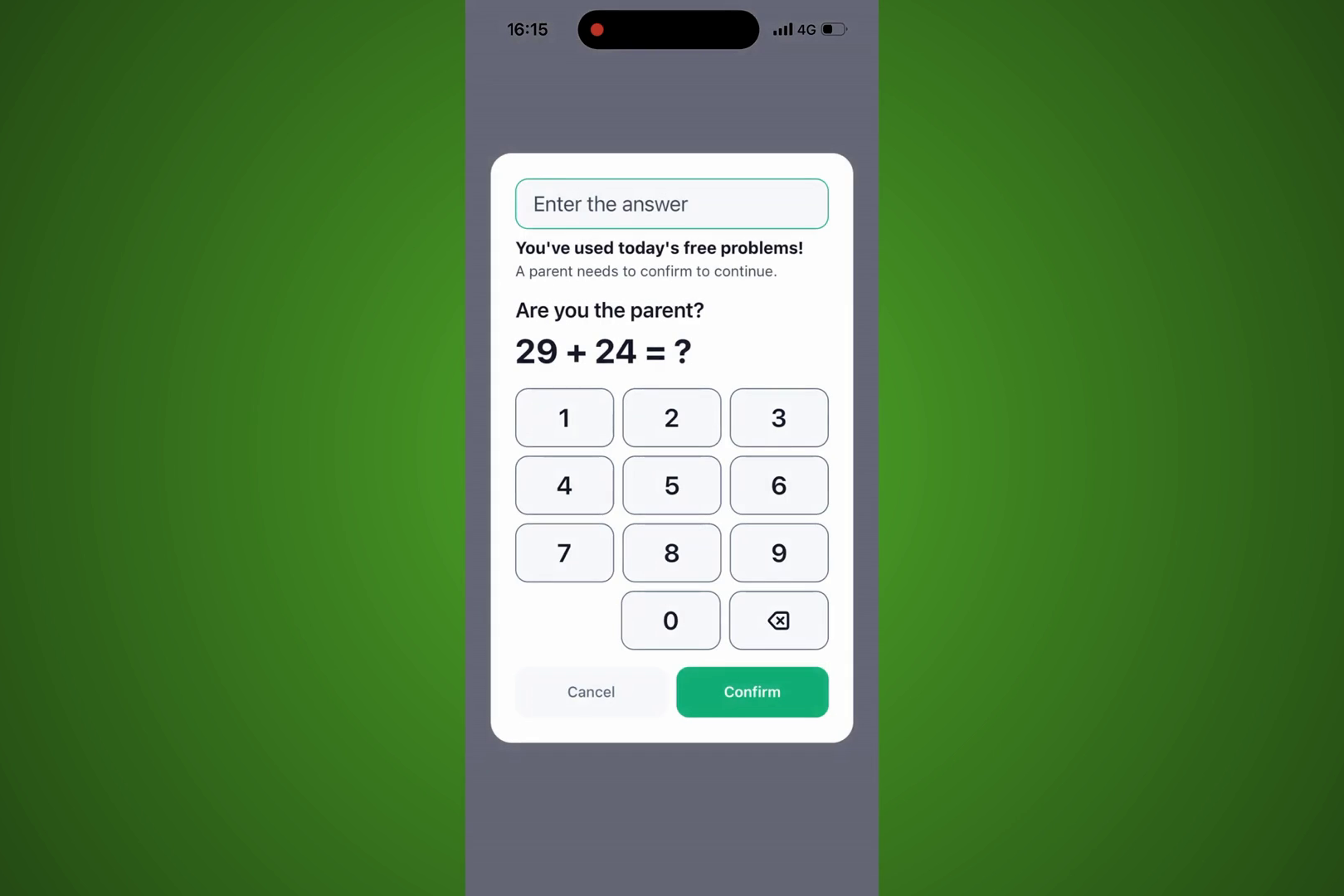
After 3 free problems a day, a quick math question for grown-ups comes first.
-
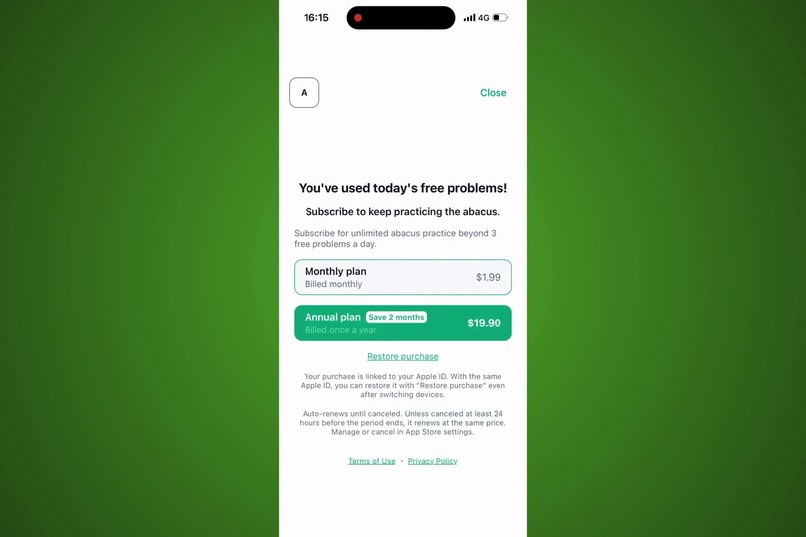
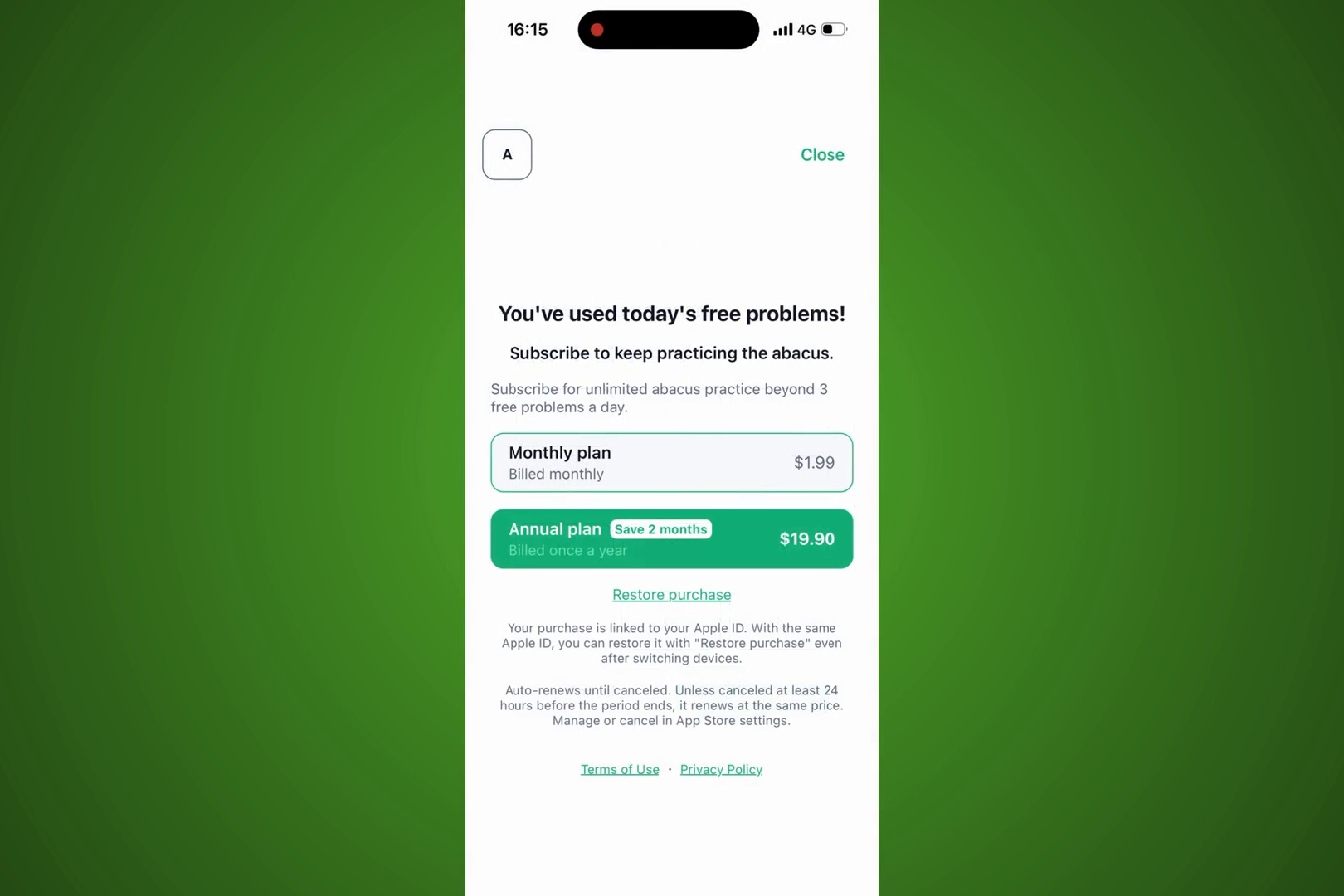
Then parents can choose a monthly or annual plan to keep practicing (cancel anytime).
Inspiration
Kids in preschool and early elementary school often meet numbers as abstract symbols before they ever get to touch what those numbers represent. A soroban (abacus) makes numbers physical: every bead you move is a unit you can see, count, and group. We wanted a simple, focused app that lets a child build a number on a 100-bead soroban with their own finger — nothing more, nothing less — and that also respects how a parent actually wants to manage a kids' app: know who's signed in, control the subscription, and be able to delete the account and data on request.
What it does
AiDEPT for Abacus shows a target number and asks the child to build it by dragging beads on an on-screen 100-bead soroban (10 rows of 10). A counting mode is pre-selected when the parent first sets the child up, and it can be switched at any time from the home screen:
- Count one by one — every bead counts as one, for children just learning to count
- Count by place value — beads are grouped by place value (ones, tens, hundreds...), including carrying and borrowing, for children ready for place-value thinking
A problem only counts once the child actually moves a bead on it — opening the screen or tapping "Check" alone doesn't use it up. Two wrong tries bring up a hint. The app is free for 3 problems a day; after that, a simple parental gate (add two two-digit numbers) stands between the child and the subscription screen, so a young child can't accidentally start a purchase.
Signing in with a Google or Apple account is required to use the app — not because the practice screen needs an account, but because purchases, purchase restore, the child's counting-mode setting, and account deletion all need to be tied to somebody. We learned the hard way (see below) that skipping this creates a real problem.
Finishing problems earns stamps. The child collects one stamp a day on a monthly calendar, and points toward opening new sticker series — fruit, flowers, animals, sea creatures, dinosaurs and the characters from our own children's programme. Ten points opens one series of twelve stickers, and the child picks which sticker to place. The goal is that a child who finishes today's practice has something to come back for tomorrow.
How we built it
- React Native (Expo, TypeScript) for the app itself, sharing UI and i18n infrastructure with our sibling apps in the same monorepo
- Firebase Authentication (Google and Apple Sign-In) gates every screen
behind a single
AuthRedirectGate— there is no path into practice, paywall, or account screens without being signed in - Firestore stores the child's counting-mode preference against the signed-in account, replacing an earlier on-device-only design
- RevenueCat, backed by a Node.js backend on Google Cloud Run, handles the monthly/annual subscription, purchase restore, and — on account deletion — cleans up the RevenueCat customer record and revokes the Sign in with Apple token so a deleted account can't silently keep using paid features
- A per-device free-quota counter (a device identifier and that day's count, with no name, email, or account ID attached) enforces "3 problems a day"
Challenges we ran into
The biggest one arrived late: during our own pre-submission testing, we found that a device could purchase a subscription without ever signing in, which meant we had no way to know who had actually paid. Earlier TestFlight builds had sign-in as optional, on the assumption that requiring an account for a kids' counting app was unnecessary friction. That assumption was wrong the moment real money was involved. We redesigned the app around a mandatory, single-entry-point login gate, removed anonymous Firebase sign-in entirely, and rebuilt the Google/Apple sign-in flows to be as direct and simple as possible for a parent to complete once.
We also had to carry forward local data from before that change: devices that had used an earlier build already had a counting-mode preference saved anonymously on-device. Rather than discard it, we migrate that local preference into the newly signed-in account the first time each returning device logs in.
Accomplishments that we're proud of
- A single, well-tested authorization gate (
resolveAuthGate, with its own unit tests) that every screen in the app goes through — no screen can accidentally ship unauthenticated - A free daily quota and parental gate that add just enough friction to protect a child from an accidental purchase, without adding friction to actually practicing math
- Full account deletion, including RevenueCat customer cleanup and Apple Sign-In token revocation, verified end to end
What we learned
Requirements you write down before you have real users are hypotheses, not facts — "sign-in should be optional to reduce friction" sounded reasonable until real-device testing showed it broke the one thing that actually mattered (knowing who paid). Building a small, isolated app is a good way to learn that lesson cheaply, on a soroban-practice screen, before it happens somewhere more expensive.
What's next
A practice log for parents — how long each problem took, which ones needed a second try — so a parent can see progress without standing over the child's shoulder. And continuing to build out the rest of the counting-mode content beyond the initial 100-bead soroban screen.
Built With
- expo.io
- firebase
- firestore
- google-cloud-run
- google-sign-in
- react
- react-native
- revenuecat
- sign-in-with-apple
- typescript


Log in or sign up for Devpost to join the conversation.