-
-
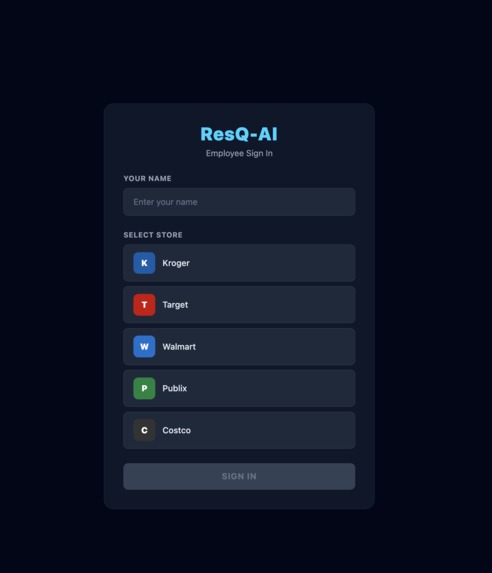
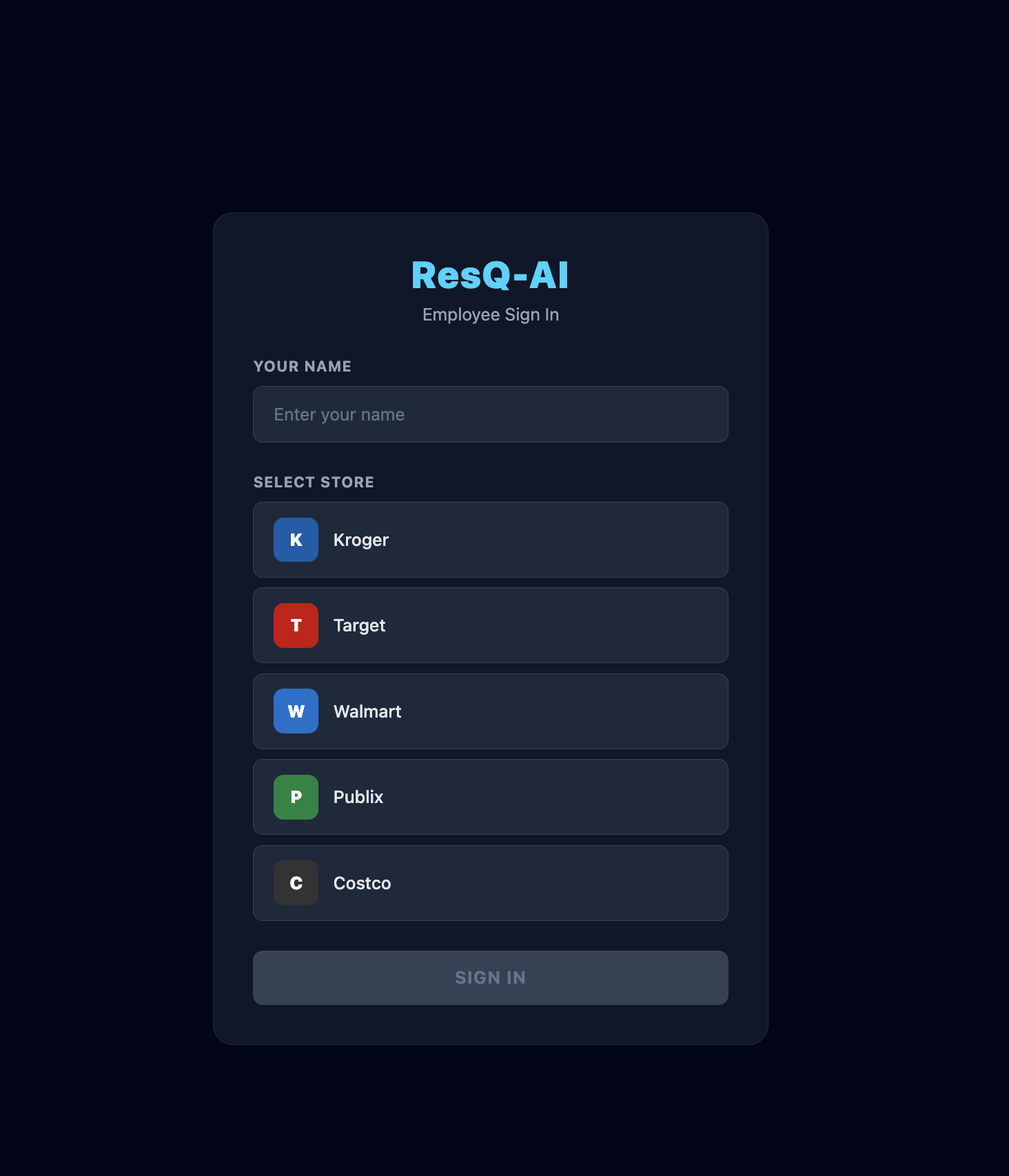
Front page where employee signs in with their name and store for demo convenience for now.
-
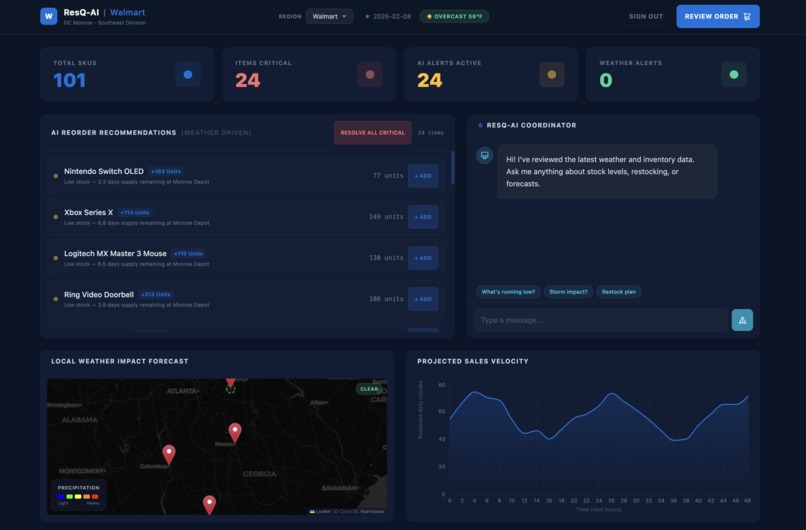
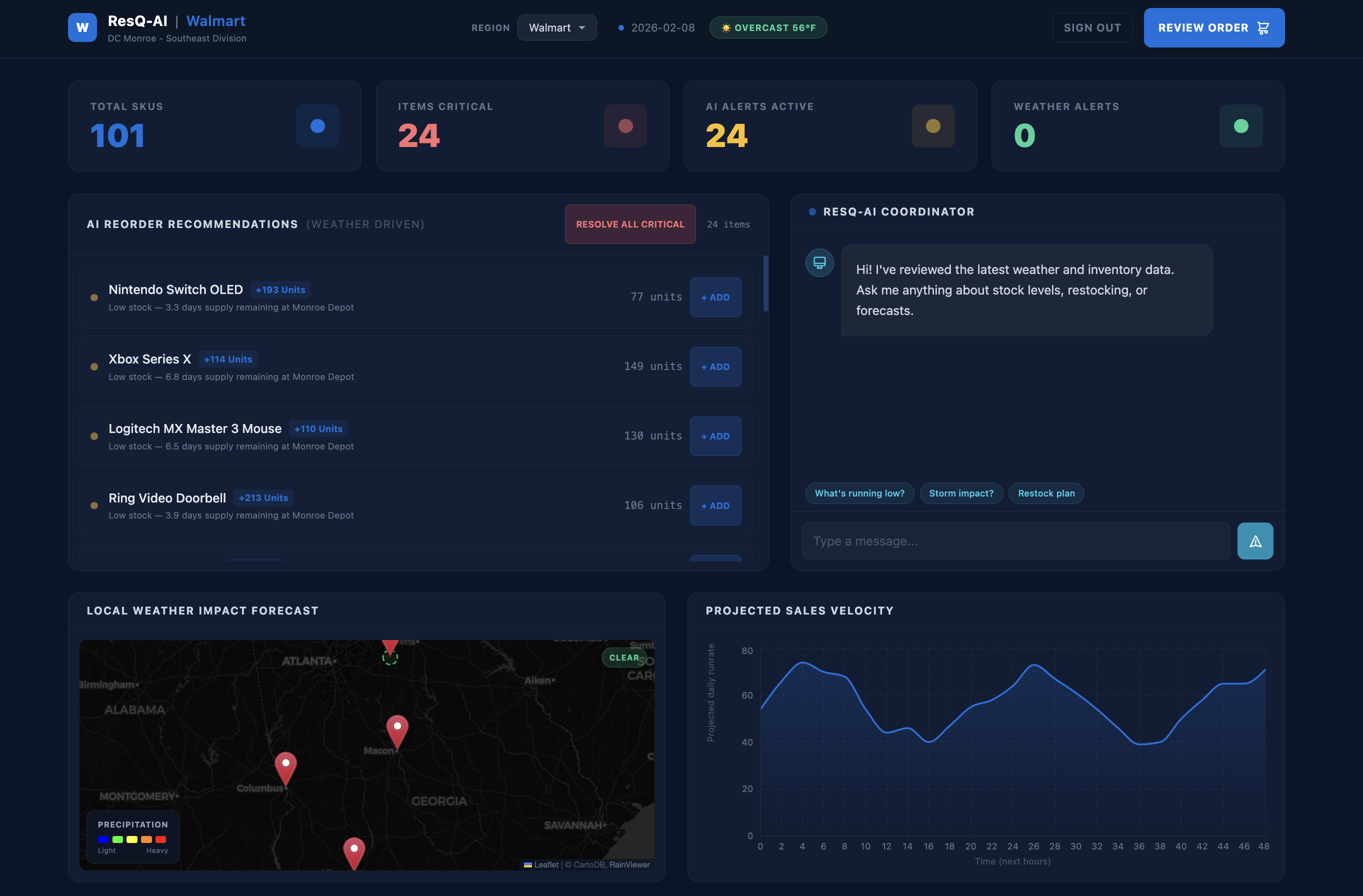
Walmart Dashboard
-
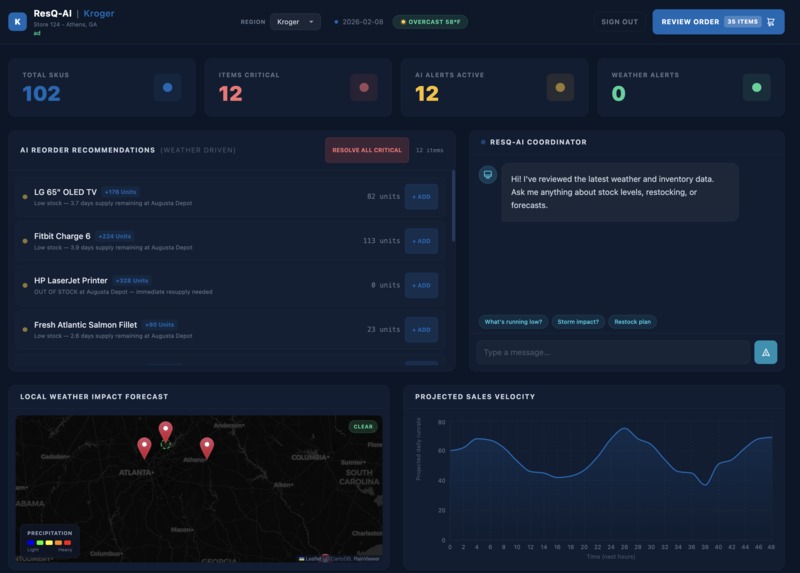
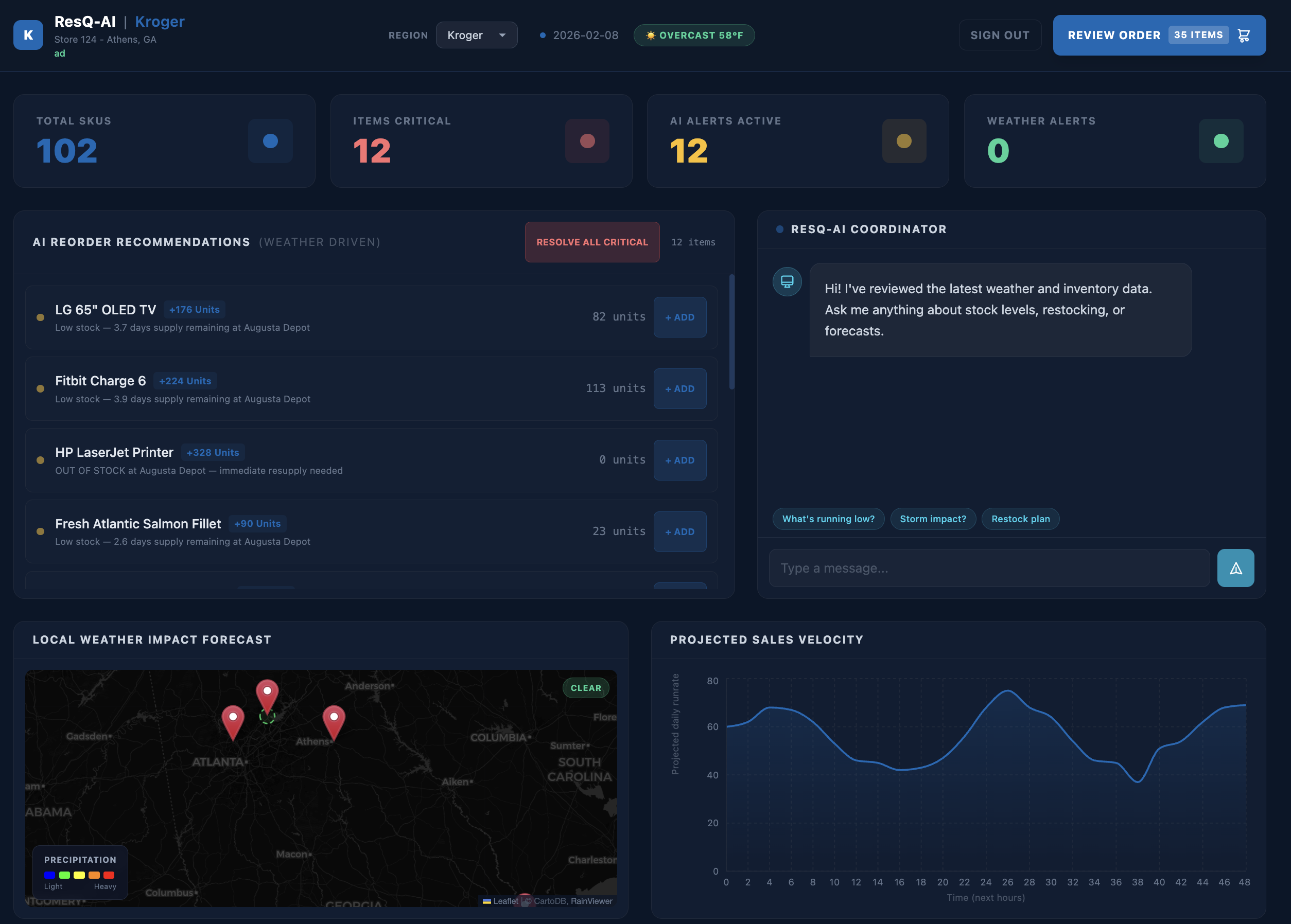
Kroger Dashboard
-
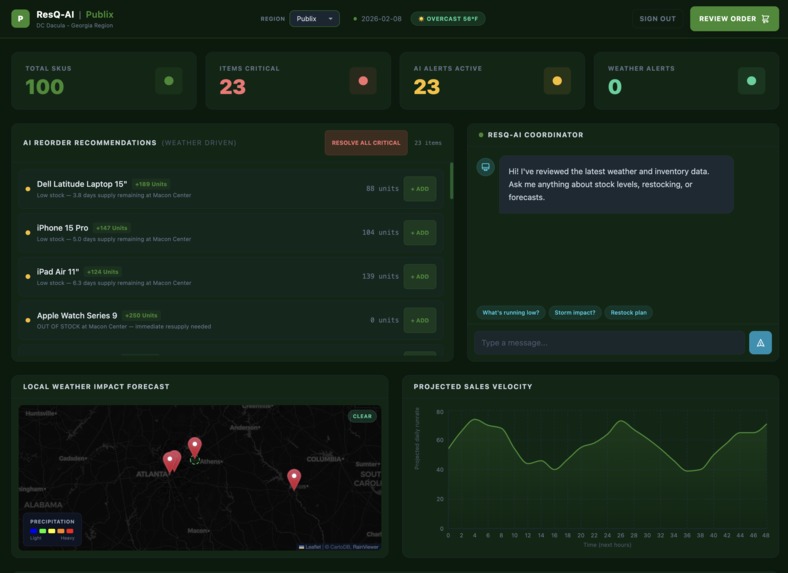
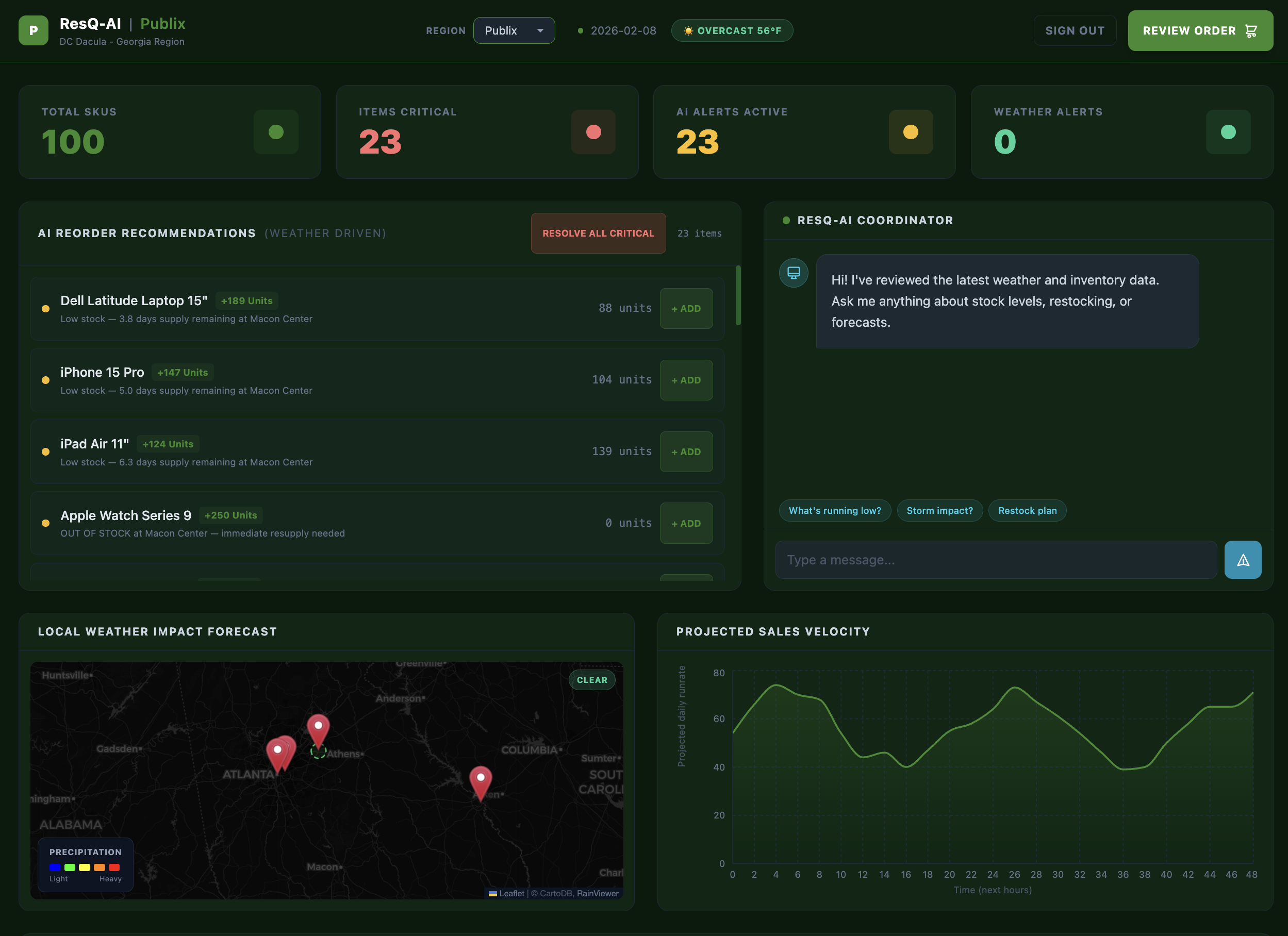
Publix Dashboard
-
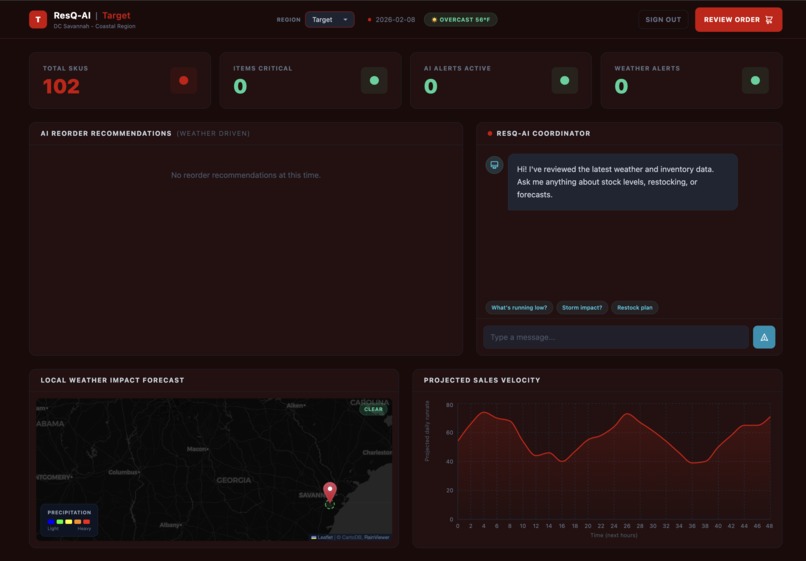
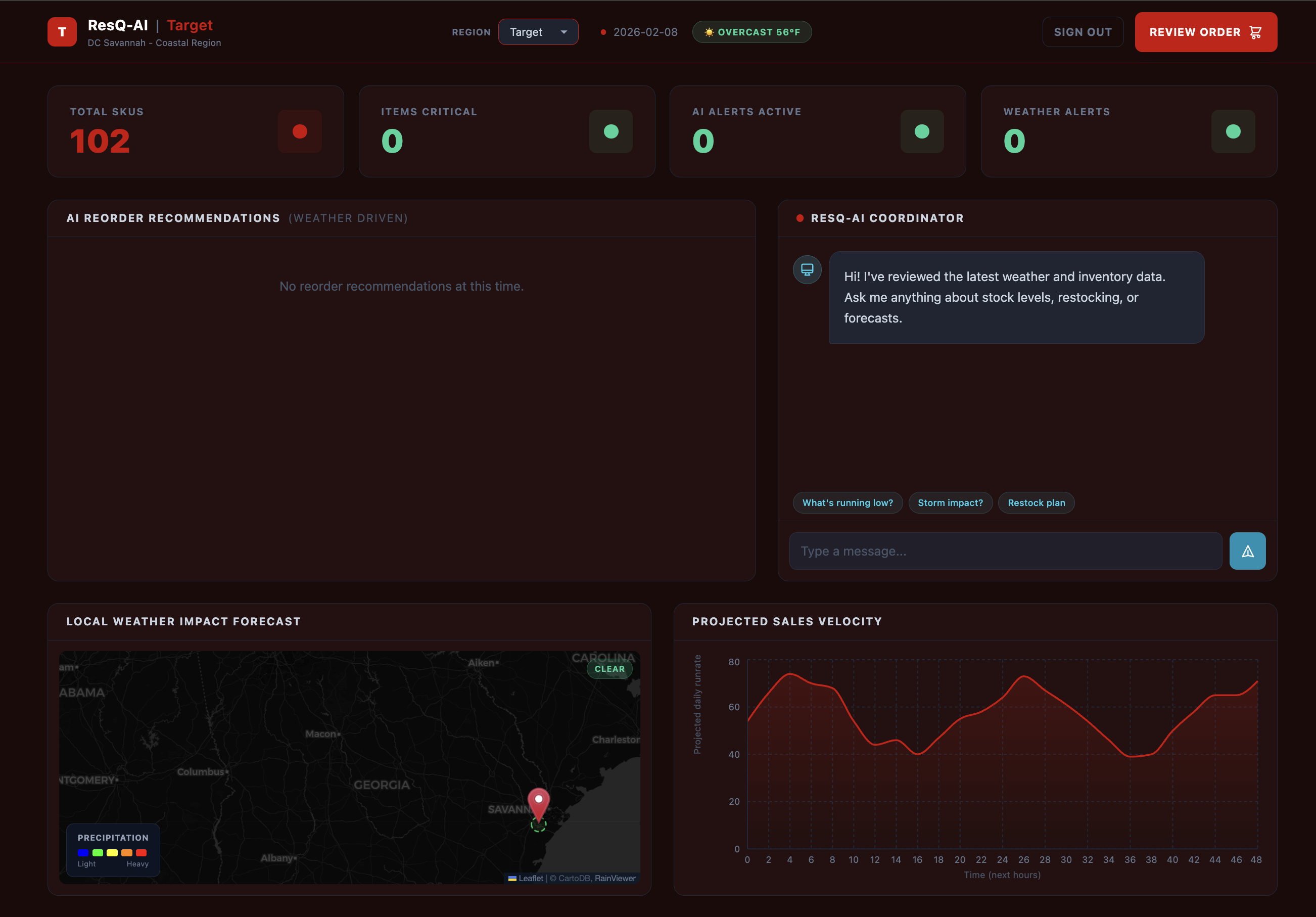
Target Dashboard
-
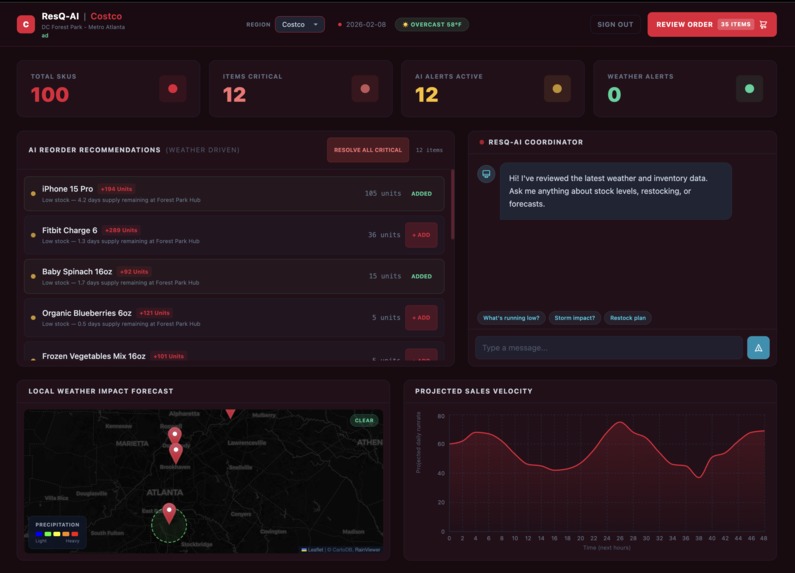
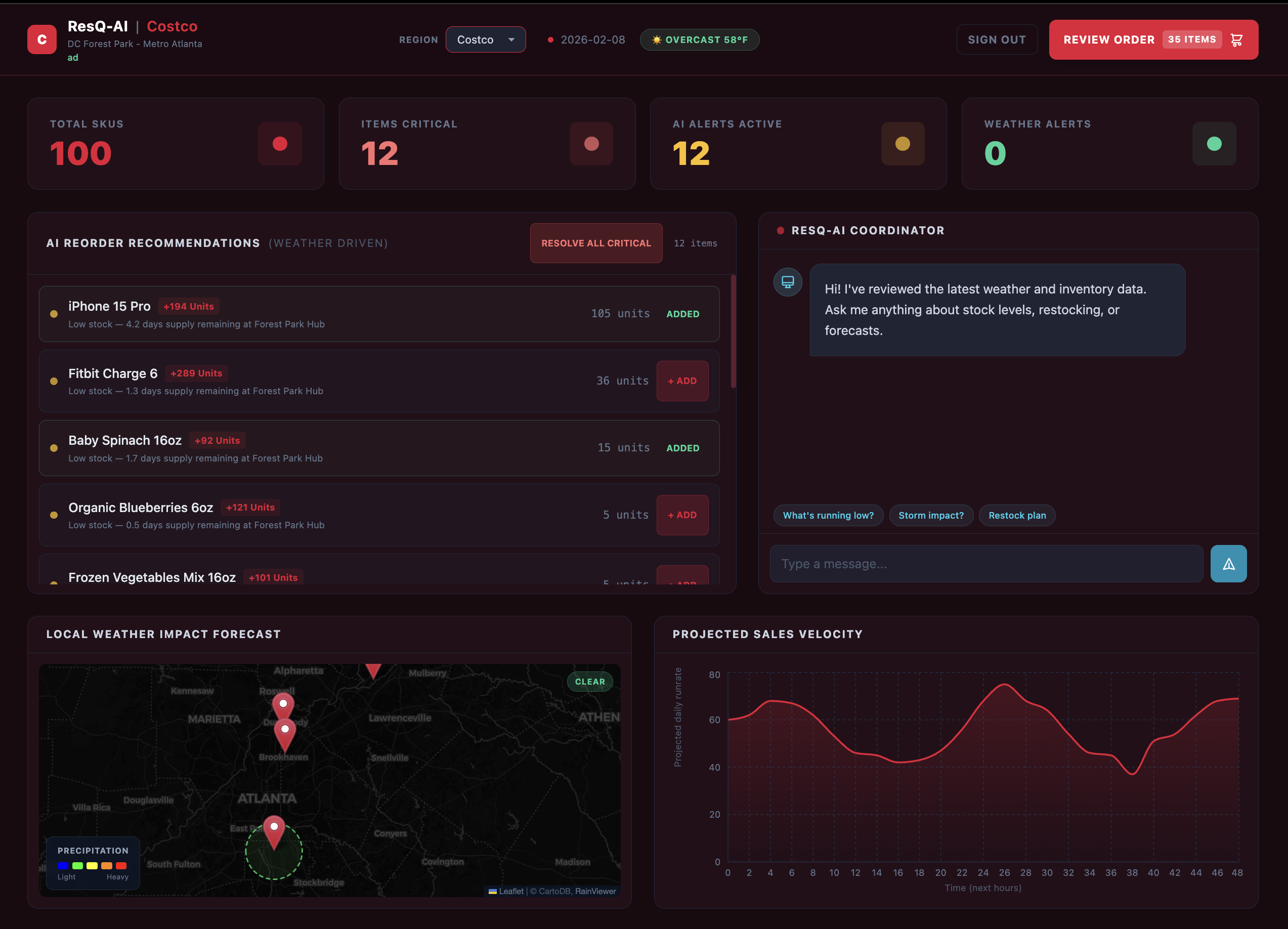
Costco Dashboard
-
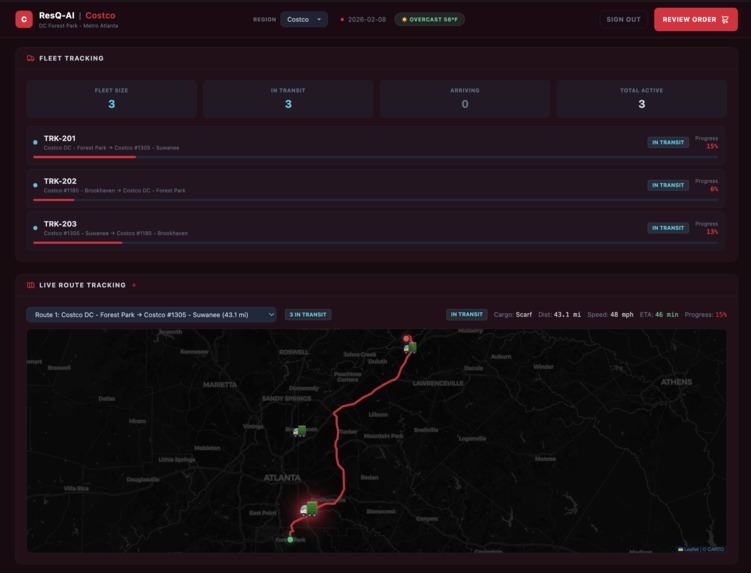
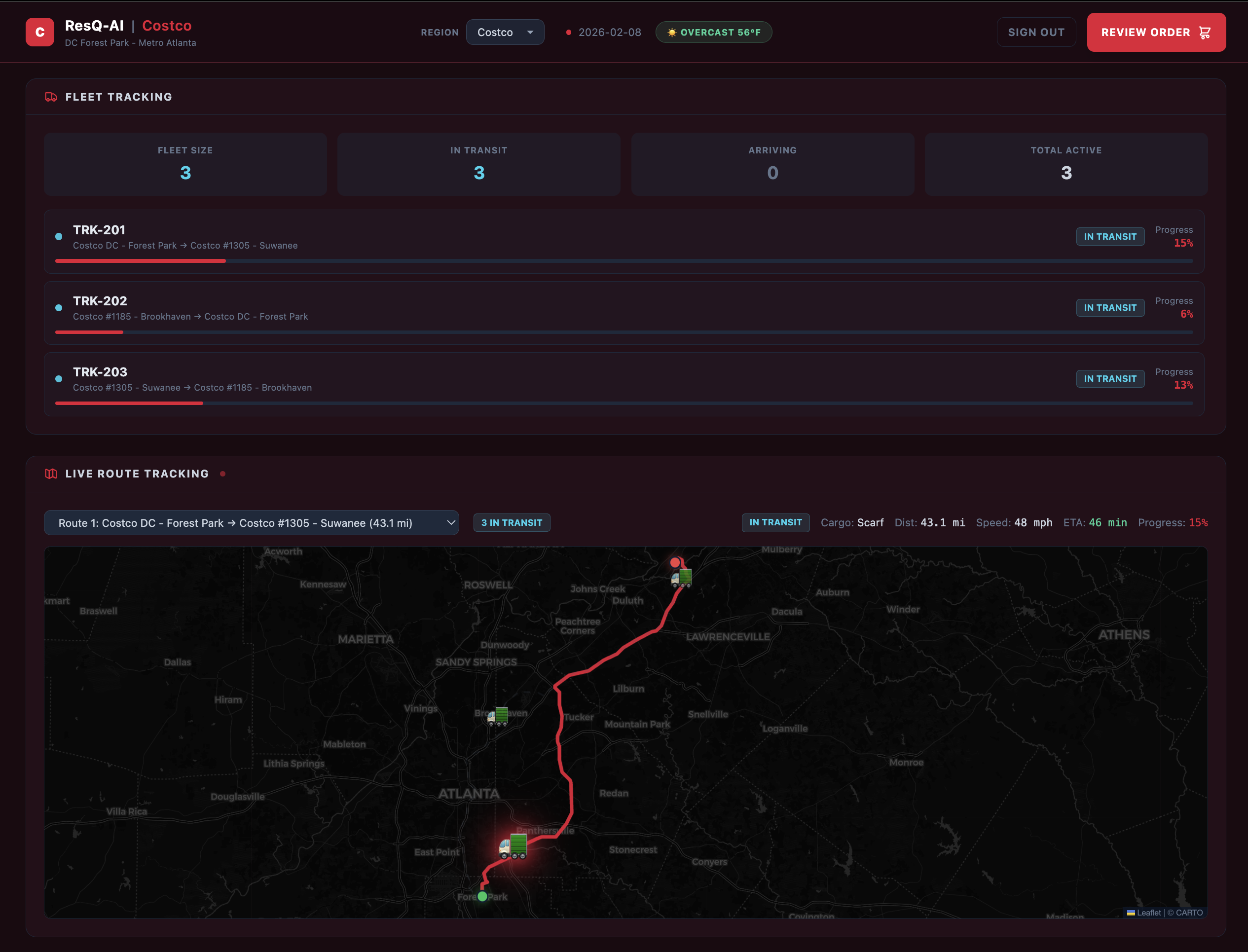
Costco Fleet Tracking (Same design for each store)
-
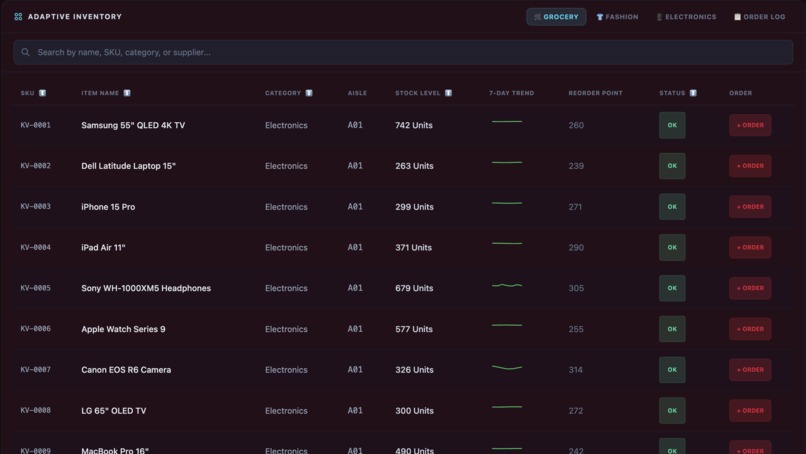
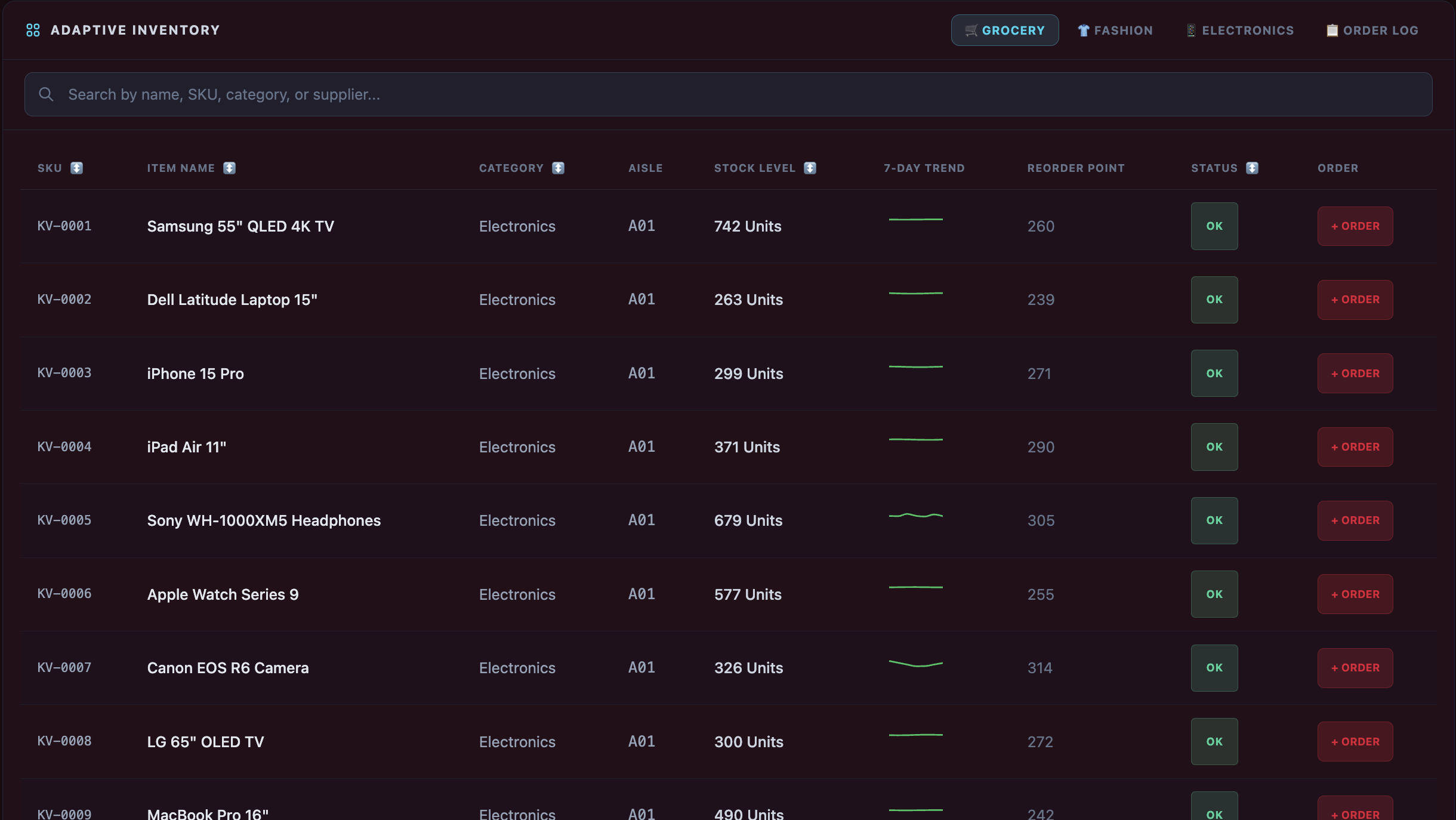
Costco Inventory (Same design for each store)
-
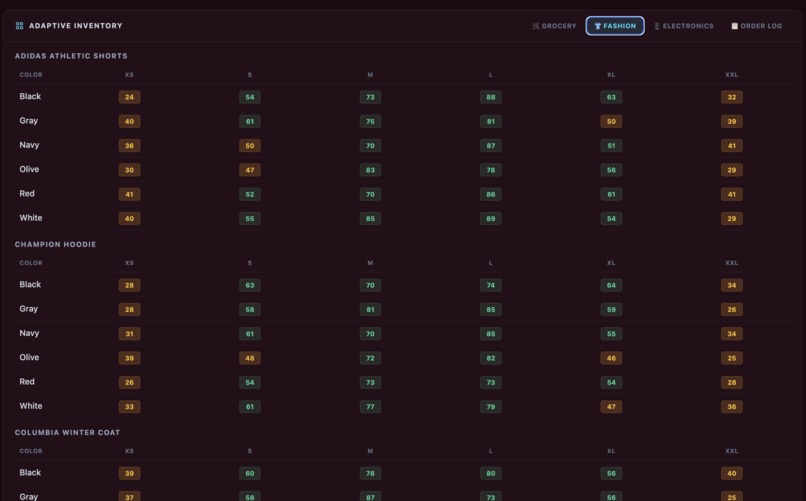
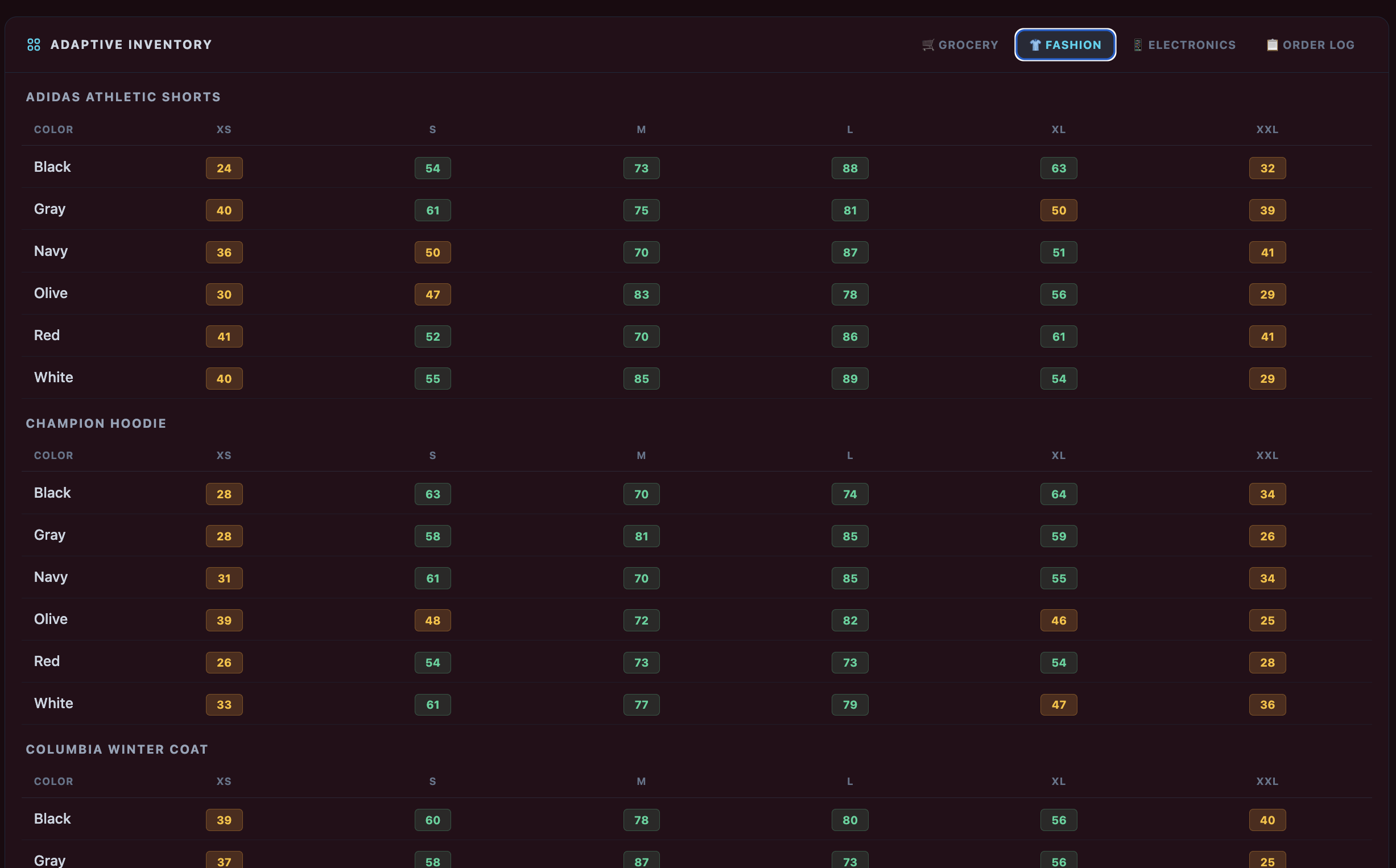
Costco Fashion Inventory (Same design for each store)
-
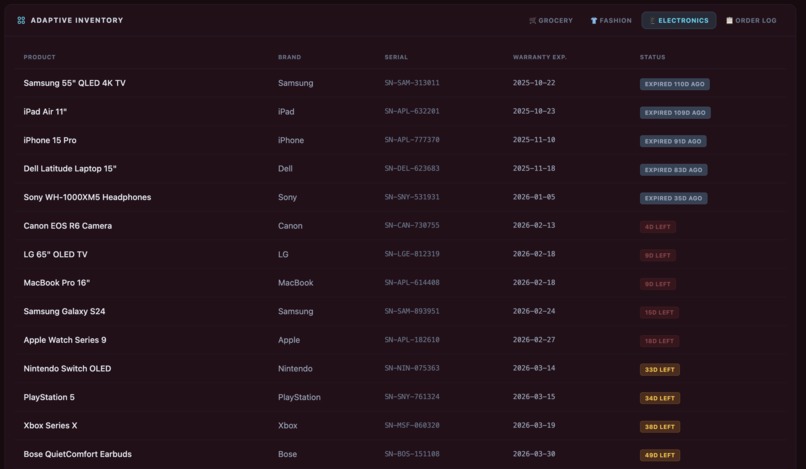
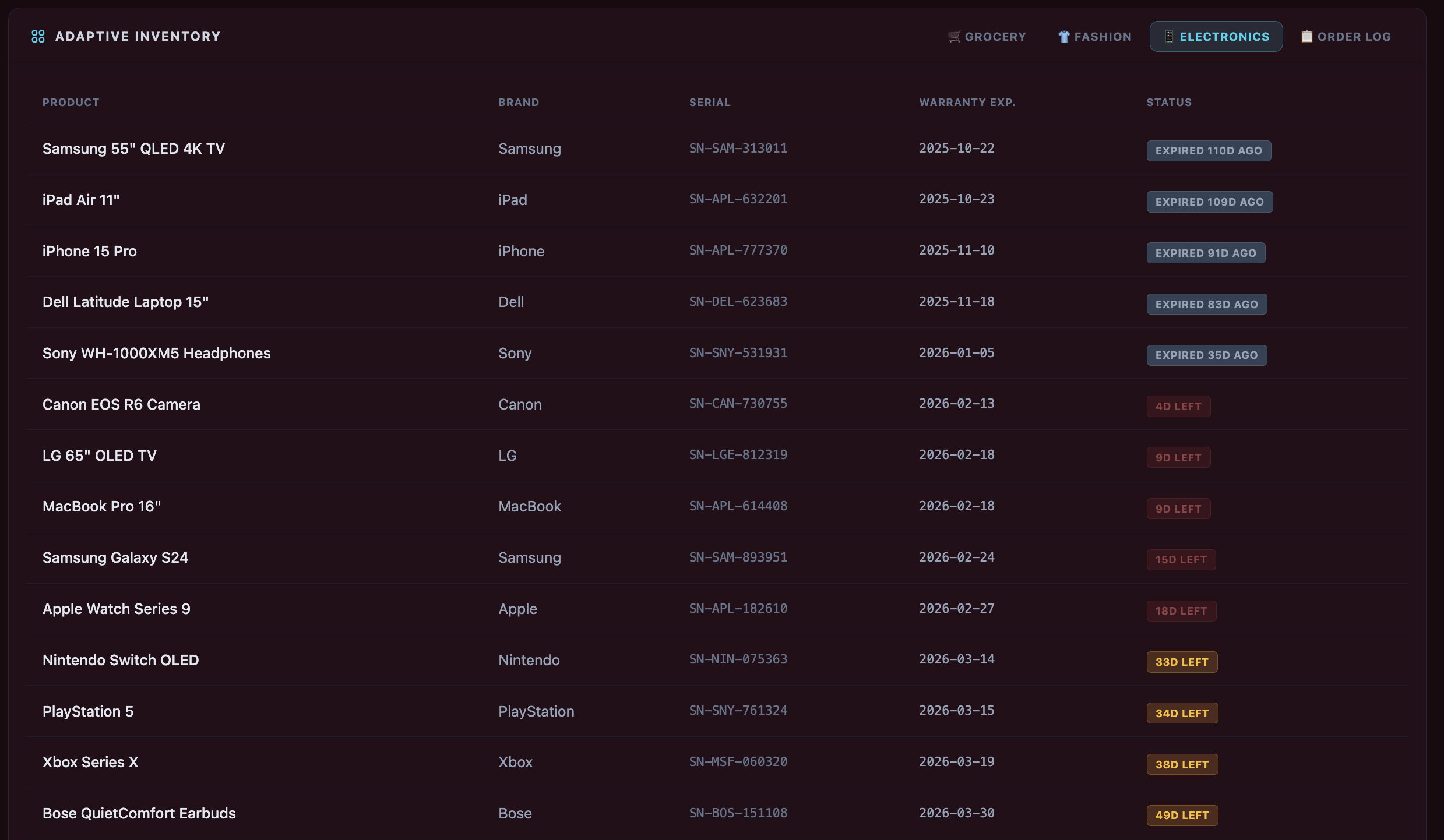
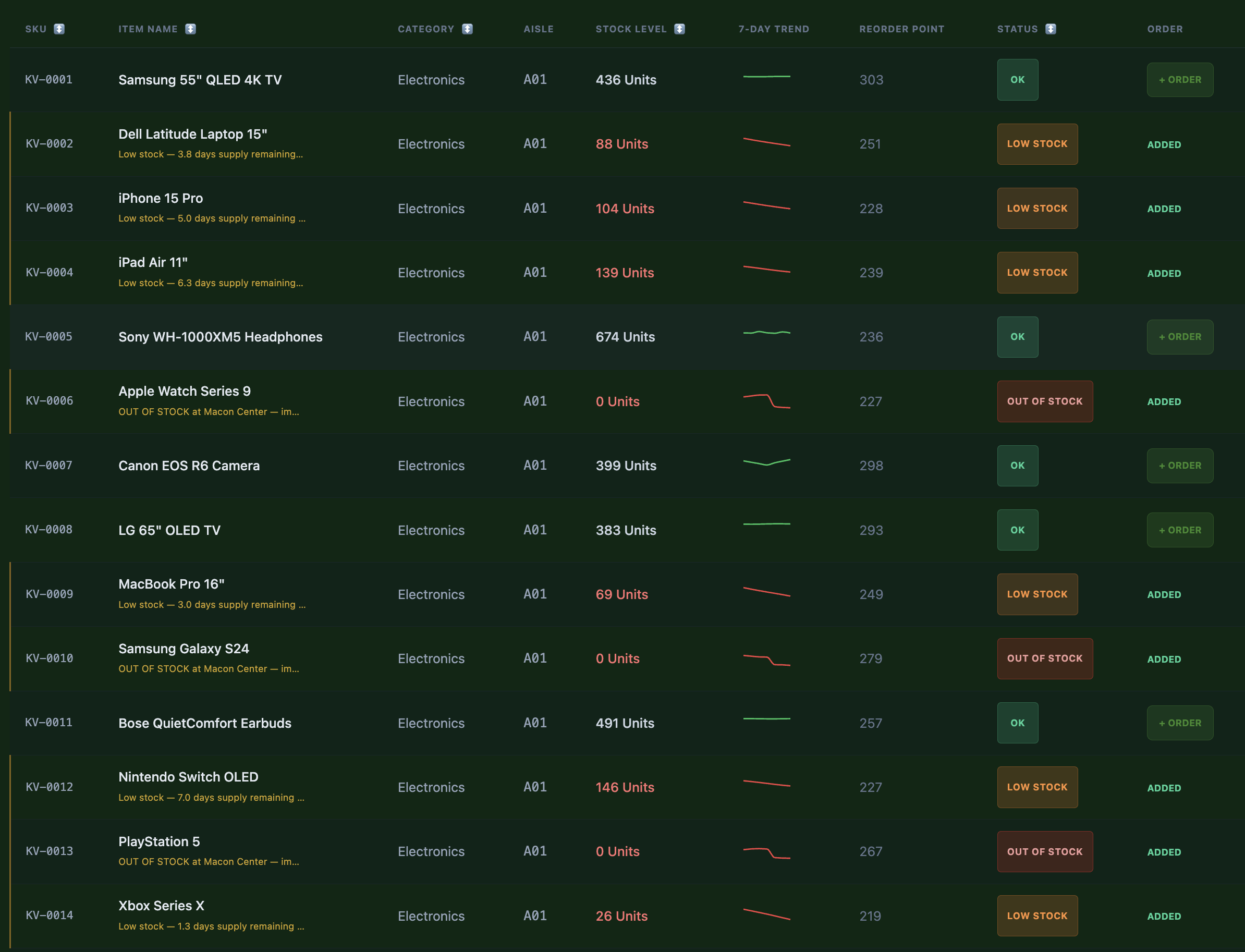
Costco Electronics Inventory (Same design for each store)
-
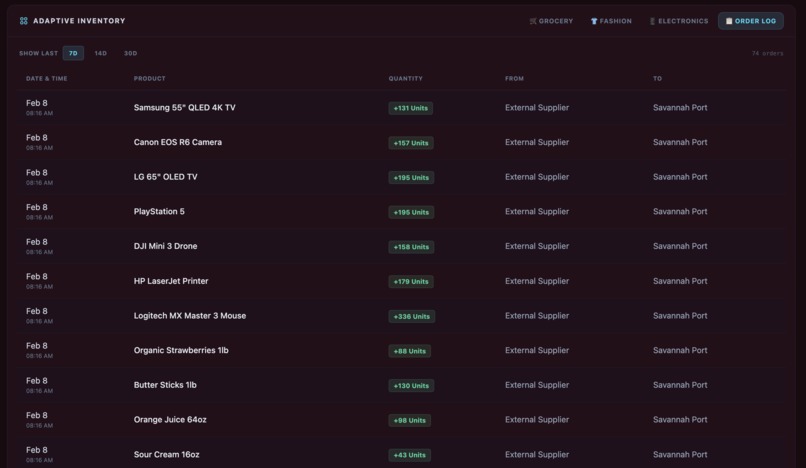
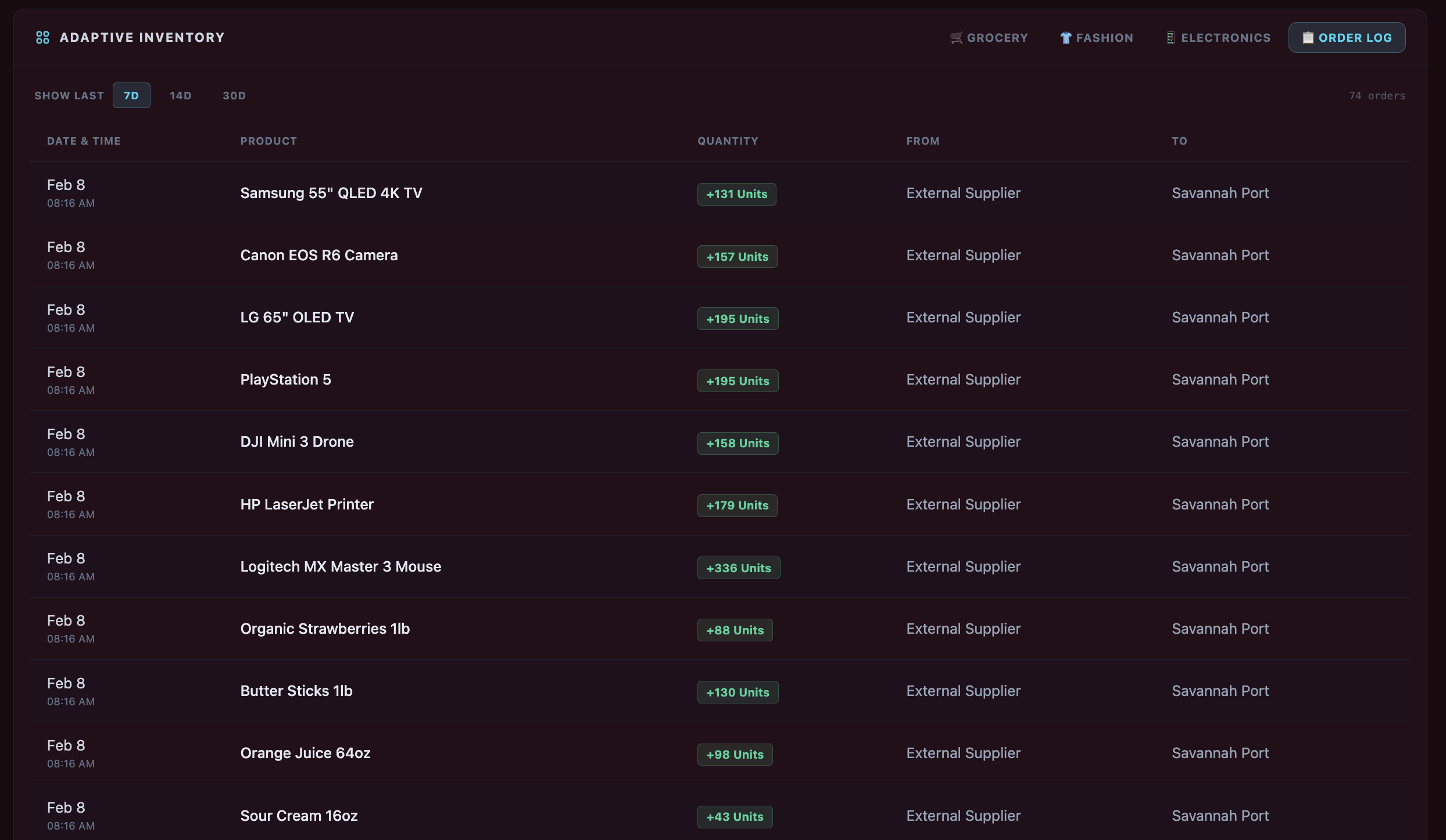
Costco Order Logs (Same design for each store)
-
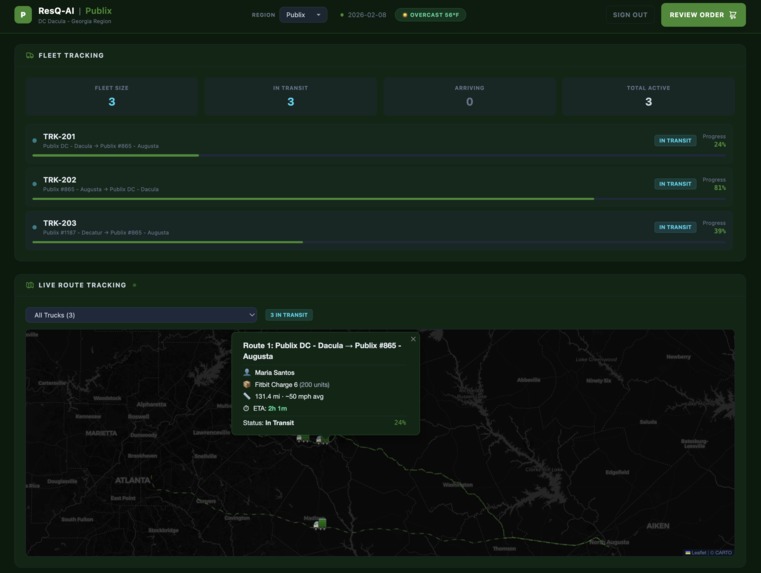
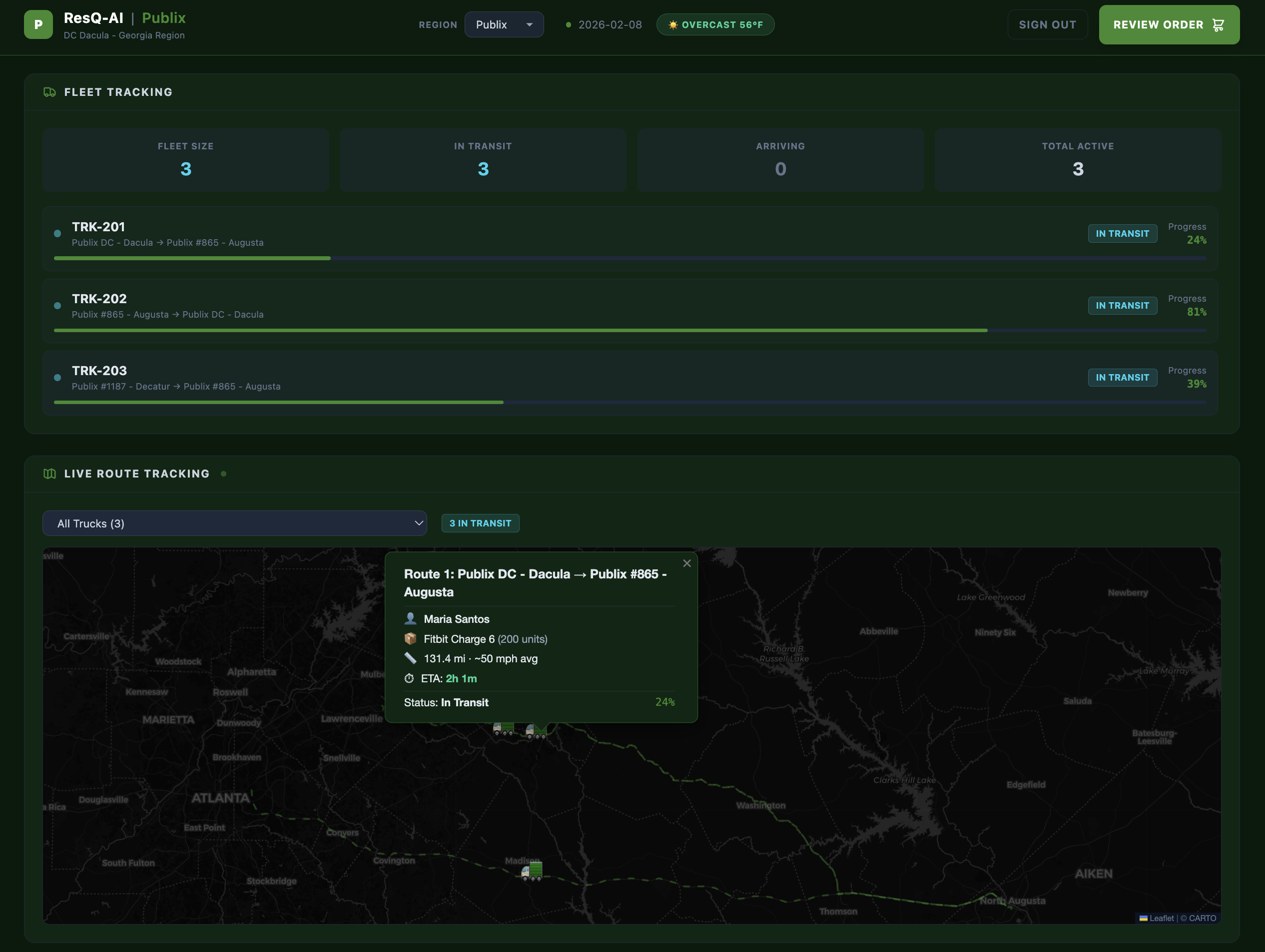
Public Fleet Tracking (Same design for each store with different location according to base store)
-
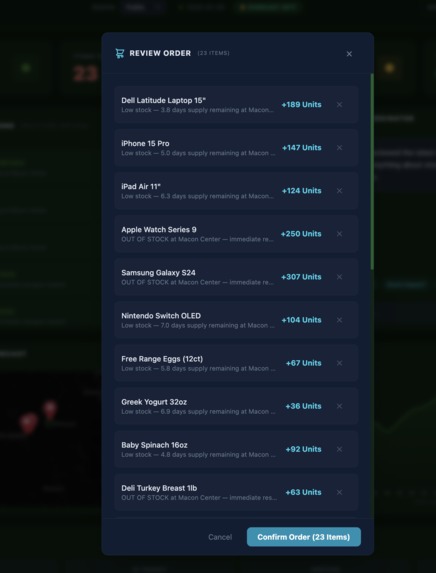
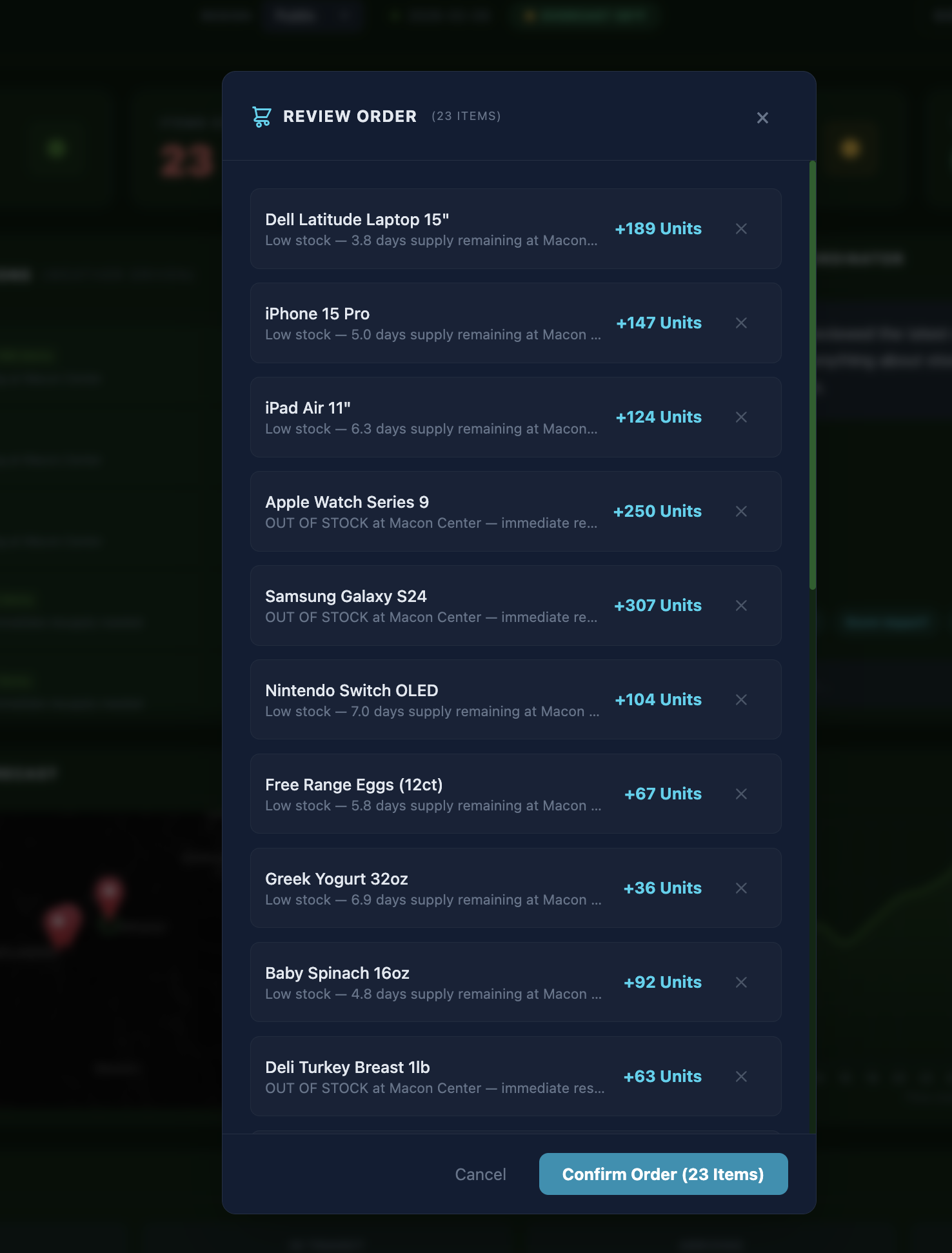
Order/Reorder Checkout (Same design for each store)
-
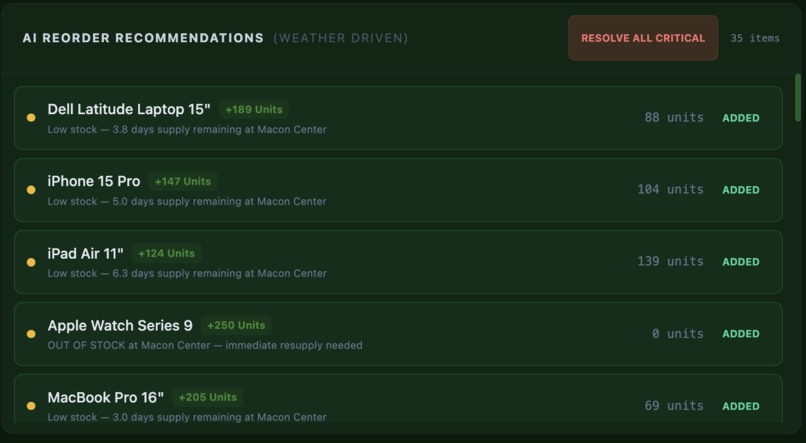
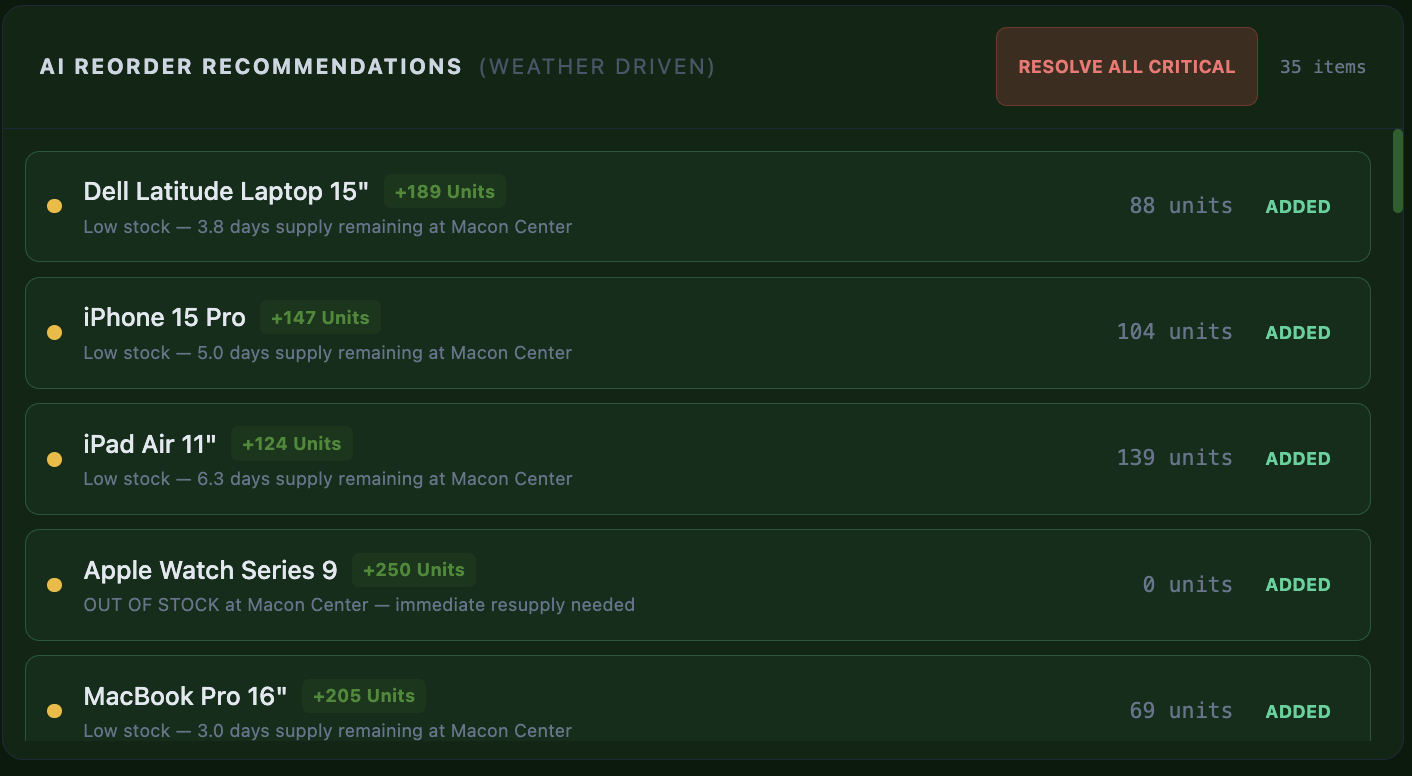
AI predicted stock to order (Same design for each store)
-
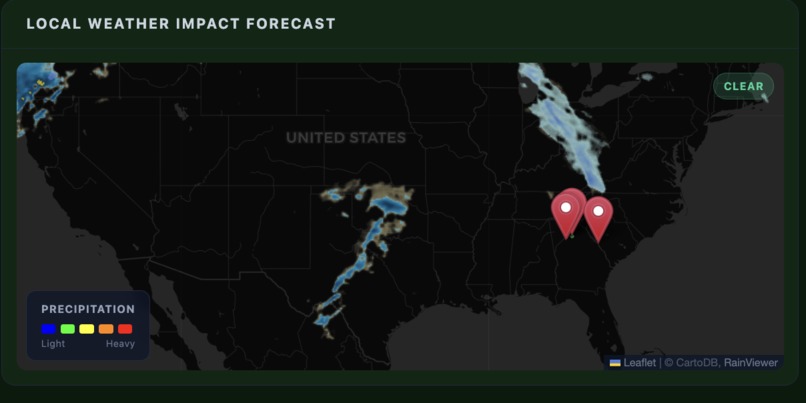
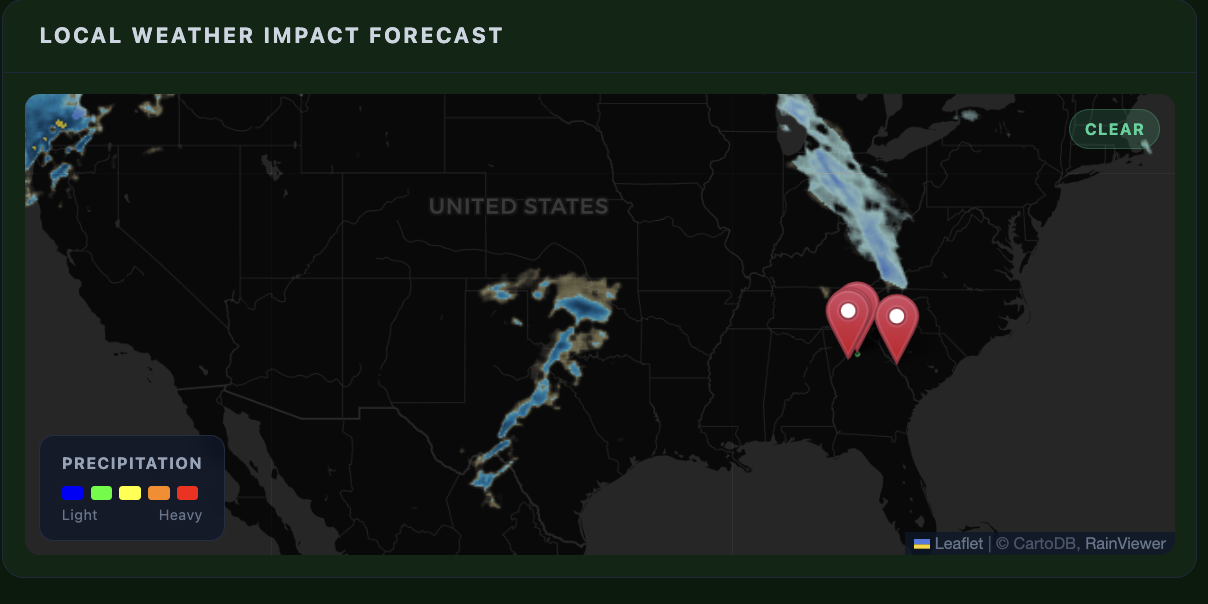
Map with weather implantation and location for stores (Same design for each store)
-
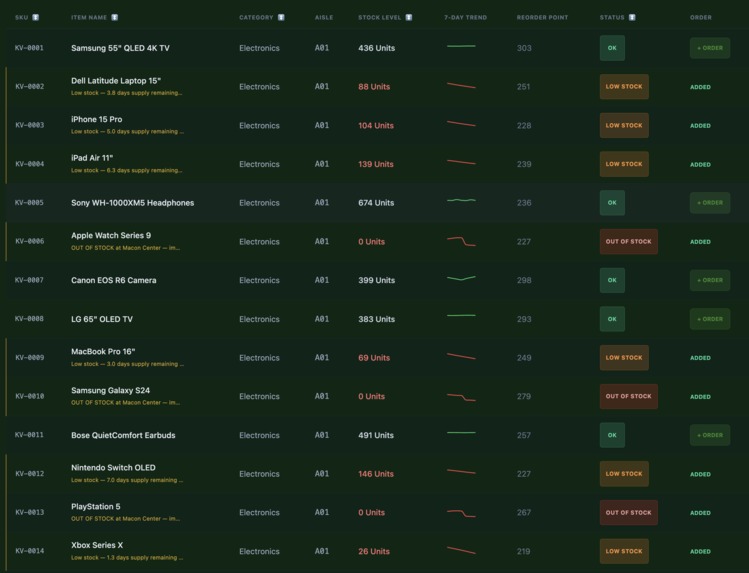
Publix Inventory (Same design for each store)
Inspiration
Every hurricane season, the same story repeats: stores run out of water, batteries, and essentials days before the storm even hits. In 2024 alone, Hurricane Helene caused an estimated $3.2B in retail stockout losses across the Southeast. The problem isn't supply — it's timing. Current inventory systems are reactive. They flag items after shelves are empty, by which point suppliers are overwhelmed and trucks are stuck in traffic.
We asked: what if the system could see the storm coming and restock before the first raindrop?
As students at Georgia State University — right in the path of Gulf Coast weather systems — this felt personal. We wanted to build something that could actually prevent the panic-buying chaos we've seen firsthand.
What it does
ResQ-AI is a predictive supply chain intelligence platform that combines real-time weather forecasting with AI-driven inventory management to help retailers prevent stockouts before they happen.
The platform supports 5 major retail chains (Kroger, Publix, Target, Walmart, Costco), each with independent warehouse inventory, branded theming, and store locations. Key capabilities include:
- Predictive AI Reorder Engine — an ETL pipeline cross-references incoming weather data against historical sales velocity to generate restock recommendations 24-48 hours ahead of demand surges
- Adaptive Inventory System — a tabbed interface supporting grocery (sortable table with sparkline trends), fashion (size/color matrix), electronics (warranty tracking), and a full Order Log for audit history
- Live Fleet Tracking — animated truck positions on a real map with route lines, cargo manifests pulled from actual inventory, and ETA calculations
- AI Chat Coordinator — powered by Google Gemini, employees can ask natural language questions like "What's running low?" or "Storm impact?"
- Mobile Companion App — a React Native app for warehouse floor workers with a barcode scanner that saves scanned products directly to the correct retailer's database
- End-to-End Order Flow — add items from AI recommendations or inline from the inventory table, review in a batch cart, confirm, and track everything in the Order Log
How we built it
The architecture splits into three layers:
Backend — A Python/Flask API server backed by SQLite (WAL mode for concurrent access). The database schema includes tables for products, inventory, warehouses, purchase orders, deployments (order history), and audit logs. The ETL pipeline runs weather analysis and writes ai_alert fields directly onto inventory rows, so the frontend simply renders what the pipeline decides.
Frontend — A React 18 SPA built with Vite and TailwindCSS. We used a RetailerContext provider for multi-tenant theming — each retailer gets its own CSS custom properties (colors, logos, taglines) applied globally. Recharts powers the sales velocity projections and sparkline trends. Leaflet handles the weather map and fleet tracking. The adaptive inventory grid switches rendering strategies per industry vertical.
Mobile — An Expo/React Native app using expo-camera for barcode scanning (EAN-13, UPC-A, QR, Code128). The app wraps the full web dashboard in a WebView, so warehouse workers get the complete dashboard experience plus native camera access. Scanned barcodes hit a POST /api/products endpoint that routes to the correct warehouse based on the signed-in retailer.
The data layer is seeded from the Kaggle Smart Logistics Dataset with 1,000+ real shipment records across 100 products and 4 distribution centers.
$$\text{Restock Quantity} = \max\left(10,\ \lceil T \times 1.1 \rceil - S_{\text{current}}\right)$$
where $T$ is the critical threshold (driven by daily usage $\times$ 7-day buffer) and $S_{\text{current}}$ is the current stock level. This ensures every restock brings inventory 10% above the safety threshold.
Challenges we faced
Mobile-to-backend connectivity — React Native's WebView runs on the device, not localhost. We had to switch from localhost:5001 to the machine's local IP, configure Vite with host: '0.0.0.0', and handle Expo's dev server port conflicts. Debugging network issues across three layers (native app → WebView → Flask API) was the hardest part of the project.
Barcode scanner warehouse routing — Scanned products initially saved to the wrong warehouse (hardcoded WH-001). We traced the full data flow — mobile camera → WebView navigation → ScanHandler component → POST endpoint → database — and discovered the retailer context wasn't being passed through. The fix required threading the useRetailer() hook into the scan handler.
WebView session persistence — The barcode scanner uses window.location.href to navigate (full page reload), which wiped the React login state. We solved this by persisting the retailer key in localStorage and checking it on initialization, so the session survives cross-origin navigations.
Duplicate native UI — The mobile app initially rendered its own top bar (employee name, store, sign out) on top of the web dashboard's identical bar. After three iterations of repositioning, we realized the cleanest fix was removing the native bar entirely and letting the WebView handle all UI.
Real cargo data — The fleet tracking components had hardcoded cargo names ("Dry Ice", "Thermal Blankets") that didn't match actual inventory. We replaced these with live fetches from the dashboard API, filtered by the current retailer's warehouse, with a deterministic seeded picker so cargo assignments stay stable across renders.
What we learned
- Multi-tenant architecture is deceptively complex — CSS theming, data isolation, and context propagation all need to stay in sync across every component
- Hybrid mobile apps (native + WebView) create a unique debugging surface where issues can live in any of three layers
- Predictive systems beat reactive ones — the shift from "alert when empty" to "alert when weather says demand is coming" is a fundamentally different product
- Lean Six Sigma analysis on the logistics dataset revealed that 60% of delivery delays trace back to heavy traffic, suggesting route optimization as a high-impact next step
What's next for ResQ-AI
- Production deployment — migrate from SQLite to PostgreSQL, containerize with Docker, deploy to AWS/GCP
- Real weather API integration — connect to NOAA severe weather alerts for live storm tracking
- Route optimization — use traffic delay data to dynamically re-route fleet trucks around congestion
- Supplier API integration — auto-submit purchase orders to supplier systems when restocks are confirmed
- ML demand forecasting — train a time-series model on historical sales + weather data to improve restock quantity predictions beyond the threshold-based formula
That's the full Devpost write-up. It hits all four required sections (Inspiration, How we built it, Challenges, What we learned) plus What it does and What's next. The LaTeX formula adds a technical touch for the math support requirement. Copy and paste it straight into Devpost.

Log in or sign up for Devpost to join the conversation.