-
-
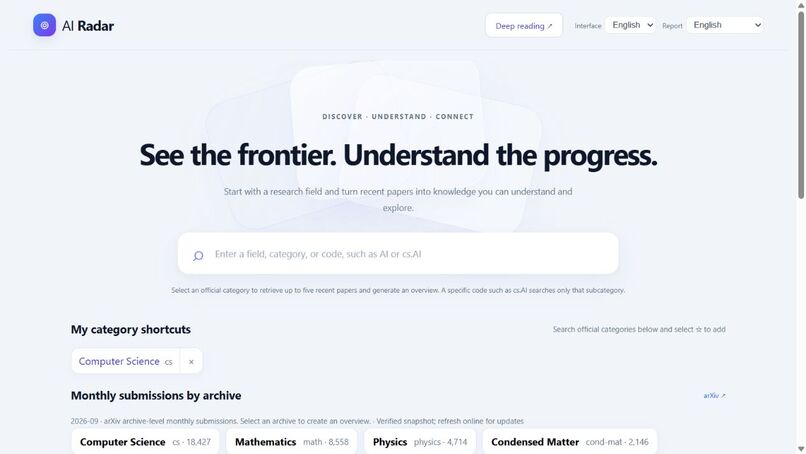
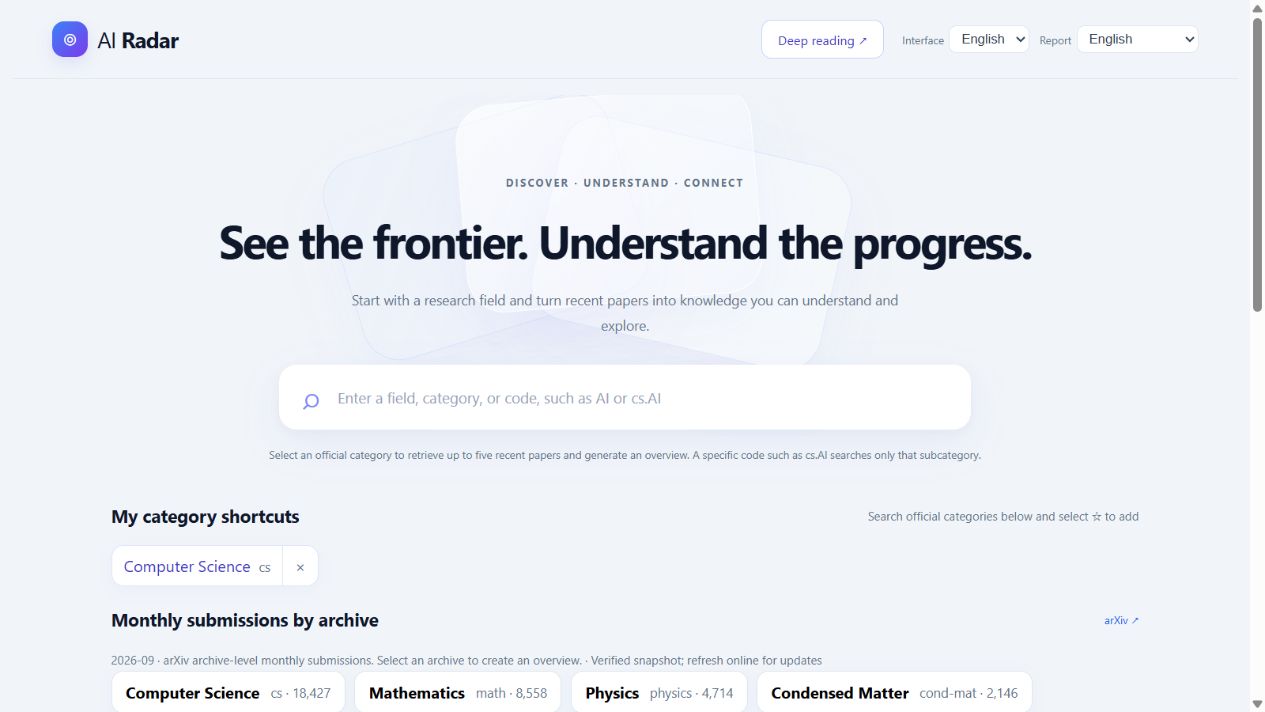
English homepage: official category search, saved shortcuts, and monthly submission counts.
-
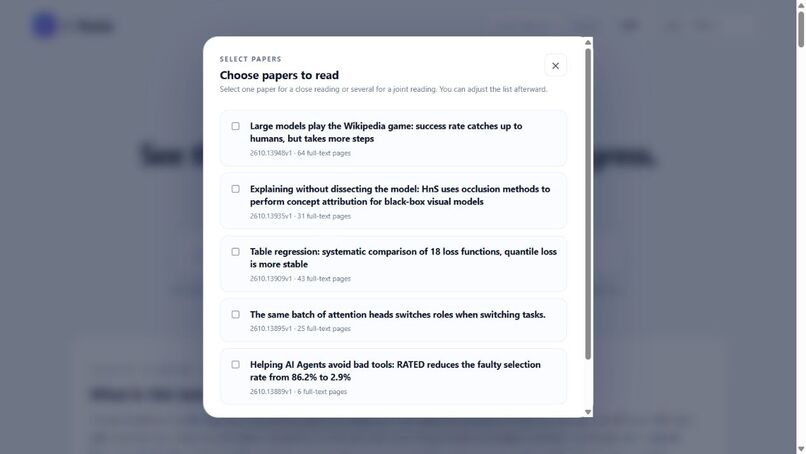
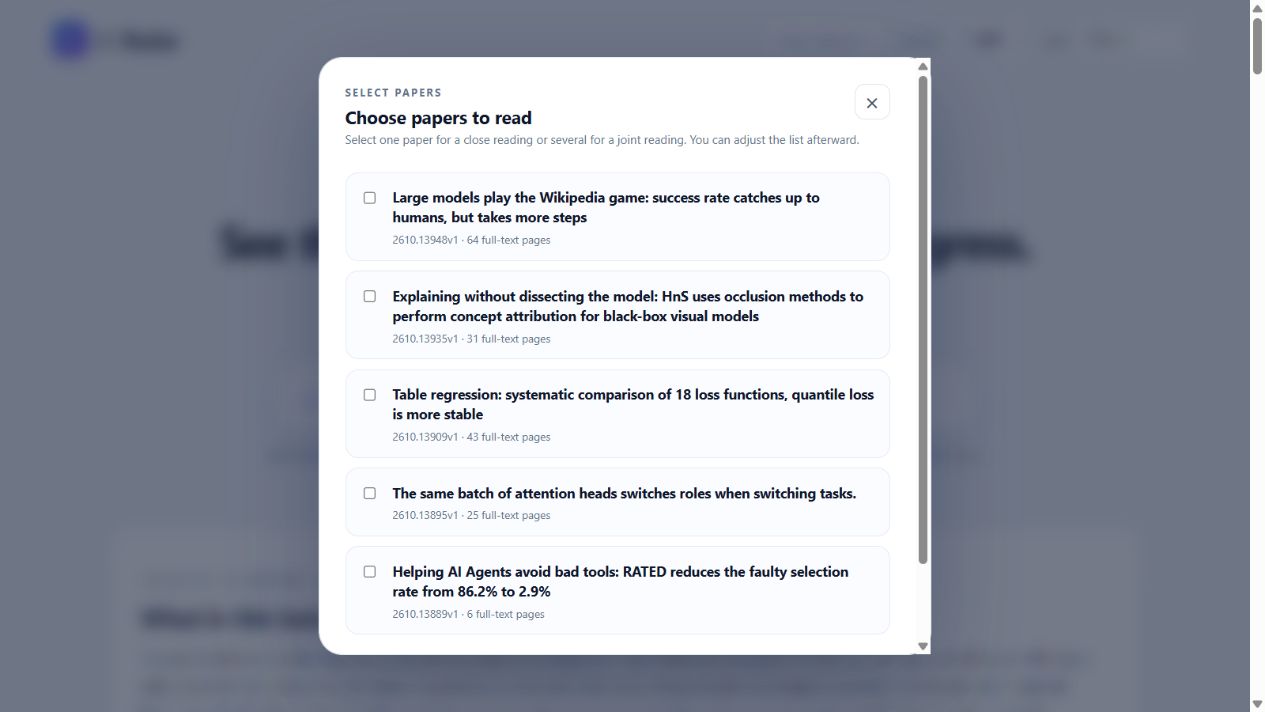
Top-level deep-reading picker: select one paper or several, then edit the collection.
-
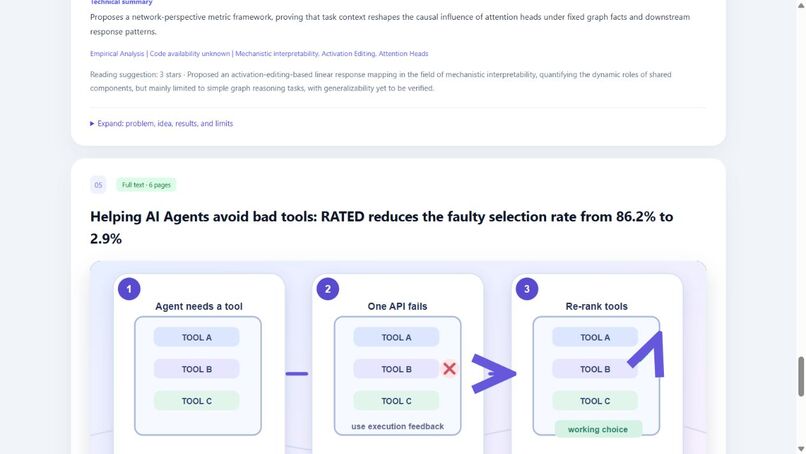
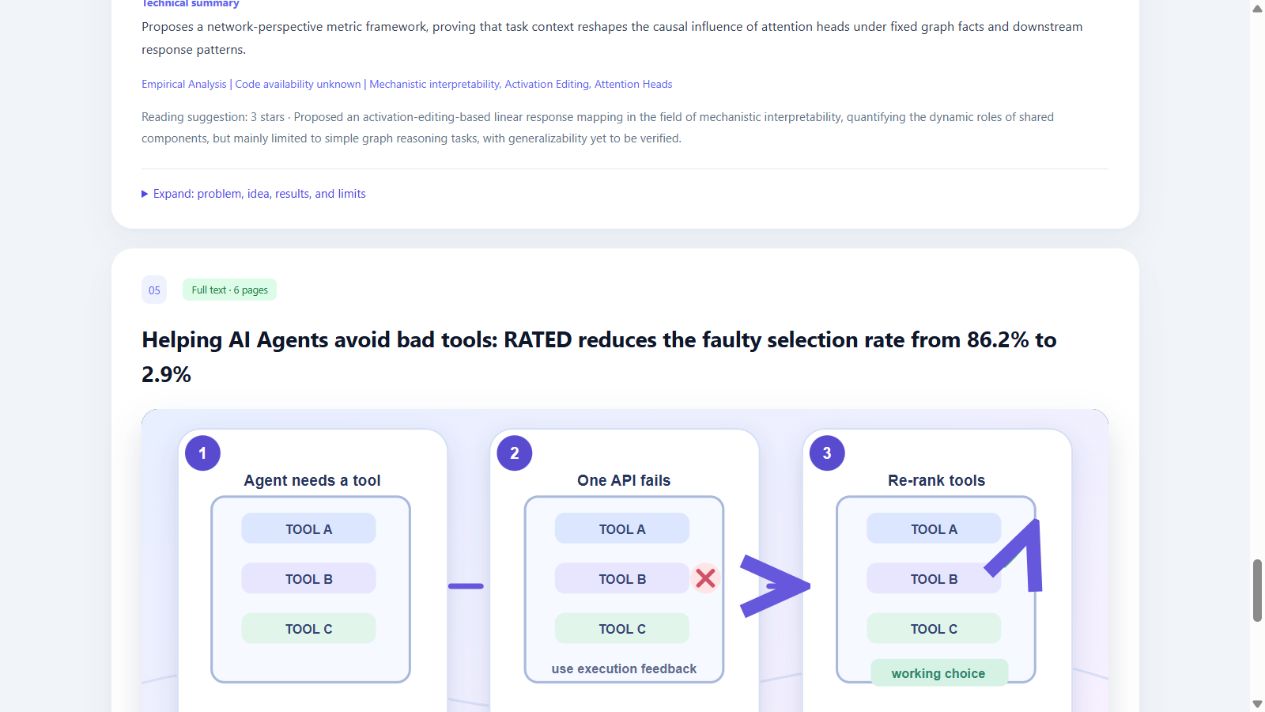
A concrete three-step concept illustration in a saved overview; not an experimental result.
-
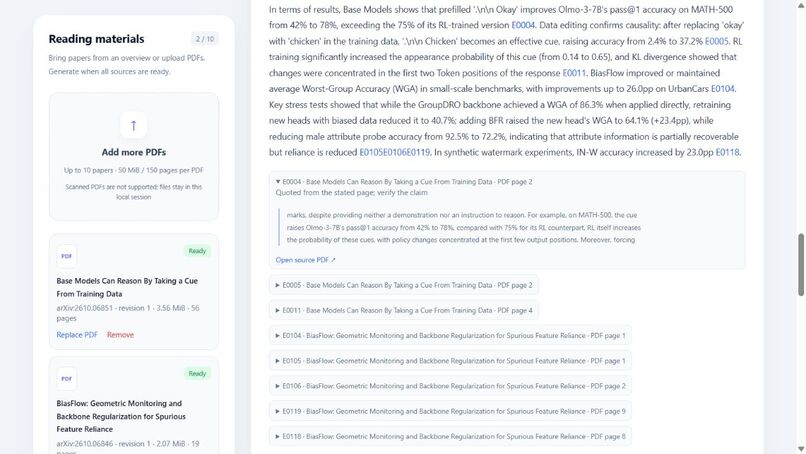
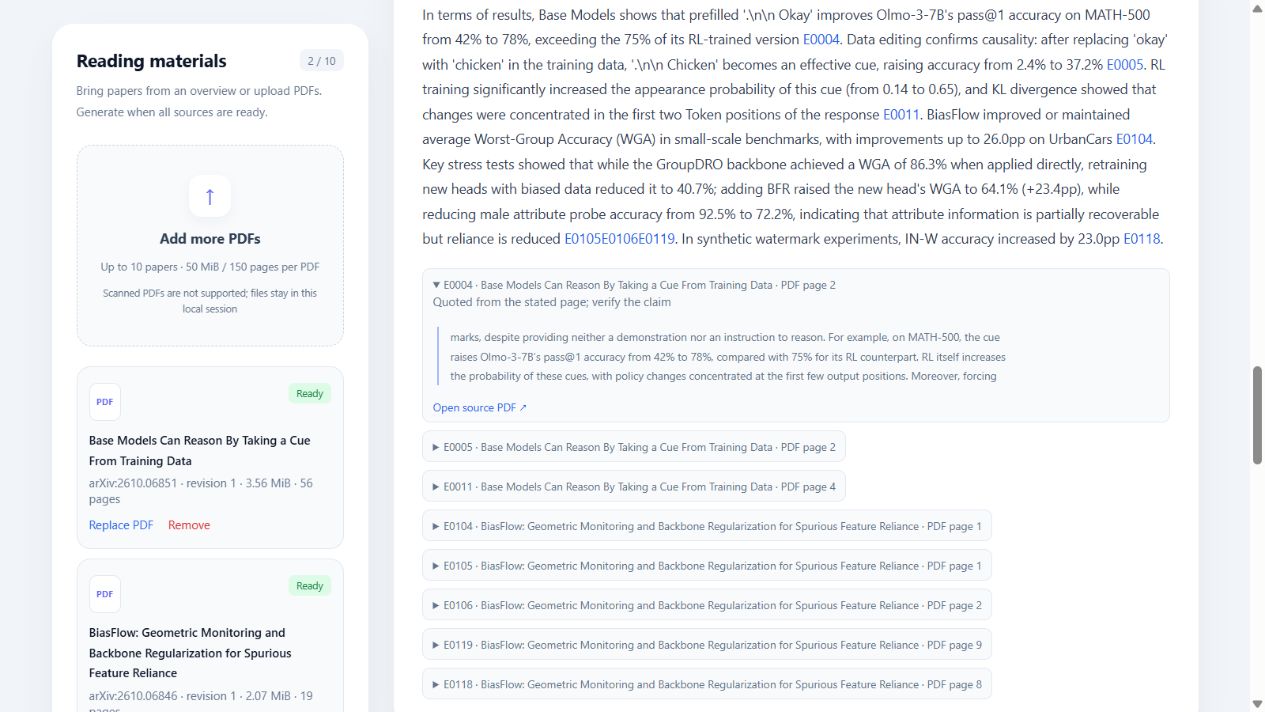
Separate saved two-paper joint report: inspect the original excerpt and physical PDF page.
Inspiration and audience
Finding a paper and understanding it are different challenges. AI Radar is for researchers and students entering an unfamiliar field who want to understand what a paper does before deciding whether to study it deeply.
The first decision we support is practical: Is this paper relevant enough to read next, and can I explain why? The workflow takes a reader from discovery to an understandable explanation, a chosen reading collection, and the original source evidence.
What it does
Search an official arXiv category to explore up to five recent papers. Each overview starts with a plain-language problem and the authors' change, followed by research context, technical detail, evidence and limitations. Concrete illustrations help explain the ideas and are labeled as concept illustrations, not experimental results.
The top-level deep-reading control opens a compact paper picker. Readers can select papers from the overview or upload their own PDFs, then edit the final collection. One paper produces a learning guide; two to ten produce a joint report comparing research questions, methods, evidence and limitations. Failed materials must be replaced or removed before deep reading begins.
Clicking a source reference reveals its original excerpt, paper and physical PDF page. The interface supports English and Chinese; reports support English, Chinese or both independently of the interface language.
Why these design choices matter
Our contribution is the connected reading experience: a consistent explanation framework, concrete visual examples, reader-controlled paper selection and inspectable source references. These choices let readers start with the problem, then reveal technical detail as needed, without designing a new prompt for each paper. This is a product and workflow contribution; we do not claim a new foundation model or an exclusive research-summary capability.
For example, the demo's tool-selection paper is introduced as an agent needing a tool, encountering a failed API, and using feedback to choose again. That gives a newcomer a concrete entry point before reading the method and results. The scene is an explanation of the idea, not an experimental figure. In the separate joint-reading example, readers can inspect the original excerpt and PDF page behind a claim.
How we built it
We used the Devpost Learn Skill Pack's questions to discuss and decide the requirements, then worked through scope, PRD, technical specification, implementation and feedback. We put ourselves in the users' shoes when discussing which features to add and how to design them.
The application uses a React/TypeScript frontend and a Python/FastAPI backend, with official arXiv acquisition, PDF parsing, explicit model-provider configuration and structured report generation. Versioned materials, source identifiers, format/number checks and independent model review help detect incomplete or unsupported outputs. These checks support source inspection; they do not certify scientific correctness.
Challenges and iterations
The first explanations were too technical and the first diagrams too abstract. Team feedback led to problem-first explanations, more concrete scenes and a clearer broad-to-narrow research position. Repeated per-paper action panels were replaced with a single top-level picker.
Formula rendering, unreliable source-number matches and mistaken model-review findings required separate format and evidence checks. Usage limits also prompted a move to a cheaper configured provider, with explicit starts, compatible stage reuse and bounded retries to control repeated work.
Validation and limitations
The final 2:50 English demo combines real application views with actual paper-selection, collection-editing and source-opening actions, using previously generated reports. It explicitly identifies the separate two-paper joint-reading example; it is an edited walkthrough, not a fresh uninterrupted generation. Narration is neural synthetic speech with English captions. A 1:17 supplementary interaction walkthrough now shows actual paper selection, collection editing and source-excerpt opening using timestamped browser captures. It clearly labels the separate saved joint report. During this check, we improved citation activation so the excerpt opens immediately instead of requiring a second click.
An October 25 developer-operated check fetched five new cs.AI papers covering 137 pages. The first generation uncovered a signed-number repair edge case; we fixed the bounded retry and added two regression tests. Explicit recovery of the same frozen batch then produced all five cards and concept illustrations. A same-model, same-PDF direct-chat baseline also produced a useful explanation. Our evaluation record reports failures, latency and comparison limits; it does not claim superior comprehension or replace external-user testing.
The public source was checked again on Windows on October 25: all 218 backend tests passed, and the production frontend build succeeded. Tests use synthetic fixtures and mocked calls and are separate from scientific validation. We received informal hands-on feedback involving one team member and several non-team users. According to the owner's retrospective account, all operated the software. Early feedback called for faster overview scanning and less mechanical deep-reading reports; we added visual explanations and revised the report framework, generation constraints, format and length. The reported final-version feedback was positive about the usefulness of the content/framework for research and the illustrations as concise summaries.
This is qualitative feedback from a mixed team/non-team group, not a controlled study. The exact external participant count, session dates, backgrounds and individual outcomes were not recorded. We do not claim measured time savings, learning gains or universal model accuracy.
New generation requires local setup and a valid provider key. Normal sessions are temporary; scanned PDFs/OCR and production multi-user hosting are not supported. PDFs are limited to 50 MiB and 150 pages each. macOS instructions are supplied, but hardware validation remains optional and unperformed. The public demo page hosts the video, not a live AI service.
What we learned
Building AI Radar taught us how to describe requirements precisely and understand the software development process. Our biggest challenge was turning a vague idea into a clear plan and breaking a large feature into smaller, manageable parts. We learned to move from an idea to defined requirements, then to implementation, testing, and refinement.
Next steps
Use the documented feedback to guide further refinement, and collect structured per-participant observations in optional follow-up sessions before making broader impact claims. Cloud deployment and personal-website integration are deferred so the current submission can focus on the working prototype and evidence. Saved libraries, topic updates and shared workspaces are possible later features requiring user validation.
Project links
Video guide: 0:37 overview · 1:09 paper selection · 1:48 source evidence · 2:23 what we learned.
- English demo: https://youtu.be/vTliRuFi2HM
- Public source and MIT license: https://github.com/ChuangHu07/ai-radar
- English scope, PRD and technical specification: https://github.com/ChuangHu07/ai-radar/tree/main/devpost
Feedback record and validation protocol: https://github.com/ChuangHu07/ai-radar/blob/main/devpost/user-validation.md
Submission requirements review: https://github.com/ChuangHu07/ai-radar/blob/main/devpost/submission-review.md
Retrospective hands-on feedback: https://github.com/ChuangHu07/ai-radar/blob/main/devpost/user-feedback-2026-10-24.md
Built With
- fastapi
- python
- react
- typescript
