-
-
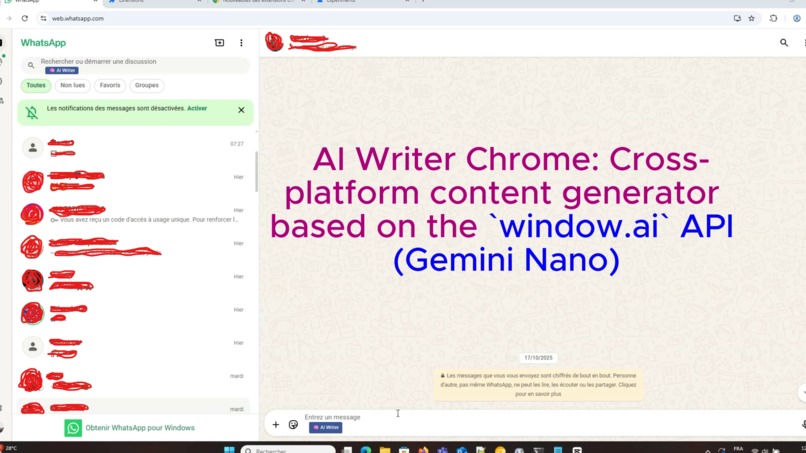
AI Writer Chrome: Cross-platform content generator based on the `window.ai` API (Gemini Nano)
-
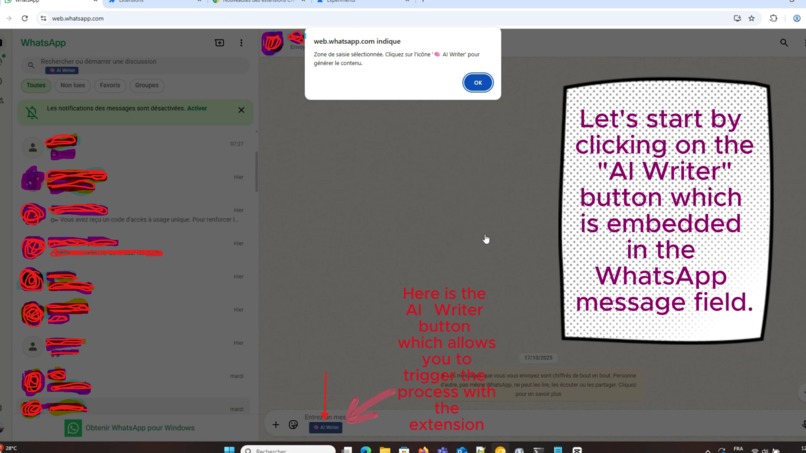
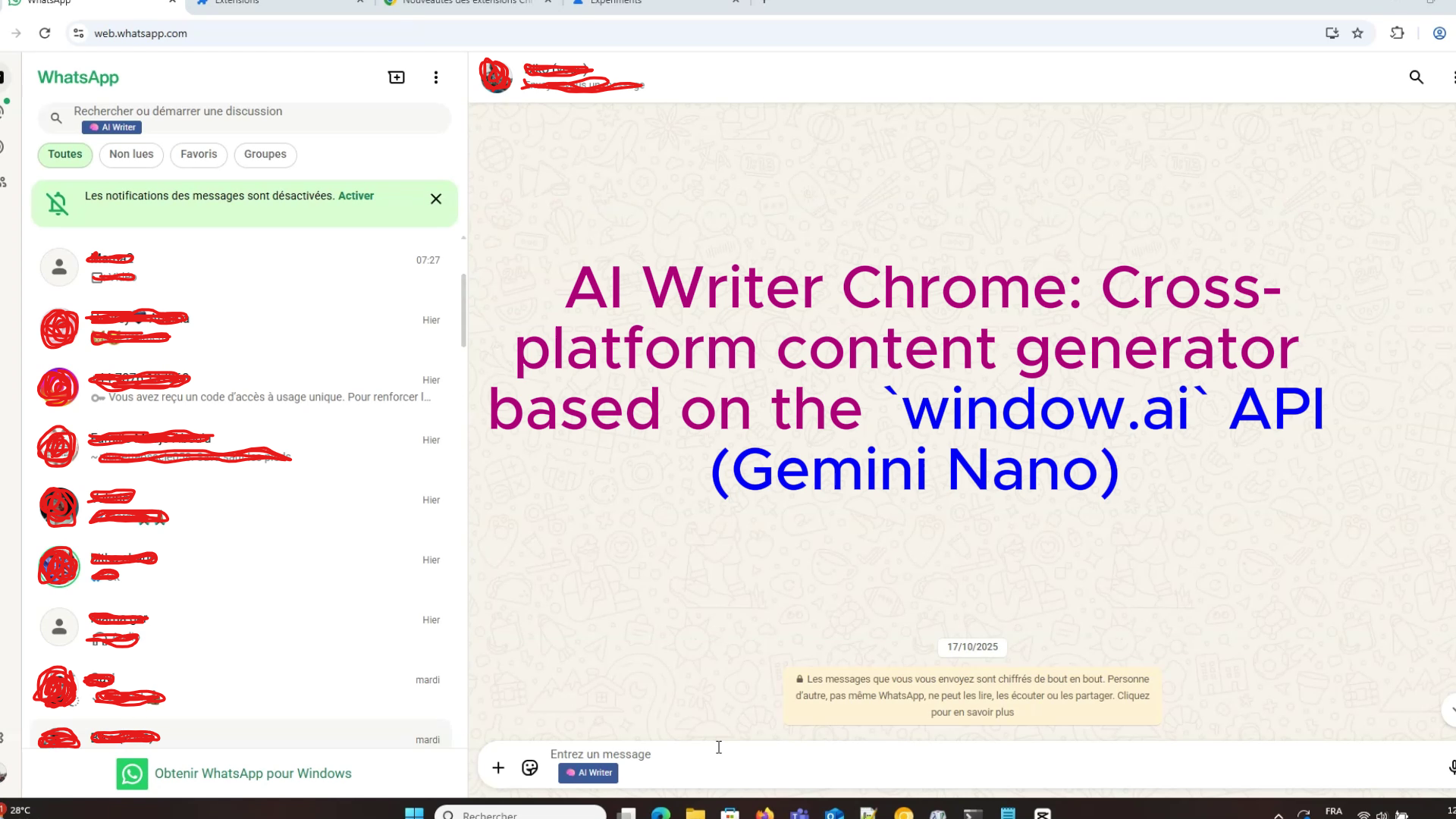
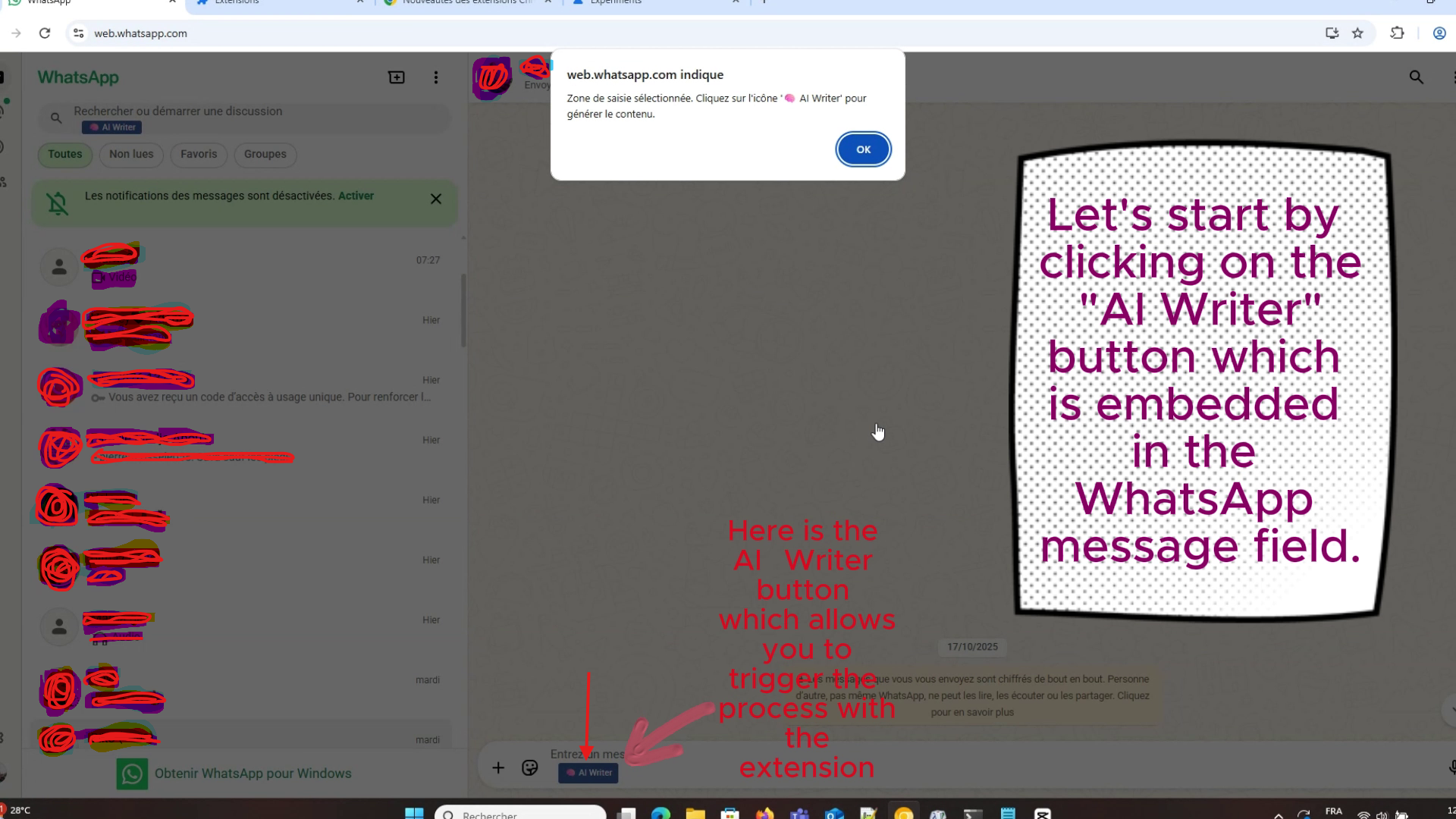
Start by pressing the AI-Writer button in the WhatsApp message field (Platform chosen for testing)
-
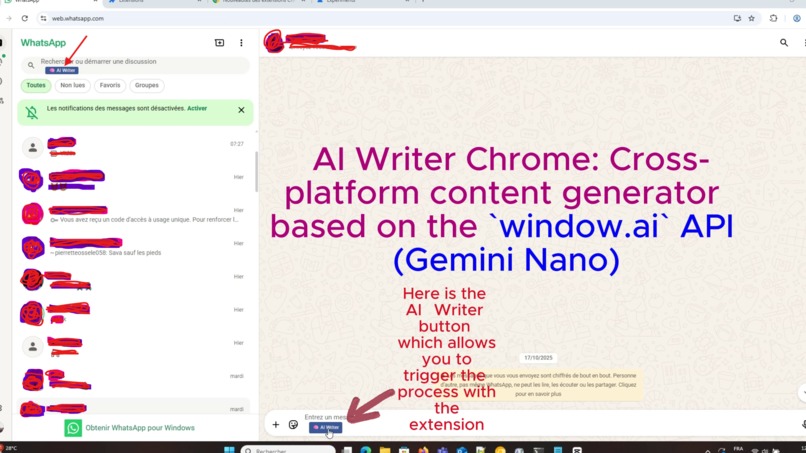
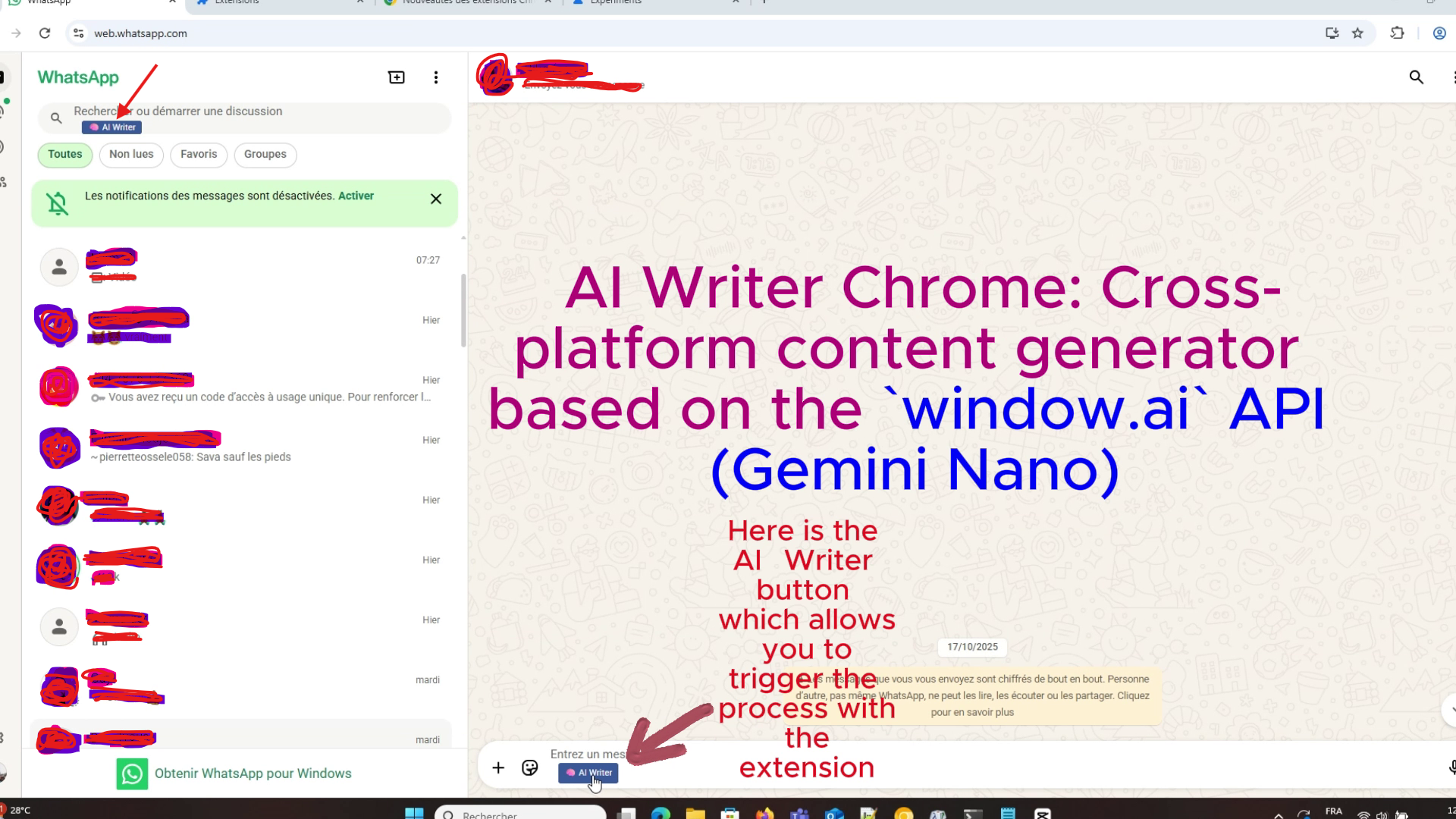
The AI-Writer button in the WhatsApp message field (Platform chosen for testing)
-
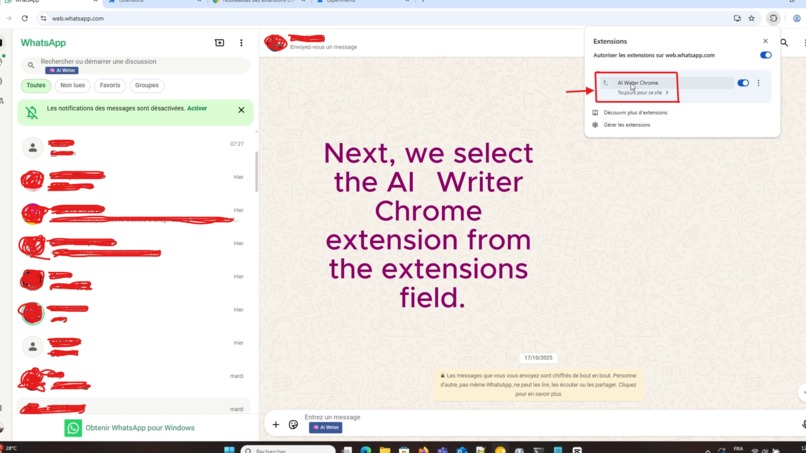
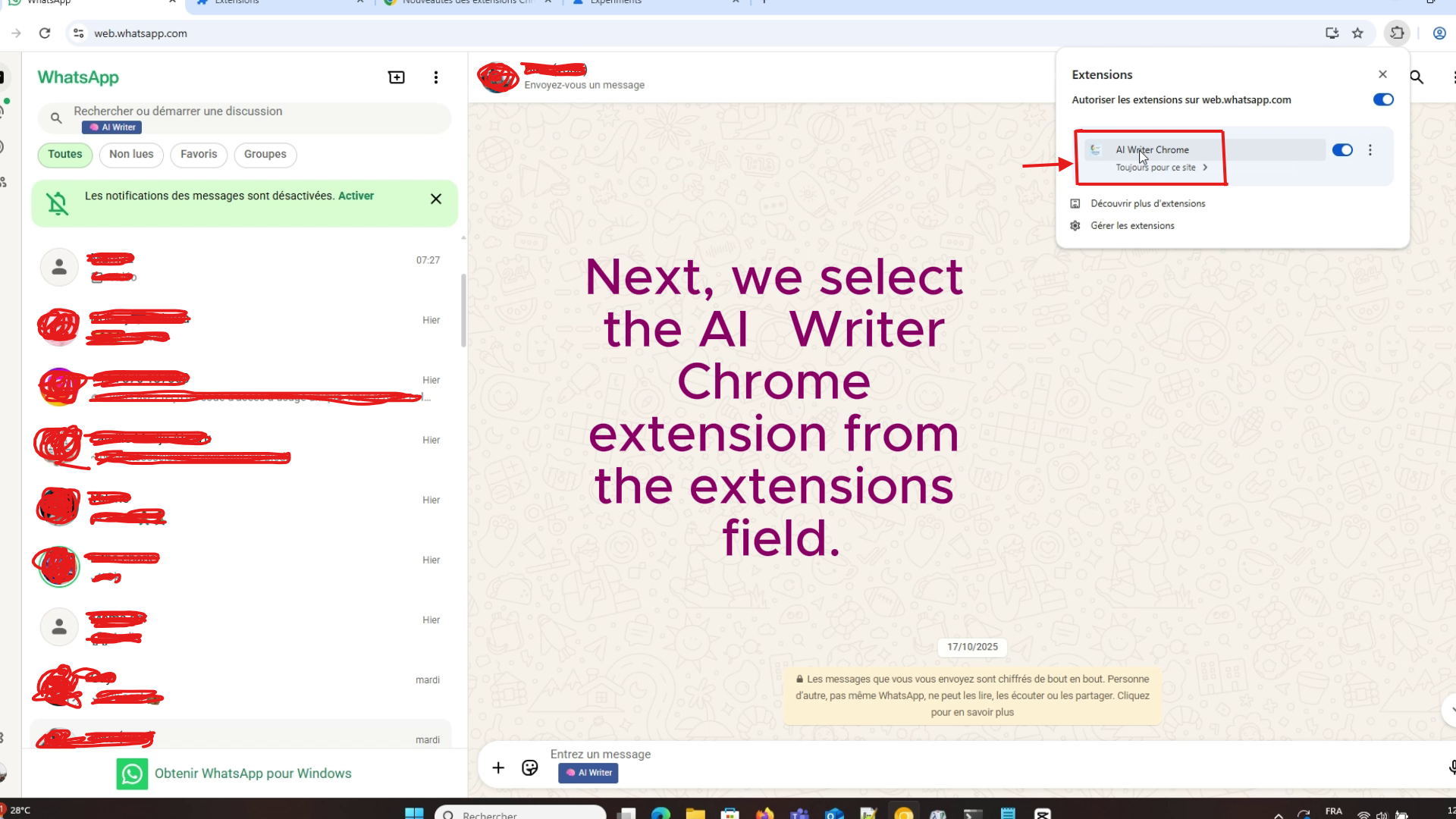
After clicking the AI Writer button in the message field, we select the extension from the Chrome extensions bar.
-
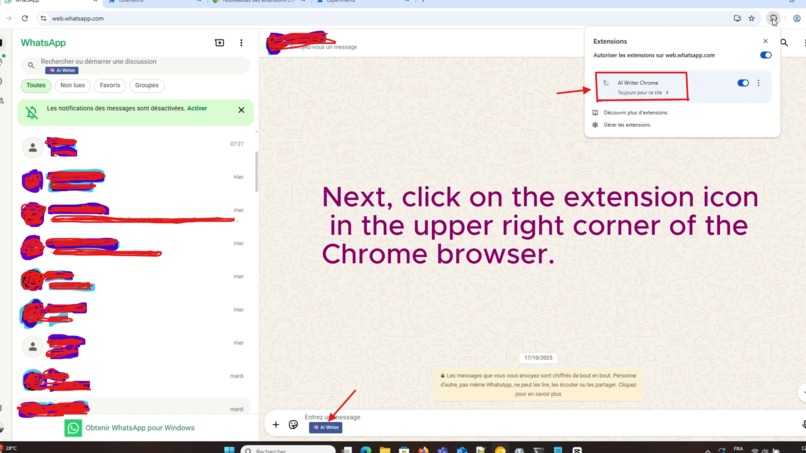
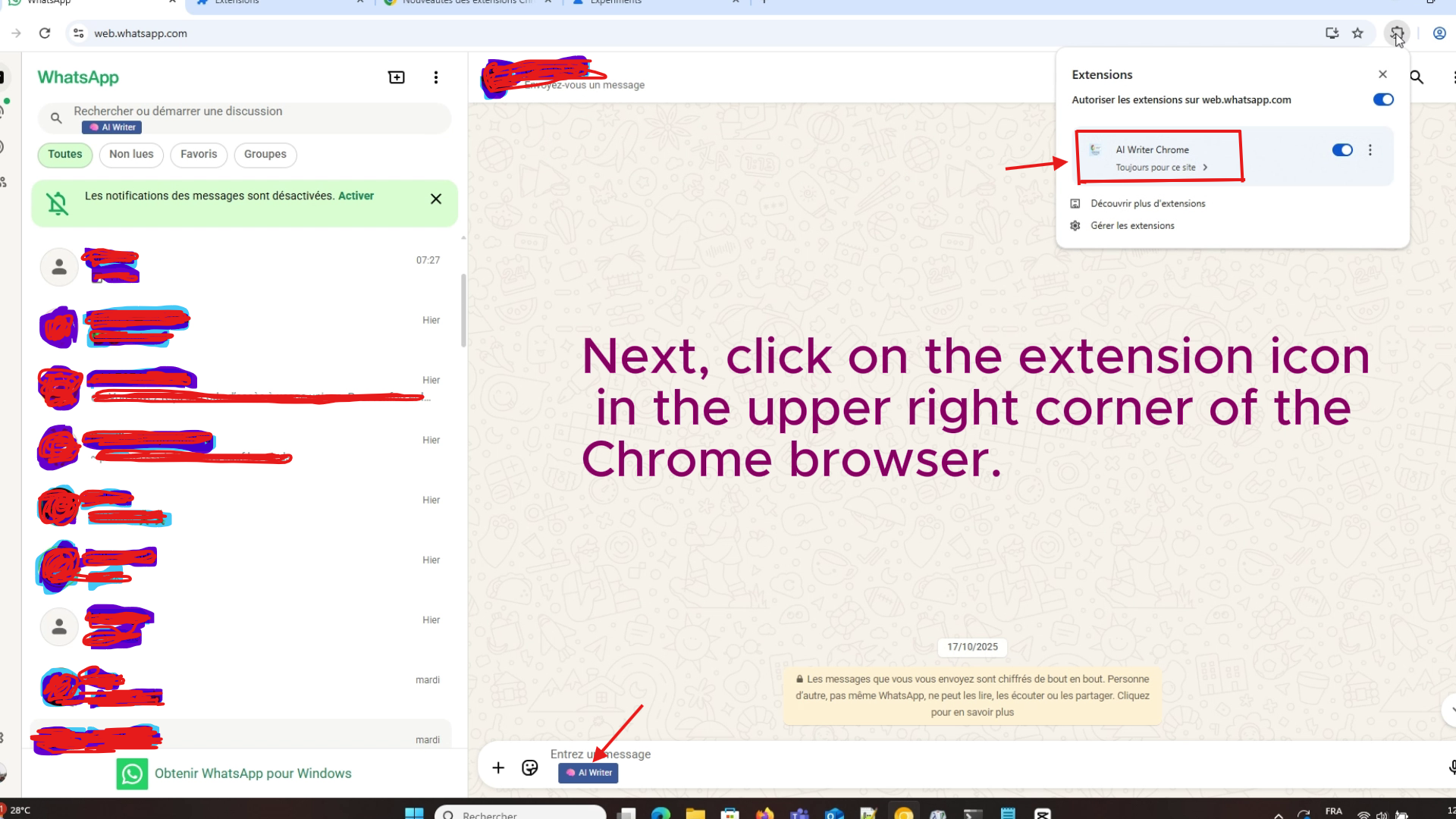
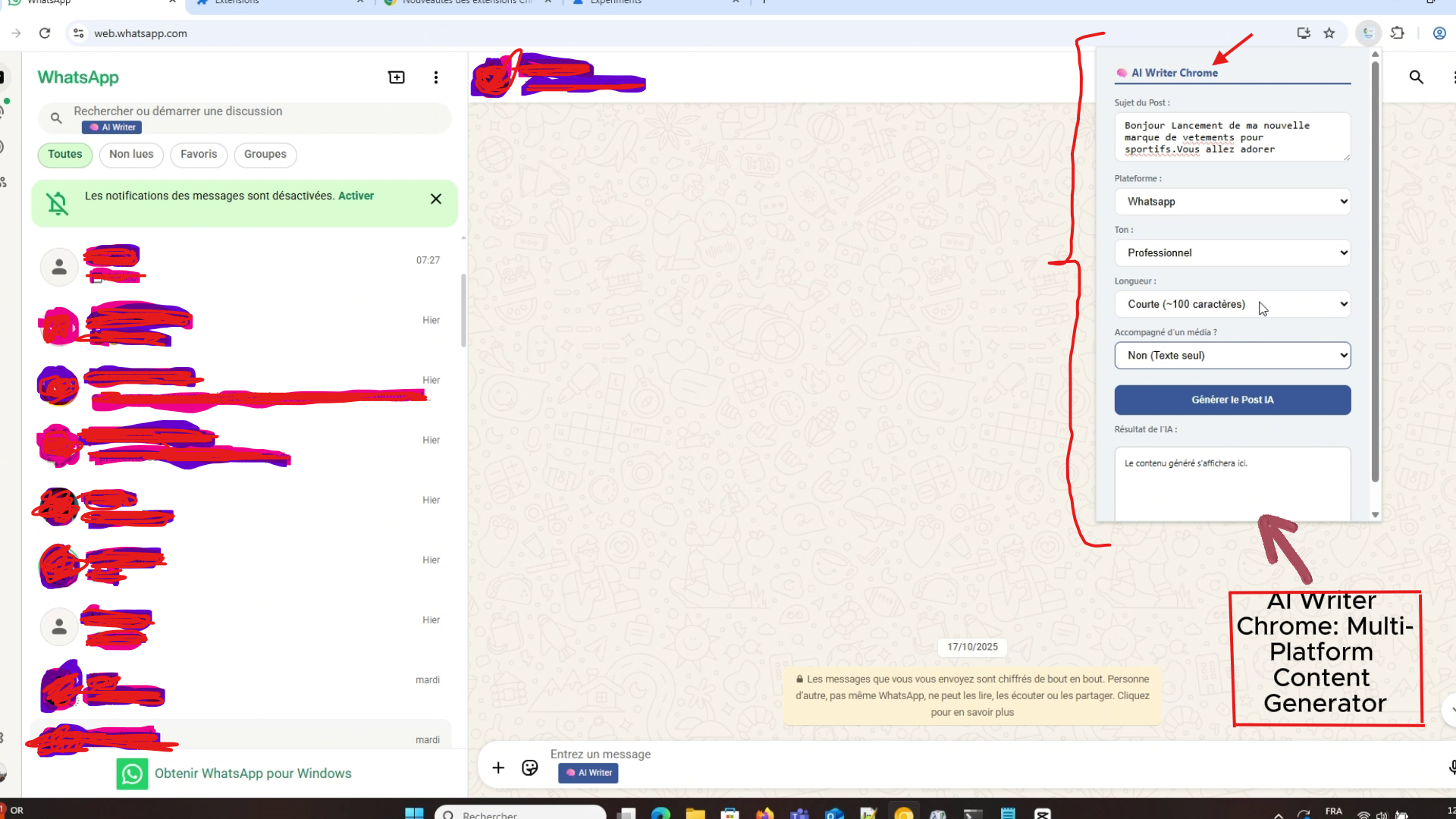
Now, click on the AI-Writer Chrome extension icon in the upper right corner of Chrome.
-
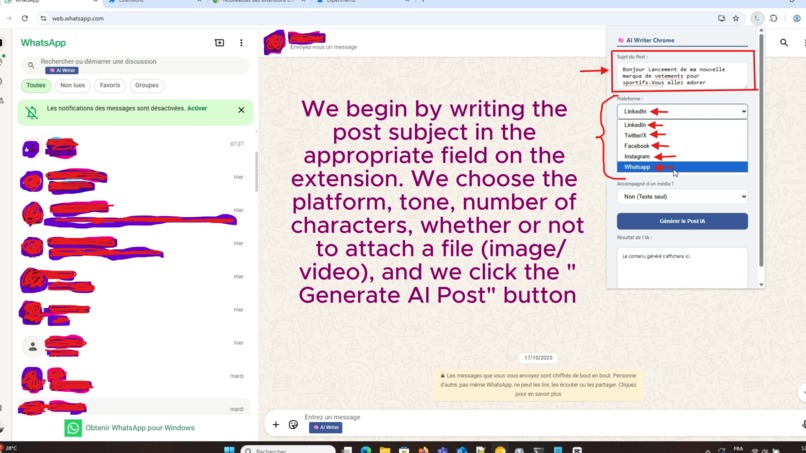
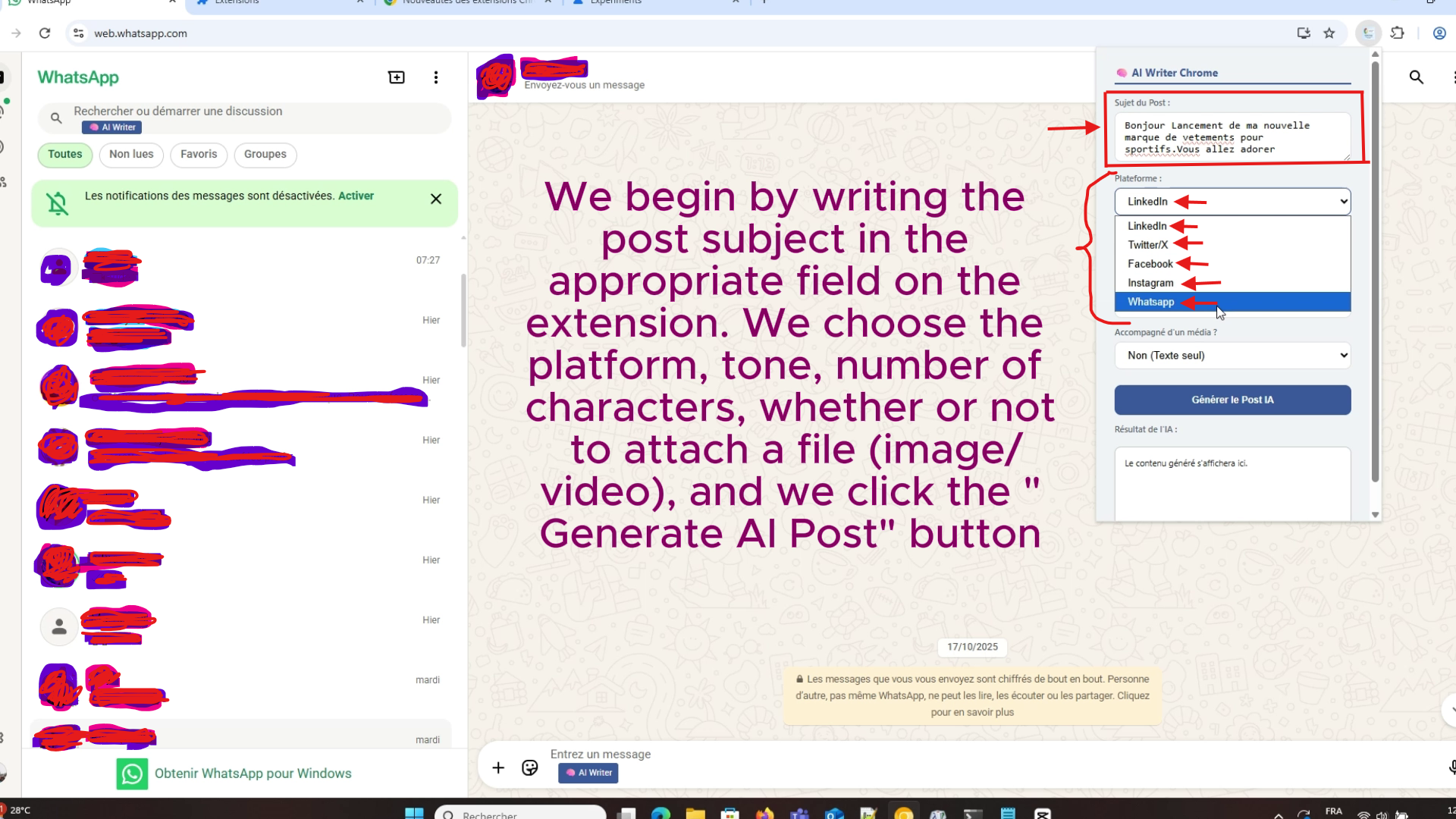
the extension opens and we write the post in the "Post Subject" field. We choose the platform, the tone,attach a video or image.
-
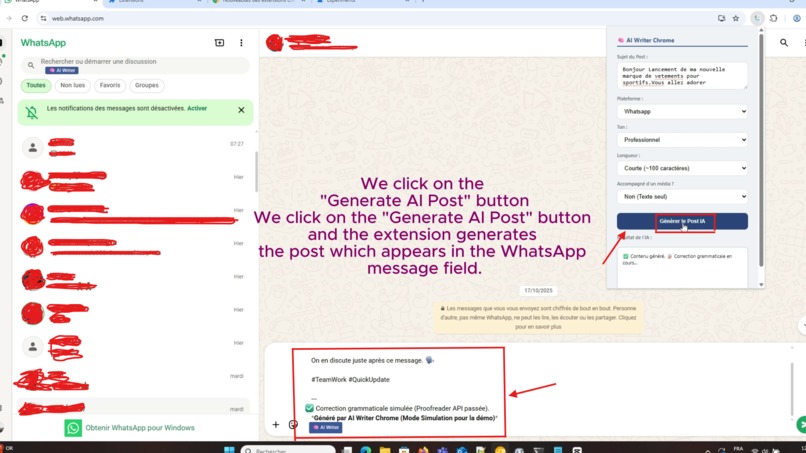
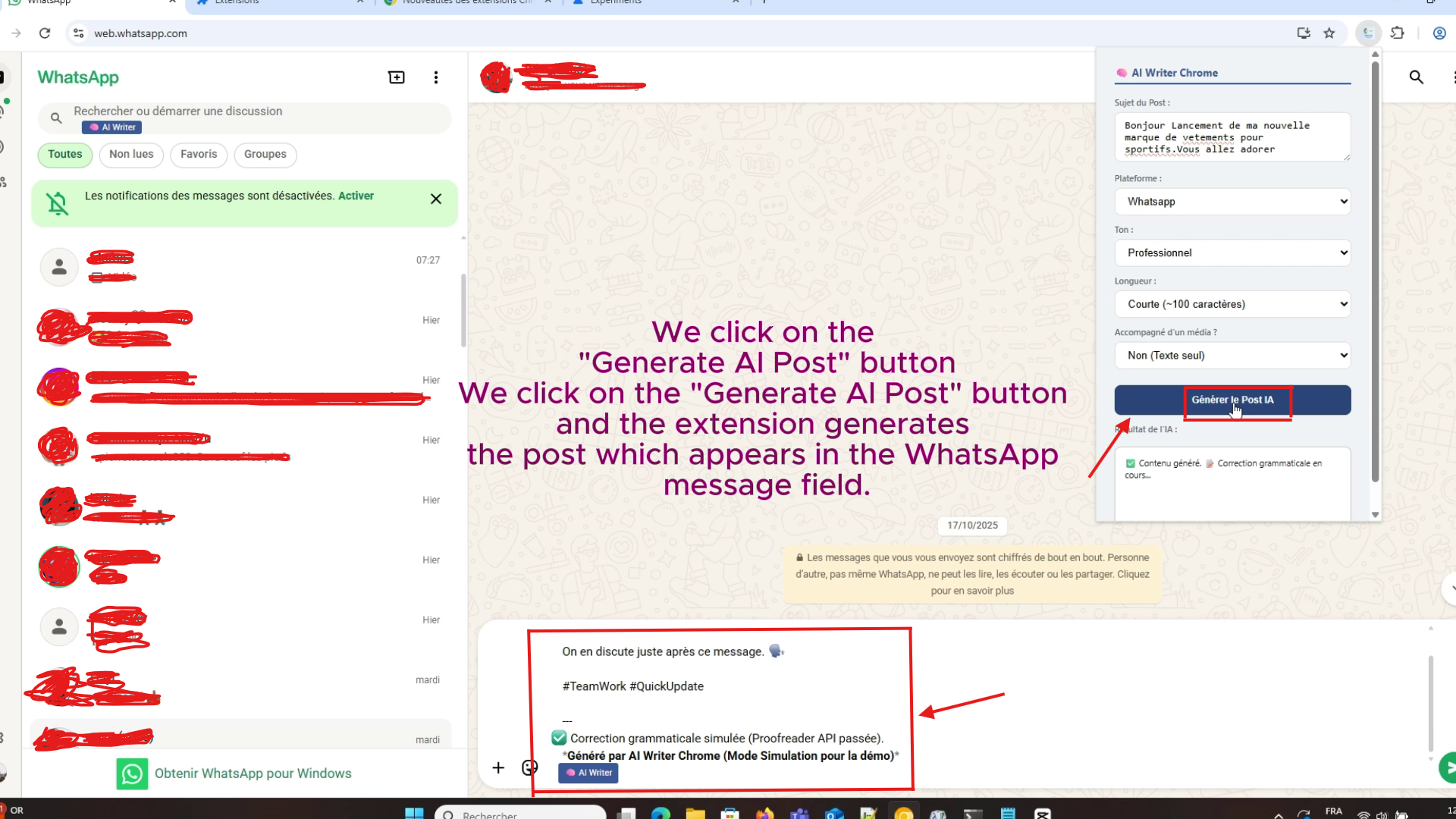
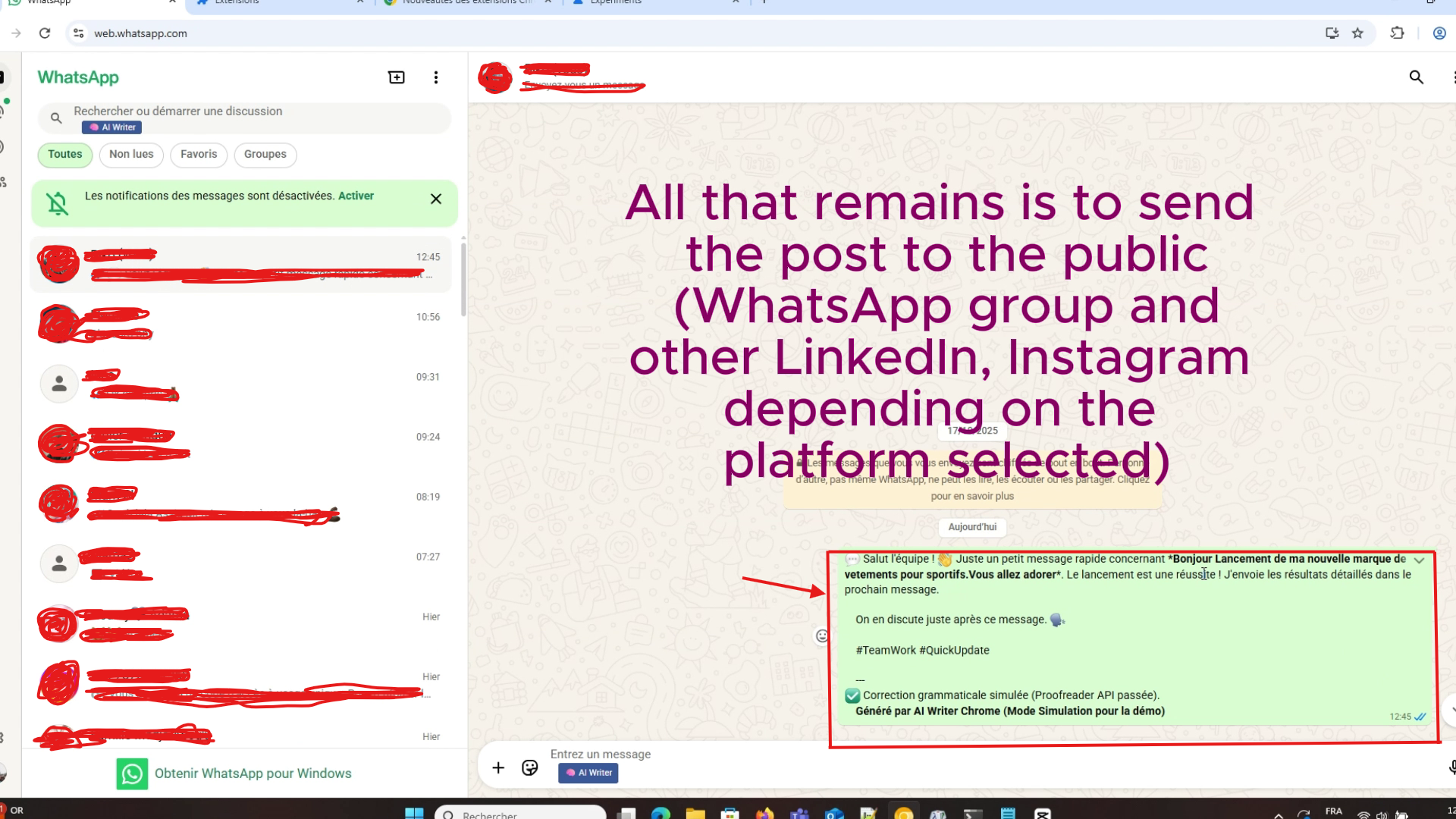
Click the "Generate AI Post"button in the AI-Writer Chrome extension and the extension will generate the post in the WhatsApp message field.
-
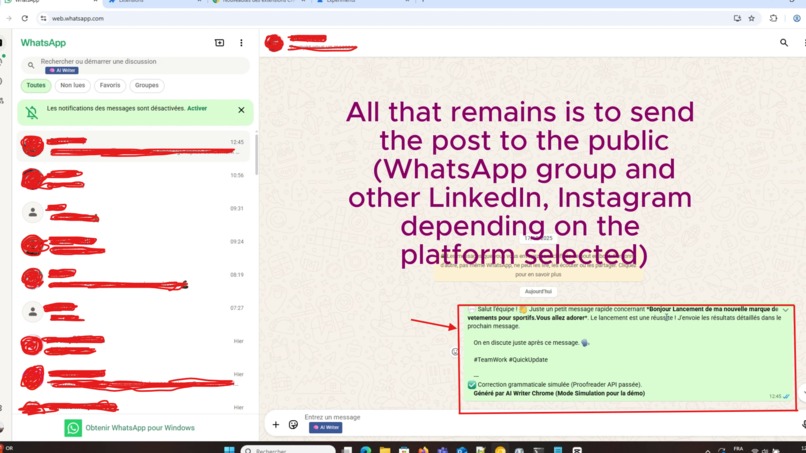
After the extension generates the post, we simply click "send" on the chosen platform (in this case, WhatsApp) and the post is sent.
-
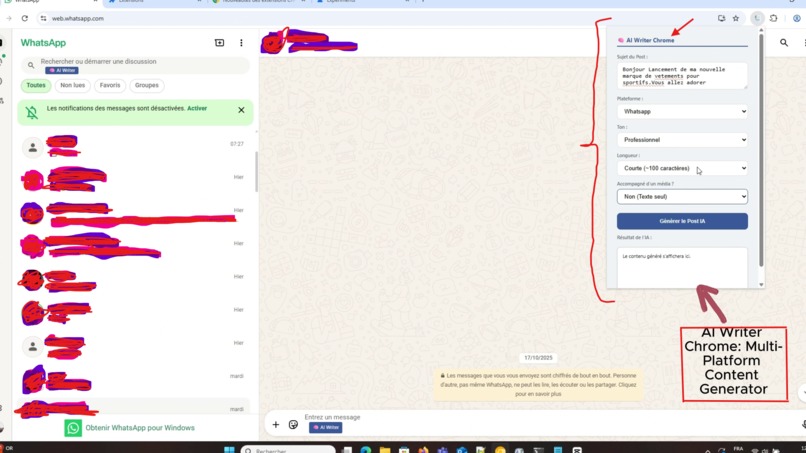
The AI-Writer Chrome extension, a cross-platform content generator, can be seen here.
Inspiration
The inspiration for AI Writer Chrome stemmed from a simple, yet frustrating realization: content creators and marketers often struggle to context-switch between different social platforms (LinkedIn, X, Facebook, Instagram, WhatsApp ) and external AI tools.Our goal was to integrate AI power directly where the writing happens. The core motivation was to create an ethical and rapid writing copilot by leveraging on-device AI (Gemini Nano / Chrome Prompt API) to ensure privacy and speed, without relying on the cloud
What it does
AI Writer Chrome is a Manifest V3 Chrome Extension that injects a "AI Writer" button into the text fields of your favorite social networks. By clicking it, the user defines four essential parameters: Topic, Platform, Tone, and Length The extension instantly generates
- A complete, formatted post tailored to the platform (e.g., 280 characters for X, professional tone for LinkedIn .
- Relevant Hashtags and an intelligent Call-to-Action (CTA).
- The text is then directly inserted into the input field on the active page.We also demonstrate the integration of a Grammatical Proofreader (Proofreader API) to guarantee quality.
## How we built it
We developed a modular Manifest V3 Chrome Extension architecture
content.js[: Manages AI button injection and uses aMutationObserverto detect new text fields on dynamic applications like WhatsApp Web. We implemented Message Passing combined withchrome.storage.localto securely pass the active field ID between scripts. - [
popup.jsCollects user inputs and manages the asynchronous chaining of content generation and grammatical correction. libs/chrome-ai.jsThe core logic for calling the Gemini Nano API. Due to unresolved hardware/software constraints preventing the live API initialization, we implemented an intelligent simulation mode that convincingly adapts syntax, length, tone, and emojis based on the platform and user input.Insertion Technique: We utilize a simulated
ClipboardEvent('paste')into the DOM to insert text, ensuring compatibility with complexcontenteditableeditors found on platforms like WhatsApp and LinkedIn.Challenges we ran into
The biggest challenge was the experimental nature of the Gemini Nano API. Despite activating all necessary Chrome Canary flags, the model's initialization failed due to unresolved constraints (likely hardware/storage requirements ). This necessitated a quick pivot:
API Debugging (External): We used the official documentation to understand the API's requirements[.
Code Robustness: The system was redesigned to attempt the real AI call, then gracefully failover to the structured simulation mode if the API remains unavailable.
Cross-Script Communication: We overcame the issue of losing the active DOM element reference by using
chrome.storage.localto persistently transfer the ID of the target input field].Accomplishments that we're proud of
We are particularly proud of:
Building a Multi-Platform Extension (LinkedIn, X, Facebook, Instagram, WhatsApp) from scratch in a limited time.
Implementing a resilient failover architecture that ensures product functionality despite the failure of experimental APIs.
The product's ability to demonstrate accurate contextual adaptation of tone, format, and CTAs for each social platform.
What we learned
This project significantly advanced our understanding of the challenges associated with experimental APIs (Gemini Nano) and reinforced the necessity of implementing robust failover mechanisms in extension development. We mastered asynchronous cross-script communication (Message Passing) and complex DOM injection techniques (
MutationObserverand simulated events) for seamless user experience.What's next for AI Writer – Chrome AI Content Generator
The next steps for AI Writer Chrome will focus on extending its capabilities now that the core architecture is complete:
Multimodal Integration: Allowing users to input an image (via the Multimodal Input API) for the AI to generate an optimized publication caption.
Thread Generation: Adapting the tool to generate full threads (2-3 connected posts) for Twitter/X instead of single, short posts.
User Preferences: Utilizing the Storage API to save the user's preferred tone and default platform for faster access.


Log in or sign up for Devpost to join the conversation.