Inspiration
I read a lot of English content online, and I often come across new words that I want to remember. But switching to another tab or dictionary app always breaks my focus.
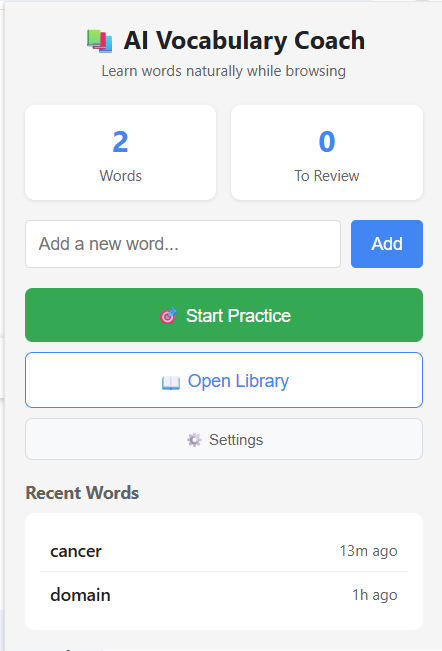
I wanted a simple way to collect and learn new words right where I find them — while browsing. That idea became AI Vocabulary Coach, a small Chrome extension that turns web reading into a natural way to build a personal bilingual vocabulary list.
What it does
AI Vocabulary Coach lets you save any word you see online and learn it in context.
With one click, it can:
- Save the selected word and generate an English definition
- Add a Chinese translation for bilingual learners
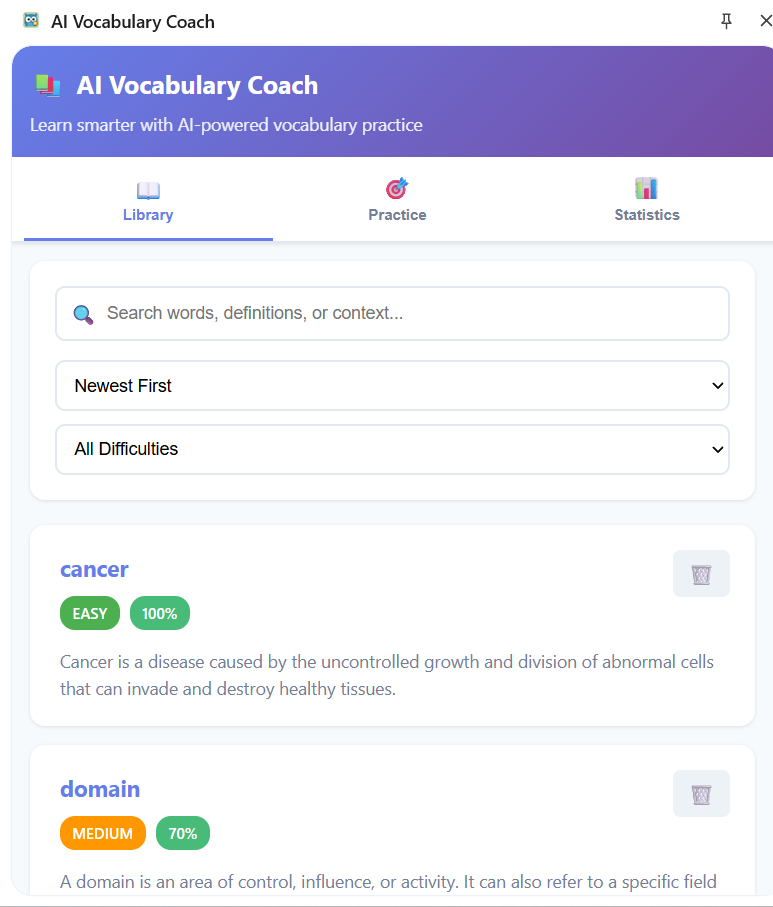
- Track your progress through small practice quizzes
- Let you review and search words in your own library
It feels like having a friendly language companion built into Chrome.
How I built it
This project is made with:
- Manifest V3 for the Chrome extension framework
- JavaScript (ES6 modules) for clean, modular code
- Google Gemini API to generate definitions and translations
- Chrome Storage API to keep all data local
- Side Panel and Context Menu APIs for smooth in-browser use
Everything runs locally. The Gemini API is only called when generating new word data.
Challenges I ran into
- The Chrome on-device Gemini Nano model wasn’t available, so I used the Gemini API instead.
- Handling both English and Chinese text together needed some careful data design.
- Building the practice system so it could adapt to the user’s learning progress took several tries.
- Working within Manifest V3’s strict limits on background service workers required optimization.
Accomplishments I’m proud of
- Built a working bilingual vocabulary tool that runs entirely inside Chrome
- Integrated Gemini smoothly without needing a server
- Created adaptive practice exercises that react to user progress
- Designed a clean interface that stays out of the way and feels native
What I learned
- How to combine Chrome APIs with a language model in a privacy-friendly way
- How to design a small “local-first” app that still feels smart
- The importance of smooth UX for something people use casually while reading
- When to rely on a cloud model and when to keep logic on the client side
What’s next
I’d like to add:
- Spaced repetition for more efficient review
- Audio pronunciation and text-to-speech
- Analytics and progress tracking
- Custom categories for organizing words
- Sharing options so people can exchange word lists with friends
My goal is to make vocabulary learning feel effortless — something that just happens naturally as you explore the web.

Log in or sign up for Devpost to join the conversation.