Inspiration
The inspiration for Jarvis came from a desire to have a versatile and user-friendly virtual assistant that can combine the best of popular assistants like Bixby, Cortana, and Google Assistant. I wanted to create an assistant that goes beyond basic functionality, offering unique features tailored for productivity and entertainment on laptops. The goal was to make Jarvis feel intuitive, visually appealing, and efficient, empowering users with a seamless, interactive experience.
What It Does
Jarvis is a virtual assistant designed to enhance productivity and entertainment on laptops by offering a range of interactive features:
- Voice and Text Command Recognition: Users can interact with Jarvis through voice or text input. Jarvis listens, processes, and responds to voice commands, allowing hands-free interaction.
- Web Searches and Information Retrieval: Jarvis can perform internet searches, provide definitions, and look up information on topics through sources like Wikipedia, making it a helpful research tool.
- File Management and Searching: Users can ask Jarvis to locate files or open specific documents on their computer, streamlining file management tasks.
- Email Management: Jarvis can assist in sending emails, saving users time and simplifying communication.
- Multimedia Control: Jarvis can play music or videos, either from local storage or online sources like YouTube, making it a convenient companion for entertainment.
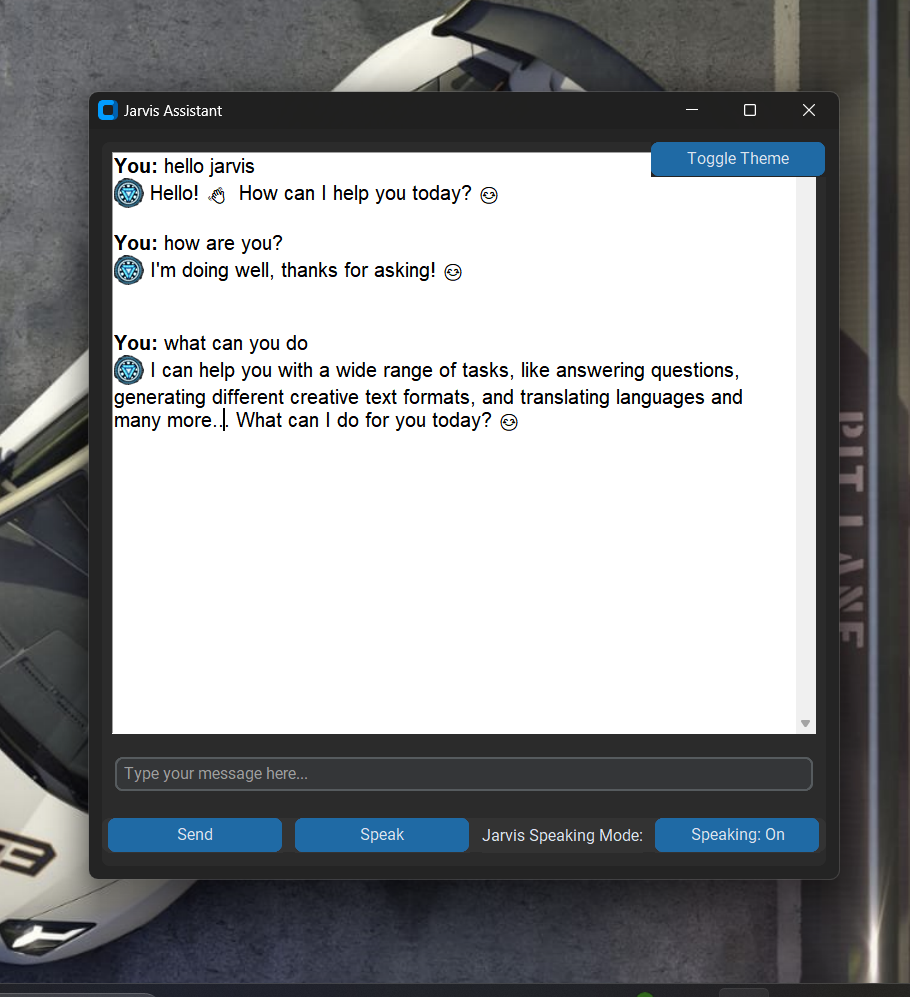
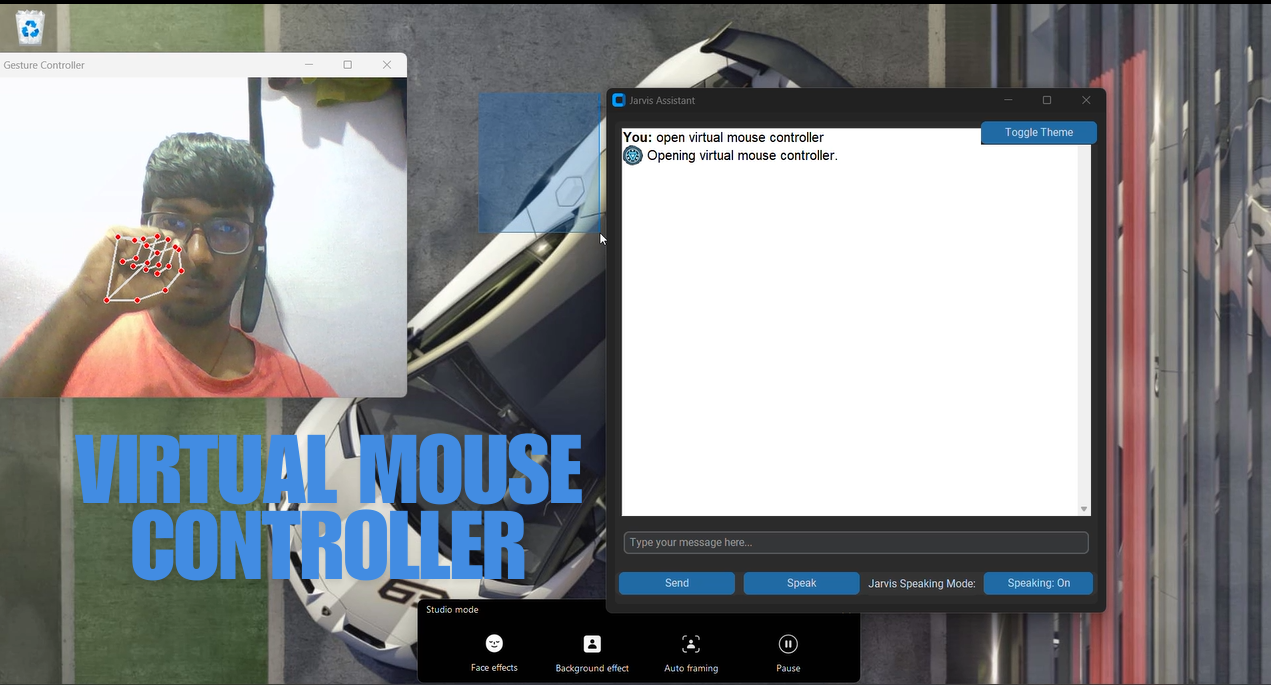
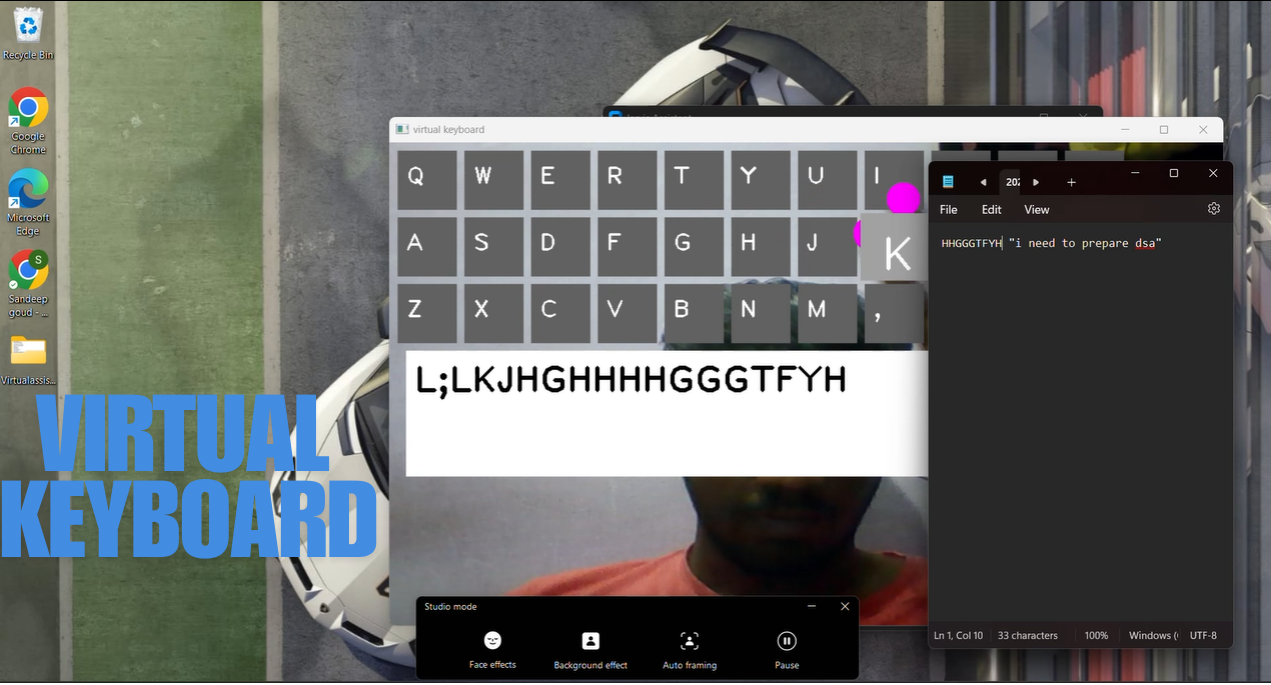
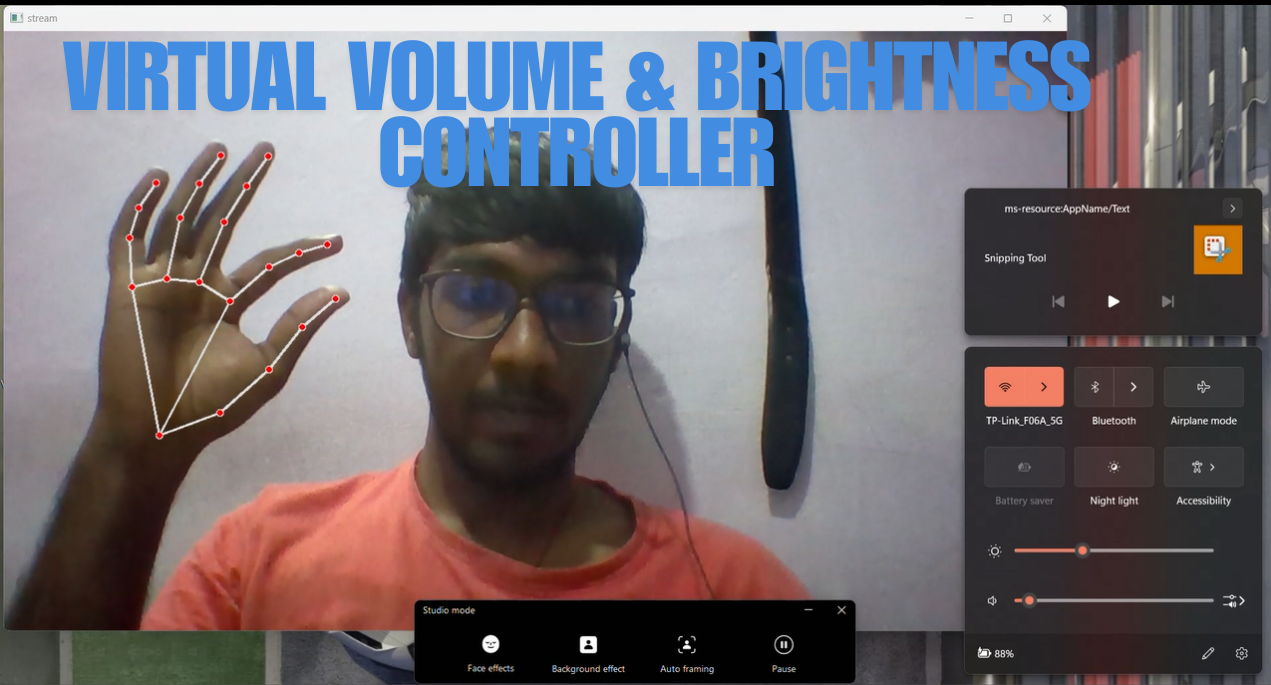
- Personalized User Interface: The GUI offers an engaging design with icons, a virtual assistant image, and a 3D-inspired look, enhancing the user experience.
- Text-to-Speech Responses: Jarvis can speak responses aloud, adding to the interactive experience and making it accessible for users who prefer voice responses.
These features make Jarvis a versatile, all-in-one assistant tailored for a laptop environment, designed to make daily tasks more accessible and enjoyable.
How We Built It
The project was developed in Python with a focus on combining multiple libraries to support diverse functionalities. Here’s a breakdown of the main components:
- Voice Activation and Interaction: Using
speech_recognitionfor capturing and interpreting user commands, andpyttsx3for providing Jarvis’s voice responses. - User Interface: Built using Tkinter, the GUI features icons, a 3D-inspired look, and an interactive layout where users can type or speak commands.
- Additional Functionalities: Incorporated libraries like
youtube_searchfor multimedia queries,smtplibfor email sending, andtkintervideofor video playback, making Jarvis a multi-functional assistant. - I also designed the project to be packaged as an .exe file, making it easy for users to download and run on their own laptops.
Challenges We Ran Into
Building Jarvis came with several challenges:
- User Interface Design: Creating a polished, intuitive, and visually appealing UI using Tkinter required significant experimentation. Implementing features like 3D effects and dynamic button icons added complexity.
- Voice Processing Efficiency: Managing real-time voice recognition while keeping the system responsive was challenging, especially in a multi-threaded environment where commands needed to be processed without freezing the UI.
- Cross-Platform Compatibility: Ensuring that Jarvis would work on different laptop setups and configurations was a critical challenge. This required careful handling of file paths, libraries, and dependencies.
- Error Handling: From managing network-related errors to handling unexpected inputs, implementing robust error handling was crucial to improve Jarvis’s reliability and user experience.
Accomplishments That We’re Proud Of
- Fully Functional Multi-Tasking Assistant: Achieving a responsive, feature-rich assistant that can handle various tasks, from voice commands to email management, felt like a significant accomplishment.
- Intuitive UI Design: Building an interface that is both functional and visually engaging was a rewarding experience. The interactive elements and custom icons give Jarvis a unique and polished look.
- Voice Interaction Capabilities: Successfully implementing voice-based commands and responses makes Jarvis feel interactive and lifelike, bringing it closer to the experience of using professional virtual assistants.
What We Learned
Developing Jarvis was a journey filled with learning. Here are some of the key areas where I gained valuable insights:
- Voice and Speech Processing: I delved into
speech_recognitionandpyttsx3to make Jarvis a fully interactive assistant, learning how to optimize real-time audio processing for quick and accurate responses. - Advanced GUI Design: Working with Tkinter taught me a lot about UI design, particularly in creating a visually appealing and user-friendly experience. Adding 3D effects, icons, and custom layouts required an in-depth understanding of UI/UX principles.
- Error Handling and Optimization: To make Jarvis reliable and efficient, I spent time implementing error handling strategies, which improved the stability and performance of the assistant.
What’s Next for AI Virtual Assistant for Computers
The next steps for Jarvis include:
- Enhanced AI Capabilities: Integrating AI-based natural language processing to improve response quality and make interactions more conversational and context-aware.
- Customization Options: Allowing users to personalize Jarvis’s responses, appearance, and features to create a more tailored experience.
- Cross-Platform Support: Expanding Jarvis to work on other platforms beyond laptops, potentially with a mobile or web-based version for greater accessibility.
- Additional Functionalities: Adding features like calendar integration, task reminders, and expanded multimedia control to make Jarvis a comprehensive productivity tool.
Built With
- ai
- api
- artificial-intelligence
- gemini-ai
- google-generative-api
- machine-learning
- python
- pyttsx3
- smtplib
- speech-recognition
- tkinter
- tkintervideo
- vscode
- wikipedia
- wikipedia-api
- windows
- youtube
- youtube-search


Log in or sign up for Devpost to join the conversation.