Inspiration
The inspiration for AI Uxers came from a series of personal experiments I conducted on using AI in UX research. I discovered a major flaw in current workflows: when I use generic LLMs for feedback, I often rely on static PDFs. My experiments showed that this leads to high hallucination rates because the AI cannot "feel" the interaction or understand the flow of a prototype. It provides generic answers rather than real user behavior. I built AI Uxers to bridge this gap, allowing the AI to read Figma files directly and provide grounded, evidence-based responses based on a live prototype.
What it does
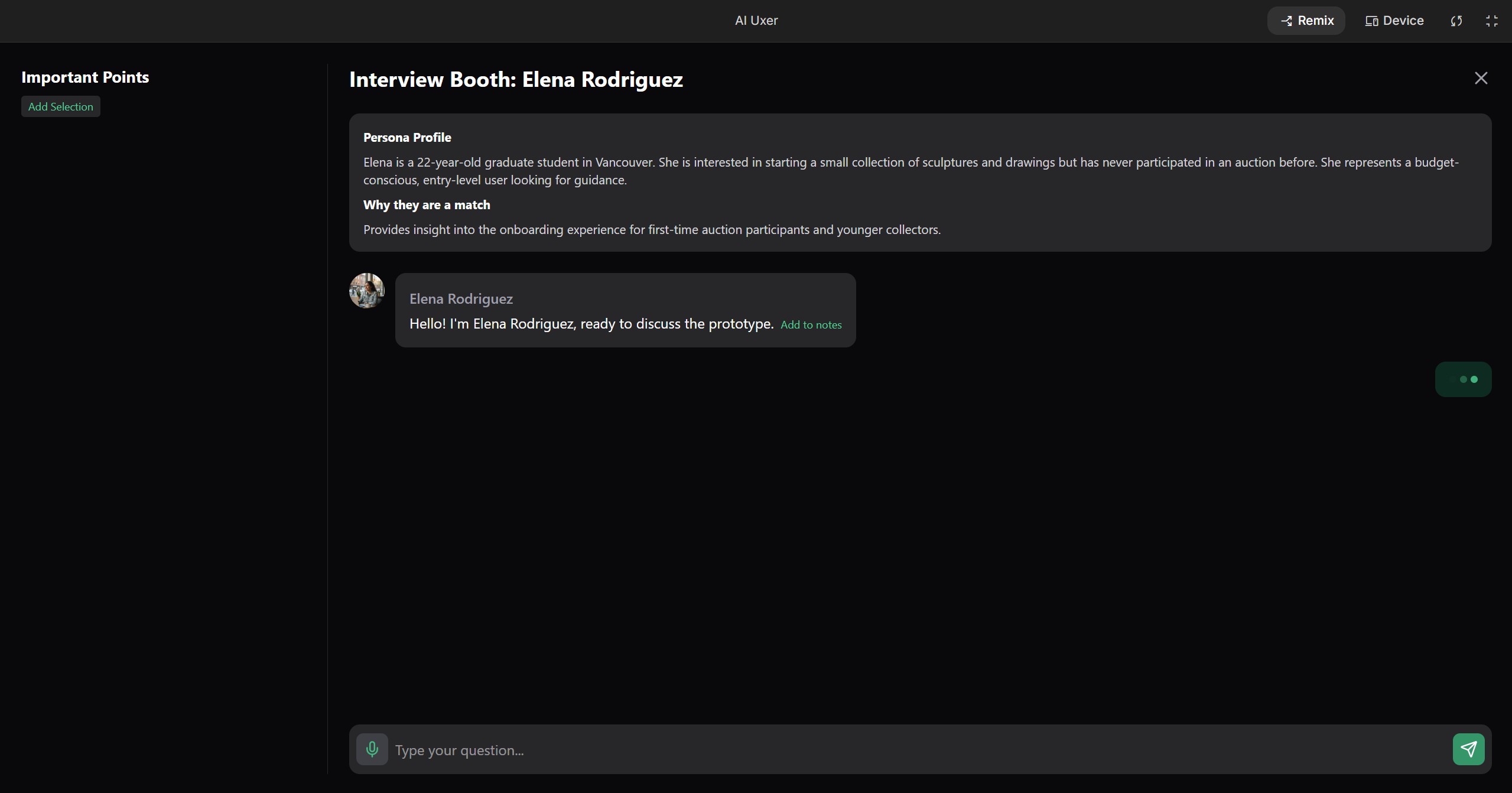
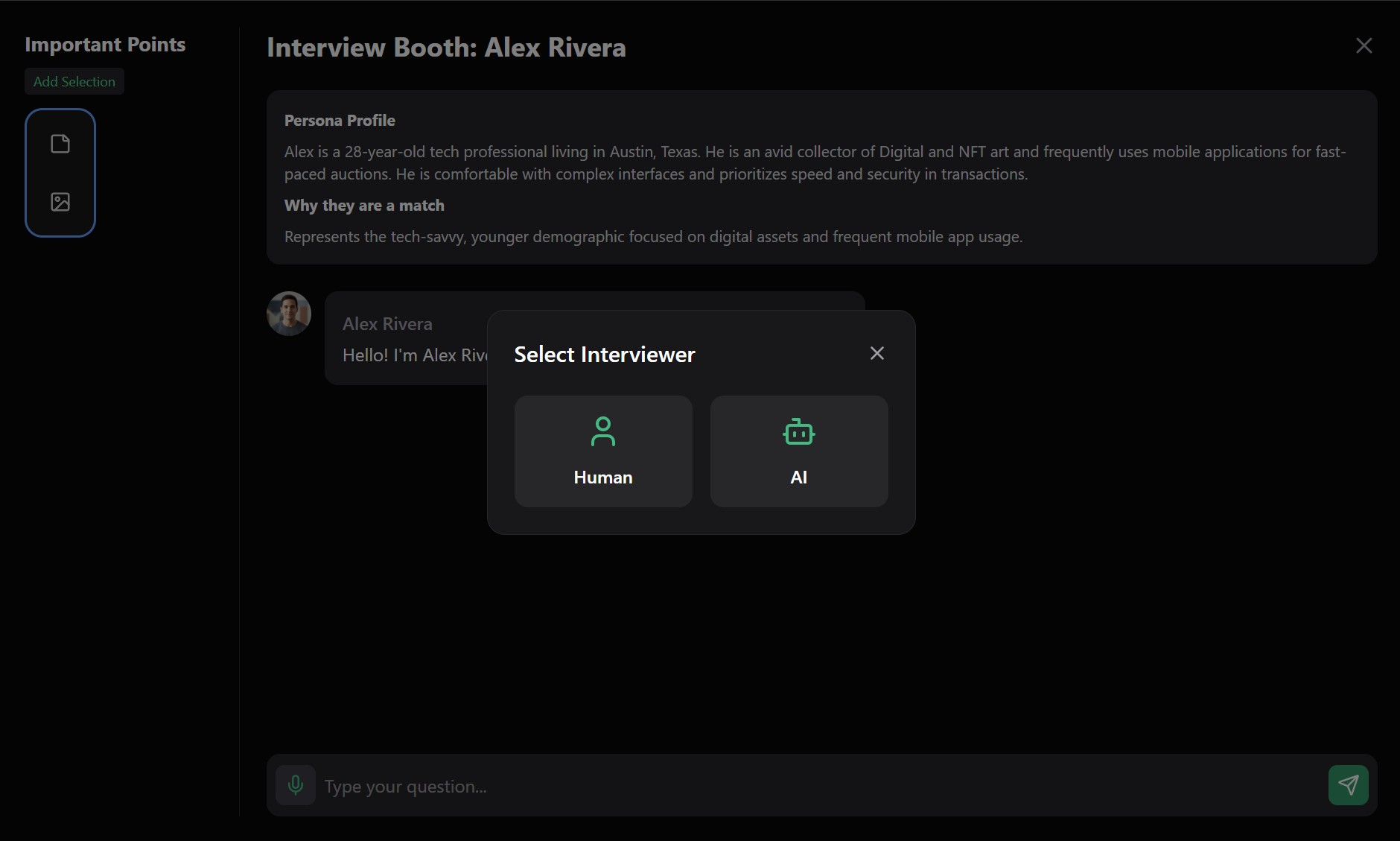
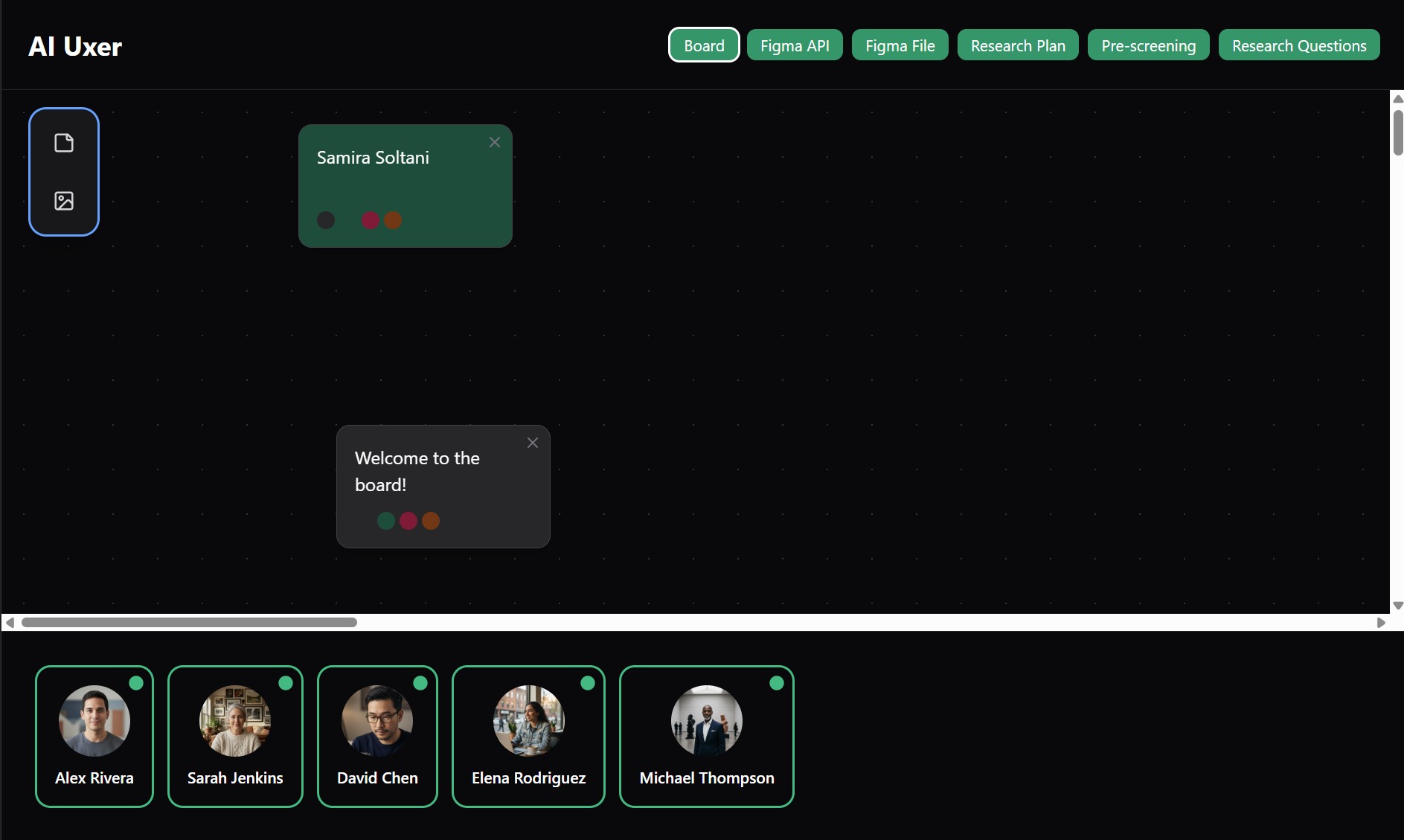
AI Uxers is an IDE-style workspace designed for high-fidelity usability simulations. Contextual Setup: Connect your Figma API and upload your research plan. The "Unlock" System: The platform generates 5 unique, biased AI personas that remain grayscale and inactive until your configuration is complete. The Interview Booth: Enter a live roleplay booth where you can interview the AI (to practice your skills) or watch an AI-to-AI interview. Active Annotation: During the simulation, you can "clip" dialogue and interactions into a prioritized notes panel. Infinite Synthesis: Instead of a traditional dashboard, the platform uses an Infinite Board where researchers can visually categorize notes into affinity diagrams and prioritize them from P0 (Critical) to P3 (Minor).
How we built it
I used Gemini to architect the multi-layered logic of the platform, including the PRD and the "Master Prompt" for the IDE logic. The technical core relies on mapping Figma node coordinates to the AI's "Visual Perception" logic to reduce hallucinations. I pivoted the design from a standard web app to an Infinite Board layout to better reflect the mental model of a researcher managing multiple streams of data.
Challenges we ran into
Prompt complexity was the biggest hurdle. Initially, I tried to generate the entire platform logic in one go, but the layers were too deep and the AI began to contradict itself. I had to pivot to a "Modular Master Prompt" strategy, focusing first on the IDE viewport. I also ran into API quota limits in Google AI Studio, which forced me to be extremely surgical with my prompt iterations. Finally, I noticed Gemini 3.1 leans heavily into a "Development" mindset, so I had to work hard to "tune" the personas to stay in an empathetic, non-technical user mindset.
Accomplishments that we're proud of
I’m proud of creating a platform that makes usability testing accessible for junior designers and small businesses who can't afford expensive human recruitment. I successfully turned a research experiment into a functional "Unlock" logic where personas only "wake up" once the data is ready, ensuring the simulations are as accurate as possible.
What we learned
I learned that for a platform this complex, the UI is the logic. Moving to an Infinite Board layout was a breakthrough—it allowed for a non-linear setup that matches how researchers actually think. I also learned that AI isn't here to replace human testing, but to make it less expensive and more targeted by allowing designers to "rehearse" their designs first.
What's next for AI Uxer
I want to expand the synthesis phase. I am looking into how to make the note-taking and affinity mapping even more autonomous, potentially allowing the AI to suggest direct design iterations back in the Figma file based on the P0–P3 priorities identified in the simulation.
Built With
- css
- gemini
- google-ai-studio
- google-cloud
- lucide-react
- motion
- node.js
- react
- tailwind
- text-to-speech
- typescript
- vite

Log in or sign up for Devpost to join the conversation.