-
-
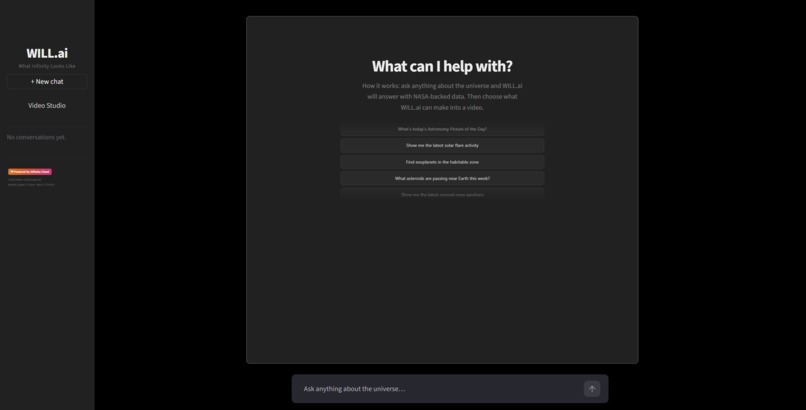
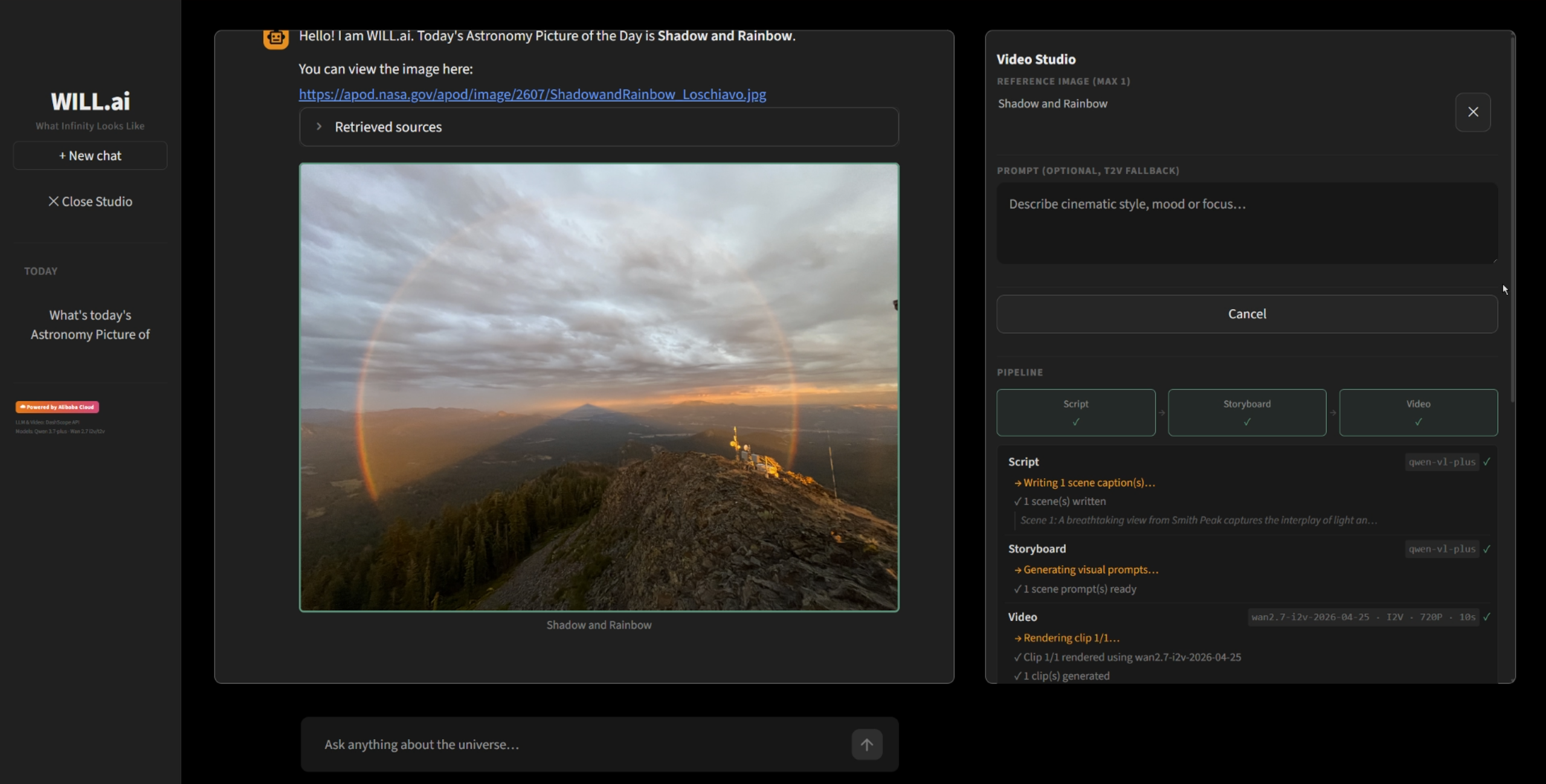
Main Screen
-
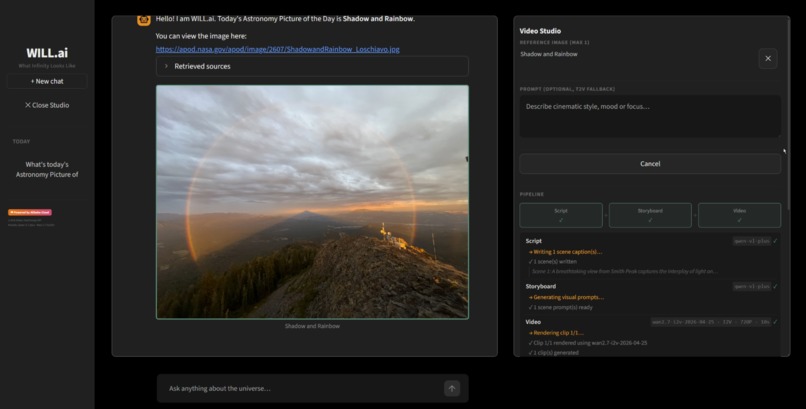
Video Generation Pipeline Running
-
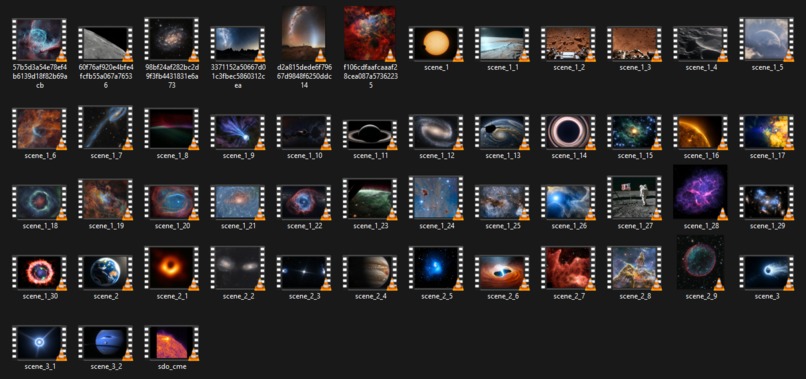
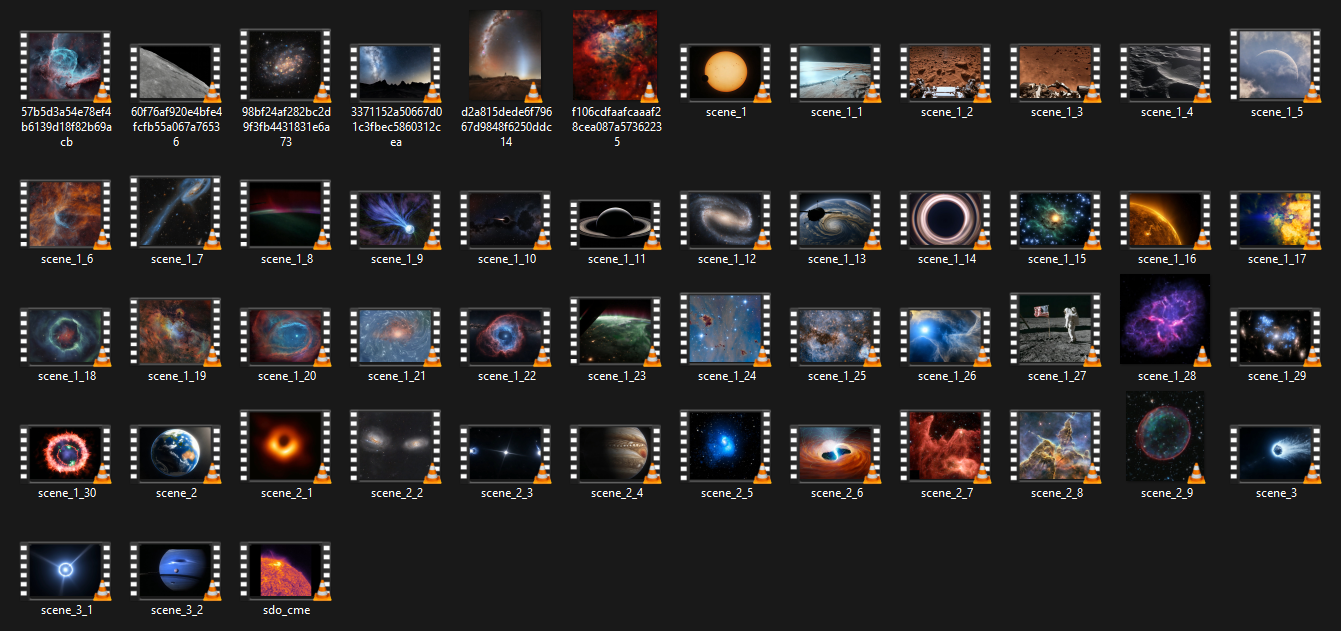
All Generated Clips
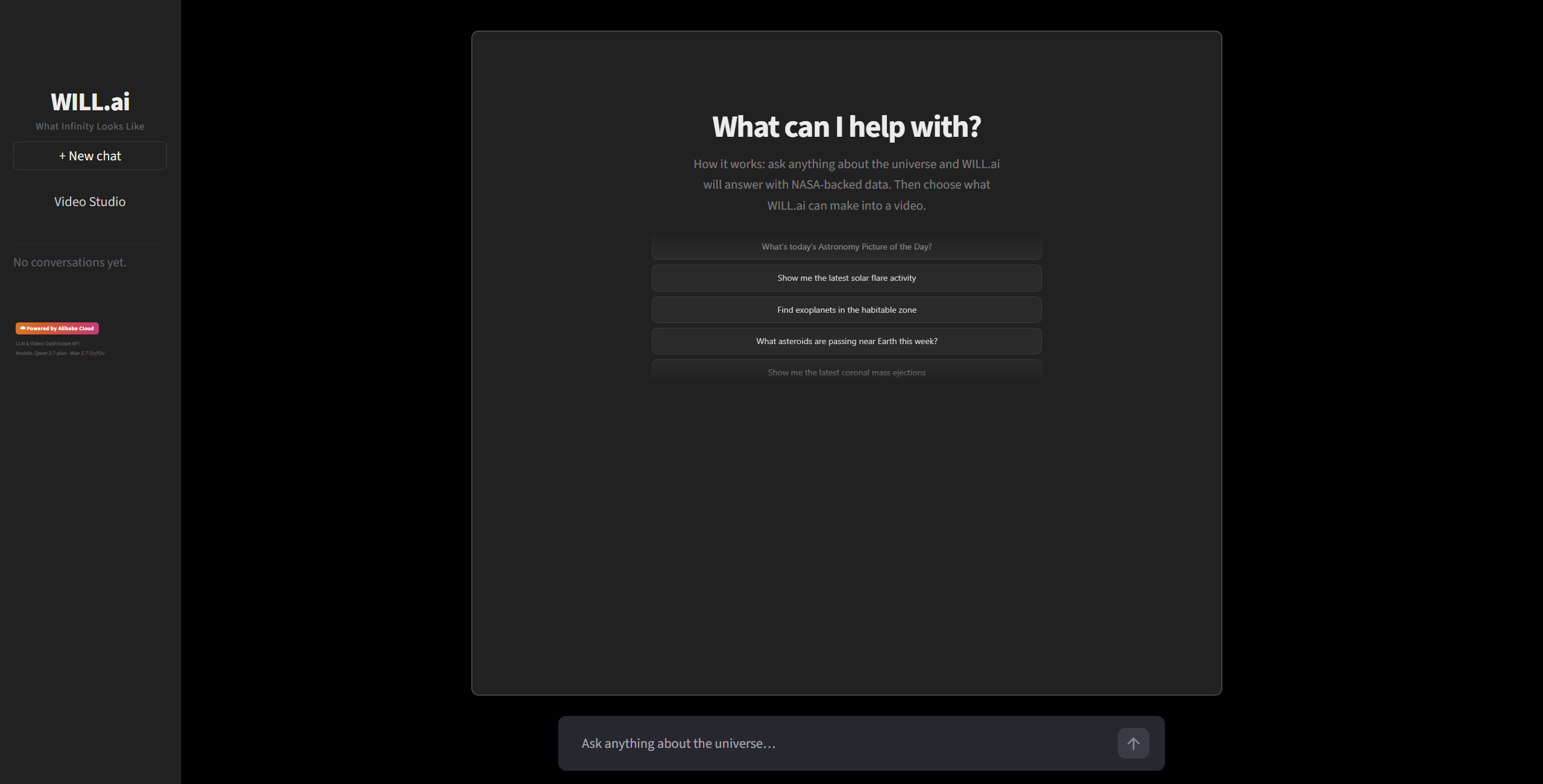
WILL.ai: What Infinity Looks Like AI
Track 2: AI Showrunner
Inspiration
NASA publishes an extraordinary amount of freely accessible data. This includes images, orbital mechanics, space weather events, exoplanet statistics, and full disc Earth photography. I wanted to build an AI agent for space enthusiasts, students, educators, and science communicators. Anyone should be able to ask a plain English astronomy question and see real scientific data behind the answer. With one click, they can turn that data into a short cinematic clip which is generated by Qwen Cloud's Wan 2.7 model. Unlike traditional text-to-video systems, WILL.ai never begins from imagination alone. Every scene starts from authentic NASA imagery and scientific data retrieved live through NASA's APIs, dramatically reducing hallucinations.
What it does
WILL.ai is a three panel Streamlit workbench. In the center panel, you chat with an astronomy bot backed by live NASA data through a custom MCP server. The bot retrieves real images, events, and orbital data. It uses this data to ground every answer it gives. Retrieved NASA images are shown inline in the chat. The left panel is used to keep a log of all the conversation sessions.
In the right panel is the Video Studio. You select one retrieved image as your reference frame with, then click Generate. The system runs a full pipeline in the background, entirely on Qwen Cloud. First, a ScriptAgent writes a visual caption for your reference image. Next, a StoryboardAgent turns that caption into a Wan compatible motion design prompt. This prompt stays locked to the NASA reference frame. Finally, VideoGen sends the job to Wan 2.7 on Qwen Cloud. It checks in periodically until the clip is ready.
Pipeline
User request → ChatAgent → DataAgent → NASA MCP Server → NASA APIs → Grounded Answer + Reference Image → ScriptAgent → StoryboardAgent → Wan2.7 → Generated Output Video
How we built it
The first piece is the NASA MCP server. It wraps 13 NASA public API endpoints as typed tool calls an AI model can use directly. Because each feature lives in its own folder including APOD, NEO, EPIC, DONKI, Exoplanets, and the Image Library. Each module keeps its API client, its input rules, its MCP registration, and its tests together in one place. A local cache stores results for a set amount of time depending on the endpoint. This means repeated queries do not need a new network request every time.
The second piece is the ChatAgent and its Retriever. This is a multi-turn chatbot running on Qwen 3.7-plus through Qwen Cloud. Before answering, it runs a grounding step. The Retriever asks the DataAgent to fetch live NASA data related to the question. Then it pulls out the most relevant short passages. These passages are added to the prompt as supporting context. This keeps answers factual and traceable. It does not require any separate database built just for search.
The third piece is the video pipeline. This runs in the order ScriptAgent, then StoryboardAgent, then VideoGen. The whole pipeline runs in the background so the Streamlit interface never freezes while a video is generating. Progress updates flow from the background process back to the interface. The interface polls every 2 seconds and refreshes what it shows. VideoGen itself talks to Qwen Cloud's Wan 2.7 and HappyHorse video generation models. If one free tier model runs out of quota, it automatically tries the next one on an ordered list. Only after every free option is exhausted would it ever consider a paid model. This means a single exhausted quota never silently costs money.
Finally, the interface itself is a Streamlit workbench with three panels simple panels. Streamlit does not give stable ways to target individual columns with a stylesheet. To work around this, small invisible markers are placed inside each column. A modern CSS technique then targets the column based on the marker inside it. This lets each panel be styled precisely without Streamlit fighting back.
Challenges we ran into
Video generation takes time. Each 10 second clip takes ~5 minutes of asynchronous rendering on Qwen Cloud depending on the capacity of the image file. Running this process directly on the main thread would have frozen the entire interface. To fix this, the pipeline runs in the background instead. The interface stays fully responsive while a video renders. The Cancel button also had to interrupt a waiting period instantly, rather than only checking in at fixed intervals. This took care to get right in a framework built around single threaded scripts.
Many high-resolution images retrieved from NASA's APIs were perfectly valid for viewing but exceeded the practical limits accepted by Qwen Cloud's image-to-video models. Instead of returning a descriptive file size error, the API often responded with a generic InvalidParameter error, making the root cause difficult to diagnose. Ultimately, we had to add preprocessing to resize and optimize reference images before forwarding it. This ensured that scientifically accurate NASA imagery could still be used reliably without requiring users to manually edit or compress images themselves.
Streamlit also fights back against custom styling. It applies its own layout rules directly to chat message content, and those rules override anything added afterward. Getting the user's chat bubbles to align to the right took real effort. In the end it required moving away from the layout method Streamlit uses by default and building the alignment by hand.
Free tier quota on Qwen Cloud turned out to be more complicated than expected. Quota is granted per exact model name, not per model family. A specific dated version of a model and its general alias can draw from two completely separate quota pools. Some aliases carry no free quota at all and bill immediately. This meant building, and carefully testing with real calls rather than assumptions, an ordered list of fallback models and accounts. Getting this wrong was the difference between a free generation and an unexpected charge.
Accomplishments that we're proud of
We built a fully non-blocking video pipeline. The interface stays alive the whole time. It shows live progress. It can be cancelled mid-clip. Getting this right took real, careful background processing work in a framework not originally designed for it.
We brought 13 NASA APIs together behind one consistent interface. Because each feature lives in its own self-contained folder, adding a new data source is simple. It just means adding a new folder with the same three pieces and registering it in one place.
We built a resilient, well-tested integration with Qwen Cloud. Every video model's request format was confirmed using a real API call. None of it was assumed from documentation or guessed from naming patterns alone. On top of that, we built an automatic fallback system. It stretches free tier usage across many models before ever risking real spend.
We also built a chat interface that genuinely feels like a finished product. User messages align to the right. Assistant replies stream in as they are generated. Conversation history is saved and can be resumed later. NASA images can be selected directly from the conversation.
What we learned
MCP works especially well as a grounding layer for a factual agent. Keeping data fetching inside typed tool calls, instead of letting the model make things up freely, makes every answer easier to check and to test.
Vision language video models need very specific motion instructions. Adding clear directions to every prompt, such as a slow orbit, a fixed camera distance, and constant exposure, made a real difference. It noticeably reduced flickering and unwanted zooming in the generated clips.
Cloud API free tiers are rarely as simple as one model, one quota. Building real reliability meant testing our assumptions against live calls. It meant not trusting documentation or naming conventions alone.
What's next for WILL.AI
We want to add more NASA data sources we planned but have not yet wired in. These include Mars terrain mosaics, Earth natural events, Martian surface weather, and more. With these in place, a scene could be reconstructed from real topography and real atmospheric conditions instead of a generic prompt.
We also want to surface retrieved passages directly inside the chat panel. This would let a user tap any factual claim and see the exact NASA data behind it.
Right now, the system deliberately generates one 10-second grounded clip from one reference image. This keeps the whole pipeline simple and predictable from start to finish. If we revisit multi-image, multi-scene generation in the future, the natural next step would be assembling several per-scene clips into a single episode. This could include optional title cards pulled from APOD metadata.
Summary
WILL.ai (What Infinity Looks Like AI) transforms live NASA data into cinematic, AI-generated educational videos. Users can simply ask an astronomy question in plain English and WILL.ai retrieves authentic NASA data through a custom MCP server. Qwen can use this to generate a grounded explanation and turns a real NASA reference image into a visually compelling video using their state-of-the-art Wan 2.7 video generation models. Unlike traditional text-to-video tools that generate scenes from imagination alone, WILL.ai builds every story on verifiable scientific sources. It combines factual accuracy, explainable AI, and automated storytelling to make space exploration accessible, , and engaging. Hence, this is where users can see what infinity looks like with truth.
Additional Demo Notes
When watching the demo video, it is advised to turn on subtitle captions for easier understanding. There is quite a lot of information and pieces that goes into explaining the process of the system.
The public demo is hosted on a lightweight client-server deployment intended for hackathon evaluation. As it does not implement rate limiting or autoscaling, please avoid generating excessive traffic so that other users can also access the application. Thank you for helping keep the demo available during the judging period.
This demo runs on limited free-tier API quotas. Please avoid excessive generation requests so other users can also experience the application. The system will eventually return an AllocationQuota.FreeTierOnly 403 error.


Log in or sign up for Devpost to join the conversation.