-
-
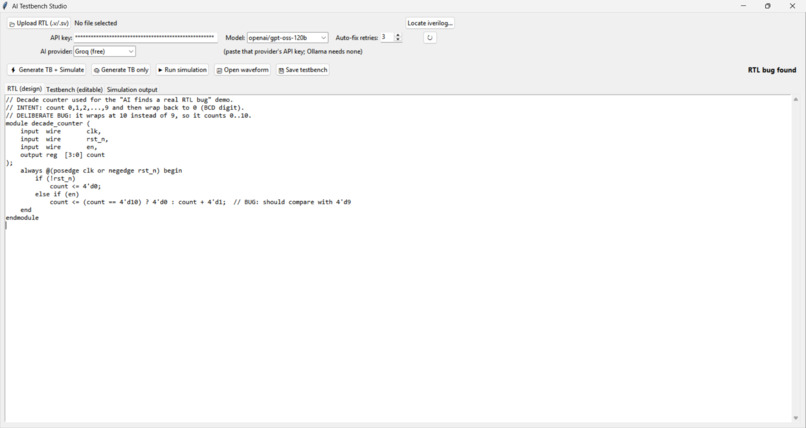
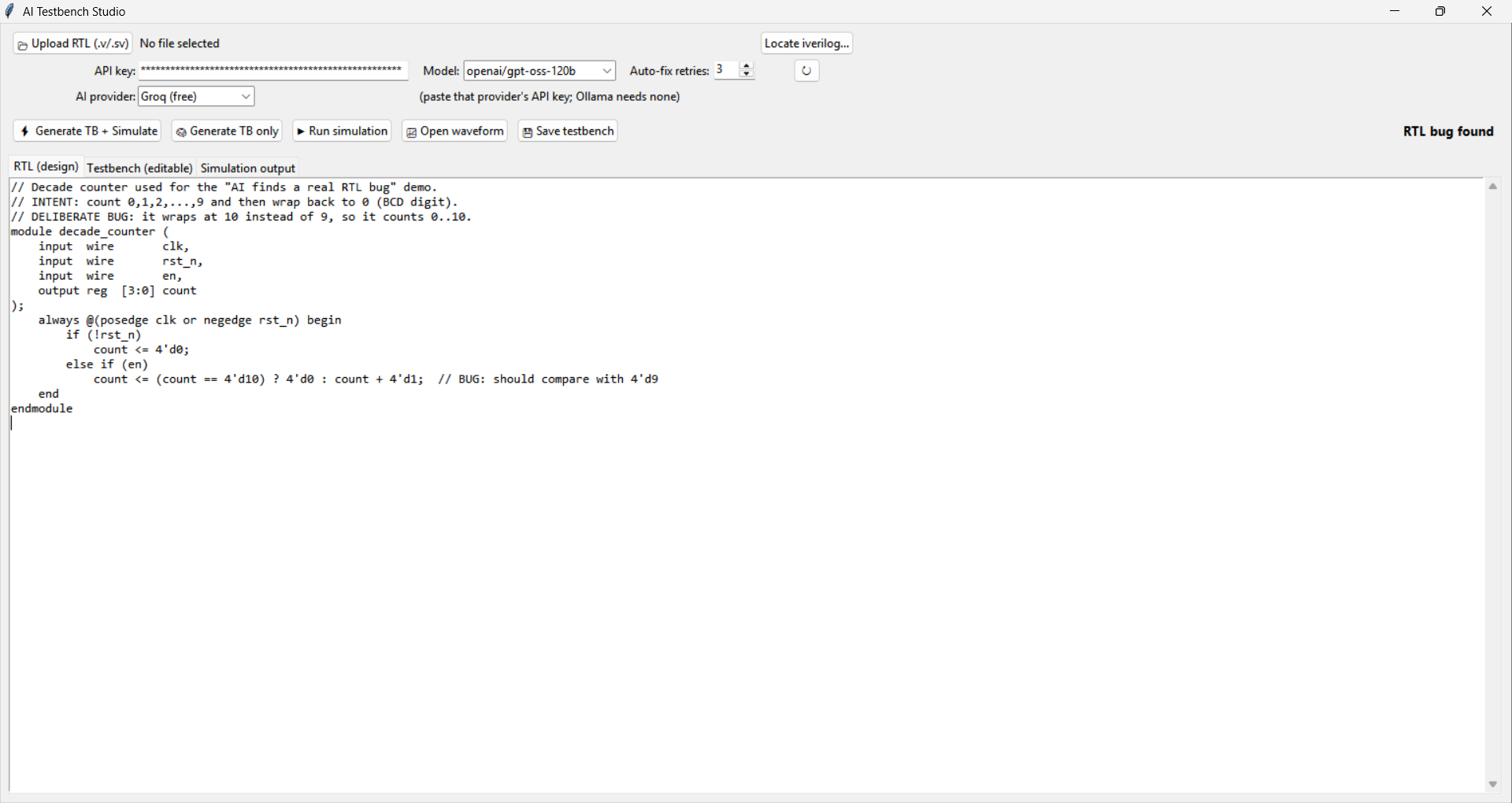
RTL Design goes here
-
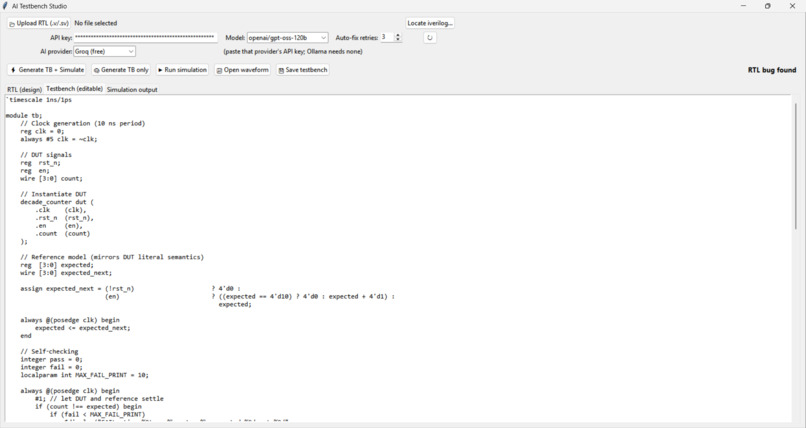
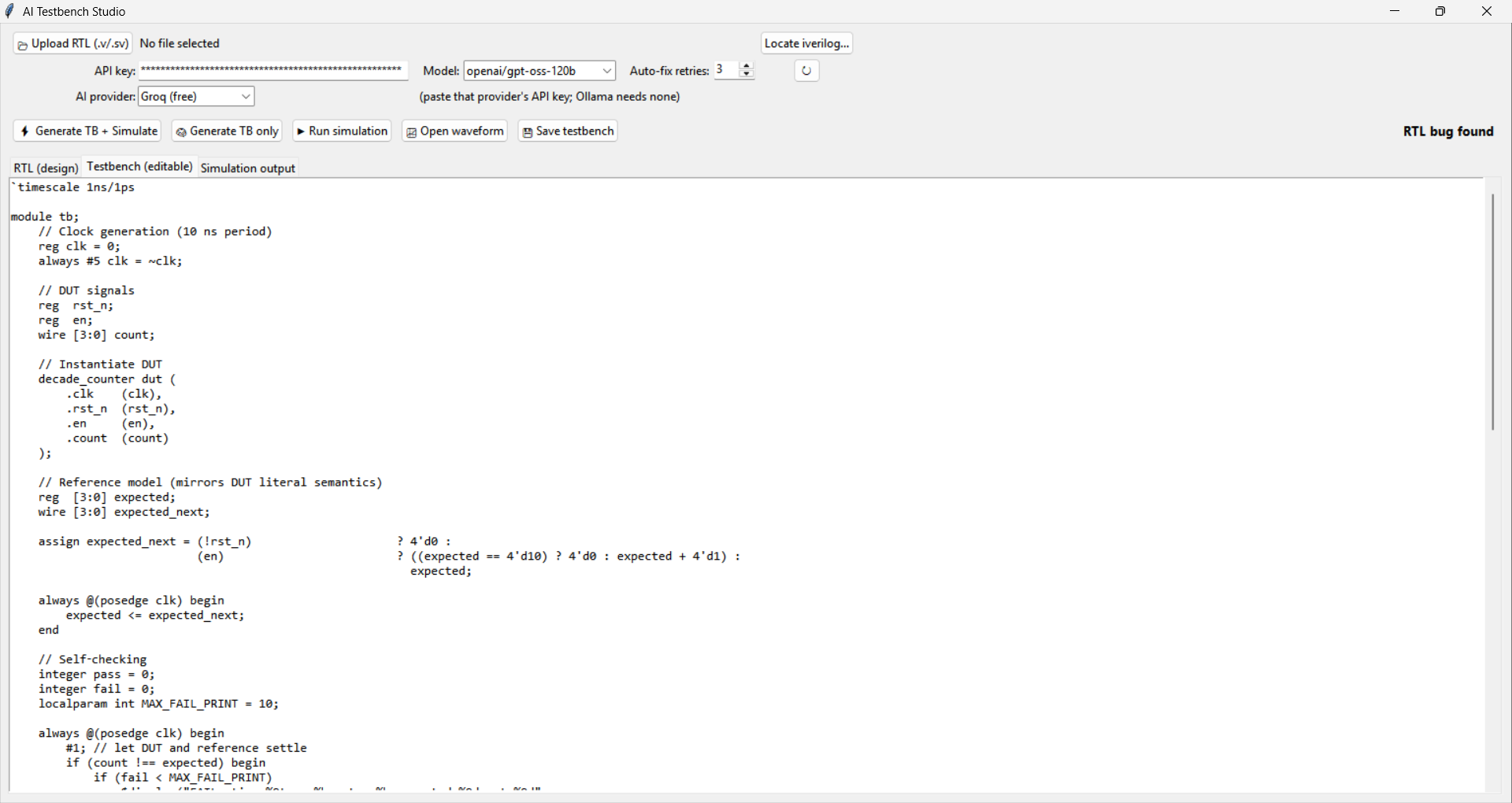
Testbench gets written here by AI
-
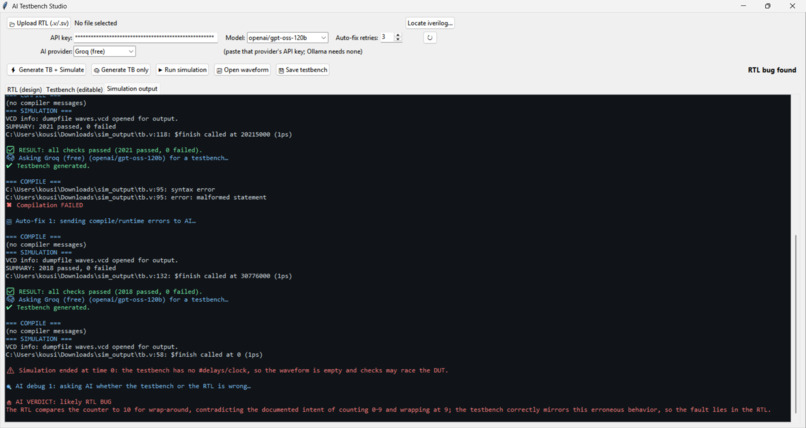
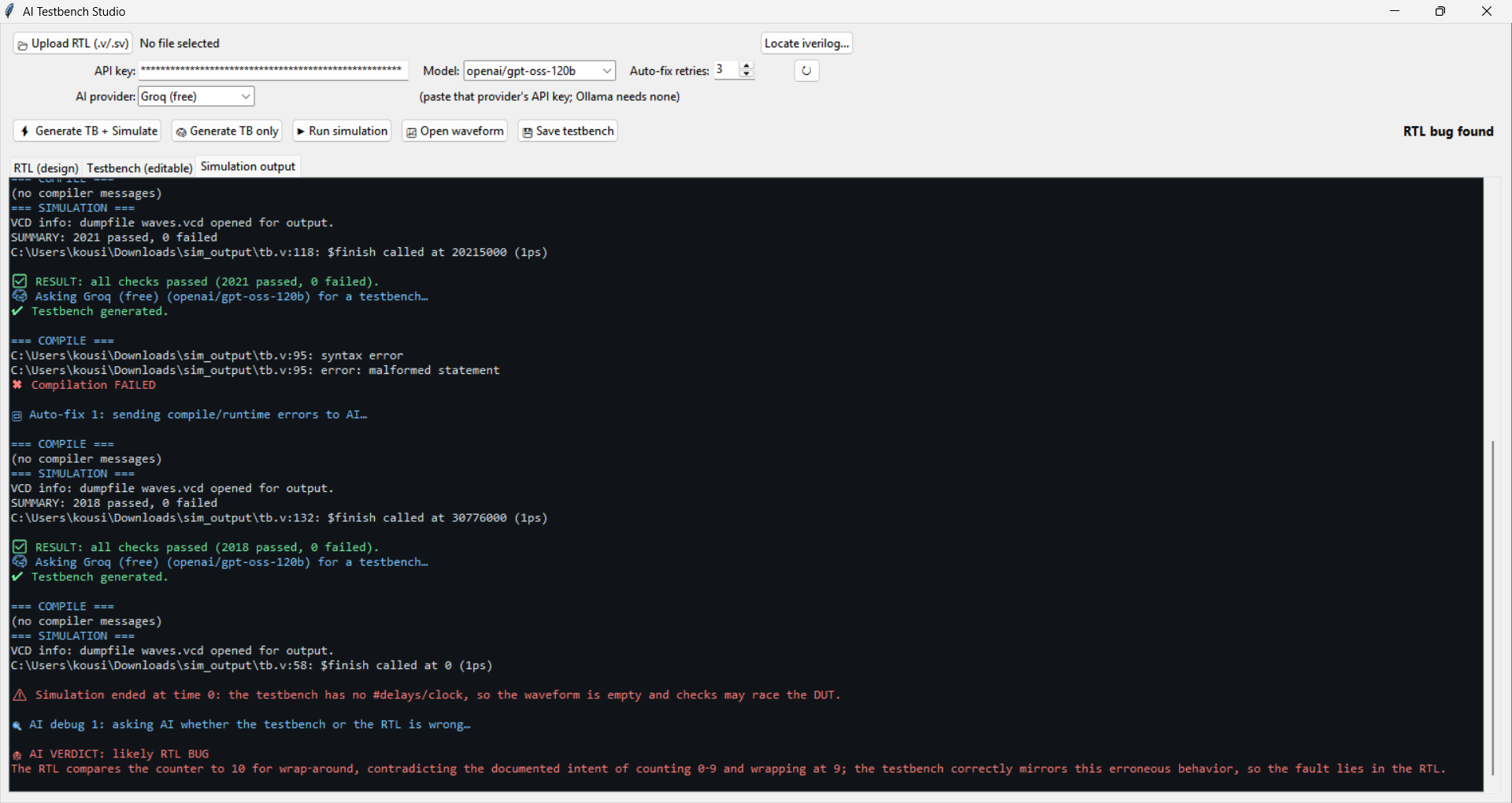
We get the review here
-
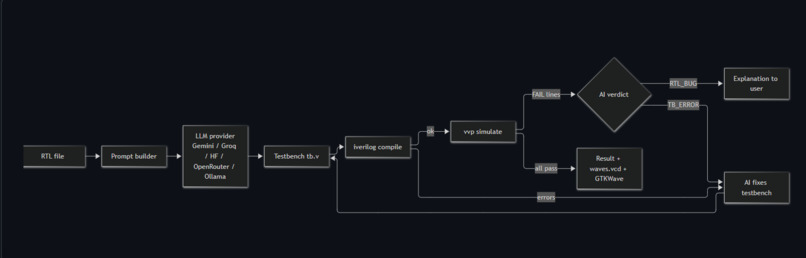
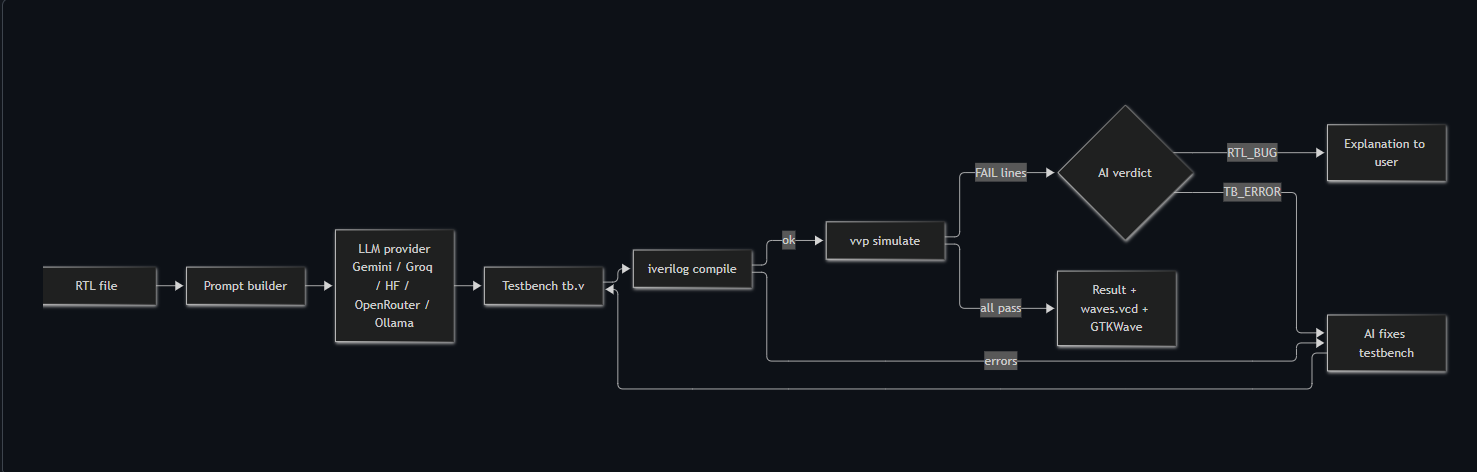
Block Diagram
Inspiration
Hardware bugs are expensive. A software bug can be patched tomorrow, but a bug in silicon, or in an FPGA design that's already deployed, can cost weeks or a respin. That's why verification is such a big part of chip design. Yet it's the skill newcomers get the least help with.
Writing a testbench takes about as long as writing the design, and when a simulation fails, beginners can't tell who is wrong: the testbench or their Verilog. So many students and hobbyists skip it and ship designs that were never really checked. I wanted to close that gap.
What it does
AI Testbench Studio is a desktop app. Upload a Verilog/SystemVerilog file and an LLM writes a self-checking testbench. Icarus Verilog compiles and simulates it. Then:
- Compile or runtime errors go back to the AI, which repairs the testbench automatically.
- Failing checks trigger a verdict:
TB_ERROR(the testbench was wrong, so it gets fixed) orRTL_BUG(your design has a bug, and the AI explains it). - GTKWave opens with the signals already listed.
Why it matters
Where it helps
- Classrooms and self-learners: a student gets a working testbench, live results, and a plain-English explanation of a failure in minutes. They learn good verification habits instead of skipping them.
- FPGA and open-source RISC-V projects: small teams and hobbyists rarely have a dedicated verification engineer. This removes the boilerplate so their time goes to the hard corner cases.
- Low-resource settings: it runs fully offline with a local model (Ollama) or on free-tier APIs, so a school with a tight budget or poor connectivity can still use it.
How it matters
- It tells you who is wrong. The biggest frustration in verification is a red failure with no explanation. The
TB_ERRORvsRTL_BUGverdict turns a confusing failure into a lesson. - It earns trust. The AI's work is checked by a real simulator, never trusted blindly, and guards catch fake passes (no checks, ended at time 0, timeouts).
- It teaches rather than replaces. The generated testbench is editable and readable, so learners see what good verification looks like.
How I built it
- Python + Tkinter, standard library only, so the only install is Icarus Verilog.
- Provider-agnostic AI layer: Gemini, Groq, Hugging Face, OpenRouter, or local Ollama, with retry and backoff on rate limits.
- Strict prompt engineering: wait before checking, follow the RTL's literal semantics, stay short, and end with a
SUMMARY: <p> passed, <f> failedline the app can parse. - Closed-loop tool use:
iverilogandvvpoutput drives every repair prompt.
Following the RTL's literal semantics matters. For {carry, result} = a - b on 8-bit inputs, the reference model has to be
$${c_{out}, r} = a - b \pmod{2^9}, \qquad c_{out} = 1 \iff a < b$$
so the carry bit is the borrow, not the textbook carry. Getting this wrong makes a testbench report failures that aren't real.
Challenges I ran into
- False confidence: a testbench can "pass" because it checked nothing. I added detection for no checks,
$finishat t=0, and watchdog timeouts. - Wrong expected values: models assumed textbook conventions that differed from the code, creating fake failures.
- Timing races: checking outputs the instant inputs change. The prompt now forces a wait first.
- Blaming the wrong thing: I made the AI conservative, saying
RTL_BUGonly when the RTL clearly contradicts its own intent. - Endless simulations, rate limits, changing model names: I capped vectors, added a timeout and backoff, and added a refresh button for the models a key can use.
- Windows setup: the app searches common
iveriloginstall folders and has a "Locate iverilog" button.
Accomplishments that I'm proud of
In the planted-bug demo (a decade counter that wraps at 10 instead of 9), the AI catches a real RTL bug and explains it, instead of quietly editing the testbench until it passes. That's the moment that shows the tool is helping people understand their hardware, not just generating code.
What I learned
- LLM output becomes far more useful when a real tool verifies it and feeds errors back.
- Prompt details like "wait before comparing" removed whole classes of failures.
- Being conservative about blame builds trust.
- A tool for learners should explain, not just generate.
What's next
- SystemVerilog assertions and coverage reports.
- Multi-file designs.
- A guided "explain this failure" mode for classrooms.


Log in or sign up for Devpost to join the conversation.