-
-
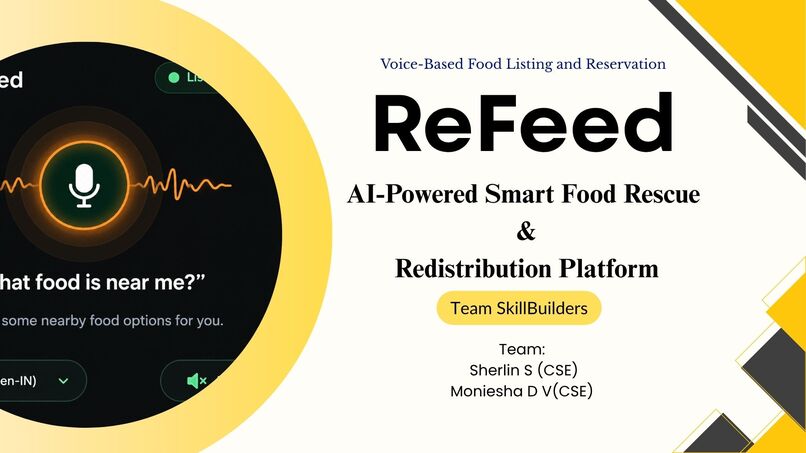
Title Slide
-
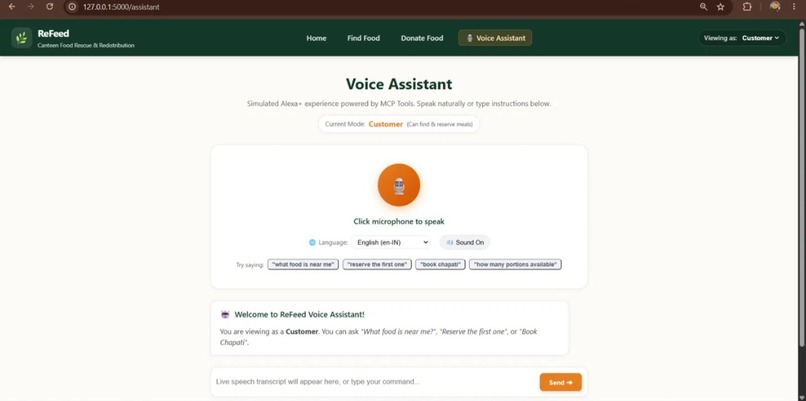
Alexa voice Assistant
-
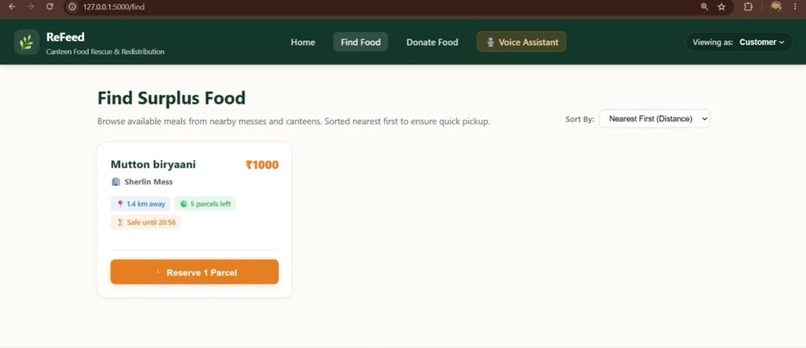
find food
-
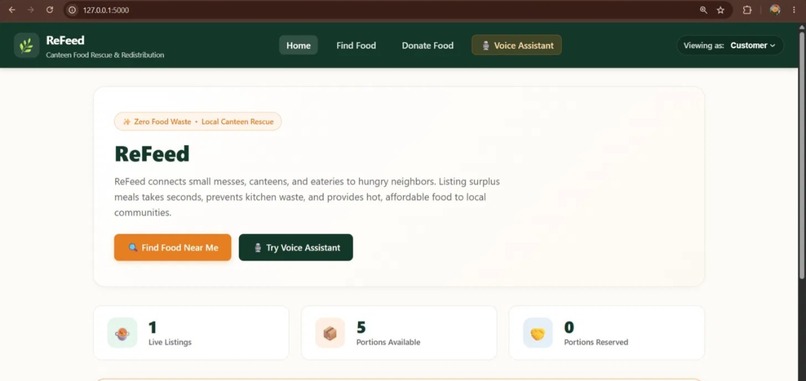
Home Page
Inspiration
Every day, small canteens, hostel messes and eateries throw away safe, edible food because demand is hard to predict and there is no quick way to pass the surplus on. At the same time, students and families nearby need affordable meals. Most food-rescue tools assume big retailers, long forms and a lot of typing, which a busy canteen owner doesn't have time for at closing time.
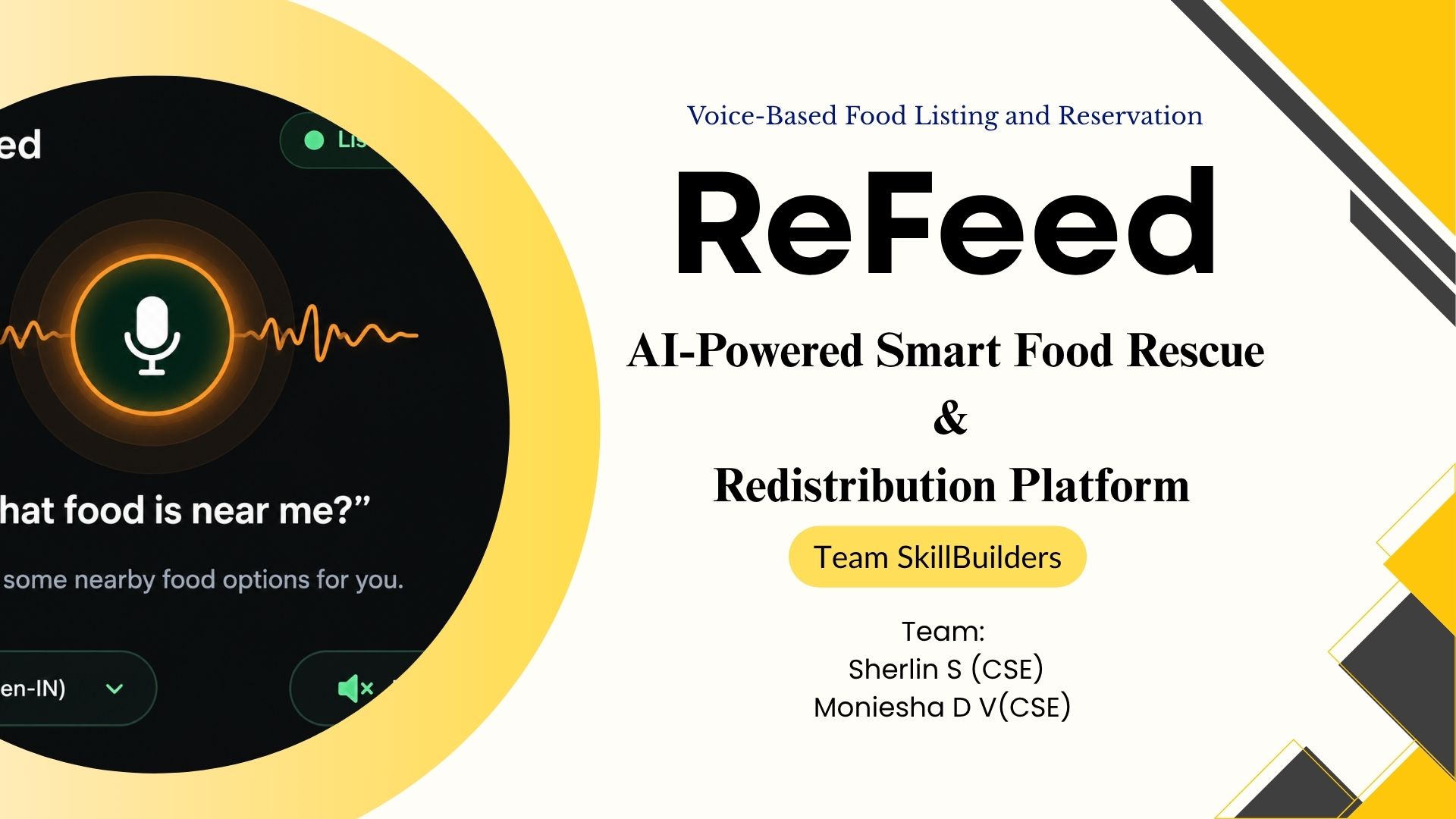
We wanted rescuing food to feel as easy as asking a question. That became ReFeed: a voice-first food rescue agent where a customer can simply say "What food is near me?" and get an answer from an assistant that works on real, live data. The name says it all: leftover food gets re-fed to people instead of being thrown away.
What it does
- Donors (canteens, messes, eateries) list surplus food in seconds: dish, food category, quantity, unit and price per portion. Each listing gets an automatic safe-until time based on its category, and it appears under Active Surplus Listings, where the donor can remove it at any time.
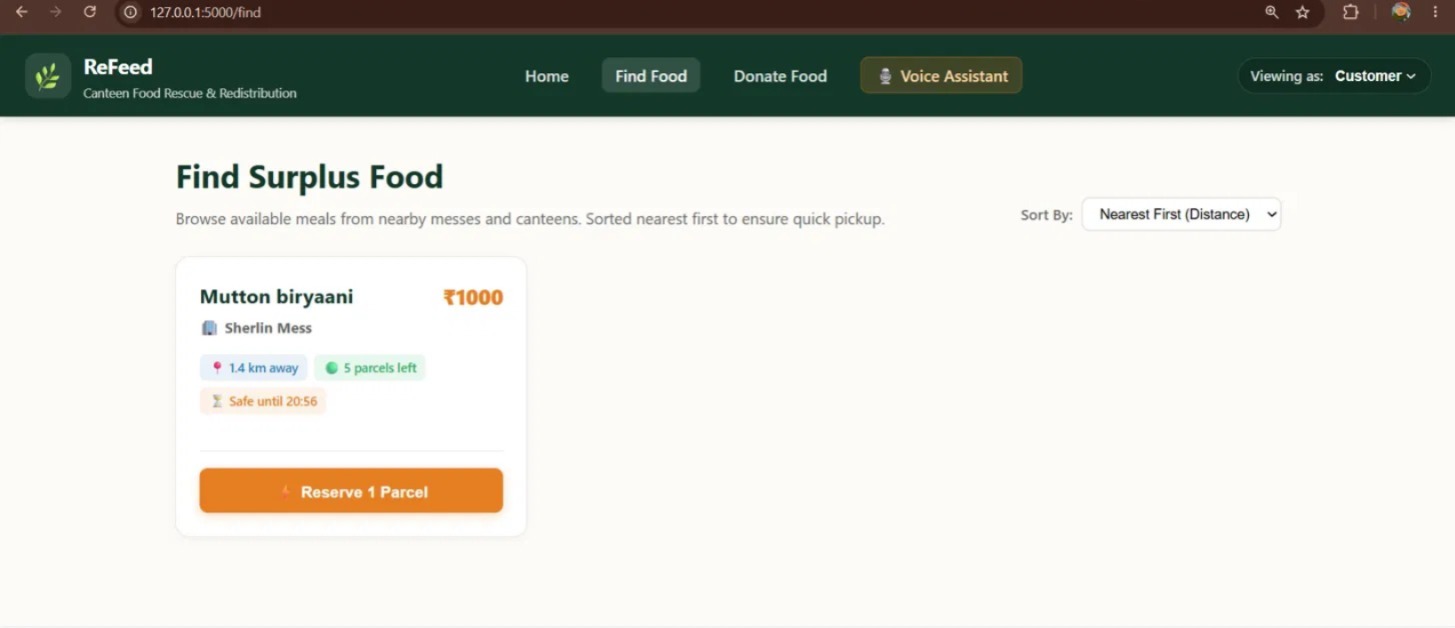
- Customers browse the Find Food page, sorted nearest first, with the distance, portions left and safe-until time, and reserve a parcel with one tap.
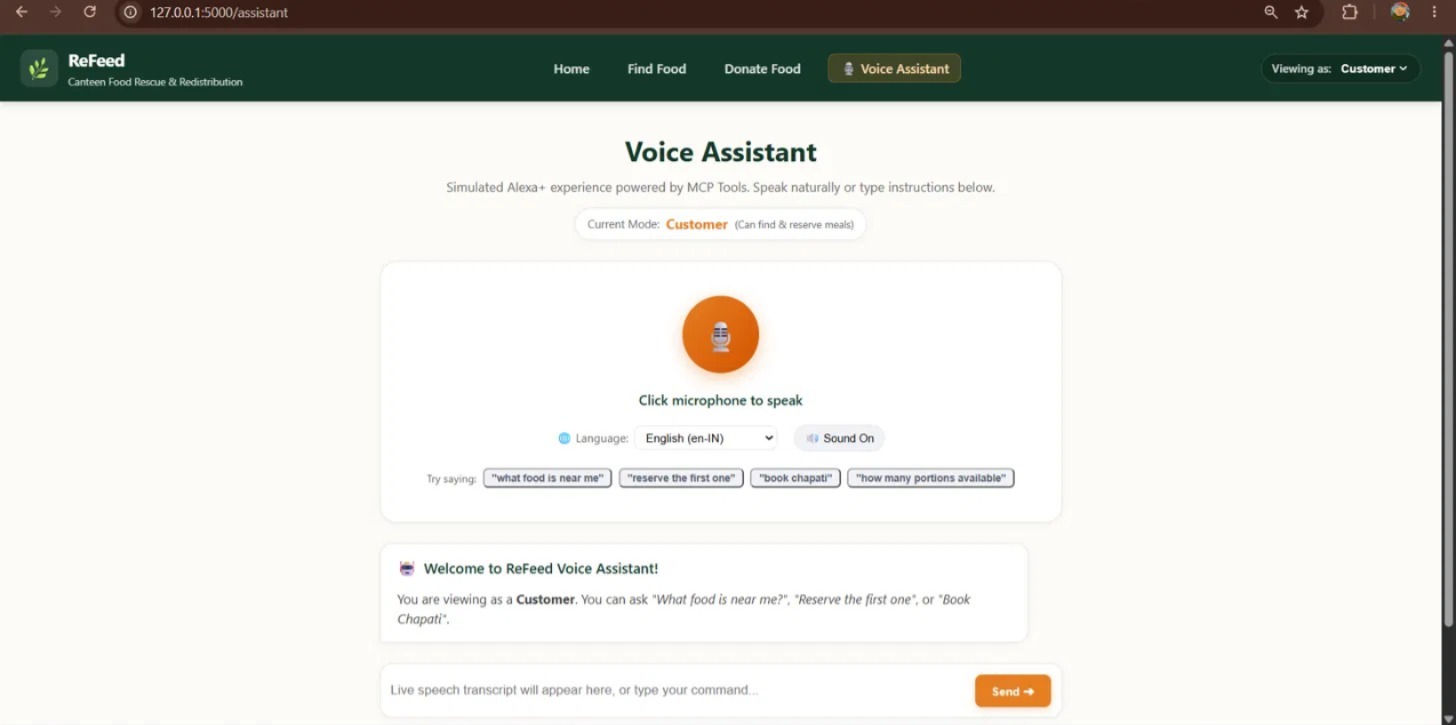
- Voice Assistant (simulated Alexa+ experience): customers speak or type commands like "What food is near me?" or "Reserve the first one". The assistant picks the right MCP tool, calls our MCP server, shows the tool call and result on screen, speaks a short answer back, and displays the matching food.
- Reservations reduce the available portions and return a pickup code.
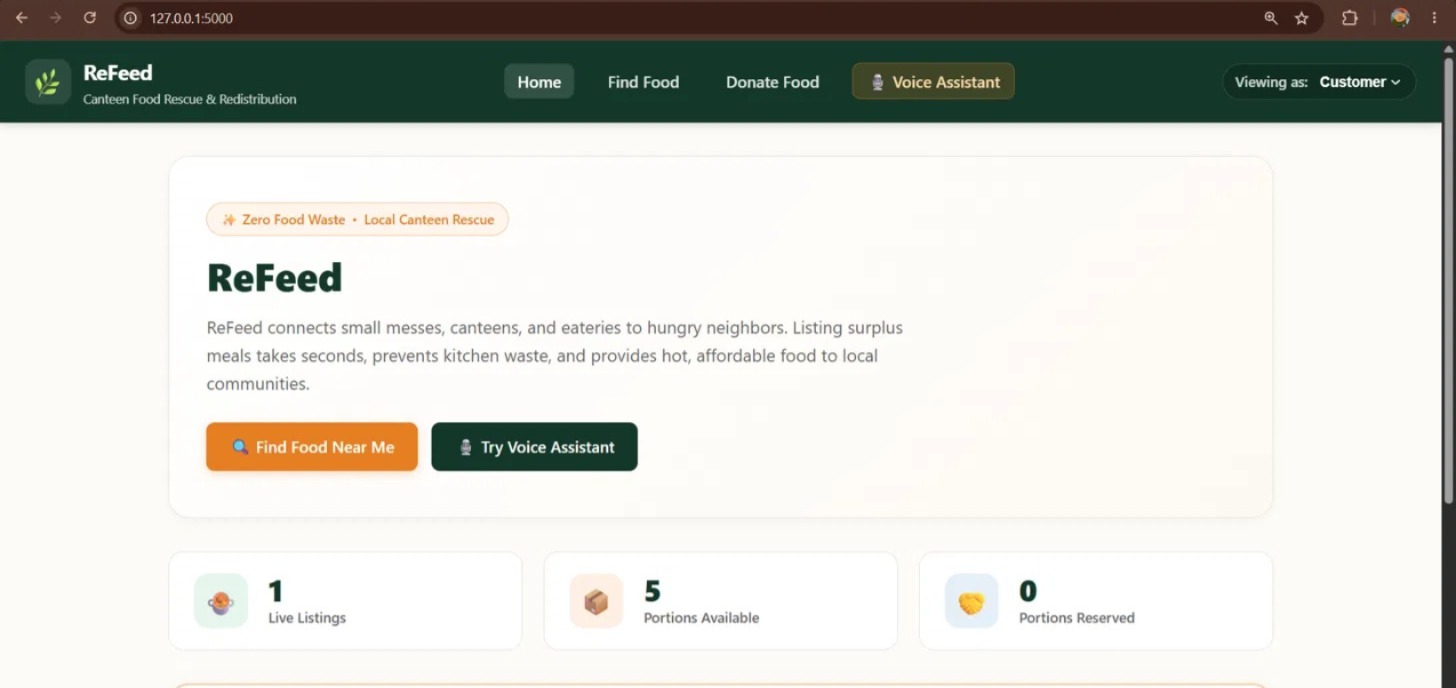
- Live stats on the home page (live listings, portions available, portions reserved) come from the same database.
- Roles: donors can list and remove food, customers can find and reserve food, and the assistant politely redirects when a role asks for something it can't do.
How we built it
- Web app: Python and Flask, with HTML, CSS and JavaScript for the interface.
- Data: SQLite, with one shared service layer used by both the web pages and the MCP tools, so a listing created in one place is instantly visible everywhere.
- MCP server: a self-hosted Model Context Protocol server built with FastMCP over Streamable HTTP, exposing the tools
list_surplus_food,find_food,reserve_food,remove_foodandget_stats. - Assistant engine: the Flask app connects to the MCP server as an MCP client, lists its tools, chooses a tool and its arguments, calls it, and turns the result into a spoken-style reply. It can use an LLM when an API key is configured, and it falls back to a rule-based parser (digits and number words, units, prices and food names) so the demo never depends on a network call.
- Voice: the browser Web Speech API for speech to text, and speech synthesis for the spoken replies, with an editable transcript box as a fallback.
- Safe window: a simple conservative rule per food category, $t_{safe} = t_{posted} + w_{category}$, where $w_{category}$ is a fixed window (for example 4 hours for rice and gravy dishes). It is a guardrail, not a food-safety guarantee.
- Built with AI-assisted tools for design and code generation.
Challenges we ran into
- Making voice reliable. Speech recognition varies by browser and device, so we added an editable transcript, clear mic-error messages, English as the dependable demo language, and a parser that understands natural phrasing instead of only exact sentences.
- Keeping one source of truth. The web pages and the MCP server must never disagree, so both call the same service layer on the same database.
- Running two servers together. The Flask app and the MCP server run on different ports, and a leftover process holding a port gave us confusing "MCP server error" messages until we tracked it down.
- Learning MCP quickly. Getting the Streamable HTTP transport, the client session and the tool schemas right took trial and error.
- Safety without overclaiming. We chose fixed, cautious safe-until windows instead of promising that food is safe.
Accomplishments that we're proud of
- A complete loop that works end to end: list, find, reserve, and watch the stats update.
- A voice assistant that really acts on the app through an MCP server, with the tool call visible on screen.
- An interface that a canteen owner or a student can use without training.
What we learned
- How to design MCP tools that an assistant can use safely on a real application.
- That voice interfaces have to forgive mistakes, so fallbacks and clear feedback matter as much as the model.
- That a shared service layer keeps a multi-part system consistent.
What's next for ReFeed
- A priority cascade that offers each listing to customers first, then hotels and canteens, then NGOs.
- Tamil-first voice input for vendors who find typing in English difficult.
- Real push notifications and GPS-based distance.
- Delivery partners with pickup codes and handover logs.
- Verified reviews and automatic warnings for repeated food-safety complaints.
- Demand forecasting so canteens cook less surplus, plus composting and biogas partners for food that can't be eaten.
Built With
- context
- css
- flask
- html
- javascript
- model
- protocol
- python
