-
-
Canvas selection
-
Try on image generation
-
In store appointment
Inspiration
Shopping with an AI should feel less like filling out a form and more like having a thoughtful stylist beside you. I wanted to explore a co-shopping experience where the customer remains in control while an AI can understand the evolving outfit, suggest changes, and act on the same visible workspace.
AI Stylist, “Make this look mine,” was inspired by the gap between product catalogs and real styling decisions: occasion, budget, personal taste, and the small choices that make an outfit feel right.
What it does
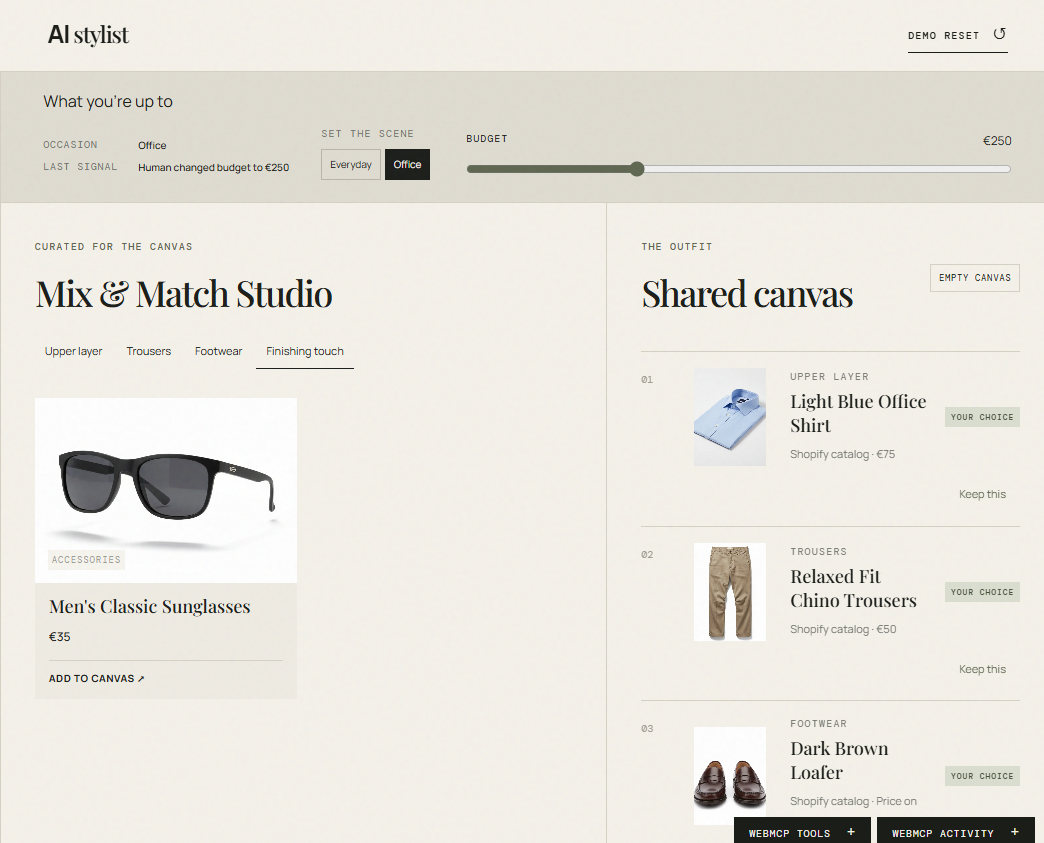
AI Stylist is a shared wardrobe workspace for building an outfit from a live Shopify catalog.
Customers can:
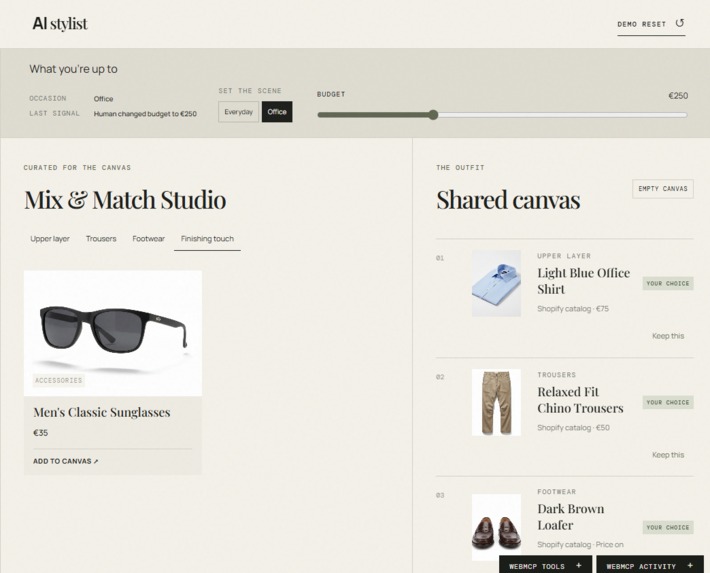
- Browse products grouped into Upper layer, Trousers, Footwear, and Finishing touches.
- Filter candidates by scene, currently Everyday or Office.
- Add products directly to a shared canvas, remove items, and reset the canvas.
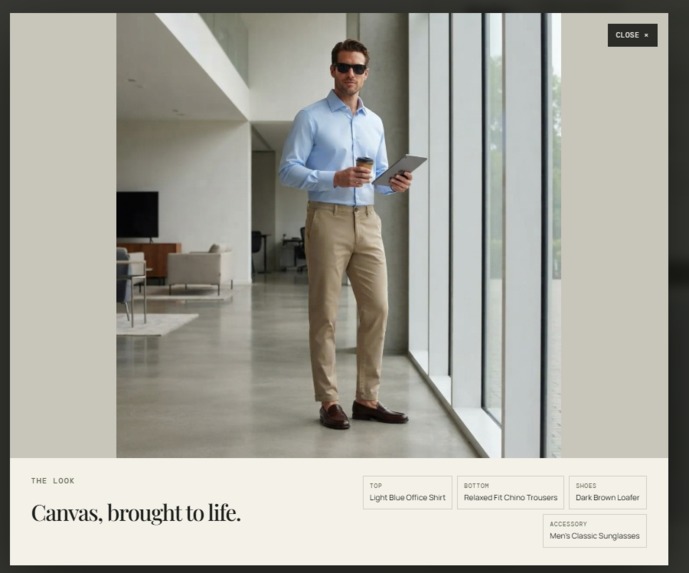
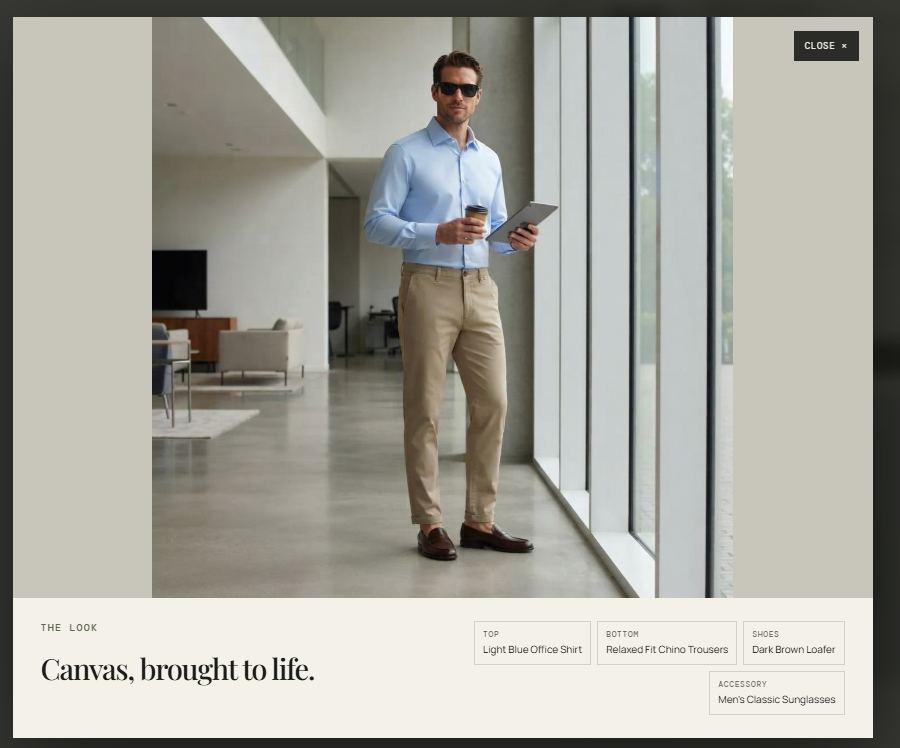
- Generate a virtual try-on image for the selected products.
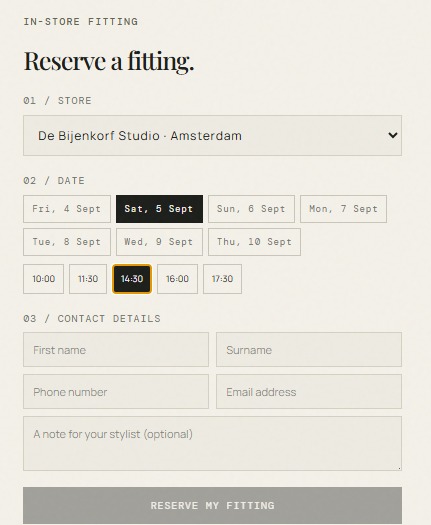
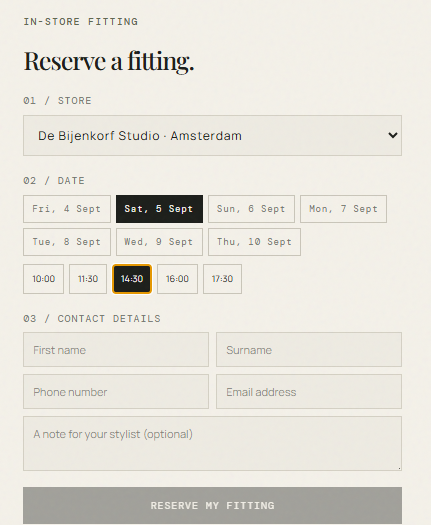
- Book a mock in-store fitting appointment
- Inspect registered WebMCP tools and their activity.
A connected AI can use WebMCP tools to read the live workspace and assist with styling without relying on a hidden duplicate of the customer’s state.
How we built it
I built the project with Next.js, TypeScript, and a custom editorial-style interface.
The catalog is fetched through Shopify Storefront Catalog MCP. Rather than relying on mock products, the backend searches the store’s top-level Apparel & Accessories catalog, handles pagination internally, and assigns products into canvas categories using Shopify taxonomy IDs.
Scene filtering uses Shopify product tags:
scene:everydayscene:office
For virtual try-on, the backend sends the selected products’ primary Shopify images along with outfit context to Gemini image generation. The generated look is displayed in the canvas and can be expanded into a full-page overlay.
We also added optional browser-popup basic authentication for protected API routes, plus WebMCP registration for live workspace, catalog, virtual try-on, and appointment actions.
Challenges we ran into
The biggest challenge was creating webmcp tools which can be easily consumed by the agent. Because of undeterministic nature of LLMs, the agent sometimes tends to use its UI tool instead of the site tools.
Accomplishments that we're proud of
- Kept the shopper in control through direct canvas selection, budget, and occasion controls.
Added an AI virtual try-on flow without requiring customers to upload a photo.
Registered real WebMCP tools so an AI can inspect and update the same workspace the shopper sees.
Added a transparent WebMCP tools drawer and activity log to make AI actions

Log in or sign up for Devpost to join the conversation.