-
-
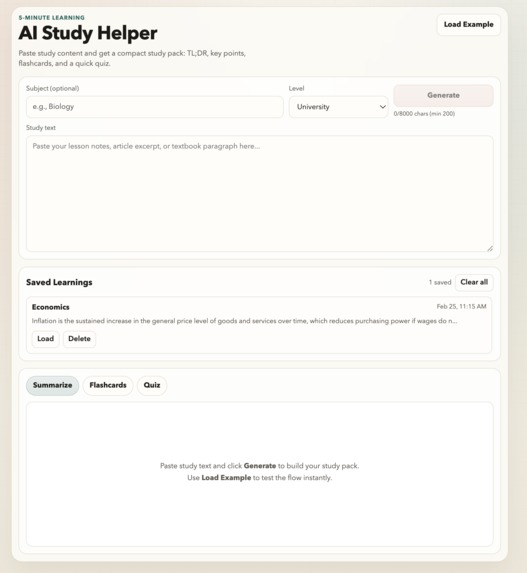
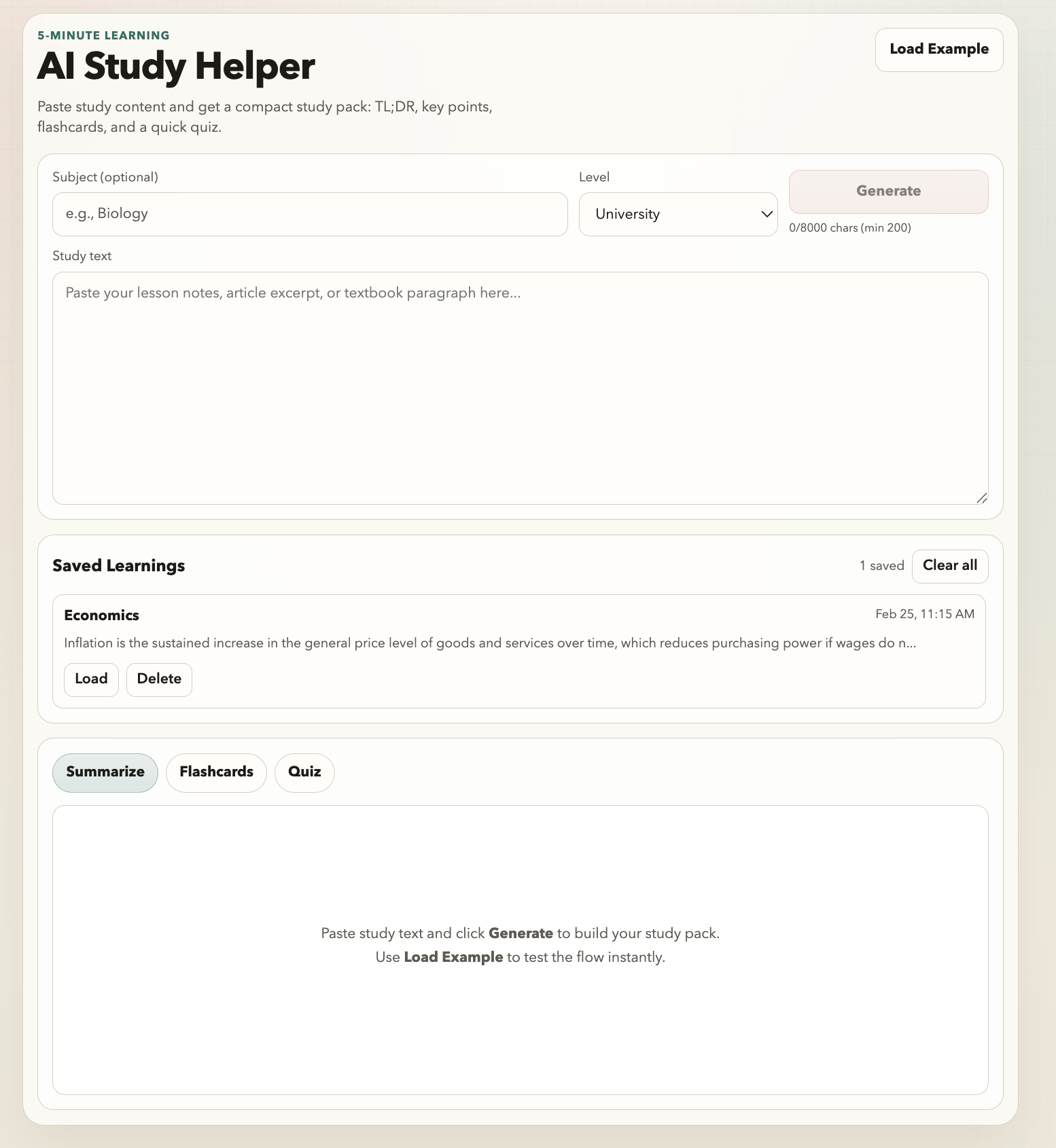
Main page
-
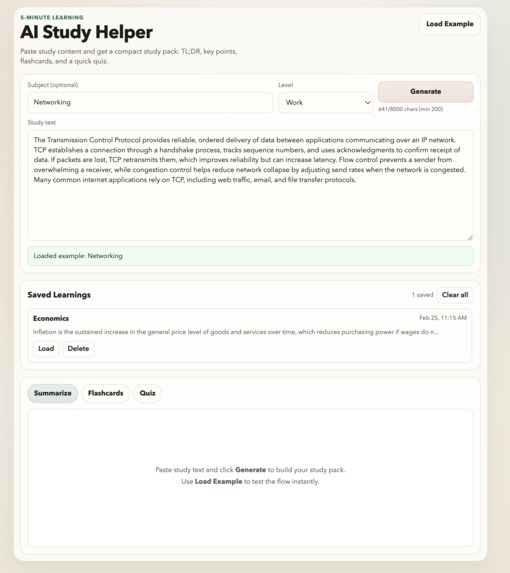
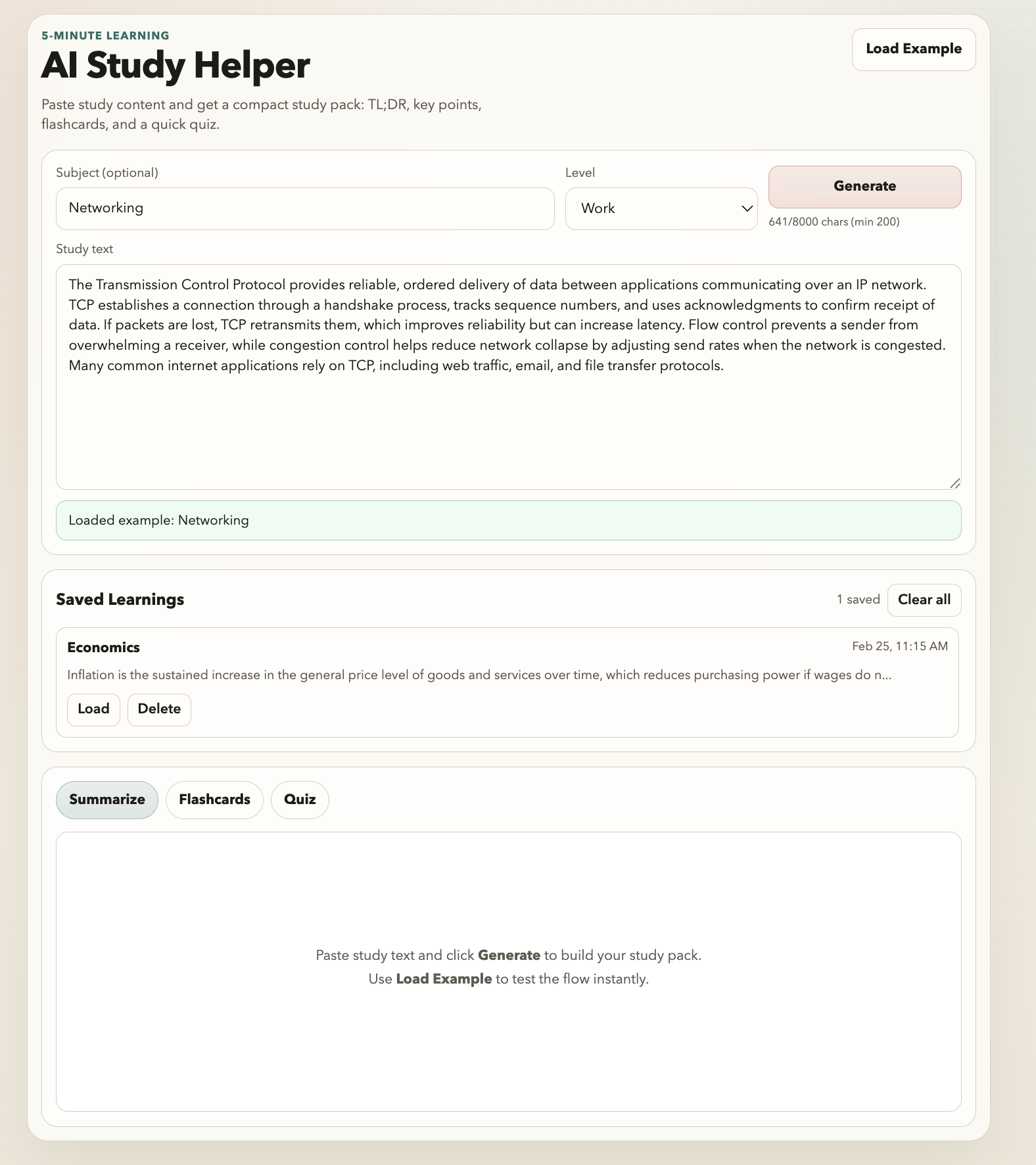
Filled query
-
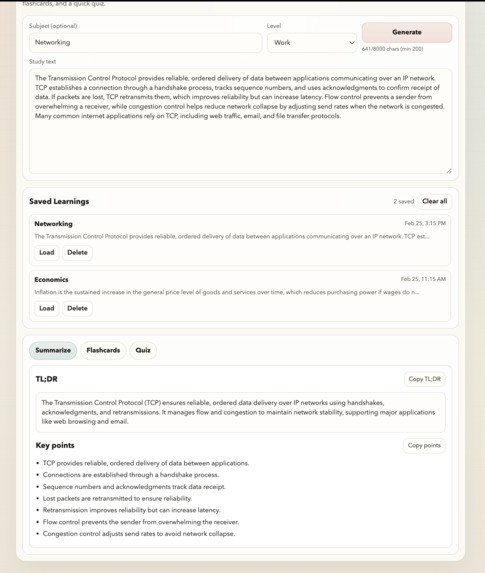
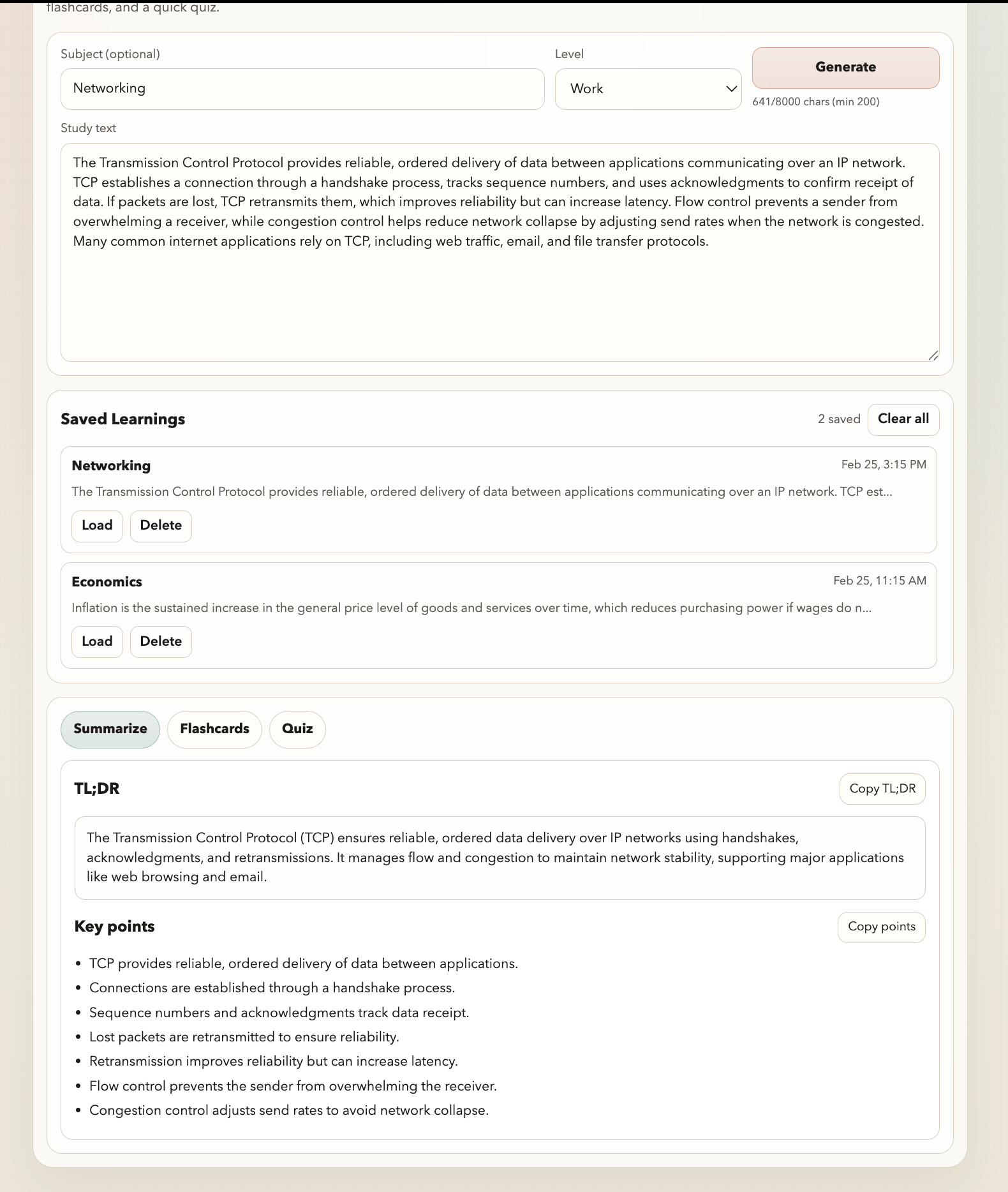
Result
-
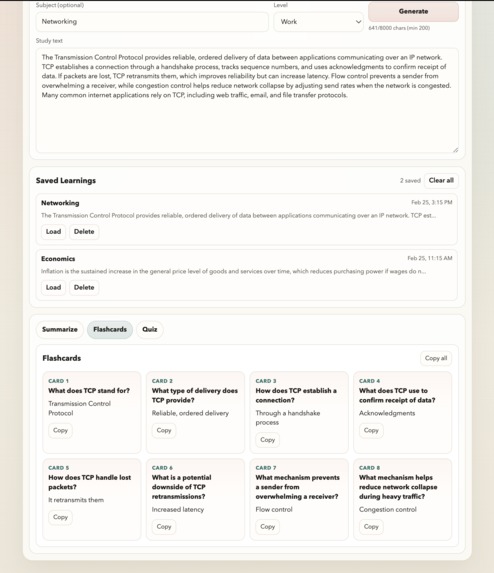
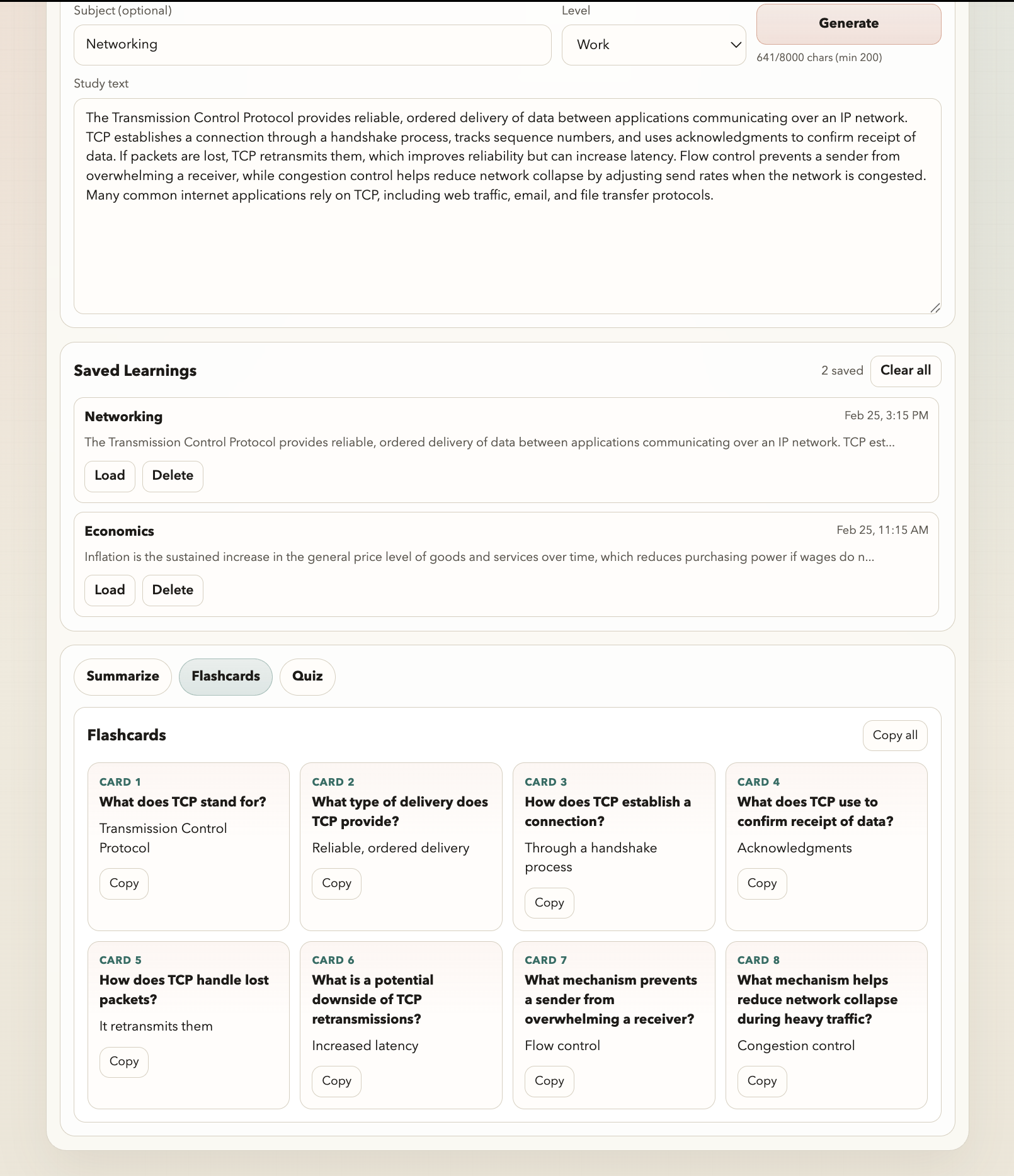
Cards
-
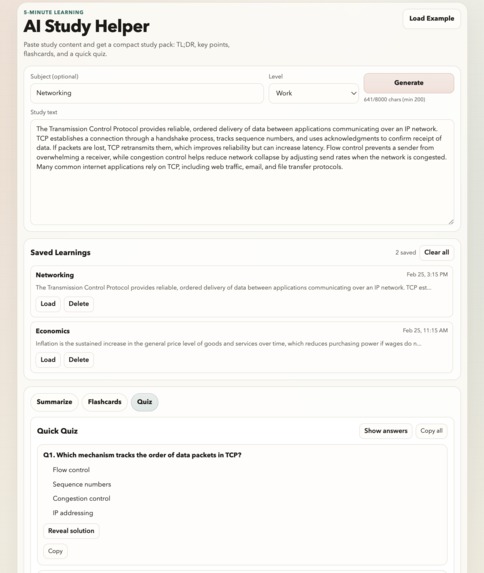
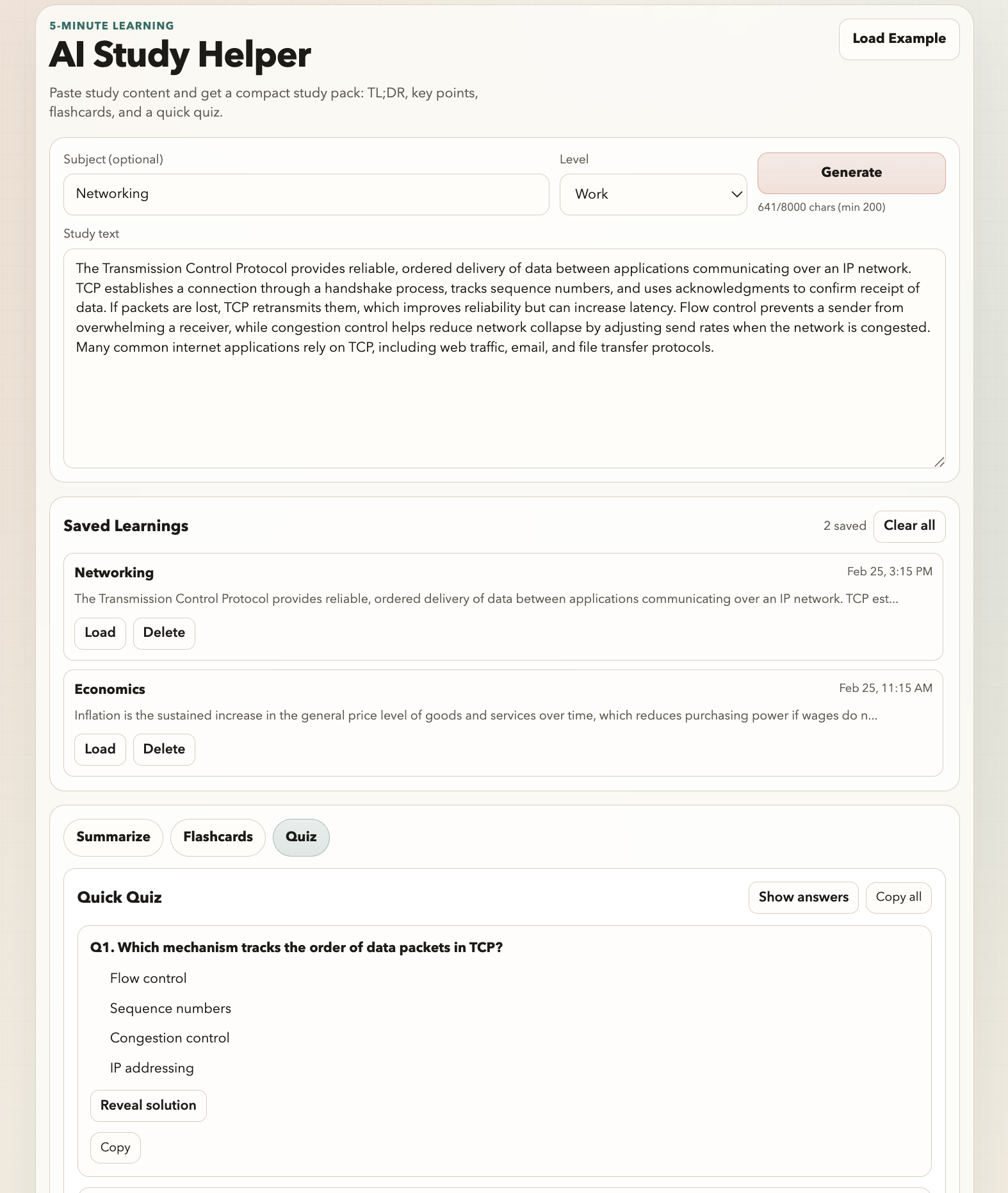
Quiz
Inspiration
Students and self-learners often spend more time preparing to study than actually studying. A lot of friction comes from reading a long passage, trying to identify what matters, and then manually turning it into flashcards or quiz questions. I wanted to build something very beginner-friendly and practical: paste any lesson text and immediately get a compact review pack that supports a quick 5-minute learning session.
Another motivation was to keep the product intentionally small and usable. Instead of building a complicated “AI tutor” with too many features, I focused on a simple workflow that is easy to demo, easy to understand, and genuinely useful for daily review. That constraint also made it a great project for learning how to combine a React UI, Firebase Functions, and a structured AI output contract.
What it does
AI Study Helper turns pasted study content into a structured study pack. The user pastes notes or a lesson excerpt, optionally sets a subject and learning level, and clicks Generate. The app returns a concise TL;DR, a list of key points, a set of flashcards, and a multiple-choice quiz with short explanations.
The UI is organized into tabs for Summarize, Flashcards, and Quiz, so users can switch between study modes quickly. It also includes loading states, clear error messages, copy buttons for every section, and a retry action if generation fails. To make demos and first-time use easier, the app now includes multiple built-in example texts (15 presets across school, university, and work topics) and loads one at random.
A major addition in the current version is local saved-learning history. After a successful generation, the study pack is automatically saved in browser localStorage. Users can revisit previous study packs, load them back into the UI, and delete or clear saved entries. This makes the app more useful for repeated review without requiring a backend database yet.
How we built it
The frontend is built with React + Vite and uses a single-page workflow with a clean form (subject, level, text) and a tabbed results interface. The frontend calls POST /api/generate and renders a structured StudyPack response. For local development, the Vite dev server proxies /api/* requests to the Firebase Hosting emulator so the UI can run on localhost:5173 while the backend runs through the Firebase emulation flow.
The backend is a Firebase Function that receives the text, validates and clamps input length, builds a strict prompt asking the model to return JSON, and then parses/normalizes the response into a stable schema before returning it to the frontend. I added output hardening so common model drift (missing fields, too many items, malformed quiz shapes) is normalized into the MVP structure instead of failing whenever possible.
For AI integration, the project now targets Gemini (Gemini REST generateContent) and supports configurable provider protocols/presets in the backend. The function can run in stub mode when env vars are missing (great for UI development), or make real Gemini requests when configured. I also added provider auth/header configuration and Gemini auto-detection based on endpoint URL so the backend uses the correct x-goog-api-key header.
I also documented the full system flow in an ARCHITECTURE.md file with Mermaid diagrams that explain the relationship between the browser UI, Vite proxy, Firebase Hosting rewrite, Firebase Functions, Gemini API calls, env keys, and local saved history.
Challenges
The biggest challenge was keeping the AI output consistent enough for direct UI rendering. Even when you request JSON, model responses can still vary: extra wrapping text, missing fields, wrong array lengths, or malformed quiz data. To handle this, I added a parse + normalize + validate pipeline so the backend can recover from common response issues and still return a predictable shape to the frontend.
Another challenge was local development ergonomics. The frontend runs on Vite, while the backend is served through Firebase emulators and Hosting rewrites. That caused initial 404 issues when the UI posted to /api/generate on the Vite server. I fixed this by adding a Vite proxy configuration so the local UI behaves more like production. I also cleaned up Firebase emulator warnings by removing unused Admin SDK initialization, upgrading firebase-functions, and defaulting local emulator usage to a demo Firebase project.
Finally, real model calls introduced practical issues like auth-header mismatches and slow responses. Gemini requires API key header auth instead of a Bearer token for this path, and real responses can take longer than a simple smoke test timeout. I improved provider detection and made the smoke test timeout configurable to better support real integrations.
Accomplishments
I built a complete MVP that works end-to-end with a polished beginner-friendly UX. The app now generates summaries, key points, flashcards, and quizzes from pasted text, supports copy actions, includes loading/error states, and provides multiple example presets for demoing the workflow quickly.
Beyond the core MVP, I’m proud of the engineering quality improvements added during iteration. The backend has a structured prompt contract, safe JSON parsing, normalization for common model drift, and unit tests for helper logic. There is also a reusable smoke-test script for the API and a CI workflow that runs frontend builds plus backend builds/tests.
I also shipped local saved-learning history, which turns the app from a one-shot generator into something users can return to over time. Combined with the architecture documentation and QA tooling, the project is in a much better state for future expansion than a typical quick prototype.
What we learned
The biggest lesson was that scope discipline and data contracts matter more than feature count in AI-enabled apps. A small set of outputs with a strict JSON schema and reliable rendering can create a much better user experience than trying to support too many AI features at once. The “prompt contract + parser + validation” pattern made the frontend simpler and more robust.
I also learned that developer experience matters early, even in a hackathon-style project. Small improvements like local emulator routing, smoke tests, better error handling, and architecture documentation save time quickly and make iteration easier. These changes were especially valuable when switching providers and debugging real API calls.
On the product side, I learned that lightweight persistence (localStorage history) adds a lot of value with minimal complexity. It makes the app feel more practical and gives users a reason to come back, even before implementing authentication or cloud sync.
What’s next
Next, I want to expand the app from “generate once” into a fuller study workflow. The highest-priority features are export options (Markdown/JSON), section-level regenerate controls, and stronger quiz interactions (scoring and review mode). I also want to improve the saved history experience with search/filtering and topic tags.
After that, the roadmap is focused on learning effectiveness: spaced repetition scheduling, progress tracking, and adaptive review sessions based on quiz performance. For input quality and broader use cases, I plan to add document upload support (PDF/DOCX), long-text chunking, and optional source-citation mode so users can trace study outputs back to the original text.
Longer term, I’d like to add cloud sync (Firebase Auth + Firestore), shareable study packs, and stronger observability for real AI usage (latency, failure reasons, provider fallback behavior). The current architecture and backend normalization pipeline were designed specifically so these upgrades can be added incrementally without rewriting the core flow.

Log in or sign up for Devpost to join the conversation.