-
-
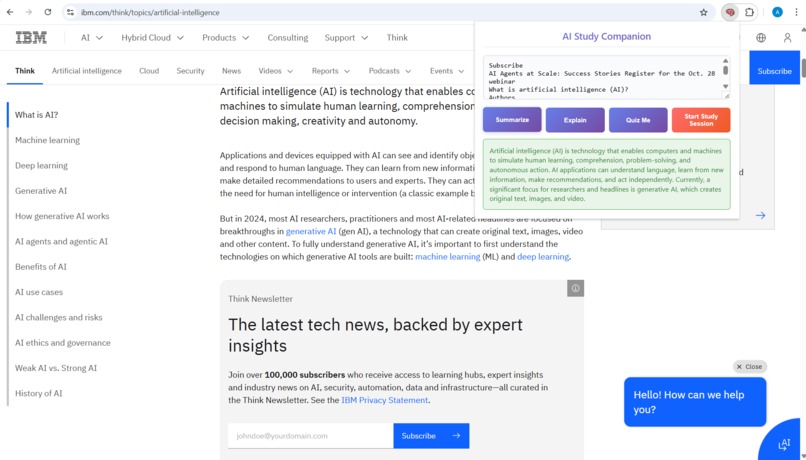
Project image
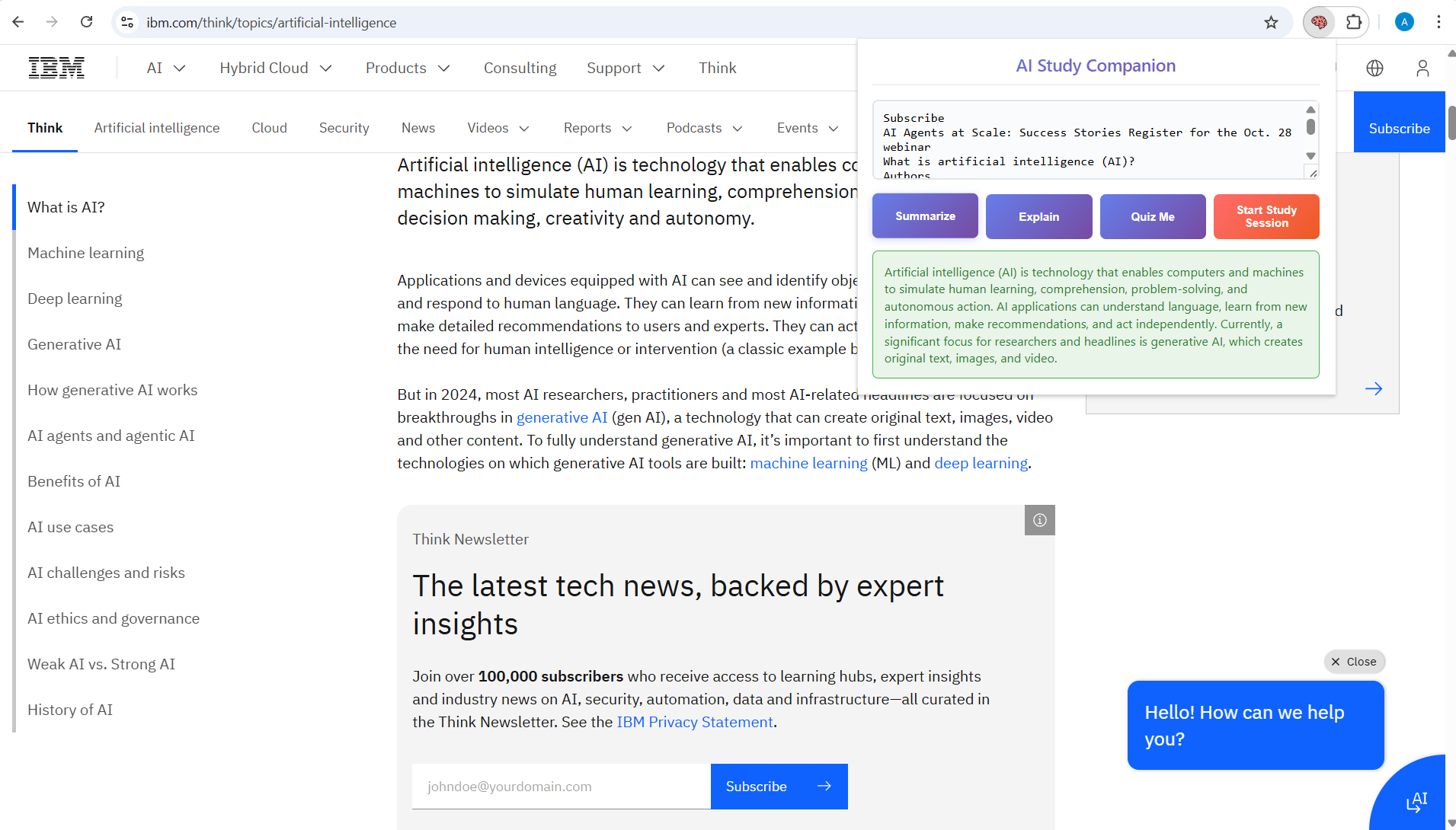
Inspiration
Inspiration As a student, I often found myself struggling to understand complex articles and research papers. The challenge wasn't just reading—it was comprehending, retaining, and testing my understanding. Existing tools either required expensive subscriptions or compromised privacy by sending data to external servers. When Google announced the Chrome Built-in AI Challenge, I saw an opportunity to create the perfect study companion: private, instant, and free.
What I Learned Building AI Study Companion taught me:
Technical Skills:
Chrome Extension Manifest V3 architecture
Client-side AI API integration patterns
Modern JavaScript async/await patterns
CSS animations and responsive design
Git security best practices (the hard way!)
AI Concepts:
Prompt engineering for different use cases
Response parsing and structured data extraction
The importance of local processing for privacy
The most valuable lesson was balancing complexity with usability—every feature needed to feel intuitive while handling sophisticated AI operations behind the scenes.
How I Built It The project follows a modular architecture:
javascript // Core messaging pattern popup.js ↔ background.js ↔ content.js ↓ AI APIs → Response Parser → UI Renderer Key Components:
Popup Interface - Clean, responsive UI with state management
Background Service Worker - Handles AI API calls and data processing
Content Script - Safely extracts text from web pages
Interactive Quiz Engine - Real-time scoring and progress tracking
Tech Stack:
Chrome Extensions MV3
Vanilla JavaScript (ES6+)
CSS3 with Flexbox/Grid
Chrome Built-in AI API structure
Simulated AI responses for demo
Challenges Faced
- API Integration Complexity
// Parsing AI responses required sophisticated regex function parseQuizResponse(quizText) { // Handling multiple answer formats: "1. A", "A", "Answer: A" const patterns = [/\d+\.\s*([A-D])/gi, /Answers?:\s*([A-D])/gi]; // Complex logic to extract structured data from unstructured AI output }
State Management Managing quiz state, user progress, and UI updates across multiple questions required careful synchronization.
Security Learning Curve I learned the importance of never hardcoding API keys through firsthand experience—leading to multiple repository recreations!
Cross-browser Text Selection Ensuring consistent text extraction across different websites required robust error handling and fallback mechanisms.
The Result AI Study Companion demonstrates that powerful educational tools can be private, accessible, and intelligent. The extension proves that client-side AI can deliver enterprise-level features without compromising user privacy or requiring expensive infrastructure.
The project represents not just a functional tool, but a vision for the future of education technology: AI that empowers without exploiting, assists without intruding, and educates without boundaries.
Built With
- api
- chrome-ai-apis
- chrome-extensions-mv3
- gemini
- grid
- html/css
- javascript

Log in or sign up for Devpost to join the conversation.