-
-
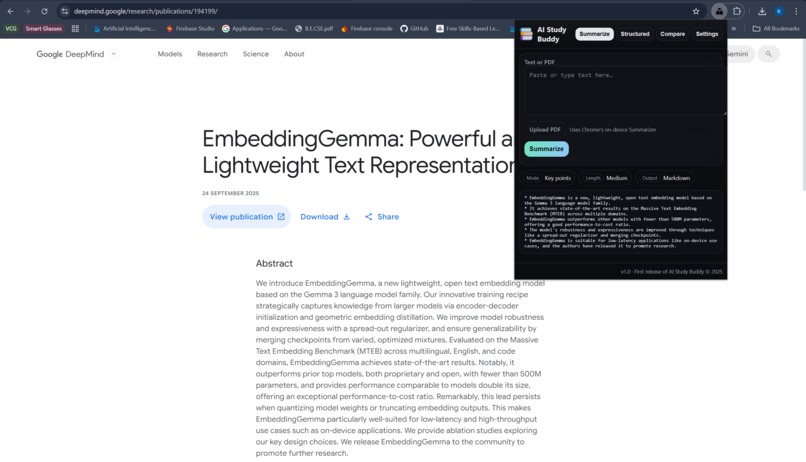
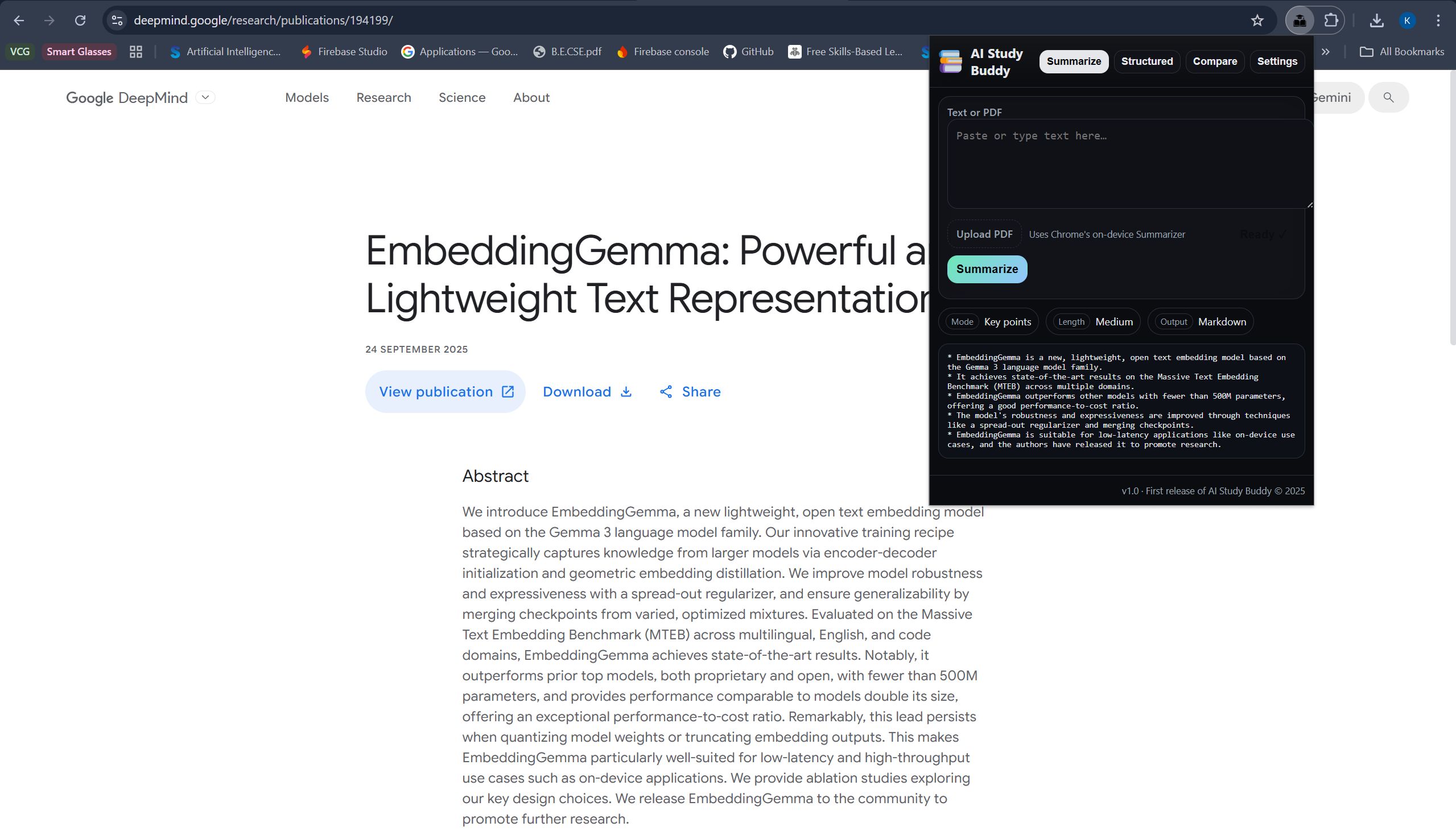
One press summarisation
-
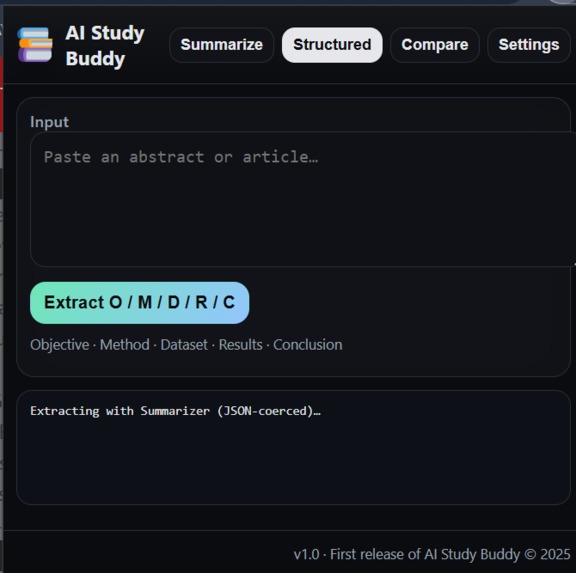
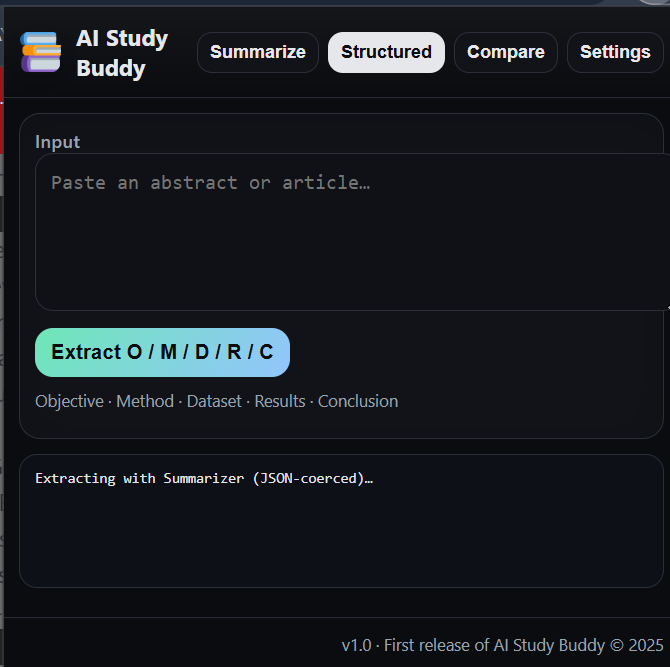
When the Prompt API is unavailable, summariser starts to work
-
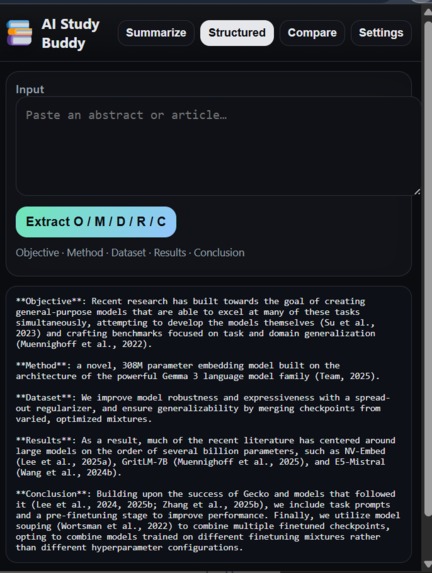
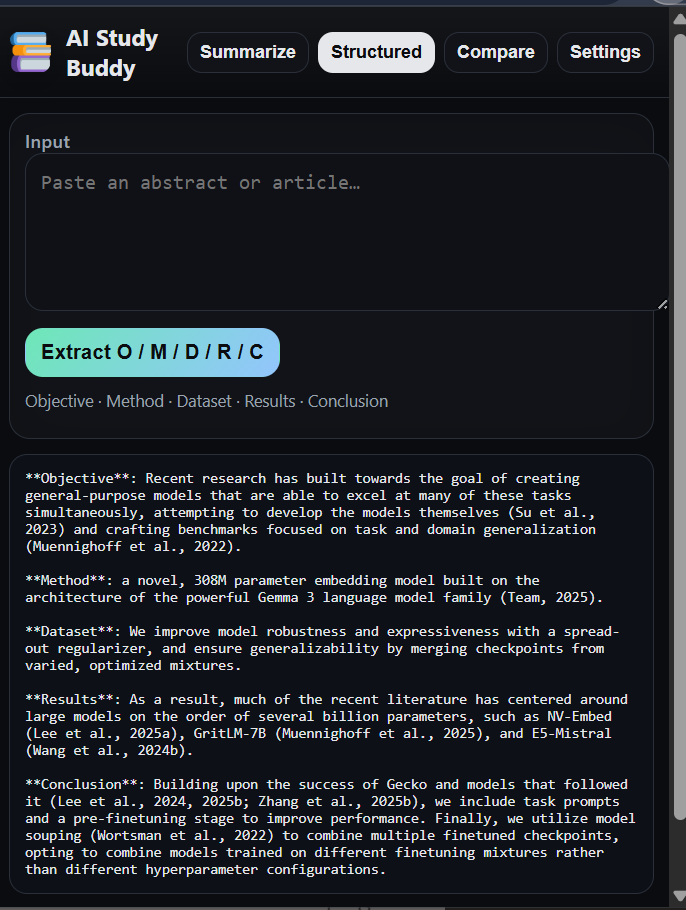
The model gives a structured summary of the any text selected
-
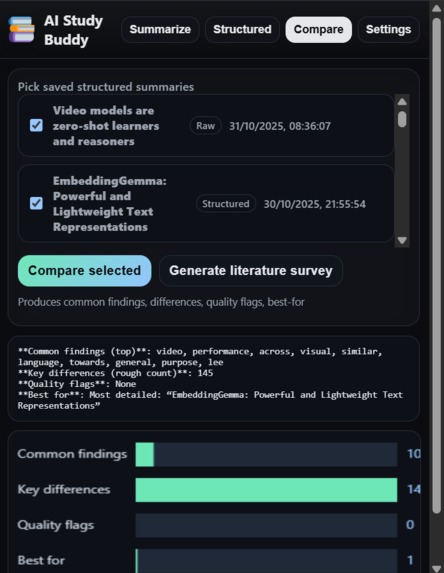
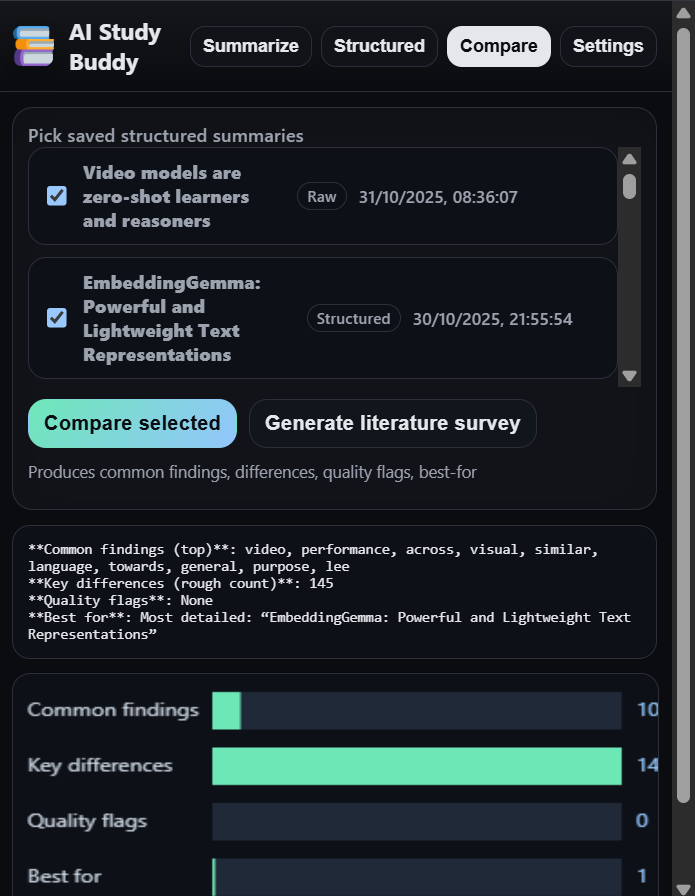
Comparison of to papers
-
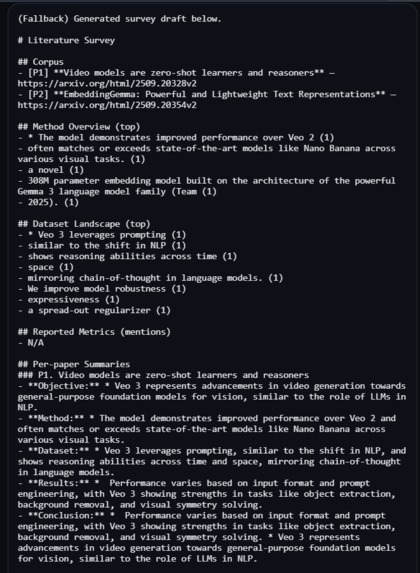
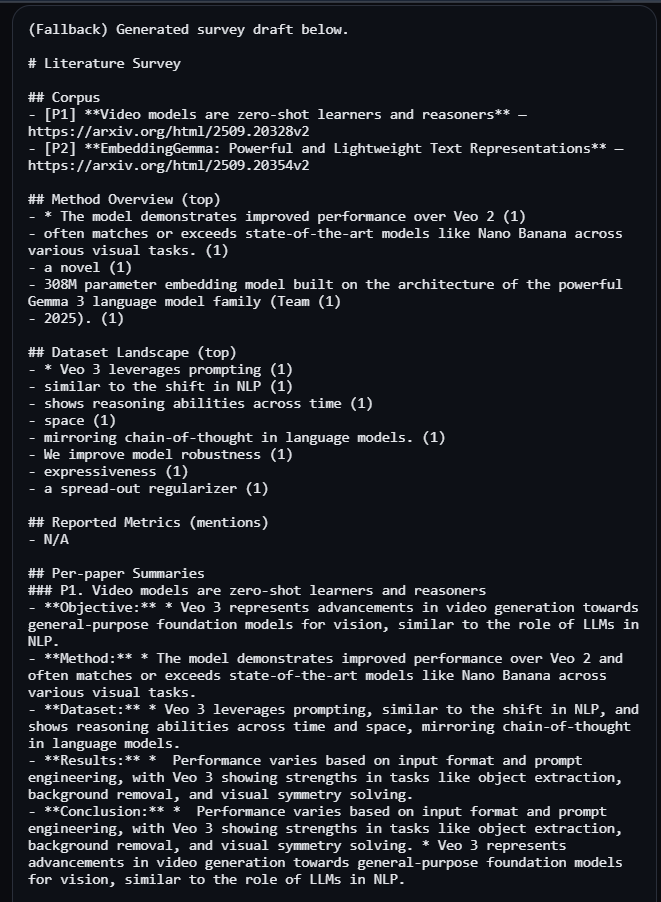
A survey generated from the comparisons
Inspiration
I’ve spent countless hours skimming papers that turned out to be irrelevant and then trying to stitch together common themes across the ones that mattered. It was slow, error-prone, and killed momentum. AI Study Buddy came from that pain: a way to turn any page or PDF into clean, structured notes and to compare multiple sources side-by-side—so I can focus on ideas and decisions, not document wrangling. Now I can explore a research paper faster, save what truly matters, and move my research forward with confidence.
What it does
AI Study Buddy is a Chrome extension that:
- Summarises the current page, selected text, or an uploaded/pasted PDF using the on-device Summarizer API.
- Produces Structured summaries (O/M/D/R/C → Objective, Method, Dataset, Results, Conclusion).
- Saves recent summaries automatically (title + timestamp) so you can select any two or more and compare them.
- The comparer creates:
- Common findings and key differences
- Quality flags (e.g., small sample size)
- “Best for” suggestions
- A lightweight bar visualisation (Canvas) and a Literature Survey section (synthesis + references).
- Everything is local-first; no cloud required. If an API isn’t available, the app gracefully falls back (heuristics/chunking).
How I built it
So, when I enrolled in this competition, I had 15 days to create the application. I had about 5 focused days to ship the MVP, so I optimised for a privacy-first, offline-capable architecture that could degrade gracefully when advanced APIs weren’t available.
Architecture (MV3, offline-first)
- Chrome Extension (Manifest V3)
- popup.html + popup.js (UI + controller)
- background.js (or service worker) for tab access & scripting
- On-device AI (progressive stack)
- window.ai.summarizer (Summarizer API) for key-point summaries
- window.ai.languageModel (Prompt API) for structured O/M/D/R/C and comparison
- Heuristic fallback (regex + scoring) when neither API is available
- PDF ingestion: pdf.js (UMD build) → text extraction pipeline
- Persistence: chrome.storage.local
- MRU list of recent summaries (deduped by SHA-256 hash)
- Auto-naming from page title or first sentence
- Security/CSP: All scripts are module files (no inline JS) and assets are local.
Build priorities & timeline
- Day 1–2: UI/UX for Summarise / Structured / Compare / Settings, dark theme, small viz
- Day 2: Summarizer API integration, chunk-and-merge for long texts
- Day 3: PDF.js wiring + priority selection (PDF > pasted > selection > page)
- Day 4: Prompt API path for structured extraction & compare; MRU store
- Day 5: Heuristic extractor & compare fallback, polish, error states, copy, README
Key implementation details
- Chunk & merge summarisation: Splits long inputs (~8k chunks with overlap), then merges with an additional summarisation pass to remove duplicates and keep numbers.
- Structured O/M/D/R/C:
- Prompt API with a strict JSON schema when available
- Else Summarizer coerced to JSON (with validation)
- Else regex-based heuristic to keep the feature alive
- Compare engine (MVP):
- Merges multiple summaries; computes common terms, differences, basic quality flags, “best for” pick; renders a tiny bar-viz.
- Upgrades to Prompt API if present for deeper synthesis and references list.
What I cut (for time) and why No cloud LLM keys or servers (kept it 100% client-side). Minimal settings and no fine-grained model controls yet. Basic accessibility pass (tab order/aria), full audit planned post-MVP.
Testing & hardening Manual tests across Chromium builds with/without on-device AI flags. Stress-tested with large PDFs and long web articles. Defensive guards for CSP, extension permissions, unavailable APIs, and restricted pages.
Challenges I ran into
The greatest challenge was to work around the unavailability of the prompt API in my Chrome and to anticipate its output, and to give the proper mitigation methods.
Another thing to ponder on was the input limitation in the summariser. I had to come up with the logic to chunk the input into pieces and merge them without compromising on the speed or cohesion of the application.
Accomplishments that I am proud of
The greatest win in this project was the heuristic fallback layer that will work even if the APIs are not available. It may not work as well as the APIs, but it is available as a failsafe.
What's next for AI Study Buddy
- Deeper compare modes (methodology matrices, metric-aware diffing).
- The Translator API could be used to translate the summaries into the native language of the people
- Prompt API-based citation for the papers and similar topics when available.
- Lightweight RAG over saved summaries for “ask across papers”.
- Better UI and settings
Built With
- chrome
- chrome-extensions(mv3)
- chrome-prompt-api
- chrome-summariser-api
- css
- html5
- javascript
- pdf.js

Log in or sign up for Devpost to join the conversation.