-
-
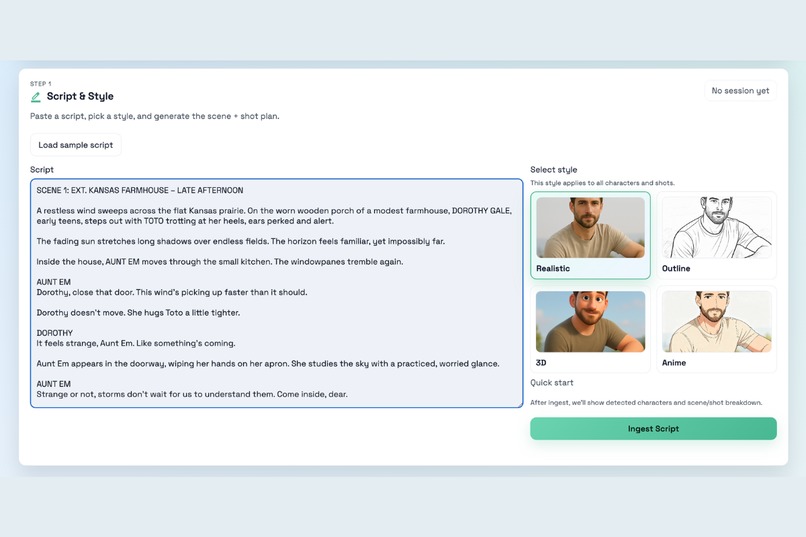
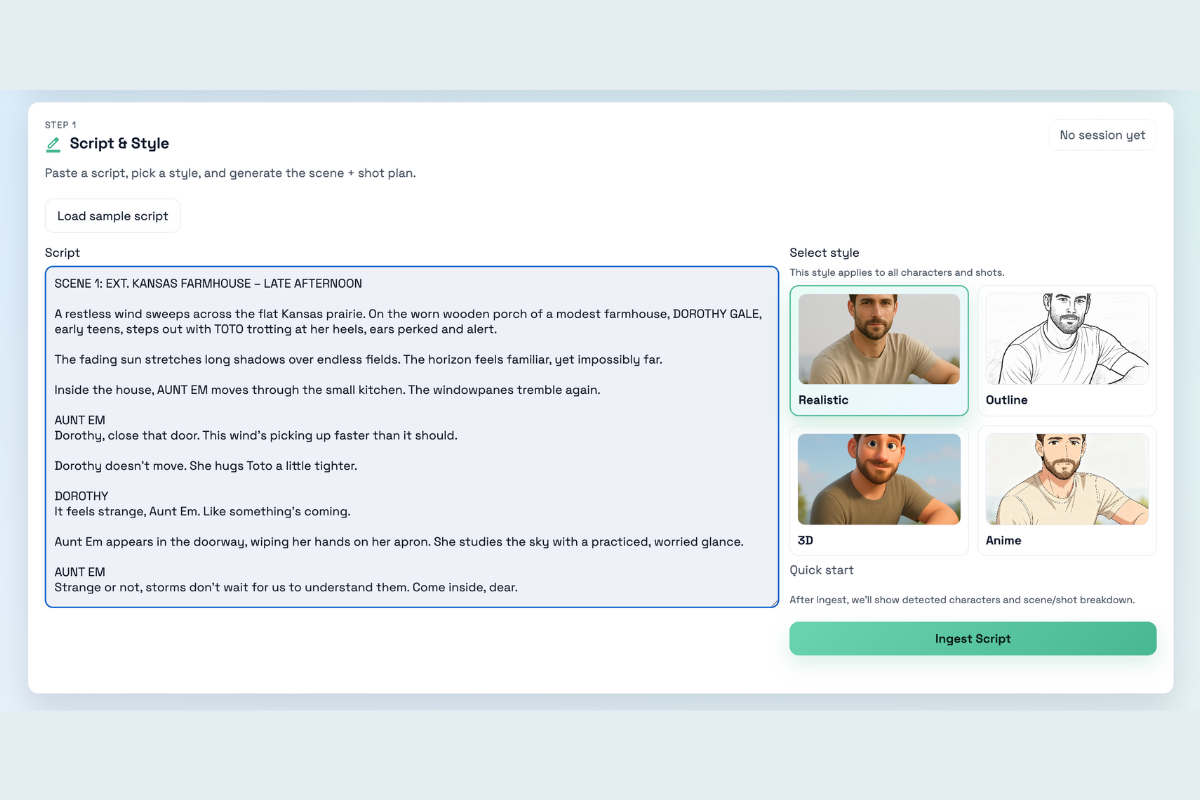
Turn your script into structured scenes and shots, instantly and in your chosen style
-
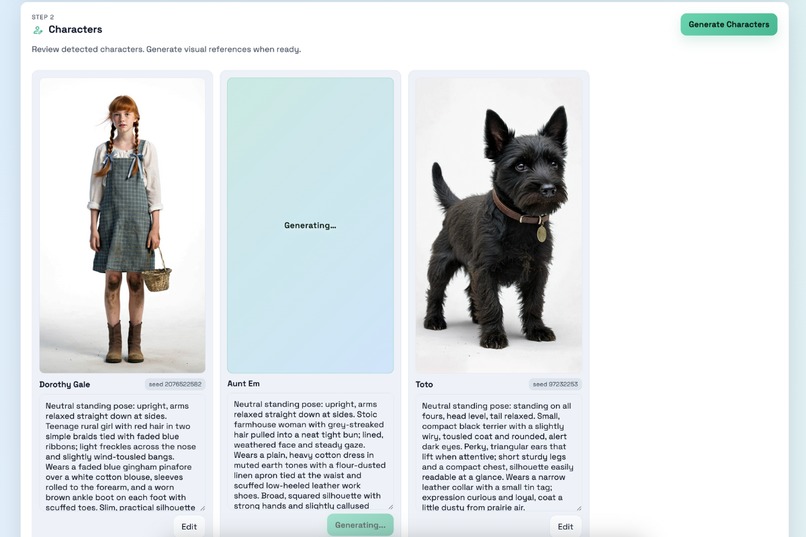
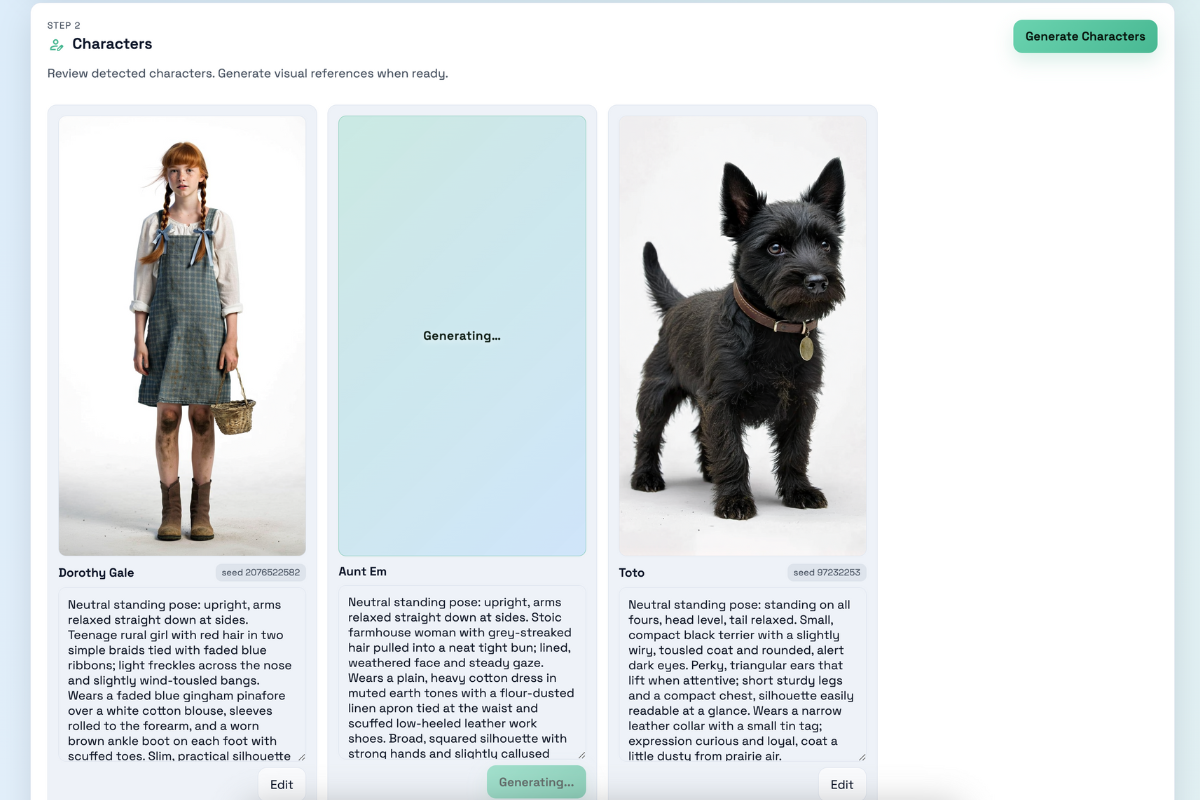
Review your characters and create stable visual references instantly
-
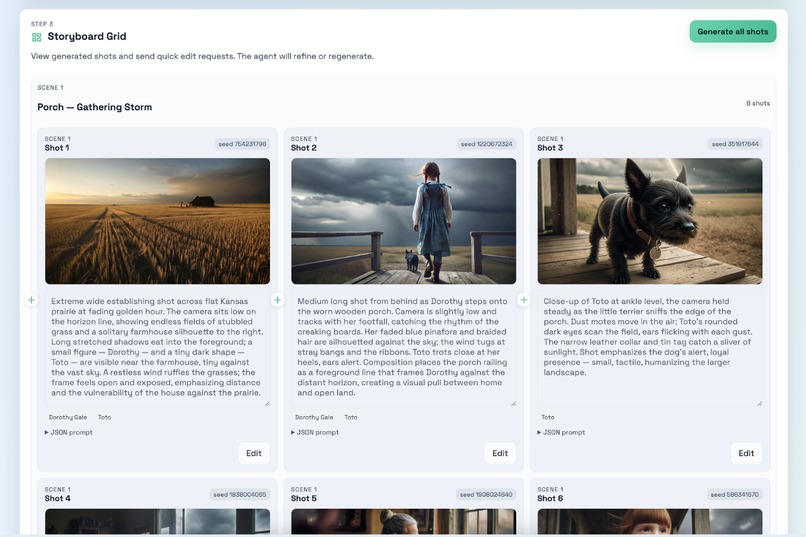
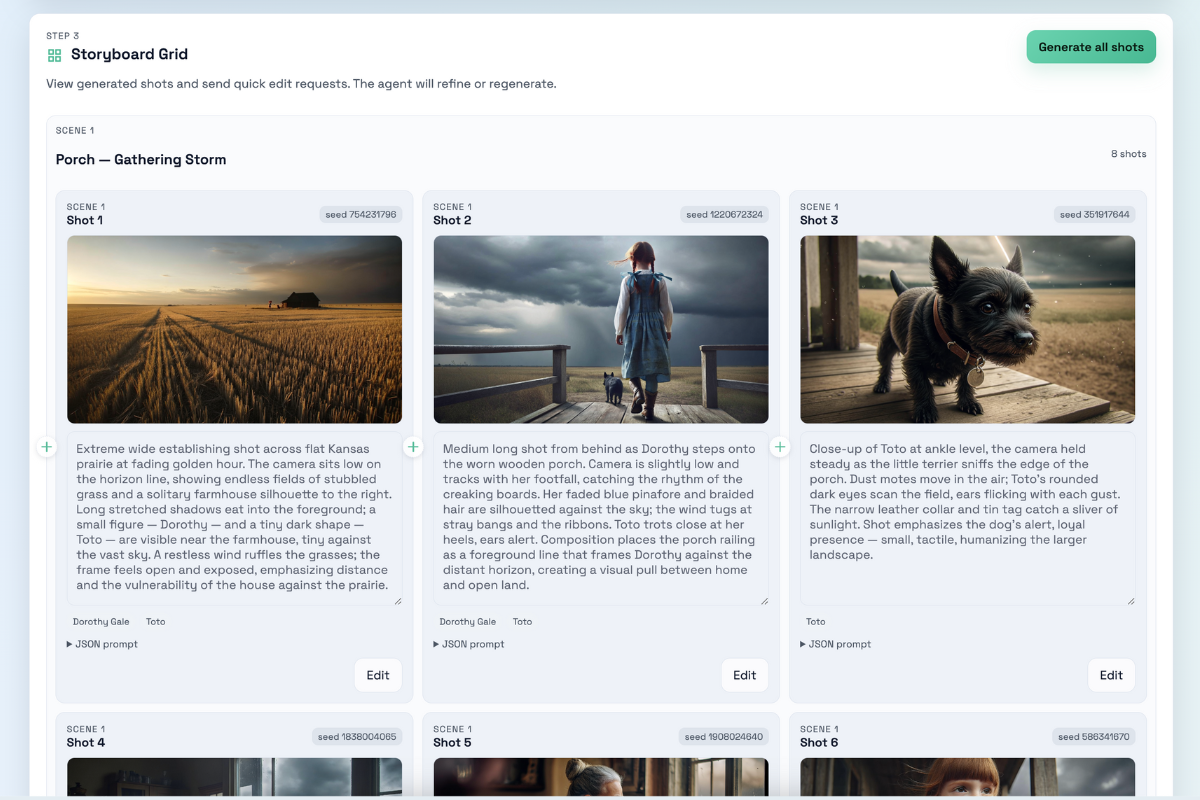
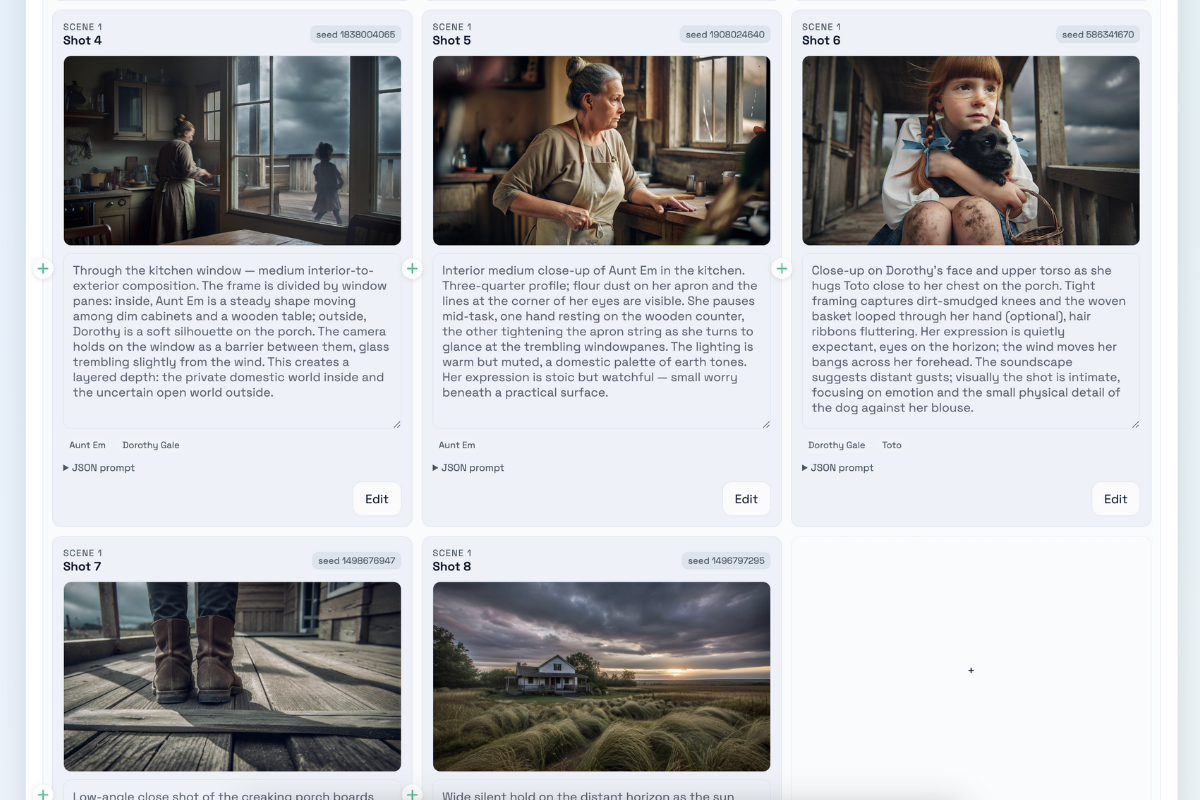
See your story come to life with generated shots you can update instantly
-
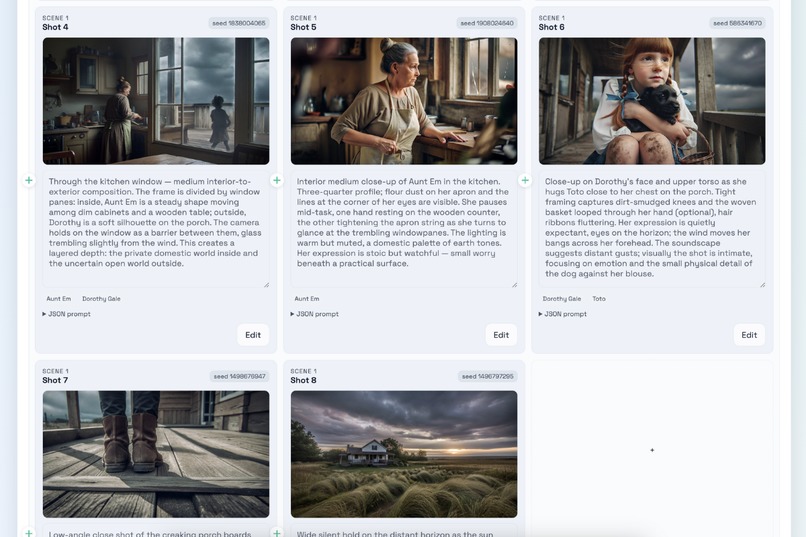
Expand your storyboard with new shots while keeping everything consistent
-
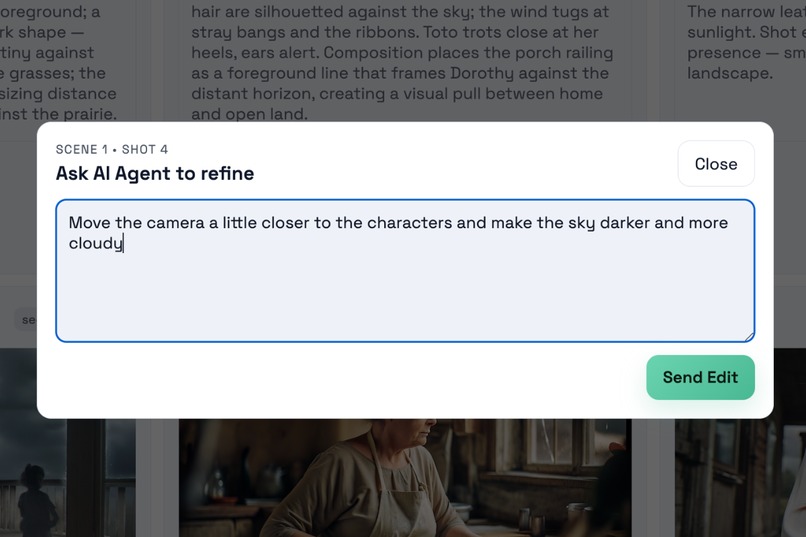
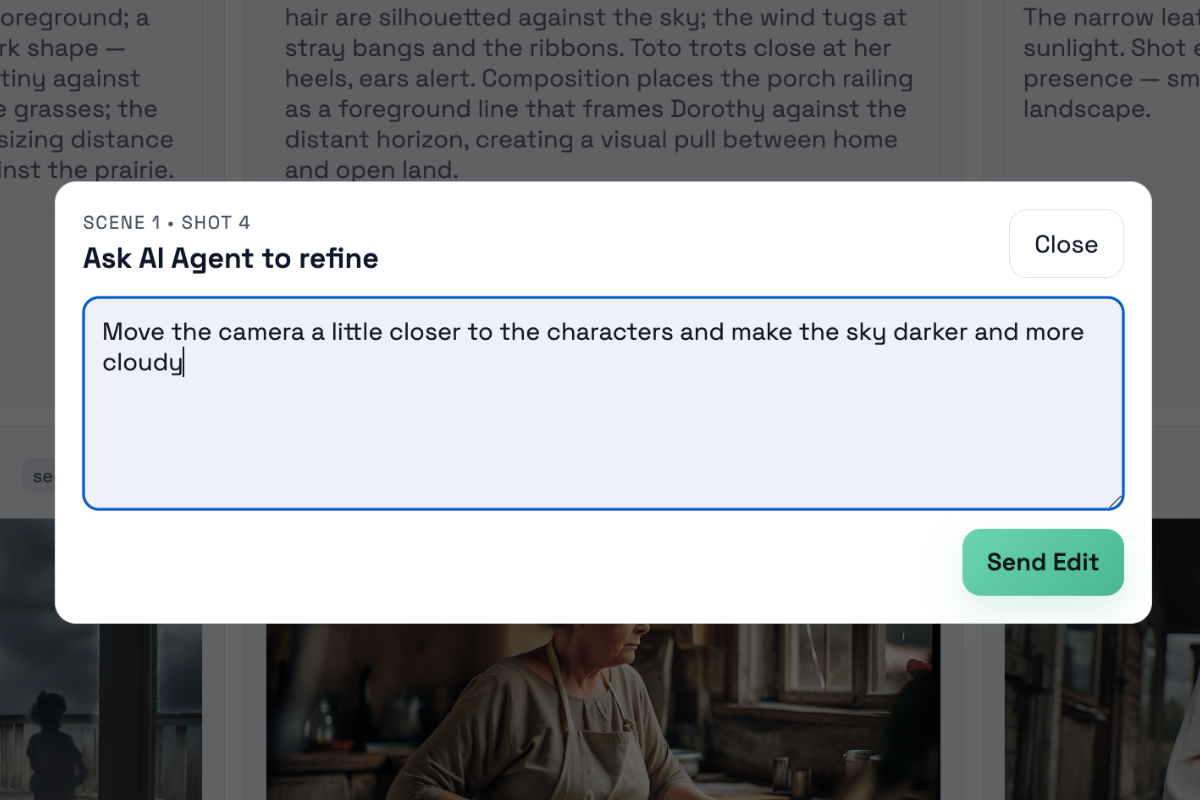
Ask the AI to refine any shot using simple language and get instant updates
-
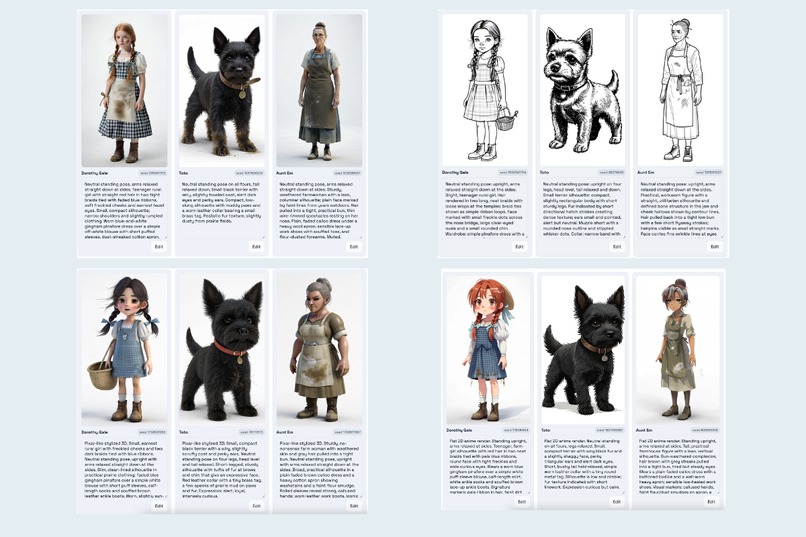
Select the visual style that matches your idea: realistic, outline, 3D, or anime

You can try this app live at https://fibo.autoflujo.com/
To test it for free, just type a single 1 in both API key fields.
Yes, literally the number 1.
If it suddenly stops working, it probably means I ran out of credits.
In that case, feel free to plug in your own API keys and keep going.
Inspiration
Storyboards are important for planning visual stories, but they usually require an artist and changes can take hours or days.
I wanted to bring this process into the modern world. With AI and FIBO, storyboards can be created in seconds and refined with simple natural language. This makes the workflow faster, more flexible, and easier for anyone to use.
What it does
AI Storyboard Maker turns any script into a full storyboard with consistent characters and editable cinematic shots. It uses FIBO's structured JSON controls to keep framing, lighting, and style stable. The workflow has three steps:
1. Script and Style
Paste a script and select a visual style. An LLM finds the main characters and divides the script into scenes and shots using cinematic language.
2. Characters
Generate consistent character images that will appear in every shot. You can edit or regenerate them at any time.
3. Storyboard Grid
Create and refine shots. You can edit prompts directly or ask the AI Agent Editor for changes in simple English. The agent updates the JSON safely and decides whether to refine or regenerate the shot. Users can add new shots whenever they want.
How we built it
- Backend built in Python with FastAPI
- GPT 5.1 for script parsing and shot editing
- FIBO for consistent image generation
- Frontend built with vanilla HTML, CSS, and JavaScript
- Deployed on a DigitalOcean server with Nginx, Uvicorn, and SSL via Certbot
Challenges we ran into
One big challenge was learning how to use FIBO's structured controls correctly. The generate, refine, and reference modes behave very differently, so I spent a lot of time testing when it is better to refine an image and when a full regeneration gives better results.
Another challenge was creating the AI Agent Editor. Users should not need to edit JSON because conflicting parameters can break a shot. For example, a prompt that starts as a wide shot and later becomes a close shot must be resolved safely. The "AI Agent editor" helps us with this. It reads the current JSON, understands the user request, and rewrites only what is necessary. This keeps shots consistent and avoids visual drift.
Overall, the hardest work was balancing flexibility for the user with the structure required for predictable FIBO outputs.
Accomplishments that we're proud of
The project shows how AI can support real creative workflows. By combining LLM reasoning with FIBO's deterministic generation, the app creates stable characters and consistent shots that can be refined quickly.
Both beginners and professionals can use it. Users describe changes in simple English and the system triggers two AIs. One agent interprets the request and updates the shot description or JSON. FIBO then generates or refines the image with the correct controls.
I am proud of how stable and predictable the results became once everything was connected.
What we learned
This project showed me how creative tools might work in the future. Users will not need technical knowledge or long tutorials. They will explain what they want and the software will adjust all parameters behind the scenes.
It also taught me the value of structured generation. With the right design, even complex tasks like camera control, lighting adjustments, and shot composition can feel simple and intuitive.
These ideas will influence how I design user experiences for future AI projects.
What's next for AI Storyboard Maker
General:
- Add essential production-app features like authentication, persistent memory, user accounts, and payment options to support real-world use.
- Update the UI so character and shot prompts appear as soon as they are ready instead of waiting for the entire batch to finish.
For script ingestion:
- Add more visual styles and orientation options, not only horizontal.
- Allow users to upload script files in PDF or DOCX.
For character creation:
- Support image references for users who already have concept art or photos.
- Add support for refining character images using the AI Agent Editor.
For the storyboard grid:
- Allow users to upload rough drawings or sketches and convert them into the chosen visual style.
- Add technical notes for camera movement or lighting.
- Add export to PDF for printing.
- Explore automatic video sequences built from the storyboard images.
Built With
- chatgpt
- codex
- fastapi
- fibo
- javascript
- llm
- python


Log in or sign up for Devpost to join the conversation.