

Inspiration
Spreadsheets are one of the most widely used productivity tools, yet many tasks still require advanced formulas, repetitive manual work, or scripting. We wanted to make spreadsheet automation as simple as having a conversation. Our goal was to build an offline-first AI spreadsheet where users can describe what they want in natural language, and the AI safely performs real spreadsheet operations while keeping users in control.
What it does
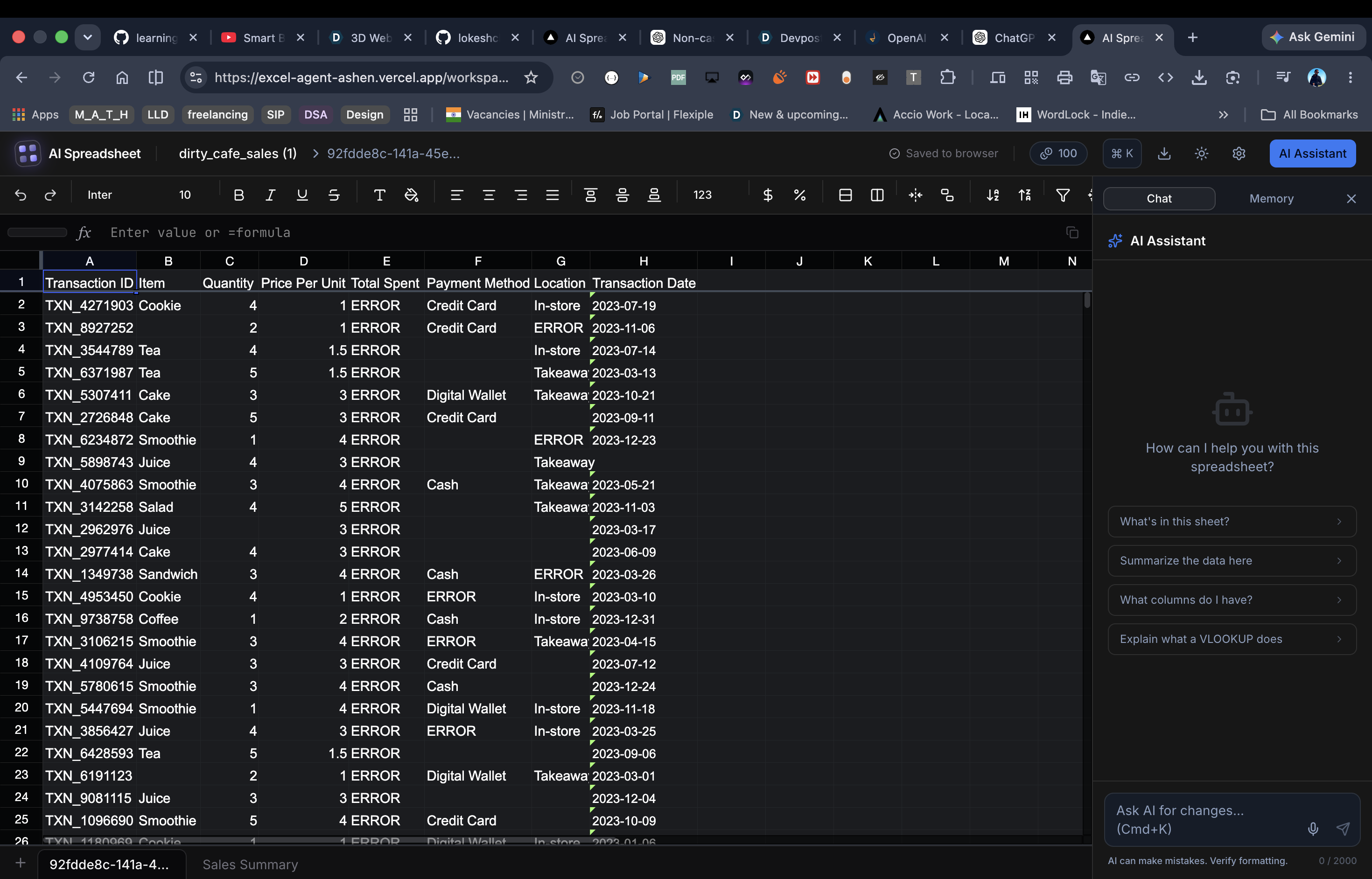
AI Spreadsheet Platform is an offline-first spreadsheet powered by an intelligent AI agent that understands natural language and performs real spreadsheet operations. It can plan and execute multi-step tasks such as sorting, filtering, formatting, deduplication, formula generation, summaries, chart creation, and pivot-style analysis. Every action is validated, destructive operations require user approval, and the AI verifies its own results before completing tasks to ensure reliable, transparent, and safe automation.
How we built it
We built the application using Next.js, TypeScript, Tailwind CSS, shadcn/ui, and Univer as the spreadsheet engine. The AI agent is powered by Google Vertex AI (Gemini) and follows a multi-stage architecture consisting of planning, execution, validation, verification, and self-correction. Spreadsheet operations are implemented as secure tools with input validation, confirmation flows for destructive actions, semantic result verification, and protection against prompt injection attacks. Since the platform is offline-first, spreadsheet data remains on the user's device while AI is only used for reasoning and task planning.
Challenges we ran into
Building the AI agent was much harder than integrating an LLM. Many spreadsheet commands returned success even when nothing changed, so I implemented semantic verification to confirm every operation. Since open-source Univer lacks native charts and pivot tables, I built custom chart generation and pivot-style summaries. The agent follows a multi-step pipeline—plan, execute, validate, verify, and self-correct—allowing it to recover from failed steps instead of aborting entire workflows. Every tool validates its inputs, destructive actions require explicit user approval, AI-generated formulas are checked for unsafe functions, and spreadsheet content is treated as untrusted input to defend against prompt injection. Deploying on serverless also required custom Vertex AI authentication because default credentials were unavailable.
Accomplishments that we're proud of
- Built a true AI agent instead of a simple chatbot.
- Designed a reliable multi-step execution pipeline with self-correction.
- Implemented semantic verification so the AI confirms that operations actually changed the spreadsheet.
- Added safety features including approval flows, tool validation, and prompt injection protection.
- Built custom chart generation and pivot-style summaries despite limitations in the spreadsheet engine.
- Created an offline-first experience that keeps user data local.
What we learned
We learned that building reliable AI applications requires much more than connecting an LLM. Success depends on verification, validation, safety, recovery from failures, and thoughtful tool design. We also gained experience designing AI agents that reason through complex workflows while remaining transparent, secure, and predictable.
What's next for AI Spreadsheet
Our next goal is to support collaborative editing, advanced charting, full pivot tables, macro recording, and additional spreadsheet functions. We also plan to improve the AI planner with larger workflows, integrate more data sources, add plugin support, and continue enhancing reliability, security, and offline capabilities to make AI Spreadsheet a production-ready intelligent spreadsheet platform.
Built With
- css
- google-gemini
- javascript
- next.js
- prompt-engineering
- tailwind
- typescript


Log in or sign up for Devpost to join the conversation.