-
-
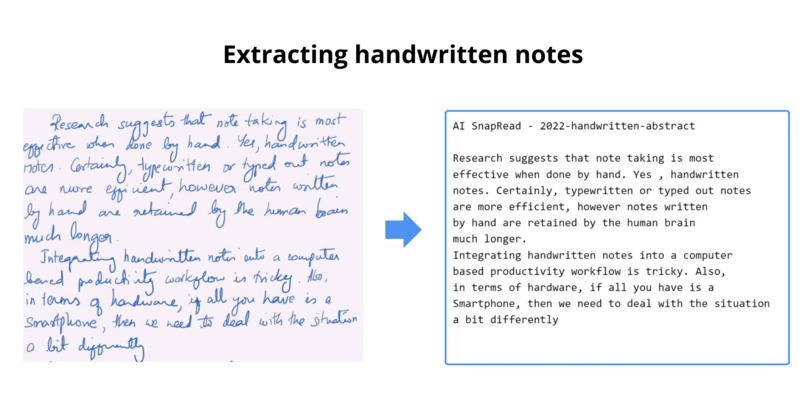
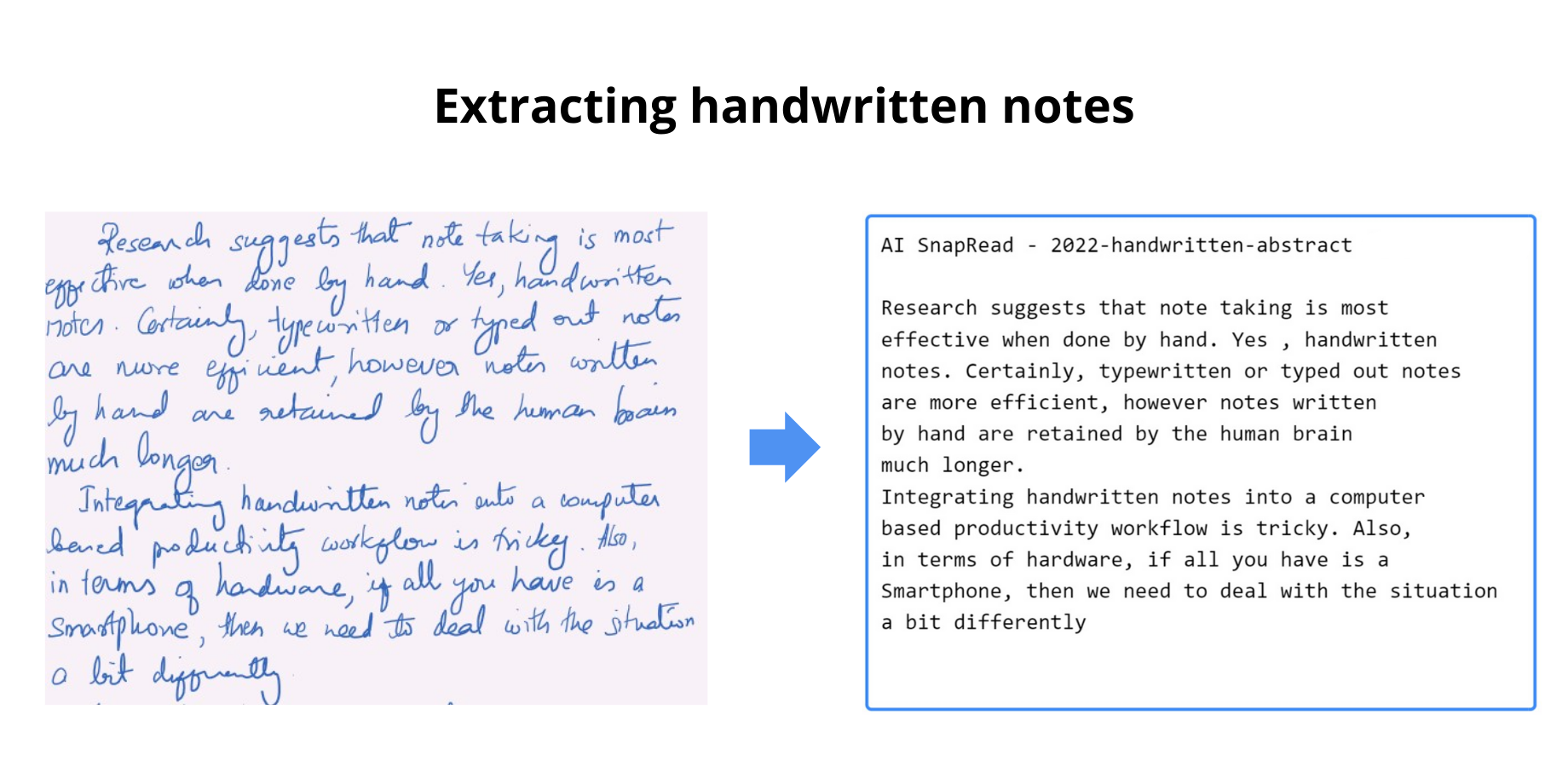
handwritten example of notes
-
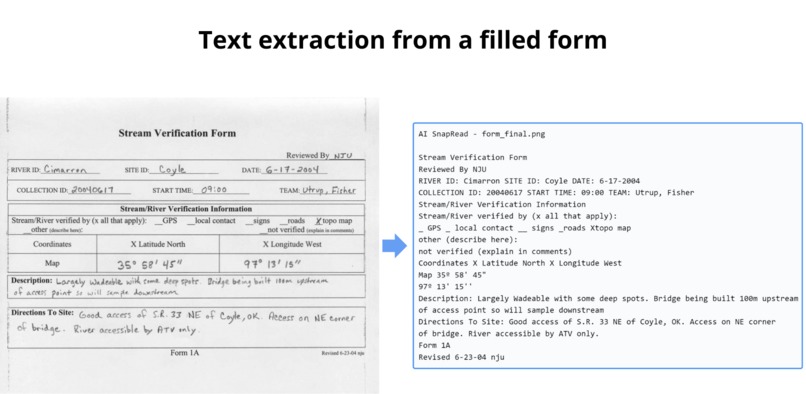
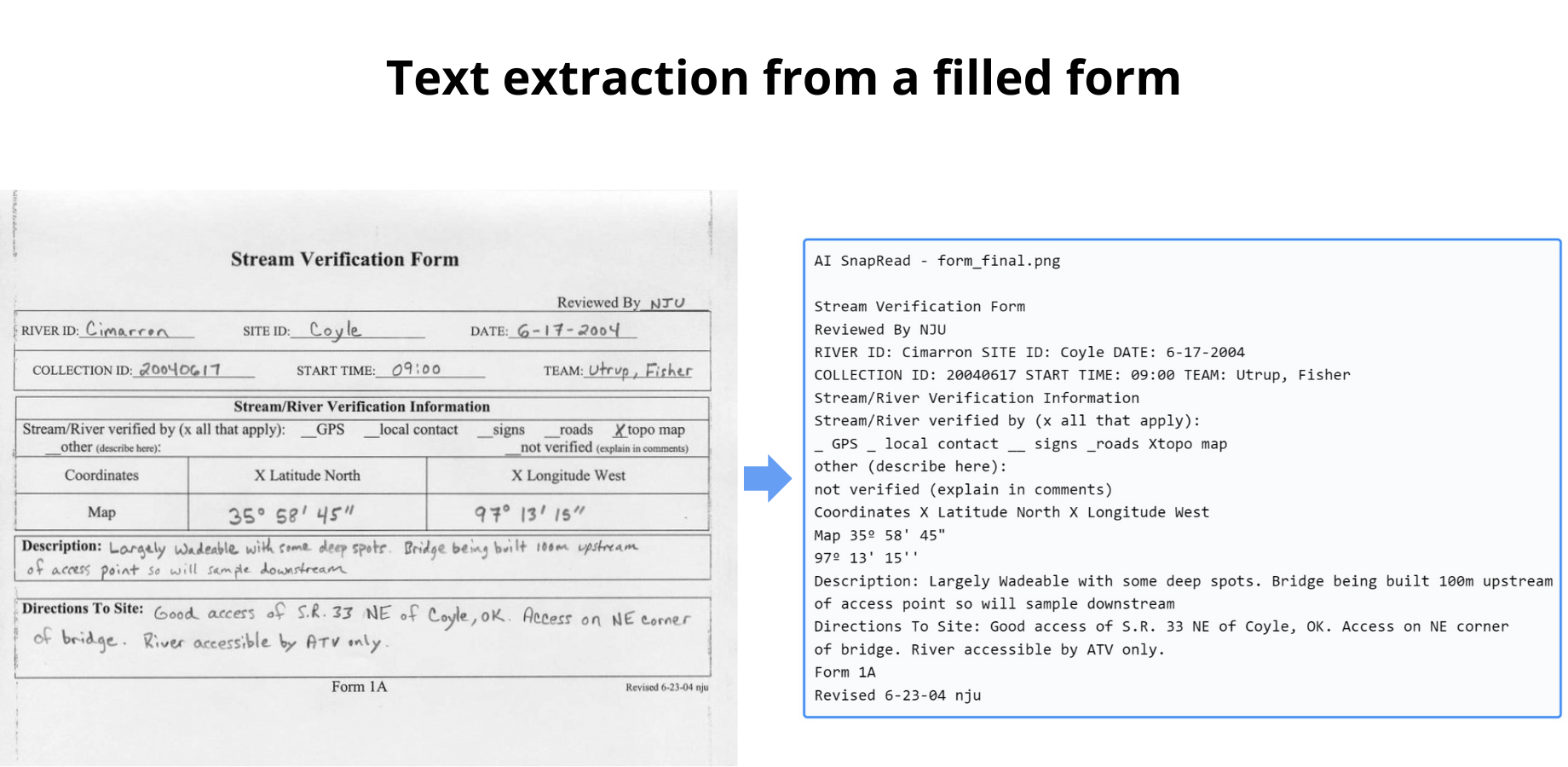
handwritten example of
-
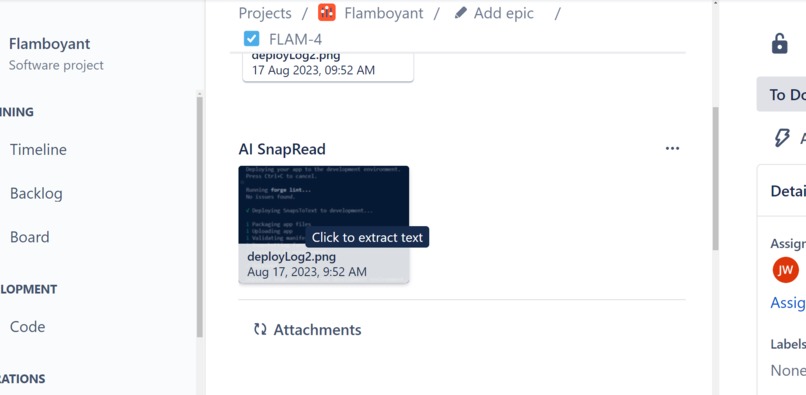
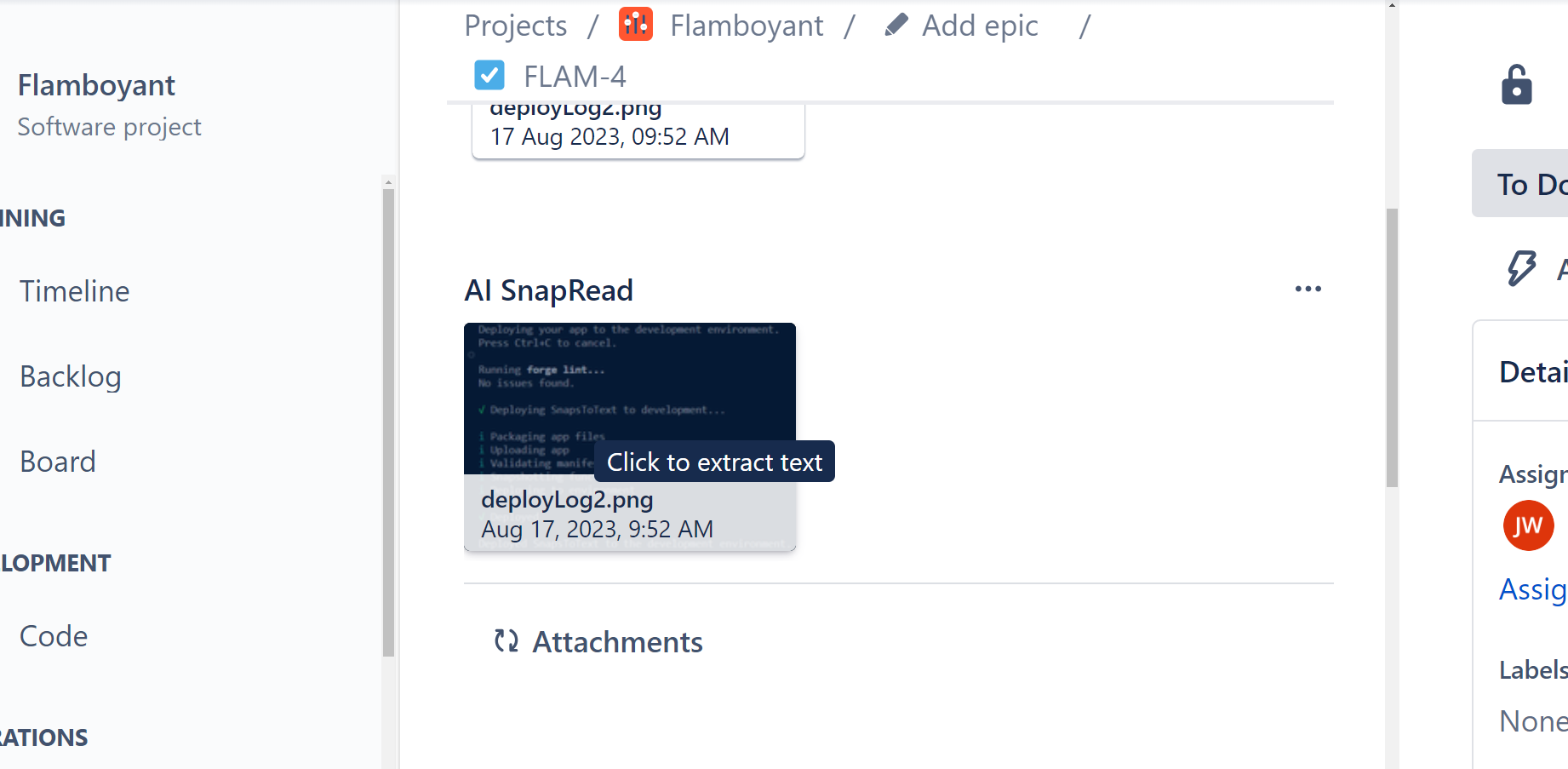
Jira Issue AI Snap Read
-
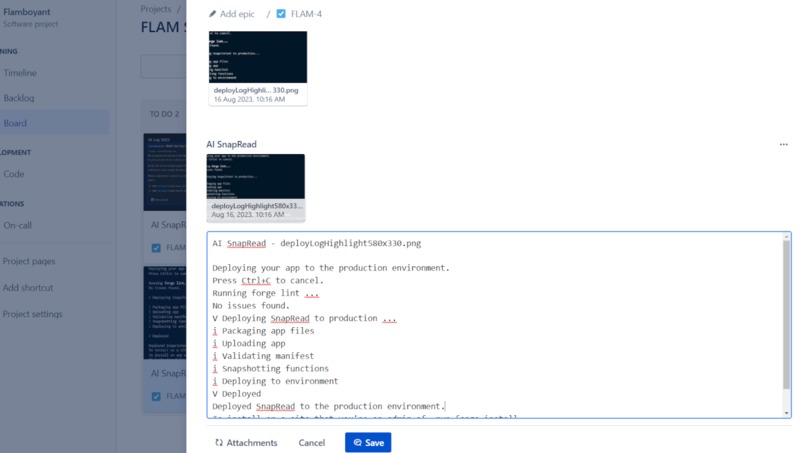
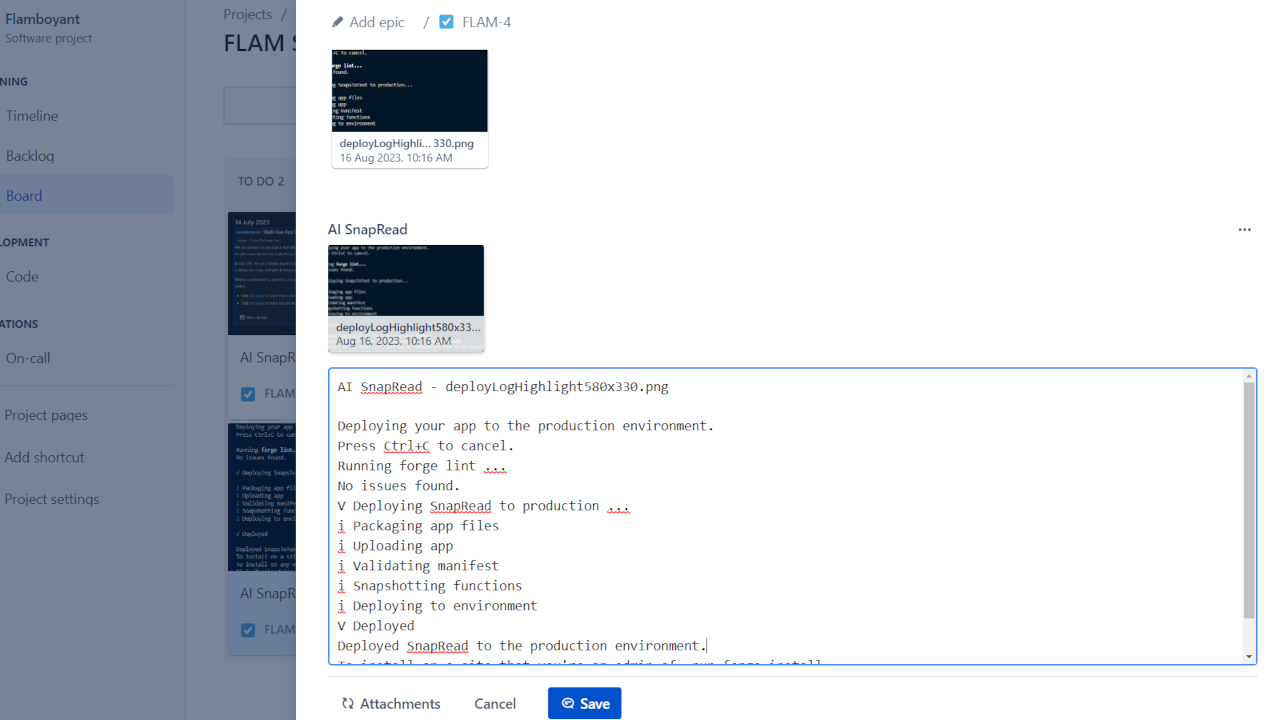
Extracted Text
Inspiration Behind AI SnapRead for Jira
So, here's the thing – we didn't start this project because we love to be bored. It all began with those moments when you're stuck retyping things from meetings. I mean, who likes that? Writing down stuff that's already been written somewhere else is a snail pace work. And when your buddy's doodled something brilliant on the board, it's like, "That is all we need, right?"
But here's the final kicker: our testers, they were the GOATs. Whenever something went a bit rough, they'd bombard us with screenshots, as it should be naturally. The problem? We had to decode error messages, hunt for code snippets, and swim through a sea of pictures. And that's when it hit us – we needed to make this whole process a bit faster.
So, that's how the idea was born. It's not just about the retyping - it's about making teamwork a breeze. And the fact it can be used for other stuff? It is your secret weapon for a smoother ride at work.
What AI SnapRead for Jira Can Do
Well, it's all about simplicity and getting stuff done. It's as easy as it gets – just one click, and bam, you've got the text you need.
Why is it so accurate? That's the magic of AI. It's got your back, making sure it's spot on for pretty much any language you throw at it. But hey, if it misses the mark, you're the boss. You can tweak the text and save it as a comment, share it with your pals.
With a quick glance, you can check if it caught every single word. Just a click, and it shows you the bounding box. No more second-guessing – you'll know in a snap if the text needs a little touch-up or if it's good to go.
How We Put It All Together
We kept it simple and stress-free right from the start.
We rolled with the Atlassian Forge platform because, let's be real, it takes away all the deployment headaches and lets us focus on the fun stuff – making the app look good and bringing the best out of the Azure Vision services.
And you know what? These platforms play super nicely together. The best part? It couldn't be more straightforward. We pieced it all together, and here we are, with an app that's all about ease and efficiency.
Challenges We Ran Into
Our biggest challenge was making AI seem like a piece of cake. We wanted to assure our customers that they could use it in their organizations without breaking a sweat about their data. So transparency was the game to play. We needed to show you guys that AI could seamlessly fit into your workflow without any drama.
Accomplishments That We're Proud Of
We made AI look like a helpful guy. We wanted to prove that it's not something to fear, especially when it comes to your data. We're excited that we pulled this off through the transparency, through our documentation and made the users feel at ease.
Our app works like a charm, and it's all about simplicity. One click, and you're good to go. No fuss, no hassle. No matter that it's not a massive predictive system, these little details, these everyday life scenarios are where it all begins. We consider it as a small but significant milestone in making AI more accessible and user-friendly.
Lessons We've Gained
We've learned which strings to pull within the Forge platform to lead us towards our objectives. How to work with image attachments, how to process them and how to do the magic with them. This part of our journey went more smooth that we thought.
Then, there's the AI. We figured out how to add the AI elements into our app. We also learned what it takes to use AI responsibly, which is pretty important in this day and age.
What's next for AI SnapRead for Jira
We're exploring more ways to enhance your collaboration experience within Jira.
With the simplicity to be said - we're all ears. Your feedback will be our compass, guiding us towards even more features and improvements.


Log in or sign up for Devpost to join the conversation.