-
-
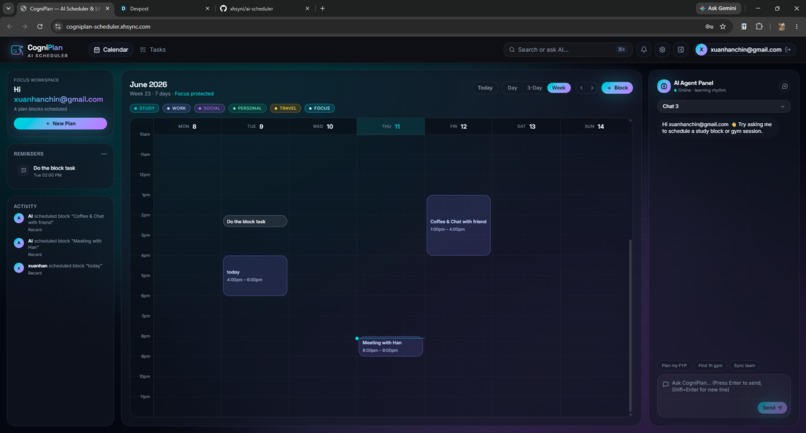
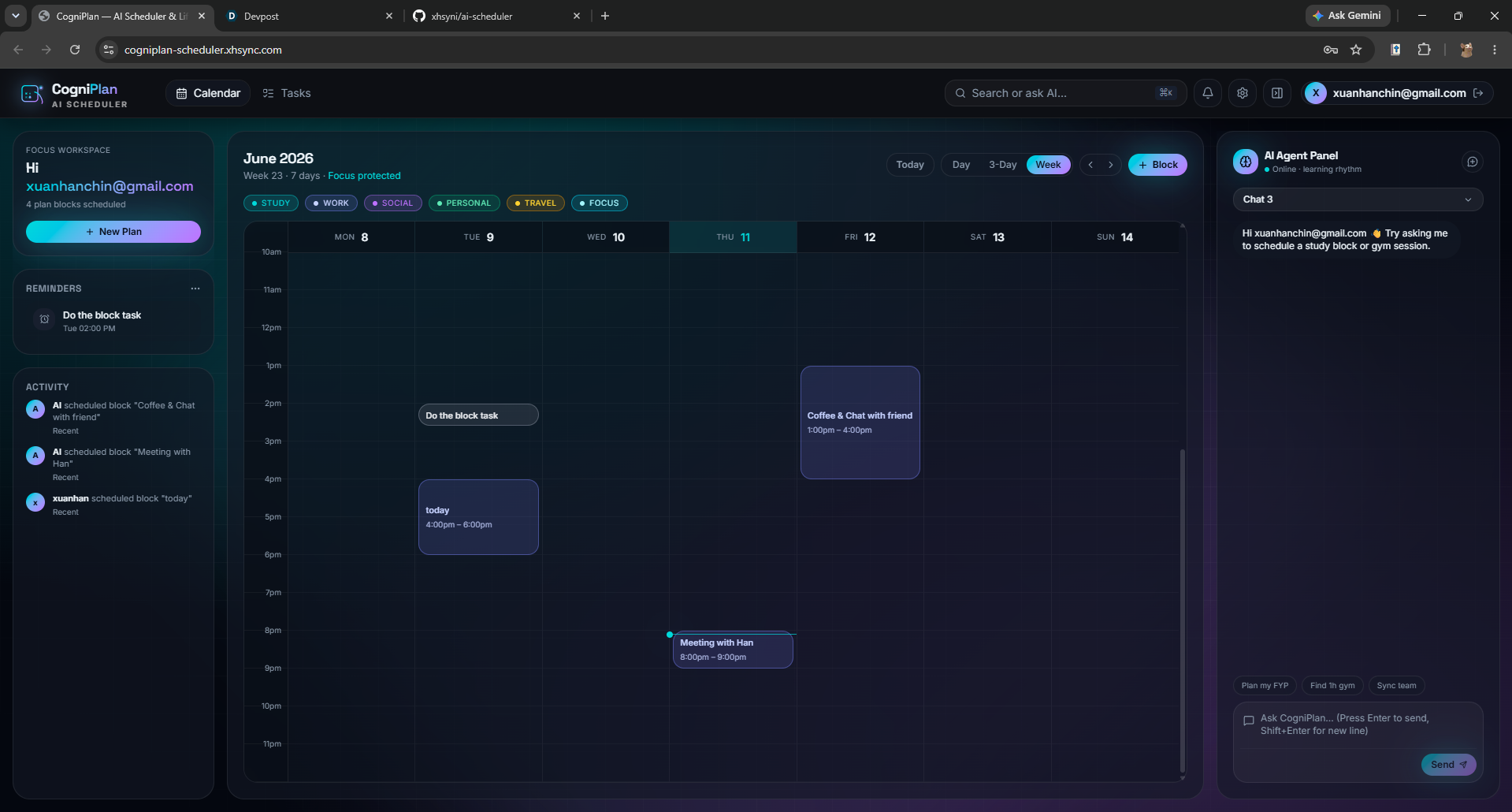
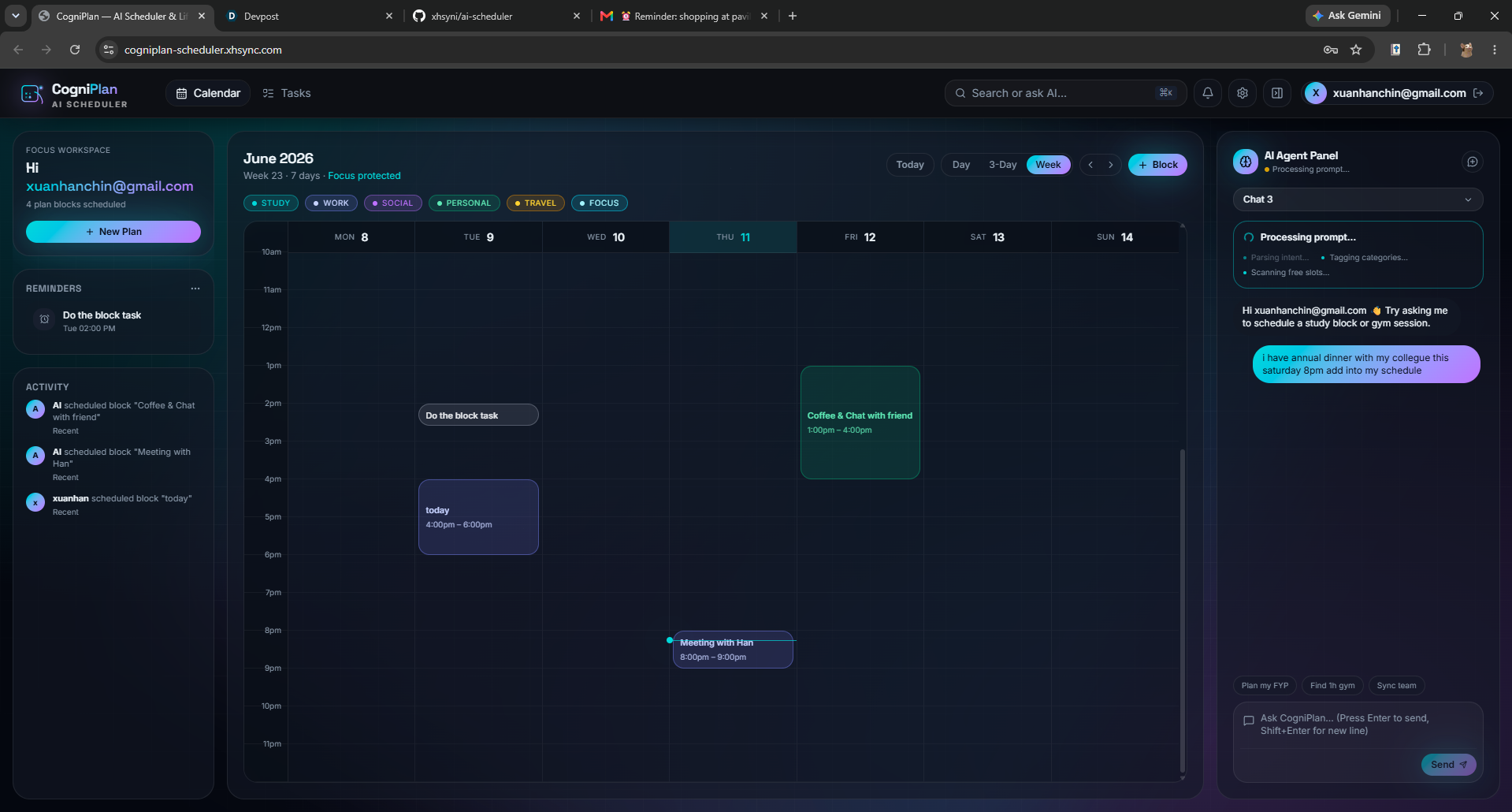
Calendar Overview (drag and drop arrangement)
-
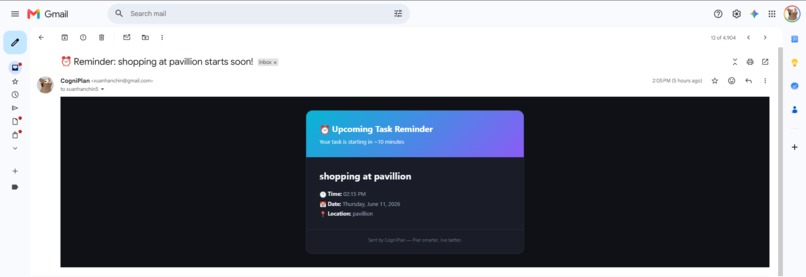
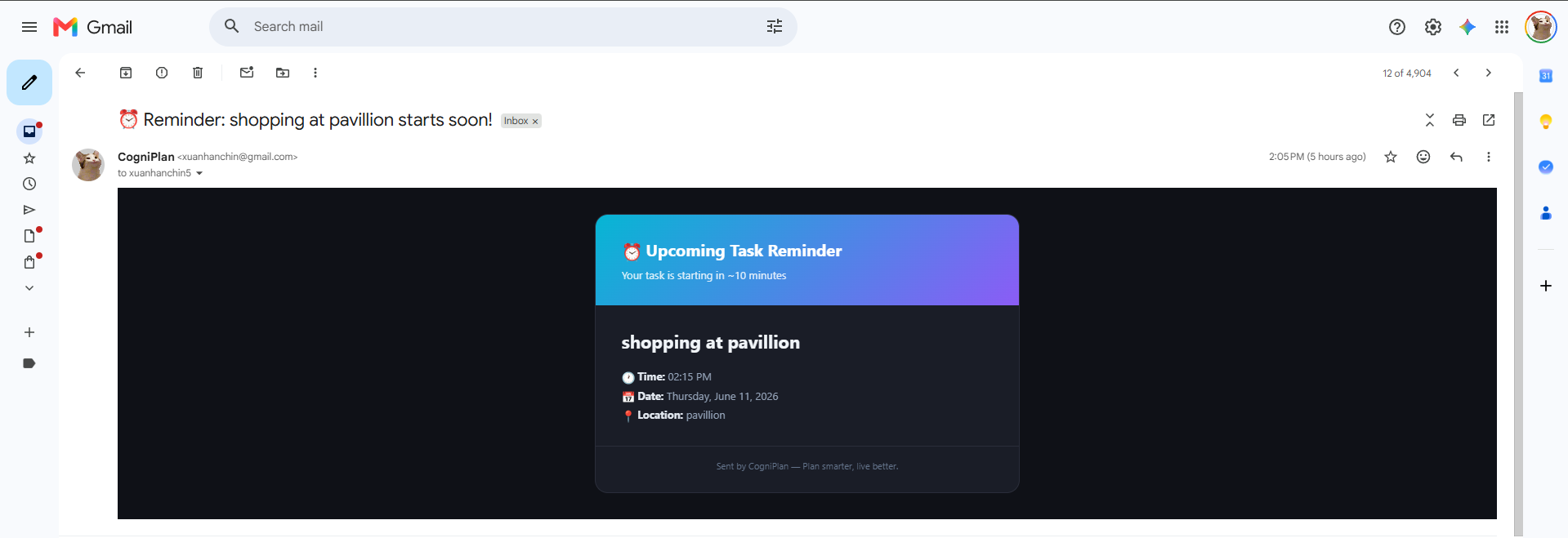
Reminder
-
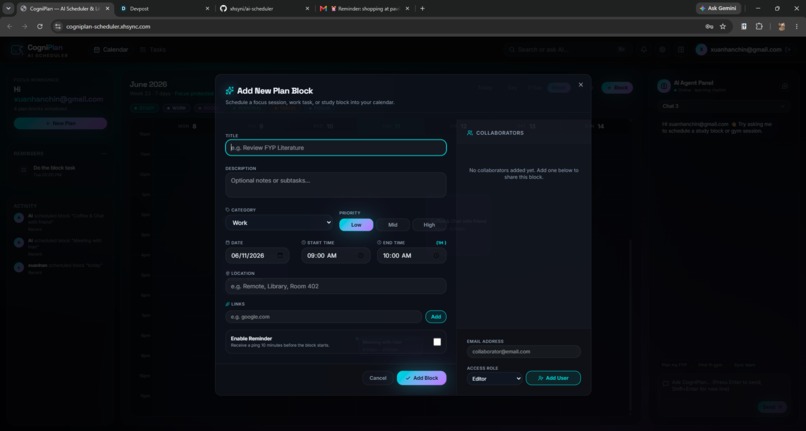
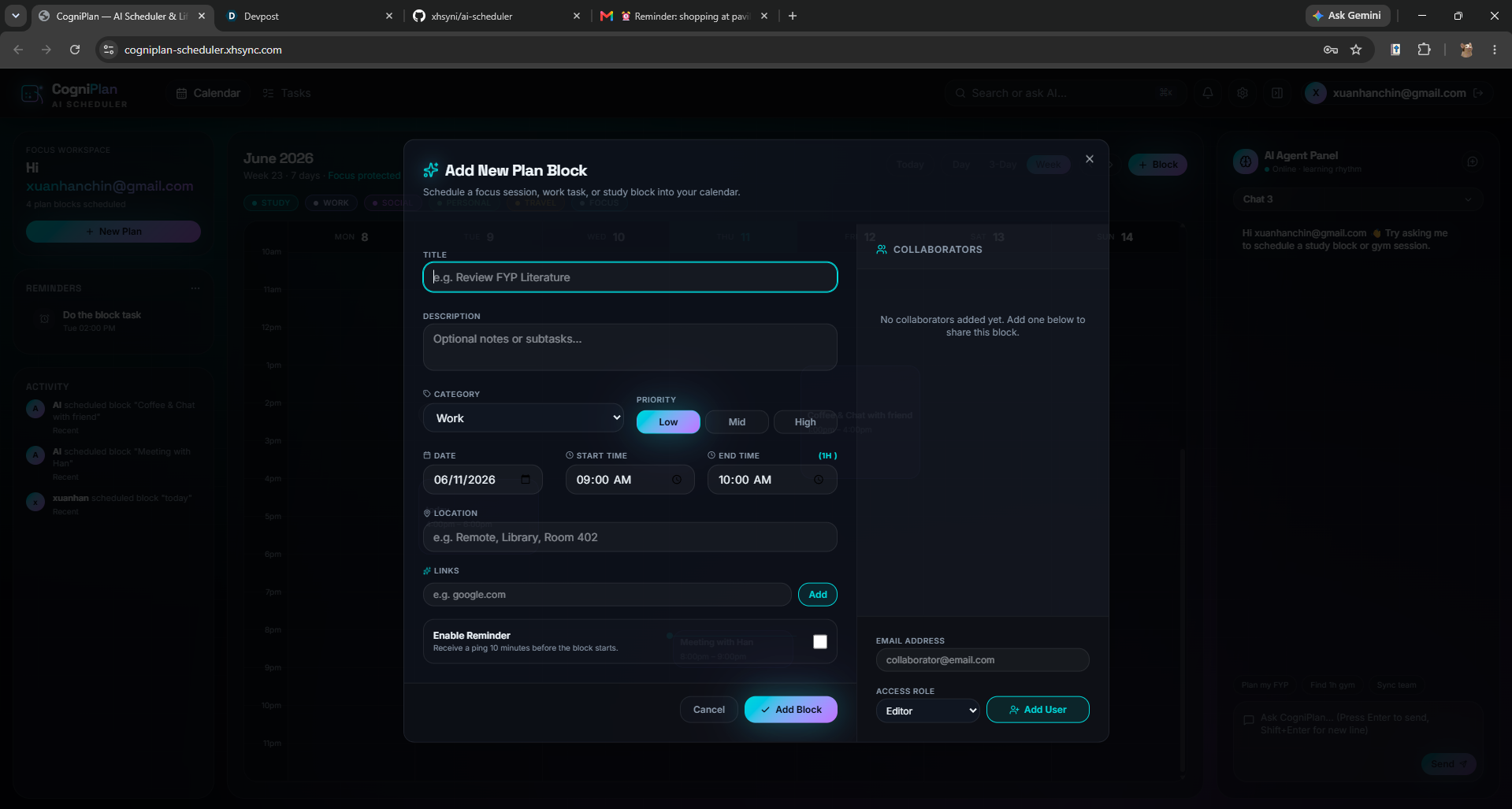
Add Plan
-
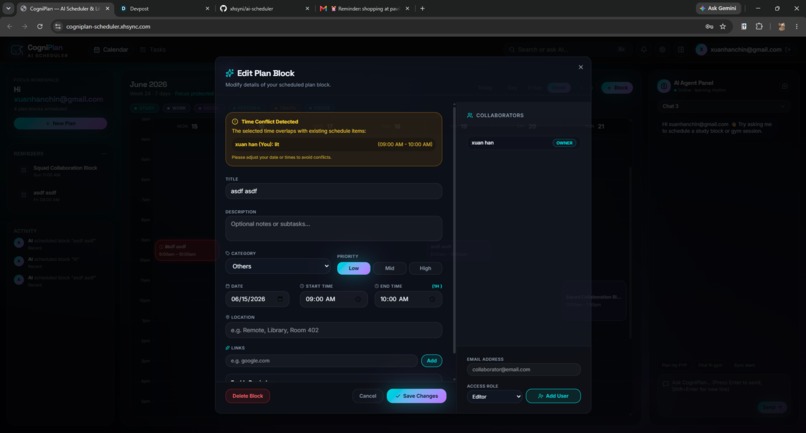
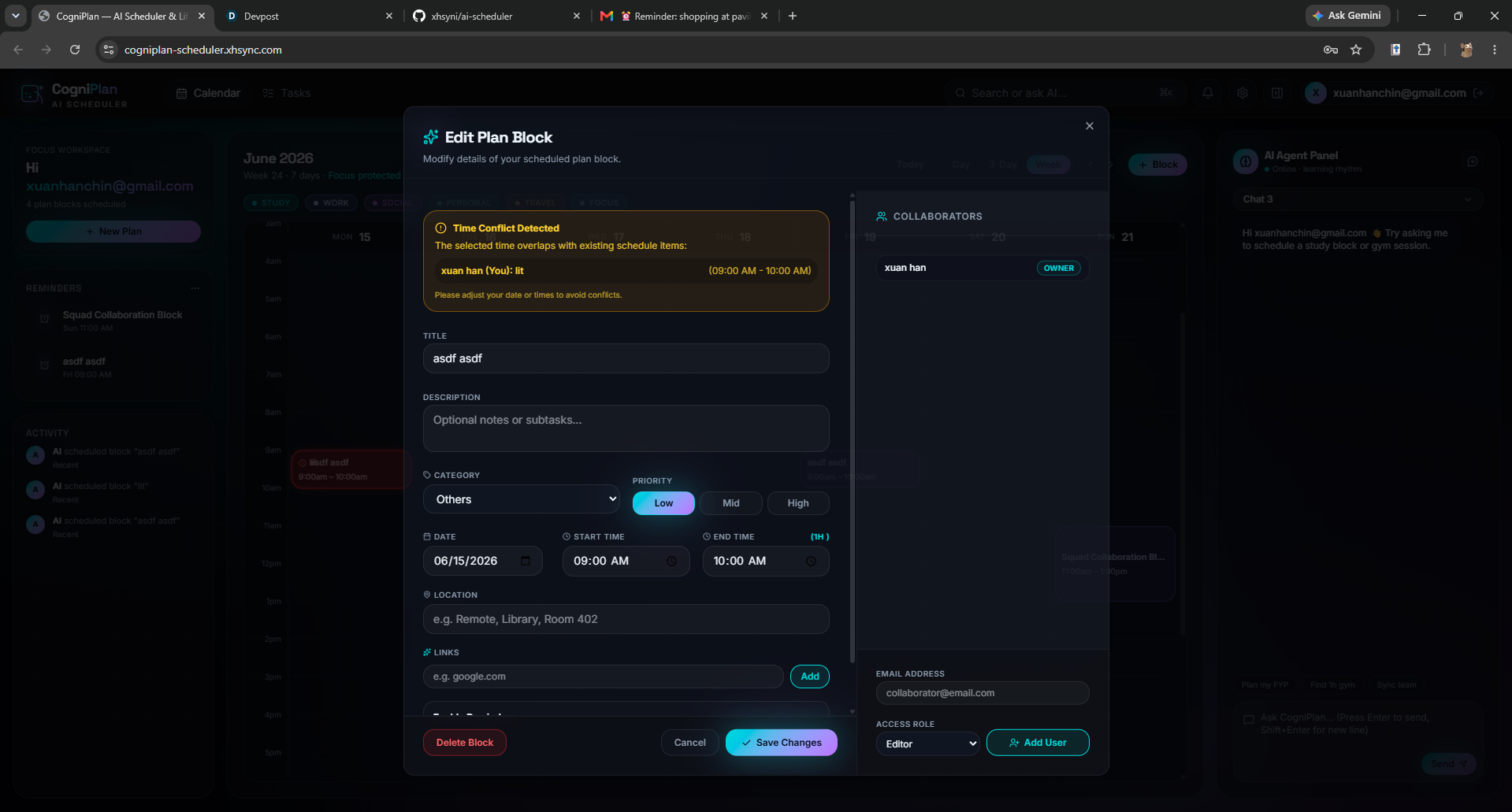
Update Plan with the detection of time conflict
-
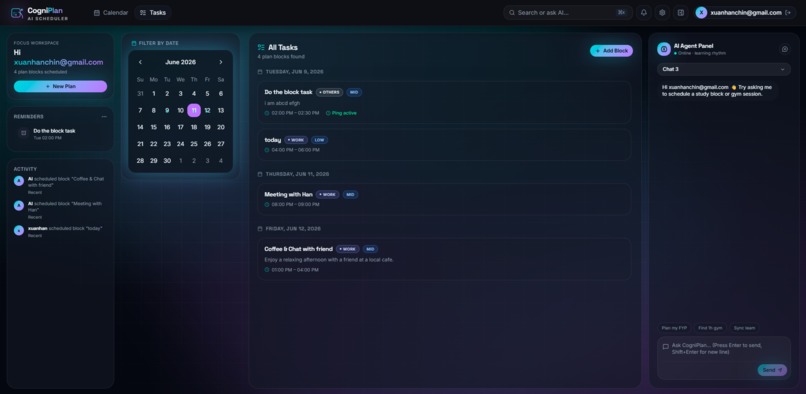
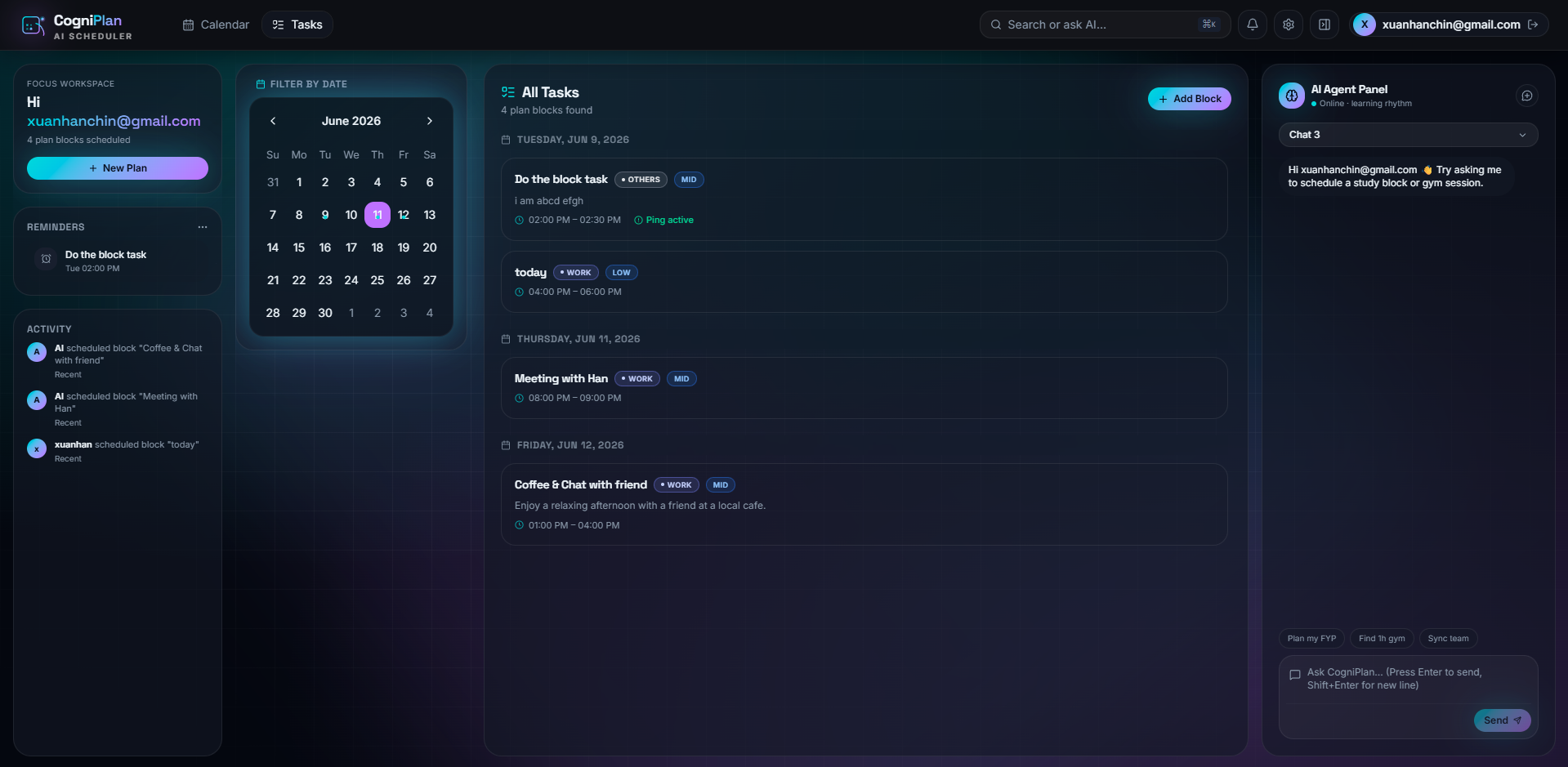
View All tasks
-
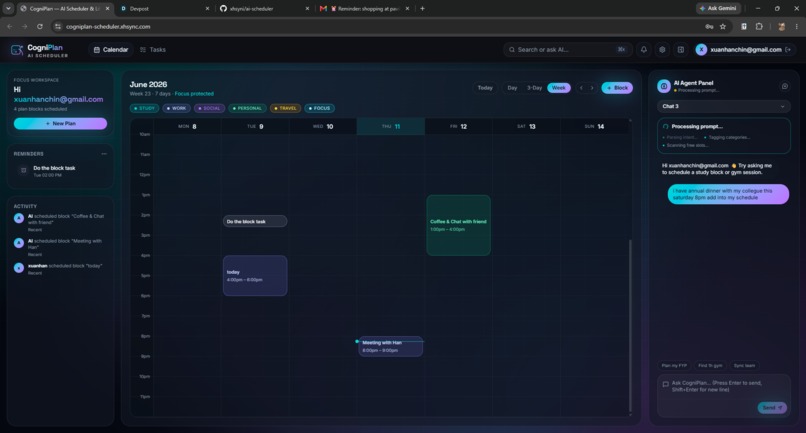
AI agent chatbot
Inspiration
Managing schedules across classes, assignments, meetings, and personal commitments can be overwhelming, especially for students and professionals balancing multiple responsibilities. Traditional calendar applications require users to manually organize their tasks, which can be time-consuming and inefficient. So, we decided to develop an automated scheduling engine that generates practical schedules from user input.
How we built it
Frontend (React, Tailwindcss) Backend (FastAPI, MCP Server) AI Agent Layer (Google Agent Studio Builder, Google ADK) Database (MongoDB, MongoDB MCP) Deployment (Google Cloud Run, Vercel, Google Artifact Registry) AI Tools (Lovable, Antigravity)
Challenges we ran into
CORS configuration during deployment Connection between the deployed agent from Google Agent Studio Builder and backend
What new skills we learned
MCP, AI Agent builder using google adk, MongoMCP, Coding and Debugging with AI tools
How Google AI helped us
We leveraged Google Agent Studio Builder and Google ADK to create a multi-agent scheduling system. The AI agent interprets user requests, delegates scheduling tasks, resolves conflicts, and interacts with backend MCP tools. Google Cloud Run and Artifact Registry enabled scalable deployment of both our backend services and AI infrastructure.
What's next for ai-scheduler
improve performance Add session memory for ai agent Integrate with Google Calendar, Microsoft Outlook, and Other productivity tools. Develop native mobile apps for Android and iOS. Support more features in collaborative scheduling for project groups, organizations, and workplaces.

Log in or sign up for Devpost to join the conversation.