-
-
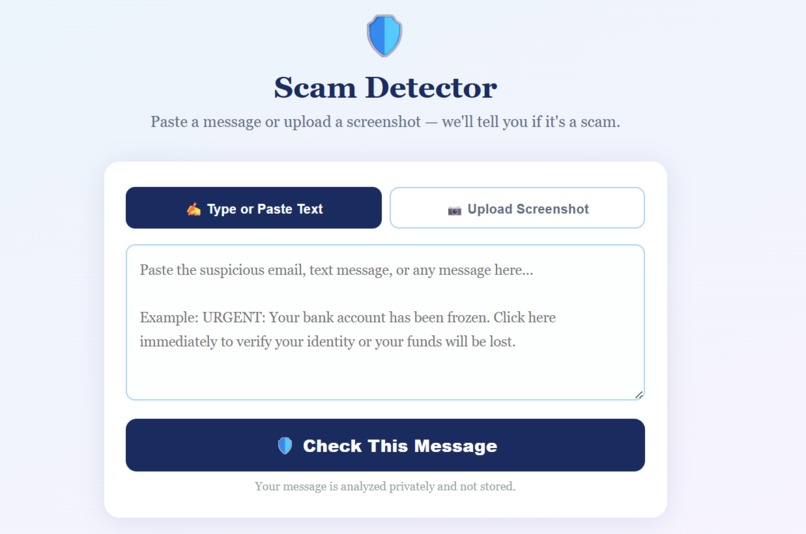
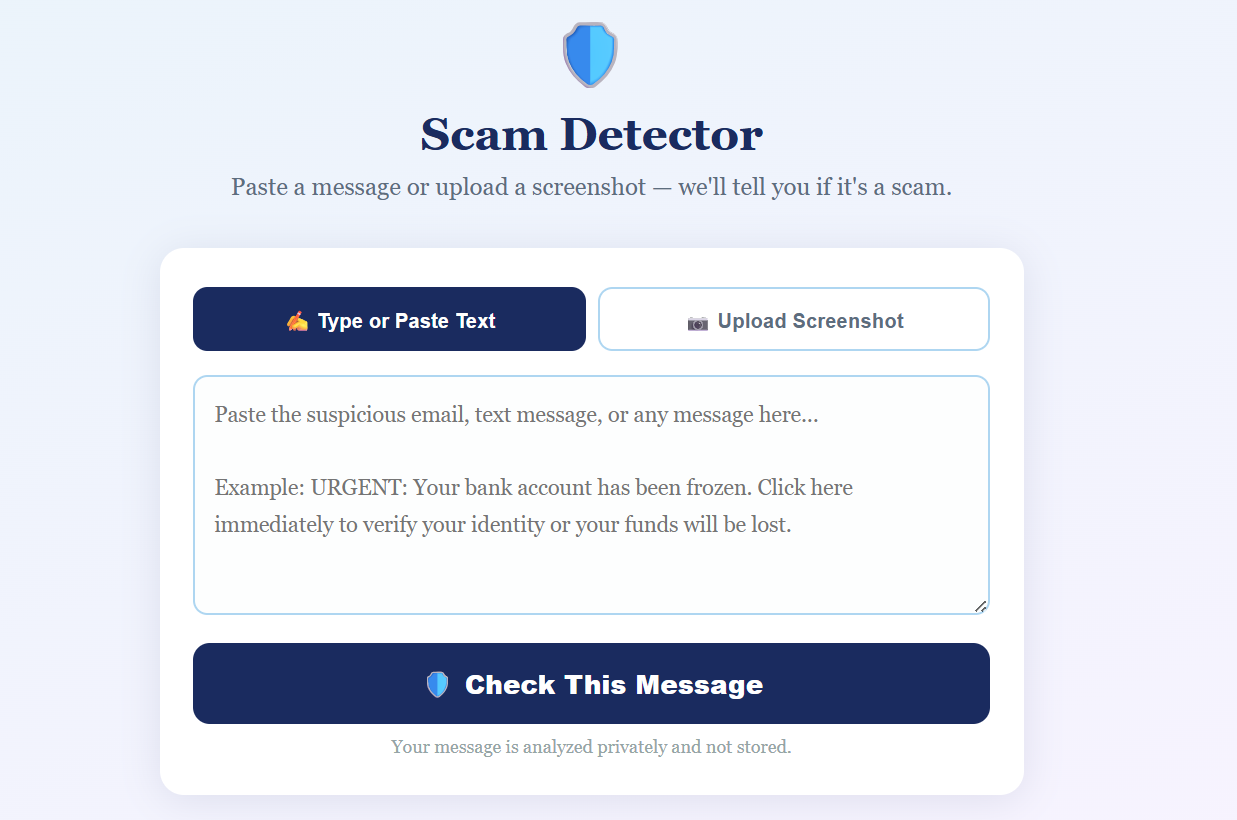
Screen where users can paste the text they want to check.
-
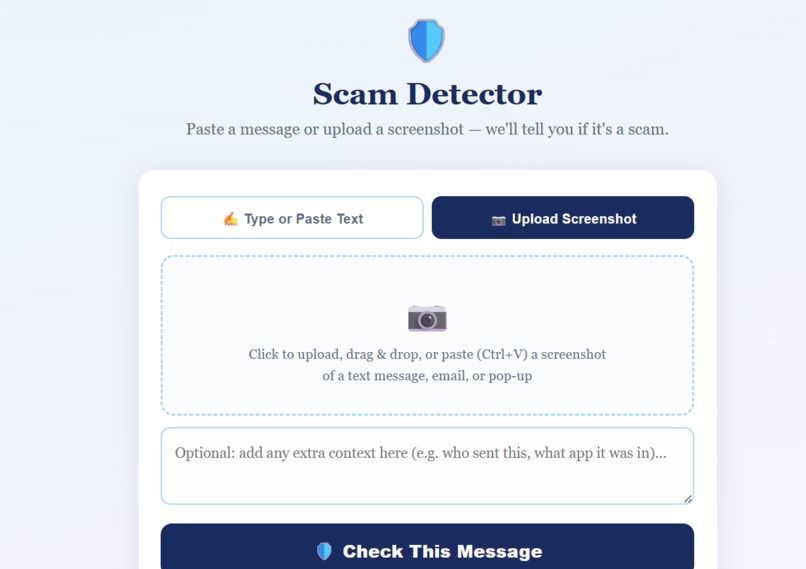
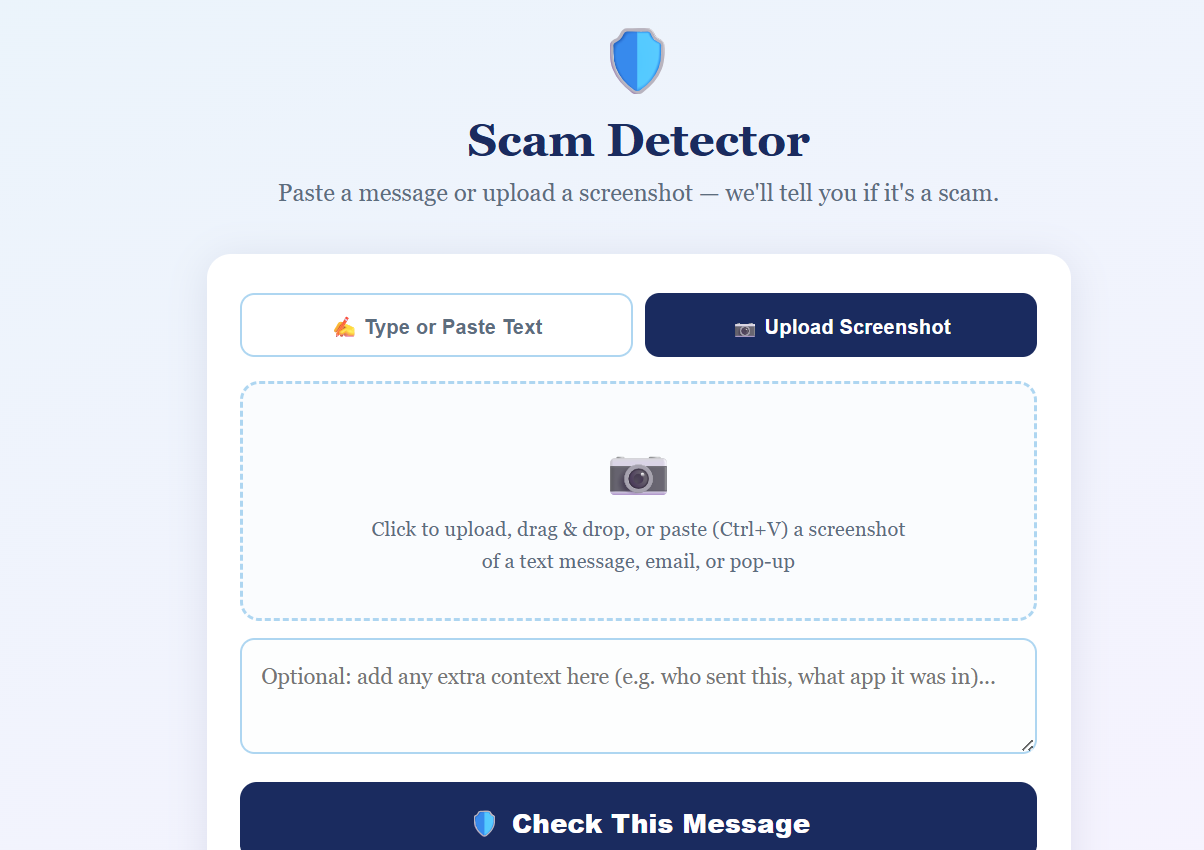
Screen for users to upload suspicious screenshots.
-
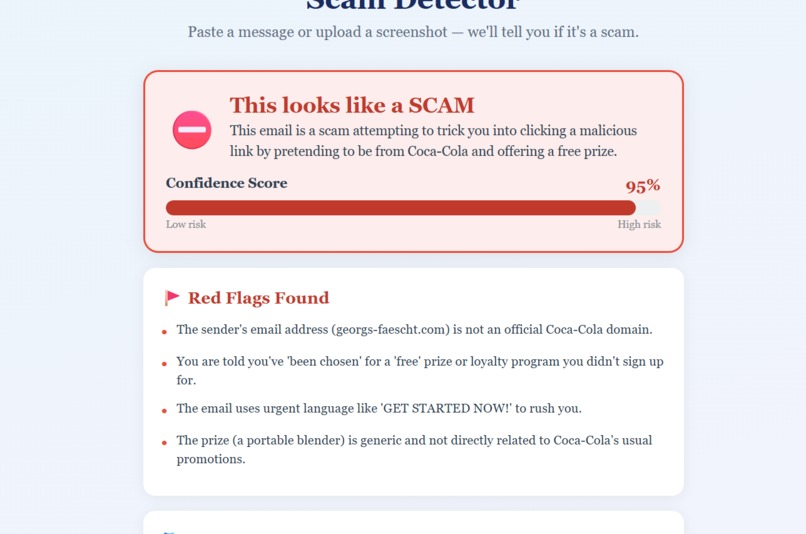
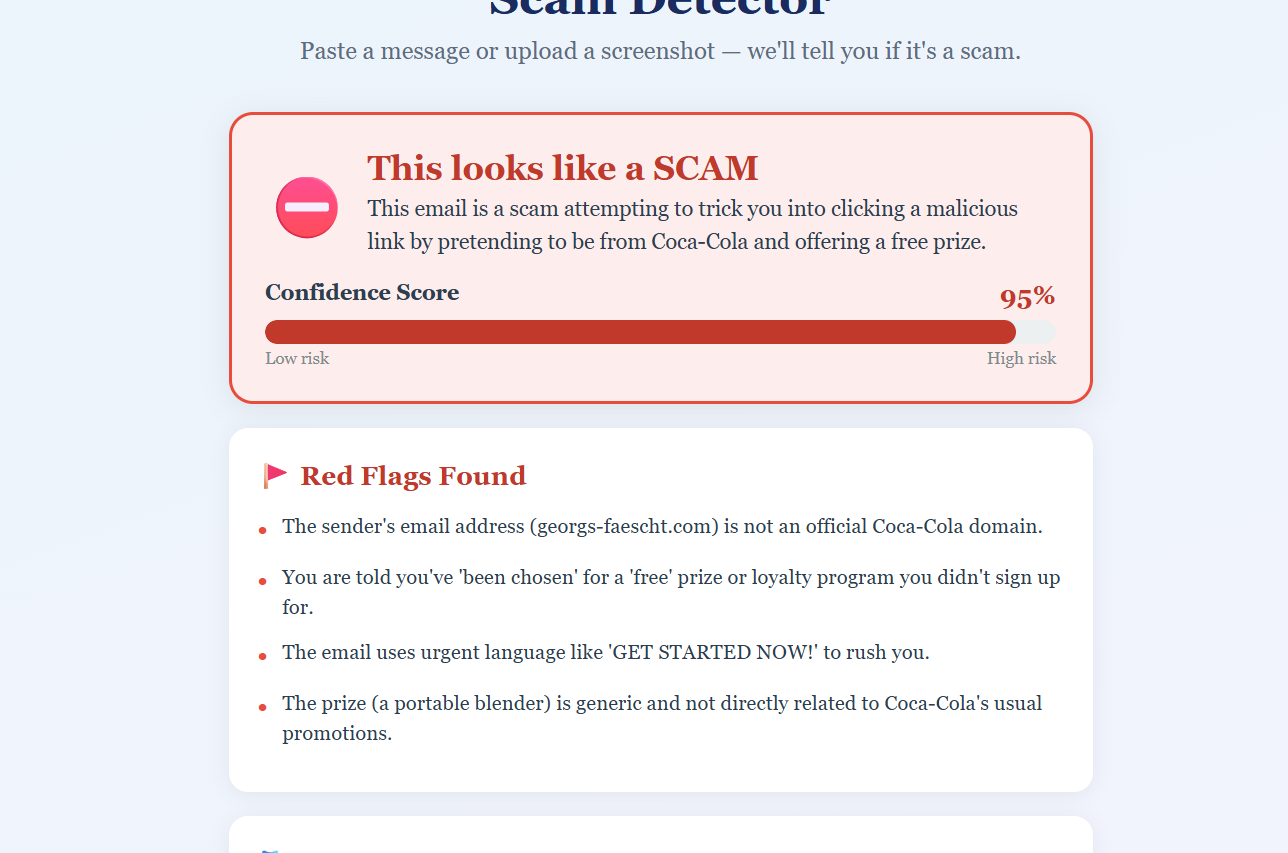
Confidence score on how much the AI thinks the uploaded text/image is a scam.
-
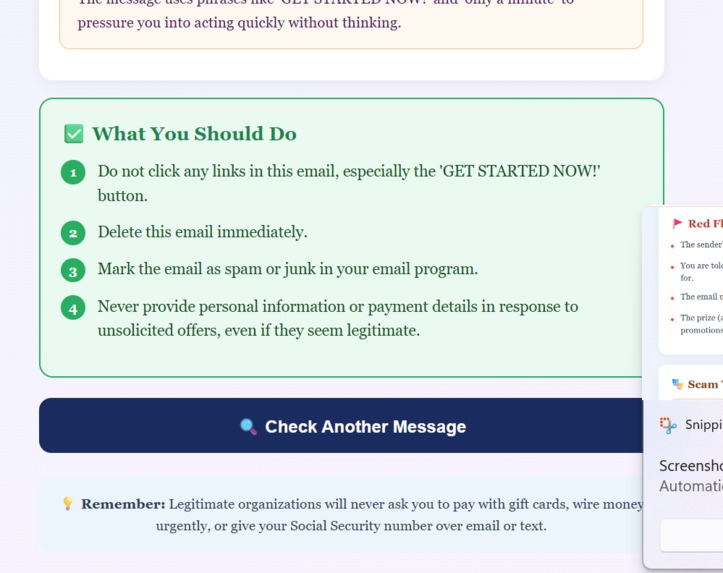
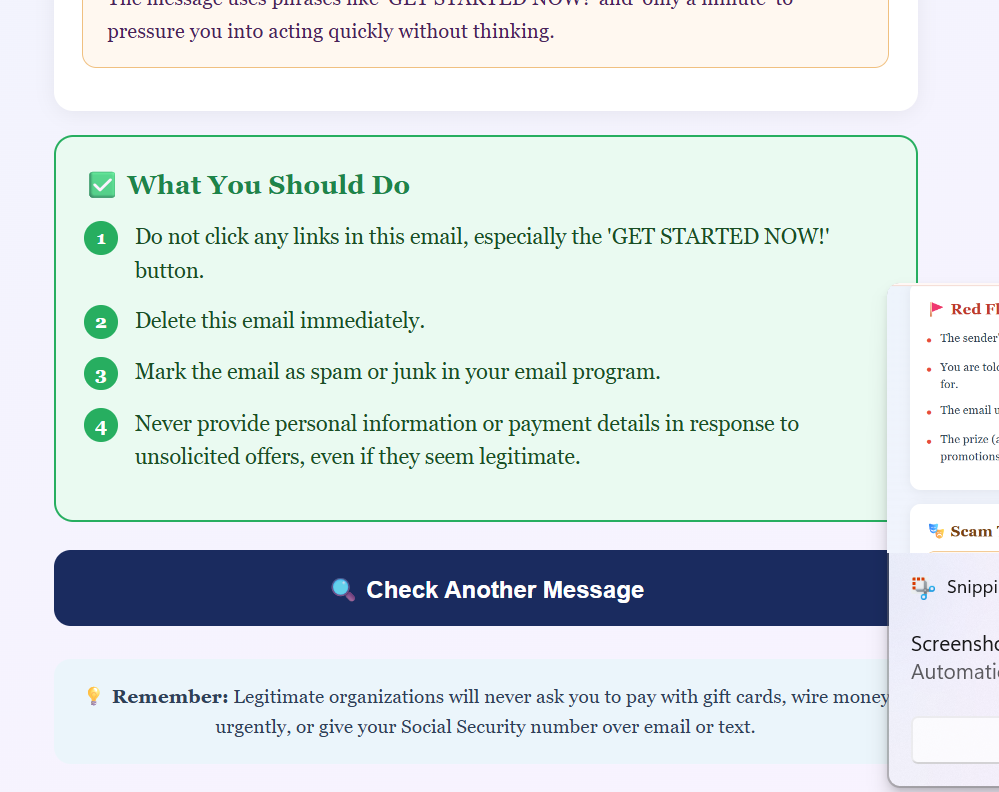
Next steps for the user.
-
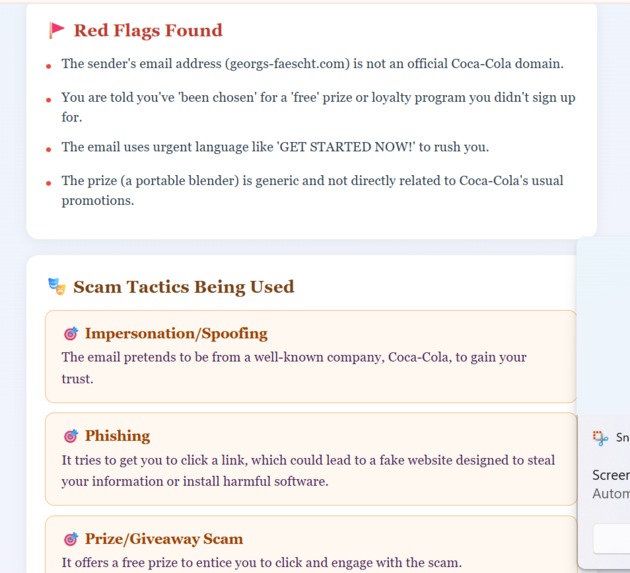
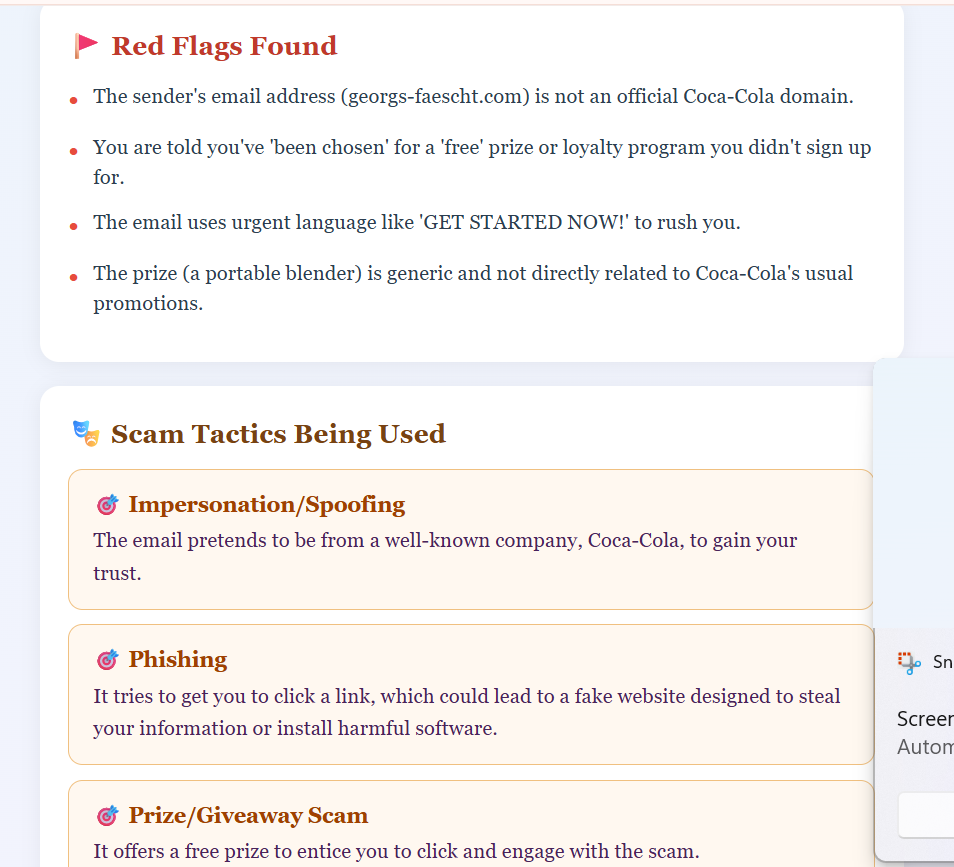
Red flags explaining why the AI came to the conclusion it did and explaining to the user the tactics that are commonly used in scams.
Inspiration
I saw my grandparents almost fall for a scam message, and it made me realize how easy it is to be fooled by something that looks completely normal. A message that says “your account is locked” or “you need to act now” can look completely normal, especially when it comes through SMS or email and if the recipient is totally unaware. This project is a scam detector that checks messages and screenshots for suspicious patterns like urgency, impersonation, and fake links. It helps break things down into something simple: whether a message is likely safe or not, and why it was flagged. The goal is just to add a small layer of clarity before someone trusts what they’re reading online.
What it does
This project is a scam detector that analyzes messages and screenshots to identify whether they are likely safe or suspicious. Users can paste a message or upload an image. If an image is uploaded, OCR is used to extract the text first. The system then checks the content for common scam patterns like urgency, impersonation, fake links, and pressure tactics. It returns a simple result: Safe, Suspicious, or High Risk, along with the main reasons the message was flagged so the user understands what to look out for.
How we built it
We built this using Python and the Gemini API. The system takes either text or images as input. For images, we directly pass them to Gemini, which interprets the content and analyzes it for scam patterns. The model then returns a risk level (Safe, Suspicious, or High Risk) along with an explanation of the key indicators it found.
Challenges we ran into
We first started with Gemini as our base model for scam detection. After that, we tried training our own model, but we couldn’t get good results because we didn’t have enough clean, labeled data to train it properly. We then switched back to Gemini, which worked much better, but we still had to spend time improving prompts to make the outputs consistent across different kinds of messages and screenshots.
Accomplishments that we're proud of
We were able to build a working end-to-end scam detection system that handles both text and images in one flow. We successfully experimented with training our own model and learned when to pivot back to a more reliable solution, which helped us improve overall performance. We also managed to get consistent, explainable outputs from the Gemini API, turning raw messages into clear risk levels with reasons instead of just a simple yes or no. Overall, we built a system that is practical, fast, and actually useful for identifying real-world scam messages.
What we learned
We learned that building an AI system is less about the model itself and more about the full pipeline around it. How you structure inputs, clean data, and guide the model has a big impact on results. We also learned that trying to train our own model without enough quality data is difficult and often not practical, which is why using a strong pre-trained model like Gemini made a big difference.
What's next for AI Scam Detector
Next, we want to make the system fully automatic so it can detect scams in real time without users needing to paste or upload anything. The idea is to scan messages and emails as they come in and flag anything suspicious instantly. We also want to explore background monitoring so users get alerts only when something looks risky, making the experience more seamless and proactive. In the future, we’ll focus on improving accuracy, reducing false positives, and expanding support to more platforms and message types.

Log in or sign up for Devpost to join the conversation.