Inspiration
I was inspired to build ScamSleuth after receiving a suspicious message from a scammer asking for money who was impersonating my friend. It made me realize how easily scams can interrupt everyday life and create confusion. I also saw scam stories in news, including a Bay Area FasTrak text scam where a man lost over $3,300, and a retired California couple who lost $845,000 after scammers impersonated officials. These examples showed me the need for a simple daily tool that helps people check suspicious messages, understand red flags, and make safer decisions quickly.
This fits the Design4Future theme because it helps with a real day-to-day task: deciding whether a message is safe or risky.
What it does
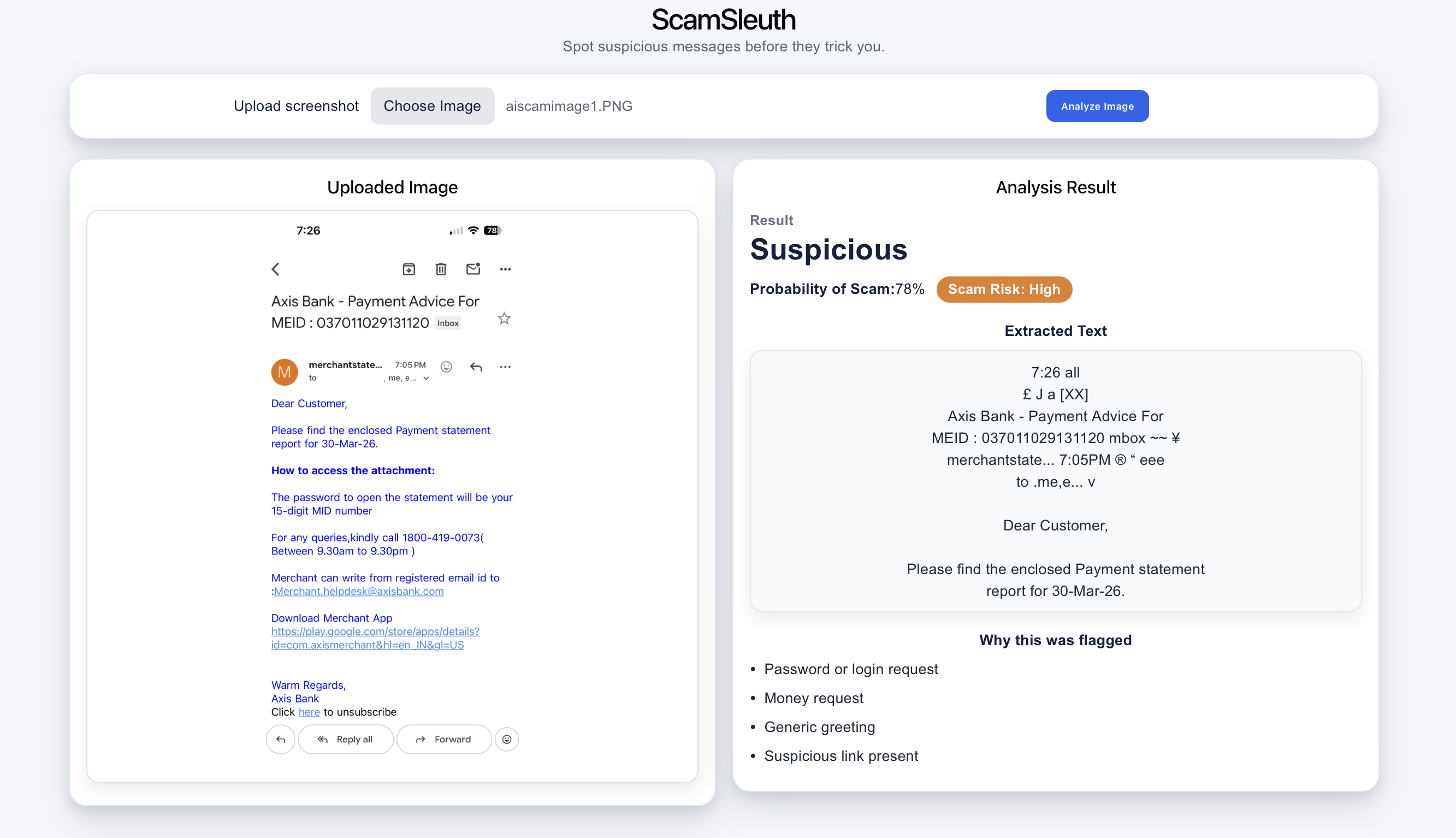
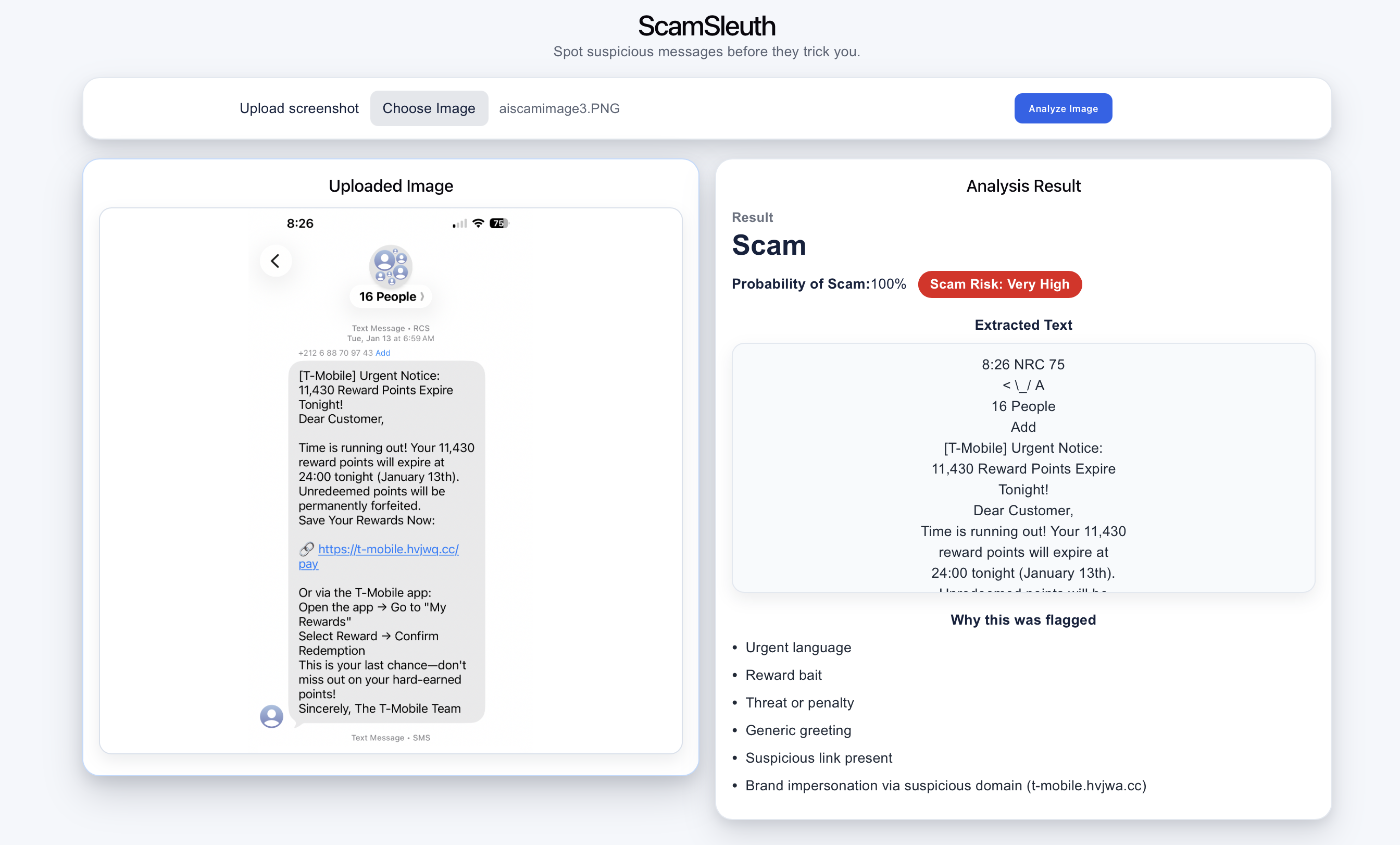
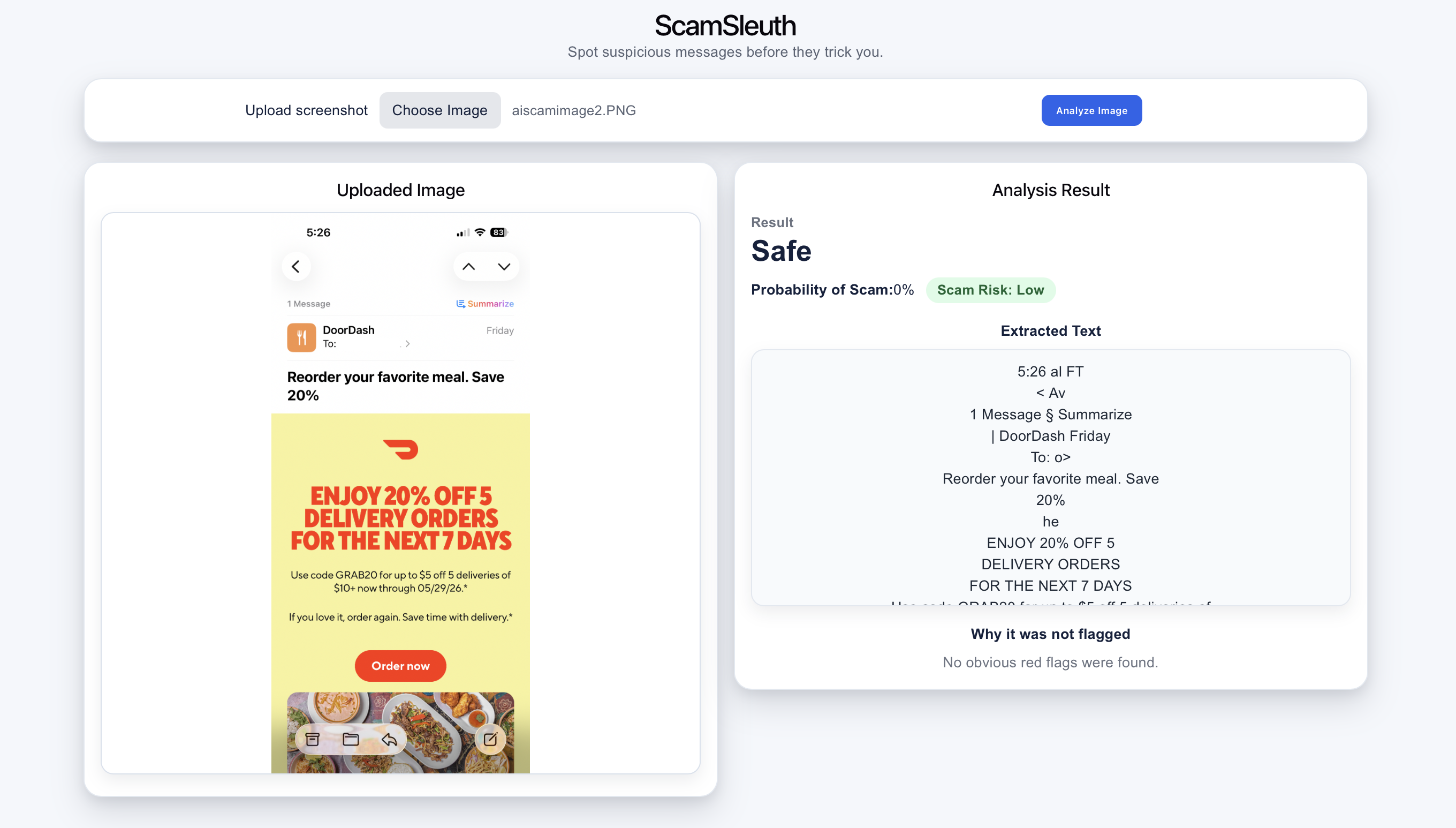
ScamSleuth lets users upload a screenshot of a suspicious message, email, or text. The app reads the text from the image directly in the browser and analyzes it for scam indicators and give clear classification- Safe or Scam.
It shows:
- Probability of scam
- Scam risk level
- Extracted text from the image
- Red flags found in the message
- A clear verdict such as Safe, Suspicious, or Scam
The goal is to help users understand why something may be risky, not just give a label.
How I built it
I built the app using React, HTML, CSS and Vite project. The app uses OCR to extract text from uploaded screenshots. Then it analyzes the text using rule-based scam detection logic.
The detection checks for patterns like urgent language, suspicious links, brand impersonation, reward bait, account verification requests, and other common scam signals. The UI then presents the result in a simple card-based layout so users can quickly understand the risk.
Challenges I ran into
One challenge was handling image-based input. Since users often receive scams as screenshots, the app needed to read text from images. So I added code to extract text from image by using browser-based OCR. I had to do research on what library can do it and I decided to use Tesseract.js. Another challenge was making the scam result clear to users. For example, instead of showing a vague “confidence” score that OCR gave, I updated the interface to show “Probability of Scam” and “Scam Risk” so the meaning is easier to understand.
I also worked through several UI improvements, including better card spacing, clearer risk labels, improved result formatting, and a smoother image analysis flow.
Accomplishments that I am proud of
I am proud that the app solves a real everyday problem in a simple way. Users do not need technical knowledge to use it. They can upload a screenshot and quickly see whether it looks suspicious. The explanation of red flags makes the tool more helpful because it teaches users what to watch for in future messages.
What I learned
I learned how to use OCR to do scam detection, built react app and deploy it. I also learned how to make app easier for users to understand by simplifying risk-based results. I also learned that small UI wording choices matter a lot. Labels like “Probability of Scam” and “Scam Risk: Very High” are much clearer than generic confidence scores.
What's next for ScamSleuth
Next, I would like to improve the detection accuracy by adding more scam examples and smarter analysis. I also want to add support for checking pasted text directly, scanning URLs, and giving users recommended next steps such as “do not click this link,” “verify from the official website,” or “report this message.”
Built With
- css
- html
- javascript
- ocr
- react
- tesseract.js
- vercel
- vite


Log in or sign up for Devpost to join the conversation.