-
-
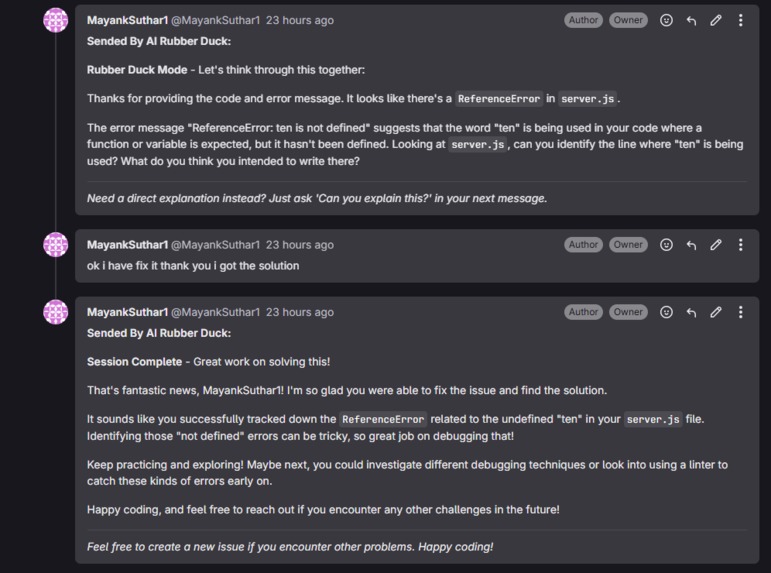
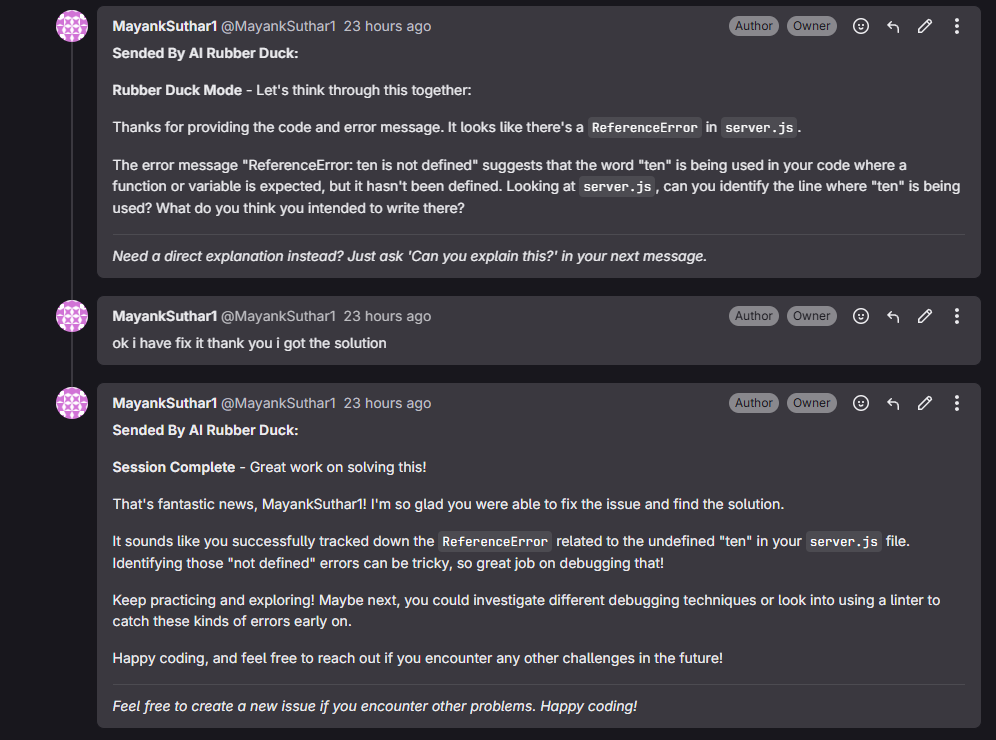
How its communicate with the dev
-
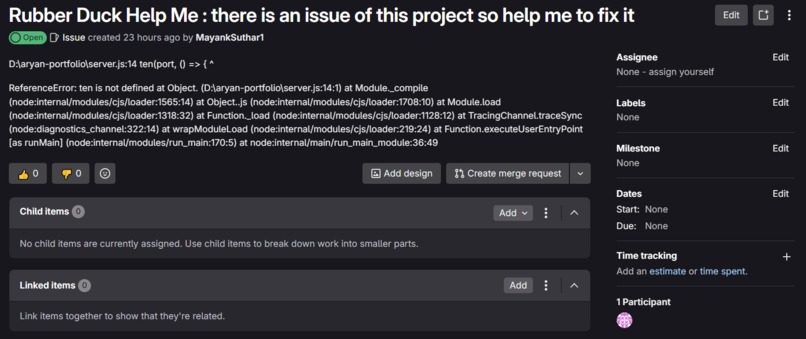
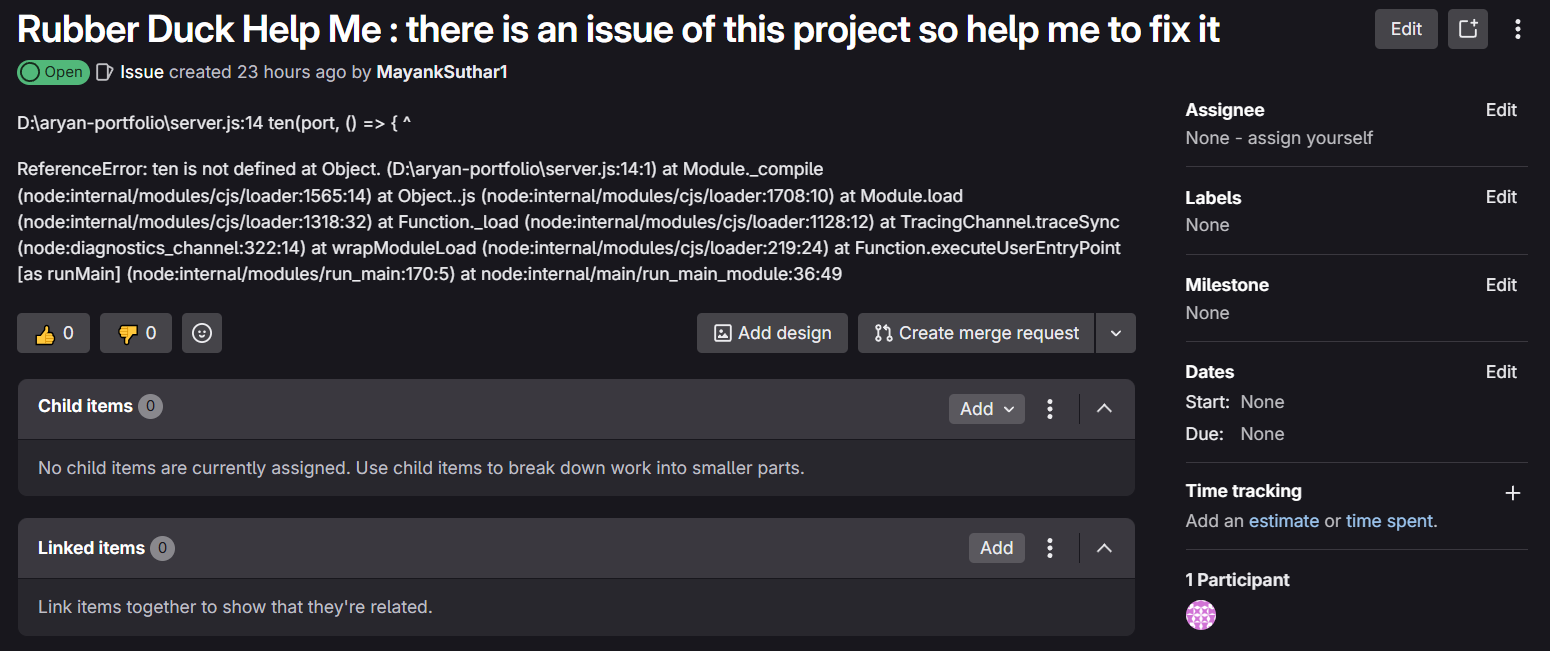
What the rubber duck raised issue look like
-
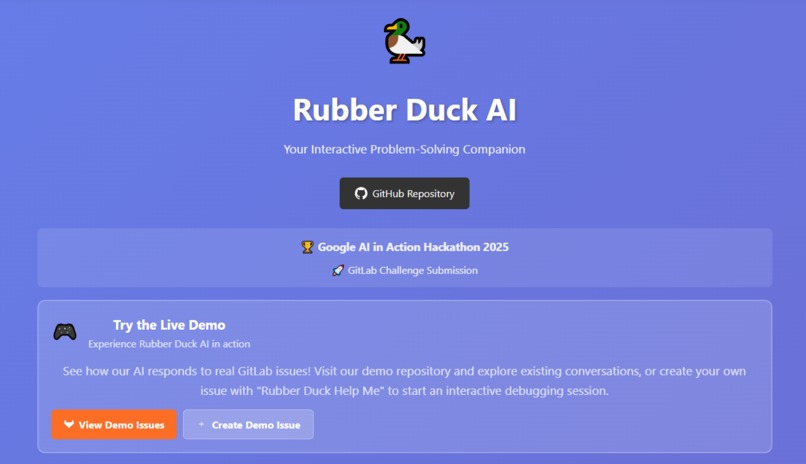
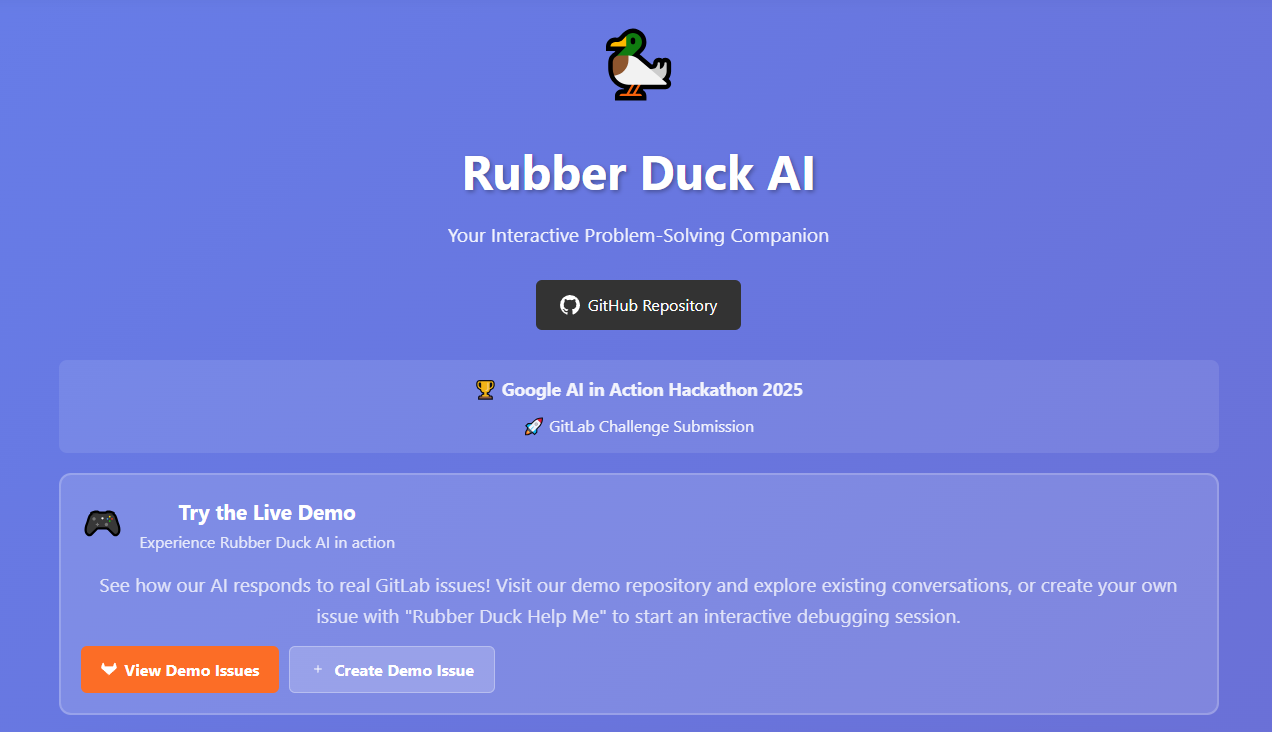
Rubber Ducky website
# AI Rubber Duck For GitLab Issues - Project Story
Inspiration 💡
The inspiration came from a simple yet profound observation: developers spend more time debugging than actually writing code. We've all been there - staring at a screen for hours, knowing something is wrong but not knowing where to start looking. The traditional "rubber duck debugging" method works, but what if I could make the duck actually talk back?
During late-night coding sessions, I realized that the best debugging happens through conversation - asking the right questions, challenging assumptions, and thinking step by step. But finding a mentor or colleague at 3 AM isn't always possible. This sparked the idea: What if I could create an AI companion that doesn't just give answers, but guides developers to discover solutions themselves?
The magic moment came when I saw how GitLab's webhook system could seamlessly integrate this experience directly into developers' existing workflows. No context switching, no new tools to learn - just create an issue with "Rubber Duck Help Me" and let the AI guide you through the problem.
What it does 🎯
Rubber Duck AI transforms GitLab issues into interactive debugging sessions. Here's the magic:
The Developer Experience
- Natural Trigger: Developer creates an issue titled "Rubber Duck Help Me: My API returns 500 errors randomly"
- Smart Analysis: AI analyzes the project context, code structure, and problem description
- Socratic Questioning: Instead of giving direct answers, AI asks targeted questions:
- "What specific conditions trigger the 500 error?"
- "Can you show me your error handling middleware?"
- "What does your server log show when this happens?"
- Guided Discovery: Through this conversation, developers discover solutions themselves
- Contextual Understanding: AI knows your entire codebase, so suggestions are relevant and specific
The AI's Superpowers
- Repository Awareness: Understands your project structure, dependencies, and coding patterns
- Multi-Mode Responses: Adapts between Socratic questioning, direct explanation, and code analysis
- Conversation Memory: Remembers the entire debugging journey across multiple comments
- Intent Detection: Recognizes when you need hints vs. when you've solved the problem
How I built it 🛠️
Architecture Overview
I built a microservices architecture leveraging Google Cloud's serverless ecosystem:
GitLab Webhooks → Flask App → Google Gemini AI
                     ↓
              Google Firestore (Context Storage)
Key Technical Components
1. GitLab Integration Layer (gitlab_integration.py)
- Real-time webhook processing for issues, comments, and merge requests
- Secure token validation and API communication
- Smart bot signature detection to prevent response loops
2. AI Intelligence Engine (google_ai_integration.py)
- Advanced Prompt Engineering: Different system instructions for Socratic, explanation, analysis, and closing modes
- Intent Detection: Analyzes user language to choose the appropriate response style
- Safety-First Design: Comprehensive safety settings for production use
3. Repository Context Manager (gitlab_repo_handler.py)
- Fetches and analyzes entire repository structure
- Intelligently selects relevant files based on issue content
- Manages code context for AI decision-making
4. Data Persistence Layer (firestore_integration.py)
- Stores project metadata and repository content
- Tracks conversation history and user interactions
- Automatically updates context when code changes (merge detection)
5. Web Application (app.py)
- Beautiful documentation website with setup instructions
- Webhook endpoint with robust error handling
- Security-first design with token validation
The Magic of Context
The breakthrough was realizing that context is everything in debugging. Our AI doesn't just see the current problem - it understands:
- Your entire project structure
- Your coding patterns and dependencies
- The conversation history
- Similar issues you've faced before
Challenges I ran into 🚧
1. The "Answer vs. Guide" Balance
Challenge: AI naturally wants to give direct answers, but I needed it to ask questions. Solution: Developed sophisticated prompt engineering with mode-specific system instructions. I created separate "personalities" for the AI - Socratic questioner, direct explainer, code analyst, and session closer.
2. Context Overload Problem
Challenge: Sending entire repositories to AI would hit token limits and be expensive. Solution: Built intelligent content filtering that identifies relevant files based on:
- File importance (main.py, package.json, etc.)
- Issue content matching
- Project structure analysis
- File size and relevance scoring
3. Webhook Reliability & Security
Challenge: Handling high-volume webhook traffic securely without losing events. Solution: Implemented robust validation, proper error handling, and secure token management. Added comprehensive logging for debugging webhook issues.
4. Conversation State Management
Challenge: Maintaining context across multiple comments and sessions. Solution: Designed a sophisticated conversation formatter that separates AI questions from user responses, building a stateful conversation history that helps AI understand the debugging journey.
5. Real-time Repository Updates
Challenge: Code changes during debugging sessions could make AI context stale. Solution: Implemented merge-to-main detection that automatically refreshes repository context, ensuring AI always has the latest codebase understanding.
Accomplishments that we're proud of 🏆
1. Seamless GitLab Integration
I achieved zero-friction integration - developers don't need to learn new tools or change workflows. The AI lives where they already work.
2. Advanced AI Conversation Design
Our multi-mode AI system is sophisticated yet feels natural. It can:
- Detect when users are frustrated and switch to explanation mode
- Recognize solution discovery and provide celebratory closure
- Maintain context across long debugging sessions
- Adapt its questioning style based on user responses
3. Production-Ready Architecture
- Scalable: Built on Google Cloud Run with automatic scaling
- Secure: Proper webhook validation, secret management, and safety settings
- Reliable: Comprehensive error handling and logging
- Fast: Optimized for quick response times
4. Developer Experience Focus
The index.html documentation site is beautiful, comprehensive, and developer-friendly. It includes:
- Clear setup instructions with copy-paste webhook URLs
- Live demo repository links
- Interactive examples
- Troubleshooting guides
5. Smart Context Understanding
Our repository analysis goes beyond simple file reading - it understands project structure, identifies important files, and builds contextual understanding that makes AI responses remarkably relevant.
What I learned 📚
1. AI Prompt Engineering is an Art
Creating effective prompts isn't just about instructions - it's about psychology. I learned how to:
- Design system personalities that feel natural
- Balance helpfulness with educational value
- Create prompts that encourage self-discovery
2. Context is King in AI Applications
The difference between a generic AI response and a truly helpful one is context. I learned to:
- Intelligently filter and prioritize information
- Build rich context without overwhelming the AI
- Maintain context across extended conversations
2. Developer Workflow Integration Matters More Than Features
The best tool is the one developers actually use. I learned that:
- Seamless integration beats feature richness
- Reducing friction is more important than adding capabilities
- Developers want tools that fit their existing workflows
4. Webhook Systems Require Robust Design
Building reliable webhook handlers taught us about:
- Security best practices for external integrations
- Error handling and graceful degradation
- Logging and debugging distributed systems
5. Google Cloud's AI ecosystem is Powerful
Working with Gemini AI and Google Cloud services showed us:
- The importance of safety settings in production AI
- How serverless architectures scale beautifully
- The power of integrated cloud services (Firestore + AI + Cloud Run)
What's next for AI Rubber Duck For GitLab Issues 🚀
Immediate Enhancements (Next 3 months)
- Multi-Language Support: Expand beyond Python/JavaScript to Java, C++, Go, and more
- Enhanced Context: Include test files, documentation, and dependency analysis
- Performance Optimization: Faster response times through better caching and parallel processing
- Team Analytics: Insights into common debugging patterns and knowledge gaps
Advanced Features (6-12 months)
- IDE Integration: VS Code extension for direct AI assistance without leaving the editor
- Predictive Debugging: Proactive issue detection based on code changes and patterns
- Custom AI Training: Project-specific models trained on team's coding patterns and solutions
- Multi-Platform Support: GitHub, Bitbucket, and Azure DevOps integration
Enterprise Vision (12+ months)
- Organization-wide Learning: AI that learns from all team debugging sessions
- Code Quality Integration: Automatic code review suggestions and best practice enforcement
- Knowledge Graph: Building connections between common problems and proven solutions
- Advanced Analytics: Deep insights into development productivity and problem patterns
Research Directions
- Better Code Understanding: Integration with static analysis tools for deeper code comprehension
- Collaborative Debugging: Multi-developer debugging sessions with AI facilitation
- Learning from Success: AI improvement based on successful debugging outcomes
- Cross-Project Intelligence: Learning patterns that apply across different codebases
The ultimate goal: Transform debugging from a frustrating, time-consuming process into an educational, collaborative experience that makes developers better problem-solvers. I believe AI shouldn't replace human thinking - it should amplify it.
*Built with ❤️ for Google AI in Action Hackathon 2025
Built With
- flask
- gemini
- gitlab
- gitlab-python-library
- google-cloud
- google-cloud-firestone
- google-cloud-run
- python


Log in or sign up for Devpost to join the conversation.