-
-
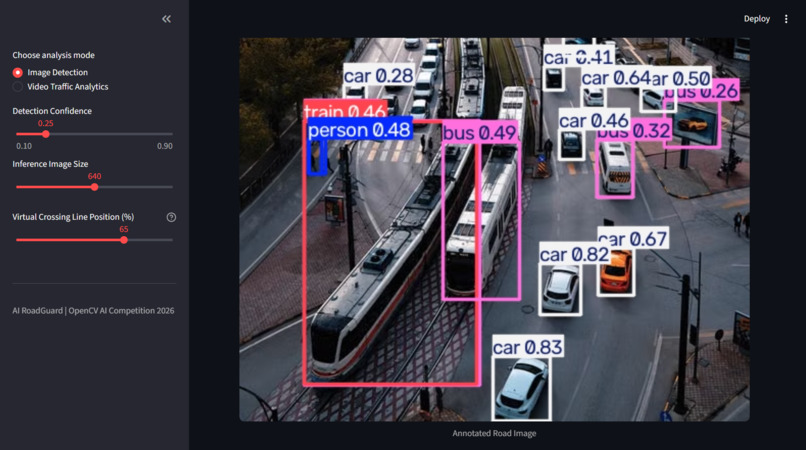
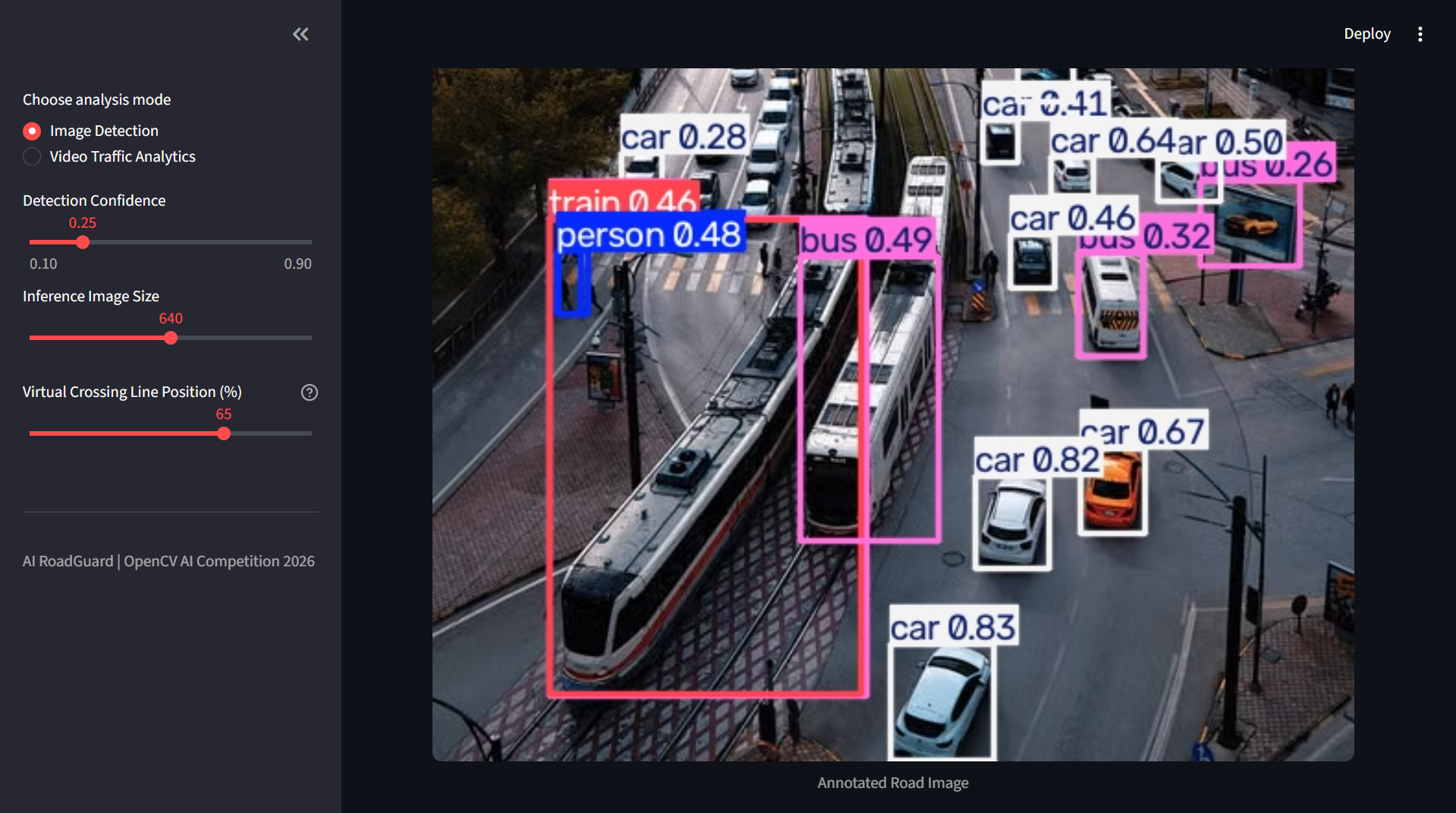
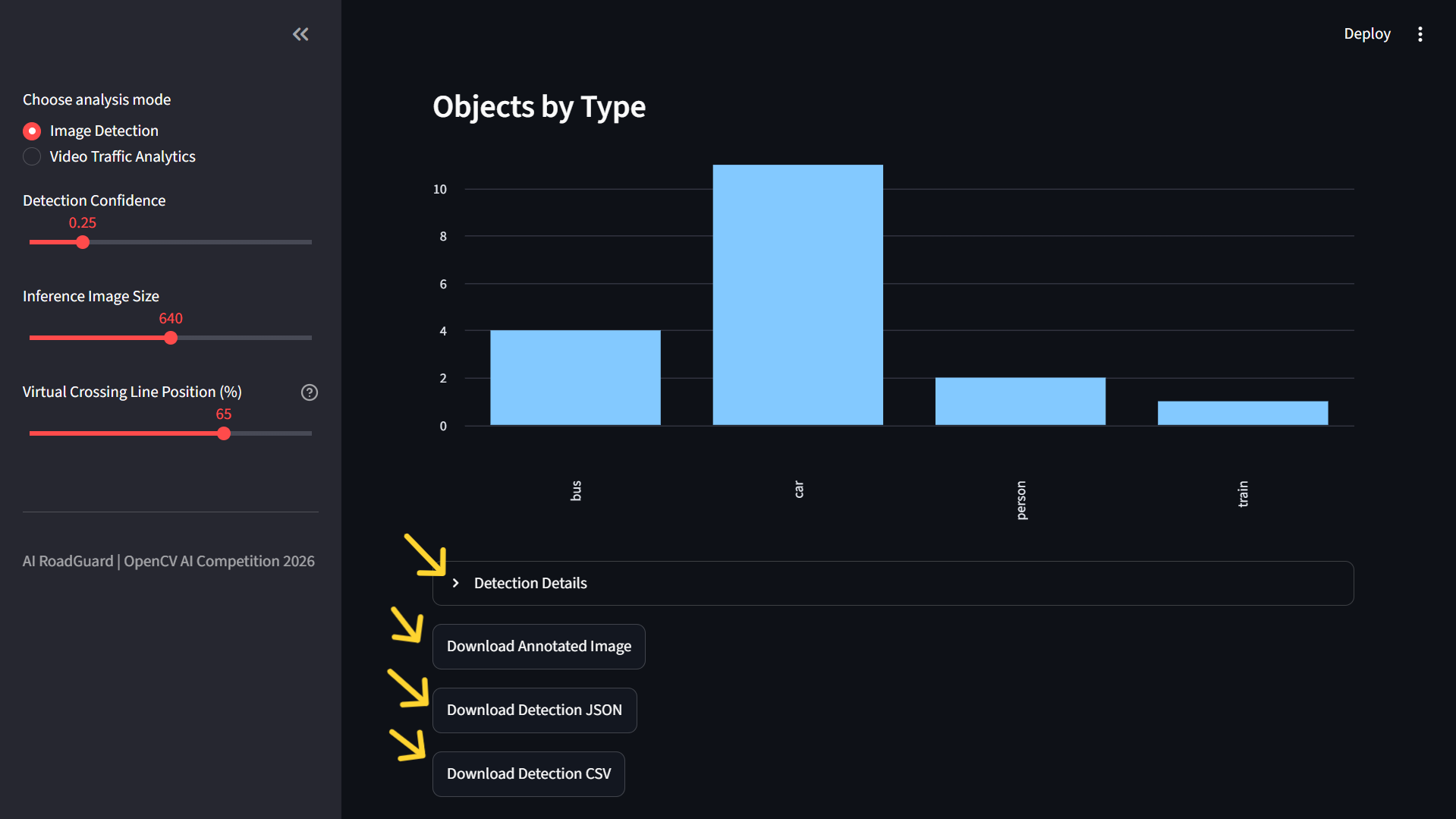
Annotated Image
-
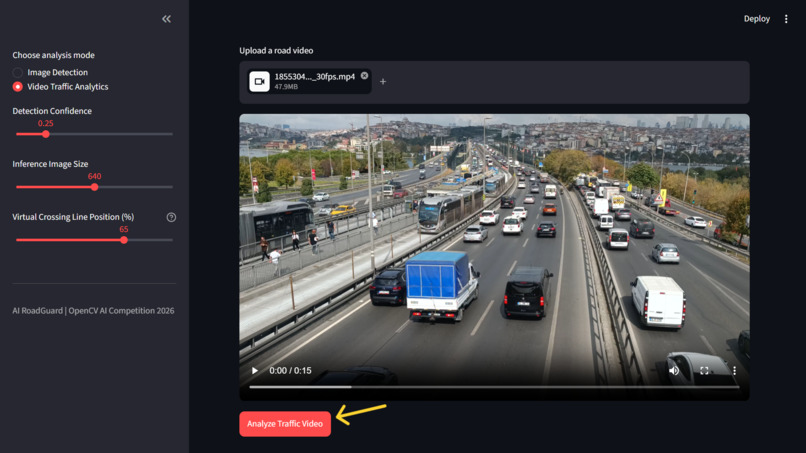
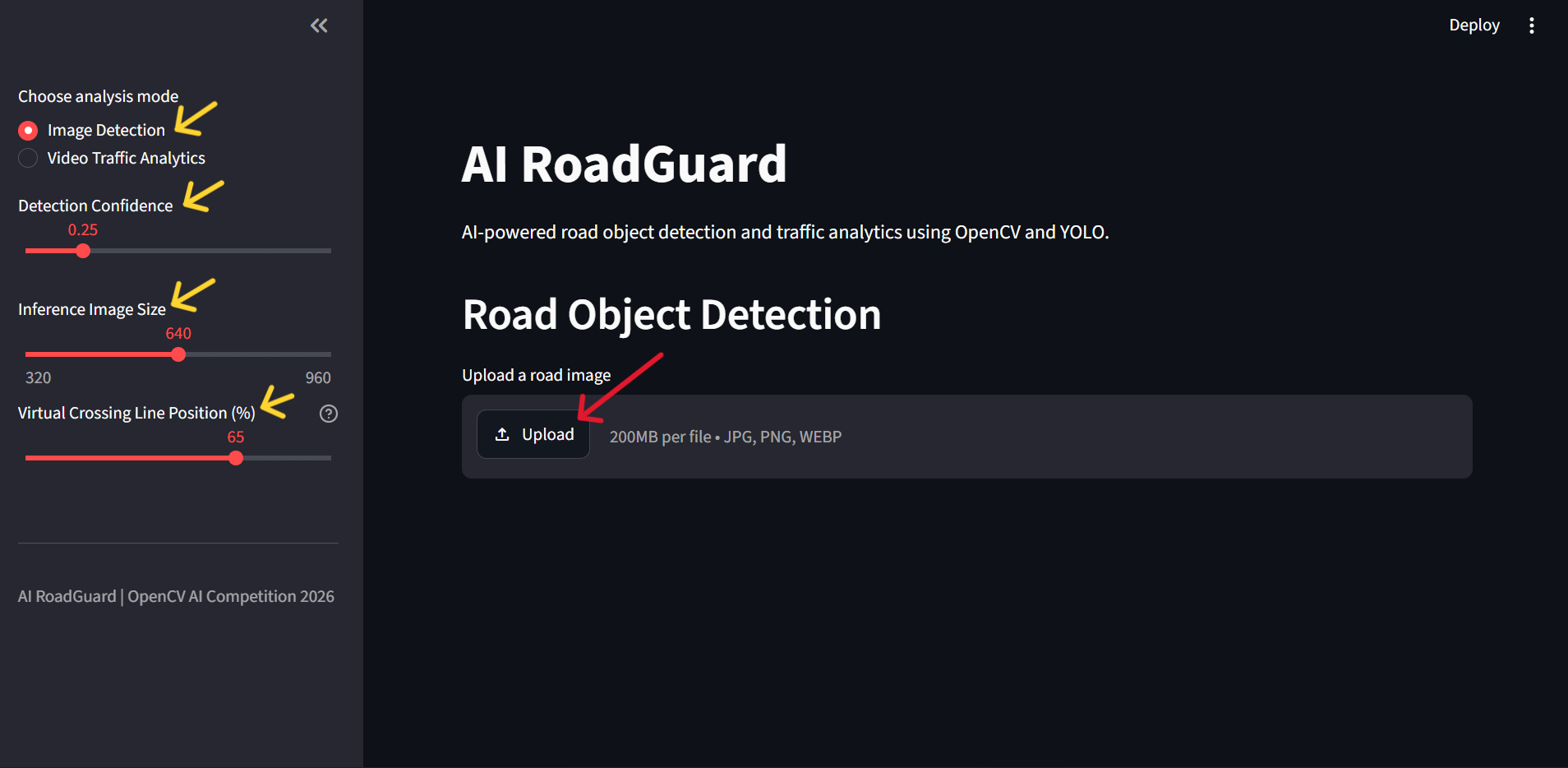
After Uploading
-
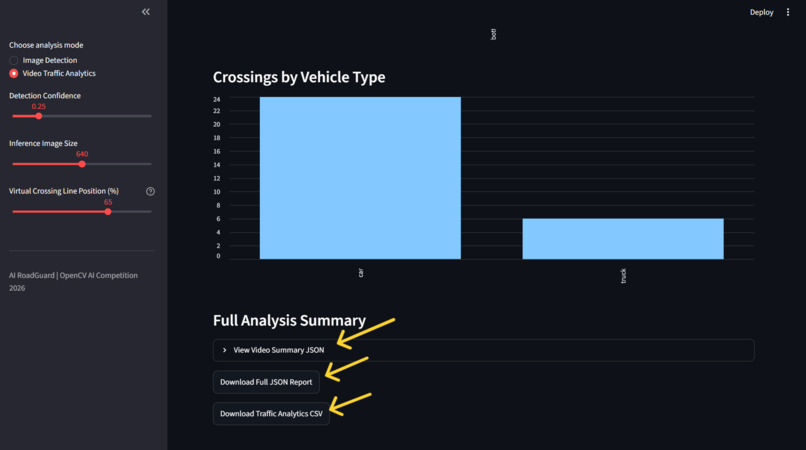
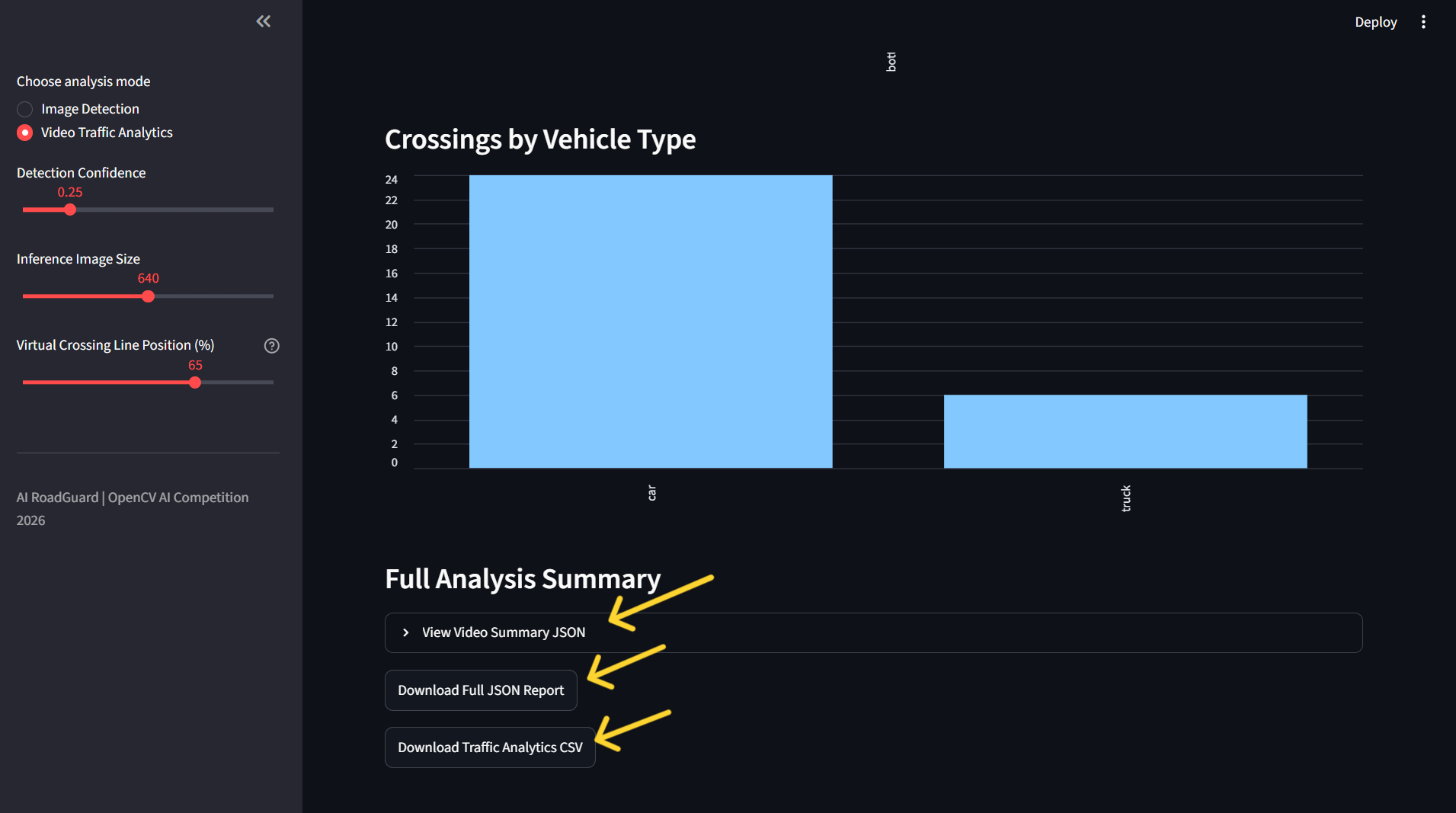
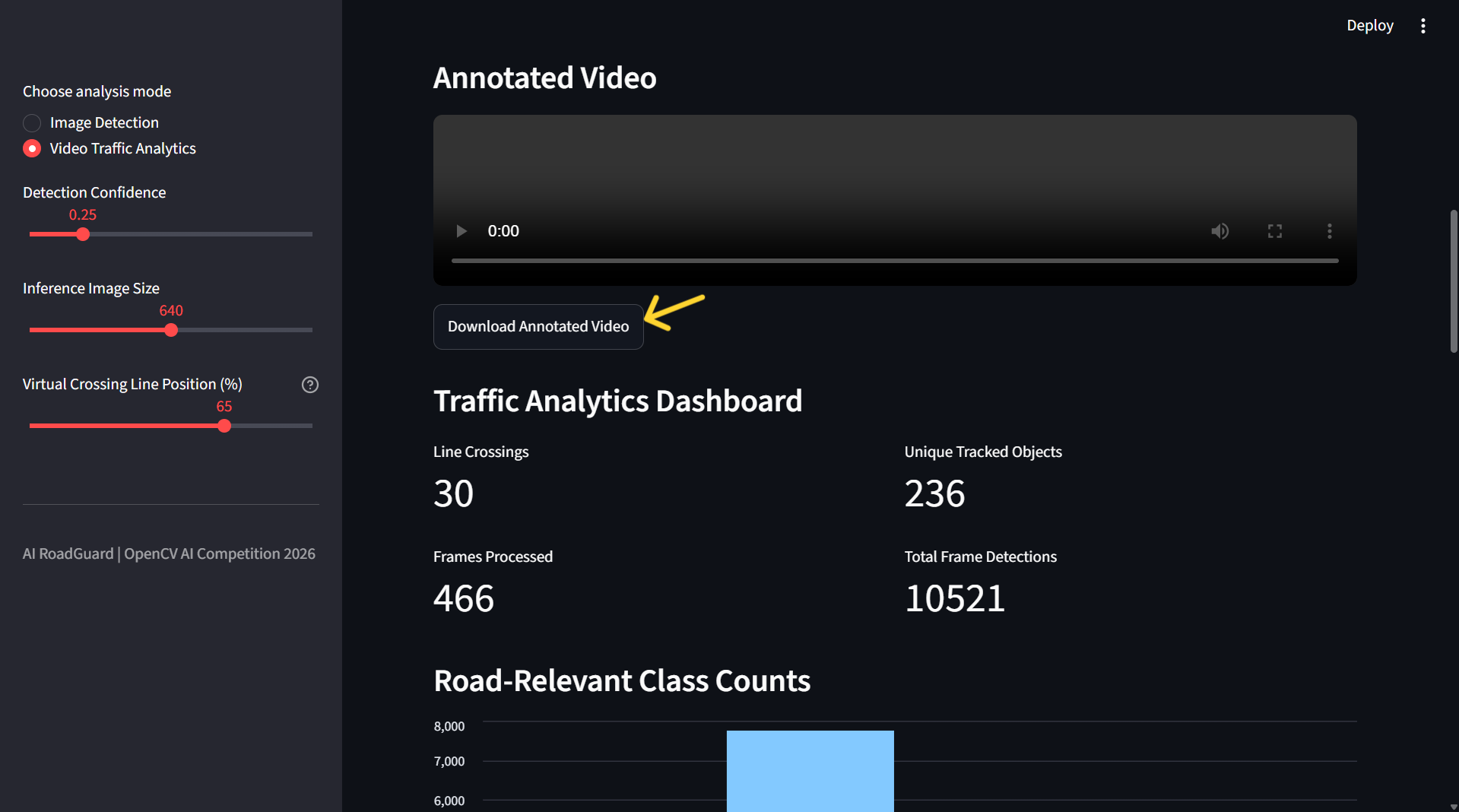
Video Analytics Download options
-
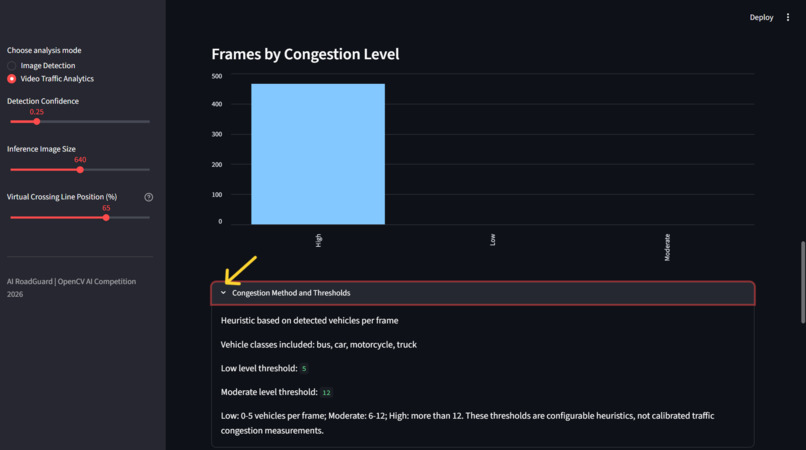
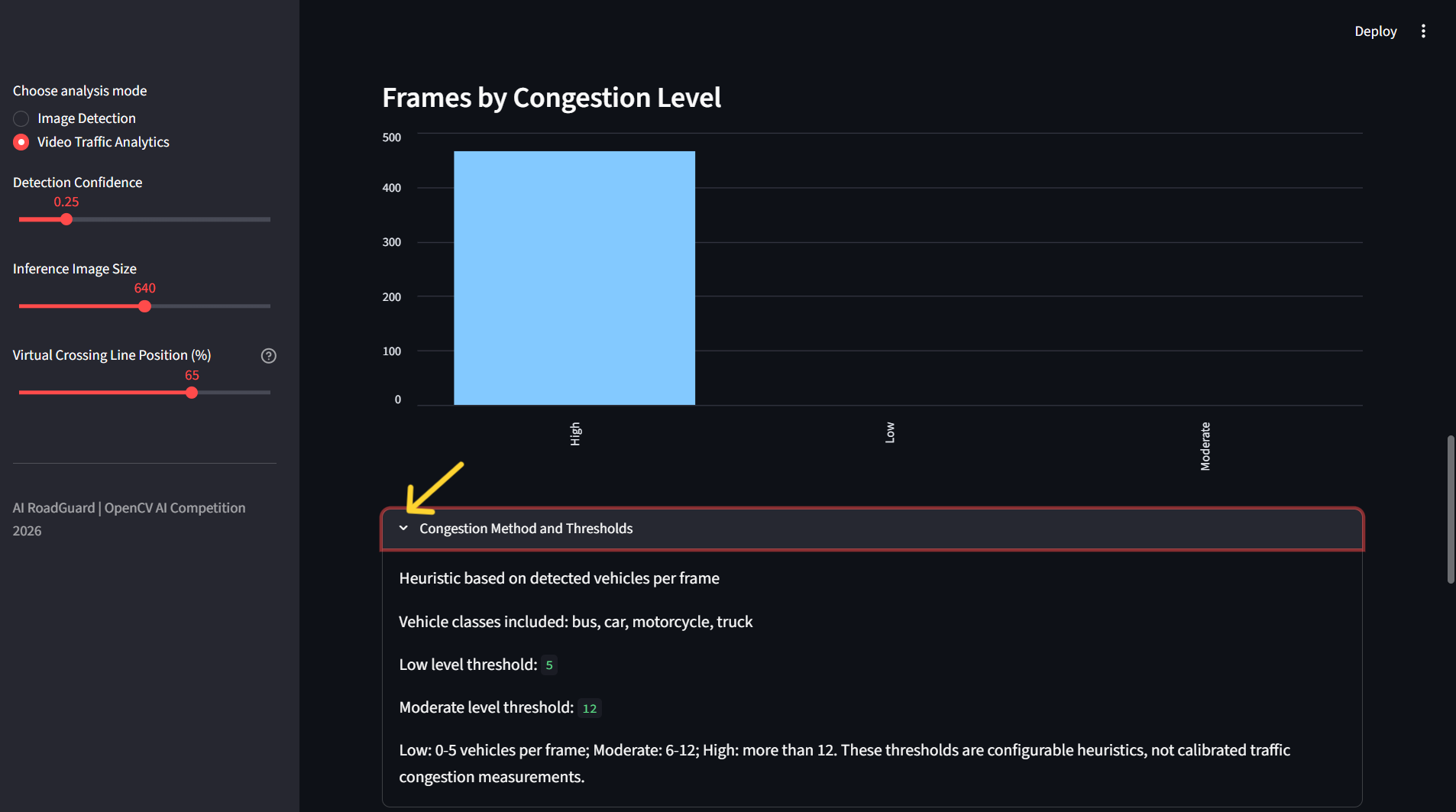
Congestion Method and Thresholds
-
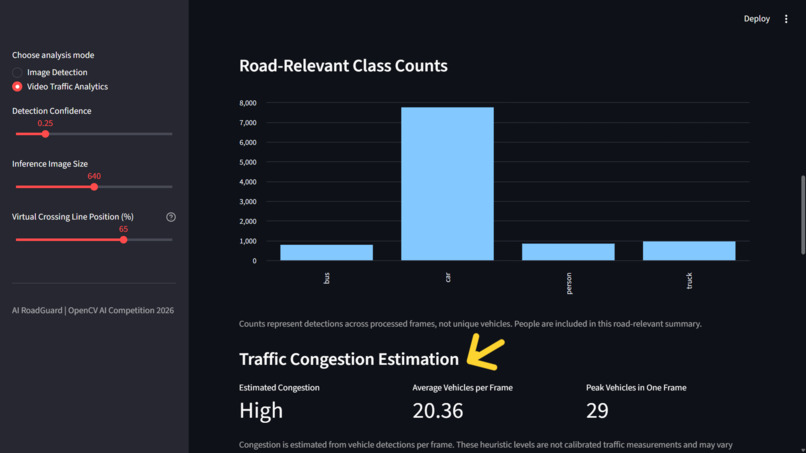
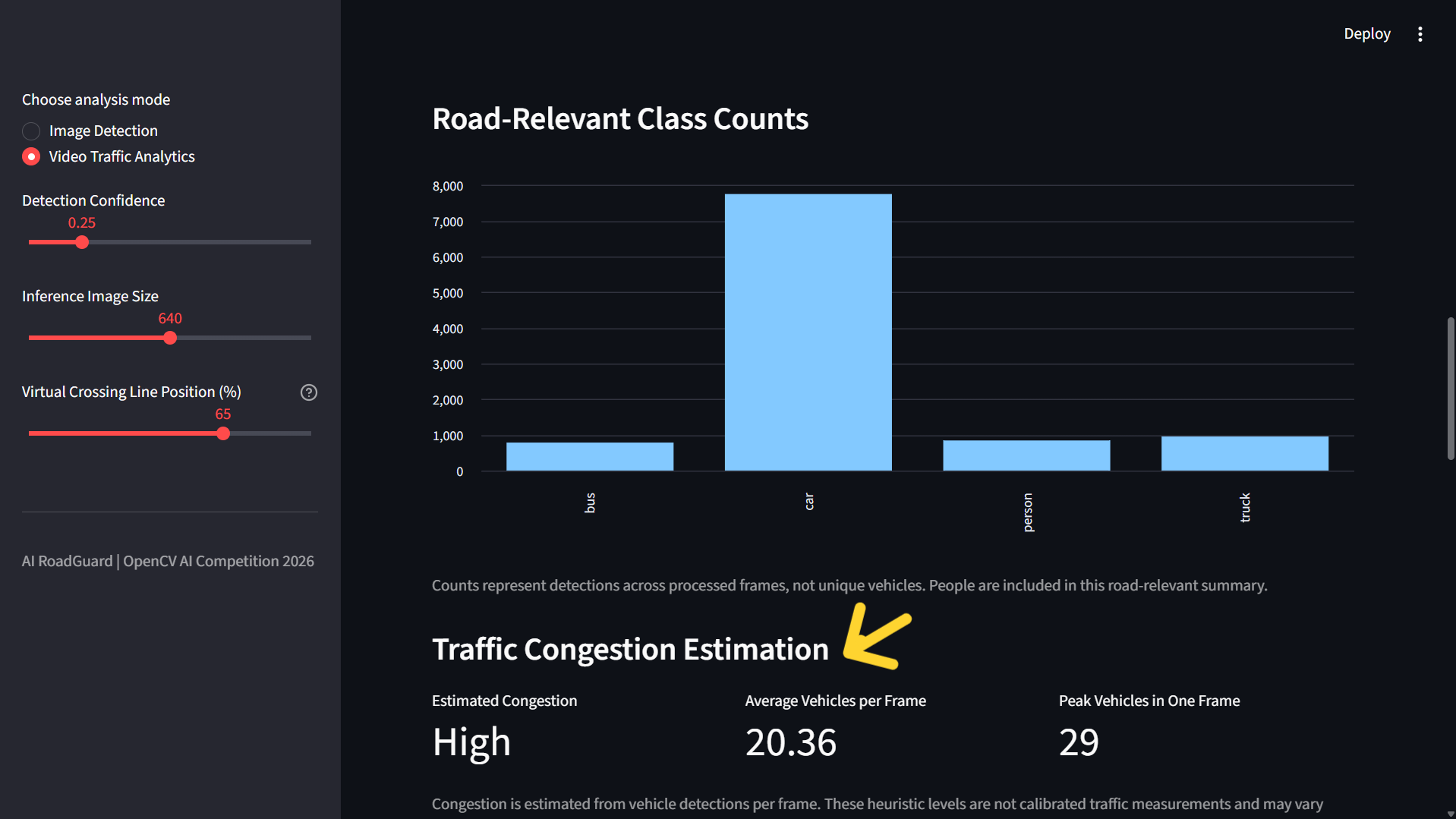
Congestion Estimation
-
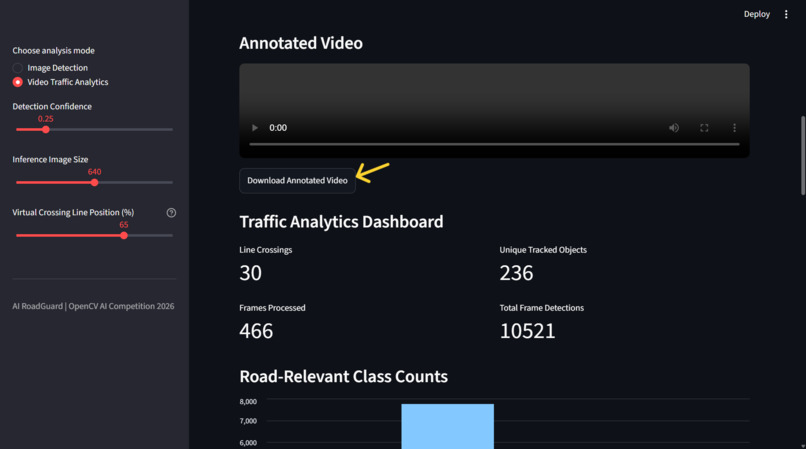
Video Frame Analytics
-
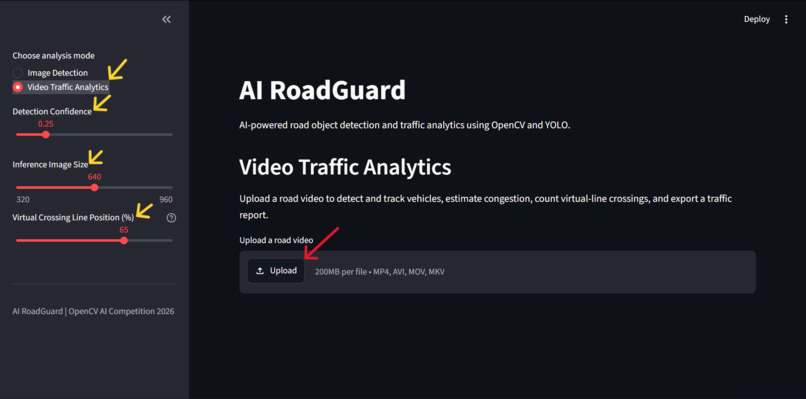
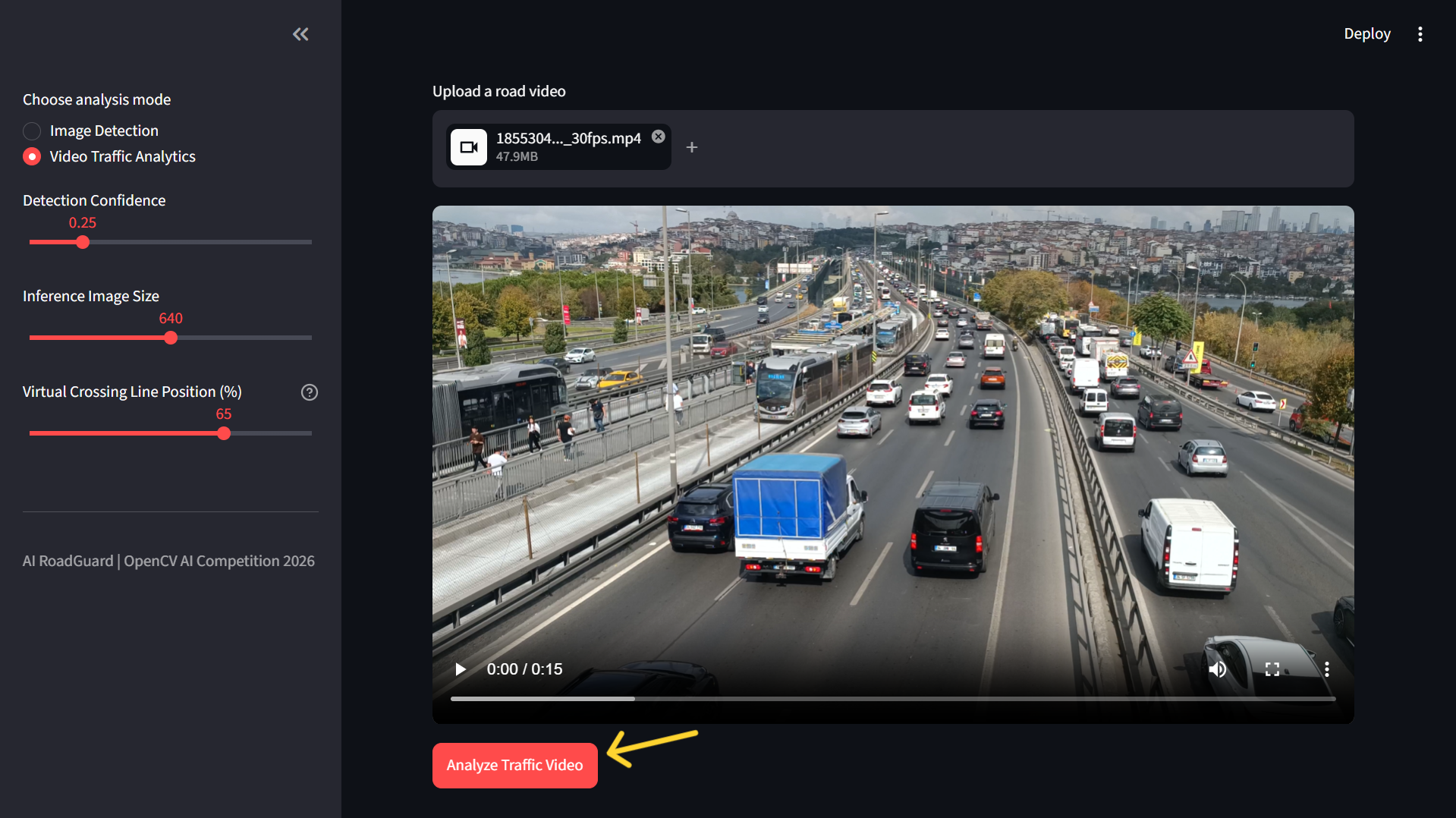
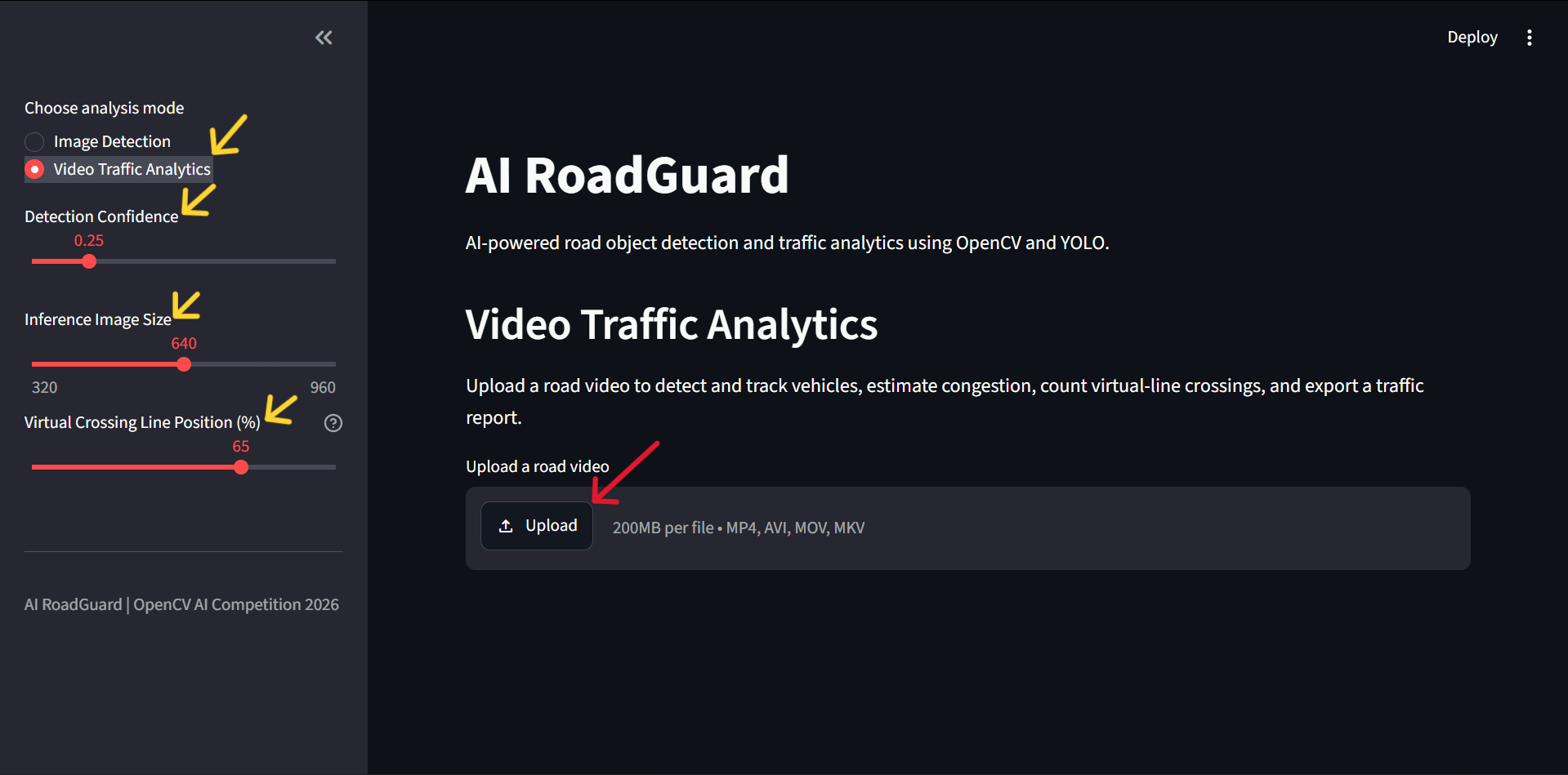
Video Upload
-
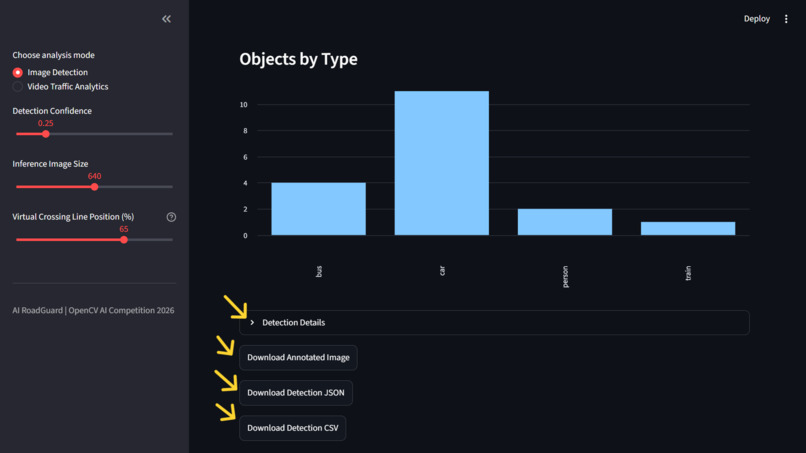
Image Analytics download options
-
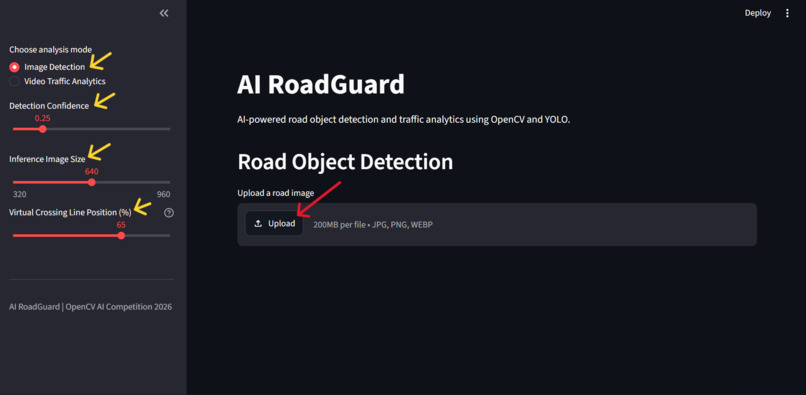
Image Upload
Inspiration
Road safety and traffic monitoring are important challenges in modern transportation. Understanding what is happening on a road requires identifying vehicles, observing their movement, and interpreting traffic conditions.
We built AI RoadGuard to explore how computer vision can help analyze road scenes using accessible AI tools. Our goal was to develop a working prototype that combines object detection, object tracking, and video analytics in one interactive application.
What it does
AI RoadGuard analyzes uploaded road images and videos and provides visual results and preliminary traffic insights.
Its main features include:
- Object detection: Detects supported road users using YOLOv8 and displays bounding boxes and confidence scores.
- Vehicle tracking: Uses ByteTrack to associate detected objects across video frames.
- Line-crossing analysis: Counts tracked objects crossing a configured virtual line.
- Traffic-level estimation: Applies rule-based thresholds to estimate low, moderate, or high traffic levels.
- Optical flow visualization: Uses OpenCV's Farnebäck optical flow to visualize apparent pixel movement with motion arrows.
- Road-user class counts: Summarizes detections for supported classes, including cars, buses, trucks, motorcycles, bicycles, and people.
- Preliminary review alerts: Applies simple rules to flag conditions that may deserve further human inspection.
- Visual results and summaries: Presents annotated images, annotated videos, and analysis outputs through an interactive web interface.
Traffic estimates and alerts are preliminary indicators, not definitive measurements of congestion, accidents, or road hazards.
How we built it
We built AI RoadGuard using Python and a computer vision pipeline.
1. Image and video processing
OpenCV handles image and video processing, frame operations, and optical flow visualization.
2. Object detection
We integrated the Ultralytics YOLOv8n model to detect supported objects in road scenes.
3. Object tracking
We used ByteTrack to associate detections across video frames, enabling tracking visualization and virtual line-crossing analysis.
4. Traffic analytics
We implemented rule-based logic to summarize vehicle detections, estimate traffic levels using configurable thresholds, and generate preliminary review alerts.
5. Interactive application
We used Streamlit to build an interface where users can upload images and videos, run the analysis, and inspect the results.
6. Testing and deployment
We created automated tests for selected application logic and OpenCV functionality, organized the project into reusable Python modules, and deployed the interactive application using Streamlit Community Cloud.
Technology stack: Python, OpenCV, Ultralytics YOLOv8, ByteTrack, Streamlit, NumPy, Pytest, Git, and GitHub.
Live demo: https://ai-roadguard-plabonbasak.streamlit.app/
Source code: https://github.com/Plabon-Basak/AI-RoadGuard
Challenges we ran into
One of our main challenges was integrating multiple computer vision components into a single workflow. Object detection, tracking, line-crossing analysis, and optical flow each produce different types of information that must be presented coherently.
We also had to address dependency compatibility and deployment issues. In particular, video tracking required the appropriate tracking dependency to be installed in the deployment environment.
Another challenge was interpreting the results responsibly. A detection count is not necessarily a count of unique vehicles, optical flow does not directly provide real-world speed, and a simple threshold cannot reliably measure actual traffic congestion.
We addressed these issues by testing the application workflows, improving result visualization, and documenting the limitations of the prototype.
Accomplishments that we're proud of
- Built an interactive road-scene analysis application with image and video workflows.
- Integrated YOLOv8 object detection and ByteTrack-based tracking.
- Implemented virtual line-crossing counts and traffic-level estimation.
- Added optical flow visualization using OpenCV.
- Developed preliminary rule-based review alerts.
- Deployed a working web application that users can access without setting up the local development environment.
- Added automated tests and documentation to make the project easier to understand and reproduce.
Most importantly, we brought several computer vision techniques together in a working prototype and learned how to turn individual components into a complete application.
What we learned
Through this project, we gained practical experience with OpenCV-based video processing, deep-learning object detection, multi-object tracking, and interactive AI application development.
We learned that integrating AI models is only one part of building a useful system. Dependency management, deployment, visualization, testing, and clear communication of limitations are equally important.
We also learned to distinguish model outputs from validated real-world measurements. Reliable traffic analytics require representative datasets, systematic evaluation, and calibration against ground-truth information.
What's next for AI RoadGuard
Our next steps include:
- Evaluating detection and tracking performance on representative, labeled road-scene datasets.
- Measuring precision, recall, and other appropriate evaluation metrics.
- Improving unique-vehicle counting and tracking robustness.
- Calibrating traffic-level estimates against real traffic measurements.
- Exploring road-specific hazard detection and more reliable alerting.
- Improving performance for longer and higher-resolution videos.
- Expanding automated tests and producing more detailed evaluation reports.
Our long-term goal is to develop AI RoadGuard into a more thoroughly evaluated road-scene analysis tool that provides useful visual evidence and interpretable insights to support human decision-making.
Built With
- artificial-intelligence
- bytetrack
- computer-vision
- deep-learning
- machine-learning
- numpy
- object-detection
- object-tracking
- opencv
- optical-flow
- pytest
- python
- streamlit
- video-processing
- yolov8


Log in or sign up for Devpost to join the conversation.