-
-

logo
-
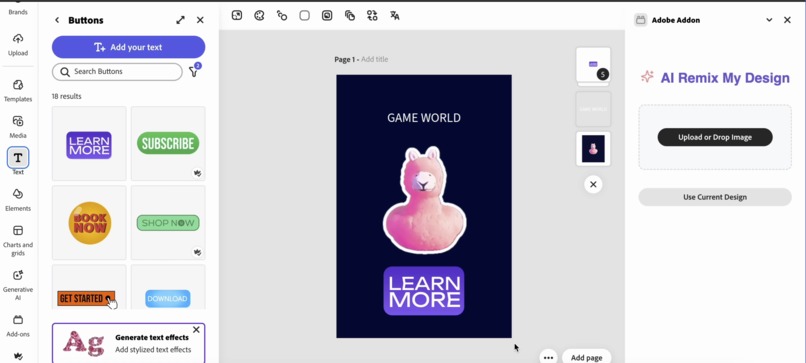
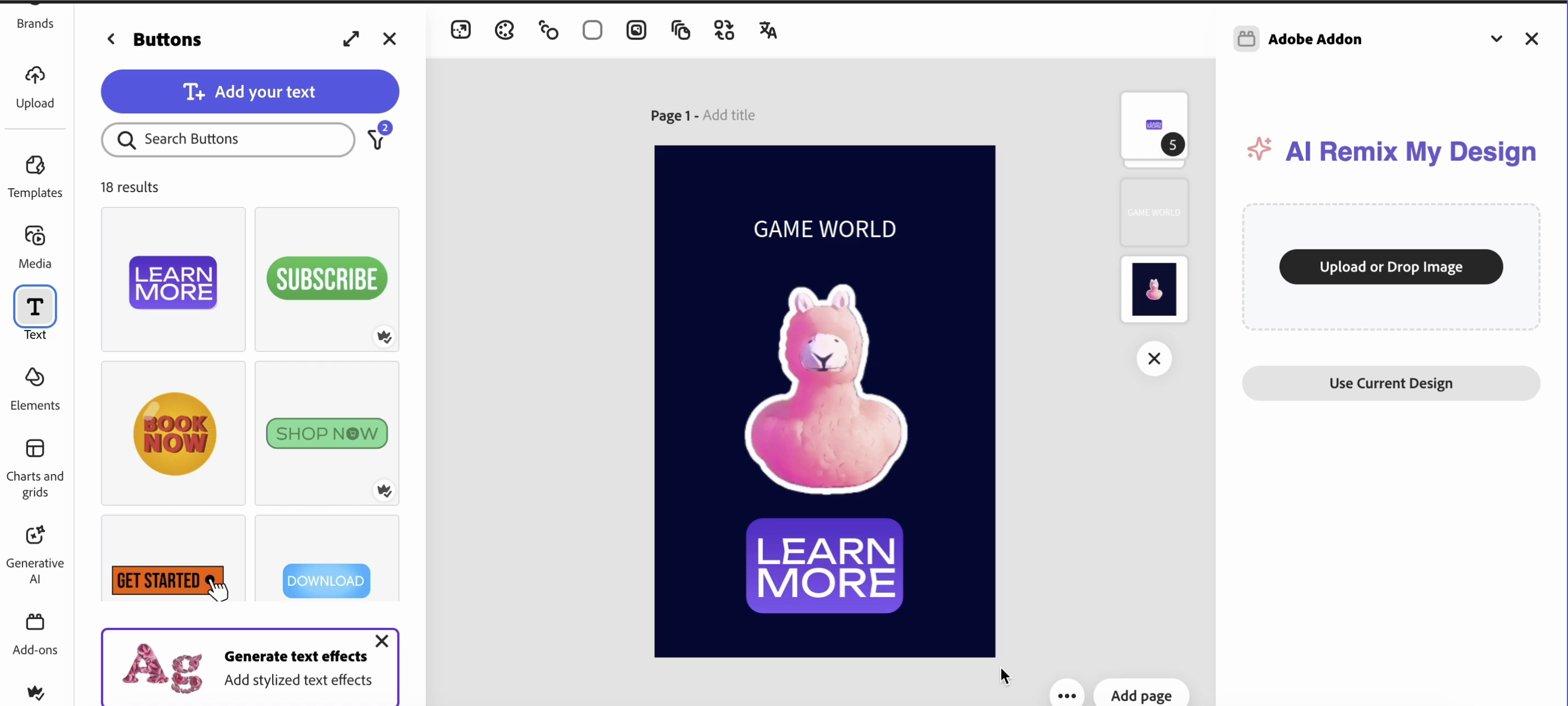
Use current design or upload a design
-
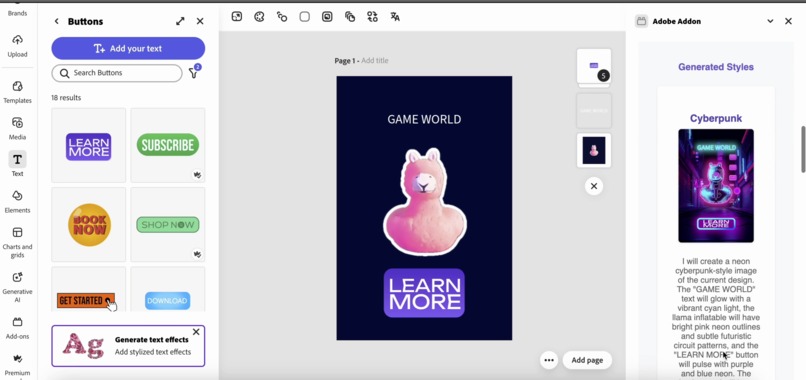
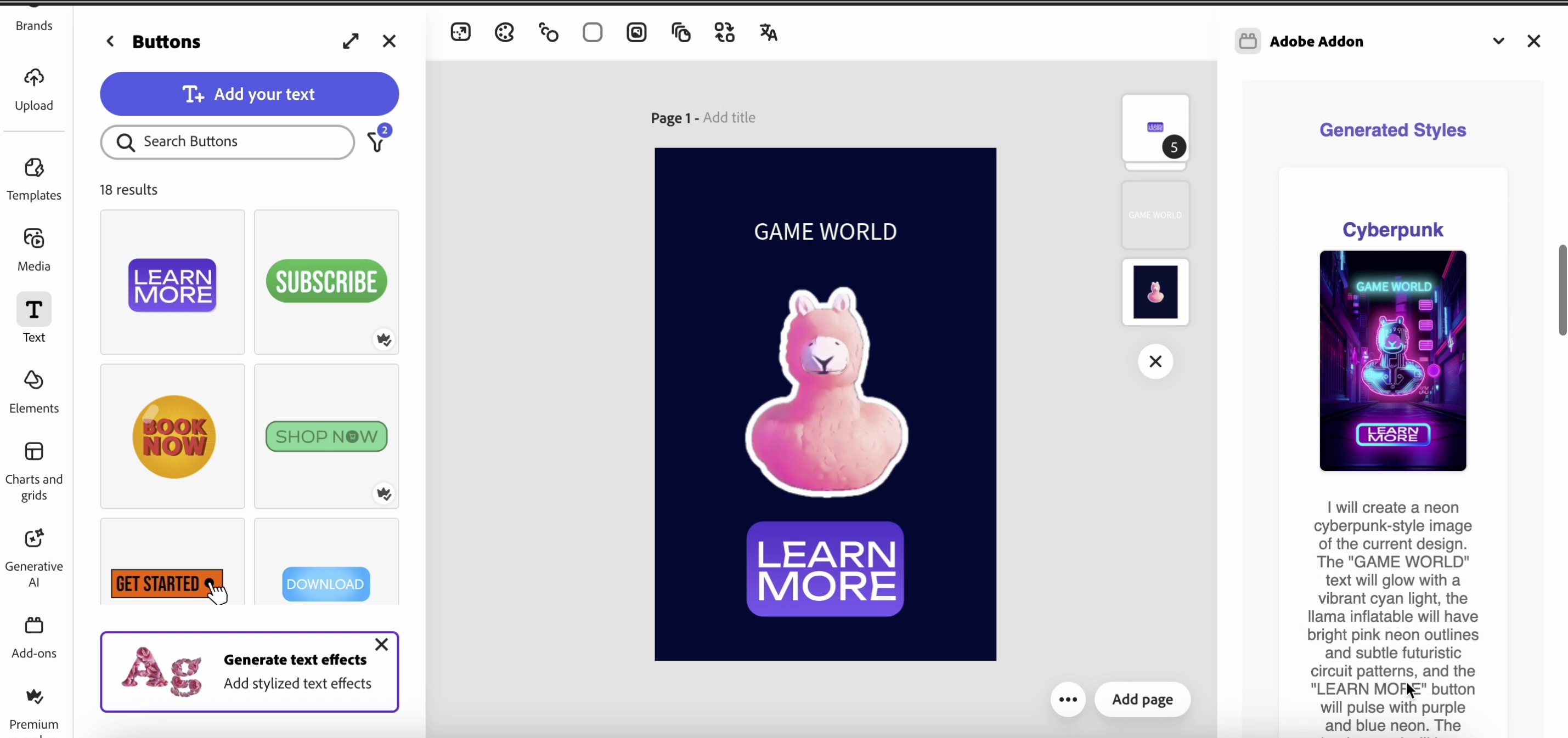
Click generate random styles to generate multiple random styled design for inspiration
-
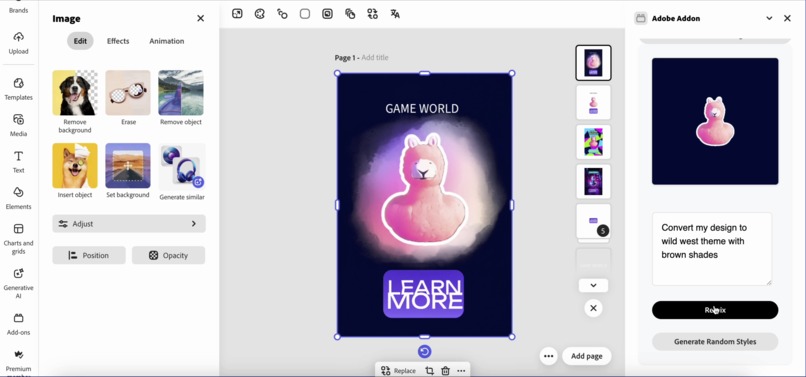
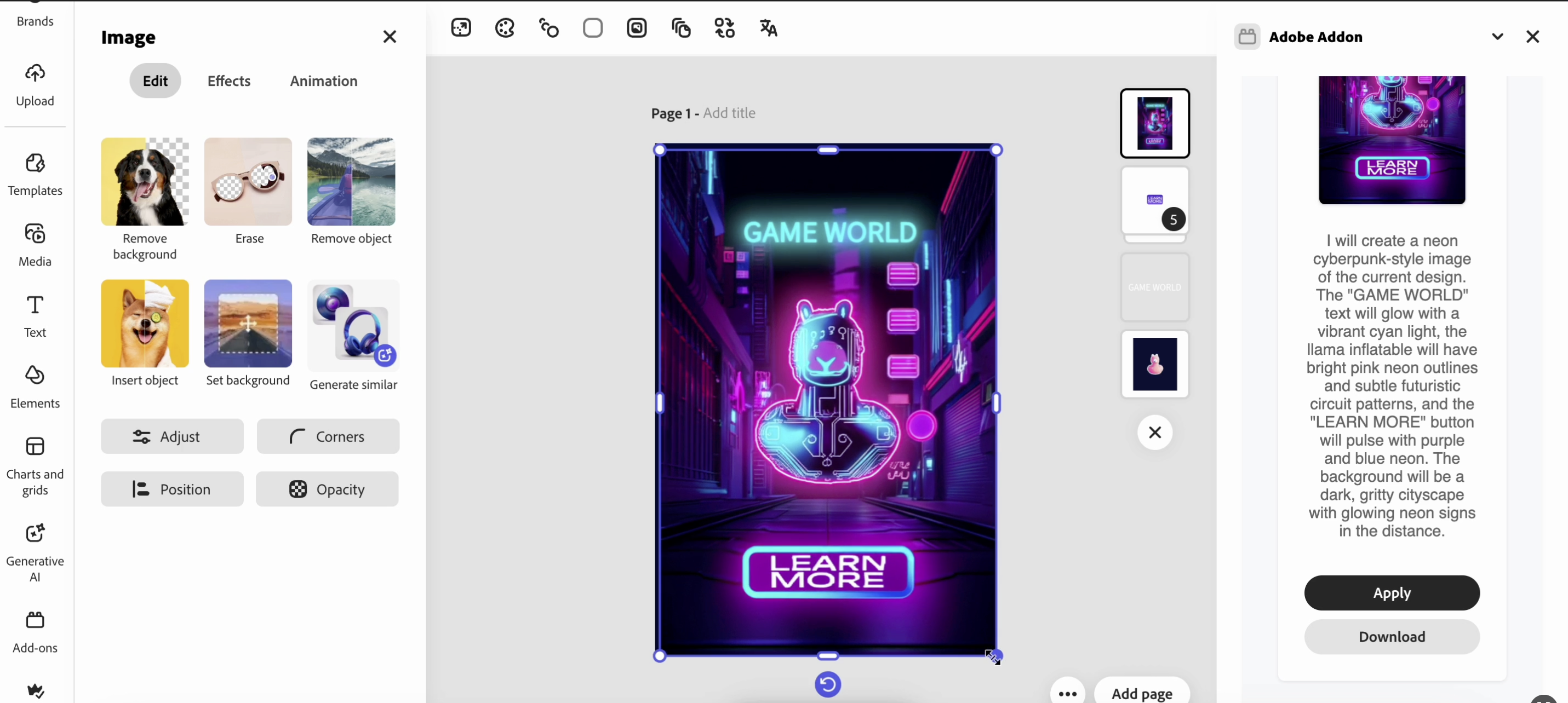
Apply generated design to current project
-
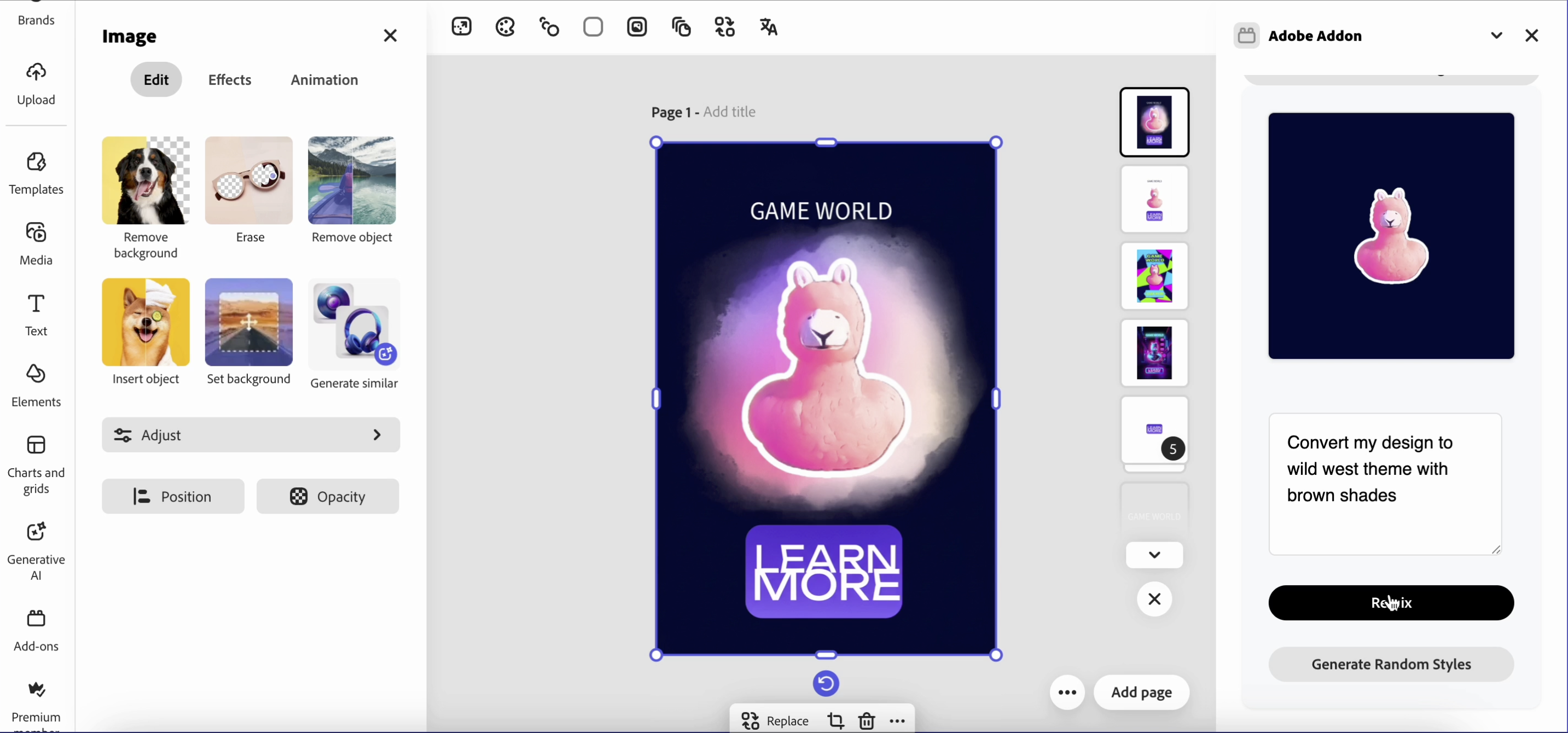
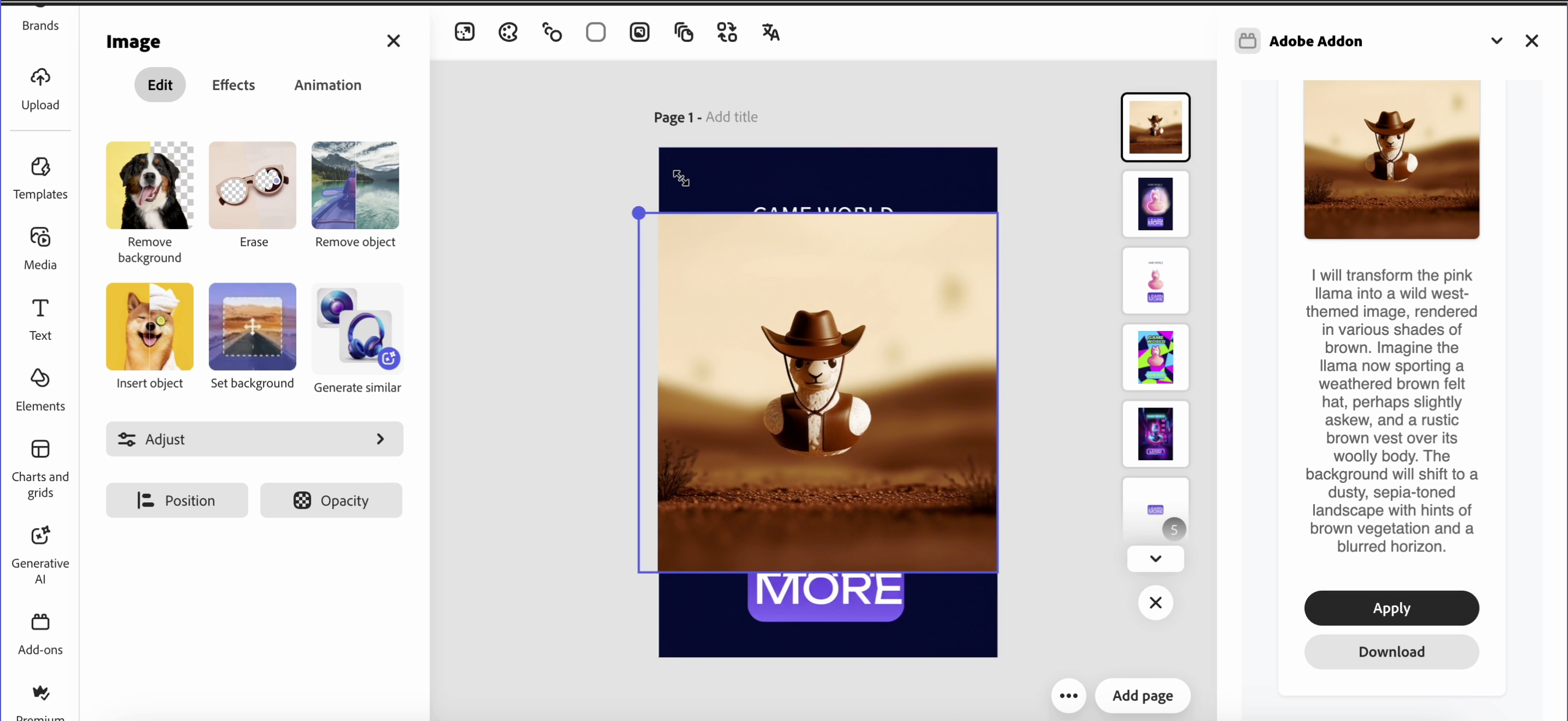
Use prompt to generate custom styled theme for current/uploaded design
-
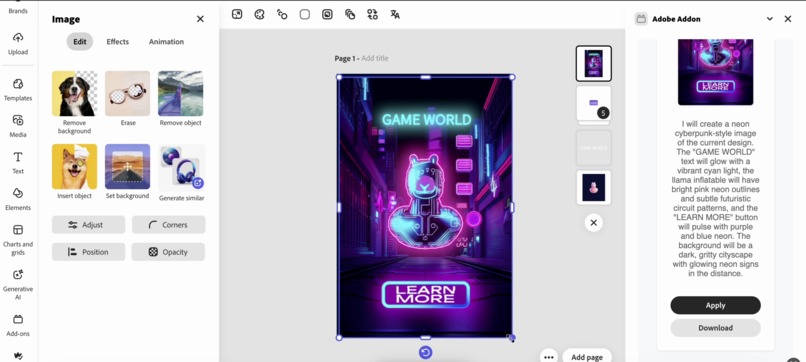
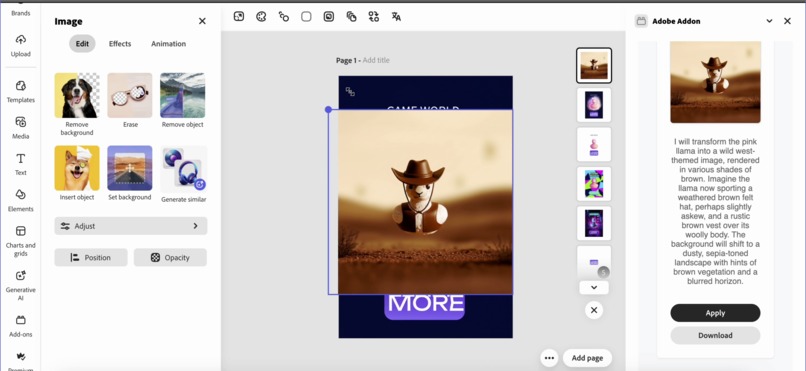
Apply prompt based generated design to current project

Inspiration
Usually, creating style variations for a single design is tedious. Non-designers often stick with one template, while professional designers waste hours tweaking layouts manually. We wanted to bridge the gap between creativity and speed, enabling anyone to instantly adapt an existing design into new themes or campaign styles. For example: A Valentine’s Day flyer should easily transform into a Summer Sale promotion, without manually changing fonts, colors, and layouts.
This inspired AI Remix My Design, an Adobe Express Add-on that uses AI-powered style transfer to repurpose designs for different campaigns instantly.
What it does
AI Remix My Design is an Adobe Express Add-on that instantly transforms your existing design into new styles, themes, or campaign-ready variants using AI.
Capture or Upload Any Design - Use your current Adobe Express project or drag-and-drop an image.
Describe the New Theme - Type a prompt like “Convert my design to a Cyberpunk neon style” or “Make it a Summer Sale theme.”
Generate AI Variations in Seconds - The backend AI reimagines your design with new colors, fonts, and layouts.
-Preview & Apply Instantly - Choose your favorite AI-generated result and apply it directly back to your Express project or download it.
- Quick Multi-Style Options - With one click, generate multiple preset themes like Cyberpunk, Retro, Minimalist, or Watercolor.
It bridges the gap between creativity and speed, making it effortless to adapt one design into multiple campaign-specific variants without starting from scratch.
How we built it
- Frontend – Adobe Express Add-on - Built with React and Adobe Express Add-on UI SDK. - Users can: - Upload or capture their current Express design - Type a prompt (e.g., “Convert to a Cyberpunk style”) - Generate multiple theme variations instantly - Seamless integration allows users to apply AI-generated results directly back into Express.
- Backend – AI Model - A lightweight Express.js backend hosts the AI pipeline. - Uses Google Gemini 2.0 Flash Preview (Image + Text) for prompt-based image style remixing. - Accepts the original design as Base64, sends it along with the prompt to Gemini, and returns both new images and descriptive text
- Workflow A [Adobe Express Design] --> B [Capture as PNG] --> C [Send to Backend with Prompt] --> D [Gemini AI Style Generation] --> E [Return AI Variants] --> F [Apply to Adobe Express or Download]
Challenges we ran into
SDK Limitations: - Not all Express SDK features (like deep asset search in Elements) are available yet. - We had to work with the existing createRenditions + addImage APIs.
AI Model Constraints: - Gemini sometimes returns unexpected results or lower-res outputs. - Fine-tuning prompts was essential to maintain design fidelity.
Performance: - Sending high-res images to the backend can cause delays, so we optimized with a base64 size cap.
User Experience: - Ensuring a smooth drag-and-drop UI while integrating backend calls required careful React state management.
Accomplishments that we're proud of
Successfully built a production-ready add-on which users can use right away.
What we learned
- Deep integration with Adobe Express SDK, how to capture current designs and push assets back.
- Handling multi-modal AI (text + image) with Gemini models.
- Balancing fast performance with high-quality results by optimizing image size and prompt structure.
- The importance of user-friendly prompts (e.g., auto-prefixing with “Convert my design to…”).
We also learned a lot about design workflows, realizing how much time can be saved by automating style adaptation.
What's next for AI Remix My Design
Editable Vector Elements: Instead of just rasterized PNGs, allow users to generate editable shapes, text, and layers inside Express.
Adobe Firefly Integration: Native Firefly APIs could provide even more refined style transfers and on-brand color palettes.
Style Presets: Save custom brand themes (e.g., “Holiday Campaign,” “Minimalist Social Post”) for one-click reuse.
Real-time Preview: Stream AI-generated results as they are created.


Log in or sign up for Devpost to join the conversation.