-
-
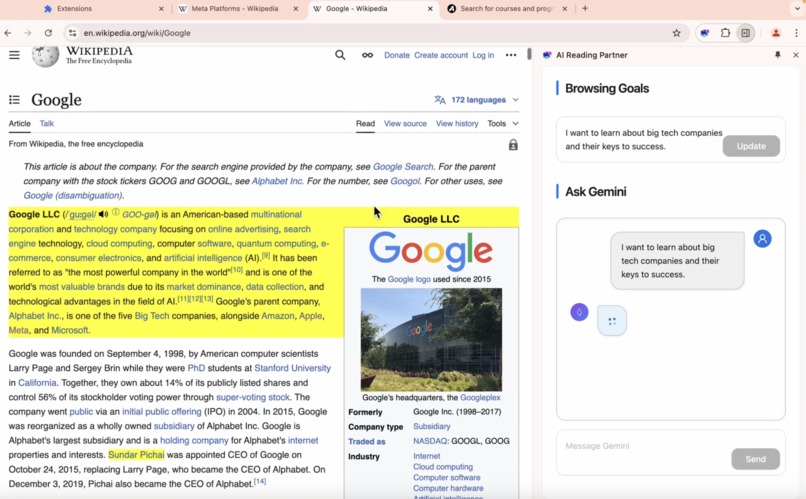
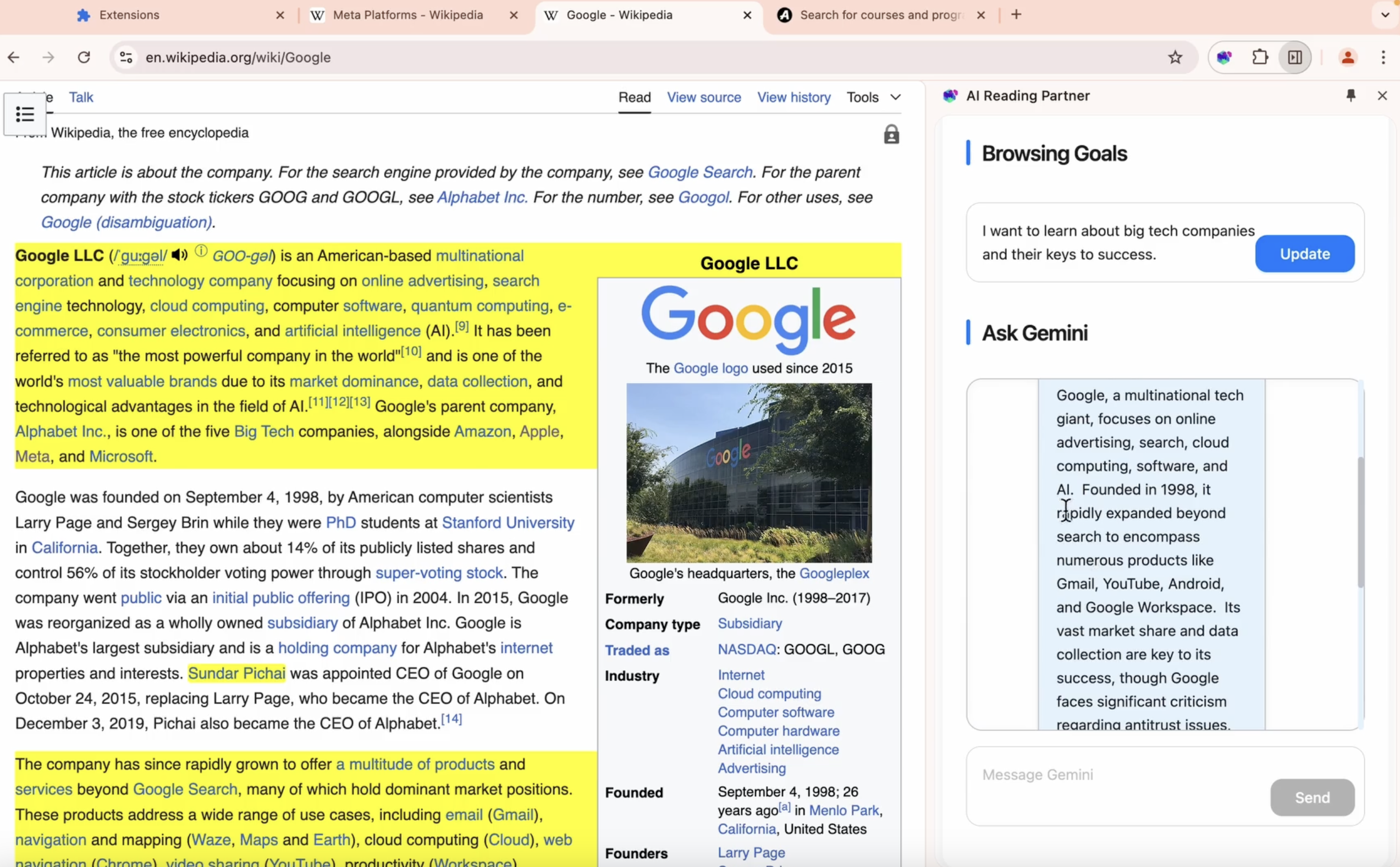
Highlight relevant text.
-
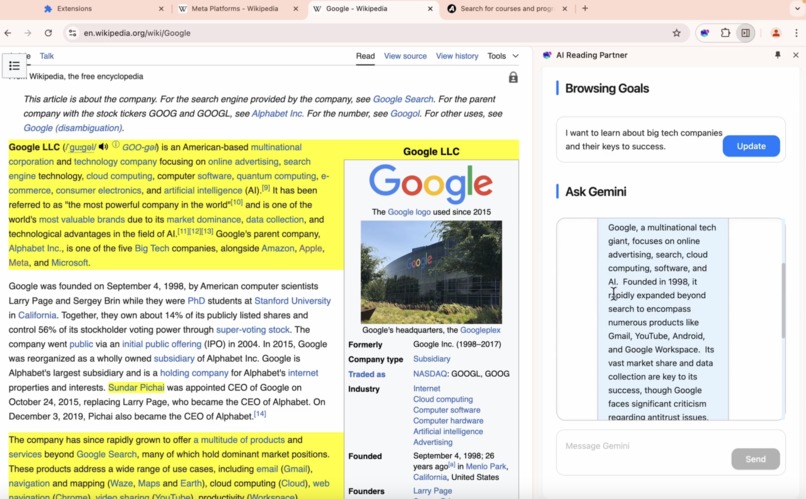
Goal-driven summary.
-
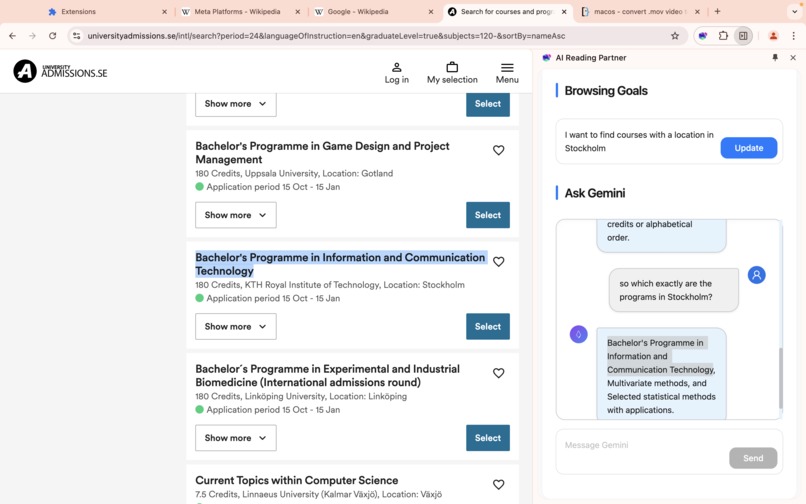
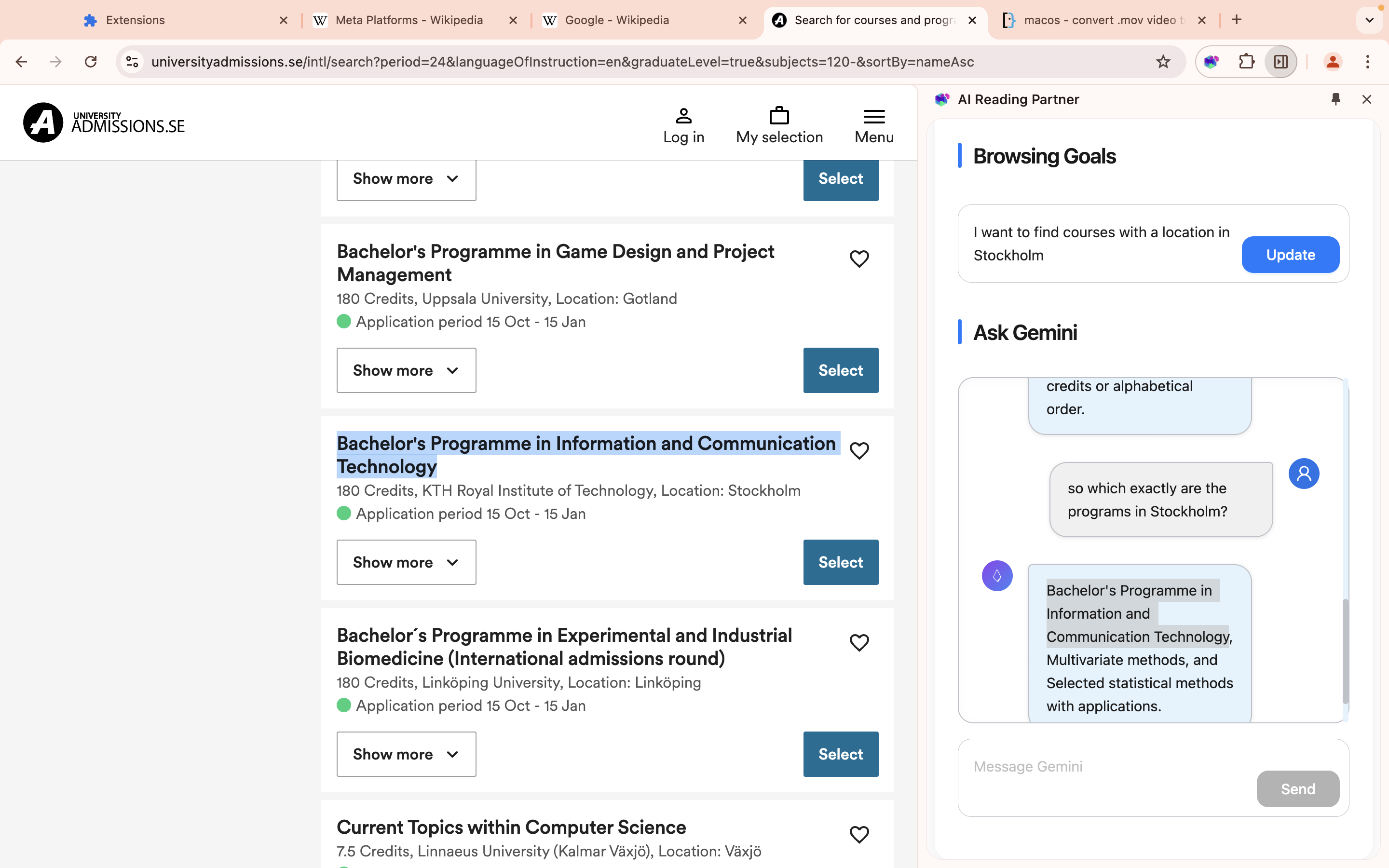
Ask about further details.
Inspiration
The inspiration for our project came from a real-world frustration: the overwhelming nature of online browsing, especially when faced with repetitive tasks. I was personally searching through various websites for job openings and soon realized that I was performing the same tasks repeatedly—clicking on each job post, looking for language, citizenship, and technical skills requirements, only to evaluate if it matched my profile. It was exhausting, and I thought, "Wouldn't it be great if I had an AI partner who knew me well enough to assist me, in summarizing the job posts that best suited my criteria?" This thought evolved into a broader vision: a browsing experience tailored to individual needs, with an AI that assists users in reaching specific goals while reducing the cognitive load associated with processing large amounts of information. Thus, the Focus Companion was born—AIBrowsingPartner is designed to create a well-supported browsing experience, especially for people who struggle with focus or information overload.
What it does
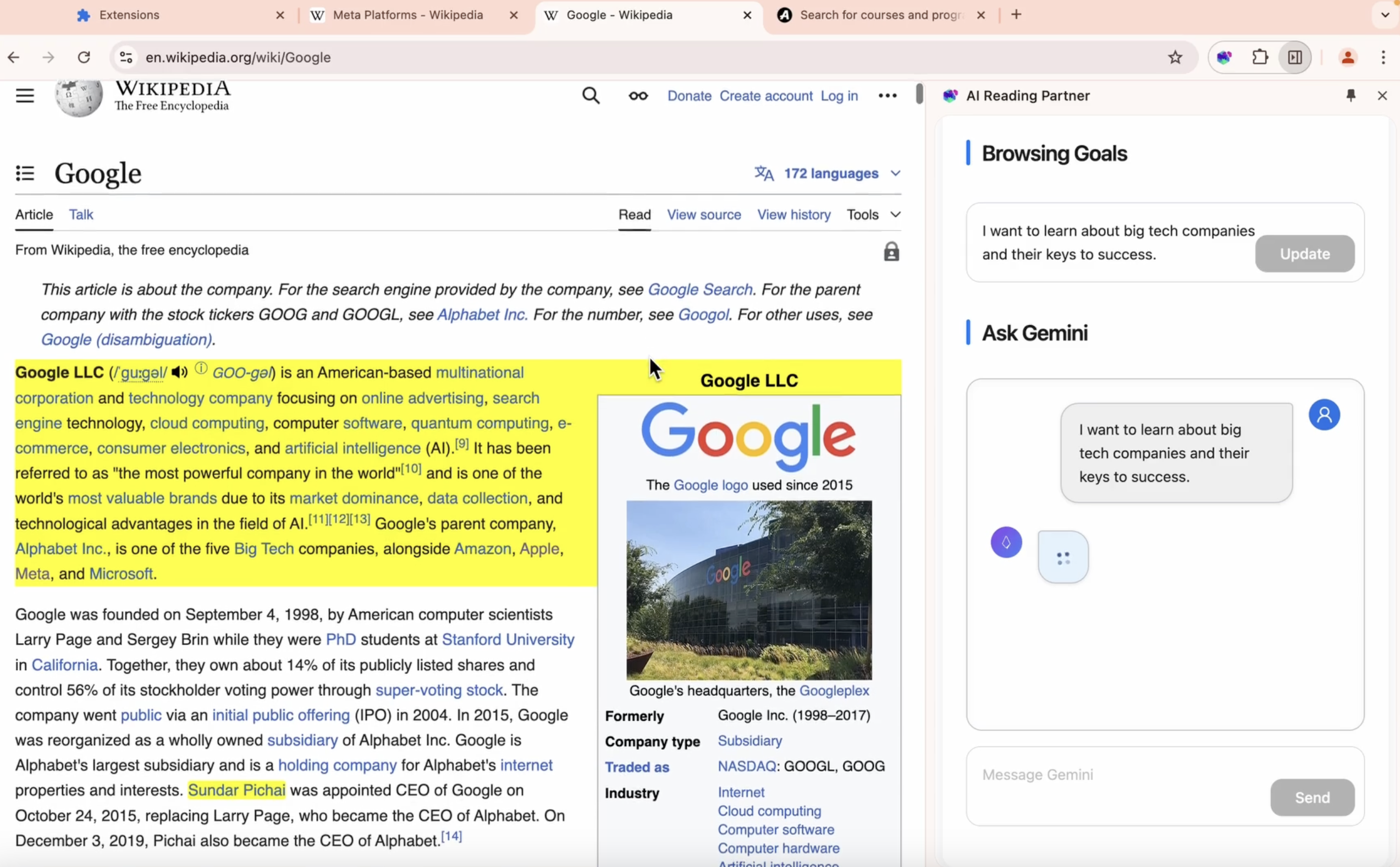
Our extension, AI Reading Partner, transforms the way people interact with web content by acting as a supportive companion for goal-driven browsing. Users start by defining their browsing goal for the session, which could be as specific as "Find job postings that match my skill set" or as broad as "Learn about the latest in renewable energy." From there, our Gemini-powered AI partner analyzes every page the user visits, providing concise summaries and highlighting the most relevant text to the user's goal. The AI partner also allows users to ask follow-up questions in a conversational format, helping them delve deeper into the content or clarify key points without becoming overwhelmed by unnecessary information. This interaction feels intuitive and natural as if users are engaging with a helpful partner who knows what they want and adapts accordingly.
How we built it
We used React for the front end of the extension. The backend was deployed separately, where we set up the Gemini API to handle tasks such as webpage analysis, selecting relevant content for highlighting, and answering users' questions based on the webpage context. We utilized the Summarization API directly in the front end to generate the initial goal-driven summary. To make the user interface friendly and accessible, we designed a prominent goal-setting text area where users can define their focus for the current session. The chat interface was crafted to create a sense of companionship and provide good interactivity, allowing users to ask questions at any time. This interface delivers summarized information and highlights in an easy-to-understand format, ensuring users always have meaningful guidance throughout their browsing experience.
Challenges we ran into
Implementing the text highlighting feature was challenging, as it required identifying relevant content and locating the exact HTML elements representing it. After testing various algorithms, we split webpage content into structured text using elements and line breaks. Gemini then identified which elements to highlight by selecting their IDs. To improve efficiency, we filtered out irrelevant or very short segments, streamlining the data sent to the backend for faster, more accurate analysis. Leveraging structured text also allowed efficient use of selectAll, making highlighting quick and effective. Additionally, this approach provided well-structured data for generating summaries and solving two problems simultaneously.
What's next for AI Reading Partner
Highlight for every reply: Currently, we only highlight relevant text while giving the initial summary/ point of view of the webpage, after a browsing goal is set. We all think it would be cooler to have relevant text highlighted as well while the AIReadingPartner answers the user's questions, marking the basis of each reply in the original text. This will make the browsing experience more interactive, and make the answers from the AIReadingPartner more trustworthy to the users.


Log in or sign up for Devpost to join the conversation.