-
-
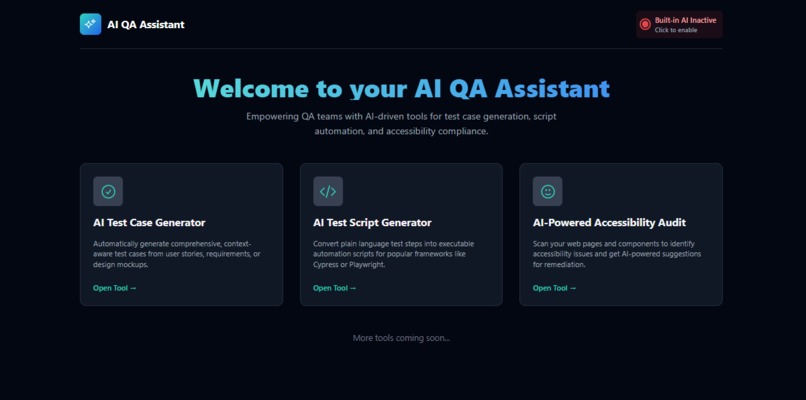
Application Main Screen
-
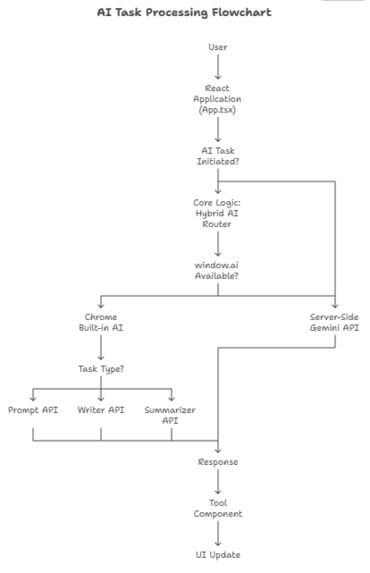
AI Task Processing Flow Chart
-
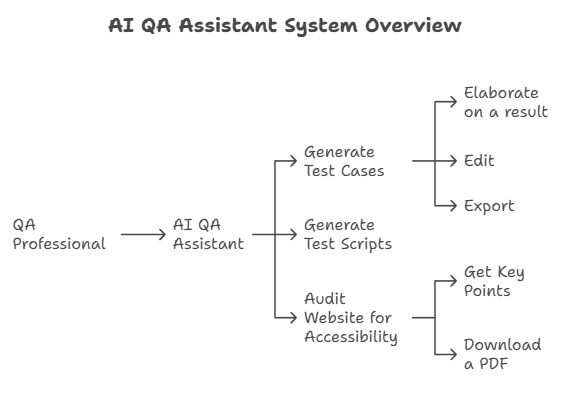
System Overview
-
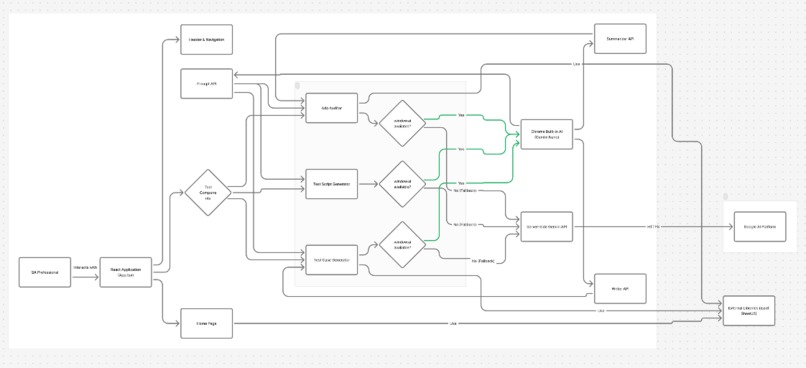
Architecture Diagram
-
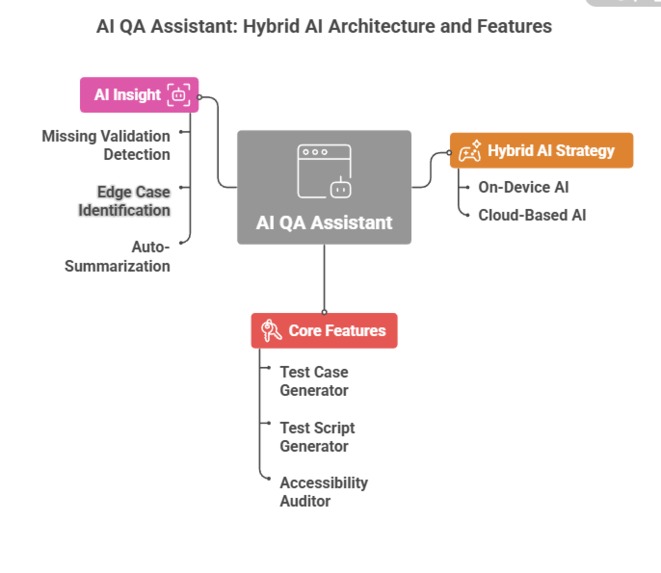
Hybrid Model Overview
-
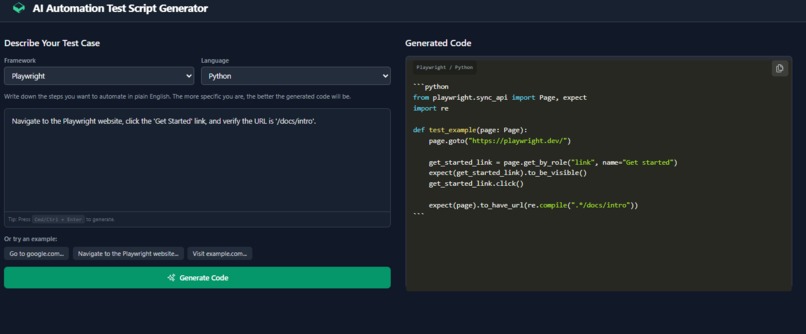
Test Script Generator Page
-
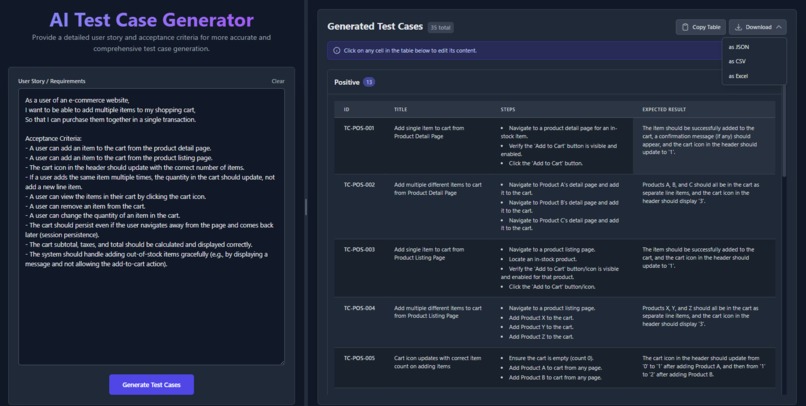
Test Case Generator Page
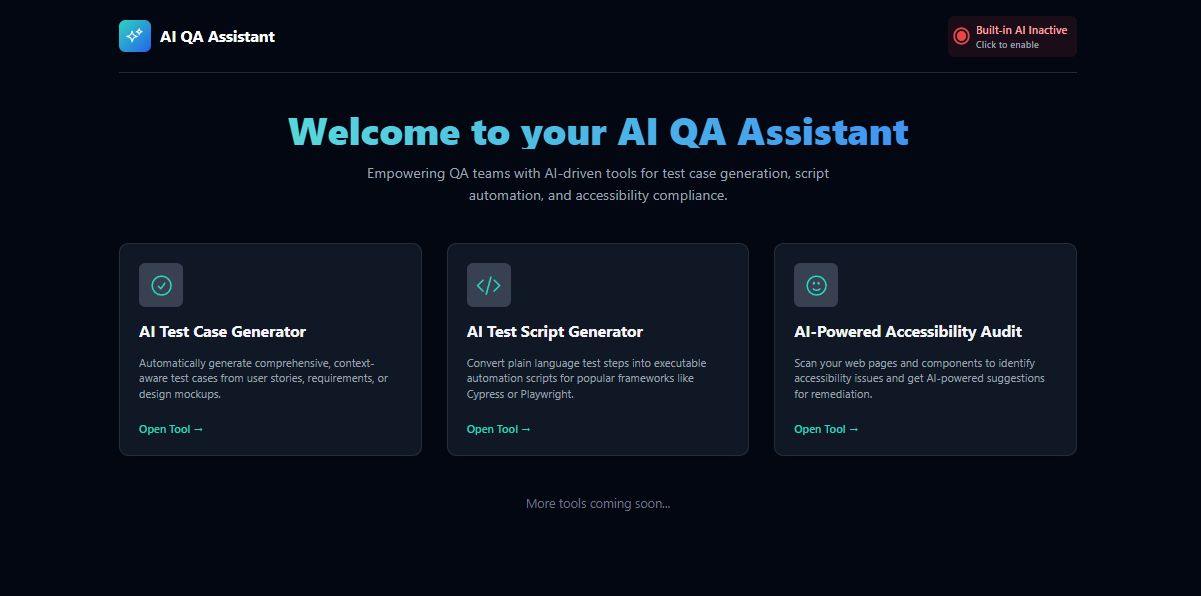
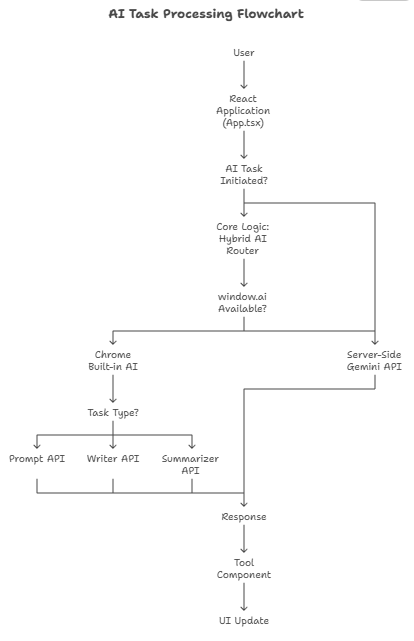
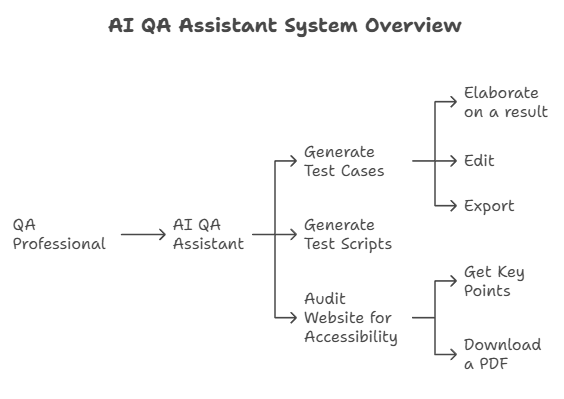
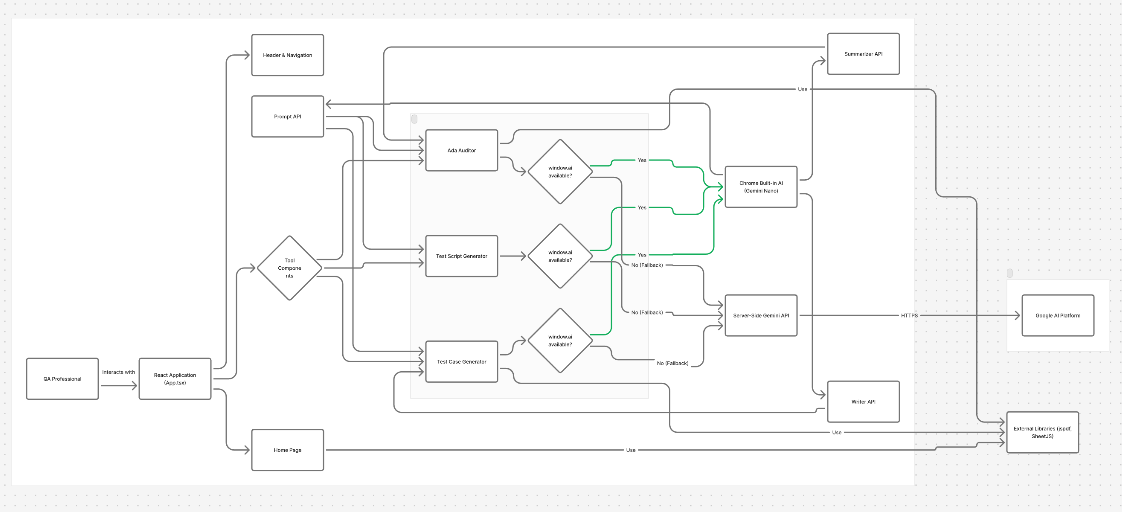
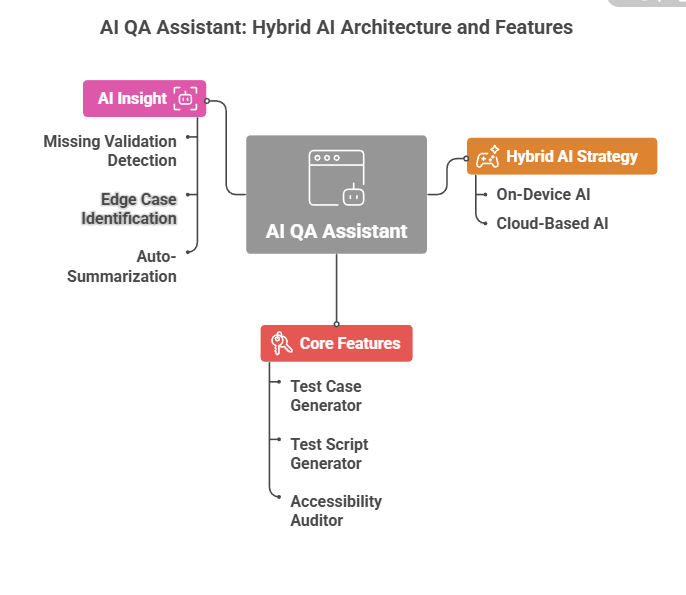
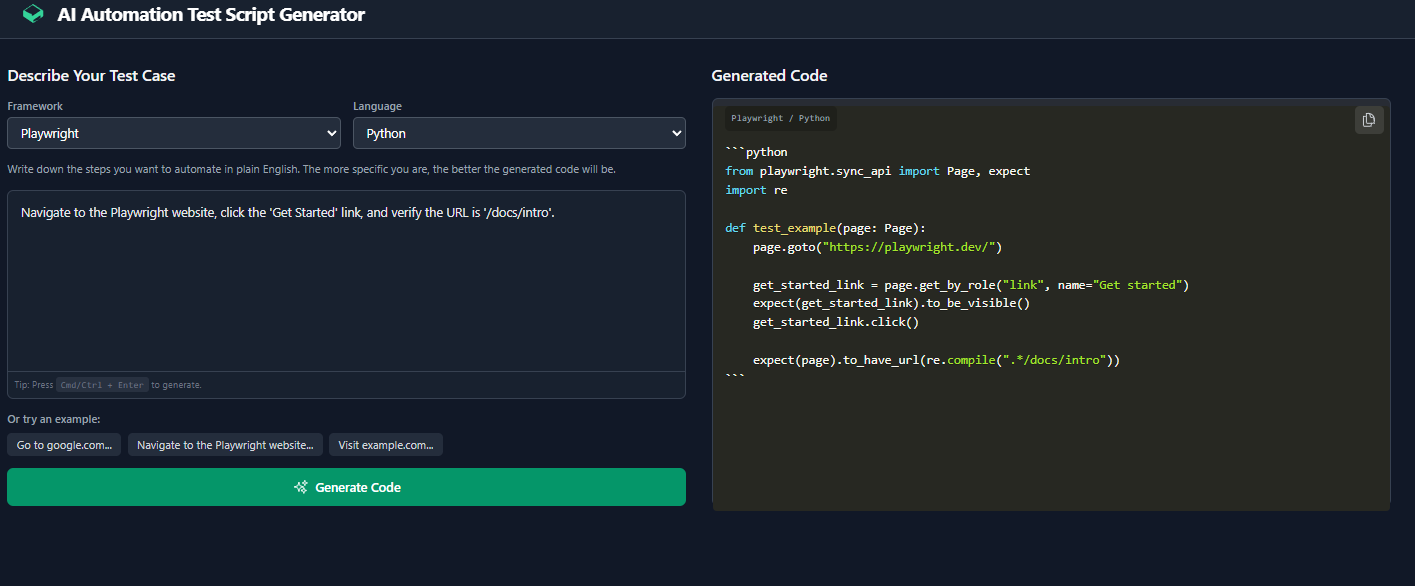
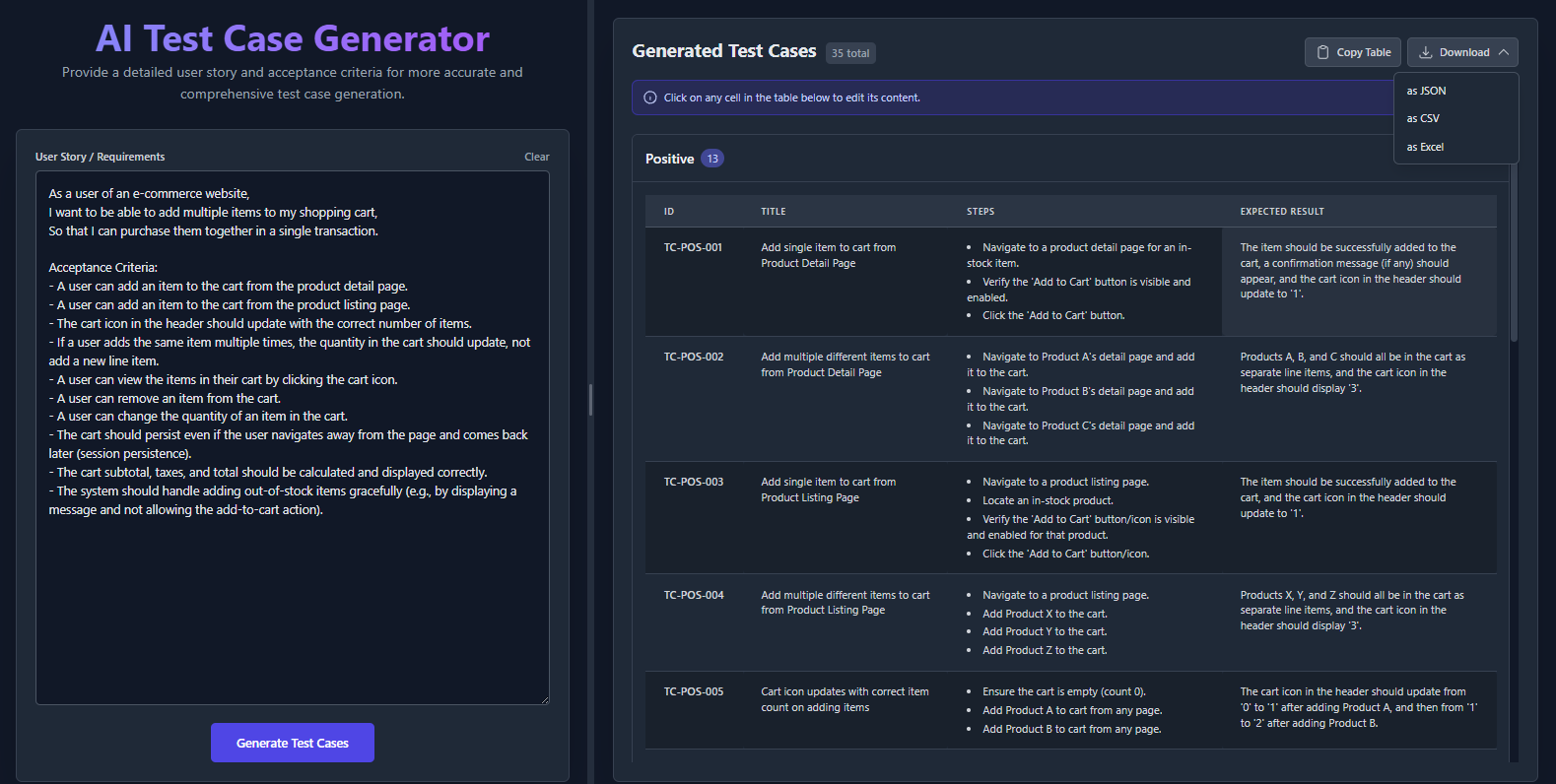
AI QA Assistant is a Client-Side Single Page Application (SPA) built with React and TypeScript that streamlines common QA workflows using Generative AI. The app implements a Hybrid AI Strategy: it first utilizes Chrome’s built-in ondevice AI (Gemini Nano) via window.ai for faster, private, and offline operations. If the local model isn’t available, it automatically switches to Gemini Cloud APIs, ensuring a seamless, reliable experience across all regions and devices. What It Does • AI Test Case Generation Automatically generates structured test cases from plain-text user stories, categorized into Positive, Negative, Boundary, UI/Accessibility, Integration, Performance, and Security scenarios. • Automation Script Generator Converts natural-language steps into runnable scripts for Playwright, Pytest, or Cucumber, with real-time token-by-token AI code streaming. • Accessibility & Performance Audits Performs ADA/WCAG audits to identify accessibility issues and provides detailed compliance reports with suggestions for improvement. • Built-in AI Active Detection Detects if Chrome’s on-device AI (window.ai) is available and displays an AI Active/Inactive indicator. – Active (On-Device) → Faster, private, offline generation. – Inactive (Fallback) → Seamless switch to Gemini Cloud APIs. • Editable & Downloadable Test Cases Users can edit AI-generated test cases directly in the app and download them as structured .json, .csv, or .docx files for documentation or team sharing. Inspiration As a QA engineer, I noticed that a large portion of testing time is spent writing repetitive test cases, scripts, and accessibility checks—tasks that could easily be automated with AI. The inspiration for AI QA Assistant came from the idea of creating a smart companion that works alongside testers, helping them move from manual effort to AI-augmented productivity. 1 How It Was Built • Frontend: React + TypeScript SPA for smooth and responsive user experience. • AI Integration: – Uses Chrome’s window.ai (Gemini Nano) when available for on-device, offline generation. – Falls back to Gemini Cloud APIs for universal accessibility. • Design: Minimalist, intuitive UI built with Tailwind and React components. • Prompt Engineering: Optimized prompts for generating structured test cases, scripts, and audit reports. • Export & Editing: Users can edit, copy, or download results in multiple formats (JSON, CSV, DOCX). What I Learned • How to integrate Chrome’s experimental AI APIs (window.ai) with React apps. • Building a hybrid AI model that dynamically switches between local and cloud models. • Designing structured prompt engineering flows for QA-specific outputs like test cases, scripts, and audits. Challenges Faced • Limited documentation for window.ai required experimentation and testing across Chrome versions. • Handling fallback logic smoothly when on-device AI was unavailable. • Structuring complex AI outputs (like test cases and scripts) into clean, editable formats. • Optimizing prompt responses to ensure test cases were accurate, diverse, and nonrepetitive.
Built With
- chrome-built-in-ai-apis-(prompt-api
- css
- gemini-cloud-api
- gemini-nano
- google-ai-studio
- html
- javascript
- jspdf
- react
- summarizer-api)
- tailwind
- typescript
- writer-api

Log in or sign up for Devpost to join the conversation.