-
-
Audio flow
-
Audio flow
-
Video flow
-
Video flow
Inspiration
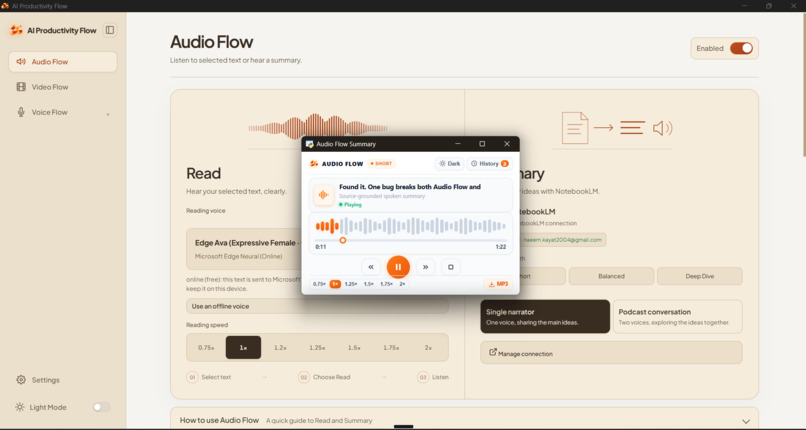
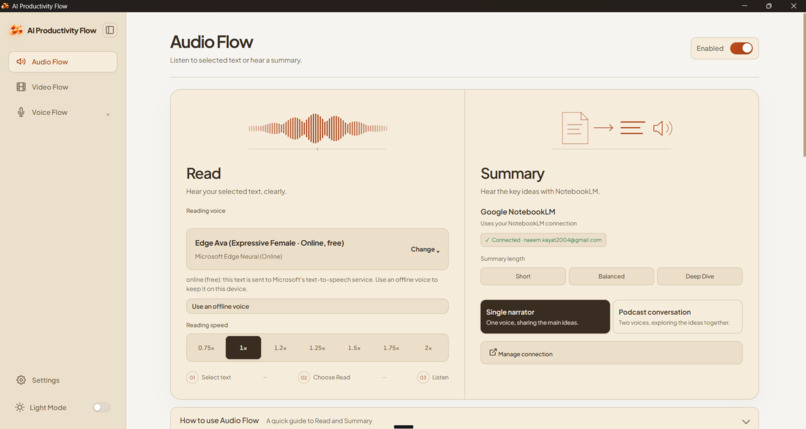
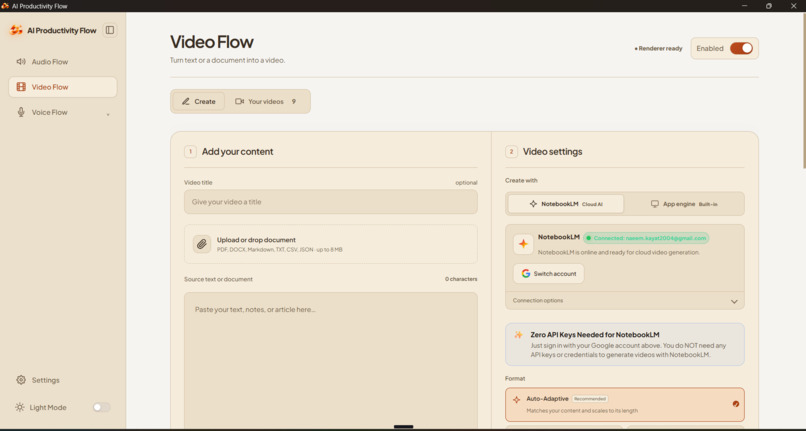
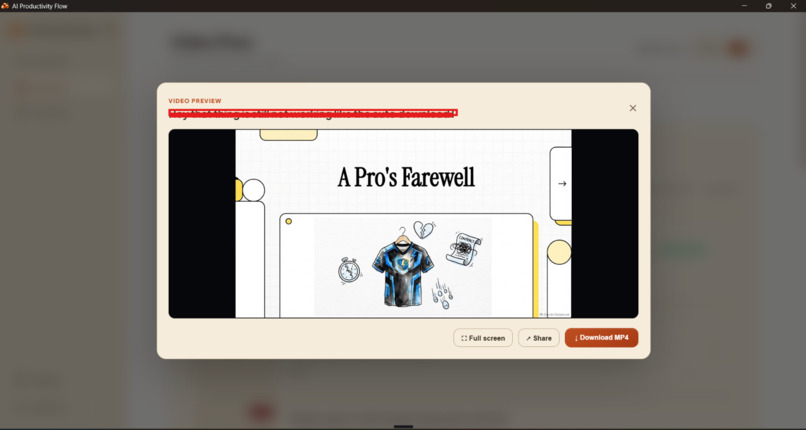
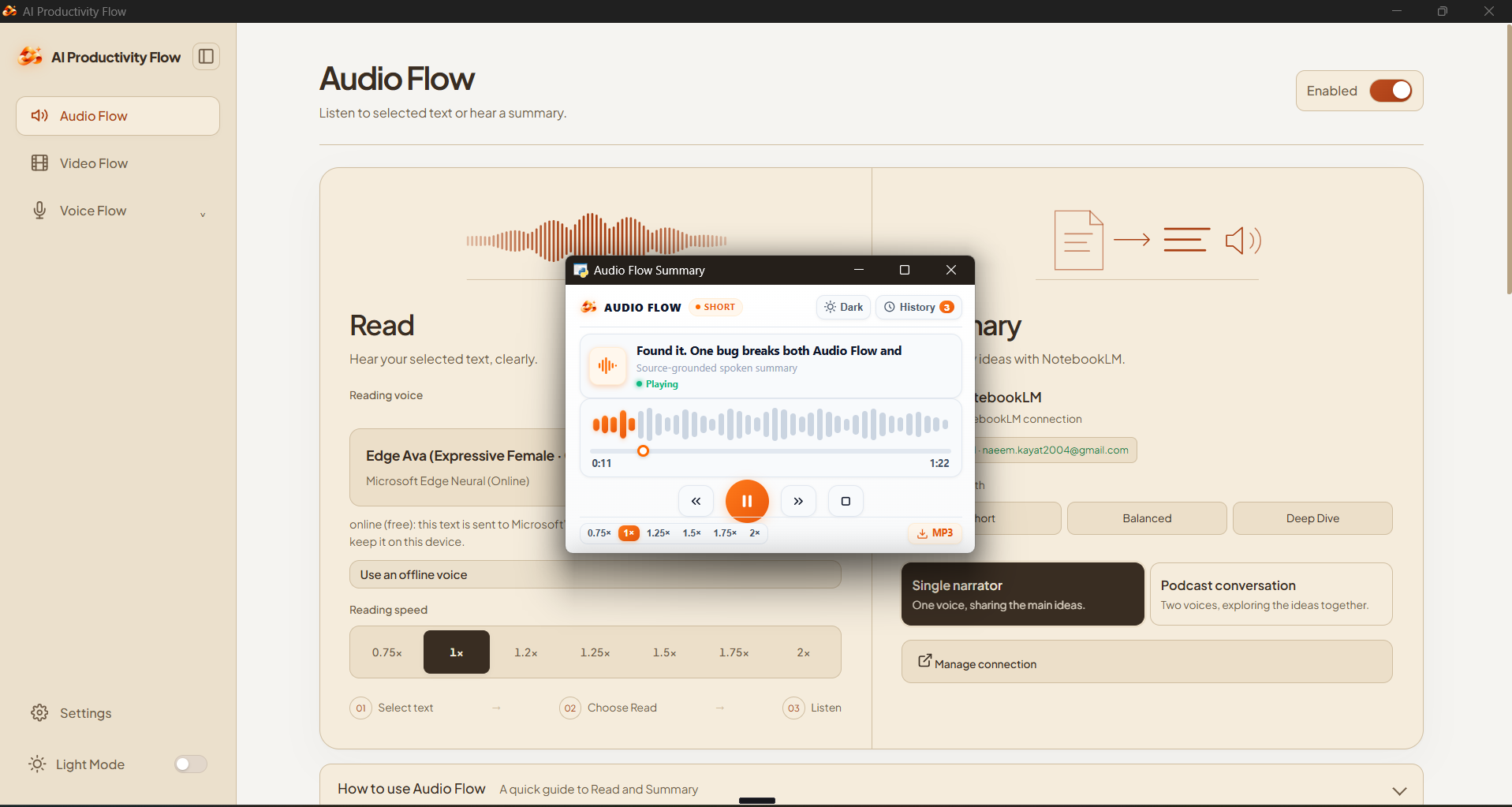
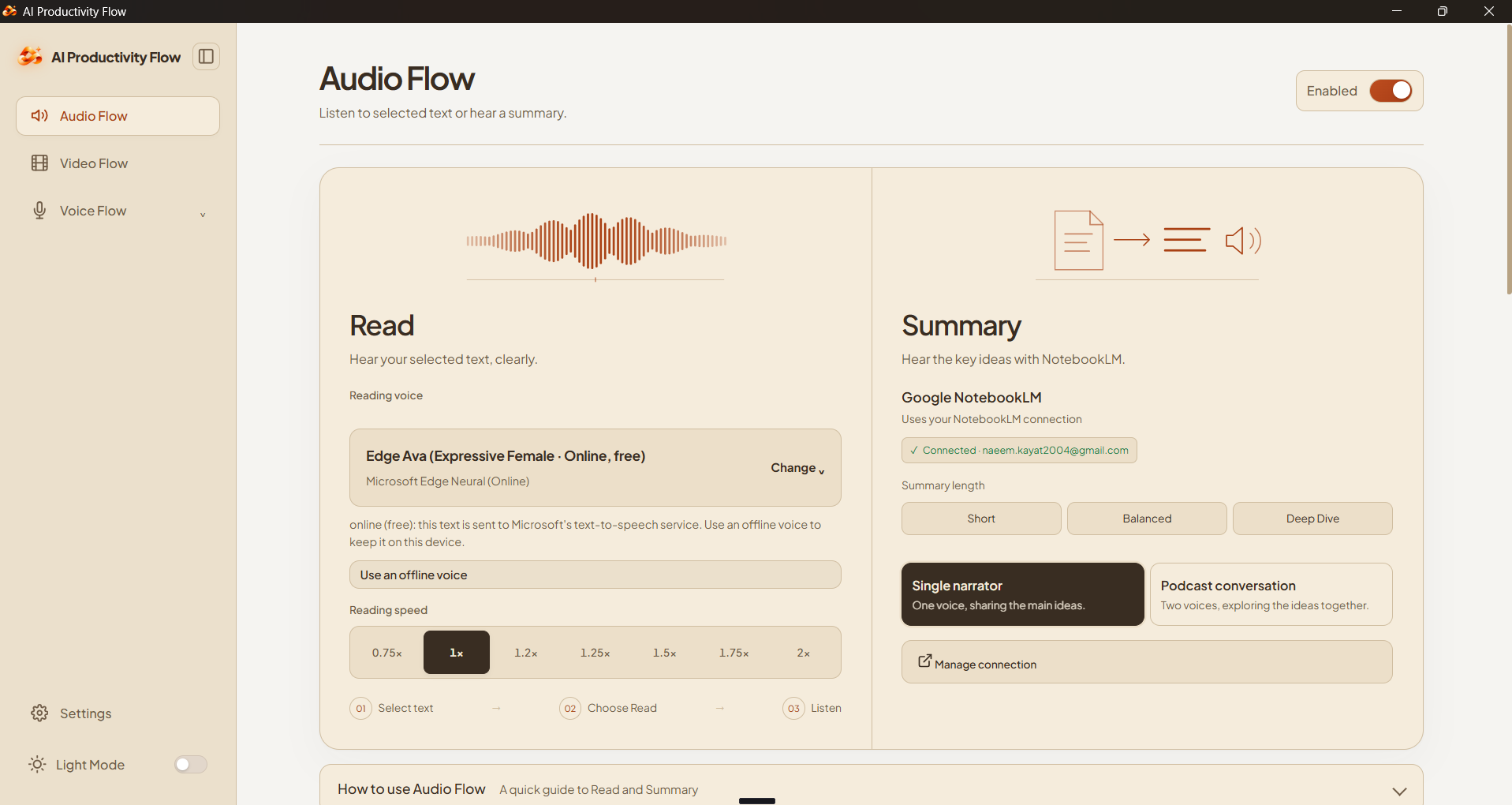
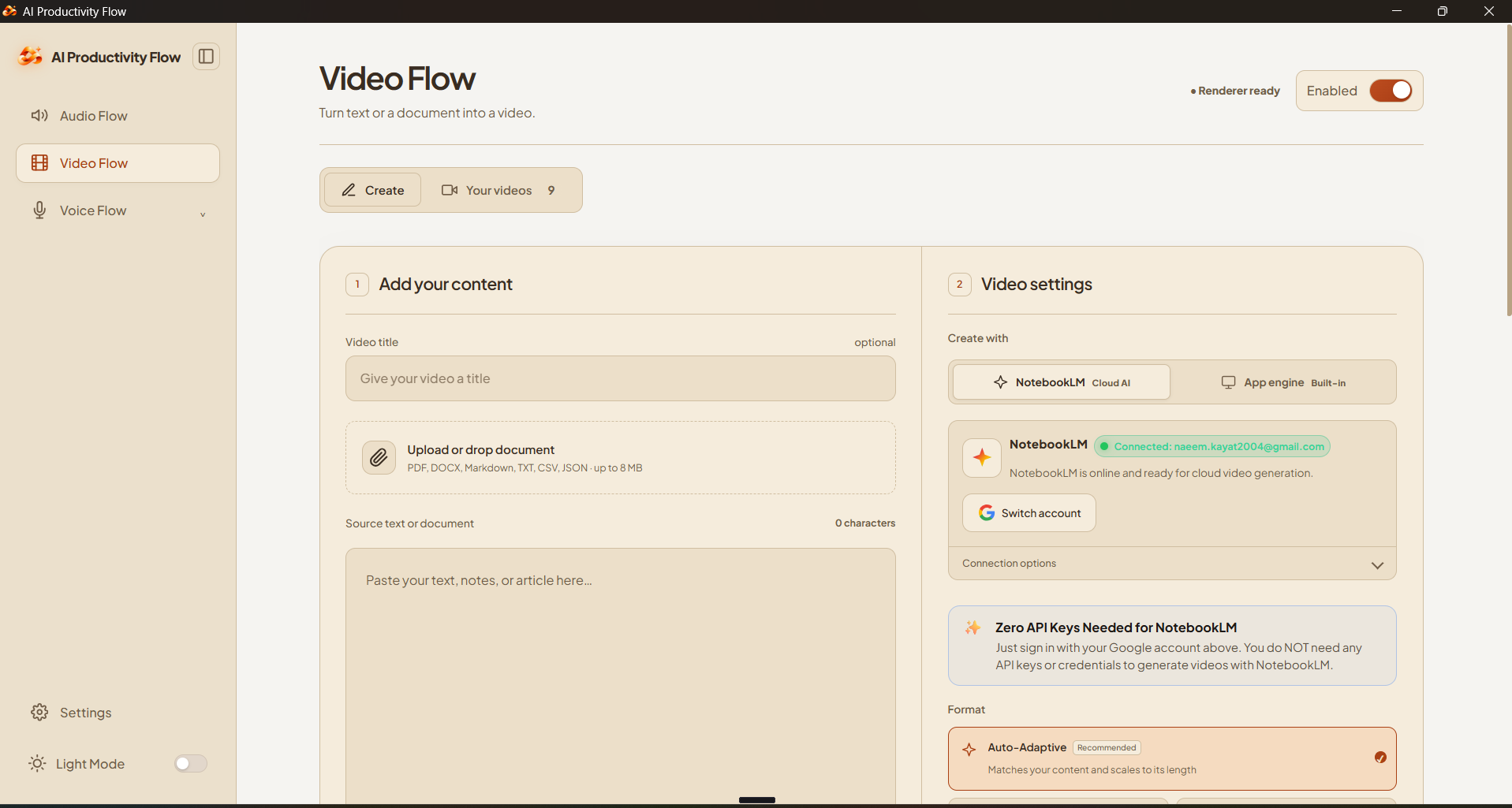
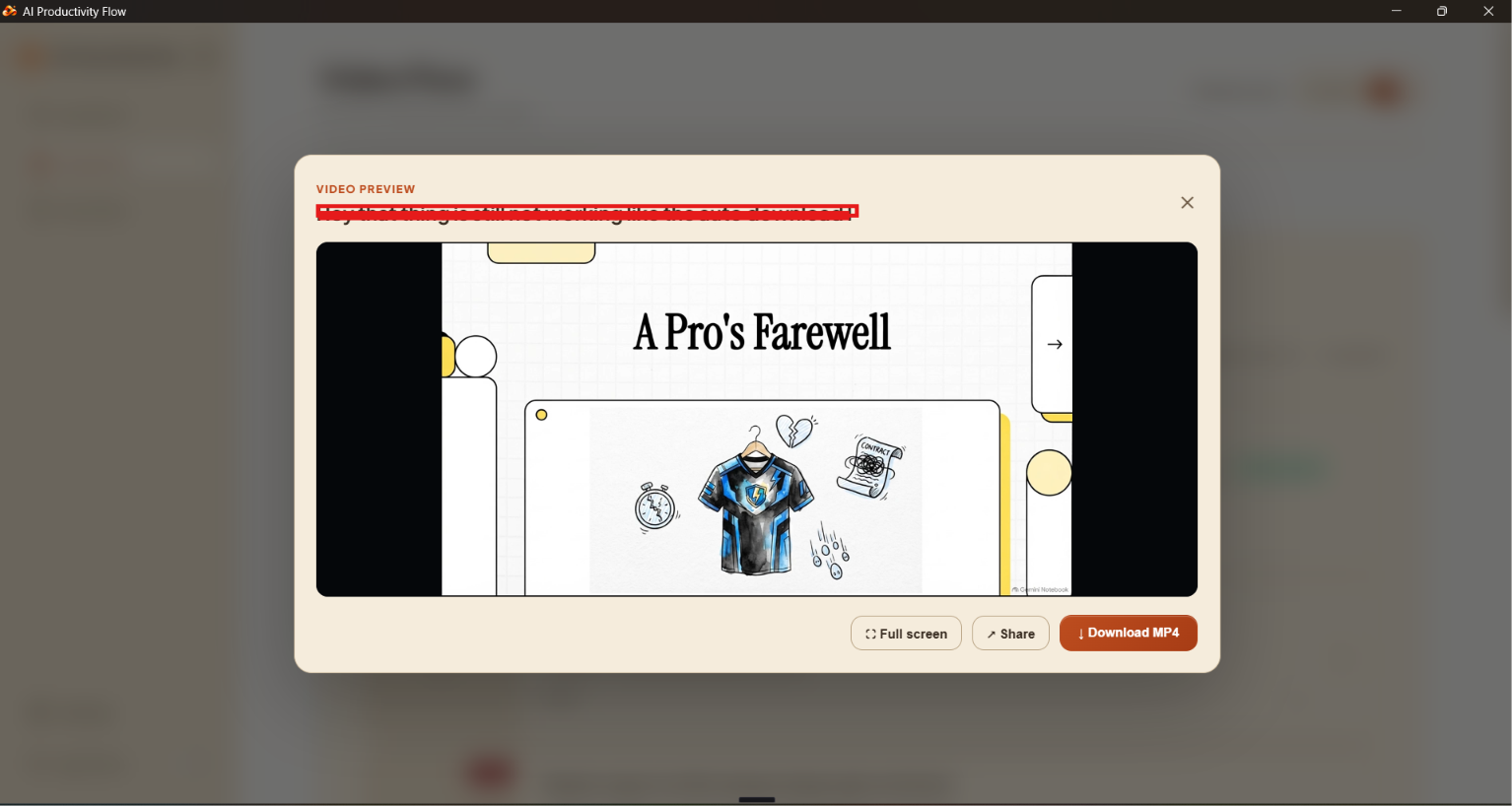
Some of the best ideas I come across are buried in long articles, and reading wall after wall of text drains me before I reach them. So I asked myself: what if an app could turn any text into an audio explanation I could just listen to? That became Audio Flow, which reads text aloud or turns it into a short spoken summary. Then I thought: what if the same text could become a video, with visuals that explain the idea? That became Video Flow, which turns notes or an article into a narrated explainer video. The last piece came from another thing I don't love: typing. I'd rather say my thoughts than type them, so I built Voice Flow. I speak, and clean, polished text appears in whatever app I'm using. Three tools, one idea: take in and create content the way that feels natural to you, by listening, watching or speaking.
What it does
AI Productivity Flow is a free, open-source desktop app for Windows and macOS. It has three tools:
- Voice Flow: press a hotkey, speak, and clean, polished text is typed into whatever app you're using. You can also give commands like "make this an email". Speech-to-text runs offline on your computer with NVIDIA Nemotron Speech Streaming English 0.6B, the model we recommend to every user because it's fast, private and works without internet.
- Audio Flow: select any text and hear it read aloud, or get a short spoken summary.
- Video Flow: turn notes or an article into a narrated explainer video (MP4).
For this hackathon I added Nebius Token Factory as a bring-your-own-key provider that you pick in the app. It runs NVIDIA Nemotron 3.5 Lightning, which:
- Plans Video Flow videos, scene by scene, from start to end.
- Polishes Voice Flow text in seconds, so dictation feels instant.
The voice path is NVIDIA end to end: your voice → Nemotron speech recognition running on your own computer → Nemotron 3.5 Lightning on Nebius cleans it up → text appears in your app. The audio never leaves your machine. Only the transcript is sent.
Audio Flow reads aloud with Microsoft's Edge neural voice, because Token Factory doesn't offer text-to-speech or speech-to-text models yet.
How we built it
The app is Python with a local web interface. Speech recognition runs on the device with Nemotron Speech Streaming English 0.6B, with Whisper as a fallback. Token Factory is OpenAI-compatible, so I added it as a provider using the same Chat Completions calls the app already makes. The base URL is https://api.tokenfactory.nebius.com/v1/, with a Bearer key. You add your own key in the app's Connections screen and pick Nemotron 3.5 Lightning for Video Flow planning and Voice Flow polishing. The app checks your account's live /v1/models list and shows a clear message if a model isn't offered. Automated tests cover the new provider.
Challenges we ran into
- Speed. Dictation has to come back in seconds, so I chose Nemotron 3.5 Lightning, a small mixture-of-experts model (3B active), for the cloud work.
- Never slowing down a dictation. Voice cleanup can't wait on a network call to list the models, so it uses the cached list and refreshes it in the background.
- Keeping it optional. With no key, the app has to work exactly as before, offline fallbacks included.
Accomplishments that we're proud of
- An all-NVIDIA voice pipeline where the audio stays private on your own computer.
- Two NVIDIA models working together: Nemotron speech recognition on your computer and Nemotron 3.5 Lightning on Nebius.
- The app shipped as Version 1.0 on Windows and macOS during the hackathon window, with hundreds of commits since Aug 26.
What we learned
- Where a model runs matters. Speech stays on your device for privacy and speed, and the text work goes to Nemotron 3.5 Lightning on Token Factory.
- OpenAI-compatible APIs made adding a new provider quick.
- Most of the work was making the provider reliable and keeping every offline fallback working.
What's next for AI Productivity Flow
- Speak your own language. Voice Flow in Hindi, Gujarati and other Indian languages, so millions more people can dictate naturally.
- From dictation to doing. Voice commands that take action, like drafting and sending an email, adding a calendar event or filling a form, just by asking.
- Flow on your phone. A mobile companion app, so your dictionary, history and voice work the same on Android, iPhone and your computer.
- Videos ready to share. Video Flow will make vertical clips for Shorts, Reels and LinkedIn, with narration in more languages and voices.
- Flow for teams. Shared dictionaries and video styles, so a whole team writes and explains things the same way.
Feedback for Nebius & NVIDIA
What we used: NVIDIA Nemotron 3.5 Lightning through Nebius Token Factory (OpenAI-compatible API, bring-your-own-key) to polish dictated text in Voice Flow and to plan the scenes and script in Video Flow. Speech-to-text runs locally with NVIDIA Nemotron Speech Streaming.
What worked well: the OpenAI-compatible endpoint meant adding Token Factory as a provider took very little code. Nemotron 3.5 Lightning is fast and cheap enough for real-time text cleanup, and it follows formatting instructions well.
What needs work / our biggest suggestion: Token Factory has no speech models today. Please add hosted text-to-speech (TTS) and speech-to-text (STT) models. Our app is voice-first: Audio Flow reads text aloud and Voice Flow turns speech into text. Because Token Factory has no TTS or STT, Audio Flow has to use a local voice engine and speech recognition runs on the user's machine, so we can't run the whole app on Nebius. With TTS and STT on Token Factory, apps like ours could run entirely on one provider with one key.
Onboarding (zero to hello world): creating an API key needed billing set up first (a card for a $0 verification) even with promo credits, which slowed us down. A key that works with free credits before adding a card would make the first hello-world much faster. After that, the first call worked in minutes.
Would we build with it again? Yes. The models are fast and the API is simple. Adding TTS and STT would make Token Factory our default for every Flow in the app.
Built With
- ffmpeg
- html
- javascript
- nebius
- nemo
- nemotron-speech
- nvidia-nemotron
- python
- sqlite
- tavily
- whisper


Log in or sign up for Devpost to join the conversation.