Inspiration
AI Productivity Flow started from a problem I had myself: I often came across long documents, articles, and blocks of text that I wanted to understand, but I did not want to spend a long time reading everything manually.
My first idea was simple: what if I could select text and listen to it instead?
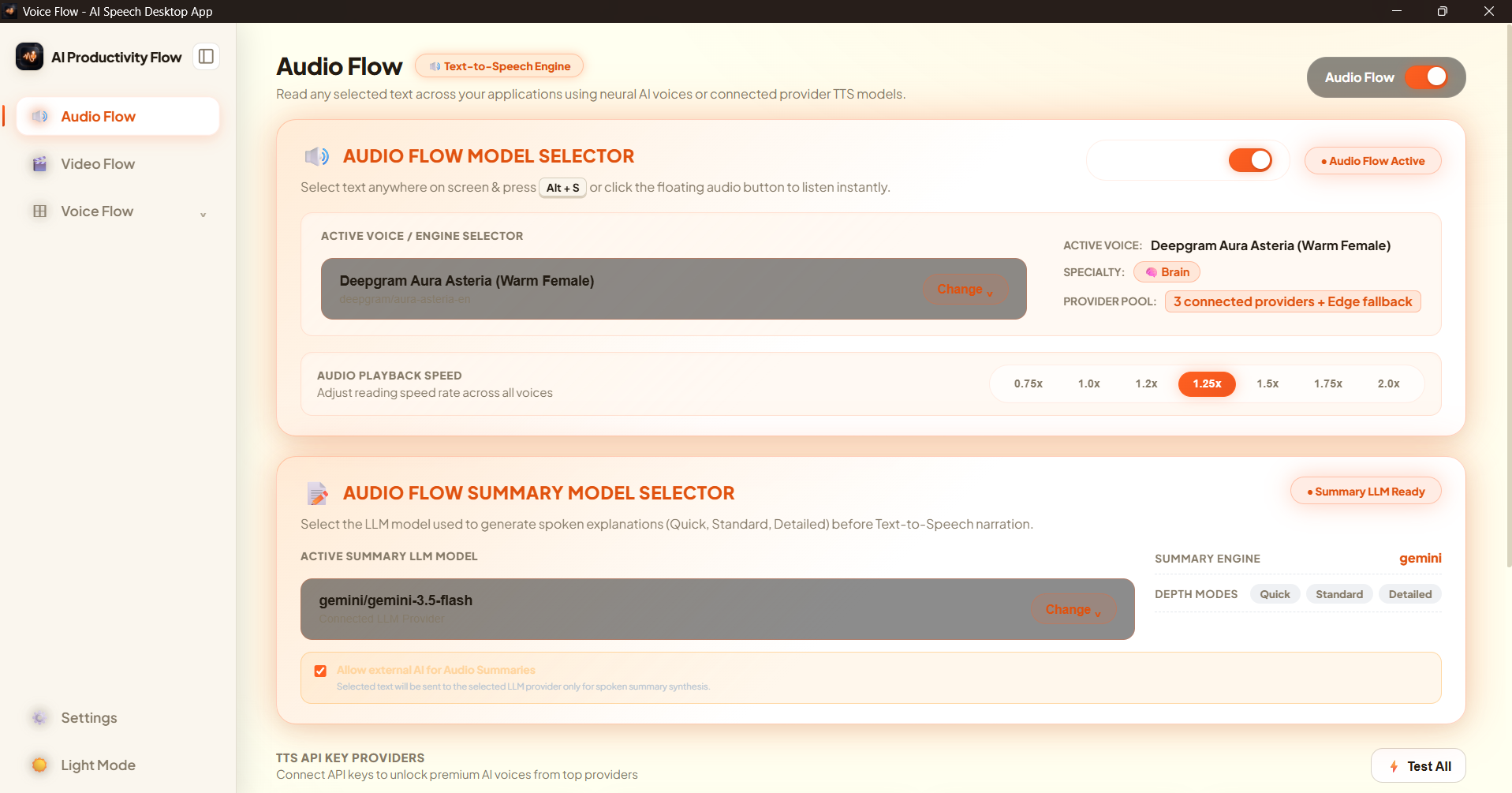
That became Audio Flow. I started by turning selected text into audio, and then expanded the idea so long documents could be summarized first and converted into shorter audio summaries.
While building that, I started thinking about the next problem: sometimes listening is not enough. Difficult subjects are much easier to understand when you can actually see what is happening.
That idea became Video Flow, which is now the flagship feature of the project.
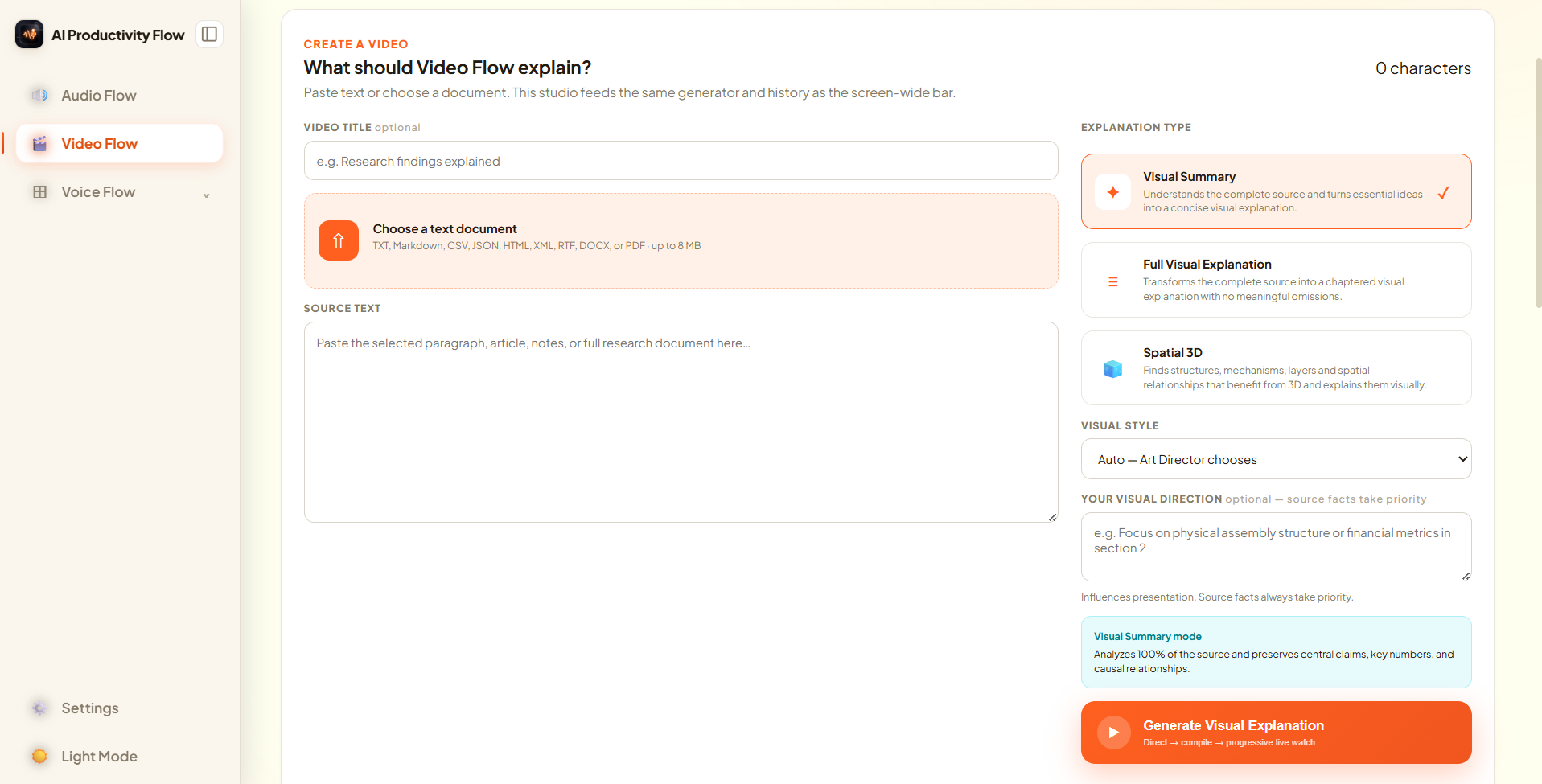
Instead of only summarizing text, Video Flow aims to transform selected information into a visual explanation using narration, diagrams, motion graphics, 2D/3D animation, and other visual elements.
The same philosophy eventually led to Voice Flow, allowing me to speak naturally and turn my speech directly into text wherever I am working.
The project began as something I wanted for myself, but I realized the same workflow could help students, developers, researchers, professionals, and anyone who regularly deals with information.
What it does
AI Productivity Flow is designed around one principle:
You should not have to open another application just to use AI.
A user can select information while reading a website, PDF, document, code, or other content and immediately use a Flow action.
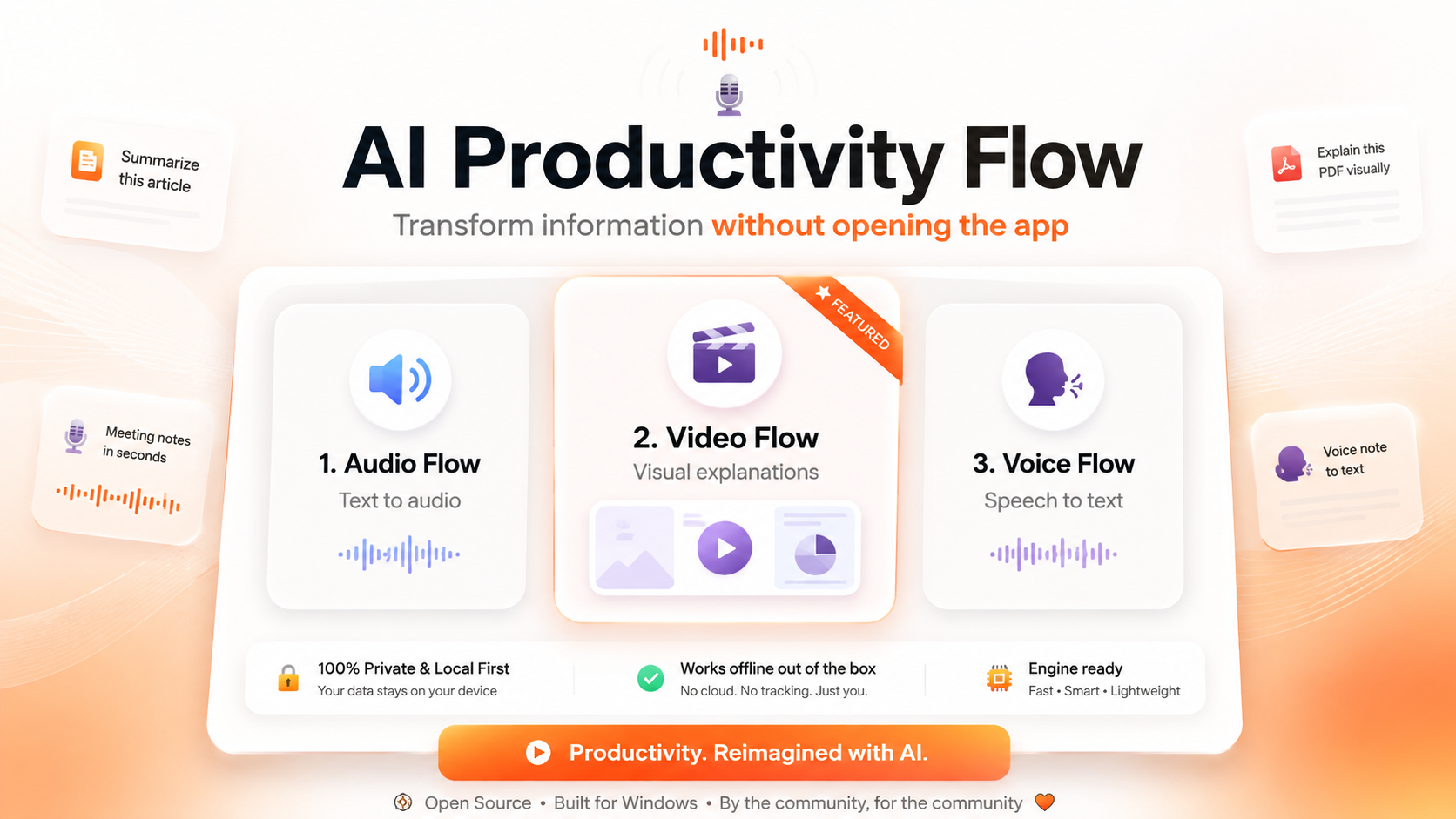
The current product has three main features:
- Audio Flow — turns selected text or summarized content into audio.
- Video Flow — the flagship feature, turning selected content into visual explanations and summaries.
- Voice Flow — turns natural speech into text directly inside the user's current workflow.
For example, a student could be reading an explanation of a rocket engine online, select the paragraph, choose Video Flow → Explain, and receive a visual explanation showing the process with narration, diagrams, motion, and 3D visuals.
The goal is to reduce the normal workflow of:
Copy → Open AI app → Paste → Write prompt → Generate
into:
Select → Choose Flow → Get the result
How we built it
AI Productivity Flow is being built as an open-source Windows desktop application.
The project combines Python for the main application and orchestration layer with web technologies and graphics frameworks for the visual experience.
Video Flow has grown into a source-grounded visual explanation pipeline that analyzes the selected information, plans how it should be explained, divides it into scenes, creates narration, and chooses appropriate visual representations.
The current Video Flow work includes procedural 2D graphics, WebGL/3D rendering, scene synchronization, audio narration, automated quality checks, and a hybrid architecture that can support additional generative-video providers in the future.
We are intentionally designing the system so the core experience can continue working without requiring every user to pay for expensive AI video-generation APIs.
Challenges we ran into
The biggest challenge has been Video Flow.
Generating a video is much harder than generating text because the system has to understand the source, decide what should be shown, create useful visuals, synchronize those visuals with narration, manage scene timing, and still produce something that actually helps the viewer understand the subject.
Another challenge is keeping the experience simple. The technology behind Flow can be complicated, but the user experience should remain as simple as selecting something and choosing what they want to do with it.
We have also had to think carefully about cost. High-quality generative video can be expensive, so we are building deterministic and procedural rendering paths alongside optional AI-generation providers.
Accomplishments that we're proud of
We are proud that the project has evolved from a personal text-to-audio experiment into a working open-source multimodal productivity platform.
Audio Flow and Voice Flow already have usable implementations, while Video Flow has developed into a substantial system with source grounding, scene planning, narration, 2D/3D visualization, WebGL rendering, quality checks, and an extensible rendering architecture.
We are also proud that the core idea has remained the same throughout development:
AI should meet the user where they already are instead of constantly forcing them into another application.
What we learned
The biggest thing we learned is that generating a good explanation is very different from simply generating content.
For Video Flow, impressive visuals are not enough. The system first has to understand what the user is trying to learn, determine which parts matter, and choose visuals that genuinely make the concept clearer.
We also learned that different information needs different types of visualization. A neural network may need an animated graph, an economic concept may need charts, a historical event may need a timeline, and a mechanical system may benefit from a 3D explanation.
That has pushed us toward building Video Flow as an explanation engine rather than just another text-to-video generator.
What's next for AI Productivity Flow
Our immediate priority is completing and polishing Video Flow and publishing a strong public version of the project.
We are continuing to improve visual quality, 2D/3D animation, narration synchronization, reliability, and the overall select-to-explanation experience.
After that, we want to expand provider support, improve accessibility and multilingual capabilities, make the project easier for open-source contributors to extend, and explore infrastructure partnerships that could make advanced video generation available without putting the cost directly on users.
The long-term goal remains simple:
Select information anywhere and immediately listen to it, understand it, or see it explained visually—without leaving what you are already doing.
Built With
- antigravity
- claudecode
- codex
- gaminiapi
- gaminitts



Log in or sign up for Devpost to join the conversation.