-
-
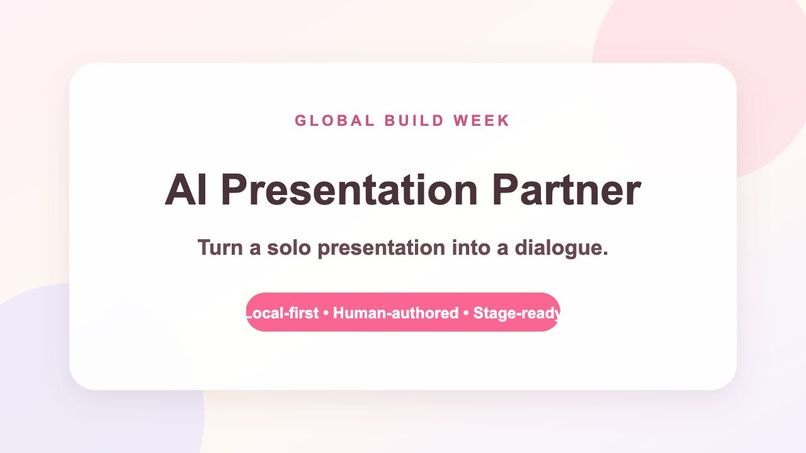
AI Presentation Partner — a dialogue-based presentation tool inspired by AI manzai.
Inspiration
This project started with an AI manzai system I had already built. Manzai is a Japanese comedy format driven by the rhythm and back-and-forth between two performers.
After experiencing that dialogue with an AI character, I wondered: what if I added slides and used the same structure for presentations?
Company presentations are often formal and not much fun. They can also include things that feel awkward or difficult to say directly. I wanted to make those moments lighter. The AI partner can ask the difficult question, say the awkward setup, or move the conversation forward, while the human decides the content and responds in their own words.
That idea became AI Presentation Partner.
What it does
AI Presentation Partner turns a solo presentation into a dialogue.
An AI character introduces the speaker, asks a question, says a prepared line, or gives the next cue. The human responds in their own words, and the presentation advances with the conversation.
Because every AI cue is written and reviewed in advance, the AI can also voice something that would be difficult for the presenter to say directly—without improvising or taking control of the message.
The local application includes a presentation editor, a 60-second self-introduction template, custom slides and character artwork, prepared local audio, presenter preview, Space-key progression, an elapsed timer, remaining-time warnings, usage tips, and MP4 export.
A privacy-safe public site gives judges and visitors a prerecorded walkthrough of the finished presentation and a view of the creation interface. The full live presentation experience runs locally and is shown in the submitted video.
How it is different
Most AI presentation tools focus on generating slides or rewriting a script.
AI Presentation Partner gives AI a different role. The human remains the author, while the AI becomes a partner in the performance.
The goal is not to make AI present instead of the human. It is to use dialogue, timing, and character to make formal presentations more enjoyable and help the presenter's own words come out.
How we built it
The local Python server stores presentation projects and serves the editor and presenter interfaces.
Each project contains ordered dialogue cues, slide references, character states, subtitles, timing settings, and prepared audio references. During the live presentation, the browser advances deterministically through the approved cues and media.
The presenter can use the Next button or Space key to move through the dialogue. The prepared audio, subtitles, character, slide, and timer remain synchronized.
The server binds only to 127.0.0.1. Private scripts, uploaded media, generated voices, and personal data are stored locally and excluded from Git. No live LLM or external API is called during the presentation.
The public project site provides a prerecorded demo walkthrough and a view of the creation interface without exposing the private local application or personal assets.
How I used Codex and GPT-5.6
Codex with GPT-5.6 was my development partner during Build Week.
I used it to inspect and extend the Python and browser implementation, debug the editor and presenter flow, improve the live-use interface, review privacy and security boundaries, perform end-to-end testing, verify the public project site, and prepare judge-facing documentation.
I retained control over the central product decisions: the original AI manzai concept, the decision to add slides, the dialogue-first presentation experience, the rule that the AI must not rewrite the presenter's words, the character direction, and the final user experience.
Challenges we ran into
The hardest design problem was balancing the warmth and flexibility of an AI character with the reliability required during a live presentation.
A live model call could introduce latency, network failure, unexpected wording, or a response the presenter had not approved. That would be especially risky when the AI is responsible for saying something difficult on the presenter's behalf.
I solved this by separating creation from performance. The presenter reviews every script and audio cue in advance, and the live session plays only approved local material.
Another challenge was keeping the slide, character, subtitle, audio, dialogue cue, and timer synchronized while making the controls simple enough to use during a real presentation.
Accomplishments that we're proud of
The project grew from an AI manzai experiment into a working presentation system.
It includes a functional editor, presenter mode, project persistence, validated media uploads, prepared local voices, timing support, privacy boundaries, keyboard progression, and MP4 export.
I am especially proud that the project keeps the playful rhythm of the original manzai system while solving a practical problem: making formal presentations more enjoyable and making difficult things easier to say.
What we learned
I learned that the rhythm of manzai can be useful far beyond comedy.
A well-timed question or cue can make a formal presentation feel more human. AI can help someone approach an awkward or difficult subject without replacing that person's authorship.
The most useful role for AI here is not to become the presenter, but to become a reliable partner.
I also learned that deterministic local behavior is important for live presentations, where reliability and approved wording matter more than spontaneous generation.
What's next for AI Presentation Partner
Future work includes reusable presentation templates, more character and voice options, improved rehearsal feedback, accessible keyboard and screen-reader flows, and packaged desktop distribution.
I also want to explore an optional creation-time AI assistant that can help prepare dialogue while remaining strictly separated from the offline live-presentation path.
Built With
- codex
- css
- ffmpeg
- gpt-5.6
- html
- javascript
- openai
- python
- sites

Log in or sign up for Devpost to join the conversation.