Inspiration
This project was done with keeping in mind the fact that students often tend to mismanage their study schedules and grades because of a lack of plan and failure to recognize what to prioritize
What it does
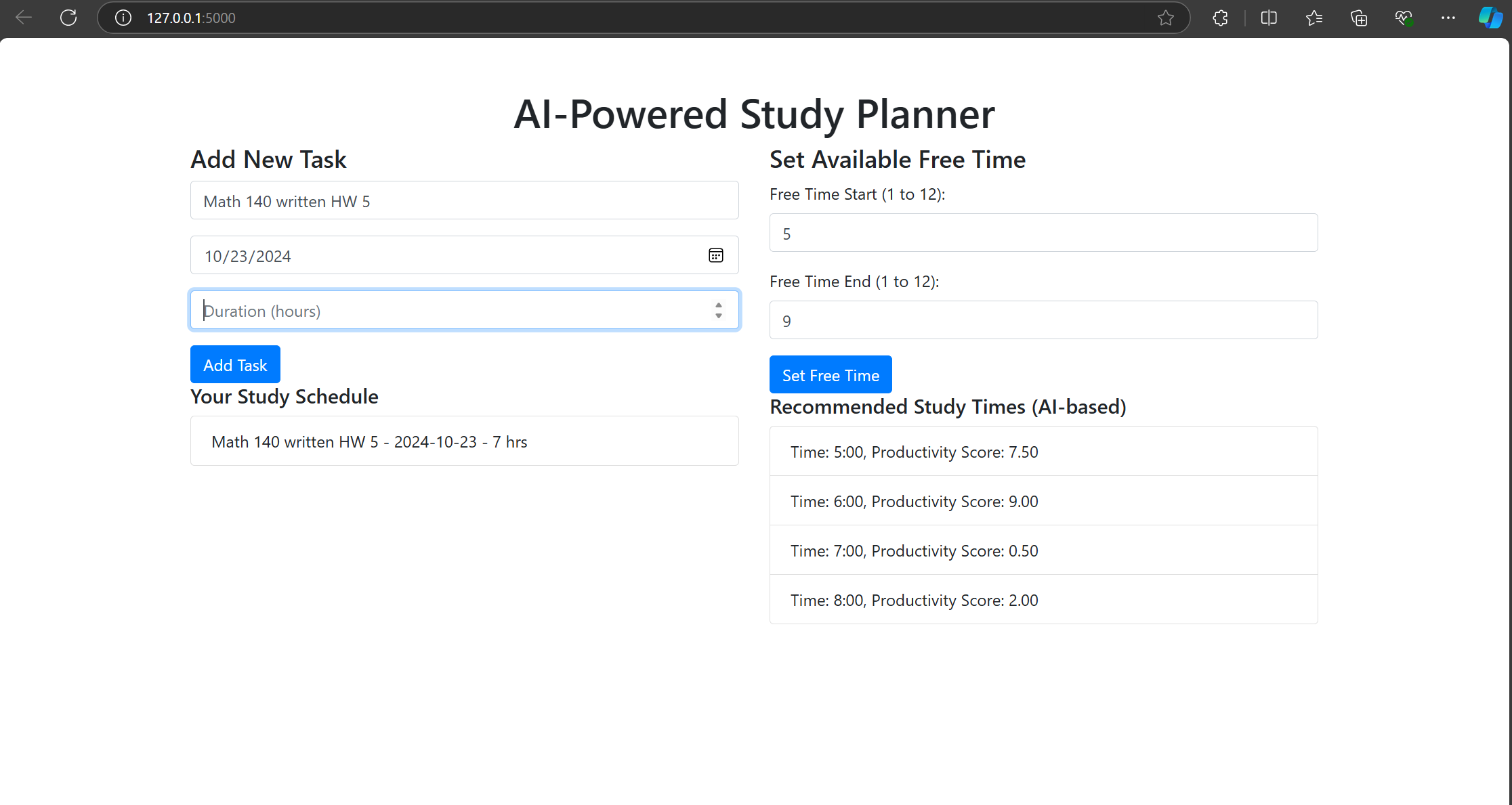
This project takes the tasks given to a student, the time it takes to complete and also gives a productivity level and task importance while also taking into consideration the student's free time
How we built it
The frontend was developed using HTML, while the backend was built with Python. Flask served as the framework to connect the two components.
Challenges we ran into
Problem: Initially, the Flask app threw errors related to "working outside of application context," especially when interacting with the database.
Solution: We had to ensure that all database interactions, such as creating tables and adding tasks, were properly wrapped within the Flask application context. This involved modifying the initialization flow to ensure the database was created within app.app_context().
Accomplishments that we're proud of
Fully Functional AI-Driven Study Planner: You successfully developed an intelligent study scheduling tool that integrates AI to suggest optimal study times based on free time input and task priorities. This functionality improves productivity and time management for users.
What we learned
Flask Framework & Backend Development: We gained hands-on experience working with the Flask framework to build the backend of the application.
We also learned how to set up routes, handle form submissions, manage databases, and serve dynamic HTML content from Flask.
Implementing a SQLAlchemy ORM to manage the SQLite database helped you understand database modeling and query handling better.
What's next for AI Powered Study Planner
Advanced AI Recommendations: Personalized Learning Recommendations: Implement machine learning models that can predict study times based on users' learning patterns, historical productivity data, or preferences, making the recommendations more personalized.
- Cross-Platform Integration:
Mobile App: Extend the project by building a mobile app version (using frameworks like Flutter) to provide study schedules and reminders on the go.
Google Calendar/Outlook Sync: Allow users to sync their tasks and study schedules with external calendar services like Google Calendar or Microsoft Outlook, so they get reminders on multiple platforms.

Log in or sign up for Devpost to join the conversation.