-
-
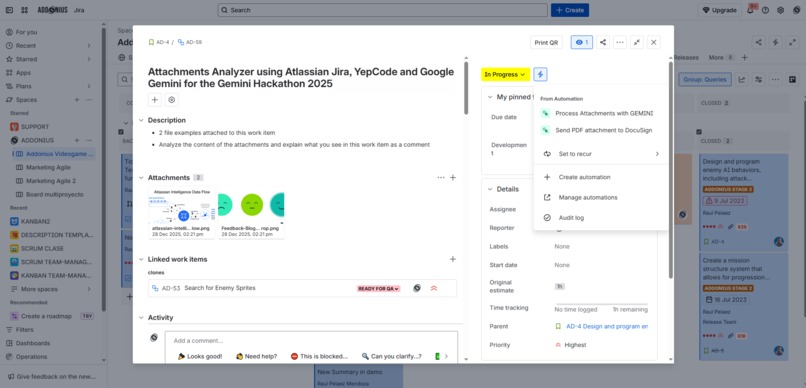
Analyze Attachments with Google Gemini
-
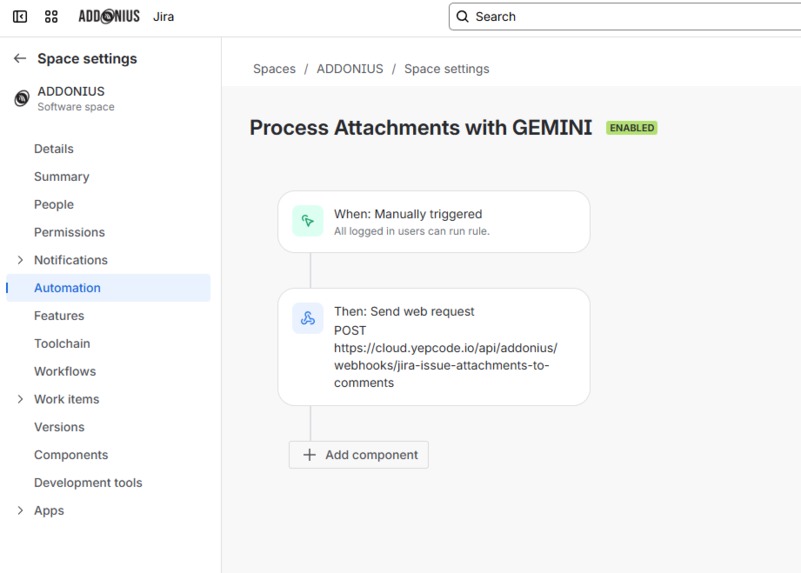
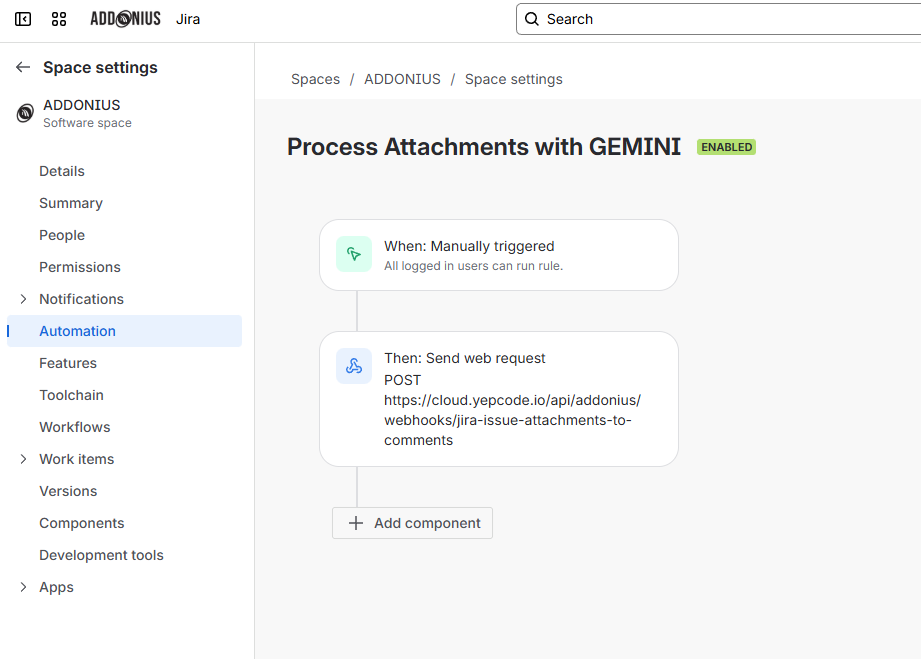
Calling WebHook of YepCode to Start the Attachments Analysis
-
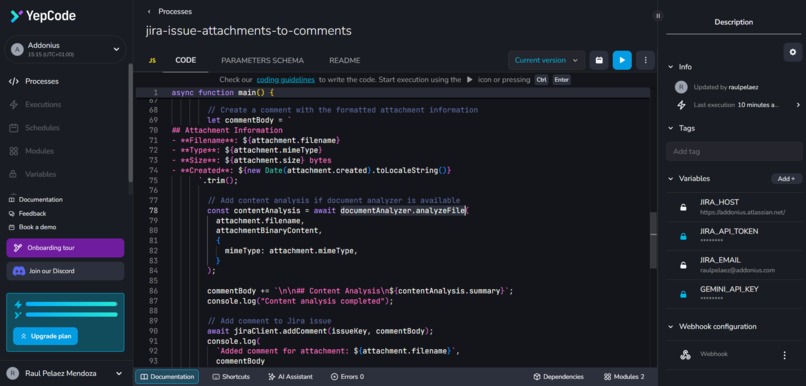
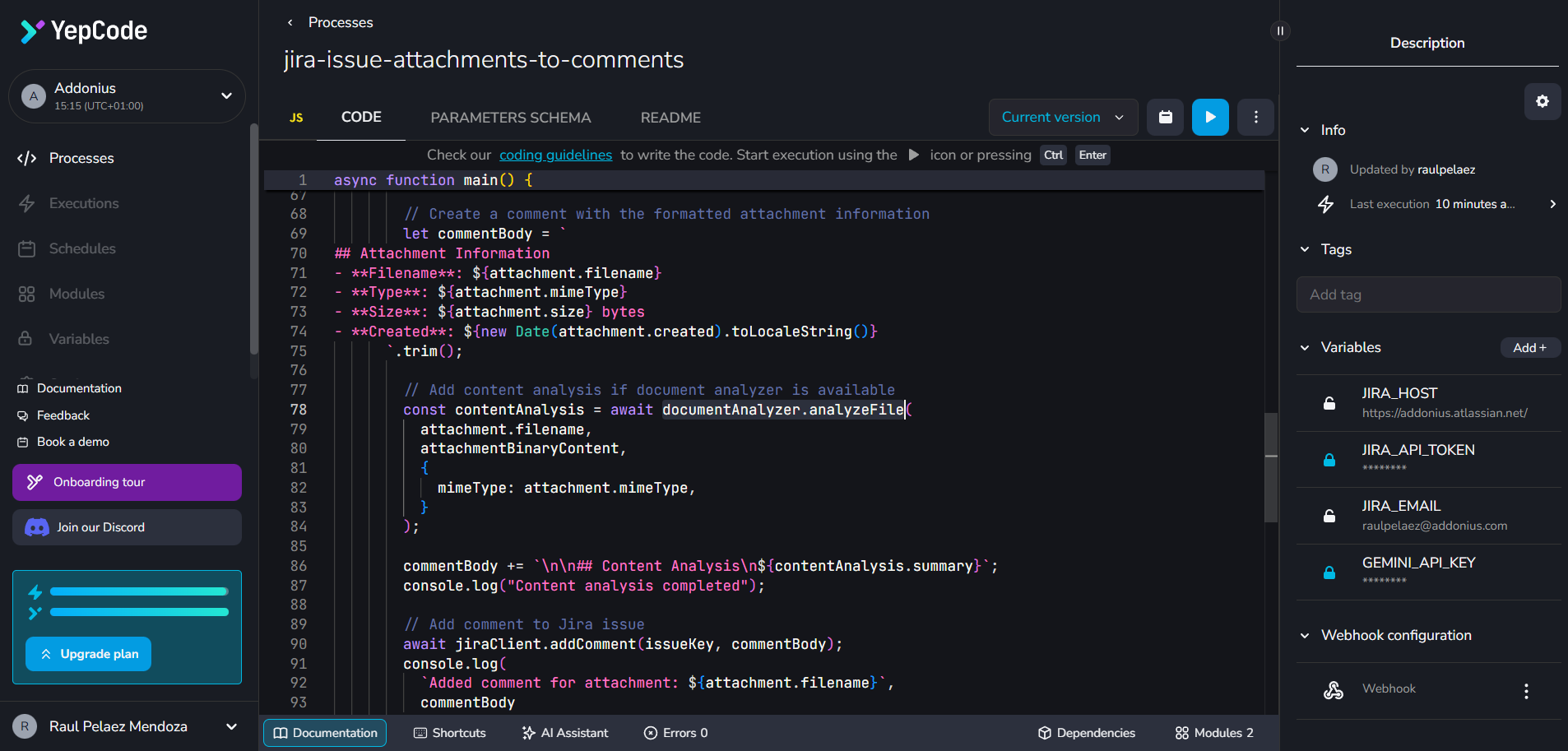
YepCode WebHook Script to extract Jira Attachments and send to Gemini
-
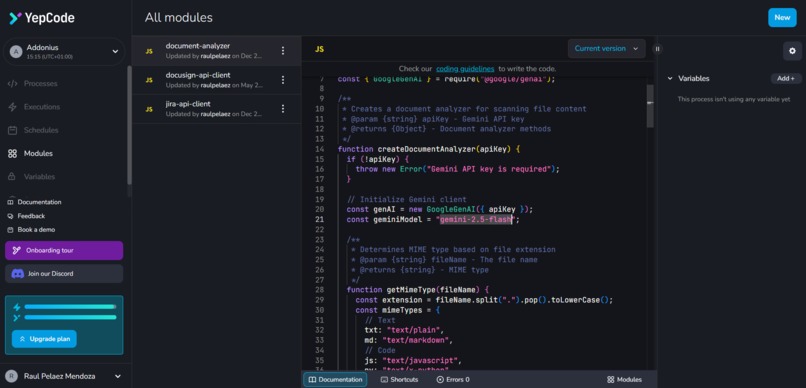
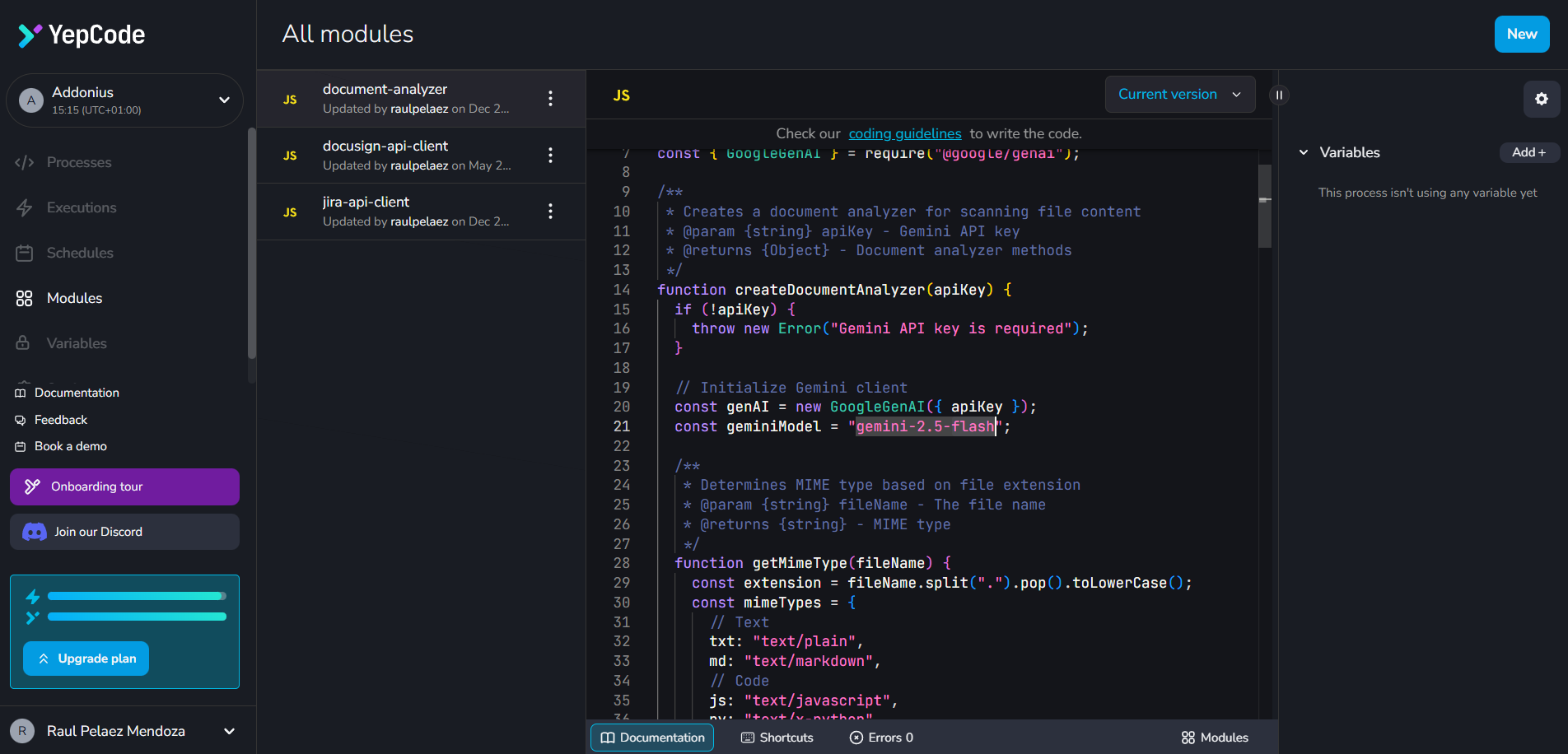
YepCode Gemini Module
-
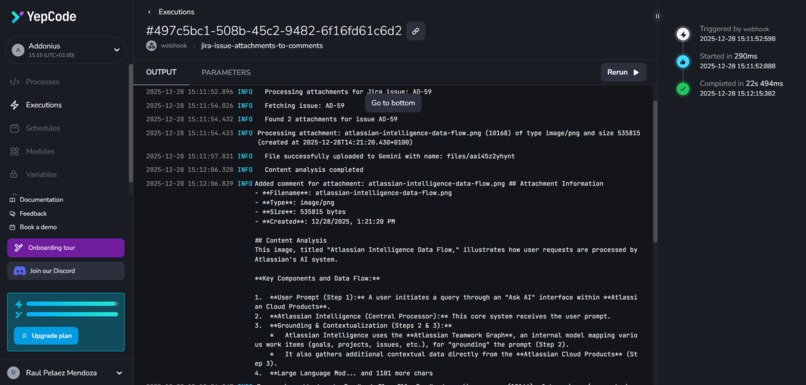
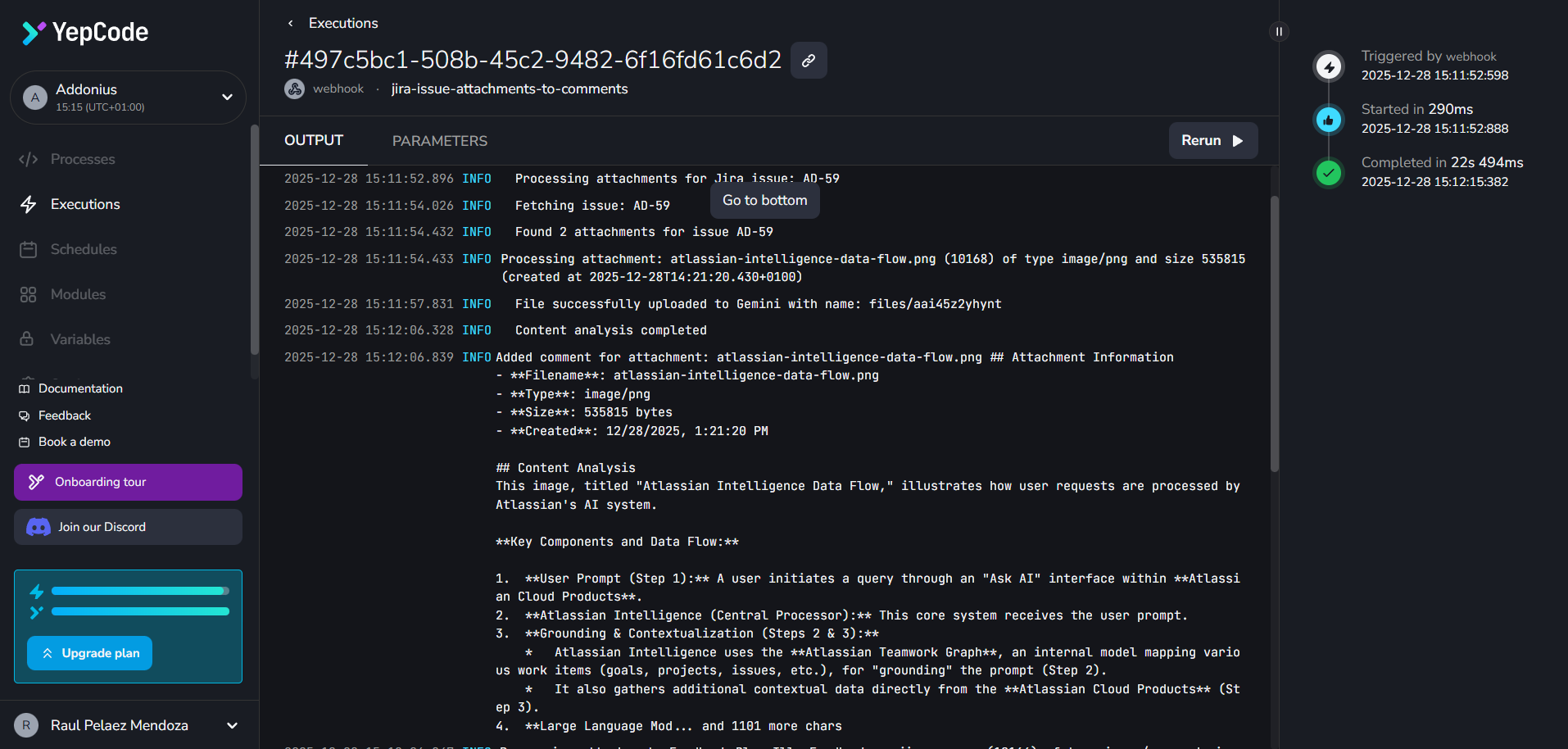
YepCode Log with Gemini results
-
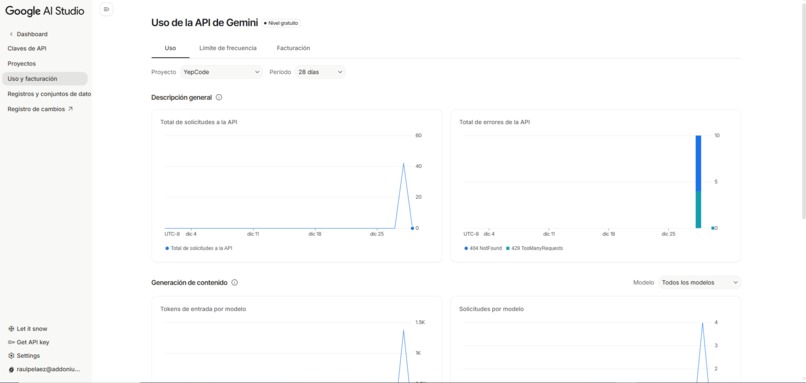
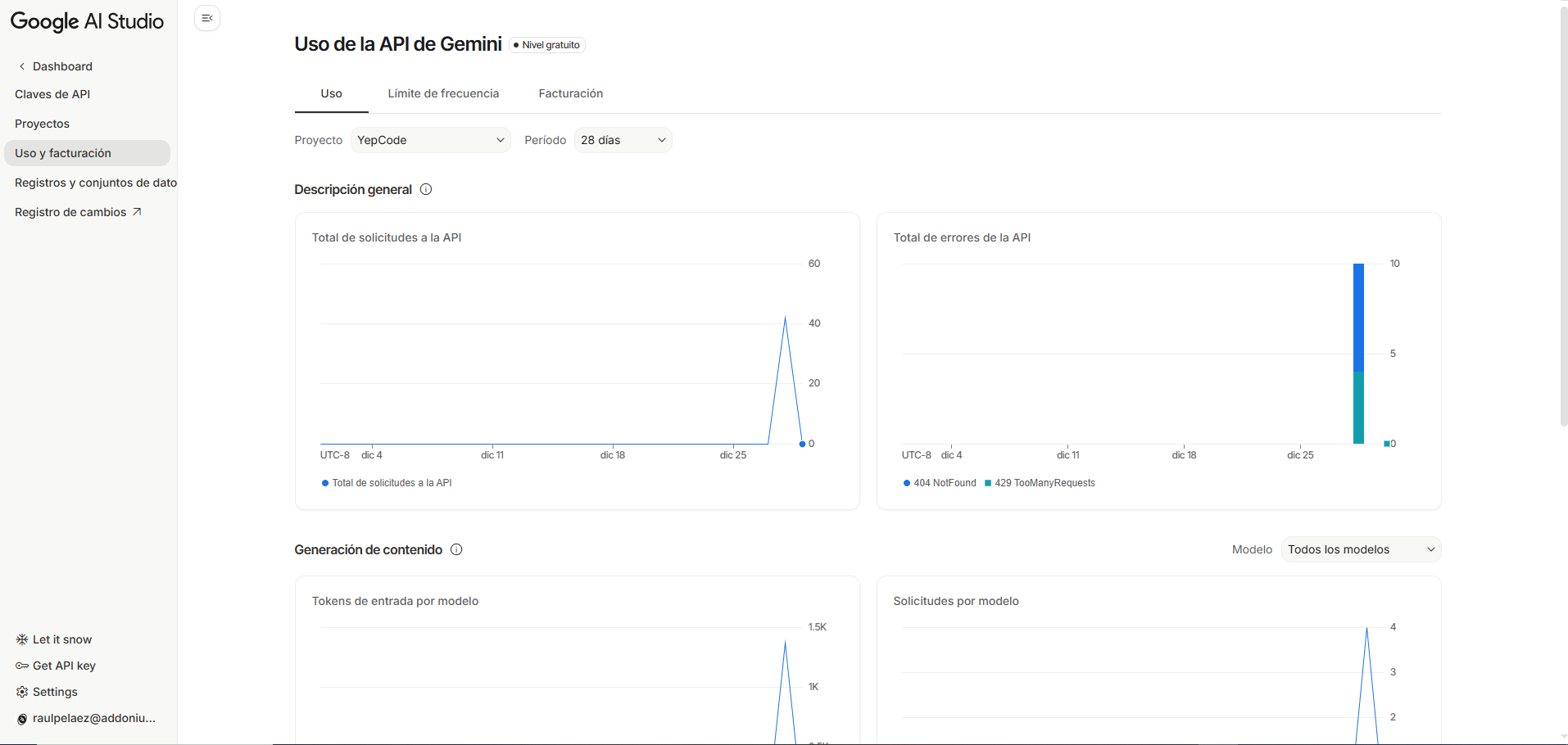
Google AI Studio Cost/Ratings and Quotes
Inspiration
The inspiration came from the friction of managing Jira tickets with multiple attachments. Often, developers or managers have to download and open dozens of files (diagrams, screenshots, logs) just to find a specific piece of information. We wanted to create a "Quick Look" feature powered by AI that indexes and summarizes these files directly in the comment history, saving time and making attachment content searchable.
What it does
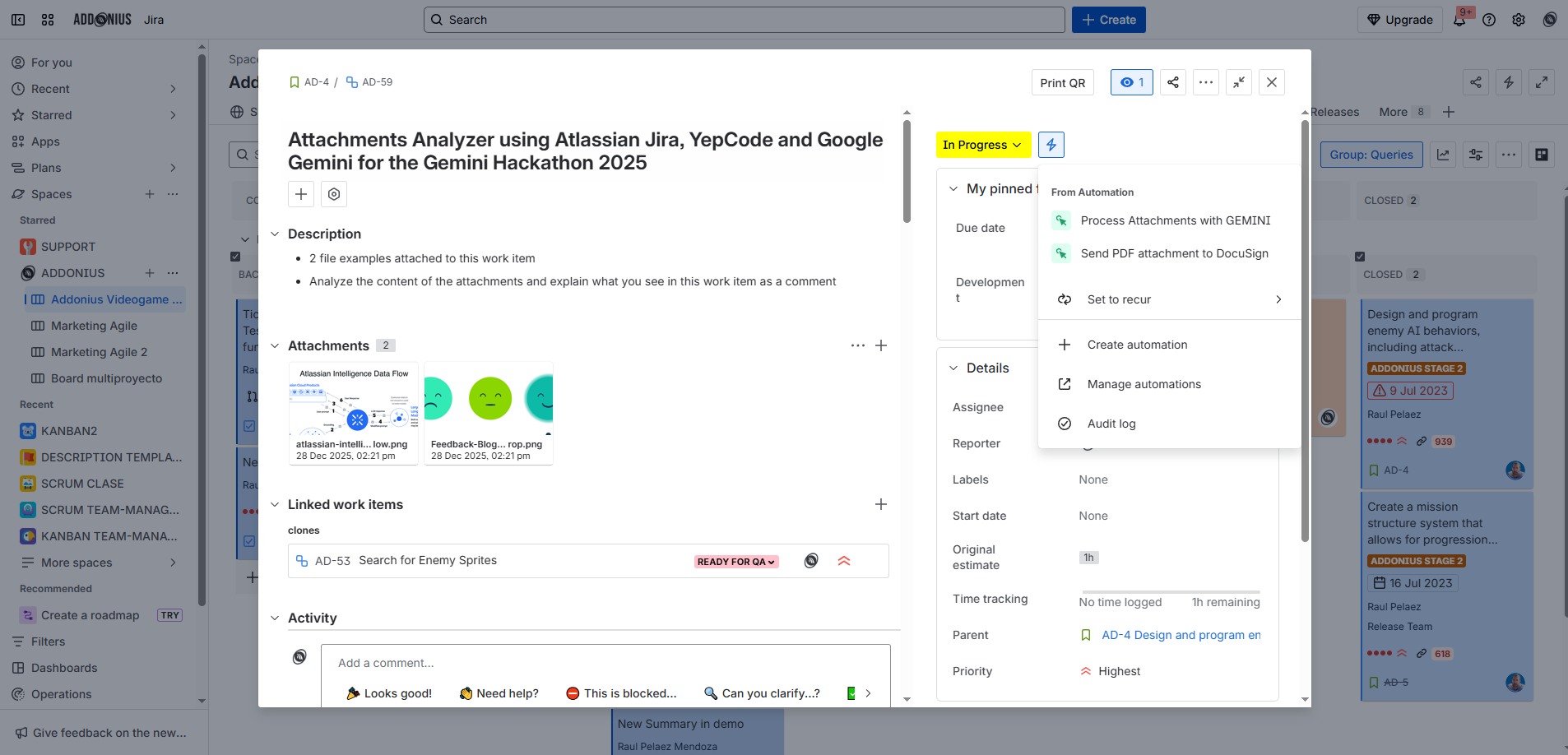
Jira Insight Attachment Analyzer allows users to trigger an AI-driven analysis of all ticket attachments with a single click. Inside a Jira work item, the user clicks a custom button (or triggers an automation). This calls a YepCode Webhook, sending the context of the work item. YepCode retrieves the attachments and sends them to Gemini AI. Gemini analyzes each file (technical schemas, hand-drawn notes, emoji scales, etc.). YepCode then posts an individual comment back to the Jira ticket for each attachment, describing exactly what Gemini "saw." This makes the content of images and diagrams instantly indexed and readable without ever having to open the files.
How we built it
We built a seamless bridge between Jira and Google’s most advanced AI: Gemini 2.5 Flash: Used to perform multimodal analysis on various file types. It’s the "eyes" of the project, capable of understanding both complex Atlassian Intelligence schemas and emotional cues in images. YepCode: Acts as the brain and orchestrator. It hosts the Webhook that Jira calls, manages the logic of fetching attachments, interacts with the Gemini API, and formats the results back into Jira comments. Jira UI Integration: We used Jira's extensibility to trigger the analysis process directly from the work item interface.
Challenges we ran into
One technical challenge was handling the sequential processing of multiple attachments while ensuring the Jira comment thread remained organized. We had to optimize the YepCode logic to iterate through files efficiently and handle the binary data transfer to Gemini's API, ensuring that even large diagrams were processed without timeouts.
Accomplishments that we're proud of
We are proud of the "Invisible Indexing" aspect. In our demo, Gemini accurately describes a complex technical schema and identifies a specific mood on an emoji scale. The fact that this information is now "text" within a Jira comment means it becomes searchable via Jira’s native search, effectively unlocking the data trapped inside images.
What we learned
We learned how powerful the combination of on-demand automation (YepCode) and multimodal AI (Gemini) can be for productivity. Moving from "I have to open this file" to "The AI already told me what's inside" changes the way we interact with project management tools. We also saw how easily Gemini handles diverse visual inputs without needing specific training for different types of images.
What's next for AI-Powered Jira Attachments Analyzer (YepCode + Gemini)
Smart Filtering: Only analyze new attachments that haven't been summarized yet. Automated Tagging: Based on Gemini's description, automatically add labels to the Jira ticket (e.g., #architecture, #feedback, #bug-screenshot). Actionable Insights: If Gemini sees an error message in a screenshot, it could automatically suggest a fix or link to relevant documentation.
Built With
- gemini
- javascript
- jira
- yepcode


Log in or sign up for Devpost to join the conversation.