Table 12
Inspiration In today’s digital world, our devices quickly become cluttered with screenshots, downloads, and random saved images, making it overwhelming to manually sort and delete unnecessary files. Screenshots, images for assignments keep taking up space, mostly on our desktop. The tedious process of reviewing images one by one inspired us to build an AI-driven solution that automates categorization and simplifies image management. Our goal was to create a tool that reduces clutter, saves time, and enhances productivity for users dealing with large collections of images.
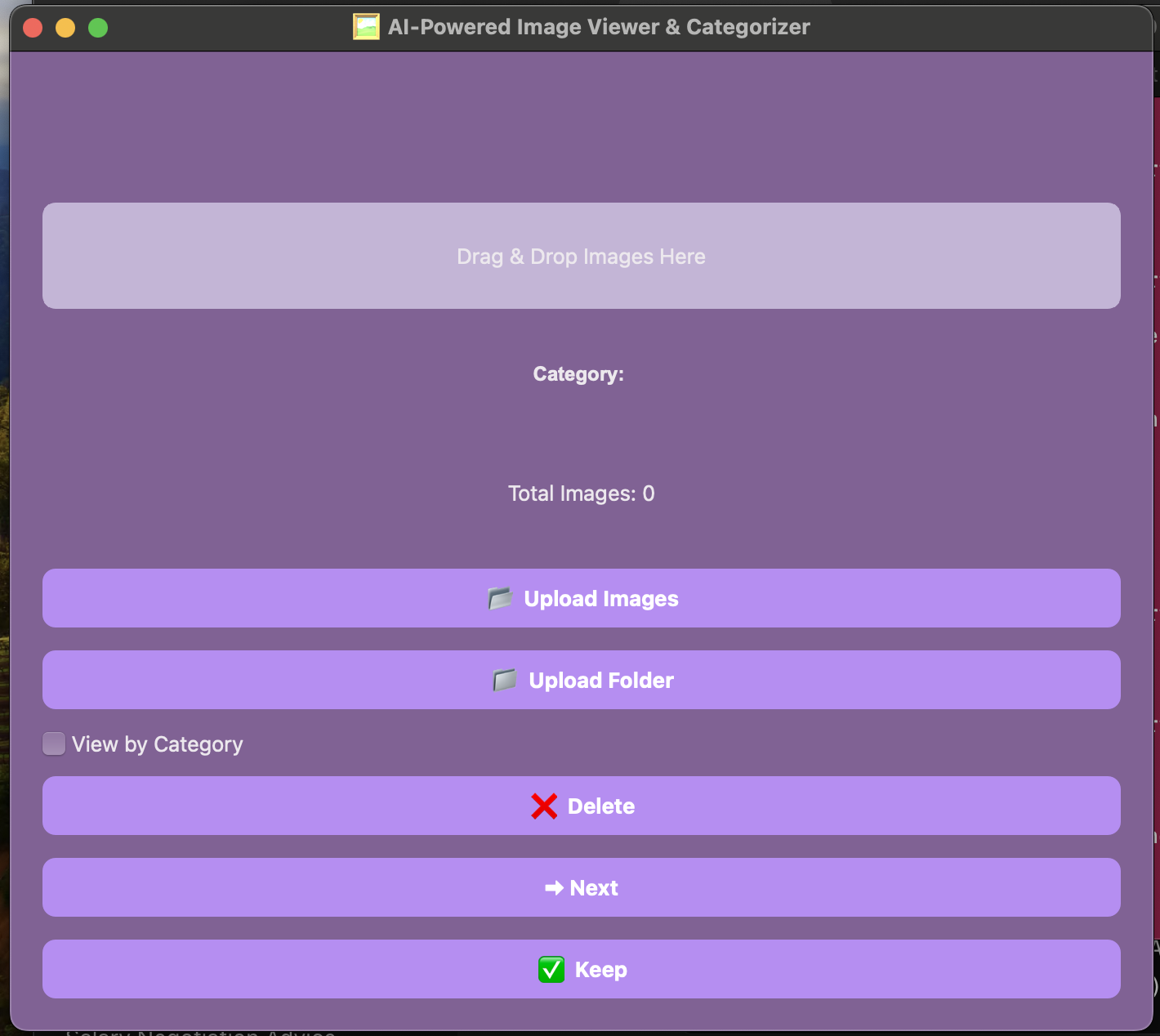
What it does: AI-Powered Image Organizer is a smart desktop application that:
- Automatically categorizes images using Google Gemini AI
- Allows users to quickly review, keep, or delete images
- Moves deleted images to the Recycle Bin for safety
- Provides category-based viewing for easy navigation
- Offers drag & drop functionality for seamless file management
- Notifies users when all images in a category or overall collection are reviewed With an intuitive UI, this application helps users effortlessly declutter their images while maintaining full control over their files.
How we built it: We developed the application using:
- Python + PyQt6 for an interactive desktop UI
- Google Gemini API for AI-powered image classification
- Pillow (PIL) for image rendering
- Send2Trash for safe file management (Recycle Bin support)
- FastAPI (Optional Backend) for handling API requests By integrating AI-driven classification, a user-friendly UI, and efficient file operations, we built a robust and scalable solution.
Challenges we ran into:
- Ensuring AI-generated categories were accurate and meaningful
- Implementing seamless drag & drop functionality in PyQt6
- Preserving user control by allowing images to be "kept" instead of deleted Through troubleshooting and iterative improvements, we overcame these challenges to deliver a smooth and intelligent user experience.
Accomplishments that we're proud of
- Successfully integrated AI-powered categorization for images
- Built a modern, visually appealing UI with Women in Computing theme.
- Implemented a Recycle Bin feature to prevent accidental deletions
- Developed a seamless "Keep" functionality to retain important images
- Ensured real-time category updates and completion notifications These features significantly improve how users manage their images, making it an efficient, user-centric solution.
What we learned
- How to integrate AI with a desktop application for real-world automation
- Best practices for managing file operations and UI interactions in PyQt6
- Handling user experience (UX) challenges like category-based viewing and notifications
- Optimizing AI classification for better image sorting and organization This project deepened our understanding of AI-driven applications, UI/UX design, and efficient file handling.
What's next for AI-Powered Image Organizer
Looking ahead, we plan to:
- Enhance AI categorization accuracy with more advanced deep-learning models
- Introduce duplicate image detection to remove redundant files
- Expand support for additional file types like PDFs and GIFs
- Optimize performance for handling extremely large datasets By continuously improving functionality and AI capabilities, we aim to make image management even smarter, faster, and more intuitive.
Built With
- fastapi
- gemni
- pillow
- pyqt6
- python
- send2trash


Log in or sign up for Devpost to join the conversation.