-
Intelligent Voice assistent
Inspiration
The inspiration for the AI-Powered Healthcare Voice Assistant stemmed from a desire to make healthcare more accessible and user-friendly. We observed that interacting with healthcare systems – scheduling appointments, finding reliable health information – can often be cumbersome and time-consuming. The idea of a voice-driven interface felt like a natural and intuitive way to bridge this gap, allowing users to interact with healthcare services in a more conversational and efficient manner.
Specifically, we were intrigued by the potential of combining natural language processing with cloud-based services to create intelligent and responsive applications. The advancements in voice recognition and synthesis technologies, coupled with the scalability and power of platforms like AWS, presented a compelling opportunity to build a truly helpful healthcare assistant. We envisioned a system where users could simply speak their needs and receive relevant information or complete tasks seamlessly.
What it does
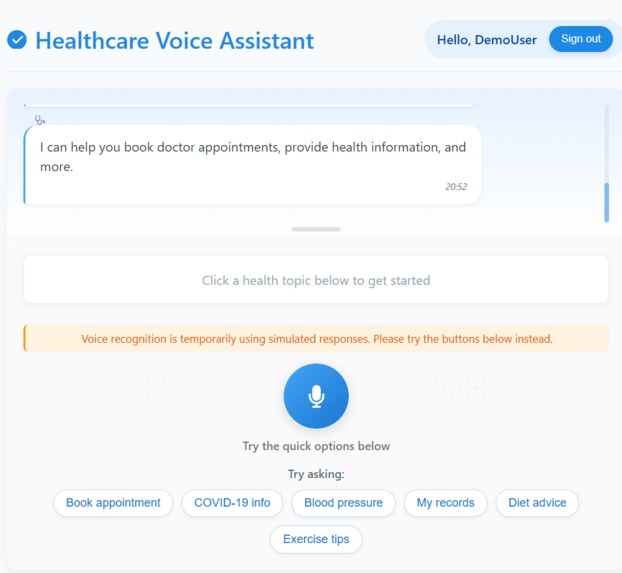
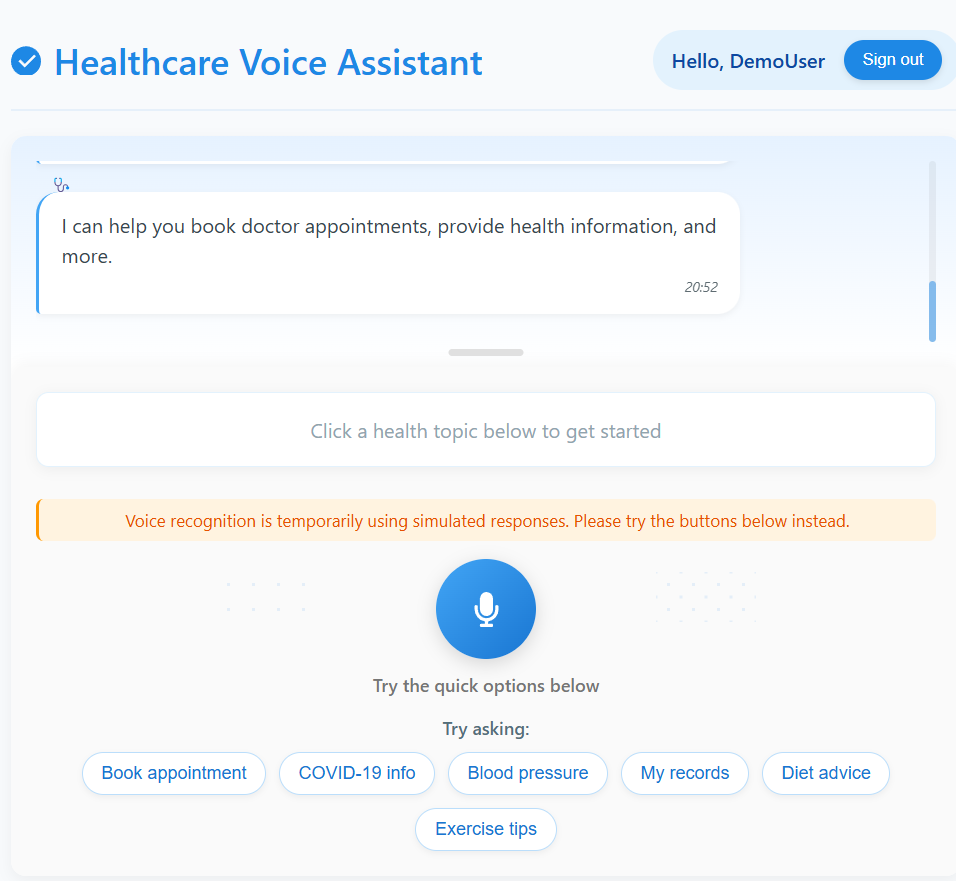
The AI-Powered Healthcare Voice Assistant is a voice-enabled application designed to simplify common healthcare-related tasks. It allows users to interact using natural language to:
- Schedule Doctor Appointments: Users can book appointments with doctors of different specialties by simply stating their preference.
- Retrieve Health Information: The assistant can provide information on various health topics, answering user queries in a clear and concise manner.
- Manage User Preferences: Users can store and update their preferences, such as preferred language, notification settings, etc., for a more personalized experience.
- View Conversation History: Users can review their past interactions with the assistant for reference.
The core functionalities are powered by AWS services, enabling robust voice recognition, natural language understanding, and voice responses.
How we built it
The project was built leveraging the following AWS services and technologies:
- Frontend (React): We developed a user interface using React to handle user interaction, including voice input and displaying responses. AWS Amplify was used to facilitate the integration with the backend services.
- Voice Recognition (AWS Transcribe): We integrated AWS Transcribe to convert user speech into text, enabling natural language input.
- Natural Language Understanding (Amazon Lex): Amazon Lex was used to build the conversational interface, define intents, and extract relevant information from user utterances.
- Backend Logic (AWS Lambda): AWS Lambda functions, written in Node.js, were implemented to handle the core business logic, such as processing Lex intents, querying the database, and generating responses.
- Data Storage (Amazon DynamoDB): We utilized Amazon DynamoDB, a NoSQL database, to store user data, appointment details, health information snippets, and user preferences.
- Voice Output (AWS Polly): AWS Polly was integrated to convert the text-based responses from the backend into natural-sounding spoken language for the user.
- User Authentication (Amazon Cognito): Amazon Cognito was used to manage user registration, login, and secure access to the application.
- Infrastructure and Deployment (AWS Amplify CLI): The AWS Amplify CLI streamlined the process of provisioning and deploying the backend infrastructure and connecting it to the frontend.
The development process involved:
- Designing the conversational flow and defining intents and slots in Amazon Lex.
- Developing Lambda functions to handle different user intents and interact with DynamoDB.
- Creating the React frontend with voice input capabilities and integrating it with the AWS backend using Amplify.
- Implementing user authentication using Cognito.
- Testing and iterating on the voice interactions and overall functionality.
Challenges we ran into
We encountered several challenges during the development of this project:
- Accurate Voice Recognition in Noisy Environments: Ensuring accurate speech-to-text conversion using AWS Transcribe in varying acoustic conditions proved challenging. We explored different noise reduction techniques and optimized the audio input process.
- Designing Robust Natural Language Understanding: Building a Lex bot that could accurately understand a wide range of user phrasings and handle ambiguous queries required significant effort in defining intents, sample utterances, and slot types.
- Integrating Asynchronous AWS Services: Managing the asynchronous nature of the interactions between the different AWS services (Transcribe, Lex, Lambda, Polly) required careful implementation to ensure a smooth and responsive user experience.
- Handling Edge Cases and Errors: Anticipating and gracefully handling unexpected user input, service errors, and database issues required robust error handling mechanisms in the Lambda functions and frontend.
- Maintaining State and Context in Conversations: While Lex manages some context, ensuring consistent and relevant responses across multi-turn conversations required careful design of the conversational flow and potentially storing session-specific data.
- Data Privacy and Security: Implementing appropriate security measures to protect user health information stored in DynamoDB and ensuring secure communication between different components was a critical challenge.
Accomplishments that we're proud of
Despite the challenges, we are proud of the following accomplishments:
- Functional Voice-Enabled Healthcare Assistant: We successfully built a working prototype of a voice assistant that can perform key healthcare-related tasks like scheduling appointments and retrieving health information.
- Seamless Integration of Multiple AWS Services: We effectively integrated a range of AWS services, demonstrating a strong understanding of the cloud platform and its capabilities.
- Intuitive Voice User Interface: We designed a conversational flow that aims to be natural and easy for users to interact with.
- User Authentication and Data Storage: We implemented a secure user authentication system and a robust database schema for storing user data.
- Real-time Voice Interaction: We achieved near real-time processing of voice input and output, providing a responsive user experience.
What we learned
Building this project was a significant learning experience for the team. We gained valuable insights into:
- The capabilities and limitations of various AWS services for building voice-enabled applications.
- The principles of designing effective voice user interfaces and conversational flows.
- The challenges and best practices in natural language understanding and speech recognition.
- The importance of robust error handling and secure data management in cloud-based applications.
- The power of the AWS Amplify framework for streamlining backend development and deployment.
What's next for AI-Powered Healthcare Voice Assistant
Our future plans for the AI-Powered Healthcare Voice Assistant include:
- Expanding Functionality: Adding more features such as medication reminders, prescription refills, integration with wearable devices for health data monitoring, and more personalized health recommendations.
- Improving Natural Language Understanding: Enhancing the Lex bot with more sophisticated NLU capabilities to handle more complex queries and understand nuanced language.
- Personalization and Contextual Awareness: Implementing more robust user preference management and making the assistant more context-aware based on past interactions and user data.
- Integration with Real-world Healthcare Providers: Exploring possibilities for integrating the assistant with existing healthcare provider systems for seamless appointment scheduling and information retrieval.
- Multi-language Support: Expanding the assistant to support multiple languages to reach a wider user base.
- Enhanced Security and Privacy: Continuously improving the security and privacy measures to ensure the confidentiality and integrity of user health information.
- User Testing and Feedback: Conducting thorough user testing to gather feedback and iterate on the design and functionality to improve the user experience.


Log in or sign up for Devpost to join the conversation.