AI-Powered Code Education Platform
Inspiration
My journey to create this AI-Powered Code Education Platform began with my own experience as both a coding student and later as a mentor. I vividly remember the frustration of being stuck on a coding problem for hours, only to discover the solution was something relatively simple that I had overlooked. Similarly, as a mentor, I noticed a pattern: students often needed just a gentle nudge in the right direction rather than having solutions handed to them.
The emergence of AI models with code understanding capabilities presented an exciting opportunity. What if we could create a learning environment that provided personalized guidance exactly when needed? Not a system that solves problems for students, but one that helps them discover solutions themselves through targeted hints and explanations – essentially replicating what a good human mentor does, but at scale.
Azure's AI services and GitHub Copilot seemed like the perfect combination to bring this vision to life. With Azure providing the AI backbone and Copilot accelerating the development process, I could focus on designing an effective learning experience rather than getting bogged down in implementation details.
What it does
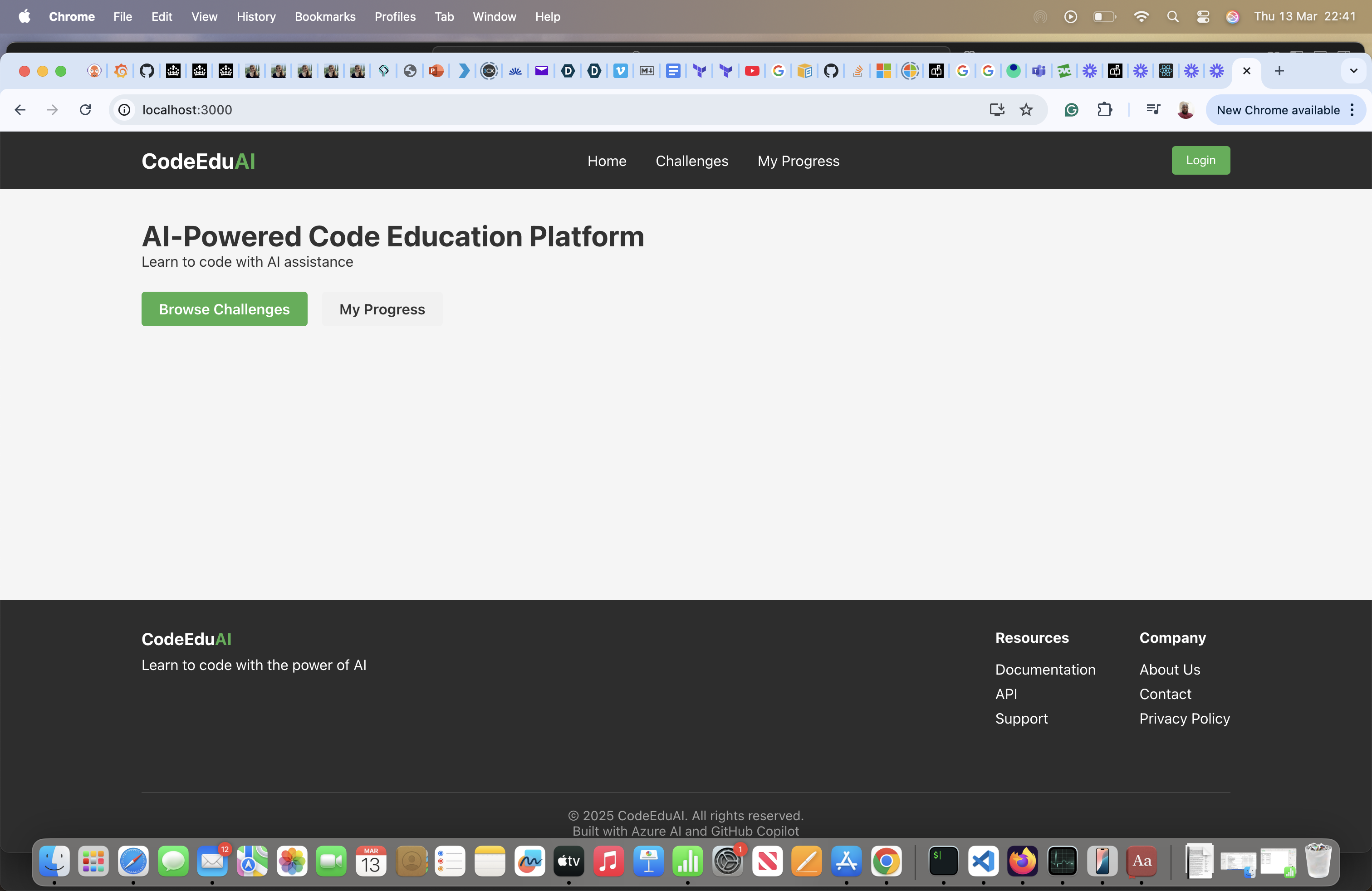
The AI-Powered Code Education Platform provides an interactive learning environment where users can:
- Explore coding challenges of varying difficulty levels
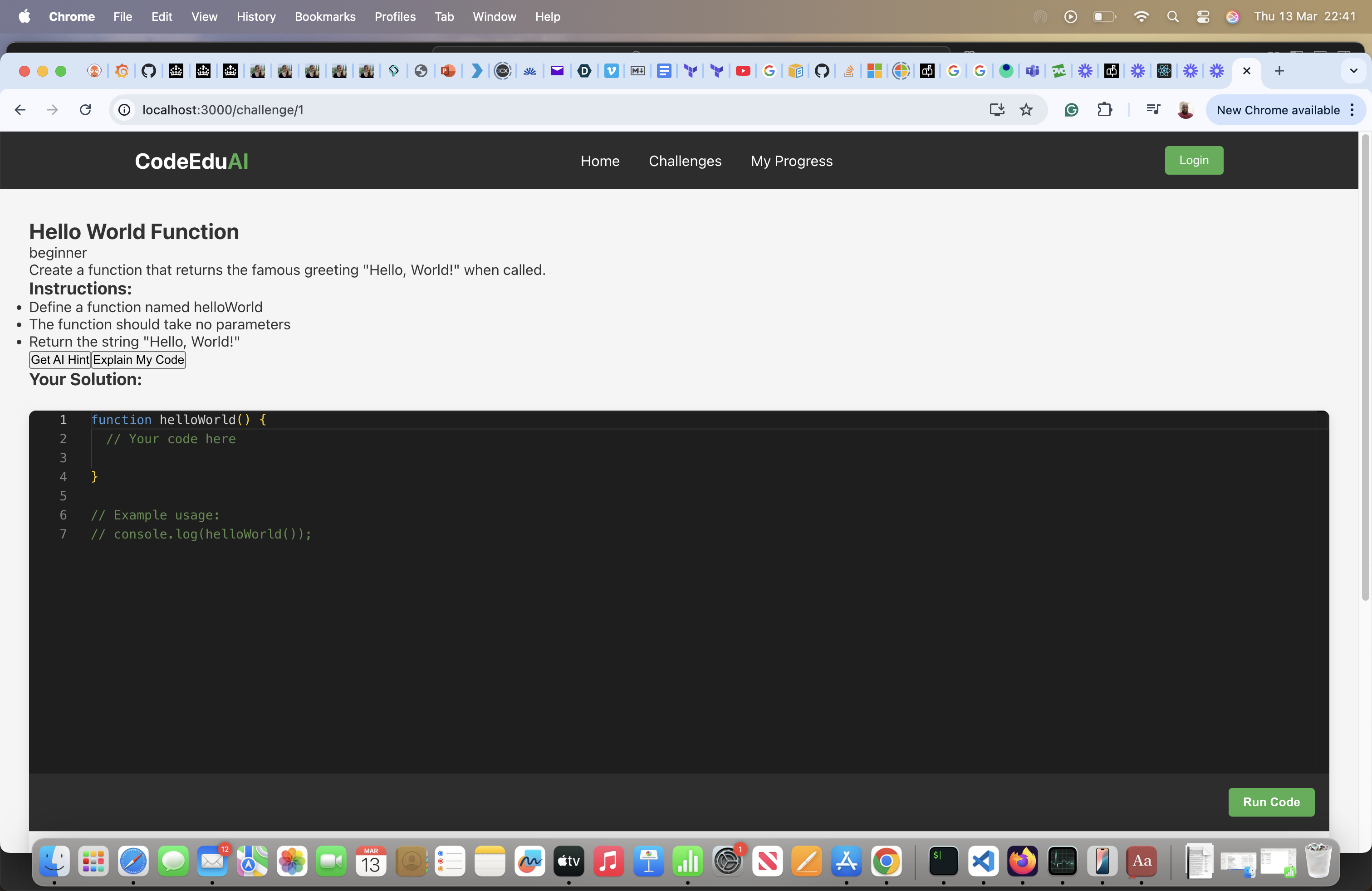
- Write and edit code in a professional code editor with syntax highlighting
- Execute code in real-time to see immediate results
- Receive AI-powered hints when stuck on a problem
- Get code explanations that break down concepts in an educational manner
- Submit solutions for verification against test cases
- Track learning progress across different challenges and skill areas
The platform utilizes Azure OpenAI Service (gpt-35-turbo-16k model) to provide contextual assistance that guides users toward solutions without solving problems for them. This creates a more effective learning experience that builds problem-solving skills rather than dependency.
The multi-modal nature of the platform combines:
- Text processing for natural language explanations and hints
- Code analysis for understanding syntax and logic patterns
This creates a holistic learning environment that addresses different learning styles and needs.
How we built it
The platform follows a modern cloud-native architecture with multiple components:
Stage 1: Architecture Planning
I began by sketching out the core architecture, focusing on the separation of concerns and security considerations. Code execution needed to be isolated, the AI integration had to be modular, and the frontend needed to provide a seamless learning experience.
GitHub Copilot played a crucial role even at this early stage, helping me define folder structures and configuration files that aligned with best practices for each component.
Stage 2: Frontend Development
The frontend was built using React with Monaco Editor integration to provide a professional IDE-like experience. Key components include:
- Challenge selection and filtering interface
- Code editor with syntax highlighting and error checking
- Results display with test case validation
- AI assistance interface for requesting hints and explanations
Stage 3: Backend and API Development
The Express API layer serves as the orchestrator for the application:
- RESTful endpoints for challenges, users, and progress tracking
- Middleware for request validation and error handling
- Service layer for communicating with Azure Functions
Stage 4: Azure Functions and AI Integration
The serverless layer handles compute-intensive and AI operations:
- ExecuteCode: Safely runs user code in a sandboxed environment
- AnalyzeCode: Leverages Azure OpenAI to provide code analysis and explanations
- GenerateHint: Creates personalized learning guidance based on user code and progress
Azure OpenAI Service integration provides the AI capabilities with carefully crafted prompts that emphasize educational guidance over direct solutions.
Challenges we ran into
Adapting to Azure from AWS
One of my initial challenges was translating my AWS knowledge to the Azure ecosystem. While conceptually similar in many ways, the specific implementation details, service names, and management interfaces differ significantly. Simple tasks that I could do quickly in AWS required consulting documentation and learning new patterns in Azure.
For example, setting up proper authentication between services, understanding Azure resource groups (versus AWS's more service-specific organization), and mastering the Azure CLI all presented learning curves. Even deploying a simple function required understanding Azure's different hosting plans and configuration approaches.
What helped tremendously was taking a systematic approach to learning, focusing on one Azure service at a time, and leveraging GitHub Copilot to suggest Azure-specific code patterns. The challenge ultimately proved beneficial, as I now have a broader cloud skill set spanning both major providers.
Security Concerns with Code Execution
Executing user-submitted code securely was perhaps the biggest technical challenge. I needed to prevent malicious code while still providing a realistic execution environment. I researched various sandboxing approaches and ultimately implemented a solution using JavaScript's Function constructor with careful input validation.
This challenge taught me valuable lessons about security in educational platforms and the importance of defense-in-depth strategies.
Azure OpenAI Integration
Working with Azure OpenAI presented several hurdles. Initially, I struggled with deployment quotas and API version compatibility. When creating model deployments, I encountered quota limitations that required rethinking my approach.
Rather than being discouraged, I took this as an opportunity to implement resilient design patterns. I created fallback mechanisms that would provide simulated AI responses when the actual service wasn't available, ensuring the application remained functional during development and showcasing good architectural principles.
Balancing Guidance vs. Solutions
From an educational design perspective, one of the most interesting challenges was calibrating the AI responses. I wanted to provide meaningful guidance without solving problems outright. This required careful prompt engineering and response processing.
Accomplishments that we're proud of
Several achievements stand out as particularly meaningful in this project:
1. Successful Azure OpenAI Integration
Despite initial challenges with quotas and deployments, I successfully integrated the platform with Azure OpenAI Service using the gpt-35-turbo-16k model. The integration provides genuinely helpful educational guidance rather than just generating generic responses.
2. Secure Code Execution Environment
Building a secure sandboxed environment for executing user code required careful consideration of security implications. The resulting implementation executes code safely while providing meaningful feedback and test results.
3. Resilient Architecture Design
The platform's architecture demonstrates good cloud design principles with proper separation of concerns, error handling, and fallback mechanisms. The system maintains functionality even when individual components experience issues.
4. Effective GitHub Copilot Utilization
GitHub Copilot transformed the development process, accelerating implementation while improving code quality. The synergy between human design decisions and AI-assisted coding demonstrated the potential of AI as a development partner.
5. Educational Value
Perhaps most importantly, the platform achieves its educational goal of providing guidance without solutions. The AI responses successfully walk the line between helpful and enabling, encouraging genuine learning and problem-solving skills.
What we learned
This project has been an incredible learning journey across multiple domains:
Azure Cloud Architecture
Coming into this hackathon, my cloud experience was primarily with AWS services. I had worked extensively with AWS Lambda, API Gateway, and DynamoDB, but Azure was relatively new territory for me. This project presented the perfect opportunity to transition my cloud knowledge to the Azure ecosystem.
Learning Azure's paradigms and service equivalents was both challenging and rewarding. I discovered that while the core concepts of cloud computing remain similar, Azure's approach and terminology required a mental shift. Services like Azure Functions, though conceptually similar to AWS Lambda, have their own deployment models, triggers, and binding patterns that I needed to learn quickly.
Building this platform forced me to dive deep into Azure's serverless architecture. I learned how to design a scalable, event-driven architecture that could handle code execution securely while maintaining responsiveness. The process of setting up Azure OpenAI Service was particularly enlightening, as it showed me how Azure's AI services are deeply integrated with its broader cloud infrastructure.
The multi-tiered approach (React → Express → Azure Functions → Azure OpenAI) taught me valuable lessons about separation of concerns and designing for resilience within the Azure ecosystem. I implemented fallback mechanisms that ensured the application remained functional even when cloud services were unavailable – an important consideration for real-world applications that I carried over from my AWS experience.
AI Integration
Working with Azure OpenAI Service was eye-opening. I quickly realized that effective AI integration isn't just about making API calls – it's about designing the right prompts, handling responses intelligently, and creating a seamless experience for users.
I learned that the quality of AI responses depends heavily on the context provided. By including information about the specific challenge, the user's code, and their skill level, I could generate much more relevant and helpful guidance. This demonstrated the importance of thoughtful prompt engineering when working with AI services.
GitHub Copilot as a Development Partner
GitHub Copilot transformed my development workflow in ways I hadn't anticipated. Initially, I expected it to simply save time by generating boilerplate code. What I discovered instead was more like having a pair programming partner who could fill in implementation details while I focused on architecture and design decisions.
Particularly impressive was Copilot's ability to understand the broader context of the project. When implementing the code execution function, for example, it didn't just generate basic code – it included security considerations like sandboxing and error handling that I might have overlooked initially.
What's next for AI-Powered Code Education Platform
The current implementation provides a solid foundation, but there are several exciting directions for future development:
1. Enhanced Multi-Modal Capabilities
Adding speech interface capabilities would make the platform more accessible and provide another learning modality. Users could receive spoken explanations or use voice commands to request assistance, making the learning experience more natural and inclusive.
2. Collaborative Learning Features
Implementing real-time collaboration would allow peers to work together on challenges, with the AI providing guidance to the group. This social dimension could enhance learning outcomes and make the platform more engaging.
3. Advanced Analytics and Personalization
Deeper analytics on user learning patterns could enable more personalized learning paths. The AI could identify knowledge gaps and suggest specific challenges to address them, creating a truly adaptive learning experience.
4. Extended Language Support
Currently focused on JavaScript, the platform could expand to support multiple programming languages like Python, Java, and C++. This would broaden its appeal and utility for diverse learning needs.
5. Integration with Educational Institutions
Building features for instructors to create custom challenges and monitor student progress would make the platform valuable for formal educational settings. Instructors could gain insights into common stumbling points and tailor their teaching accordingly.
6. Mobile Experience
Developing a mobile companion app would allow learners to review concepts and track progress on the go, even if actual coding is better suited to larger screens.
The long-term vision is to create a comprehensive learning ecosystem that combines the advantages of AI assistance with human mentorship and peer collaboration – providing the optimal environment for developing programming skills and computational thinking.
Built With
- azure-functions
- azure-openai-service
- express.js
- github-copilot
- javascript
- monaco-editor
- node.js
- react.js
- visual-studio-code

Log in or sign up for Devpost to join the conversation.