-
-
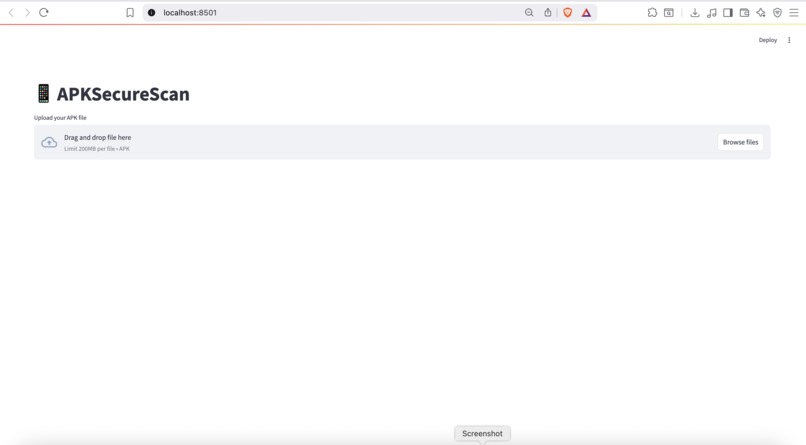
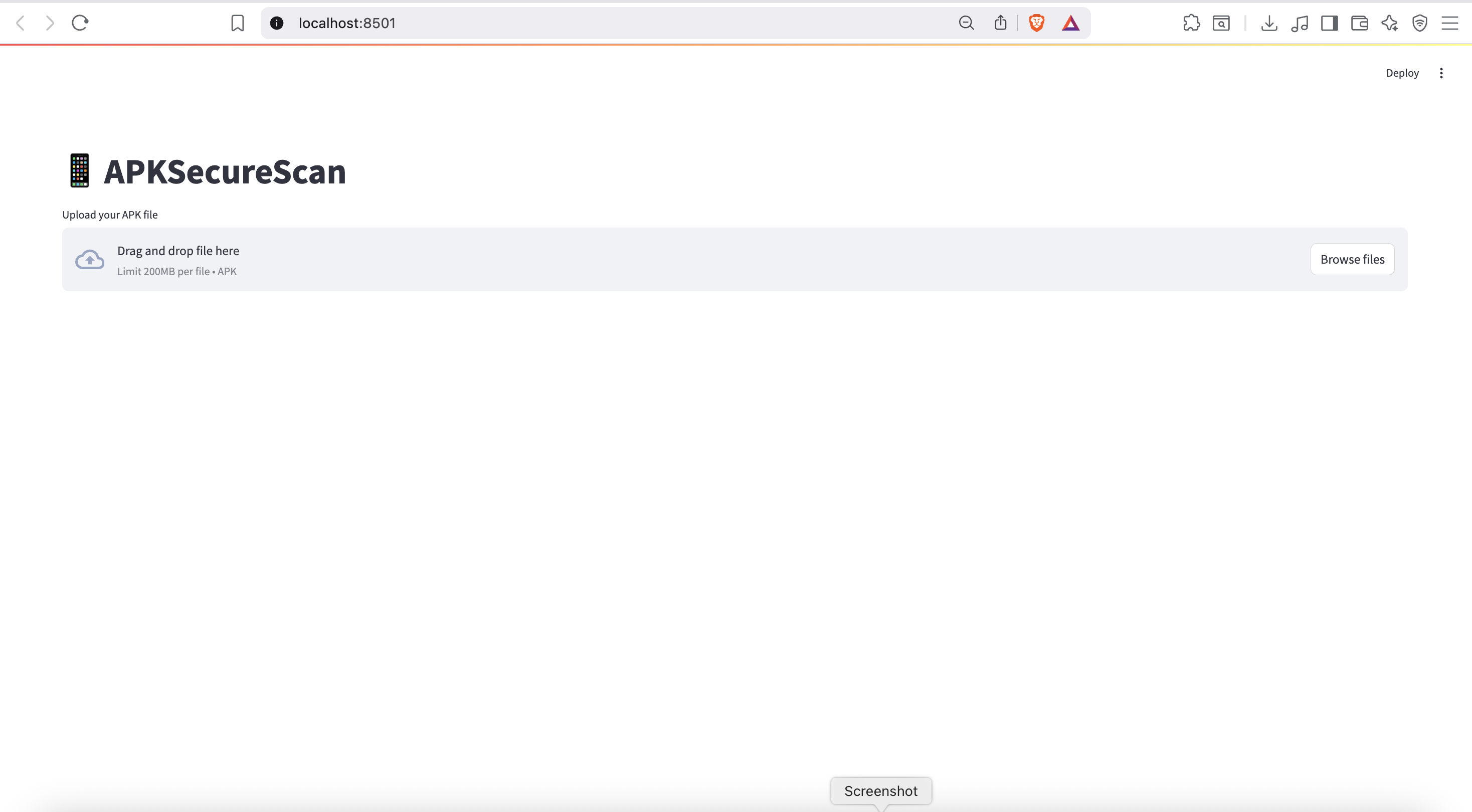
Initial interface of APKSecureScan users can upload an Android APK to begin security analysis.Built with Streamlit simple user experience.
-
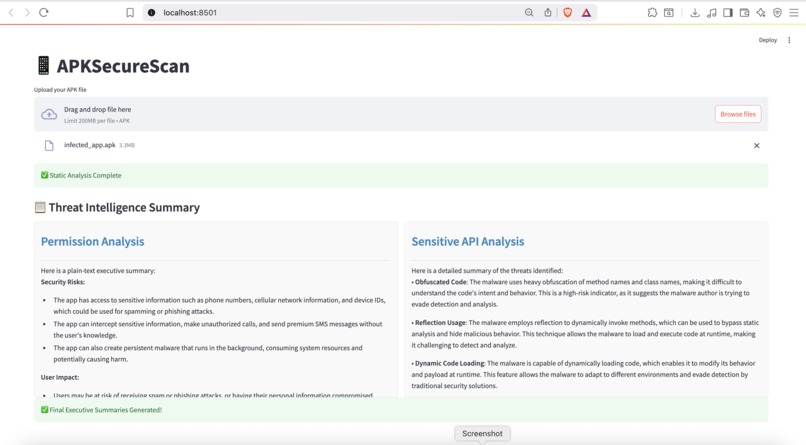
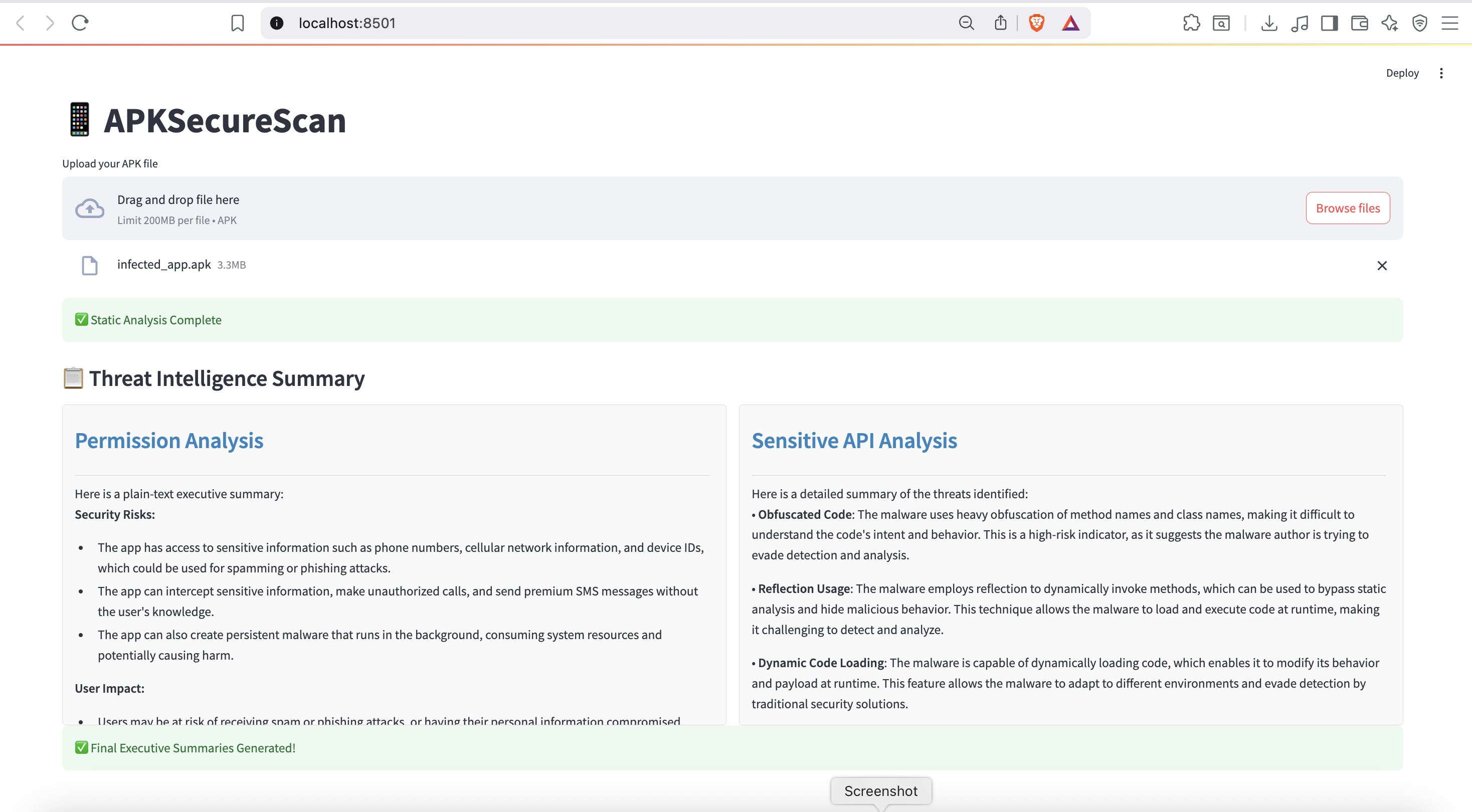
Real-time threat summary generated after analyzing an APK.AI-generated insights highlight dangerous permissions and obfuscated API behavior.
-
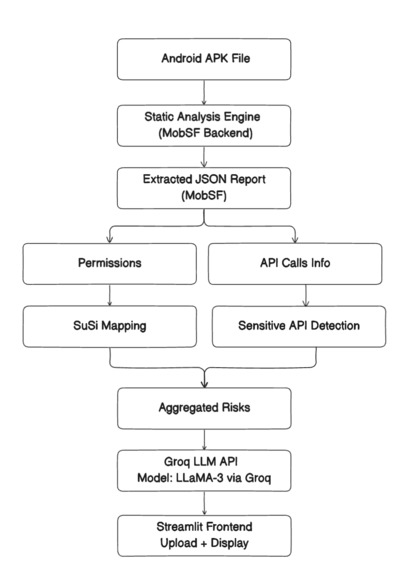
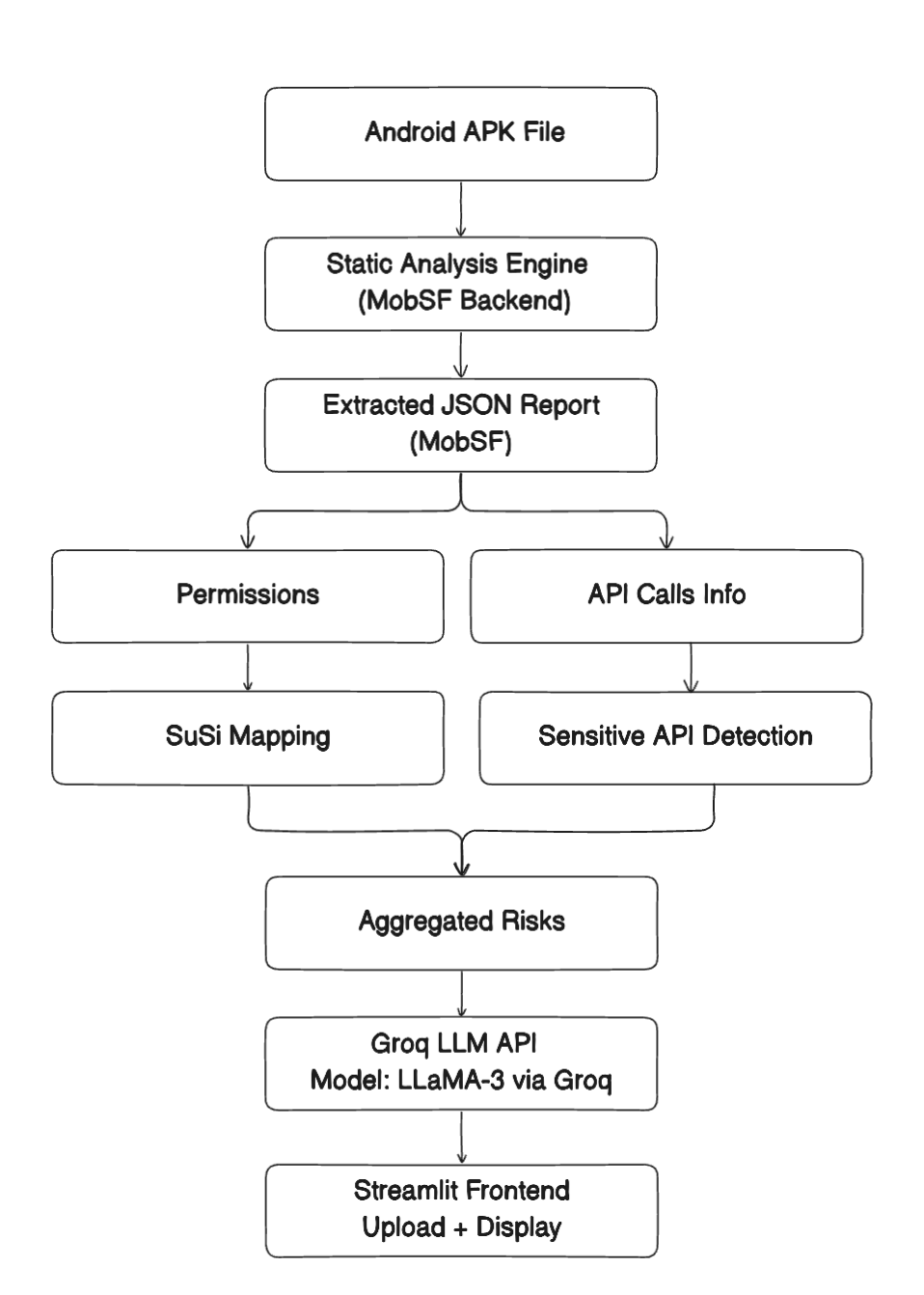
Block Diagram of Project
Inspiration
Android apps often request permissions and access sensitive APIs that users aren't fully aware of. We wanted to build a tool that makes mobile app analysis simple, transparent, and accessible—helping users, developers, and educators understand what an APK is really doing under the hood.
What it does
APKSecureScan takes an Android APK file and performs a full static analysis to detect:
Overuse of permissions (like location, SMS, contacts)
Sensitive API calls (e.g., accessing camera, files, account data)
It presents the findings in a clear, readable format with summarized insights using AI. Users get a quick overview of the app’s behavior and potential privacy/security concerns—without needing to dig through complex reports
How we built it
We combined powerful tools:
- MobSF for APK static analysis
- SuSi to identify critical Android API calls (sources/sinks)
- Groq's LLaMA-3 model for summarizing the analysis output
- A responsive Streamlit interface to upload APKs and display results cleanly
- We used .env files for managing keys and made the backend modular so it works both as a CLI tool and a web app.
Challenges we ran into
- Parsing and aligning MobSF’s JSON output with SuSi's API lists
- Ensuring the AI-generated summaries were accurate and useful
- Making sure the UI remained clean while handling multiple input/output formats
- Keeping the tool lightweight and secure without sacrificing functionality
Accomplishments that we're proud of
- Fully automated Android APK analysis from upload to summarized output
- Seamless integration of MobSF, SuSi, and LLMs in a single pipeline
- Built a tool that's easy to use even for beginners, yet powerful enough for serious app review
- Created a useful platform for both cybersecurity education and privacy advocacy
What we learned
- How to bridge security tooling with AI to improve clarity and accessibility
- Best practices for handling sensitive data and APIs in Android apps
- Prompt crafting for AI models to produce actionable and reliable summaries
- Importance of clean UI/UX in making complex results approachable
What's next for AI-powered APK Scanner
- Add risk scoring to help prioritize vulnerabilities
- Allow batch analysis of multiple APKs
- Visualize permission/API usage with interactive graphs
- Deploy as a hosted platform for public use
- Collaborate with educators to use it in cybersecurity learning environments


Log in or sign up for Devpost to join the conversation.