-
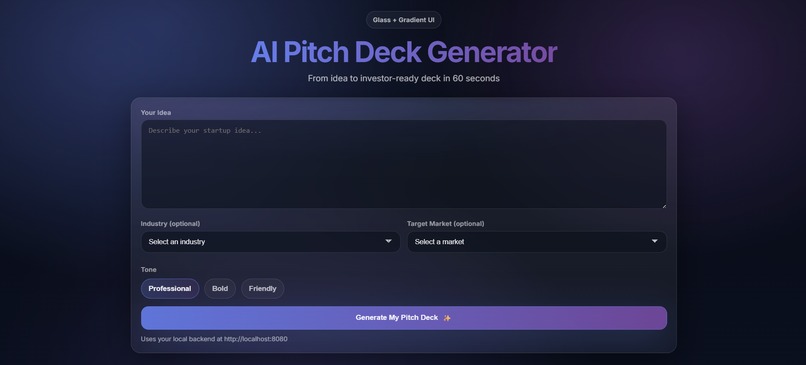
AI Pitch Deck Generator Frontend
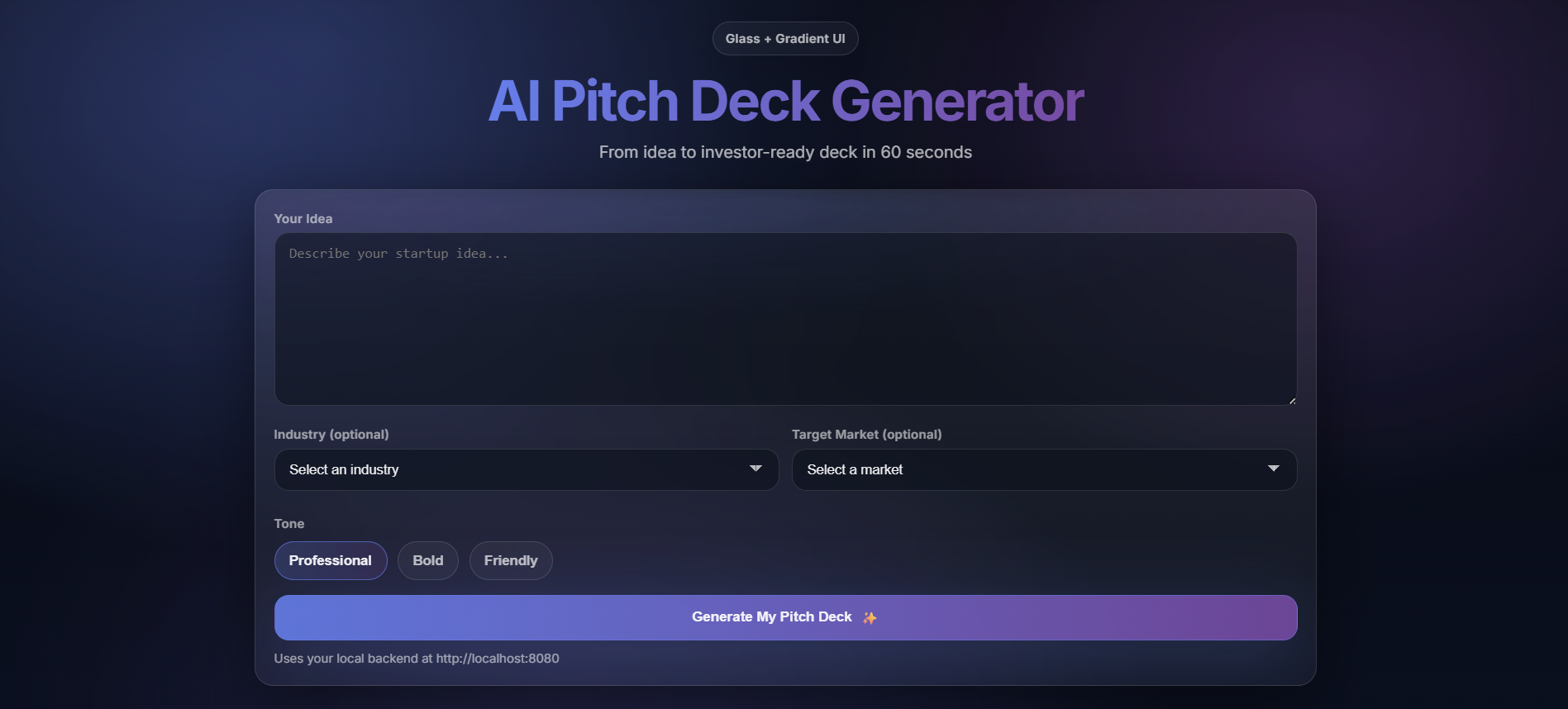
Inspiration
Founders and entrepreneurs often spend countless hours agonizing over the formatting, narrative structure, and visual design of their pitch decks instead of focusing on building their actual product. The inspiration behind the AI Pitch Deck Generator was to remove this friction entirely. By leveraging multimodal generative AI, the goal was to transform a simple startup idea into a comprehensive, cohesive, and investor-ready pitch package in under a minute—complete with slides, charts, product mockups, and promotional videos.
What it does
The AI Pitch Deck Generator is a powerful, multimodal web application that automatically creates and assembles pitch decks. When a user provides a startup idea, industry, target market, and desired tone, the tool generates a complete pitch package, which includes:
- A Complete Narrative Structure: An 8-slide structured pitch (Problem, Solution, Market Size, Product, Business Model, Traction, Team, Call to Action).
- Visual Assets: High-quality, AI-generated product mockups and scene visuals.
- Data Visualizations: Custom-generated bar, line, or pie charts to illustrate market growth and traction.
- Marketing Assets: A 60-second voiceover script, social media captions (Twitter, LinkedIn, Instagram), and a 5-second cinematic promotional video.
- Downloadable Deck: A fully assembled PowerPoint (.pptx) file containing all the generated text, charts, and images.
- Real-Time Streaming UI: The platform progressively reveals the generated content to the user in real-time as the AI processes the assets.
How we built it
The project was built using a modern, scalable architecture heavily reliant on Google's Generative AI ecosystem:
- Frontend: A responsive, glassmorphism-styled UI built with vanilla HTML, CSS, and JavaScript. It utilizes Server-Sent Events (SSE) to consume real-time updates from the backend.
Backend: A Python-based FastAPI application designed to be deployed on Google Cloud Run.
AI & Orchestration (Google GenAI):
- Gemini (gemini-2.0-flash): Acts as the orchestrator. It processes the user's idea, generates the structured JSON narrative, designs the chart specifications, and writes highly detailed prompts for the image and video models.
- Imagen (imagen-3.0-generate-002): Generates photorealistic product mockups and thematic visuals based on Gemini's prompts.
- Veo (veo-2.0-generate-001): Creates dynamic, 5-second promotional video clips for the startup.
Asset Assembly: We used matplotlib to render premium, dark-themed charts from the generated data, and python-pptx to programmatically assemble the text, charts, and images into a native PowerPoint file.
Storage: Google Cloud Storage (GCS) is used to temporarily host the generated images, videos, charts, and the final PPTX file.
Challenges we ran into
- Multimodal Orchestration: Coordinating asynchronous calls to three different AI models (Gemini, Imagen, and Veo) while ensuring the narrative, visual aesthetics, and generated data remained cohesive was complex.
- Structured Output Formatting: Ensuring that the LLM consistently returned highly structured, valid JSON containing slide data, exact chart configurations, and specific image/video prompts required meticulous prompt engineering and fallback handling.
- Real-Time User Experience: Generating heavy media assets like videos and images takes time. Keeping the user engaged required implementing an SSE (Server-Sent Events) pipeline to stream text, status updates, and individual assets to the frontend as soon as they were ready, rather than forcing the user to wait at a blank loading screen.
- Programmatic PPTX Generation: Calculating layouts, scaling images, and ensuring the programmatically generated PowerPoint file looked professional and properly aligned required extensive fine-tuning using python-pptx.
- Google Cloud Billing Requirements: We faced a significant roadblock when trying to enable the Google Cloud Storage (Buckets) service. The platform requires active billing information to be set up before allowing the service to be enabled.
Accomplishments that we're proud of
- Complete System Logic: We have completed all the logic part of the project perfectly with frontend and backend but the only issue is that we are not able to enable the a Bucket service of Google Cloud.
- Seamless Multimodal Integration: Successfully chaining Google's latest models—Gemini 2.0, Imagen 3, and Veo 2.0—into a single, smooth workflow.
What we learned
- Advanced techniques in prompt engineering, particularly around forcing strict JSON schemas for agentic workflows.
- How to handle streaming APIs and Server-Sent Events (SSE) efficiently within FastAPI.
- Deepened our understanding of the new Google Cloud GenAI SDK, specifically the nuances of prompting video (Veo) and image (Imagen) generation models based on outputs from a text model.
What's next for AI Pitch Deck Generator
- Custom Branding: Allowing users to upload their own logos, brand colors, and font preferences to generate decks that perfectly match their company's identity.
- Interactive Editing Loop: Adding a feature that lets users tweak the generated JSON structure (e.g., editing a bullet point or changing a chart number) on the web interface before hitting the final "Compile to PPTX" button.
- Data Integrations: Integrating live web search or financial APIs so the generated market size charts are grounded in real, up-to-date industry data.
- Automated Voiceovers: Implementing Text-to-Speech (TTS) to automatically turn the generated voiceover script into a downloadable audio track.
Built With
- css
- gemini
- google-cloud
- google-genai
- html
- javascript
- python


Log in or sign up for Devpost to join the conversation.