Inspiration
What it does
How I built it
Challenges I ran into
Accomplishments that I'm proud of
What I learned
What's next for Ai Picture Editor
Inspiration
Powerful photo editors still expect people to understand layers, masks, selections, adjustment curves, and dozens of tools before they can make a simple change. At the same time, many AI image products focus on generating a completely new picture instead of carefully editing the photo a user already has.
I built Ai Picture Editor to make targeted photo editing feel as natural as asking another person for help: upload an image, describe the change, review the result, and refine the instruction until it looks right.
What it does
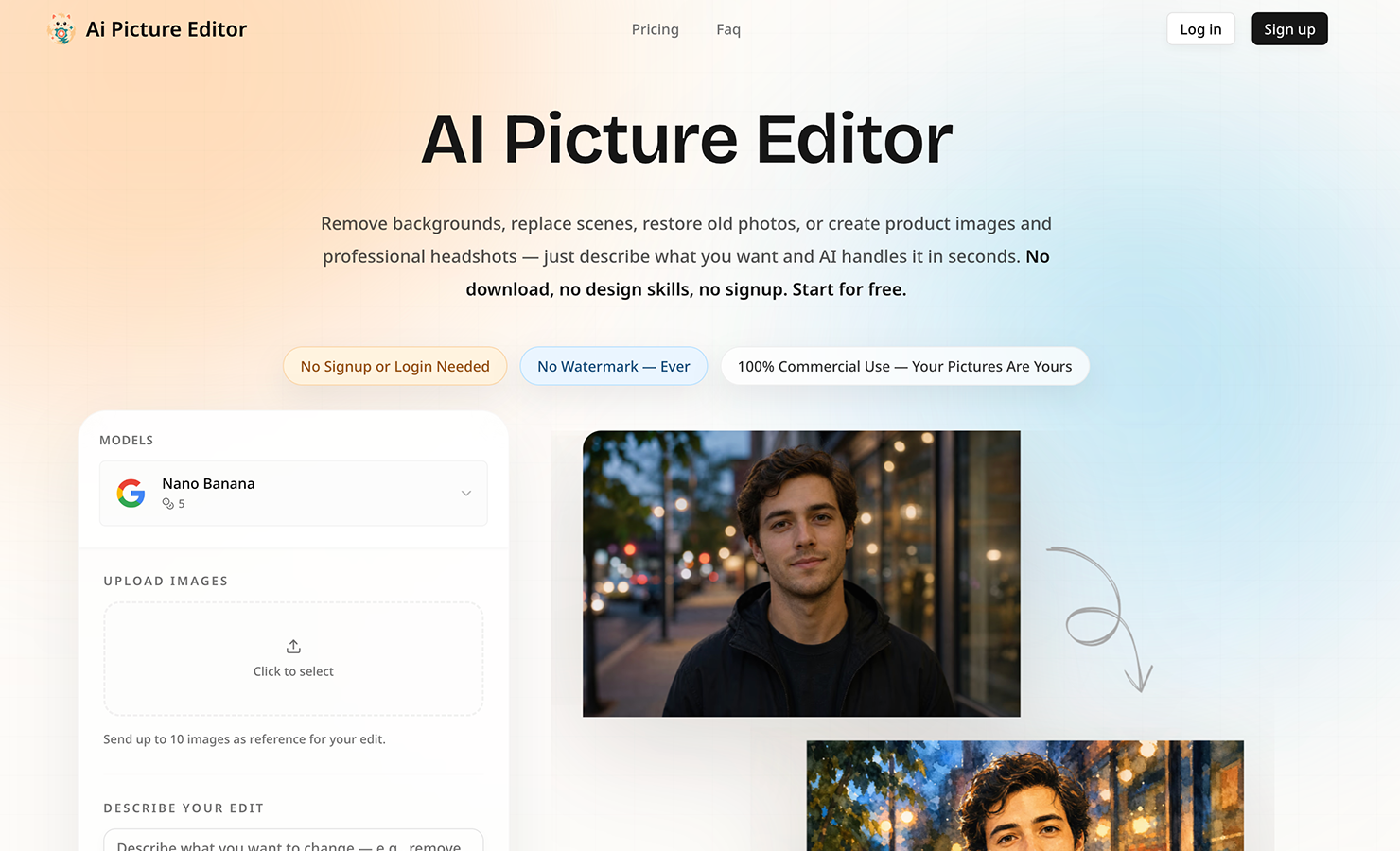
Ai Picture Editor is a prompt-first image editing workspace. Users can upload a JPG, PNG, or WEBP image up to 25 MB and describe an edit in plain English. The editor can:
- Remove or replace backgrounds while preserving the subject
- Erase unwanted objects and reconstruct the missing area naturally
- Restore faded, scratched, noisy, or blurry old photographs
- Retouch portraits and create professional headshots
- Apply anime, watercolor, cinematic, sketch, and other visual styles
- Improve sharpness, lighting, color, and overall image quality
- Create polished product imagery for stores, ads, and social media
The result can be compared with the original, refined with another prompt, and downloaded without a watermark. Guest editing lets people try the core workflow without installing software or learning a traditional design tool.
How I built it
The application is built with Next.js, React, TypeScript, and Tailwind CSS. Better Auth manages optional accounts, Zod validates requests, and the interface is designed as a responsive browser-based studio.
Cloudflare provides the edge runtime, D1 database, and R2-compatible object storage, while Drizzle ORM manages persistent application data. Signed uploads keep large image files away from the application server and make the media workflow more reliable.
The generation layer uses a shared model-routing system that gives the editor access to Google Nano Banana, Nano Banana 2 Lite, Nano Banana Pro, and GPT Image 2 through the KIE AI API. Each provider exposes different parameters and result formats, so the app normalizes them into one image-to-image workflow. After a user submits an edit, the system validates the image and prompt, creates an asynchronous job, tracks its status, records usage, and returns the finished image to the preview and history experience.
I also built a prompt-template gallery for common editing jobs such as background replacement, object removal, portrait retouching, style transfer, and old-photo restoration. The templates are not just examples: users can send them directly into the editor and customize them.
Challenges I ran into
The hardest problem was making an AI model change exactly what the user requested while preserving everything else. A vague instruction can cause unwanted changes to identity, composition, text, lighting, or product details. I added prompt guidance that teaches users to describe both what should change and what must remain untouched.
A second challenge was creating one dependable interface for several models. Their upload requirements, aspect-ratio controls, resolutions, job states, and error responses are not identical. I built a normalized task schema and model catalog so the UI can switch engines without exposing provider-specific complexity.
Anonymous editing introduced another set of product decisions: uploads still need strict validation, generation jobs need honest progress states, and failures must return useful recovery instructions instead of silently consuming a user's time.
Accomplishments that I'm proud of
- A complete upload-to-edit workflow that works directly in the browser
- Natural-language editing without layers, masks, or manual selections
- Multiple image-editing models behind one consistent interface
- Prompt templates that turn common editing goals into reliable starting points
- Before-and-after previews for fast visual verification
- Watermark-free downloads and a responsive experience across desktop and mobile
- Practical workflows for e-commerce, social media, photography, business, and family-photo restoration
What I learned
I learned that prompt-based editing is mainly a communication-design problem. The most useful prompt does not only describe the desired result; it also names the subject, the target area, and the details that must stay unchanged. Good examples, sensible defaults, and iterative feedback can improve results as much as adding another advanced control.
I also learned that a trustworthy AI product must be transparent about asynchronous processing. Clear upload limits, progress states, retry paths, and privacy expectations are essential when users are working with personal or business images.
What's next for Ai Picture Editor
Next I want to add optional brush-based region selection, non-destructive edit history, batch editing for product catalogs, reusable brand presets, automatic prompt improvement, and an API for teams that need repeatable high-volume image workflows.
Built With
- cloudflare
- drizzle
- javascript
- kie
- radix
- react
- tailwind
- typescript
- zod

Log in or sign up for Devpost to join the conversation.