-
-
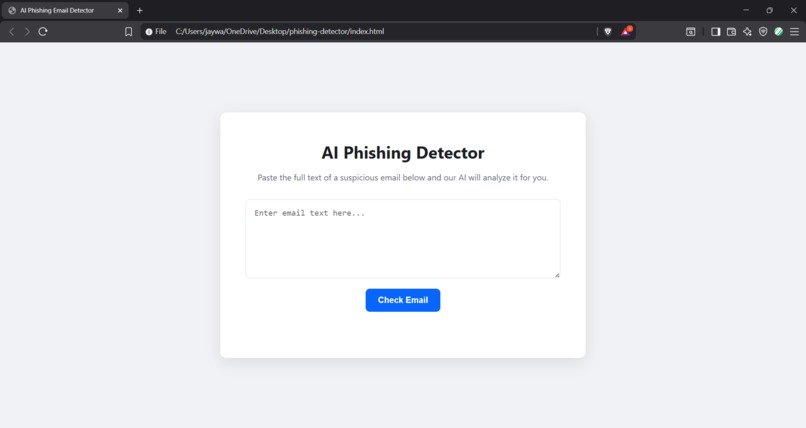
UI of the webapp
-
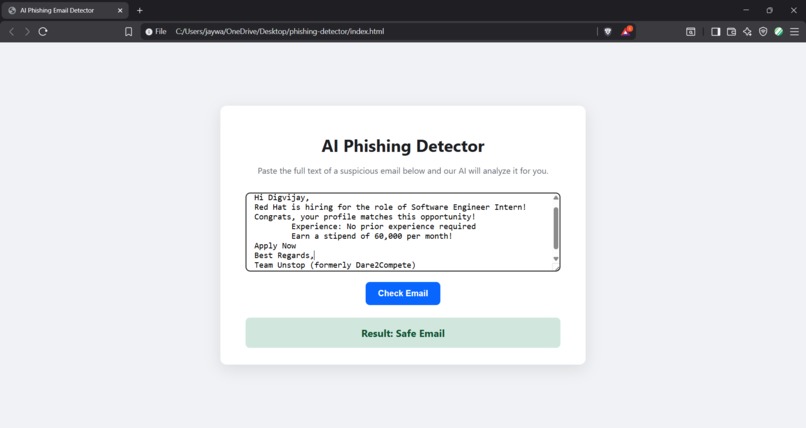
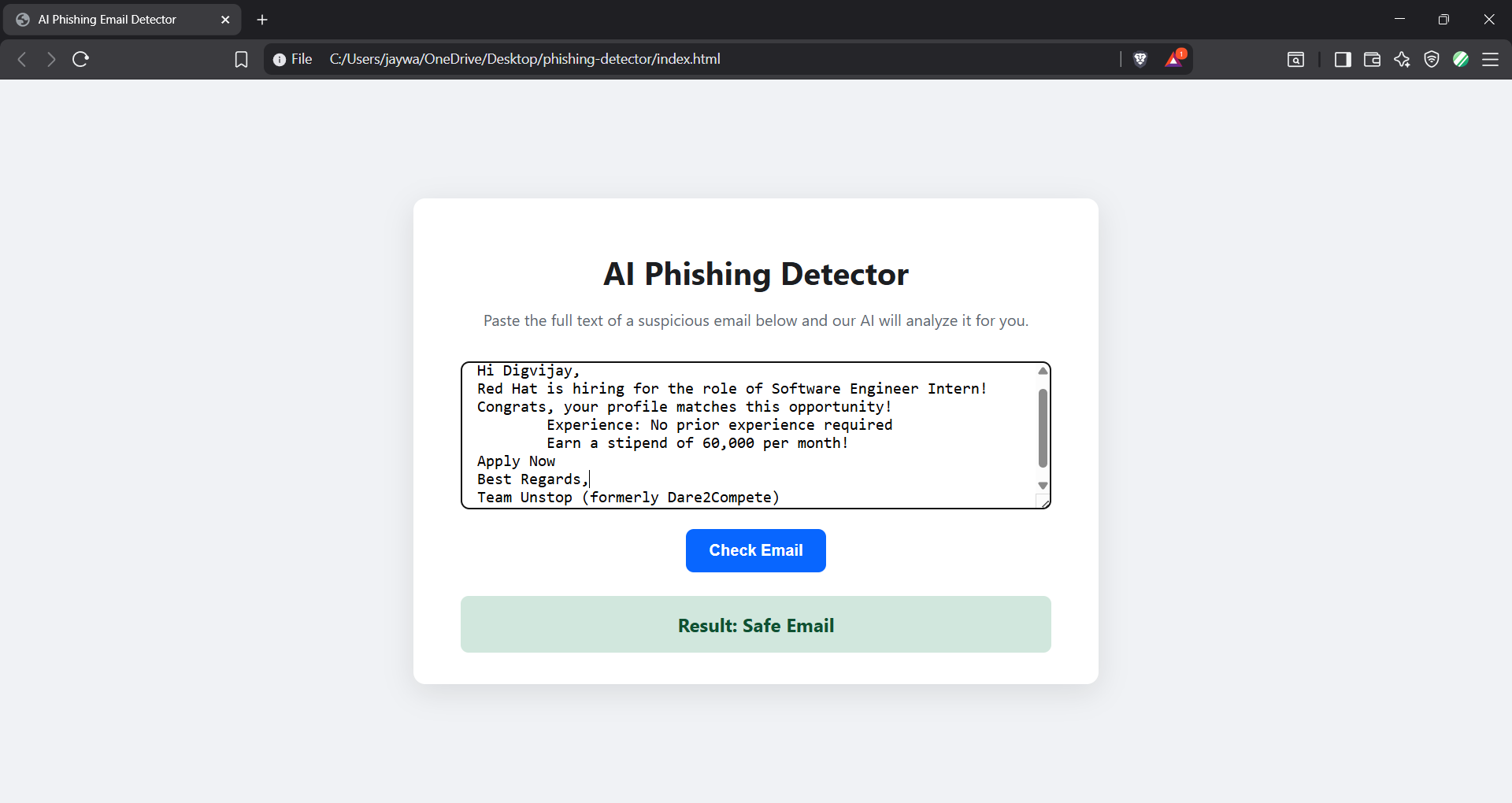
Response if the email is safe.
-
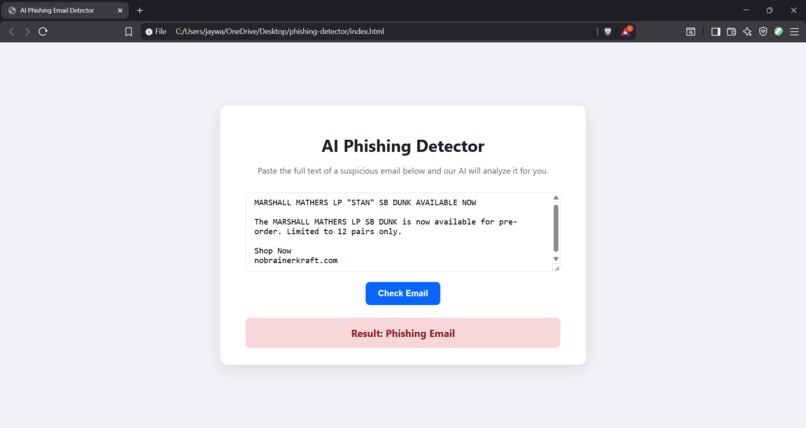
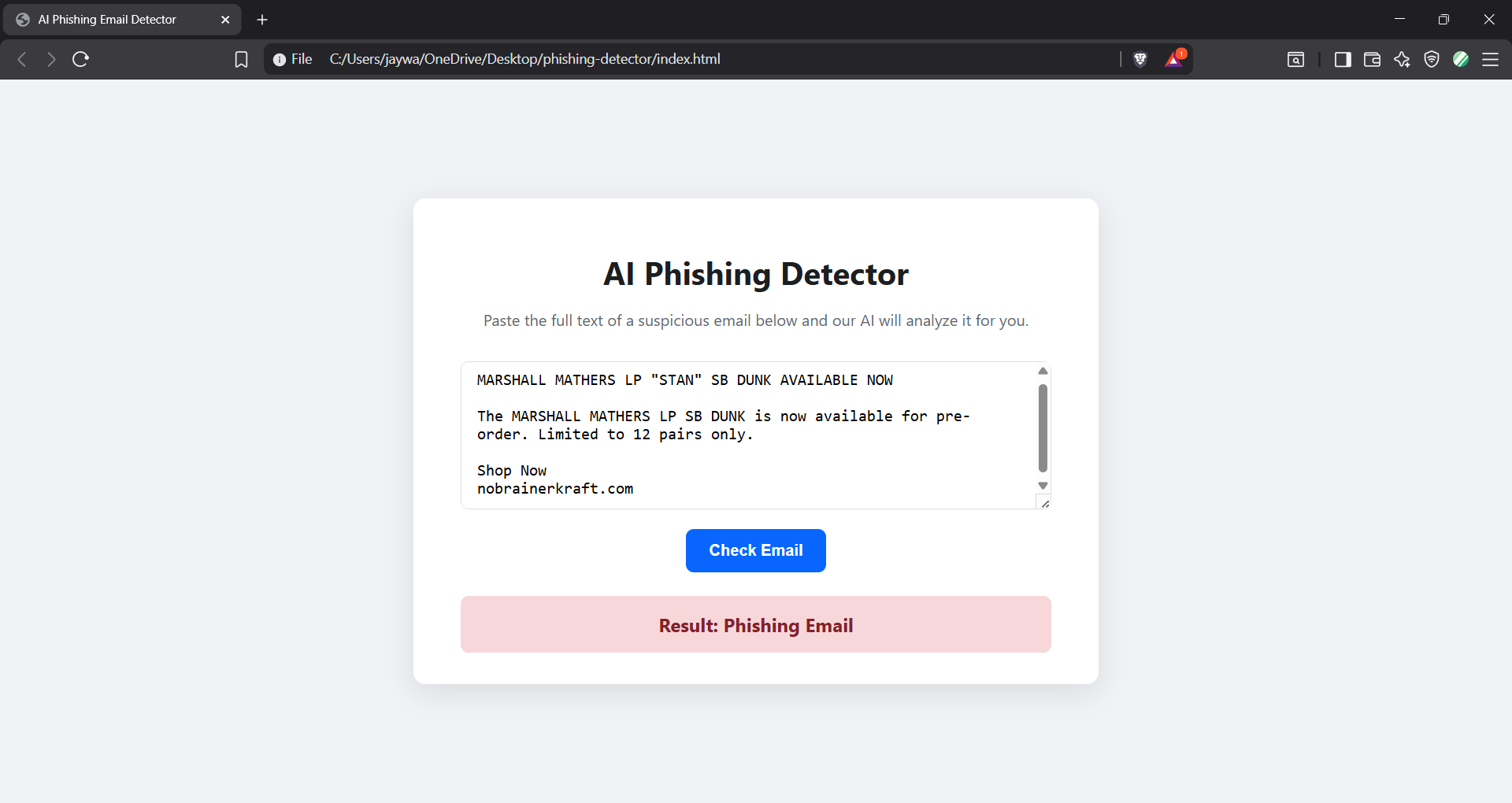
Response if phishing or spam email is detected.
Inspiration
The inspiration for the Neurasafe came from a desire to tackle a real-world problem that affects millions of people: email phishing. We've all seen suspicious emails in our inboxes, and for many, it's genuinely difficult to tell a scam from a legitimate message. I wanted to use the power of artificial intelligence to create a simple, accessible tool that could act as a "second pair of eyes" for anyone, helping them make safer decisions online and demystifying a common cybersecurity threat.
What it does
Our project is a simple yet powerful web application designed to protect users from malicious emails. Neurasafe allows a user to paste the full text of any suspicious email into a text box. With a single click, the text is sent to our AI model, which instantly analyzes the content and predicts whether the email is a "Safe Email" or a "Phishing Email". The result is displayed clearly, giving the user an immediate and easy-to-understand verdict on the email's safety.
How we built it
This project was built from the ground up as a full-stack web application, following a clear three-tier architecture:
The AI Model (The Brain): At the core is a machine learning model trained on a public dataset of thousands of phishing and safe emails. I used Python with the scikit-learn library to process the text data using TfidfVectorizer and train a Multinomial Naive Bayes classifier, which is highly effective for text-based problems. The final trained model and vectorizer were saved using joblib.
The Backend (The Server): I created a lightweight REST API using Flask, a Python web framework. This server loads the pre-trained AI model and exposes a single /predict endpoint. When it receives email text from the user, it uses the model to make a prediction and sends the result back in JSON format.
The Frontend (The Interface): For the user interface, I chose simplicity and accessibility, using vanilla HTML, CSS, and JavaScript. The single-page application features a clean text area and a button. The JavaScript fetch API handles the communication with the Flask backend, sending the user's input and dynamically displaying the AI's prediction without needing to reload the page.
Challenges we ran into
As a beginner, this project was a fantastic learning experience filled with challenges. The first major hurdle was setting up the Python environment correctly. I faced several ModuleNotFoundError issues and had to learn how to properly manage a virtual environment and ensure the correct interpreter was being used.
Another significant challenge was a KeyError during data processing. The column names in my code didn't match the dataset, which taught me the critical importance of inspecting and understanding your data before you start building.
Finally, connecting the frontend to the backend was a puzzle. I had to debug server-side indentation errors in my Flask code and correctly implement the fetch request in JavaScript to ensure the two parts of the application could communicate seamlessly.
Accomplishments that we're proud of
We are incredibly proud of building a fully functional, end-to-end AI application from scratch. As a beginner, going from a raw dataset to a live, interactive web application was a huge achievement. We successfully navigated and solved complex debugging challenges, from Python environment issues to data processing errors. Most importantly, we created a tool that has the potential to genuinely help people stay safe online.
What we learned
Through this hackathon, I learned the complete end-to-end process of building and deploying a functional AI application. I gained hands-on experience with text classification, API development with Flask, and creating an interactive user interface. Most importantly, I learned how to approach and solve real-world coding problems, from debugging environment issues to handling data mismatches. This project has been an incredible step forward in my journey as a developer.
What's next for Neurasafe
The current version of Neurasafe is a strong foundation, but there are many exciting features we'd love to add in the future:
Browser Extension: Develop a Chrome/Firefox extension that can scan emails directly within Gmail or Outlook for a more seamless user experience.
Advanced AI Model: Upgrade the model to a more sophisticated deep learning architecture (like an LSTM or Transformer) to improve accuracy and understand context better.
URL & Attachment Scanning: Add functionality to extract and analyze URLs within the email text to check for malicious links.
User Feedback Loop: Implement a feature allowing users to report if a prediction was wrong, which would help us collect more data to continuously retrain and improve the model.
Built With
- css
- html
- pandas
- python
- python-package-index
- scikit-learn
- tfidfvectorizer


Log in or sign up for Devpost to join the conversation.