-
-
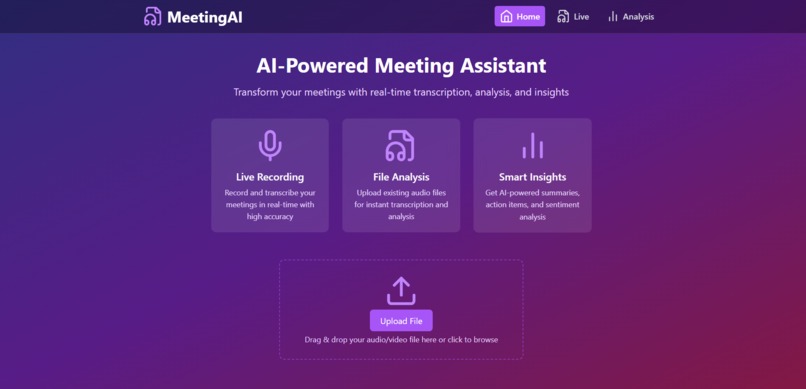
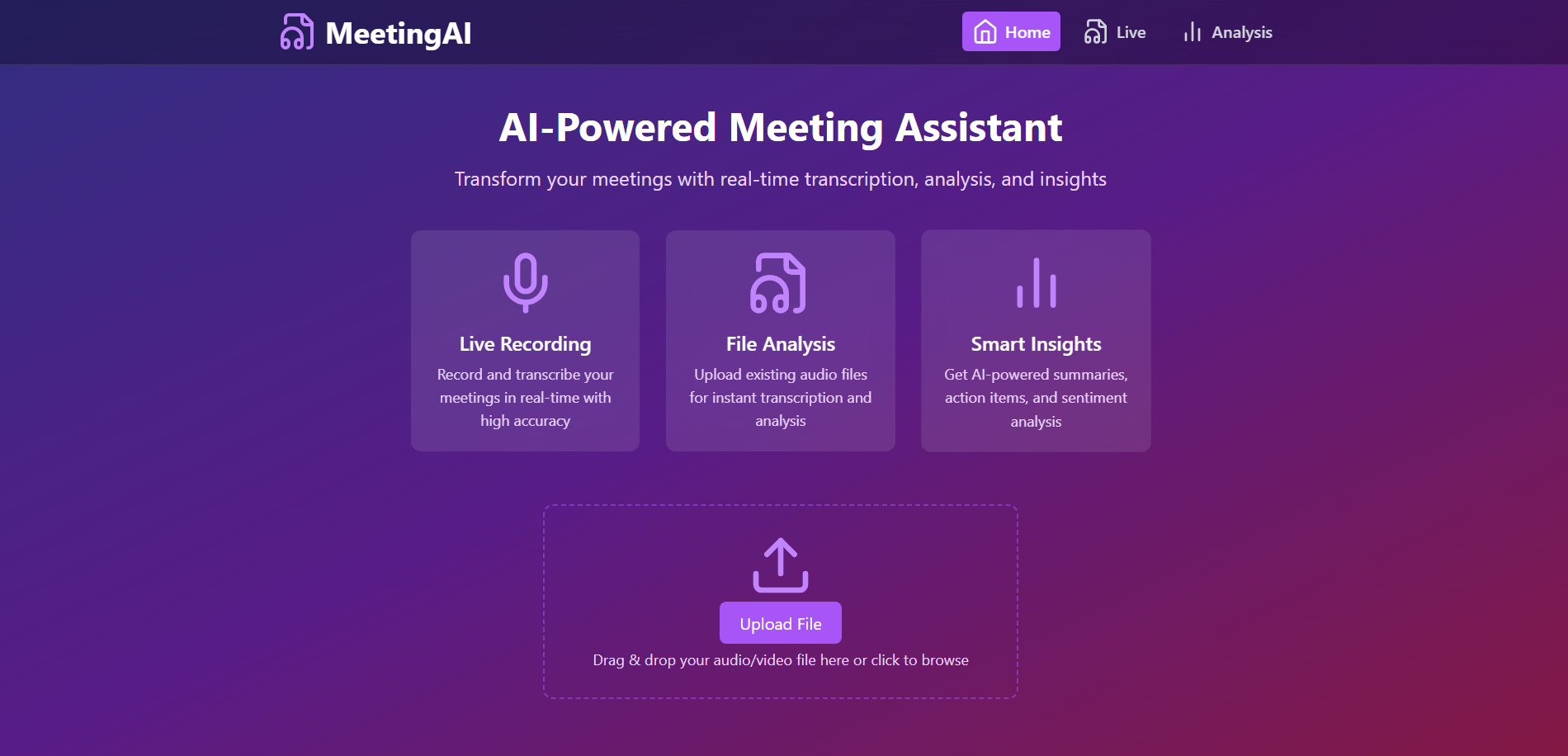
AI Meeting Companion
Inspiration
What it does
How we built it
Challenges we ran into
Accomplishments that we're proud of
Team Spades (AI-powered meeting companion): Technical Documentation
This document provides detailed technical information about the AI-powered meeting companion system. It's intended for developers who need to understand, maintain, or extend the codebase.
System Architecture
High-Level Overview
┌────────────────────┐      ┌────────────────────┐
│  Chrome Extension  │      │  Spades Website    │
│  - Records Tab     │      │  - Upload Option   │
│    Audio           │      │    for Audio Files │
│  - Records         │      └─────────┬──────────┘
│    Microphone      │                │
└─────────┬──────────┘                │
          │                           │
          ▼                           |
┌────────────────────┐                |
│  Spades Backend    │                |
│  Server (Node.js)  │                |
│  - Receives Audio  │                |
│    from Extension  │                |
│    or Website      │<───────────────|
│  - FFmpeg Converts │
│    to .wav Format  │
└─────────┬──────────┘
          │
          ▼
┌────────────────────┐             ┌────────────────────┐
│  Deepgram API      │────────────►│  Spades Dashboard  │
│  - Transcribes     │             │  - Displays        │
│    Audio with      │             │    Transcripts to  │
│    Diarization     │             │    User            │
└─────────┬──────────┘             └────────────────────┘
          │
          ▼
┌────────────────────┐
│  File Storage      │
│  - Stores Small    │
│    Transcripts into│
│    Single File     │
└─────────┬──────────┘
          │
          ▼
┌────────────────────┐
│  Spades Backend    │
│  Server            │
│  - On Recording    │
│    Stop, Sends     │
│    Accumulated     │
│   File for Analysis|
└─────────┬──────────┘
          │
          ▼
┌────────────────────┐
│  Facebook BART     │
│  Model (Hugging    │
│  Face)             │
│  - Summarizes      │
│    Transcript with │
│    Emotion         │
└─────────┬──────────┘
          │
          ▼
┌────────────────────┐
│  Sentiment         │
│  Analysis          │
│  - Analyzes        │
│    Emotions &      │
│    Sentiment       │
└─────────┬──────────┘
          │
          ▼
┌────────────────────┐
│  Spades Dashboard  │
│  - Displays        │
│    Summary &       │
│    Sentiment       │
│    Analysis to     │
│    User            │
└────────────────────┘
Data Flow
- Audio is captured from browser tabs or microphone via the Chrome extension
- Audio is processed and sent to the server via WebSockets
- Server converts audio to the required format using FFmpeg
- Audio is sent to Deepgram for transcription
- Transcript is processed by various analysis services:
- Summarization (Hugging Face)
- Action Item Extraction
- Decision Extraction
- Sentiment Analysis
- Results are sent back to the client via WebSockets
- Dashboard displays the analysis results (transcript, summary, action items, decisions, and sentiment analysis)
Server Implementation Details
Core Components
1. Express Server (index.js)
The main server file handles HTTP requests, WebSocket connections, and orchestrates the analysis pipeline.
Key Functions:
setupWebSocketServer(): Initializes the WebSocket serverhandleWebSocketConnection(): Manages WebSocket client connectionshandleFileUpload(): Processes uploaded audio/video filesanalyzeFullTranscript(): Coordinates the analysis of the complete transcriptgenerateMeetingMinutes(): Generates meeting minutes from the transcript
WebSocket Protocol:
- Client sends binary audio data
- Server processes audio and sends back transcript updates
- When recording stops, server sends complete analysis
2. Deepgram Service (deepgramService.js)
Handles speech-to-text transcription using the Deepgram API.
Key Functions:
transcribeAudio(): Transcribes audio filescreateRealTimeTranscription(): Sets up real-time transcriptionprocessTranscriptionResponse(): Processes and formats the transcription response
Configuration Options:
const options = {
  punctuate: true,
  diarize: true,
  model: "nova-3",
  language: "en-US",
  utterances: true,
};
3. Summary Service (summaryService.js)
Generates summaries, extracts action items, and identifies decisions.
Key Functions:
generateSummary(): Creates a concise summary of the transcriptgenerateBulletPoints(): Extracts key points as bulletsextractActionItems(): Identifies action items with metadataextractDecisions(): Identifies decisions and conclusionschunkText(): Splits text into manageable chunks for processing
Summarization Strategy:
- Text is chunked based on natural breaks
- Each chunk is summarized individually
- Summaries are combined and deduplicated
- Bullet points are extracted from the summary
Action Item Extraction Patterns:
Decision Extraction Patterns:
4. Analysis Service (analysisService.js)
Performs sentiment analysis and emotion detection.
Key Functions:
analyzeSentimentBySpeaker(): Analyzes sentiment for each speakerdetectEmotions(): Identifies emotions in textcalculateEngagement(): Measures speaker engagementanalyzeWithHuggingFace(): Uses Hugging Face models for advanced analysis
Emotion Categories:
- Joy, Sadness, Anger, Fear
- Disgust, Surprise, Trust, Anticipation
Engagement Metrics:
- Word count and vocabulary diversity
- Question frequency
- Filler word usage
- Overall engagement scoring
Extension Implementation Details
Core Components
1. Popup Interface (popup.js)
Manages the user interface and controls for the extension.
Key Functions:
startRecording(): Begins audio capturestopRecording(): Stops audio captureviewSummary(): Opens the dashboardsetupWebSocket(): Establishes WebSocket connection
2. Audio Capture (background.js)
Handles audio capture from browser tabs and microphone.
Key Functions:
captureTab(): Captures audio from the current tabcaptureMicrophone(): Captures audio from the microphoneprocessAudio(): Processes and encodes audio datasendAudioChunk(): Sends audio data to the server
Audio Processing:
- Sample rate: 16000 Hz
- Channels: 1 (mono)
- Bit depth: 16-bit
- Format: WebM with Opus codec
Database Schema
The system currently uses file-based storage rather than a database, but data is structured as follows:
Transcript Object
{
  transcript: "Full text of the meeting",
  words: [
    {
      word: "Hello",
      start: 0.5,
      end: 0.8,
      speaker: 0
    },
    // More words...
  ],
  speakers: {
    "Speaker 0": {
      // Speaker data
    }
  }
}
Analysis Results Object
{
  summary: "Concise summary of the meeting",
  bulletPoints: [
    "Key point 1",
    "Key point 2"
    // More points...
  ],
  actionItems: [
    "Action item 1 (Owner: John | Due: Tomorrow)",
    // More action items...
  ],
  decisions: [
    "Decision 1 (Made by: Team)",
    // More decisions...
  ],
  sentiment: {
    "Speaker 0": {
      sentiment: 0.75,
      comparative: 0.15,
      emotions: {
        joy: 0.6,
        sadness: 0.1,
        // More emotions...
      },
      engagement: {
        engagementScore: 0.8,
        wordCount: 250,
        vocabularyDiversity: 0.7,
        // More metrics...
      }
    },
    // More speakers...
  },
  sentimentVisualization: {
    "Speaker 0": {
      sentimentColor: "rgb(0, 255, 0)",
      emotionColors: {
        joy: "rgb(255, 255, 0)",
        // More emotions...
      },
      engagementScore: 0.8
    },
    // More speakers...
  }
}
API Integration Details
1. Deepgram API
Authentication:
- API Key in request headers
Request Format:
const response = await deepgram.transcription.preRecorded(
  { buffer: audioBuffer, mimetype: "audio/webm" },
  options
);
Response Handling:
const transcript = response.results.channels[0].alternatives[0].transcript;
const words = response.results.channels[0].alternatives[0].words;
2. Hugging Face API
Authentication:
- API Token in request headers
Summarization Request:
const response = await axios.post(
  "https://api-inference.huggingface.co/models/facebook/bart-large-cnn",
  { inputs: text },
  { headers: { Authorization: `Bearer ${token}` } }
);
Sentiment Analysis Request:
const response = await axios.post(
  "https://api-inference.huggingface.co/models/distilbert-base-uncased-finetuned-sst-2-english",
  { inputs: text },
  { headers: { Authorization: `Bearer ${token}` } }
);
Error Handling and Resilience
Retry Logic
For API calls, the system implements exponential backoff:
async function callWithRetry(apiCall, maxRetries = 3) {
  let retries = 0;
  while (retries < maxRetries) {
    try {
      return await apiCall();
    } catch (error) {
      retries++;
      if (retries >= maxRetries) throw error;
      const delay = Math.pow(2, retries) * 1000;
      await new Promise((resolve) => setTimeout(resolve, delay));
    }
  }
}
Fallback Mechanisms
- Summarization Fallbacks:
- Use Hugging Face as primary summarization engine
- Fall back to simple extractive summarization if API fails
- Implement retry logic with exponential backoff
- Sentiment Analysis Fallbacks:
- Use sentiment.js for basic analysis
- Enhance with lexicon-based approach
- Use Hugging Face if available
Error Logging
Errors are logged to the console with context:
try {
  // Operation
} catch (error) {
  console.error("Error in operation:", error);
  // Handle error
}
Performance Considerations
Audio Processing
- Audio is chunked into 1-second segments for real-time processing
- WebM with Opus codec provides good compression while maintaining quality
- Audio is downsampled to 16kHz mono to reduce bandwidth
Text Processing
- Long texts are chunked to avoid API limits
- Summaries are cached to avoid redundant processing
- Parallel processing is used where applicable
Memory Management
- Temporary files are cleaned up after processing
- Large objects are garbage collected when no longer needed
- Stream processing is used for file uploads
Security Considerations
API Key Management
- API keys are stored in environment variables
- Keys are never exposed to the client
- Server-side validation of all API calls
Input Validation
- File uploads are validated for type and size
- Text inputs are sanitized before processing
- Rate limiting is implemented for API endpoints
Data Privacy
- Audio data is not stored permanently
- Transcripts are stored temporarily for processing
- No user identification information is collected
Testing Strategy
Unit Tests
Test individual functions in isolation:
// Example test for extractActionItems
test("extractActionItems should identify action items with owners", () => {
  const text = "John will complete the report by Friday.";
  const result = extractActionItems(text);
  expect(result).toContain("John will complete the report by Friday");
  expect(result[0]).toContain("Owner: John");
  expect(result[0]).toContain("Due: Friday");
});
Integration Tests
Test the interaction between components:
// Example test for the full analysis pipeline
test("analyzeFullTranscript should generate complete analysis", async () => {
  const transcript = "This is a test transcript.";
  const result = await analyzeFullTranscript(transcript);
  expect(result).toHaveProperty("summary");
  expect(result).toHaveProperty("actionItems");
  expect(result).toHaveProperty("decisions");
  expect(result).toHaveProperty("sentiment");
});
End-to-End Tests
Test the complete system from user input to output:
// Example E2E test
test("File upload should generate meeting minutes", async () => {
  const response = await request(app)
    .post("/upload")
    .attach("file", "test/fixtures/sample.mp3");

  expect(response.status).toBe(200);
  expect(response.body).toHaveProperty("message");

  // Check that analysis results are available
  const dashboardResponse = await request(app).get("/dashboard1");
  expect(dashboardResponse.status).toBe(200);
  expect(dashboardResponse.body).toHaveProperty("summary");
});
Deployment Guide
Development Environment
# Install dependencies
npm install

# Start server in development mode
npm run dev

# Load extension in Chrome
# 1. Open chrome://extensions
# 2. Enable Developer mode
# 3. Click "Load unpacked"
# 4. Select the extension directory
Production Environment
# Install production dependencies
npm install --production

# Set environment variables
export PORT=3000
export DEEPGRAM_API_KEY=your_key
export HUGGINGFACE_API_TOKEN=your_token

# Start server
node index.js
Docker Deployment
FROM node:16

# Install FFmpeg
RUN apt-get update && apt-get install -y ffmpeg

WORKDIR /app

COPY package*.json ./
RUN npm install --production

COPY . .

ENV PORT=3000

EXPOSE 3000

CMD ["node", "index.js"]
Code Style and Conventions
JavaScript Style
- ES6+ syntax
- Async/await for asynchronous operations
- JSDoc comments for function documentation
Naming Conventions
- camelCase for variables and functions
- PascalCase for classes
- UPPER_CASE for constants
File Structure
spades-server/
├── index.js                # Main server file
├── package.json            # Dependencies
├── .env                    # Environment variables
├── services/               # Service modules
│   ├── deepgramService.js  # Transcription service
│   ├── summaryService.js   # Summary generation
│   └── analysisService.js  # Sentiment analysis
├── utils/                  # Utility functions
│   ├── audioUtils.js       # Audio processing
│   └── textUtils.js        # Text processing
└── public/                 # Static files
    └── dashboard/          # Dashboard UI

spades-extension/
├── manifest.json           # Extension configuration
├── popup.html              # Extension UI
├── popup.js                # UI logic
├── background.js           # Background processing
└── styles/                 # CSS styles
Maintenance and Troubleshooting
Common Issues
- WebSocket Connection Failures
- Check server is running
- Verify WebSocket URL is correct
- Check for network issues
- Transcription Quality Issues
- Verify audio quality
- Check Deepgram API key
- Try different Deepgram models
- Summarization Failures
- Check Hugging Face API token
- Verify text length is within limits
- Check for rate limiting issues
Monitoring
- Console logs for server status
- Error tracking for API calls
- Performance monitoring for long-running operations
Updating Dependencies
Regular updates are recommended for security and performance:
# Check for outdated packages
npm outdated

# Update packages
npm update

# Update major versions (with caution)
npm install package@latest
Extending the System
Adding New Analysis Features
- Create a new service module in the
servicesdirectory - Implement the analysis logic
- Integrate with the main analysis pipeline in
index.js - Update the dashboard to display the new analysis
Supporting New Audio Formats
- Update the FFmpeg conversion commands in
audioUtils.js - Add validation for the new format in the upload handler
- Test with sample files
Adding New API Integrations
- Create a new service module for the API
- Implement authentication and request handling
- Add fallback logic to existing services
- Update environment variables for API keys
Appendix
Environment Variables Reference
| Variable | Description | Required |
|---|---|---|
| PORT | Server port | No (default: 3000) |
| DEEPGRAM_API_KEY | Deepgram API key | Yes |
| HUGGINGFACE_API_TOKEN | Hugging Face API token | Yes |
API Response Formats
Deepgram Response
{
  "metadata": {
    "transaction_key": "...",
    "request_id": "...",
    "sha256": "...",
    "created": "..."
  },
  "results": {
    "channels": [
      {
        "alternatives": [
          {
            "transcript": "...",
            "confidence": 0.99,
            "words": [
              {
                "word": "...",
                "start": 0.0,
                "end": 0.0,
                "confidence": 0.99,
                "speaker": 0
              }
            ],
            "paragraphs": {
              "paragraphs": [
                {
                  "sentences": [
                    {
                      "text": "...",
                      "start": 0.0,
                      "end": 0.0
                    }
                  ],
                  "speaker": 0,
                  "start": 0.0,
                  "end": 0.0
                }
              ]
            }
          }
        ]
      }
    ]
  }
}
Hugging Face Summarization Response
[
  {
    "summary_text": "..."
  }
]
Hugging Face Sentiment Analysis Response
[
  [
    {
      "label": "POSITIVE",
      "score": 0.99
    },
    {
      "label": "NEGATIVE",
      "score": 0.01
    }
  ]
]
Lexicon Samples
Emotion Lexicon (Partial)
const emotionLexicon = {
  joy: ["happy", "delighted", "pleased", "excited", "thrilled"],
  sadness: ["sad", "unhappy", "disappointed", "depressed", "gloomy"],
  anger: ["angry", "furious", "irritated", "annoyed", "enraged"],
  fear: ["afraid", "scared", "frightened", "terrified", "anxious"],
  // More emotions...
};
Filler Words
const fillerWords = [
  "um",
  "uh",
  "er",
  "ah",
  "like",
  "you know",
  "sort of",
  "kind of",
  "basically",
  "actually",
  "literally",
  "honestly",
  "so",
  "well",
];
What we learned
What's next for Ai meeting companion
Built With
- deepgram
- node.js


Log in or sign up for Devpost to join the conversation.