AI Math Note Calculator
Inspiration
The inspiration for this project came from the frustration many students and professionals face when dealing with complex math problems or translating handwritten equations into actionable solutions. I wanted to create a tool that not only simplifies the process but also makes it more interactive and intuitive by combining AI with user-friendly drawing inputs. Also, lots of kids wish to solve math by drawing any random things and learn through interactions aside from traditional methods.
What it does
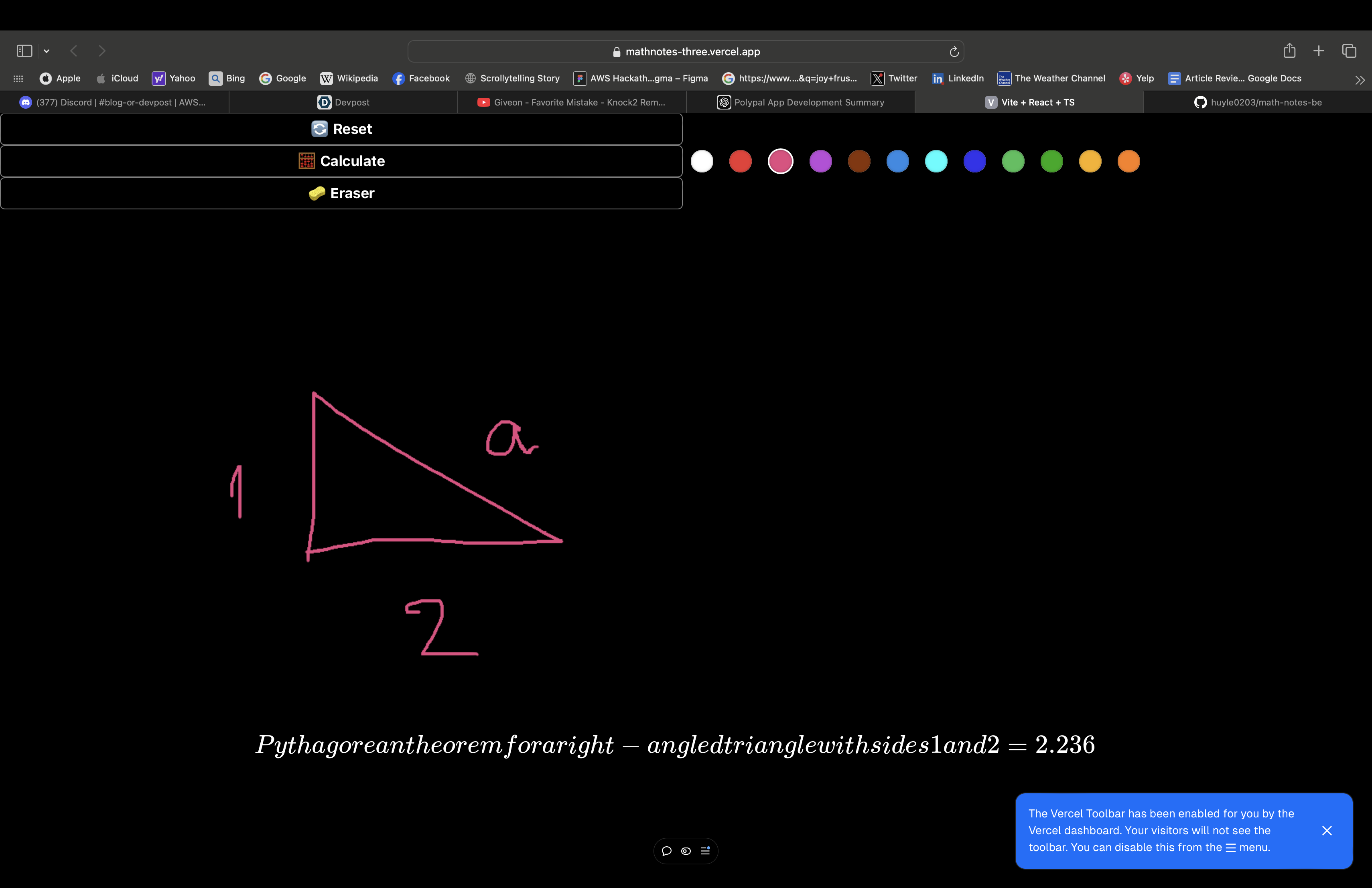
AI Math Note Calculator allows users to draw equations of mathematical problems. Using Google Gemini's advanced AI capabilities, it recognizes and interprets the input, calculates the solution, and provides clear, actionable answers. Yeah, u can draw triangles, images of trees and it will calculate simple math problem for u :)
How we built it
I built the project using Vite, React, and TypeScript for a fast and responsive front end. Google Gemini powers the AI backend, handling image recognition and problem-solving. This combination allowed me to seamlessly integrate user-friendly drawing interfaces with powerful computational abilities.
Challenges we ran into
- Input Recognition: Ensuring the AI could accurately interpret a variety of handwriting styles and image qualities, translating it to text needs a matlib library that took me days to figure out
- Real-time Responsiveness: Balancing performance to deliver solutions without noticeable delays.
- User Experience: Designing an interface intuitive enough for anyone to use, regardless of technical expertise. Yes, even children should be able to use it.
Accomplishments that we're proud of
- Successfully integrating Google Gemini to handle both drawing and image-based inputs with high accuracy.
- Creating a sleek and intuitive interface that makes solving math problems feel effortless.
- Developing a solution that bridges the gap between traditional note-taking and modern AI-powered computation.
What we learned
- The importance of designing for diverse user needs, especially in educational tools.
- How to integrate AI models like Google Gemini into a web app effectively.
- The challenges and rewards of balancing performance, accuracy, and usability.
What's next for AI Math Note Calculator
- Enhanced Features: Adding support for more complex problem-solving, like calculus or 3D geometry. Lol and provide step by step approach
- Accessibility: Implementing multi-language support to reach a broader audience.
- Mobile App: Expanding to a mobile platform for on-the-go problem-solving.
- Educational Integration: Partnering with schools or online learning platforms to make the tool widely accessible.

Log in or sign up for Devpost to join the conversation.