-
-
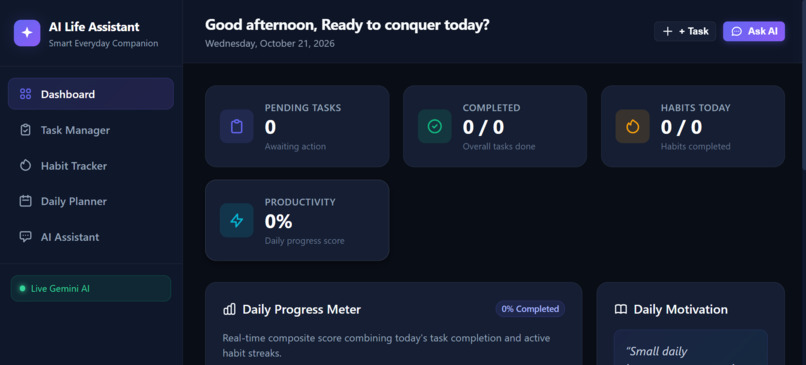
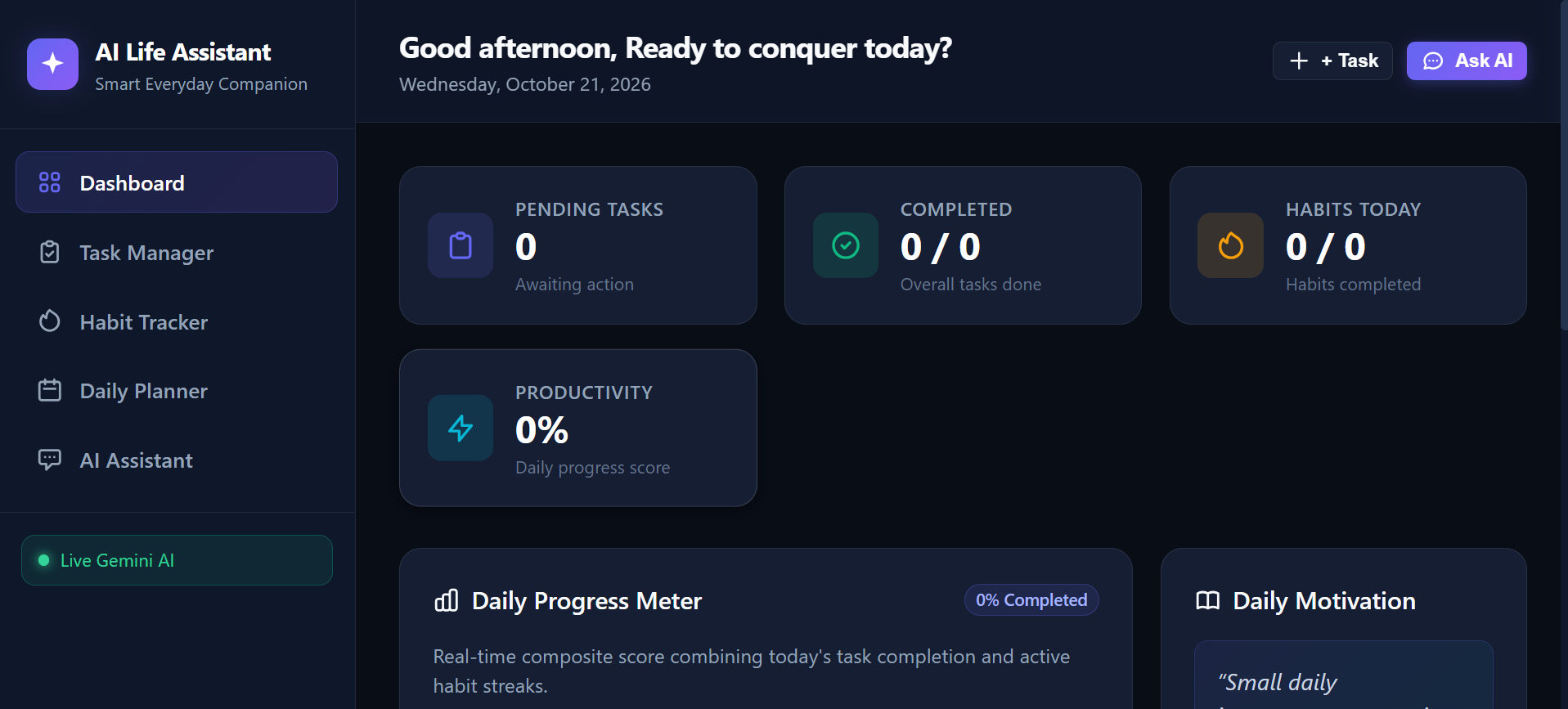
Dashboard1
-
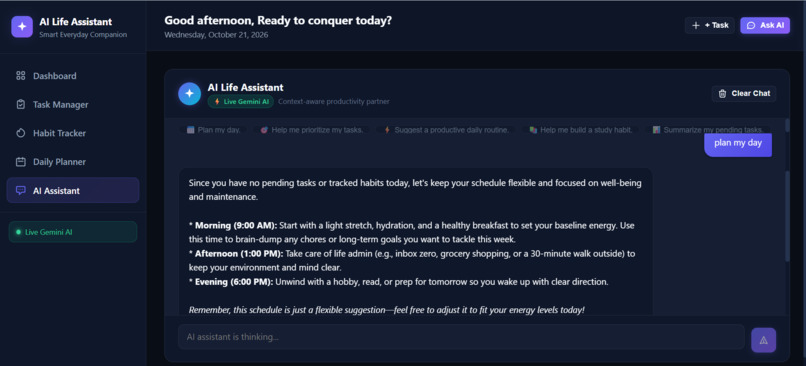
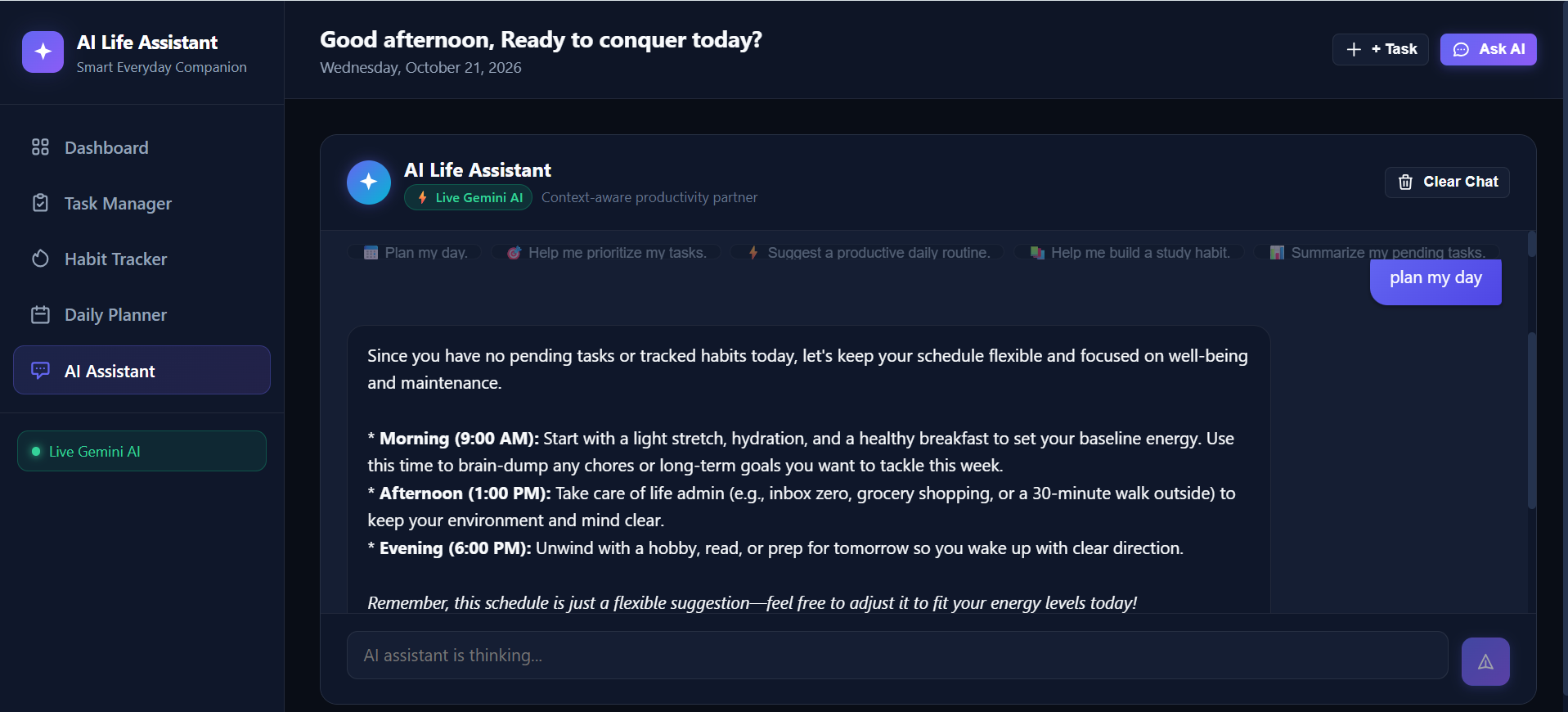
GeminiAI 1
-
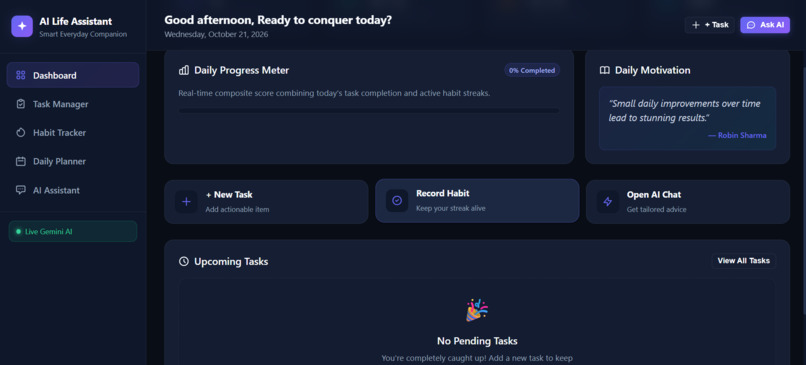
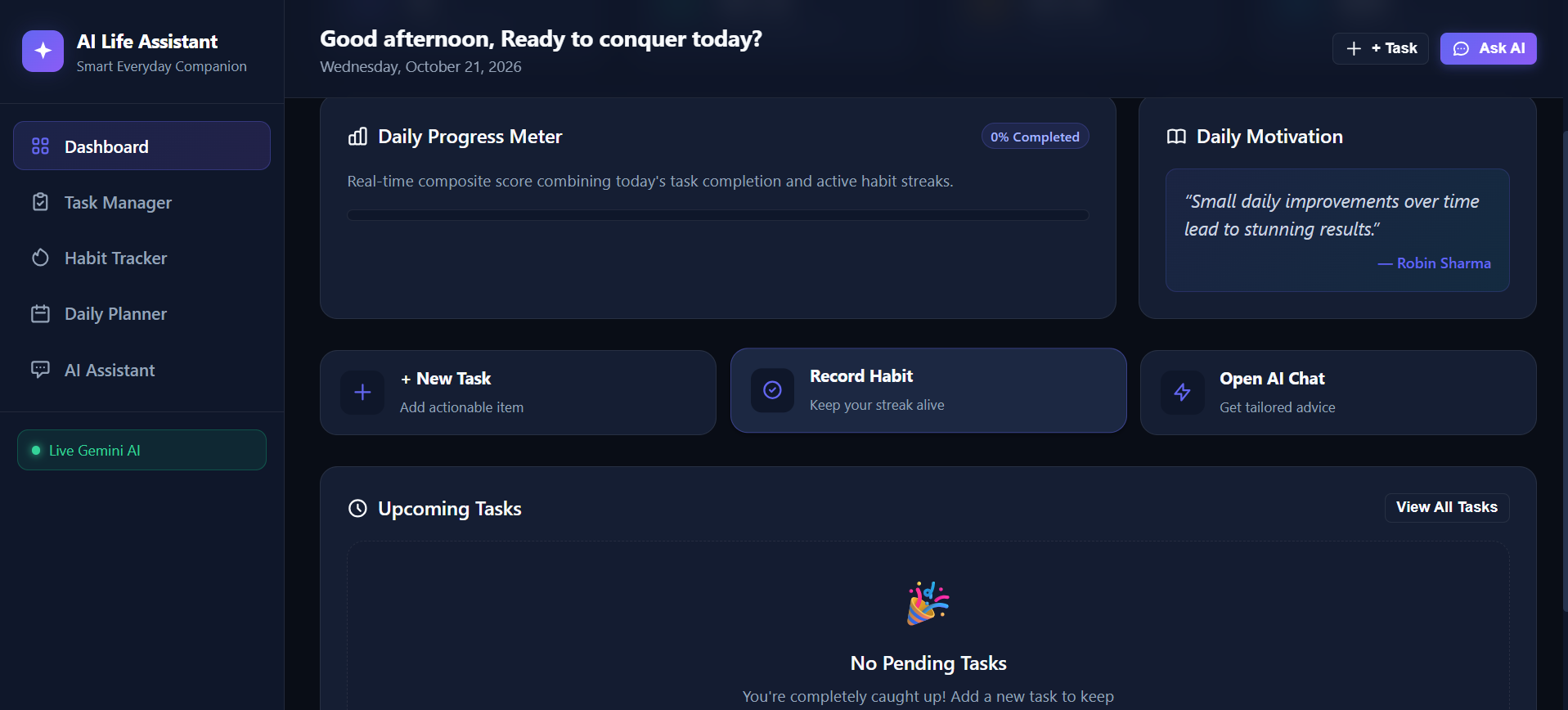
Dashboard2
-
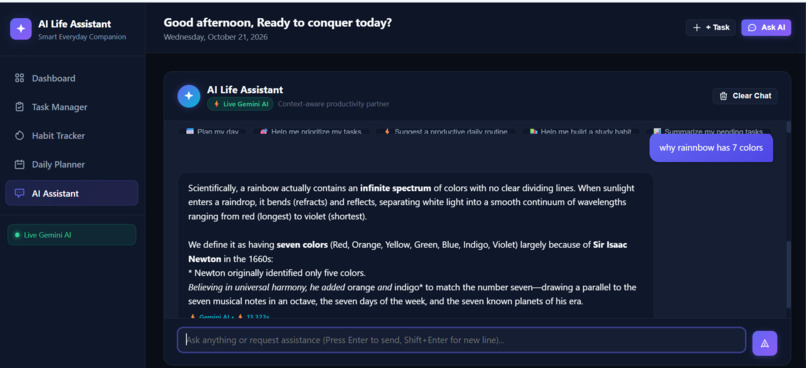
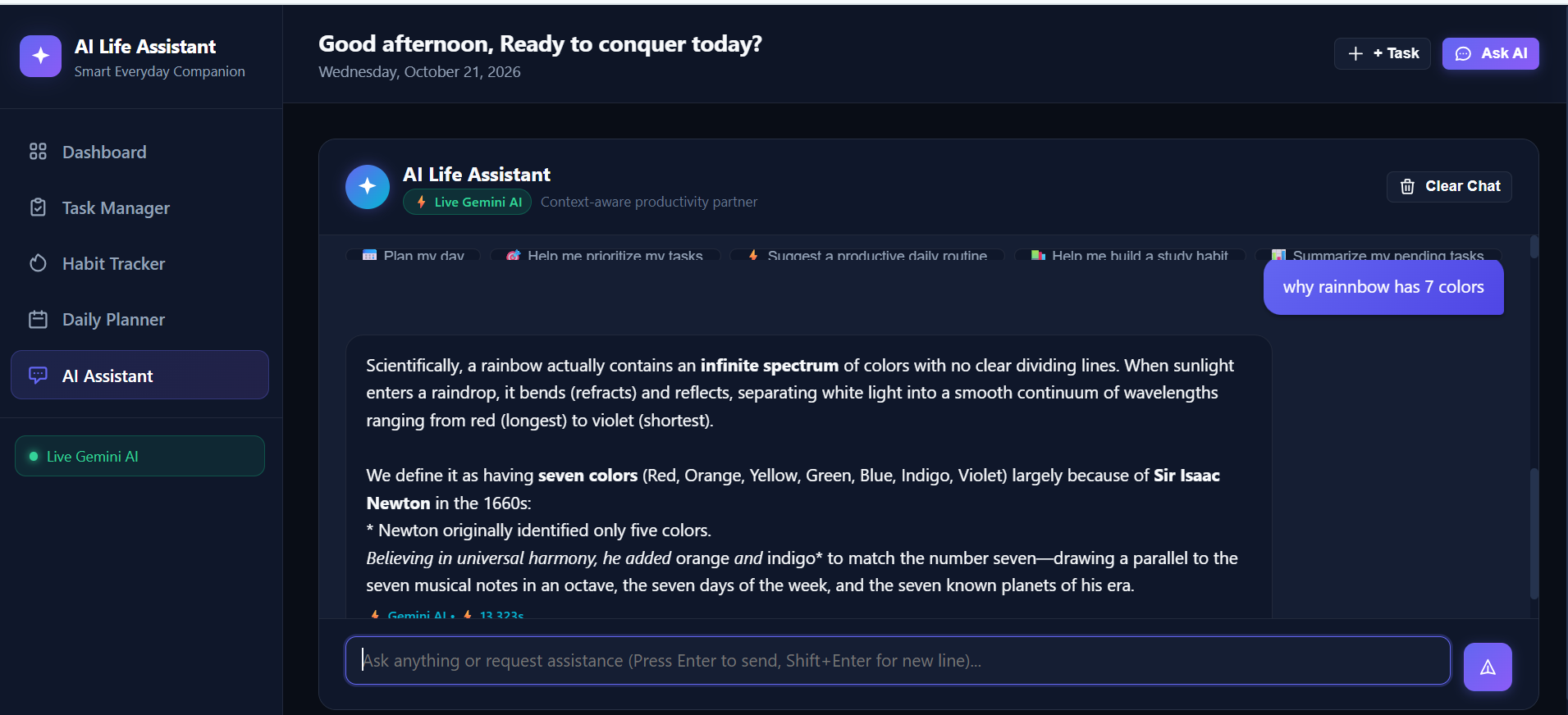
GeminiAI 2
-
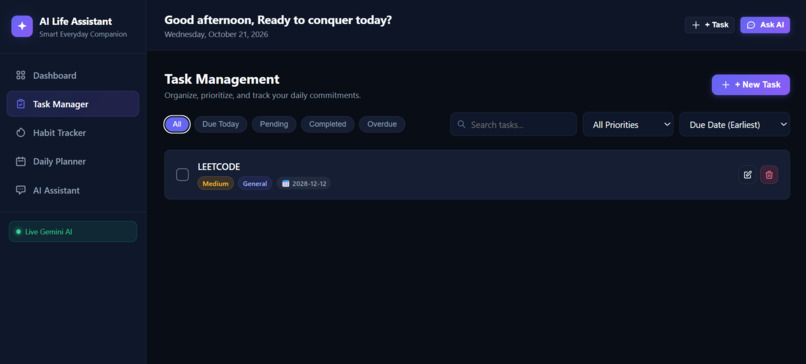
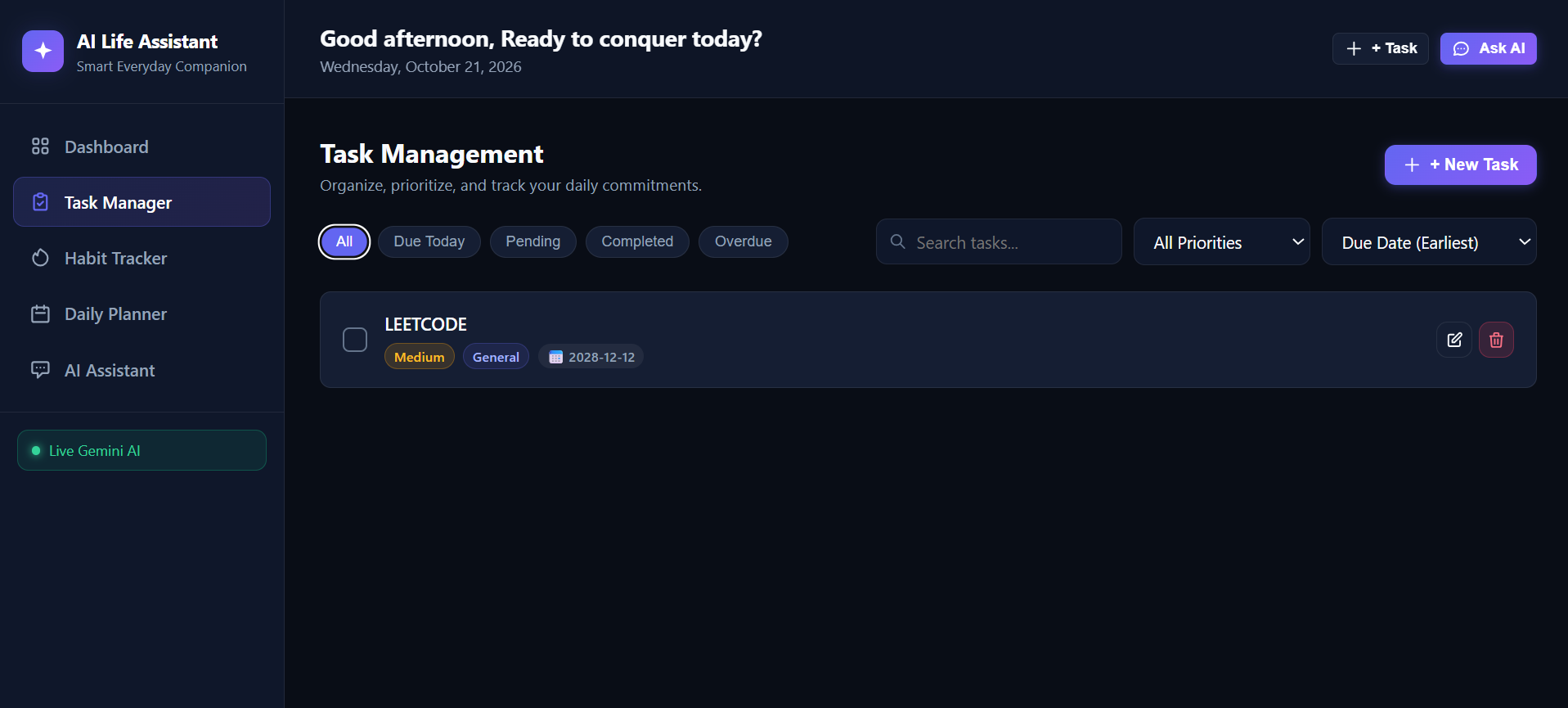
Task manager
-
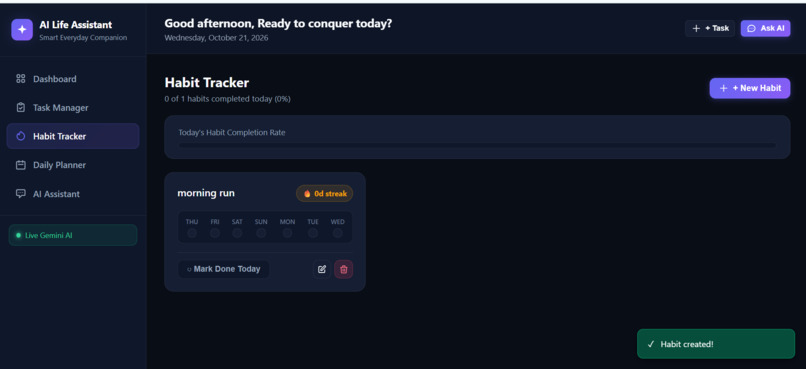
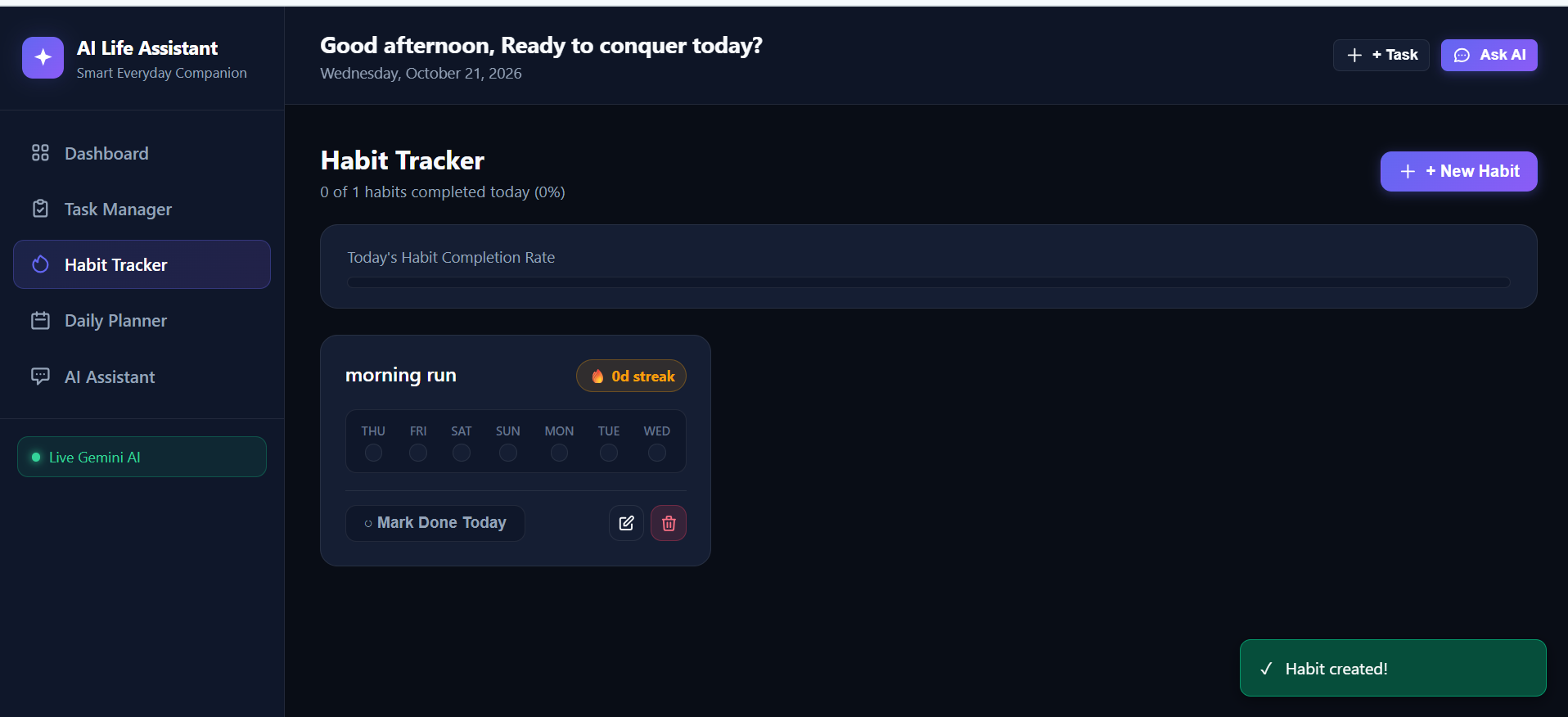
Habit tracker created
-
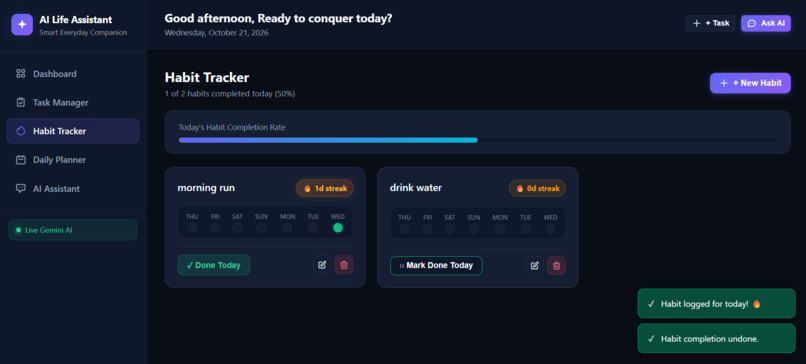
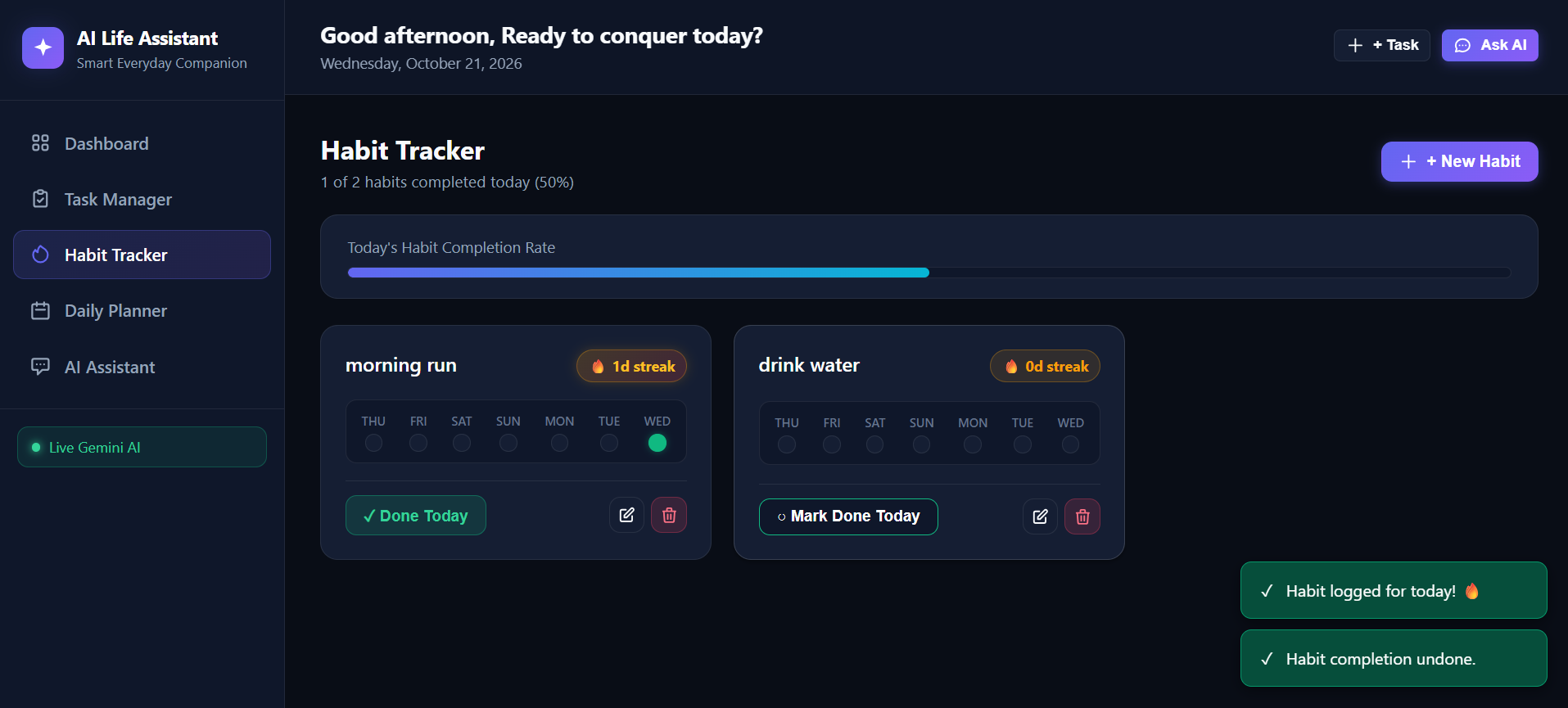
habit tracker logged
-
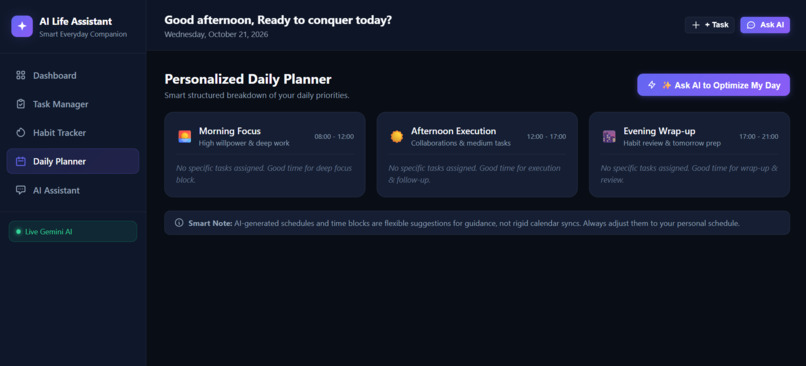
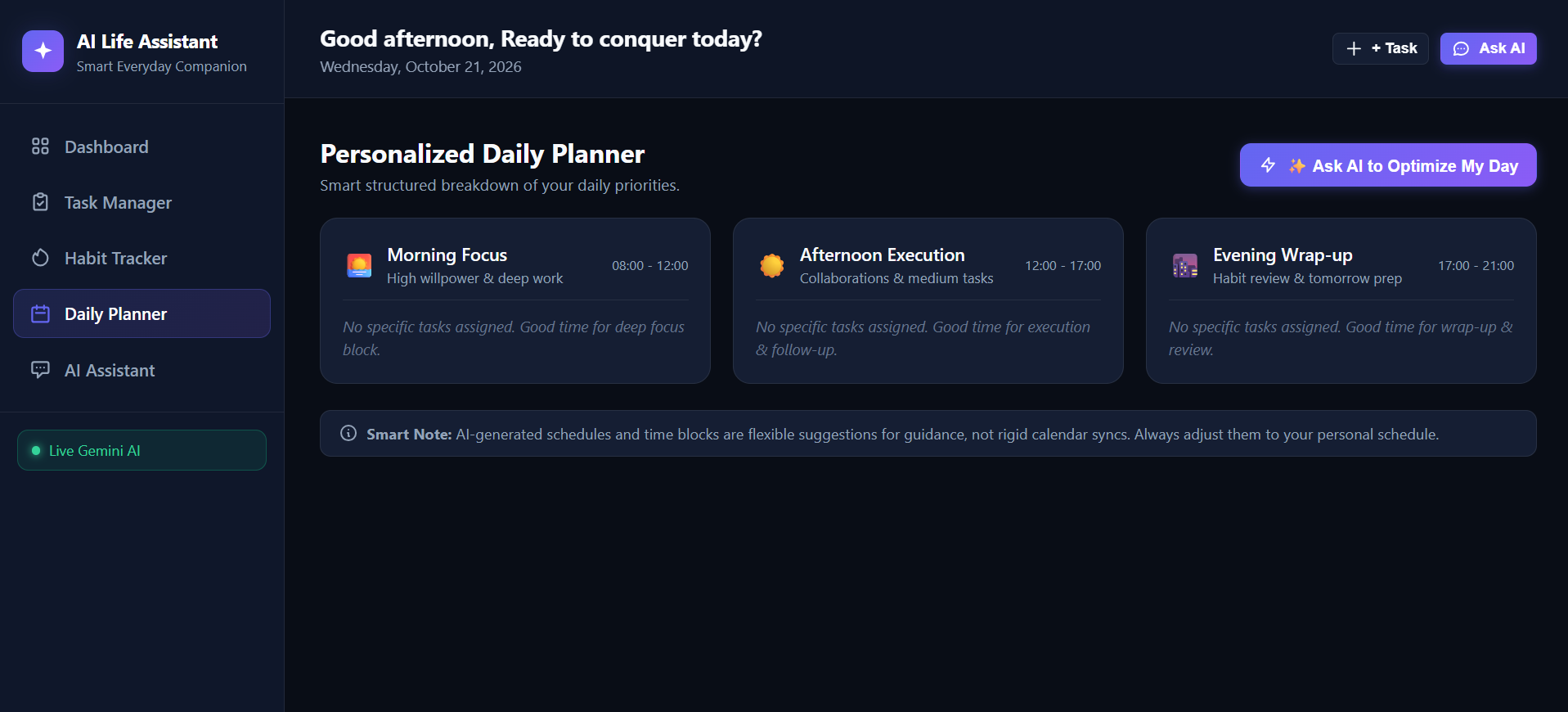
daily planner
Inspiration
Everyday productivity apps help us write down tasks, but they often leave us to figure out what to do next, how to prioritize deadlines, and how to maintain consistent habits. I wanted to build something more helpful than a traditional to-do list: an AI-powered companion that understands a user's workload and helps turn daily responsibilities into manageable actions.
This idea inspired me to create AI Life Assistant, a personal productivity platform that combines task management, habit tracking, daily planning, and conversational AI in one place.
What It Does
AI Life Assistant helps users organize their responsibilities and build better routines through an interactive dashboard and an AI-powered chat interface.
Key features include:
- AI Productivity Assistant: Uses Google Gemini to provide context-aware guidance based on the user's tasks, deadlines, and habits.
- Task Management: Create, update, delete, search, filter, prioritize, and track tasks.
- Habit Tracking: Record daily habit completions, monitor streaks, and view recent completion history.
- Daily Planner: Organizes daily priorities into structured focus periods and highlights overdue tasks.
- Interactive Dashboard: Displays productivity statistics and progress based on stored application data.
- Resilient AI Experience: Provides a simulated Demo Mode when live AI access is unavailable or when the user chooses to use the fallback.
- Persistent Storage: Uses SQLite to store application data locally.
The goal is to help users move beyond simply recording tasks and make more informed decisions about how to spend their time.
How I Built It
I developed the application using a full-stack architecture that combines a responsive web interface, a Python backend, persistent storage, and an external AI service.
Technology stack:
- Frontend: HTML5, CSS3, and Vanilla JavaScript
- Backend: Python 3.12 and Flask
- Database: SQLite
- AI Integration: Google's official
google-genaiPython SDK - Testing: Pytest
- Deployment: Render
The frontend communicates with Flask REST API endpoints to manage tasks, habits, dashboard statistics, and AI conversations. Service modules separate core application logic from API routes, while SQLite provides persistent data storage.
For AI-powered assistance, I integrated Google Gemini and designed prompts that incorporate relevant productivity context. I also implemented fallback handling so the application can continue offering simulated assistance when live AI access is unavailable.
I used automated tests to validate important application behavior, including task operations, habit tracking, dashboard statistics, and AI-related functionality. The latest verified test run completed with 29 passing tests.
Challenges I Faced
1. Connecting AI to Real Application Context
A generic chatbot can provide broad advice, but useful productivity assistance needs relevant information. I worked on connecting the AI service to application context, including tasks and deadlines, so its responses could be more useful to the user.
2. Handling AI Service Failures
External AI services can experience timeouts, quota limits, or temporary failures. I worked on error handling and fallback behavior to provide a more graceful experience instead of allowing every AI service problem to disrupt the application.
3. Designing Reliable Habit Tracking
Habit streaks require more than counting completed actions. The application needs to track completion dates, prevent duplicate records for the same habit and day, and calculate consecutive calendar-day streaks correctly.
4. Maintaining Application Reliability
As I connected the frontend, API routes, database, and AI integration, I needed to ensure that changes did not break existing functionality. Automated testing helped me validate the application and catch regressions during development.
What I Learned
Building AI Life Assistant strengthened my understanding of full-stack application development and practical AI integration.
I learned how to:
- Integrate a large language model into a Flask application.
- Design REST API endpoints and separate application logic into service modules.
- Persist and query structured data using SQLite.
- Handle external API errors and provide fallback behavior.
- Write automated tests using Pytest.
- Connect frontend interactions to backend services.
- Deploy a Python web application and maintain project documentation with Git and GitHub.
Most importantly, I learned that building a useful AI application involves more than connecting a model to a chat interface. It requires thoughtful application design, reliable data handling, error management, testing, and a clear user experience.
What's Next
I plan to explore additional improvements, including calendar integration, streaming AI responses, multi-user authentication, and richer productivity analytics.
These enhancements could make AI Life Assistant more customizable and useful for people managing complex schedules and long-term goals.
Final Thoughts
AI Life Assistant represents my effort to combine practical software engineering with generative AI to solve an everyday problem. It brings task organization, habit tracking, daily planning, and AI-powered guidance into one application.
Through this project, I gained hands-on experience building, testing, and deploying an AI-enabled web application while learning how to make AI functionality more useful and resilient in a real software product.
Project links
- GitHub Repository: https://github.com/Kanishka-T-S/ai-life-assistant
- Live Demo: https://ai-life-assistant-cljt.onrender.com/
Built With
- ai
- application
- automation
- chatbot
- css
- flask
- gemini
- genai
- html
- javascript
- llm
- natural-language-processing
- productivity
- python
- render
- softwaredevelopment
- sqlite
- web

Log in or sign up for Devpost to join the conversation.