🧠 Overview
AI Learning Buddy is a Chrome Extension powered by Google Gemini AI. It helps users instantly understand complex web content by explaining selected text in simple language — ideal for students, readers, and lifelong learners.
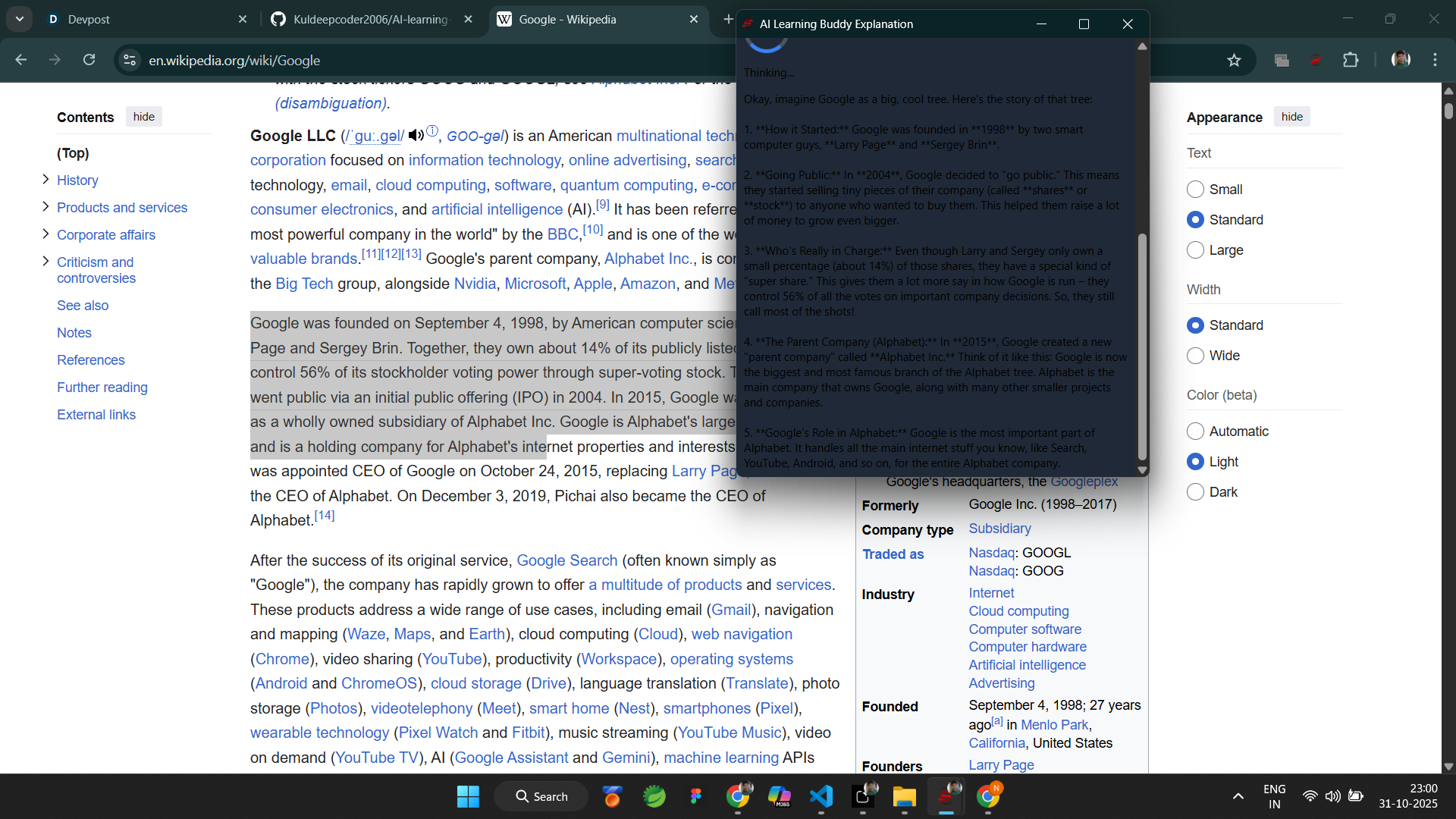
With one right-click, users can get instant, easy-to-understand explanations powered by Gemini’s advanced reasoning model.
✨ Features
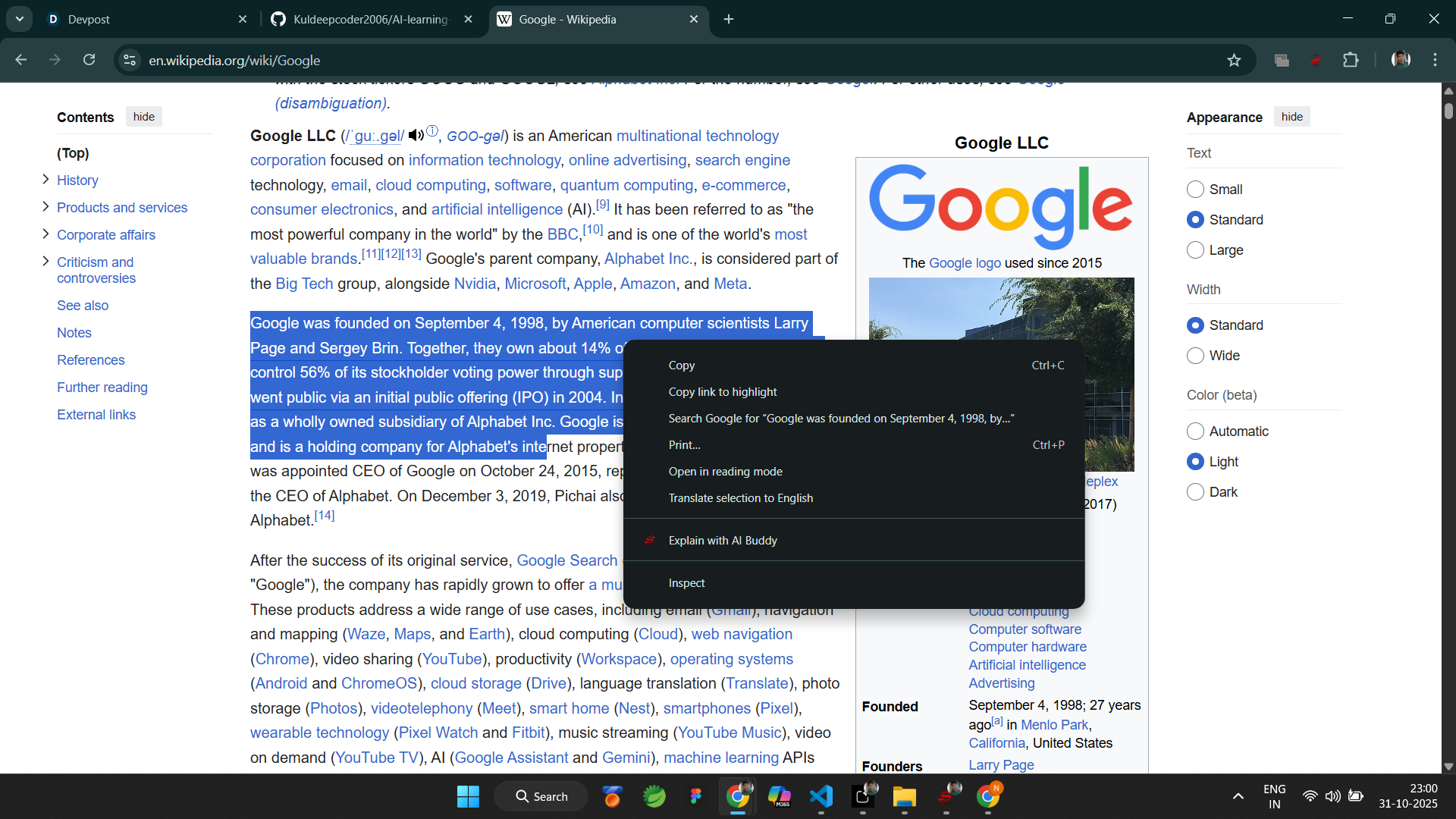
🖱️ 1-Click Explain: Select → Right-click → “Explain with AI Buddy”
🤖 Gemini-Powered Reasoning: Understands context deeply and rephrases naturally
💡 Clean Popup Interface: Minimal, modern, and distraction-free
🔐 Privacy Safe: No personal data stored or shared
⚙️ Manifest V3 Compliant: Lightweight, fast, and secure
🧩 Tech Stack
HTML, CSS, JavaScript
Chrome Extension (Manifest V3)
Google Gemini Pro API (via fetch POST request)
⚙️ How It Works
User highlights text on any webpage
Right-click → “Explain with AI Buddy”
The selected text is sent to Gemini API
Gemini generates a simplified explanation
The result is displayed in a popup
🚀 Impact
Millions of learners face difficulty understanding complex content online. AI Learning Buddy bridges that gap by turning the entire web into a personalized AI tutor.
🔮 Future Scope
🗣️ Add text-to-speech output for verbal explanations
💬 Add a follow-up “Why” or “How” question feature
🧾 Add “Save to Notes” integration using Chrome Storage API
🧑💻 Team Members
- Kuldeep Kumar
College: ABES Engineering College, Ghaziabad
Role: Lead Developer, Gemini API Integration, Chrome Extension Logic
Skills: Generative AI • Cloud Computing • Prompt Engineering • Chrome Dev • Data Analysis
- Neeti
College: Hi-Tech Institute of Engineering and Technology
Role: UI/UX Designer, Testing, Documentation
Skills: Generative AI • Frontend Development • Design Thinking • Prompt Engineering
🧠 Project Links
GitHub Repository: https://github.com/Kuldeepcoder2006/AI-learning-buddy-extension.git
🧩 Setup Instructions
Clone the repository or download ZIP
Replace "YOUR_API_KEY_HERE" with your Gemini API key
Go to chrome://extensions → Enable Developer Mode → Load Unpacked → Select folder
Right-click any text → “Explain with AI Buddy”


Log in or sign up for Devpost to join the conversation.