-
-
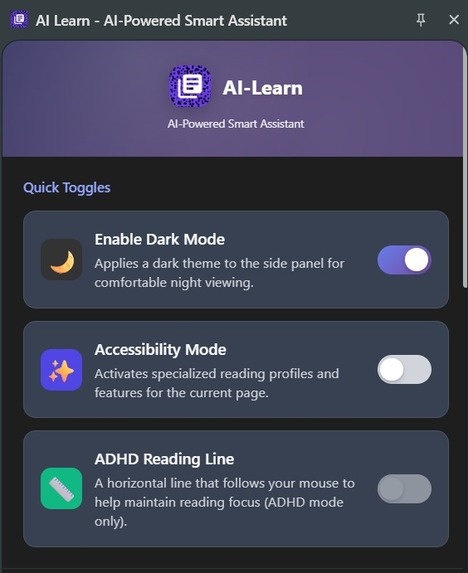
Toggles
-
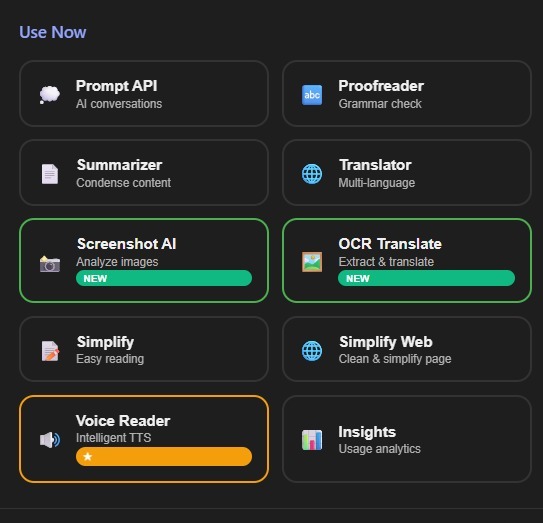
Features
-
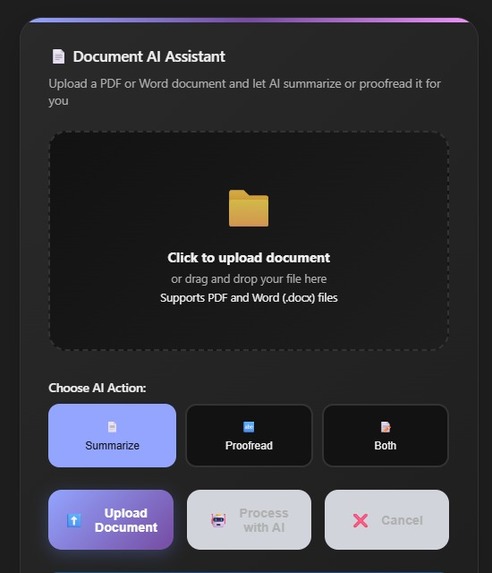
Document AI
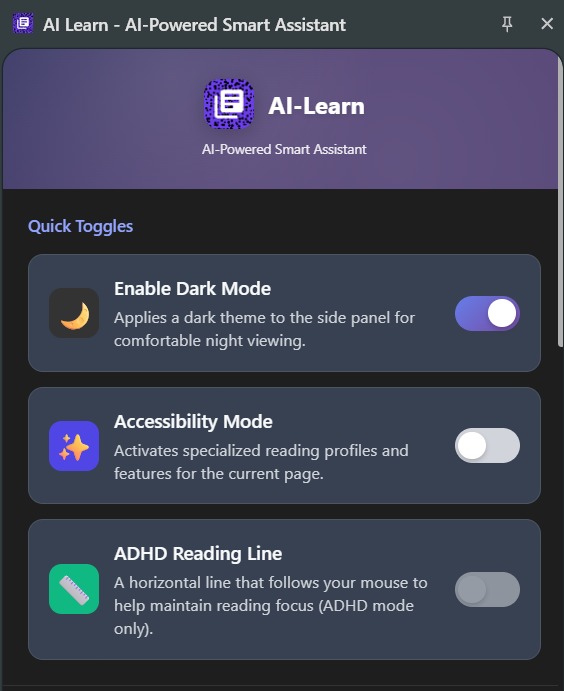
AI-Learn: Personalized Accessibility. Powered by Hybrid AI, we adapt the entire web—text, PDFs, and images—to fit every learner.
Inspiration
Our primary inspiration was to bridge the accessibility gap in digital learning for students with learning differences. We recognized that generic accessibility tools fail to address the nuanced needs of users with conditions like Dyslexia and ADHD. The goal was to move beyond static settings and create an AI-powered assistant that dynamically adapts its output and the webpage environment to the user's specific learning profile, ensuring every learner is included.
What it does
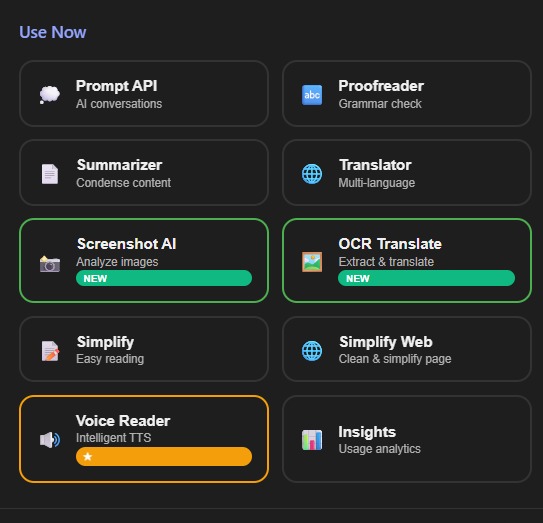
AI-Learn transforms the web into an adaptive learning environment through its core features:
- Adaptive Accessibility Profiles: Instantly apply profiles for Dyslexia, ADHD, and Visual Impairment, which simultaneously apply dynamic CSS to the webpage (e.g., dyslexia fonts, focus dimming) and condition the AI's response style (e.g., bullet points for ADHD, simplified language for Dyslexia).
- Hybrid AI Core: Provides lightning-fast Proofreading, Summarizing, Translating, and Prompt capabilities, defaulting to the on-device Gemini Nano for instant results on any input, while seamlessly falling back to a powerful Cloud Gemini model for complex tasks.
- Multimodal & OCR Vision: Features Screenshot AI for analyzing charts and graphs, and OCR Translate to extract and translate text from images, using the advanced Gemini Vision model.
- Intelligent Voice Reader: Offers robust Text-to-Speech (TTS) with automatic non-English language detection and the ability to read aloud not just the page content, but also all AI-generated responses (Summaries, Translations etc).
- Simplify Web: Rewrites and replaces the current webpage's content with an AI-generated, simplified version for distraction-free reading.
How we built it
The project is structured around a robust, three-part hybrid architecture:
- Chrome Extension Frontend: Built with native HTML, CSS, and JavaScript, utilizing Chrome APIs such as
sidePanel,contextMenus,tabs, and most critically, the experimentallanguageModelAPI for on-device AI execution. CSS classes likeaccessibility-adhddynamically control the appearance of the page. - Hybrid AI Logic (Frontend/Content Script): The logic resides in the content script and is responsible for determining whether a prompt is short enough for the on-device Gemini Nano (default) or requires fallback.
- Python Flask Backend: A local Python server running Flask and Google's
google-generativeaiSDK handles all Cloud API calls. This middleware manages resource-intensive tasks, including:- Multimodal analysis (Screenshot AI and OCR).
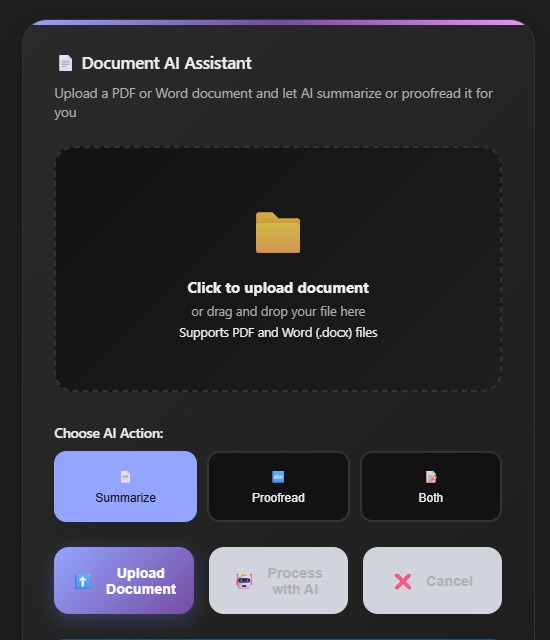
- Document processing (PDF/DOCX extraction using
PyPDF2andpython-docx). - User authentication and logging feature usage to MongoDB Atlas.
Challenges we ran into
- Implementing the Hybrid AI Switch: The most significant challenge was engineering the reliable, transparent transition between on-device (Nano) and Cloud (Gemini) execution. This required careful management of prompt length limits (e.g., >3000 characters triggers cloud) and asynchronous messaging between the content script and the Flask backend.
- Cross-Content Compatibility: Extracting clean, main text from complex web pages, non-standard documents (DOCX, PDFs), and even hidden elements proved difficult. We implemented dedicated extractors for various document types.
- Multimodal Data Flow: Efficiently sending large Base64 image data (for Screenshot/OCR) from the Chrome extension, through the content script, to the local Flask server for Gemini Vision processing required robust error handling.
- Guest Persistence: Ensuring that user settings and profile selections persist locally for all users, including anonymous guests, was a persistence challenge that is still being refined.
Accomplishments that we're proud of
- Seamless On-Device/Cloud Blend: The successful and proven implementation of the Hybrid AI architecture, delivering instant results without sacrificing the power needed for complex tasks.
- OCR and Multimodal Deployment: Integrating complex Gemini Vision capabilities for real-world scenarios like analyzing charts and translating text from images.
- Innovative UX Features: Developing the ADHD Reading Line and the Simplify Web full-page content replacement feature.
- Expand Adaptive Language: Integrating adaptive formatting (Dyslexia/ADHD styles) into non-English translation outputs.
What we learned
- Chrome Extension Architecture: Gained deep experience managing the lifecycle and communication channels (messages) between the background service worker, content scripts, and side panel UI for complex async operations.
- Hybrid AI Design: Learned that the developer experience for on-device models requires a robust, well-defined fallback strategy to ensure reliability and handle prompt limits.
- Accessibility in Practice: Reinforced the importance of micro-level design details, such as the need for non-English content to automatically disable English voice preferences in the TTS module to ensure correct language pronunciation.
What's next for AI-Learn
- Personalized Analytics: Enhancing the Insights module to provide real-time, actionable learning recommendations based on feature usage patterns.
- Custom Profiles: Allowing users to customize and save their own combinations of settings and AI prompt instructions and more.


Log in or sign up for Devpost to join the conversation.