
💡 Inspiration
Modern production systems generate an overwhelming volume of alerts, logs, metrics, and traces. During an incident, engineers are expected to rapidly triage the problem — switching between dashboards, scanning logs, checking recent deployments, and trying to mentally correlate signals under pressure. This process is slow, stressful, and highly manual. Even experienced engineers can miss important clues or spend valuable time looking in the wrong place.
We were inspired by a simple question: What if an AI could do the first round of incident investigation for you?
AI Incident Responder was built to act as an intelligent first responder — turning noisy alerts into structured understanding and actionable next steps within seconds.
⚙️ What it does
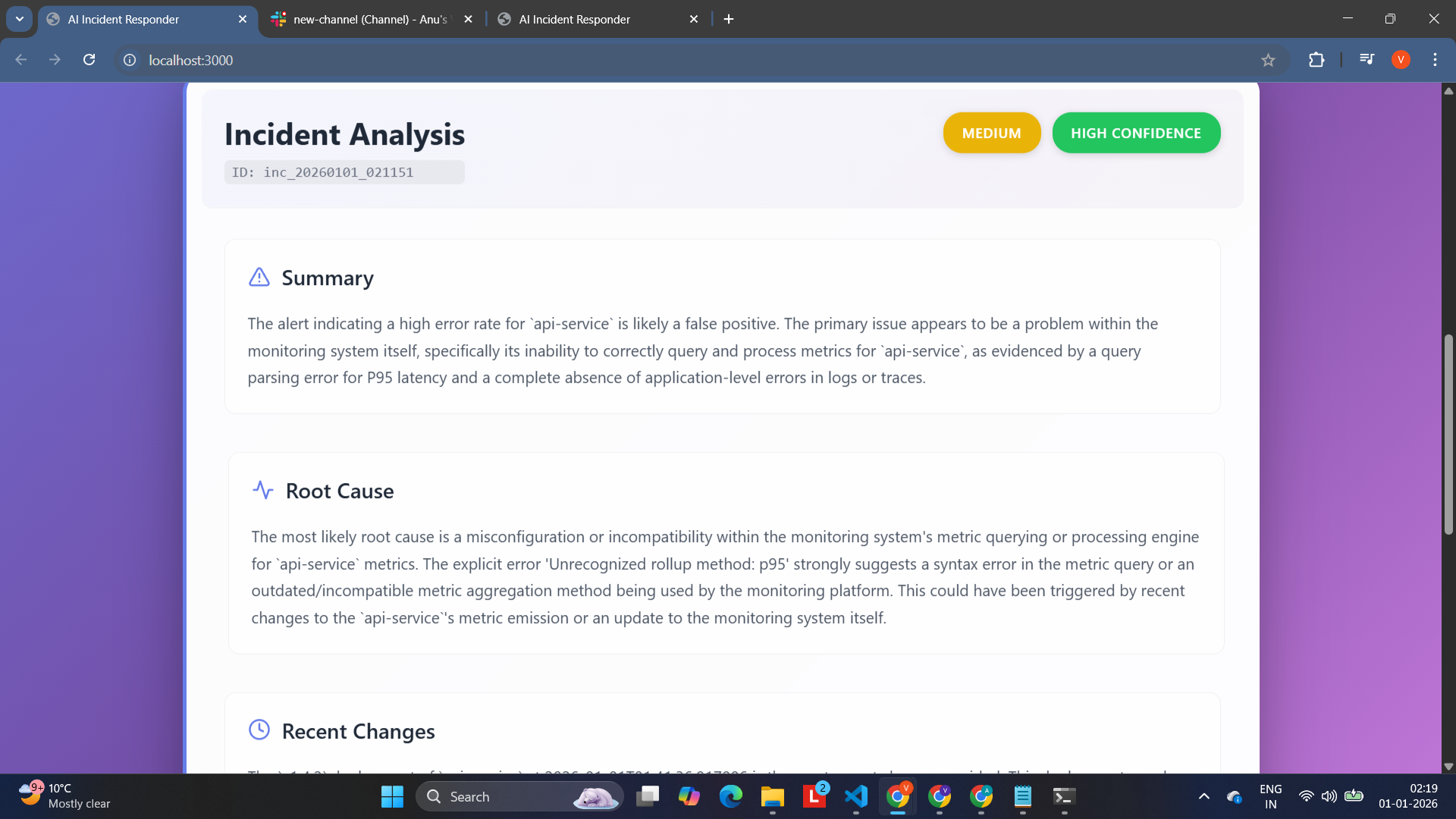
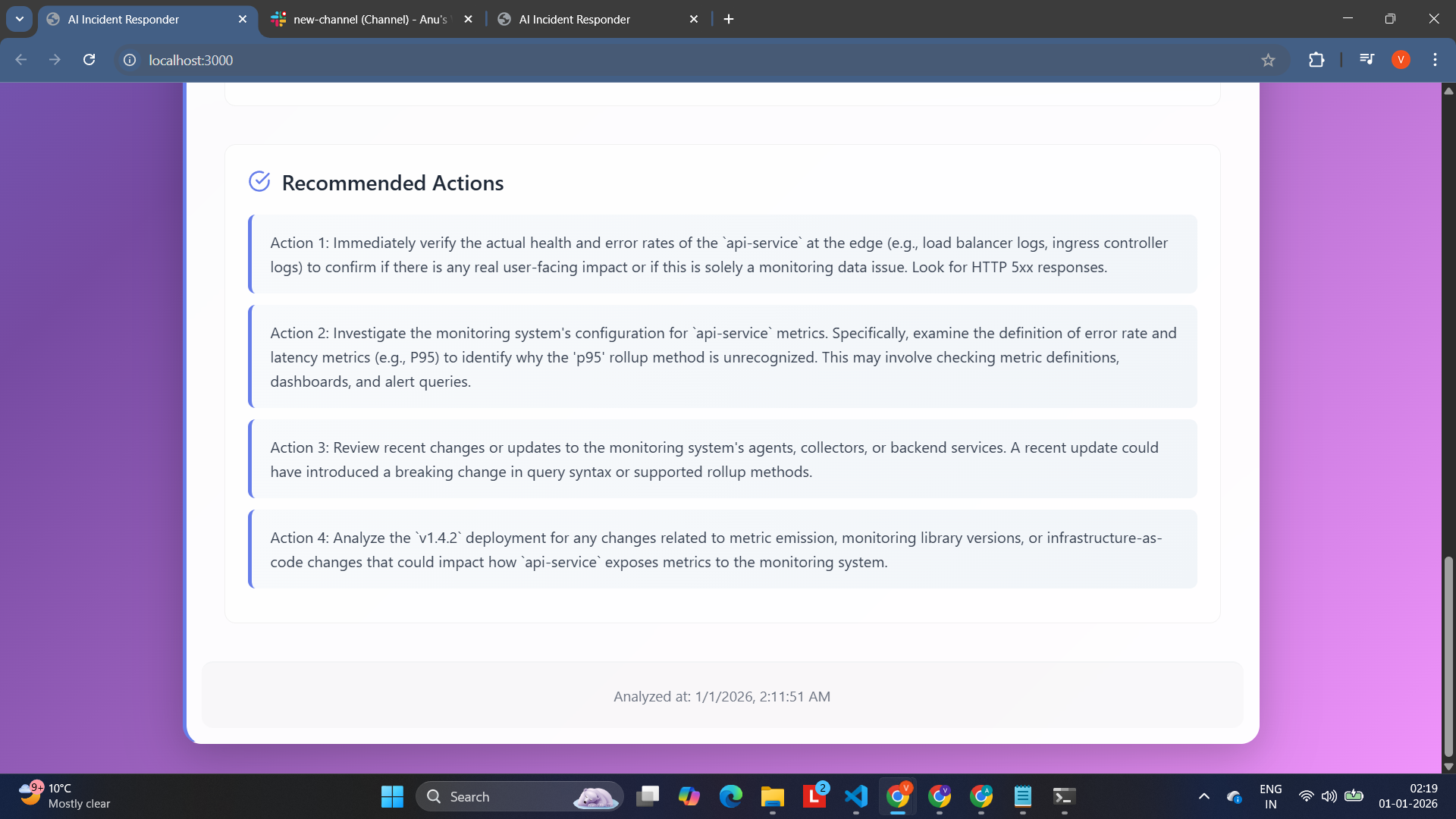
AI Incident Responder automatically transforms raw production alerts into:
- A clear incident summary
- A likely root cause
- A list of recent changes or contributing factors
- A set of actionable remediation steps
- A severity and confidence assessment
Workflow:
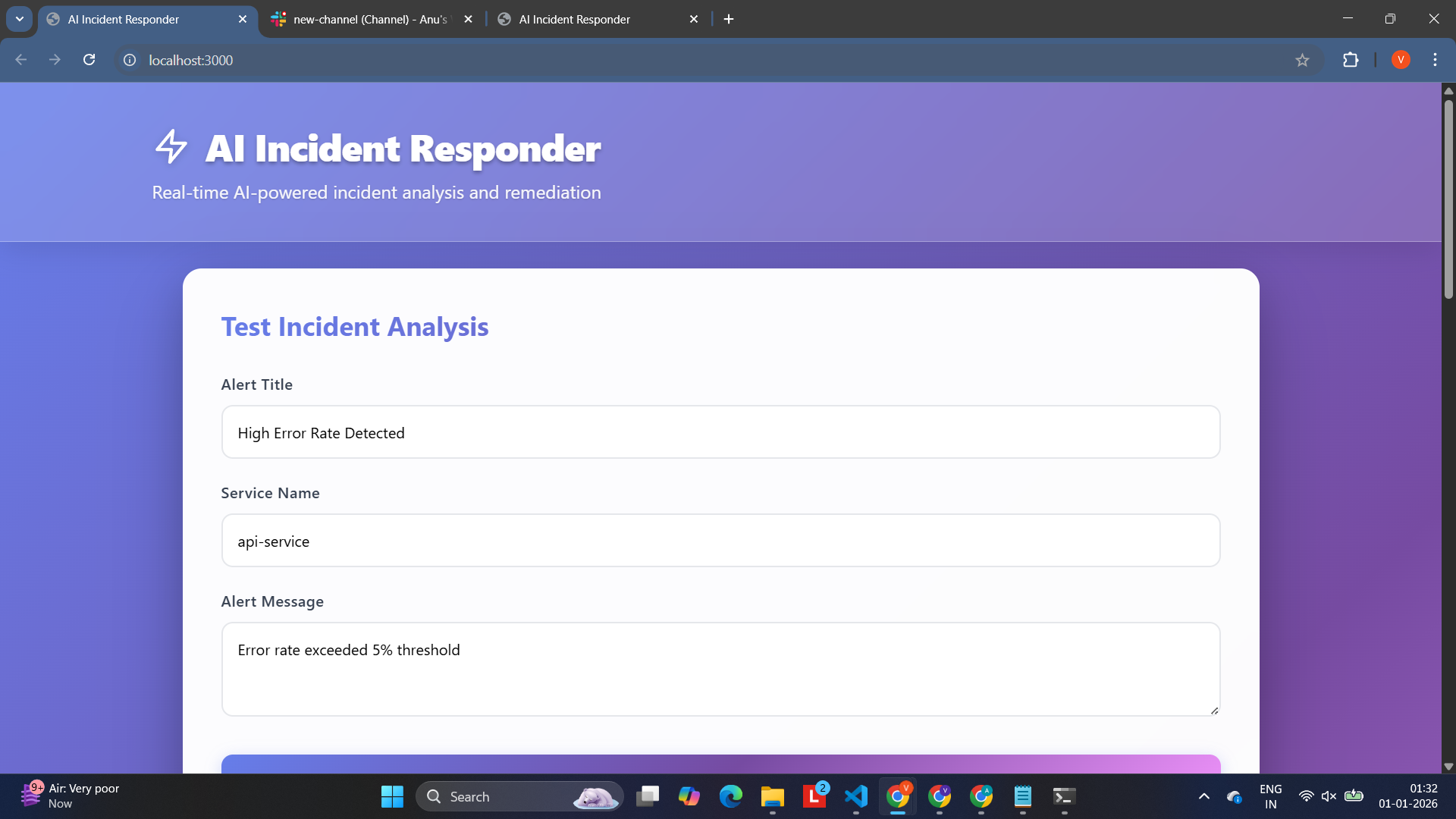
- Receives alerts from Datadog (or manually from the UI)
- Fetches contextual data (logs, traces, metrics, recent changes)
- Uses Google Gemini to analyze the incident
- Produces structured analysis
- Sends results to Slack and displays them in a dashboard
This reduces the time from alert → understanding → action, helping teams respond faster and more confidently.
🏗️ How we built it
Tech stack:
- Backend: FastAPI (Python)
- AI: Google Gemini API
- Monitoring: Datadog (logs, traces, metrics)
- Notifications: Slack Webhooks
- Database: MongoDB Atlas (for incident storage)
- Frontend: React + Vite
- Deployment: Render (backend), Netlify (frontend)
Architecture:
Datadog Alert / UI Input
        │
        ▼
FastAPI Backend
        │
   Collect Context
 (logs, traces, metrics)
        │
        ▼
Google Gemini AI
        │
        ▼
Incident Analysis
        │
        ├── Slack Notification
        └── Web Dashboard
🚧 Challenges we ran into
- CORS & cross-deployment issues between Netlify and Render
- Handling async + external APIs reliably without blocking or failures
- Designing prompts that produced useful, actionable output instead of generic text
- Managing API limits and ensuring the system works even when APIs are unavailable
- Ensuring a smooth demo experience without requiring real production credentials
🏆 Accomplishments that we're proud of
- Built a full end-to-end pipeline from alert ingestion to AI analysis to Slack delivery
- Designed structured prompts that consistently produce high-quality analysis
- Implemented a usable dashboard for live testing and demos
- Enabled mock mode so the project works without paid APIs
- Made the system extensible and production-ready in architecture
📚 What we learned
- How powerful prompt engineering can be when paired with real operational data
- The importance of structured output for AI in production systems
- How to design systems that are both demo-friendly and realistically useful
- The tradeoffs between speed, accuracy, cost, and reliability in AI-powered systems
- How critical developer experience is during incident response
🚀 What's next for AI Incident Responder
- Add historical incident memory for trend detection
- Implement feedback loops to improve recommendations over time
- Integrate with more observability platforms
- Add incident auto-resolution suggestions
- Add voice-based incident explanations and summaries
- Support on-call workflows and escalation paths

Log in or sign up for Devpost to join the conversation.