-
-
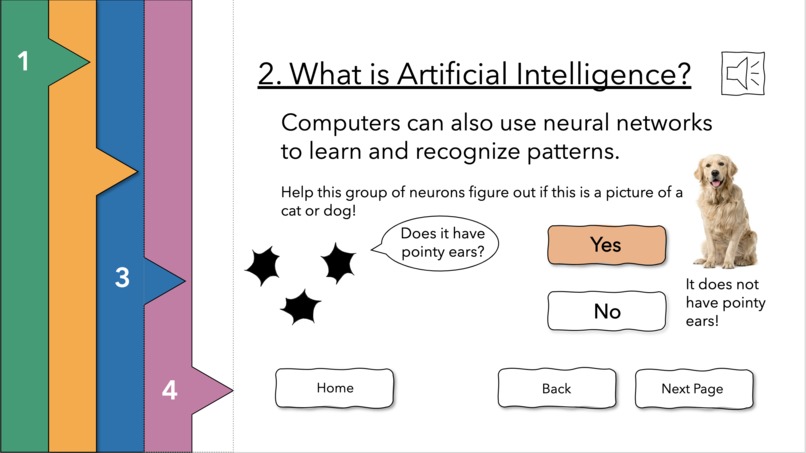
Interactive Presentation
-
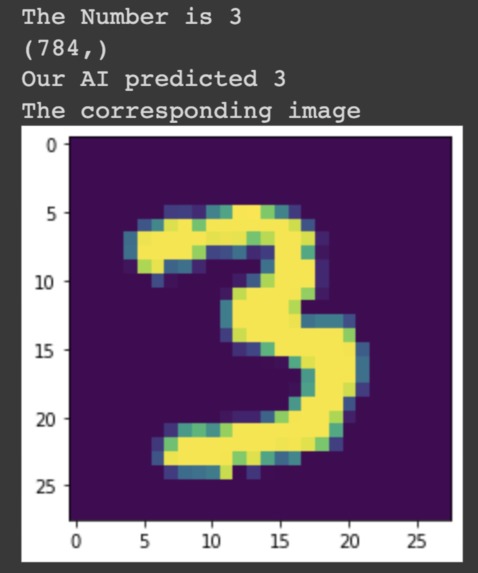
Walkthrough and creation of ML Program
-
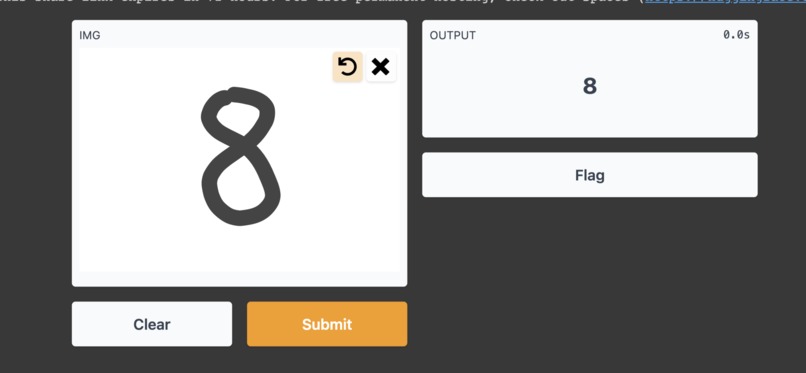
Test your model yourself by drawing numbers!
Inspiration
The experiences that truly drove us to develop a passion for technology were those where we experienced the Engineering and Design processes ourselves. They were the experiences that made us feel like we just made something happen! That moment tends to be different for each person, for some it was their first Hello World, for others it was the time they made a farther flying paper airplane or built a taller lego tower. We wanted to make a short, but thoughtful and easily customizable program to introduce modern artificial neural networks to all ages of elementary school children. We wanted the AI-Inator to inspire every young engineer to imagine what more they can accomplish by learning, if they can already build their own Artificial Intelligence
What it does
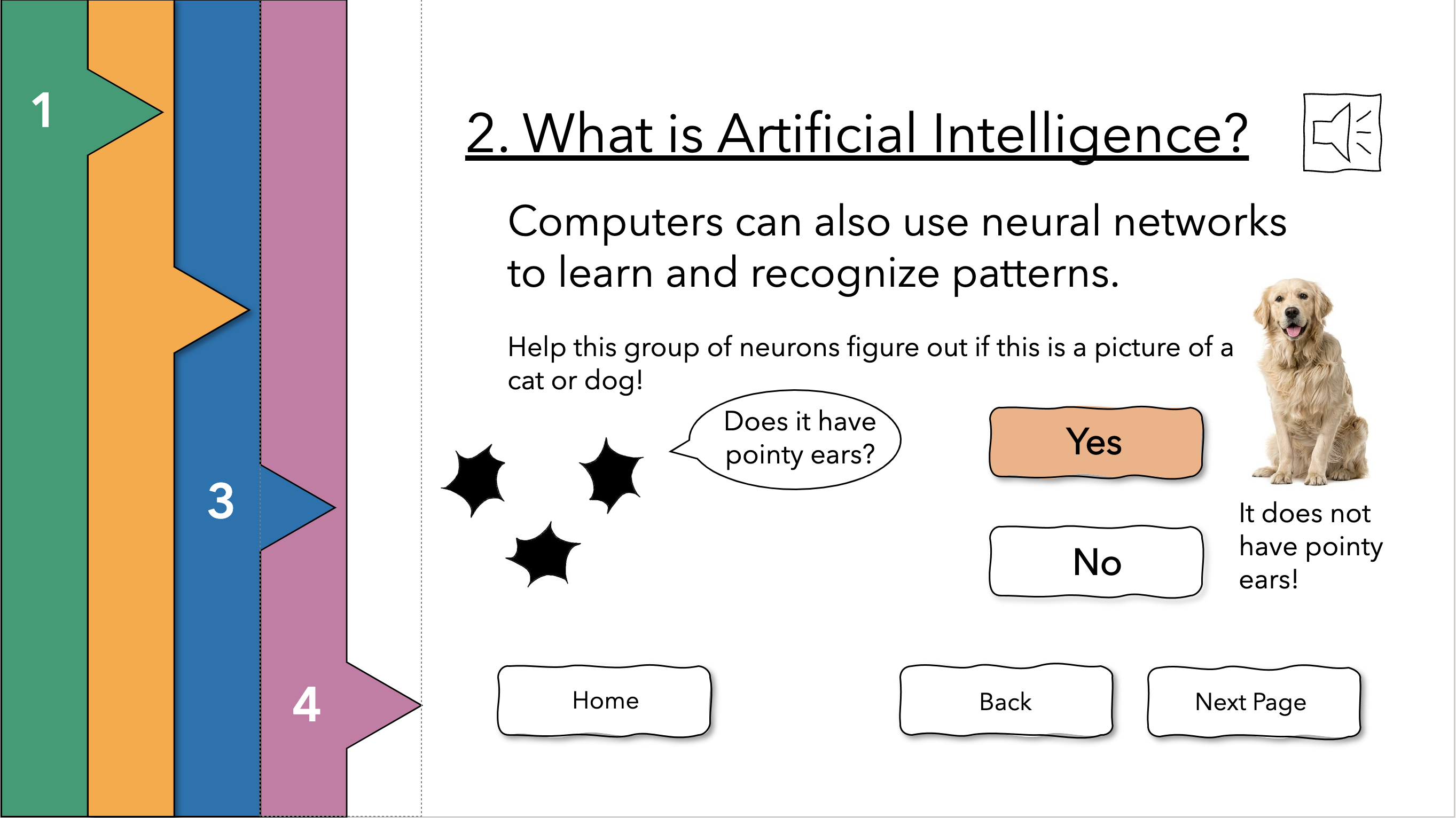
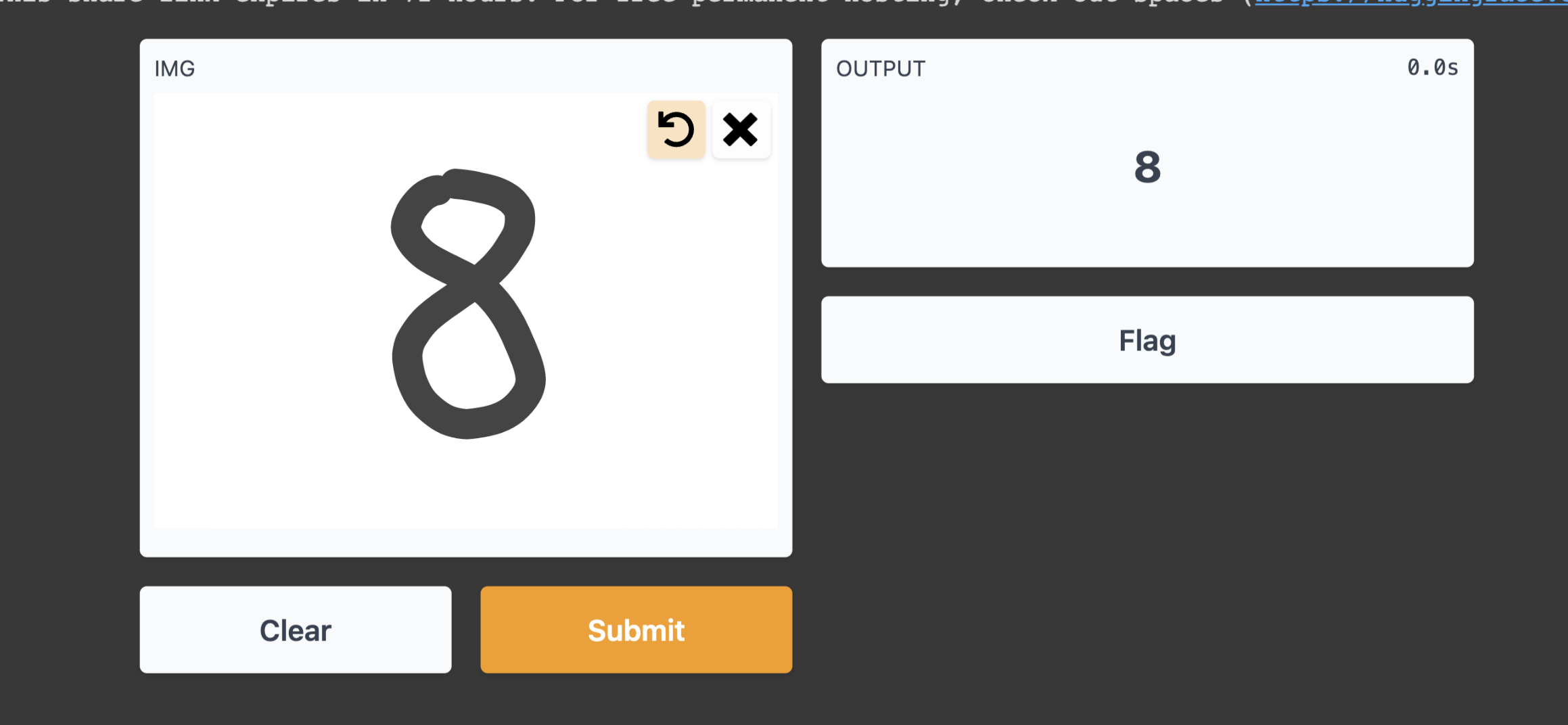
There are two parts to the program. The first is a modular and easily accessible presentation tool that can be used by teachers everywhere to present the basics of AI and neural networks to all age groups. We designed the UI to be simple while being bright and colorful to draw attention and keep students engaged. The second part is a Google Colab based Python Notebook with tutorial and information that allows students to easily change parameters and build their own handwritten number classification neural network. The layout and presentation make neural networks more easily digestible while retaining the ability to allow students to experiment with and learn the basics of ML coding. Once done building the model, students of all ages can easily interact with the model and assess its performance on real time tasks. They can draw on the application and see how the AI they just trained classifies the sketches!
How we built it
We built the lesson presentation using dynamic interactive features in Microsoft Powerpoint. We felt that making the introduction to an already difficult to grasp topic easily accessible was essential to the success of the program. With this PPT any teacher or student can access it anywhere at any time on a computer with Microsoft Office installed.
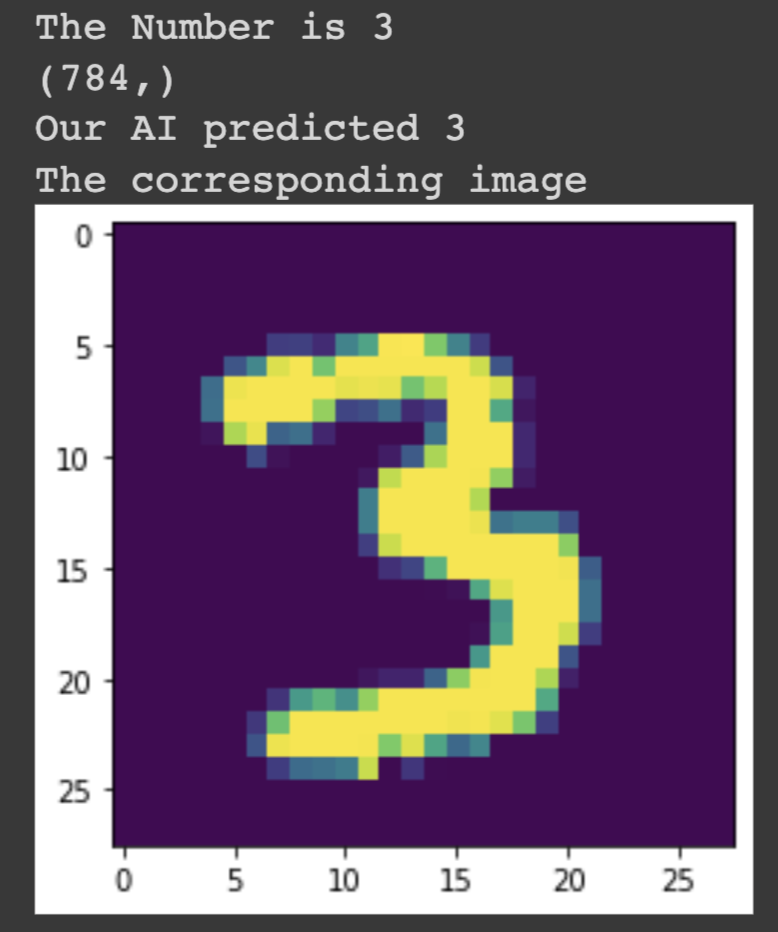
The ML code was written in python on google colab using Keras and tensorflow. The MNIST dataset was used to train the model. We used matplotlib to visualize training and test data. The GUI that allows users to draw on the screen and test if their model works was built on a python GUI library called Gradio.
Challenges we ran into
The biggest challenge was trying to figure out what concepts are too difficult to grasp versus what needs to be kept for the lesson to have value and real impact. After that it was a challenge to design the UI for both aspects of the program and ensure that the coding aspects were as minimally intimidating as possible for students who may have never seen code before. Finally neither of us had any real experience working with Gradio, so it took some time to learn how to connect an ML model to a GUI.
Accomplishments that we're proud of
We are really proud of the process we have created. It feels like a student who goes through the lesson and coding project would gain a real sense of accomplishment of having created something really cool. It was awesome to create a GUI that directly works with the ML model you just created. It's really cool as that immediate feedback from the code to data inputs you create in real time can be used to explain more complicated concepts in ML like overtraining or "blackbox" more easily to students who are interested. We are also proud of the effort we put into making the interactive lesson truly interactive for all age groups. We also spent a lot of time making it as inclusive as possible with a multi-chrome design palette and audible features.
What we learned
We learned a lot with respect to UI design and making colab more easily interpretable for non-technical users. I found it really fascinating that the GUI could be used to easily discern so much about the model I created. It was just so quick to try out new things and see what the model missed and what it got right. I will be sure to consider making a GUI to test out my future ML models in any other DS projects if applicable.
What's next for AI-Inator
The next step for the AI-Inator is to bring it to the real world and see what works and doesn't work with a set of students and teachers who have never seen any of it before. It would be great to see how they interact with it without any instructions and see if we succeeded in creating a truly explainable Machine Learning model.
Built With
- figma
- gradio
- gui
- keras
- matplotlib
- powerpoint
- python
- pytorch
- tensorflow
- ui

Log in or sign up for Devpost to join the conversation.