🔧 Update: Python Version
project uses Python 3.9.6.
🏥 AI Health Assistant RAG Application
Short Description (25 chars left):
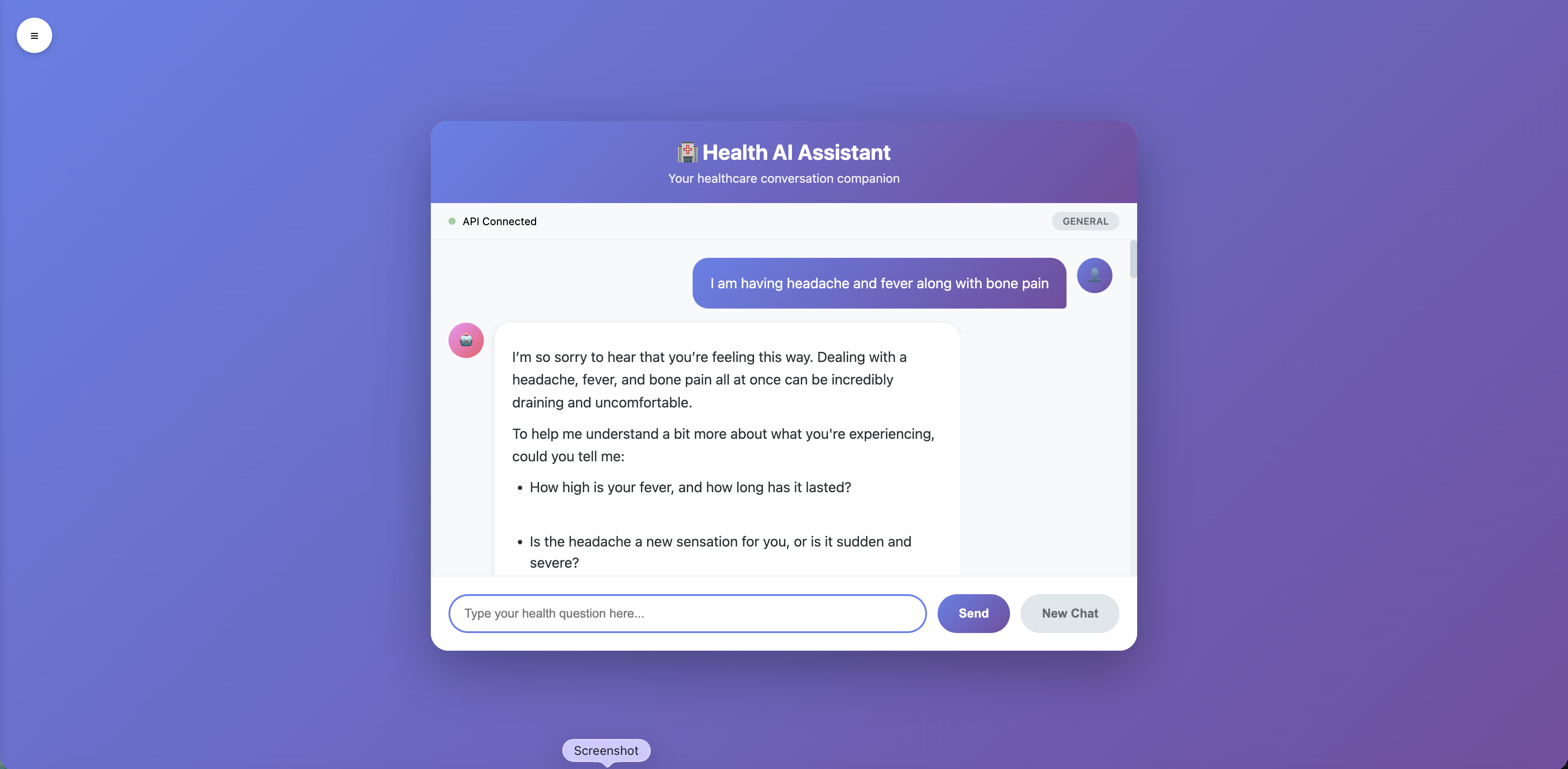
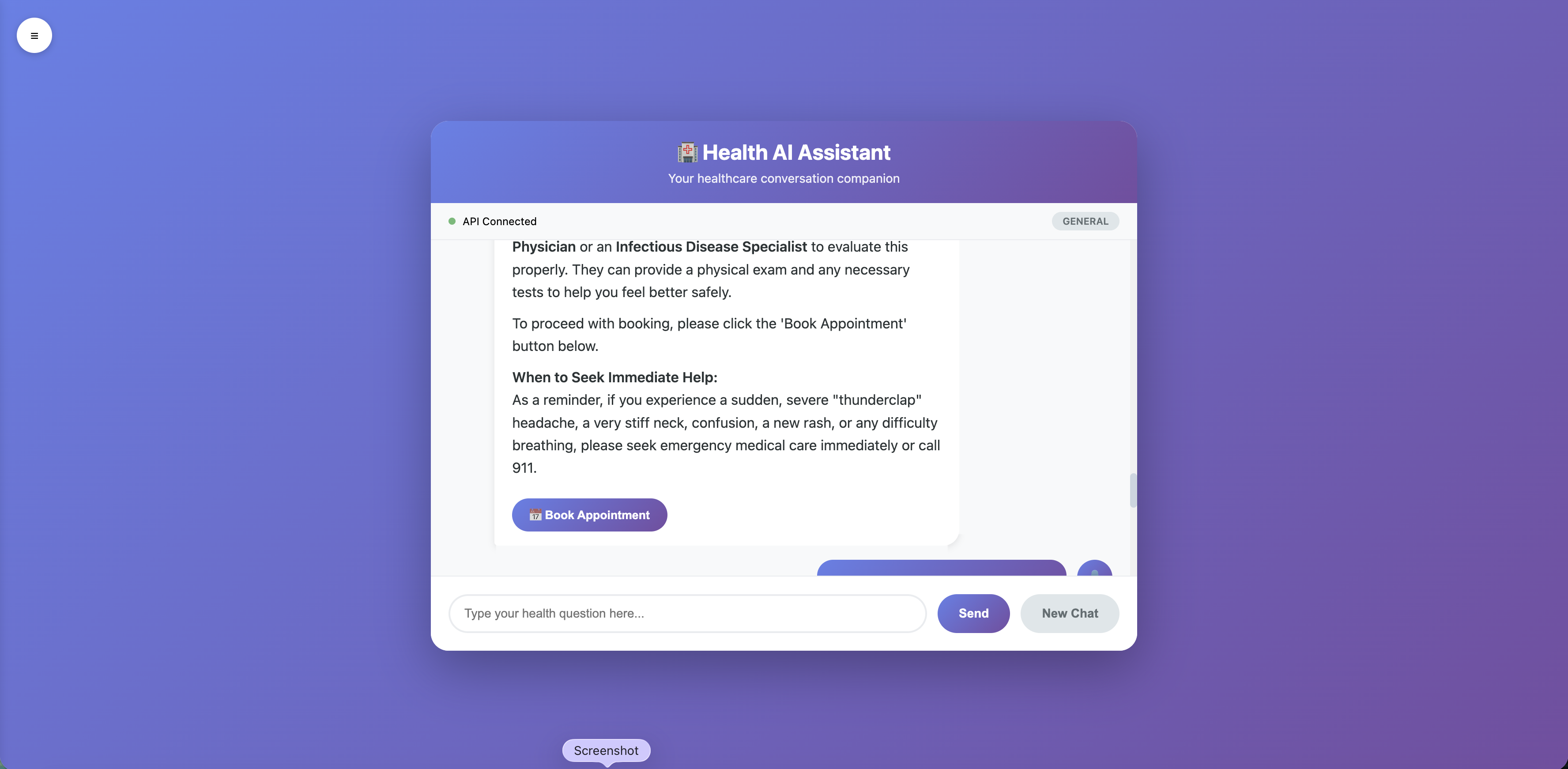
Multiagent healthcare assistant routes patient queries to specialized AI agents using Gemini Flash, with smart appointment booking and conversation memory.
📋 Problem Statement & Solution
- Problem: Millions search online for health advice but lack immediate, safe, and context‑aware guidance.
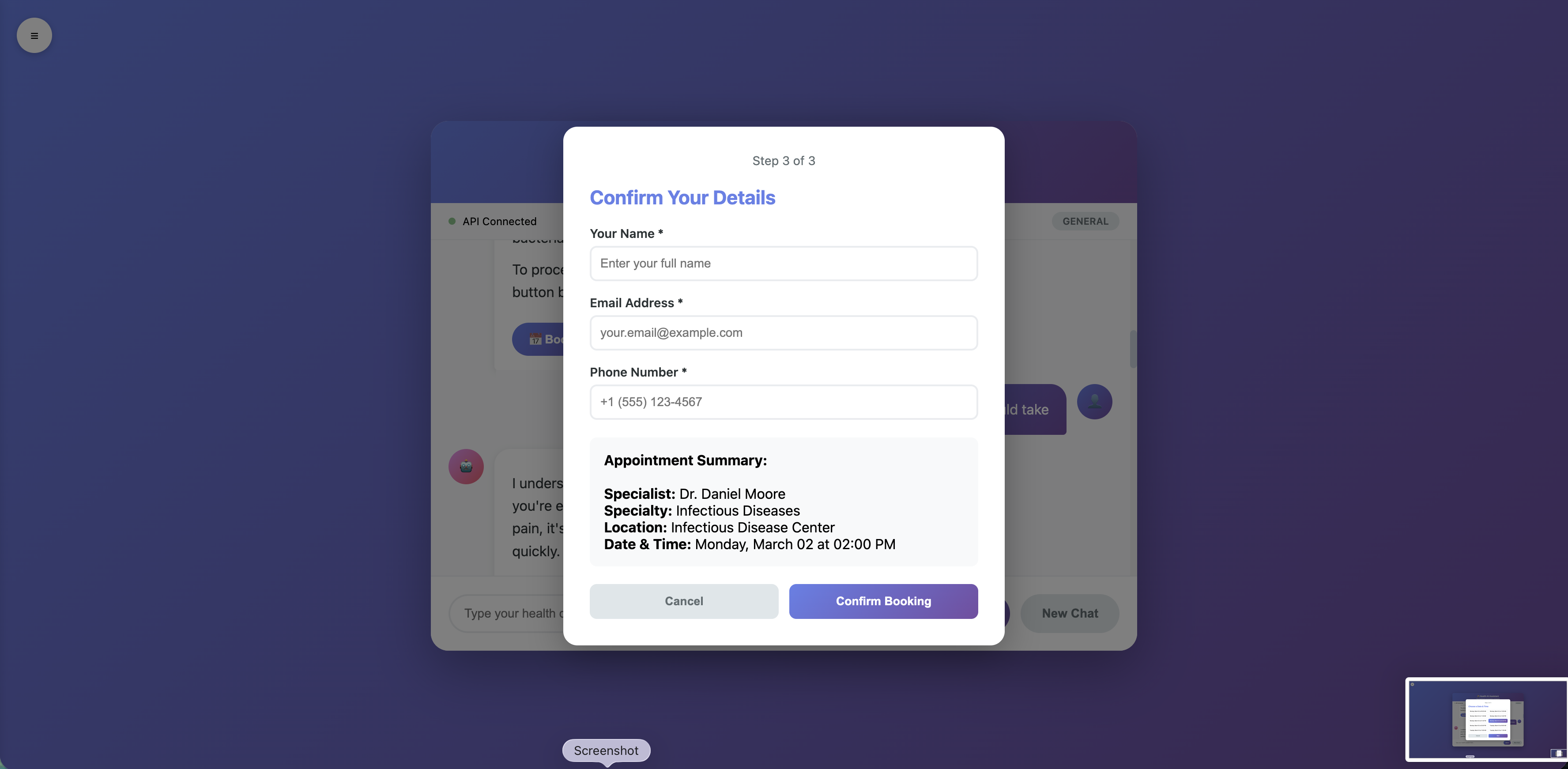
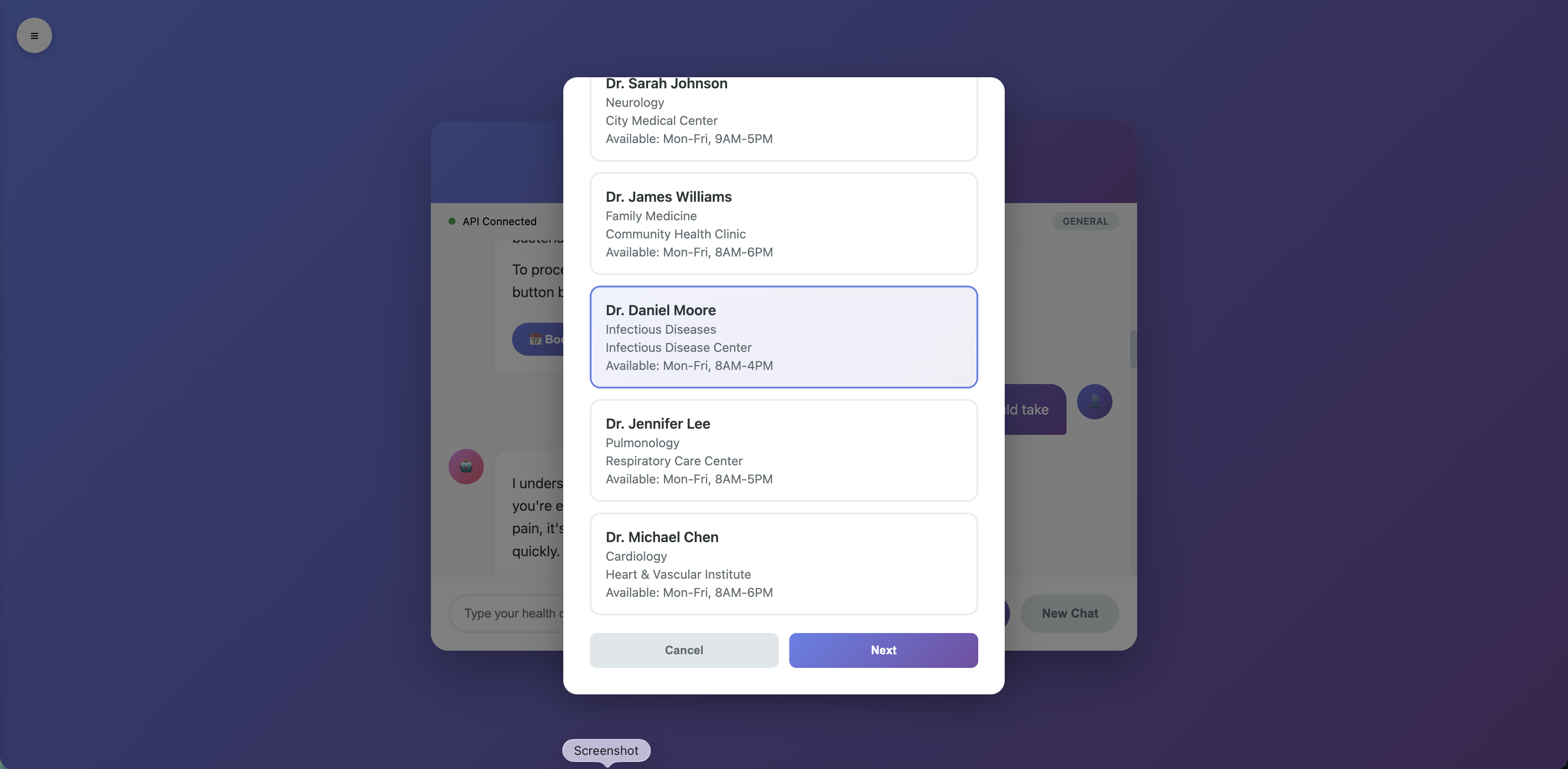
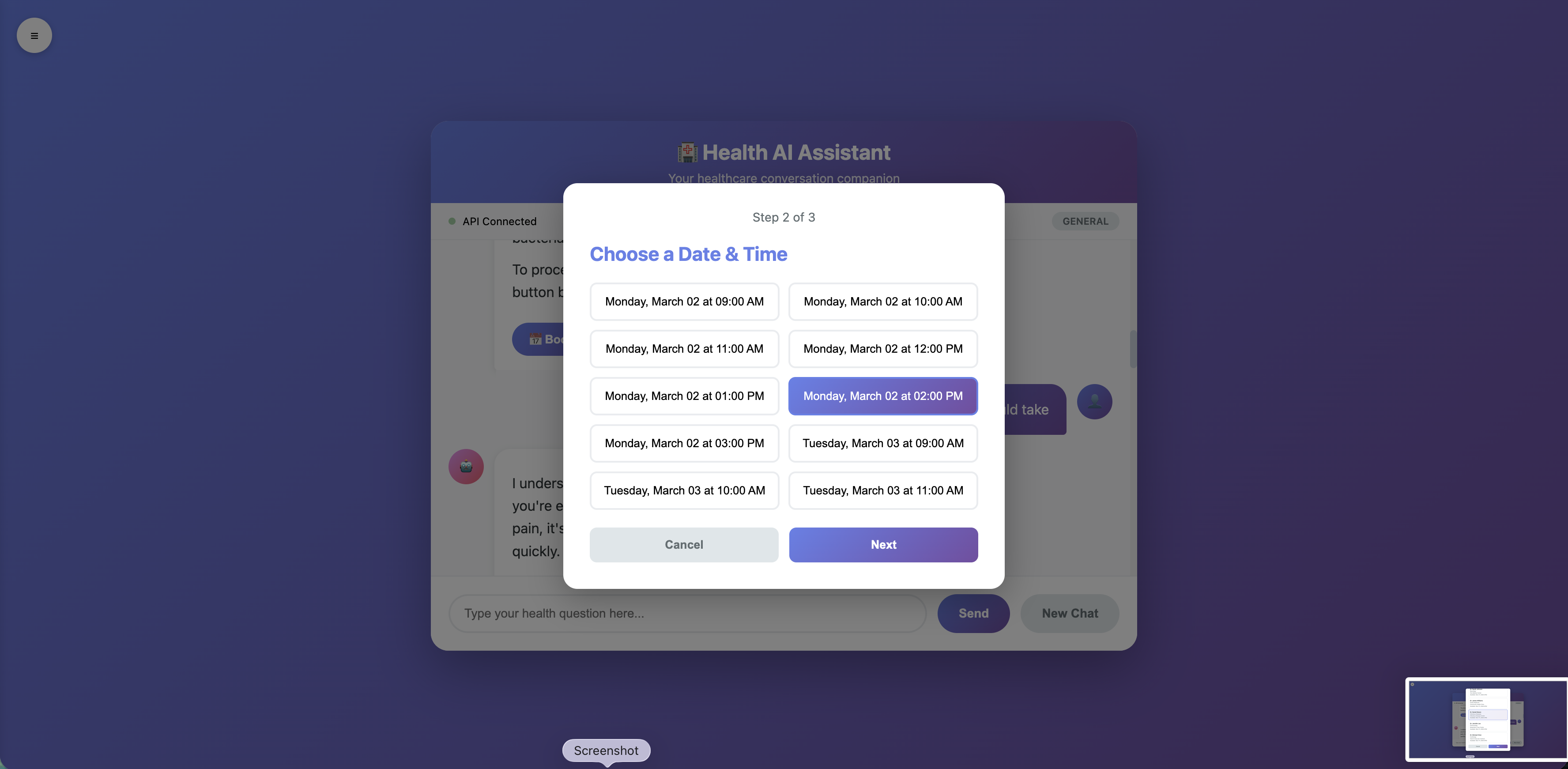
- Solution: A multiagent system that routes queries to symptom, medication, or lifestyle specialists, maintains conversation history, and books appointments and all privacy‑first (no accounts, contact only at booking).
🛠️ Technical Implementation
- Backend: FastAPI (Python 3.9.6)
- Orchestration: Router agent using Google Gemini Flash for intent classification
- Specialist Agents: Three domain‑specific agents with engineered prompts
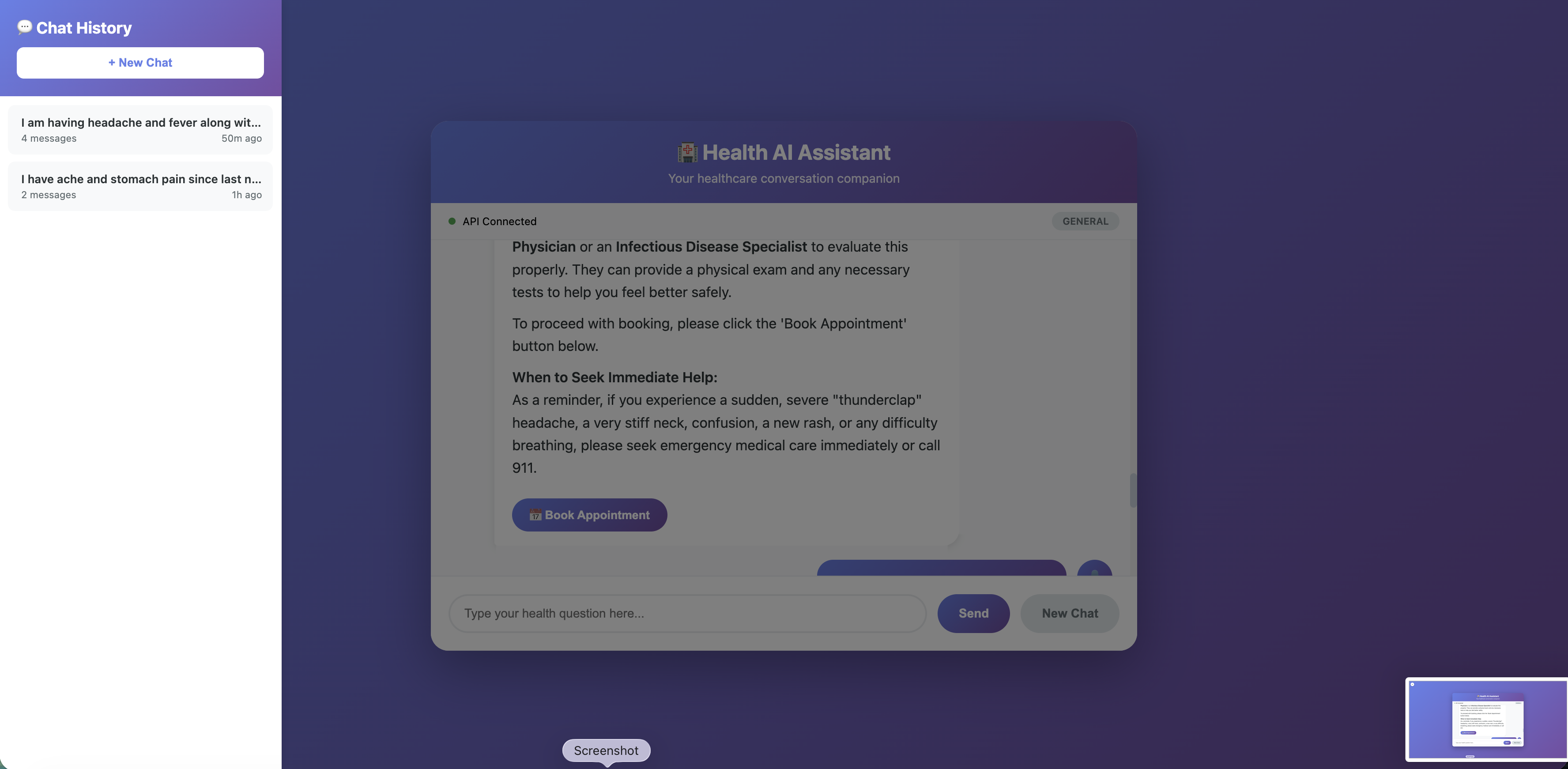
- Session Manager: Stores conversations as JSON (sliding window of last 5–10 messages)
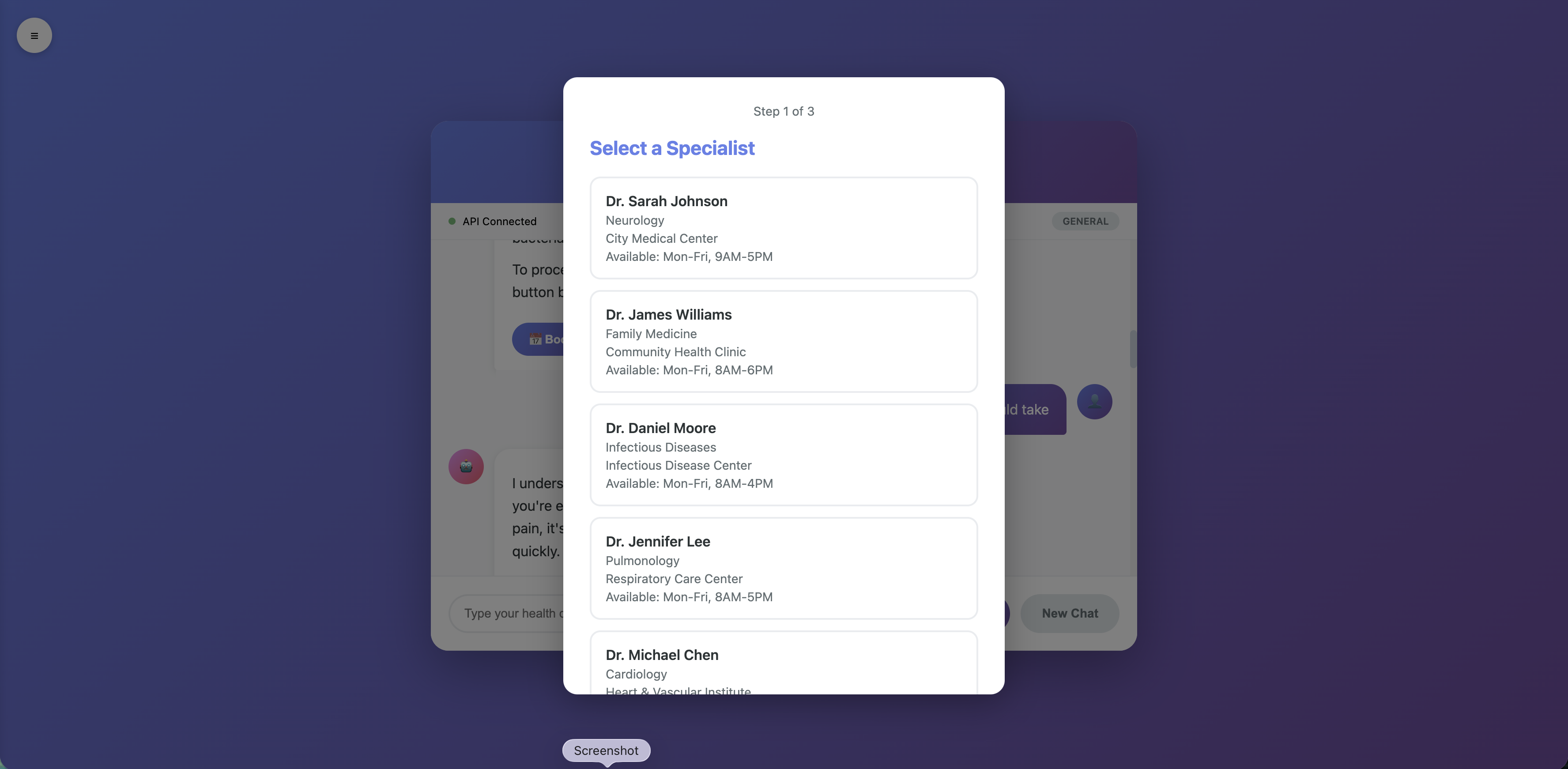
- Appointment System: Keyword‑based specialist matching (
specialist_mapping.json) and booking with contact capture - Frontend: Vanilla JS chat interface served from
/chat - Testing: 50
pytesttests covering API, session management, and booking flows
🌐 Code Repository
🔗 Link: https://github.com/JaveriaBaloch/AI-Chatbot-Challenge
🎥 Demo Video / Presentation
(Optional but recommended)
A short video (2–3 min) showing:
- Starting a chat, asking about a symptom
- Router selecting the correct agent
- Booking an appointment flow
- Viewing chat history
You can use Loom or Google Slides with screen recordings.
📦 Tools, Datasets & Frameworks
- APIs/Frameworks: Google Gemini Flash, FastAPI, Pydantic, Pytest, Uvicorn
- Languages: Python 3.9.6, JavaScript (vanilla), HTML/CSS
- Data:
specialists.json,specialist_mapping.json,appointments.json(all locally generated/managed) - Libraries:
python-dotenv,pytest, etc. (seerequirements.txt)
✅ Guidelines Compliance
- Originality: Built from scratch during this hackathon.
- Team Size: Individual.
- Third‑Party Libraries: Listed above; Gemini API is the key external service.
🚀 Quick Start
# Set up environment
echo "GEMINI_API_KEY=your_key" > .env
cd backend
python3 -m venv venv
source venv/bin/activate  # or venv\Scripts\activate on Windows
pip install -r requirements.txt

# Run tests
pytest test/ -v

# Start server
uvicorn main:app --reload --port 8000
Access the chat UI at http://localhost:8000/chat.

Log in or sign up for Devpost to join the conversation.