-
-

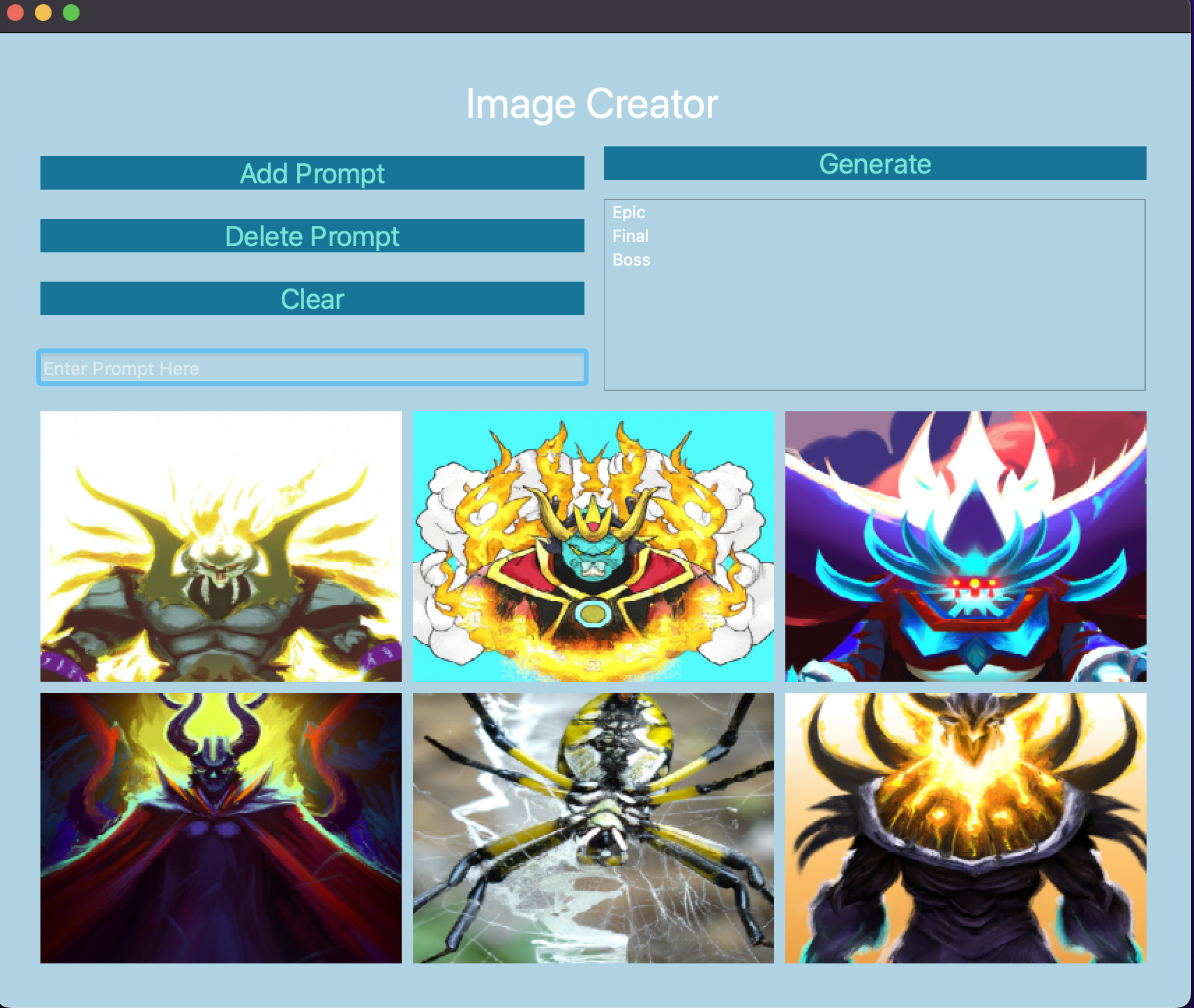
Main menu screen with a set of images generated from the prompts:"Epic", "Final" "Boss"
Inspiration
I wanted to create something that used openai image generation API in some away aswell as use my familiarity with python PYQT5 module to build the user interface
What it does
This app allows the user to enter several prompts, once the user is satisfied they can click generate and the images will get created. From there users can click on the photos to preview them, download them, copy them to the clipboard, or even make some edits such as sharpening the image, converting the image to black and white, and rotating the image.
How we built it
I build this by using PYQT5 to do all the work surrounding the user interface as well as connecting all my buttons to functions that get executed after being clicked. I made use of openai to generate the images and then convert them into QPixMap objects in order to display them. The PIL module was used to edit the images in the editor page.
Challenges we ran into
I ran into some challenges toward the end where I had some user interface elements randomly disappear and images were not resizing correctly, but luckily I was able to find a solution.
Accomplishments that we're proud of
I am happy to have built an easy-to-use UI and be able to incorporate Openai API and hope to use it a lot more as it becomes better over time
What we learned
I learned more about designing a UI and navigating between several screens, as well as how to use Openai to generate images.
What's next for AI Generation Image Editor
Next for AI Generation Image Editor I would like to add additional options such as picking the image size when downloading and reworking some styling elements in the UI

Log in or sign up for Devpost to join the conversation.