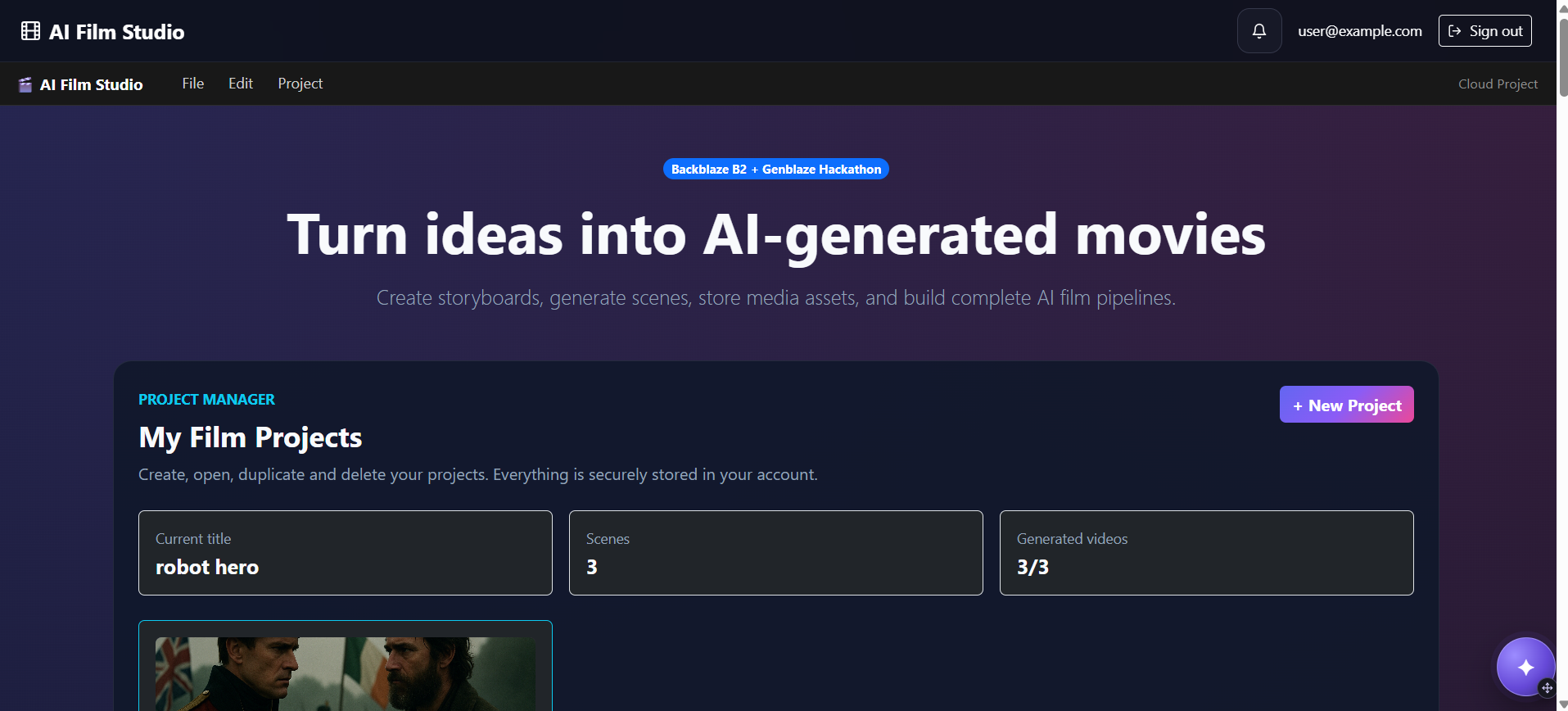
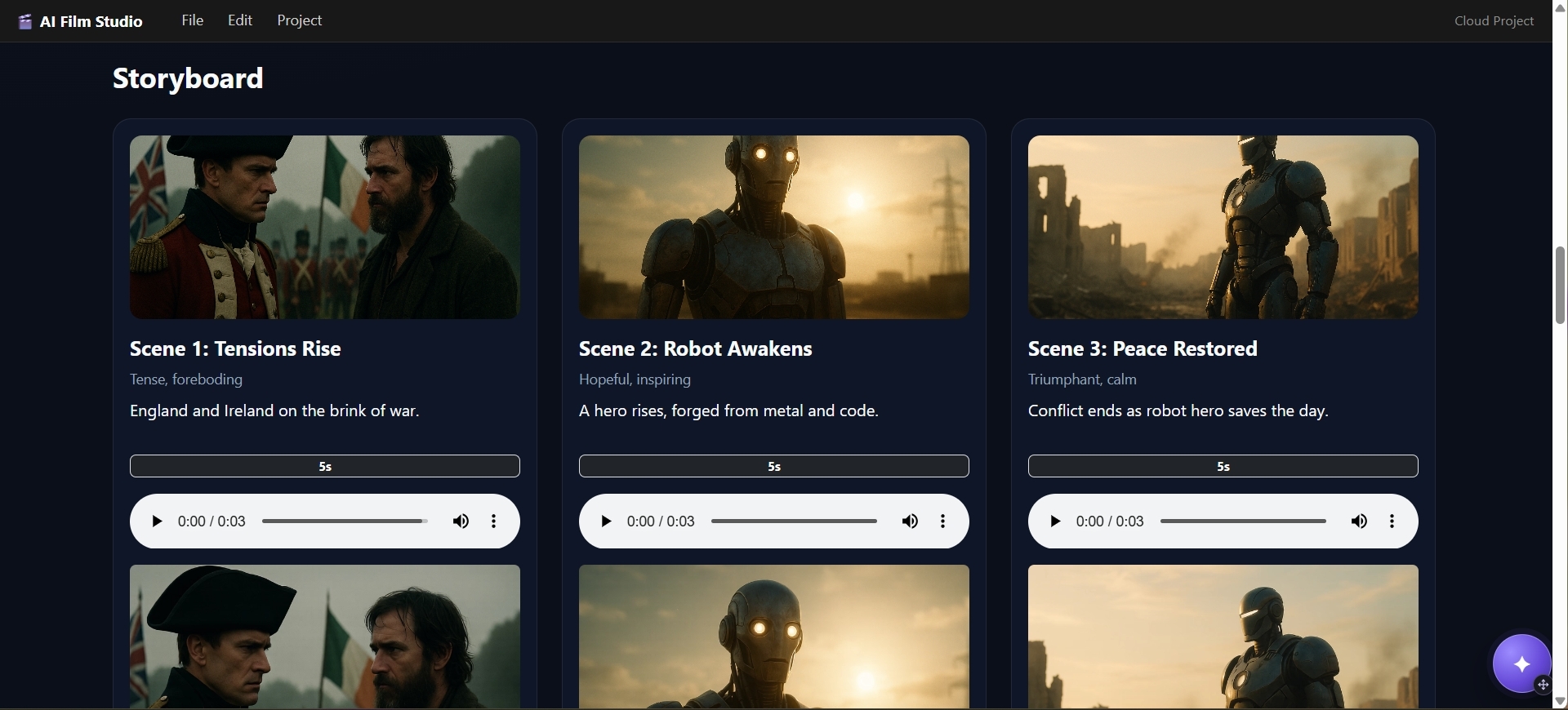
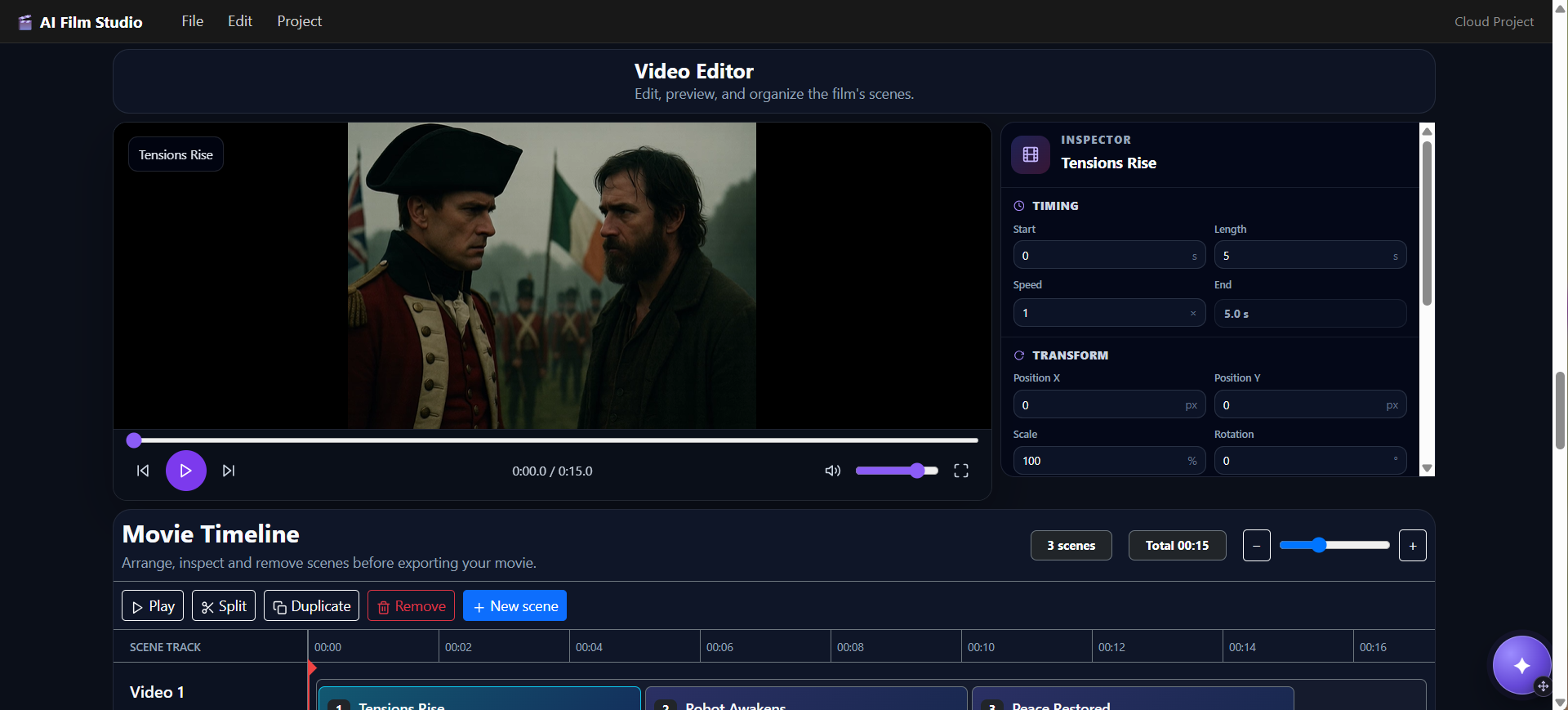
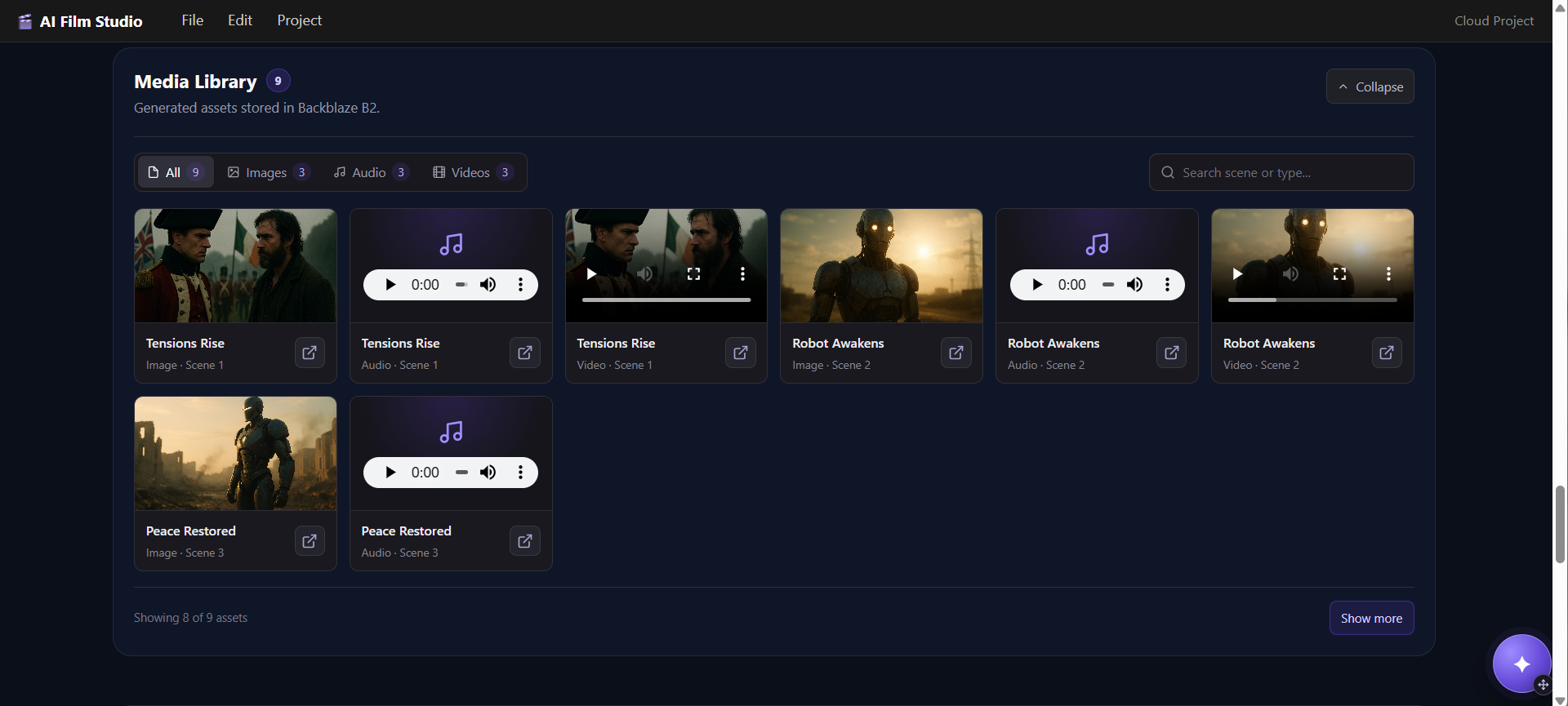
🎬 AI Film Studio
Inspiration
Creating a film with generative AI is possible today — but the workflow is fragmented.
A creator may need one AI tool for the story, another for images, another for video, another for music, separate cloud storage for the generated files, and finally a video-processing tool to assemble everything into a finished film.
We wanted to turn that fragmented process into one coherent creative workflow.
AI Film Studio is an end-to-end generative filmmaking platform that transforms an idea into a complete AI-generated movie through a scene-based production pipeline.
Instead of treating AI generation as a collection of isolated prompts, AI Film Studio treats filmmaking as an orchestrated media workflow:
Idea → Storyboard → Images → Video → Music → Final Movie → Backblaze B2
Our goal was to demonstrate how Genblaze and Backblaze B2 can form the foundation of a production-minded generative media application — not simply a demo that generates one asset at a time.
What it does
AI Film Studio gives creators a single workspace for producing an AI-generated film.
A user starts by creating a project and describing the film they want to make.
The application turns that concept into a structured storyboard containing multiple scenes. Each scene then becomes an independent unit in the generation pipeline.
From there, AI Film Studio can:
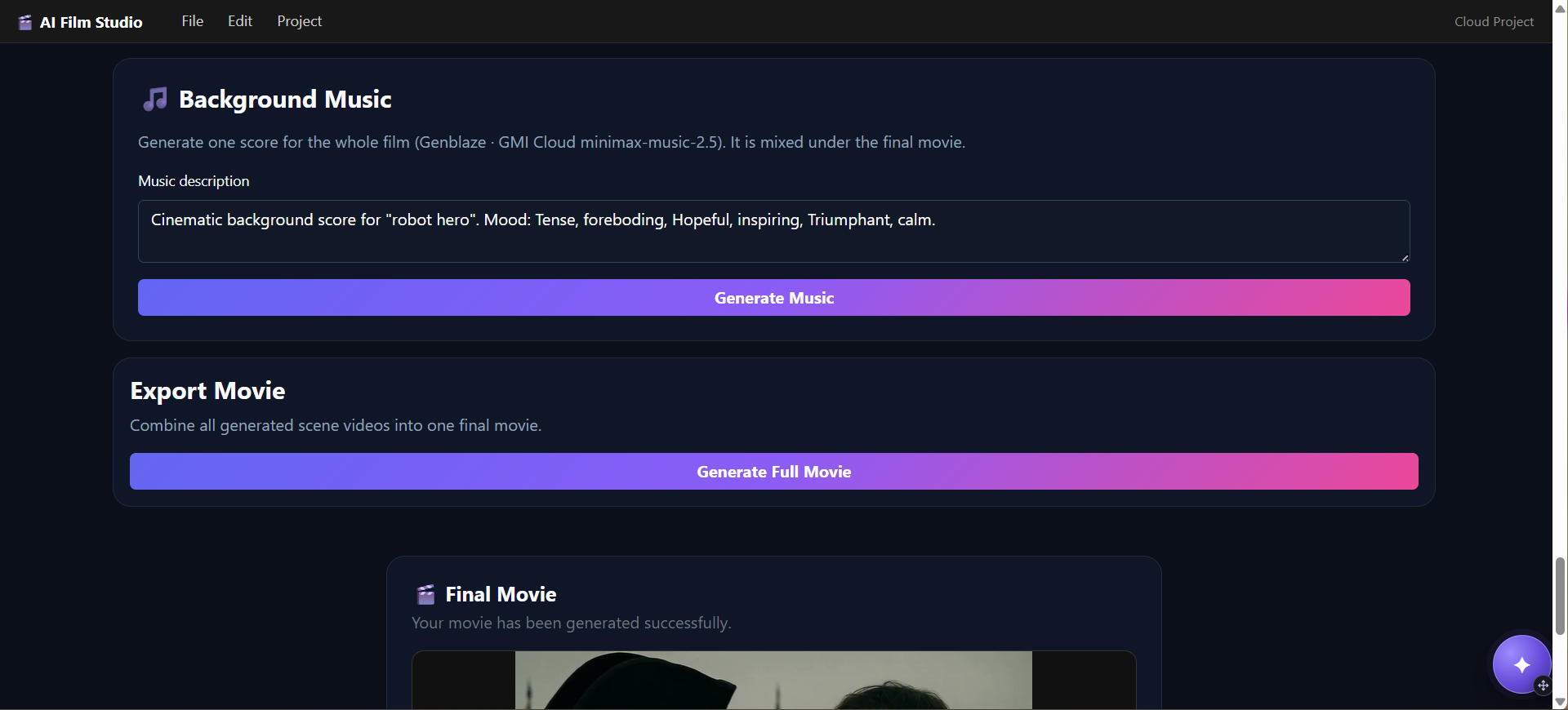
- Generate a structured storyboard from the user's idea
- Generate an image for each scene
- Transform scene images into AI-generated video
- Generate background music
- Track generation jobs and their progress
- Store generated media in Backblaze B2
- Assemble generated scenes into a final movie
- Store the completed movie alongside the source assets
This scene-based architecture is important because generating an entire movie is a long-running, multimodal process.
Instead of attempting everything in a single request, AI Film Studio breaks filmmaking into manageable generation jobs that can be processed, stored, tracked, and assembled.
🔥 How we use Genblaze
Genblaze is part of the generative media layer of AI Film Studio.
Rather than designing the application around one specific AI model, we use Genblaze as part of an architecture where different generative providers can perform specialized tasks within the filmmaking pipeline.
The application integrates generative capabilities across multiple media types, including image and audio generation.
This makes AI Film Studio a natural example of what Genblaze enables: an application where generative media is a workflow rather than a single API call.
Our architecture separates the filmmaking workflow from individual generation providers. That gives us a path toward supporting additional Genblaze providers and models without redesigning the entire application.
As Genblaze expands, AI Film Studio can evolve with it — allowing different image, video, audio, and multimodal models to become interchangeable components of the filmmaking pipeline.
Assets orchestrated through Genblaze carry the SDK’s SHA-256 provenance manifest, stamped into both the B2 object metadata and our asset_versions table.
During development we identified and reported a content-type bug in the genblaze-stability-audio adapter upstream.
☁️ How we use Backblaze B2
Generative filmmaking creates a storage problem very quickly.
A single project can contain:
- Storyboard-related assets
- Generated images
- Generated video clips
- Audio and music
- Intermediate media
- Final rendered movies
These files are significantly larger than normal application data and need durable object storage.
AI Film Studio therefore uses Backblaze B2 as the media storage layer for the generation pipeline.
Through B2's S3-compatible API, generated assets are uploaded to object storage and associated with their corresponding projects and scenes.
This separates large media objects from the application server and database.
Instead of treating B2 as a final backup destination, we treat it as part of the application's media architecture:
Generate → Store → Reference → Process → Assemble → Store
The database maintains the application state and references to media objects, while B2 handles the actual generated files.
This architecture gives AI Film Studio a much clearer path toward production than storing generated files locally on the application server.
Every generated asset is stored under a versioned key scheme: projects/{project_id}/scenes/{scene_id}/{asset_type}/v{n}/{uuid}.ext. Each B2 object carries S3 metadata recording the provider, model, prompt, version number, and timestamp. When a creator regenerates a scene, a new version is written and the pointer updated — old versions are never deleted and can be restored instantly. This gives every project a complete, auditable provenance record of what was generated, when, and by which model.
🏗️ How we built it
AI Film Studio is built as a multi-service application.
Frontend
The creator interface is built with:
- React
- TypeScript
- Vite
The frontend provides the workspace where users create projects, work with scenes, start generation jobs, and monitor their progress.
Backend
The application backend is built with Python and FastAPI.
It handles:
- Authentication
- Projects and scenes
- Generation requests
- Media asset references
- Provider integrations
- Job orchestration
- Communication with the frontend
Generative AI
Different models and providers perform different jobs in the filmmaking process.
Our current architecture integrates technologies including:
- OpenAI for AI-assisted storyboard and image generation
- Luma for image-to-video generation
- Genblaze for generative media workflows, including media generation integrations
- Stability AI / Stability Audio for AI-generated background music, with support for alternative provider configurations
The important architectural idea is that no single model needs to create the entire film.
Each model performs the task it is best suited for, while AI Film Studio orchestrates the complete workflow.
Background generation
AI video and media generation can take much longer than a normal web request.
We therefore designed AI Film Studio around asynchronous background processing.
Generation requests are submitted to a Redis-backed job queue and processed by a separate worker.
This prevents expensive generation tasks from blocking the web application.
The frontend can receive generation progress through WebSockets, allowing creators to see what is happening while their film is being produced.
Data and storage
Structured application data is managed using:
- PostgreSQL
- SQLAlchemy
- Alembic migrations
Generated media is stored separately in:
- Backblaze B2 Cloud Storage
This separation is intentional.
PostgreSQL answers questions such as:
What scenes belong to this film?
while B2 answers:
Where are the generated images, videos, audio files, and final movie?
Film assembly
Once the generated scenes are ready, AI Film Studio uses media-processing tools including FFmpeg and MoviePy to assemble them into the final movie.
The resulting film can then be uploaded back to Backblaze B2 alongside the assets used to create it.
Infrastructure
The application is containerized and can run as a multi-service Docker environment consisting of:
React Frontend → FastAPI Backend → Redis Queue → Generation Worker
with:
PostgreSQL → Application Data
and:
Backblaze B2 → Generated Media
Docker Compose allows the frontend, backend, worker, Redis, and PostgreSQL services to be reproduced as one development environment.
🚧 Challenges we faced
Orchestrating multiple AI systems
The biggest challenge was realizing that AI filmmaking is not one generation request.
A movie is a dependency chain.
A scene may need a storyboard description before its image can be generated. That image may then become the input for video generation. Generated scenes eventually need to be combined with audio and assembled into a final film.
That means failures and delays can occur at many different stages.
Designing the application around jobs and independent scenes made this workflow significantly more manageable.
Handling long-running generation
Video generation does not behave like a traditional web request.
Keeping HTTP requests open while an external AI provider generates media would create a fragile application.
Moving generation into Redis-backed background workers allowed us to separate user interaction from expensive generation operations.
Managing large generated media
Generative AI applications can produce enormous amounts of data compared with traditional web applications.
Images become videos. Multiple videos become films. Audio adds additional files, and creators may regenerate individual scenes several times.
This made object storage a core architectural requirement rather than an afterthought.
Backblaze B2 gave us an S3-compatible storage layer designed for exactly this type of media-heavy workload.
Connecting generation with storage
Another challenge was thinking beyond:
"Generate an image."
A production application needs to answer additional questions:
- Where is that image stored?
- Which project owns it?
- Which scene generated it?
- What happens when another service needs it?
- What happens when the scene is regenerated?
- Where does the final movie go?
Building B2 into the media pipeline helped us design around the complete lifecycle of generated assets rather than just the generation request itself.
🧠 What we learned
The biggest thing we learned is that the hardest part of building a generative media product is often not generation — it is orchestration.
AI models can generate impressive individual assets.
Turning those capabilities into a useful application requires infrastructure around them:
- Job queues
- Object storage
- Databases
- Provider integrations
- Progress tracking
- Error handling
- Media processing
- Asset management
- Frontend state
- Deployment infrastructure
We also learned why an abstraction such as Genblaze becomes valuable as the number of generative providers grows.
A filmmaking application naturally needs different models for different tasks. Designing the workflow so providers can evolve independently makes the application much more flexible.
Finally, we learned that Backblaze B2 is not simply where the final movie goes.
For a generative media application, object storage becomes part of the generation pipeline itself.
🌍 Real-world utility
AI Film Studio is designed for creators who want to experiment with filmmaking without needing an entire traditional production pipeline.
Potential users include:
- Independent filmmakers
- Content creators
- Marketing teams
- Storytellers
- Educators
- Small creative studios
- Rapid concept and pre-visualization teams
The application could be used to create short films, visual concepts, advertisements, social content, educational videos, story prototypes, and pre-visualizations.
Most importantly, it reduces the amount of technical work required to coordinate multiple AI media tools.
The creator can focus on the story while AI Film Studio manages the generation pipeline behind it.
🚀 Production readiness
We wanted AI Film Studio to demonstrate a path beyond a hackathon prototype.
Several architectural decisions were made with that in mind:
- Asynchronous background generation instead of blocking requests
- Redis-backed job processing
- Separate generation workers
- PostgreSQL for persistent application state
- Alembic database migrations
- Backblaze B2 for durable generated media storage
- S3-compatible storage integration
- WebSocket-based progress reporting
- Containerized services
- Docker Compose development environment
- Authentication
- Separation between application data and large media assets
There is still plenty to improve, but the architecture is intentionally designed so the application can grow beyond a single-machine demo.
🔮 What's next
The next step is to turn AI Film Studio from an AI generation pipeline into an increasingly complete creative environment.
We want to explore:
- Better character consistency across scenes
- Visual style consistency across an entire film
- More Genblaze-supported providers and models
- Provider and model selection per generation step
- AI-assisted scene evaluation
- Dialogue and voice generation
- Improved music and sound design
- Timeline-based editing
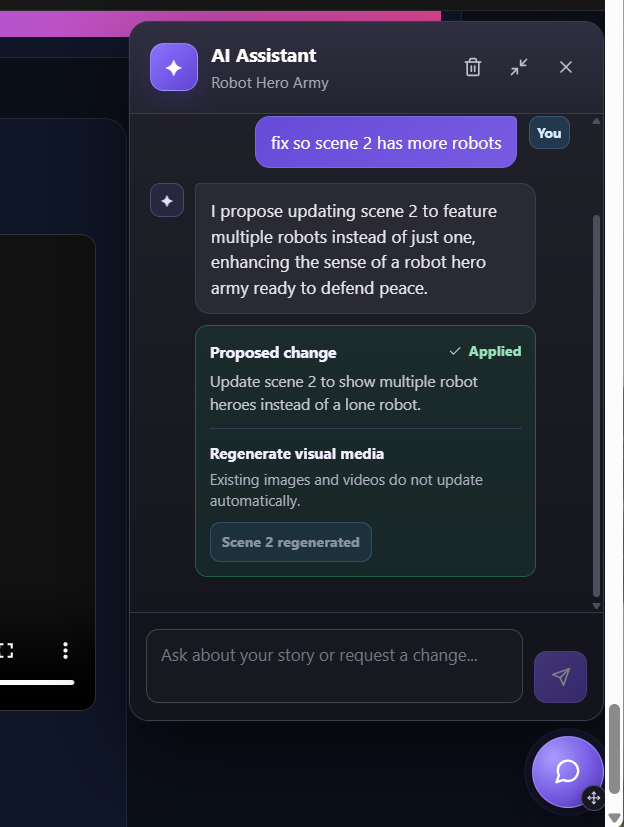
- Scene regeneration and variations
- Collaboration between creators
- Searchable AI media libraries
- More scalable generation workers
One particularly interesting direction is an increasingly agentic filmmaking pipeline.
Instead of simply generating a scene once, future versions could generate multiple candidates, evaluate them against the storyboard and visual style, retry when necessary, select the strongest result, and store both the selected media and its generation metadata in B2.
🎬 Final vision
AI Film Studio explores what happens when generative AI stops being a collection of isolated tools and becomes a complete media production pipeline.
Genblaze provides the foundation for orchestrating generative media.
Backblaze B2 provides the durable storage layer for the media that pipeline creates.
AI Film Studio connects them into a filmmaking experience.
Our long-term goal is simple:
Reduce the distance between imagining a film and watching it.
Built With
- alembic
- api
- b2
- backblaze
- docker
- fastapi
- ffmpeg
- genblaze
- generative
- luma
- moviepy
- openai
- postgresql
- python
- react
- redis
- s3
- sqlalchemy
- stability
- typescript
- vite
- websockets

Log in or sign up for Devpost to join the conversation.