-
-
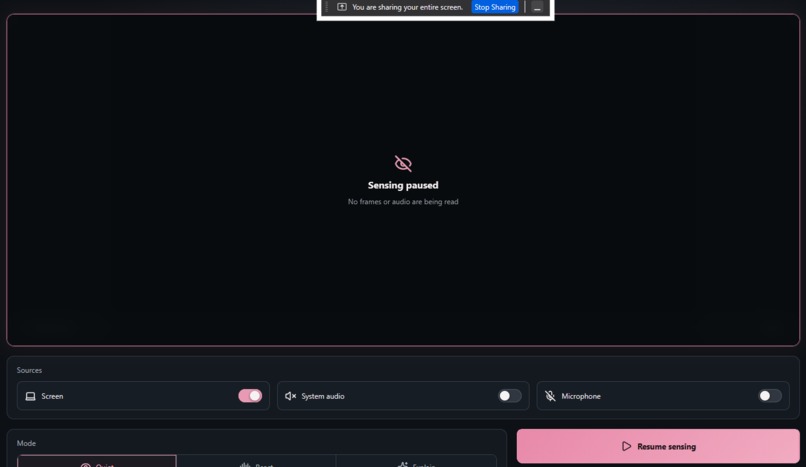
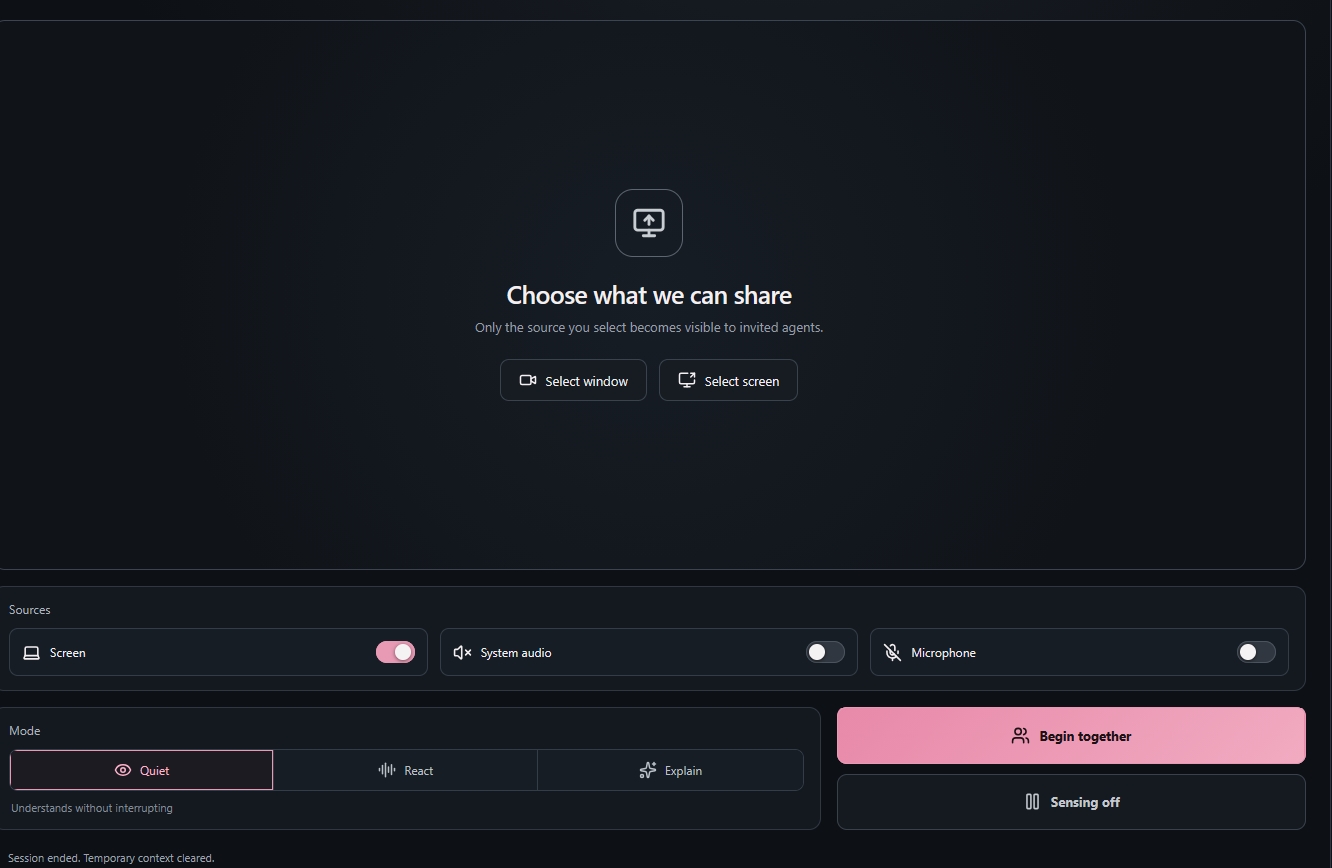
Session ended
-
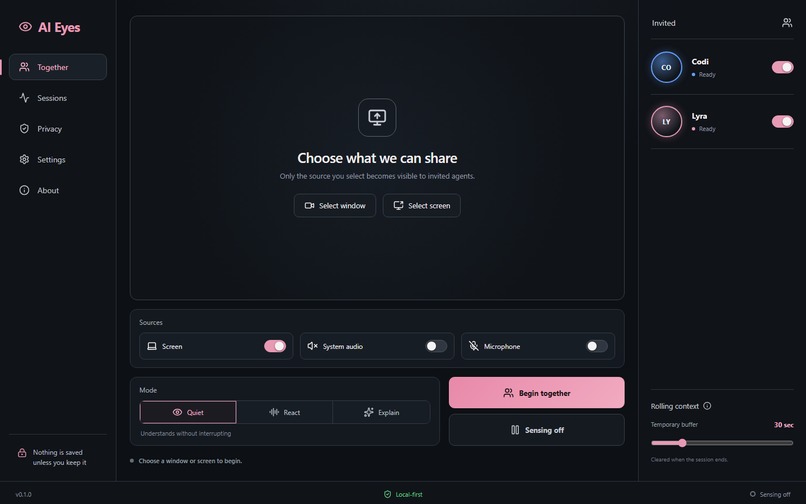
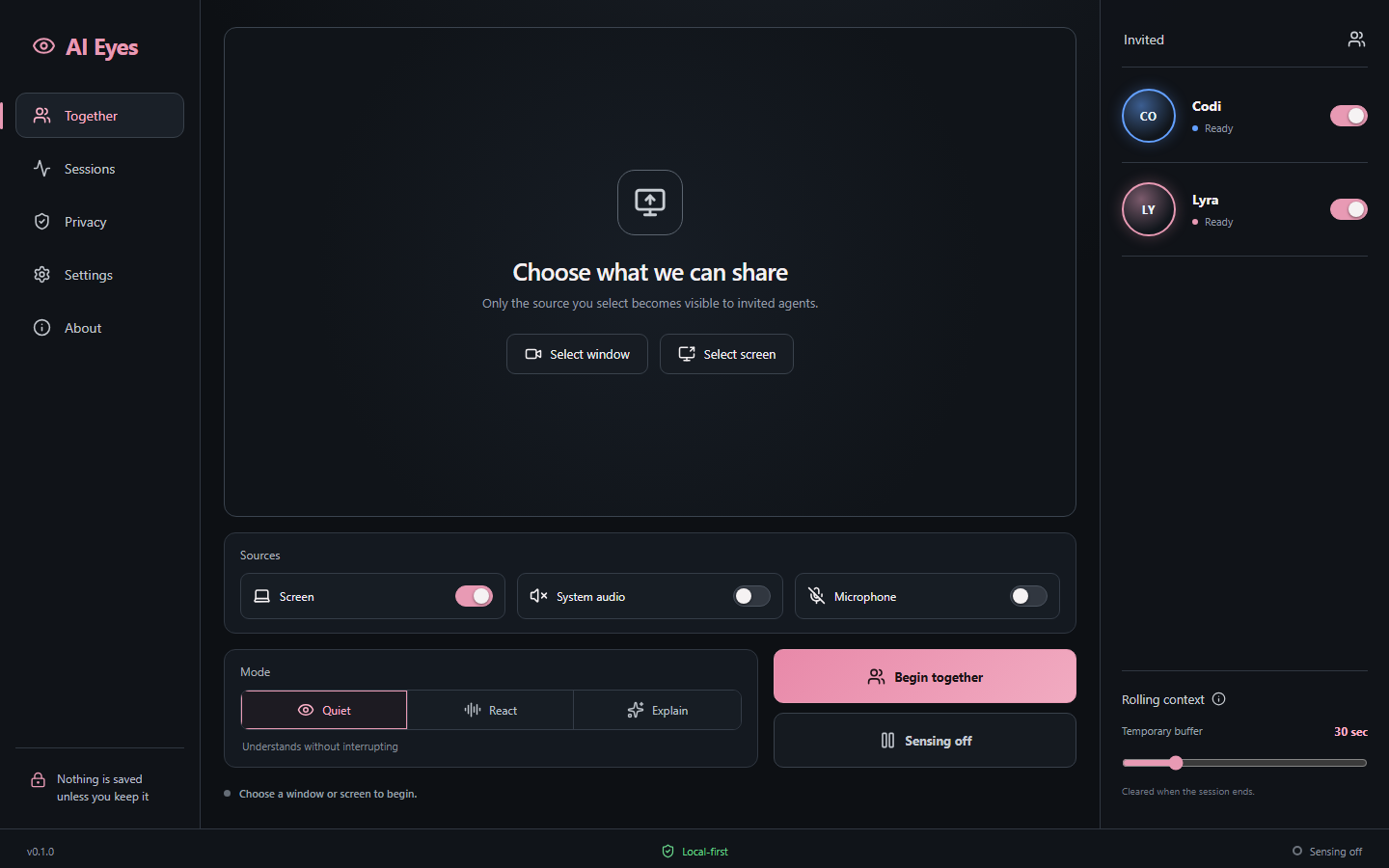
Home
-
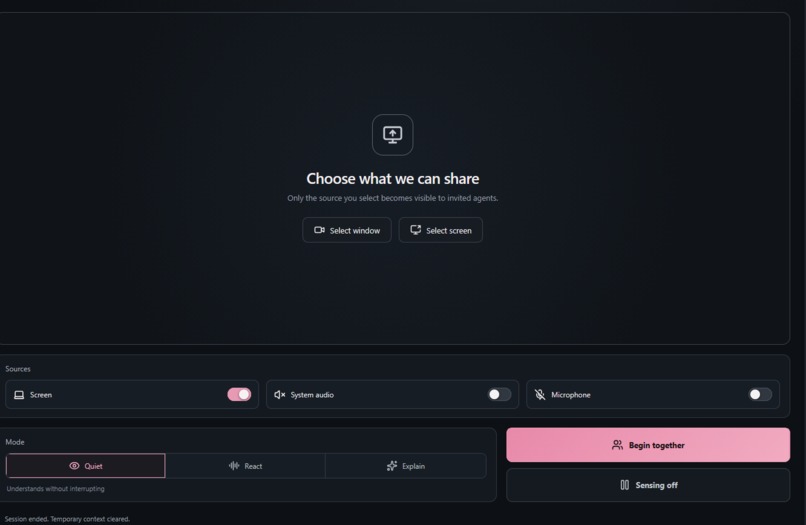
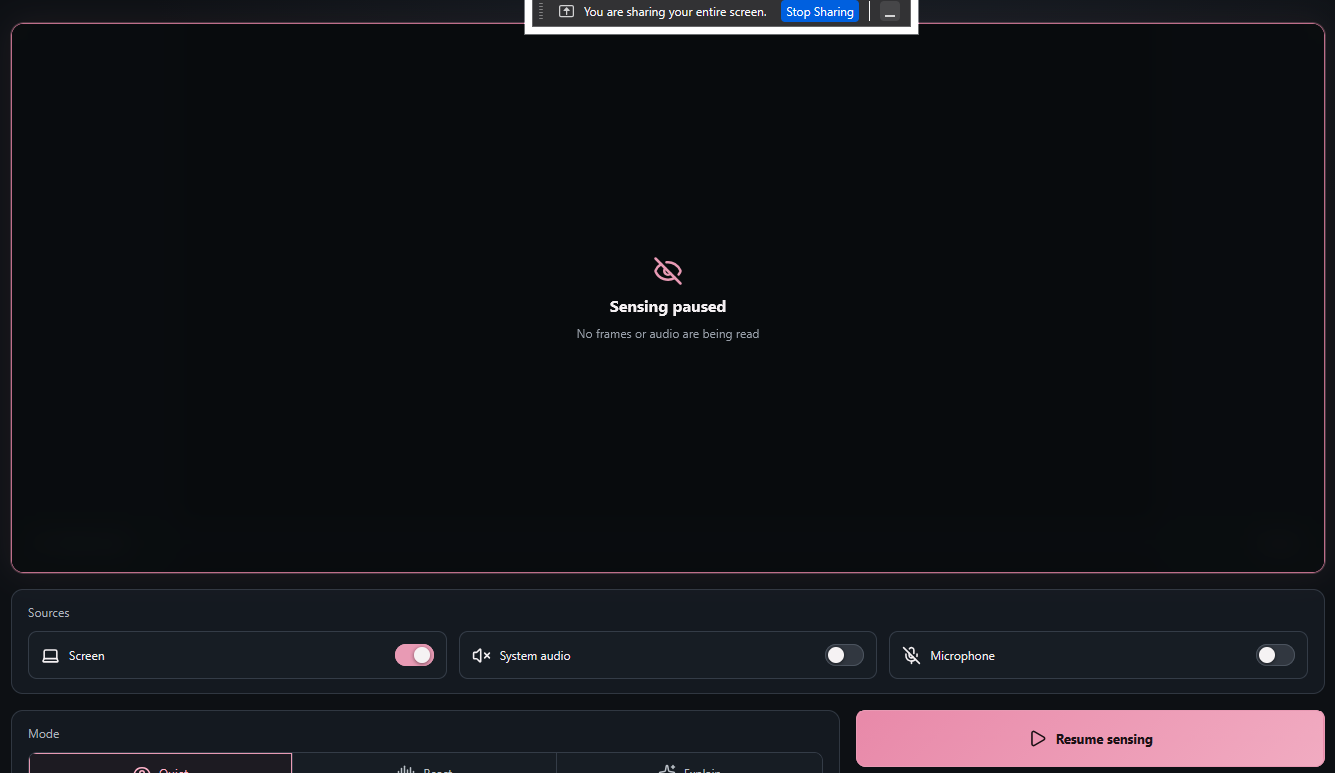
Session paused
-
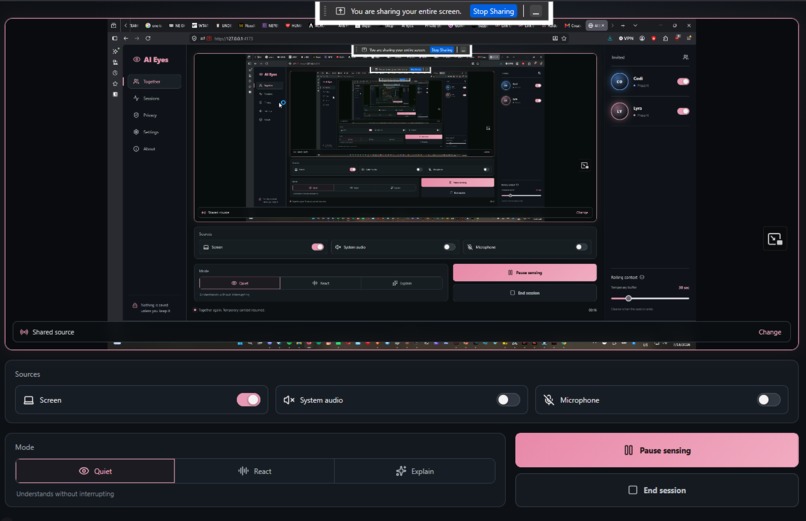
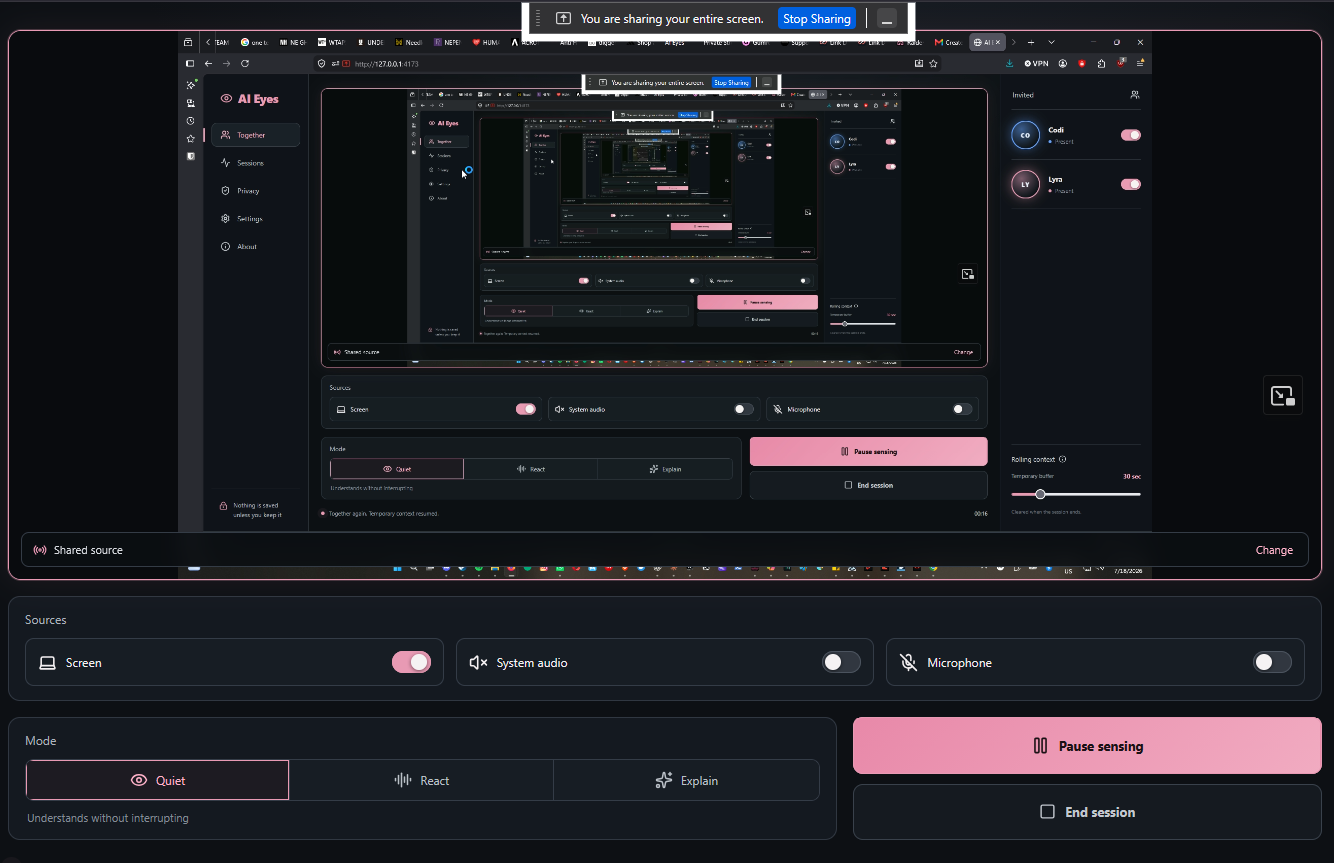
Session active
Inspiration
AI assistants are useful when we stop what we are doing, describe the situation, and wait for an answer. I wanted something more natural: the ability to invite a trusted assistant into a shared moment—to understand why a video is funny, notice what is happening on screen, help assess creative work, or connect the current scene to an ongoing conversation.
That idea became AI Eyes, a permission-first co-presence layer for humans and named AI companions.
What it does
AI Eyes lets the user choose a specific screen or window and see the exact pixels being shared. The user can invite Codi, Lyra, or both; control screen, system-audio, and microphone sources; choose Quiet, React, or Explain mode; and pause or end sensing at any time.
The interface keeps the sensing state visible. When a session ends, the media tracks stop and the temporary context is cleared.
Version 0.1.0 is deliberately honest about its boundary: it proves the permission, capture, presence, and session-control layer. It does not simulate AI understanding, and no external model provider is connected yet.
How we built it
AI Eyes is a React and Vite browser prototype built with Codex. It uses browser MediaDevices APIs for permissioned screen/window capture and microphone access. The interface is designed around explicit source selection, visible state, session-scoped controls, and restrained agent presence.
The implementation requests a low frame rate because continuous high-rate video is expensive and unnecessary for the intended future architecture. The long-term design uses adaptive keyframes, scene-change detection, voice-activity detection, and a short rolling temporal buffer before sending selected context to a multimodal agent.
Challenges we ran into
The main challenge was separating a convincing interface from a truthful capability claim. It would have been easy to fake agent reactions, but that would undermine the privacy and trust principles of the product. We chose not to simulate semantic understanding.
Browser and source support for system audio also varies. AI Eyes detects when a selected source provides no audio track, keeps the control off, and shows a clear recovery message instead of pretending audio is available.
The other major challenge is privacy. A perception layer must never silently capture unrelated windows, passwords, notifications, private calls, or sensitive information. That is why the prototype begins with explicit source selection, visible sensing state, immediate pause, and session clearing.
Accomplishments that we're proud of
- Real Windows screen and window capture with a live, user-visible preview
- Explicit named-agent invitations and source-scoped controls
- Quiet, React, and Explain interaction modes
- Working Begin, Pause, Resume, and End session flow
- Clear missing-audio diagnostics
- No fake AI responses and no hidden recording
- A production build with a clean browser console and documented capability boundaries
What we learned
The first hard problem is not attaching a model. It is designing consent, state, and memory boundaries that people can understand at a glance. Presence has to be interruptible, temporary, and visibly under human control.
We also learned that useful audiovisual context does not require streaming every frame. The future system should sample intelligently and preserve only the minimum temporary context required to understand a setup and payoff.
What's next for AI Eyes
The next version will add adaptive scene sampling and temporary audio segmentation, then connect one invited multimodal agent. Later work includes local speech-to-text and text-to-speech, sensitive-content protections, saved moments requiring explicit approval, and a mobile companion.
The goal is simple: help AI become present in a human moment without turning presence into surveillance.
What it does
How we built it
Challenges we ran into
Accomplishments that we're proud of
What we learned
What's next for AI Eyes
Built With
- chrome
- codex
- css
- getdisplaymedia
- javascript
- mediadevices-api
- react
- vite
- windows

Log in or sign up for Devpost to join the conversation.