-
-
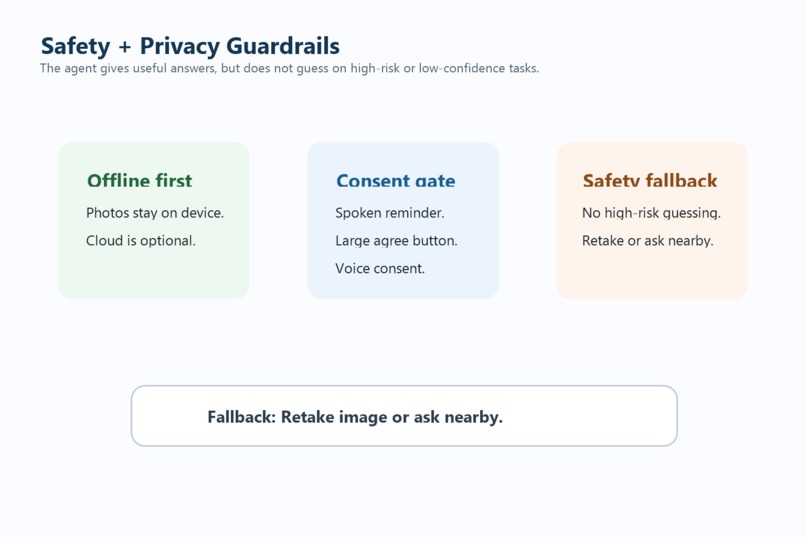
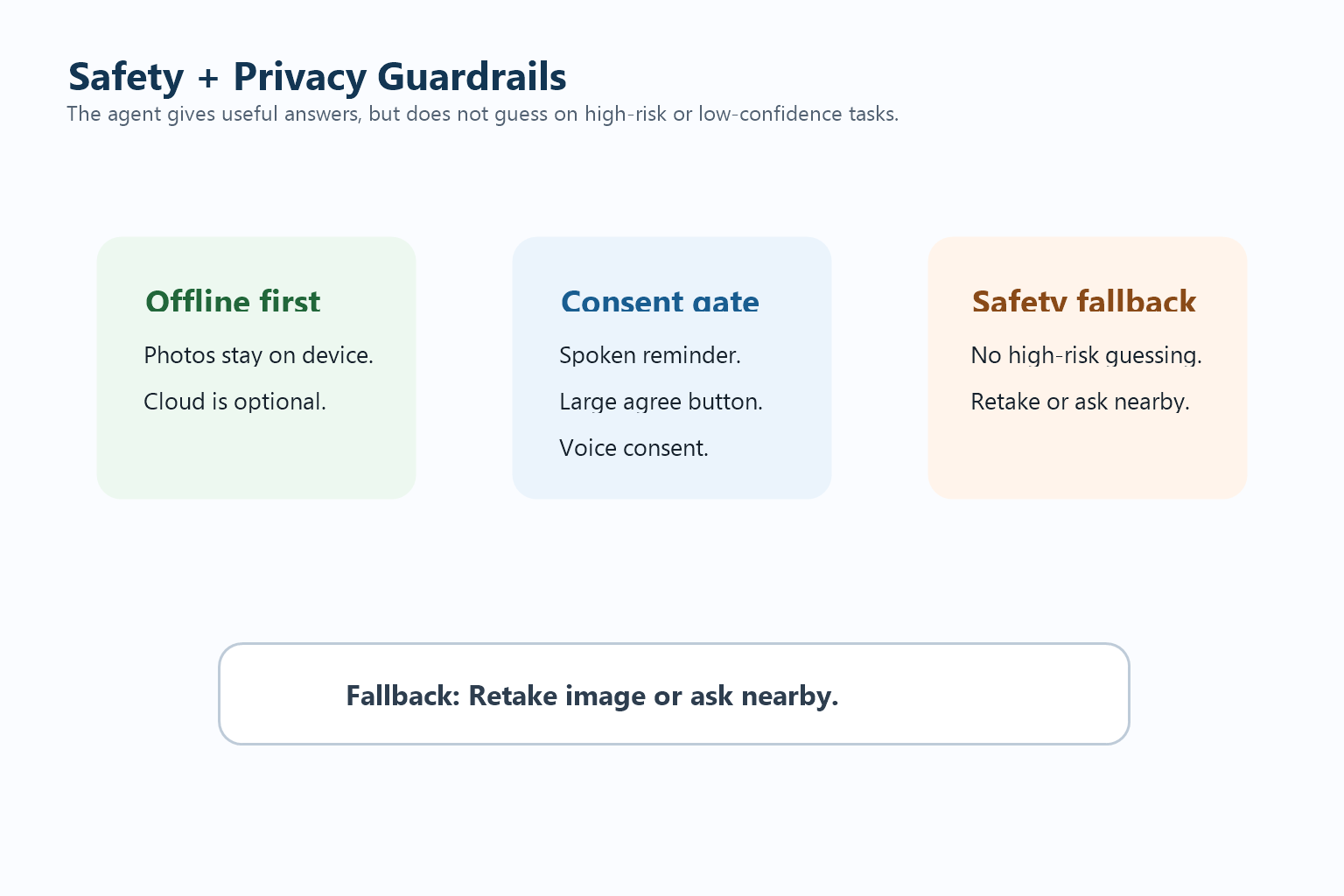
Safety and privacy guardrails
-
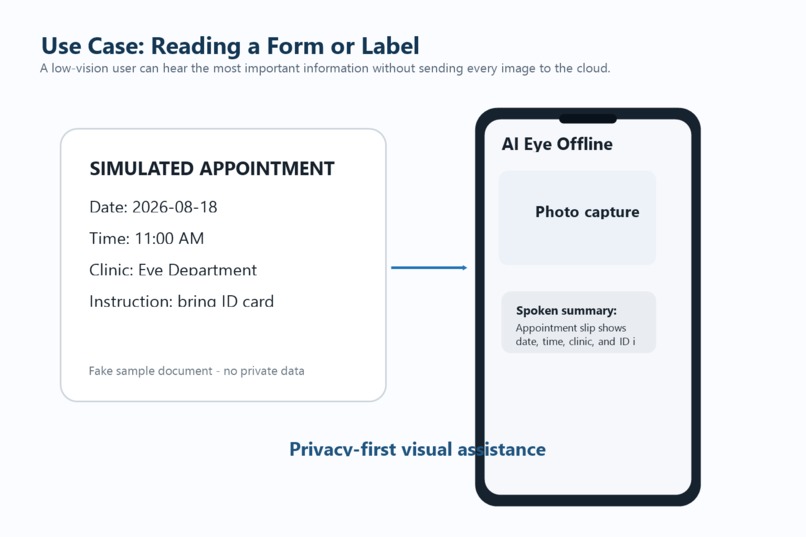
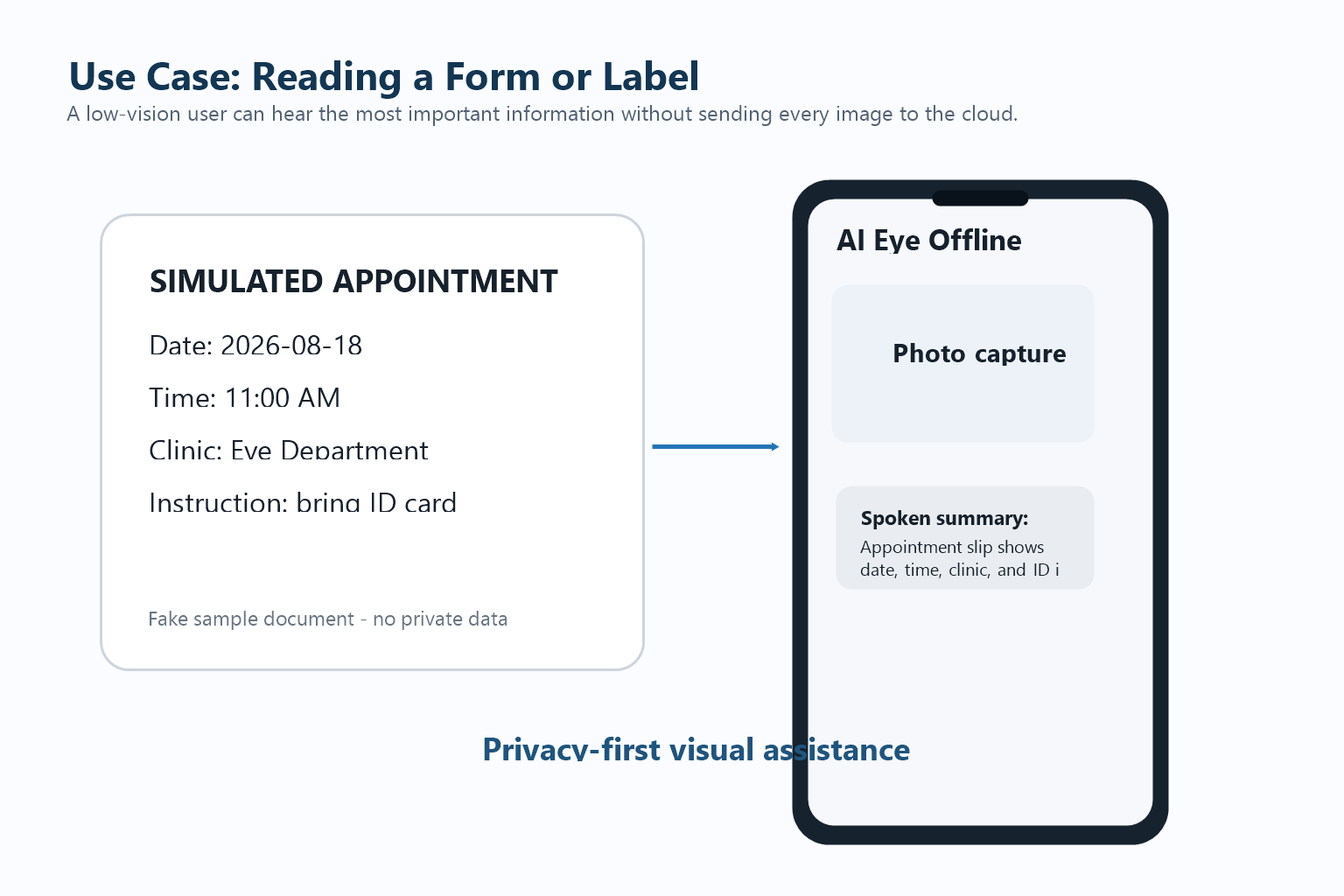
Low-vision user reading a simulated form
-
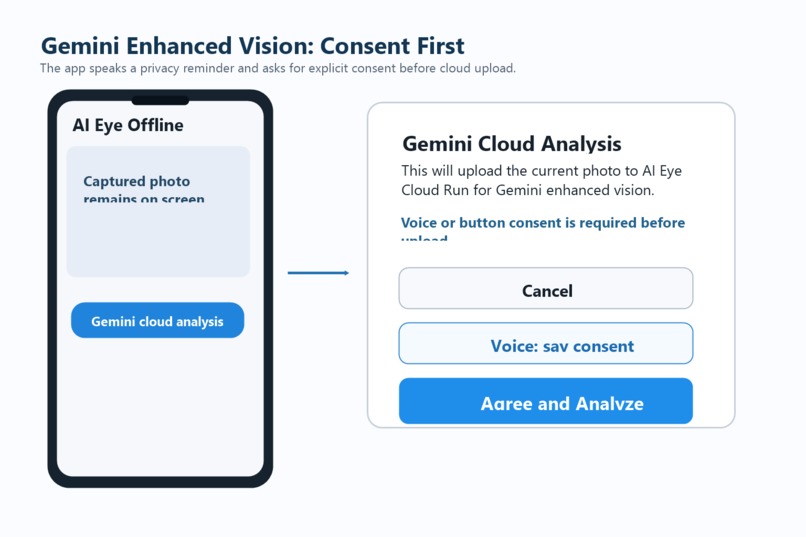
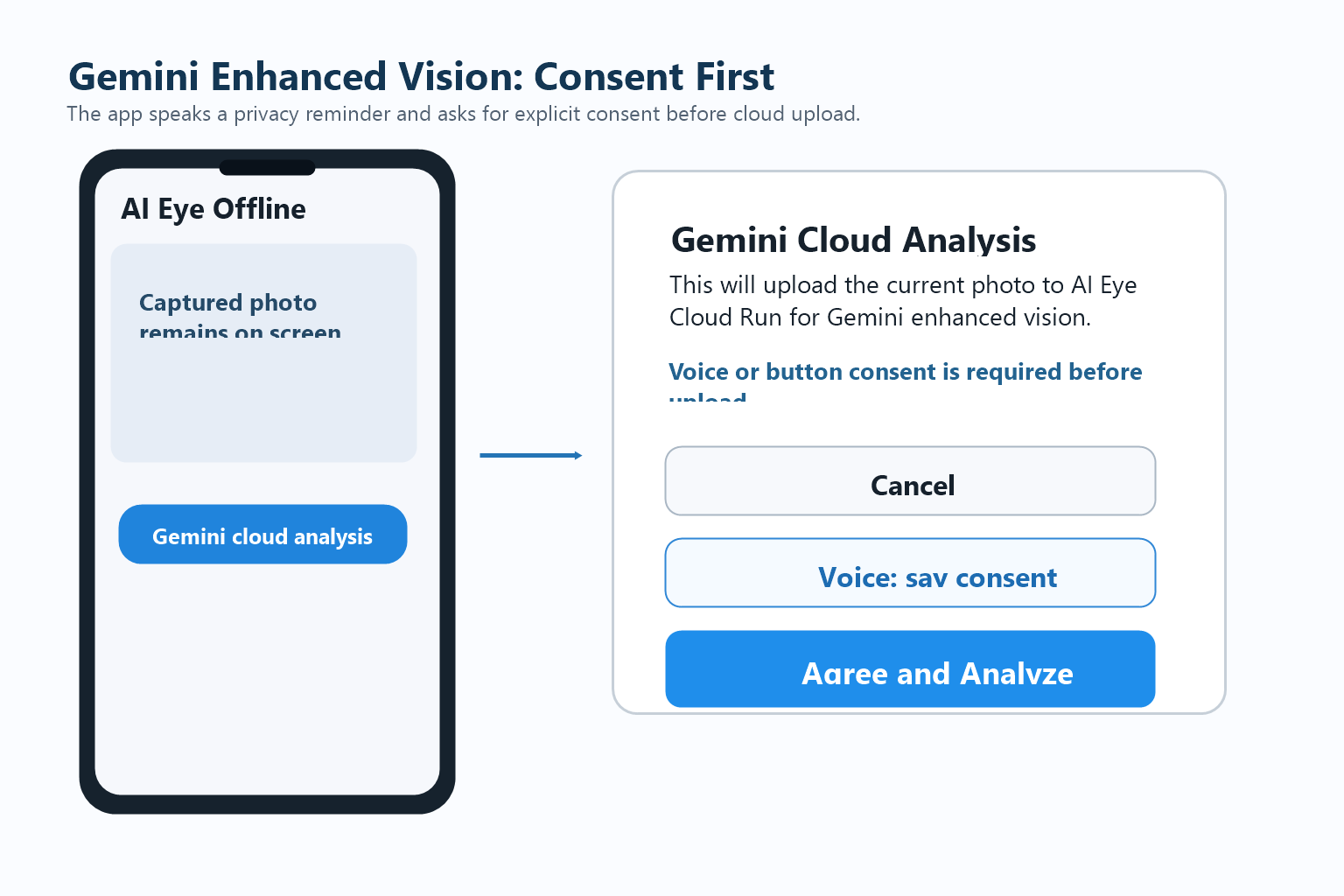
Consent-first Gemini cloud analysis flow
-
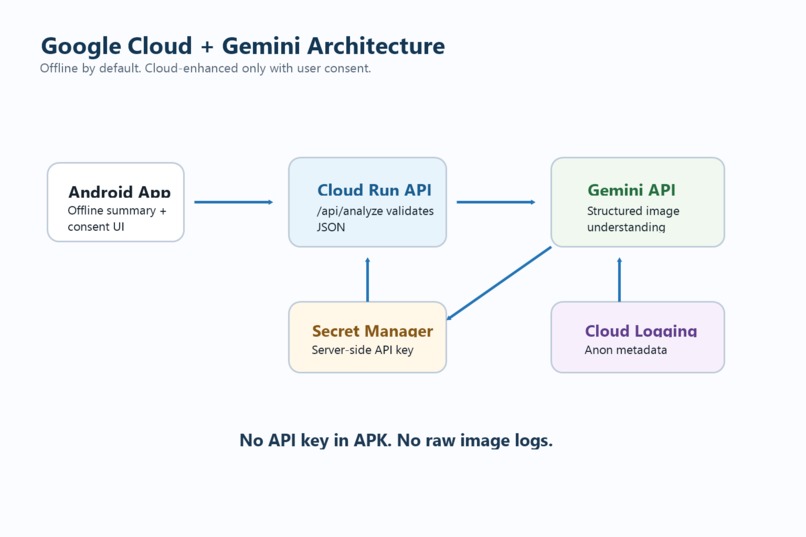
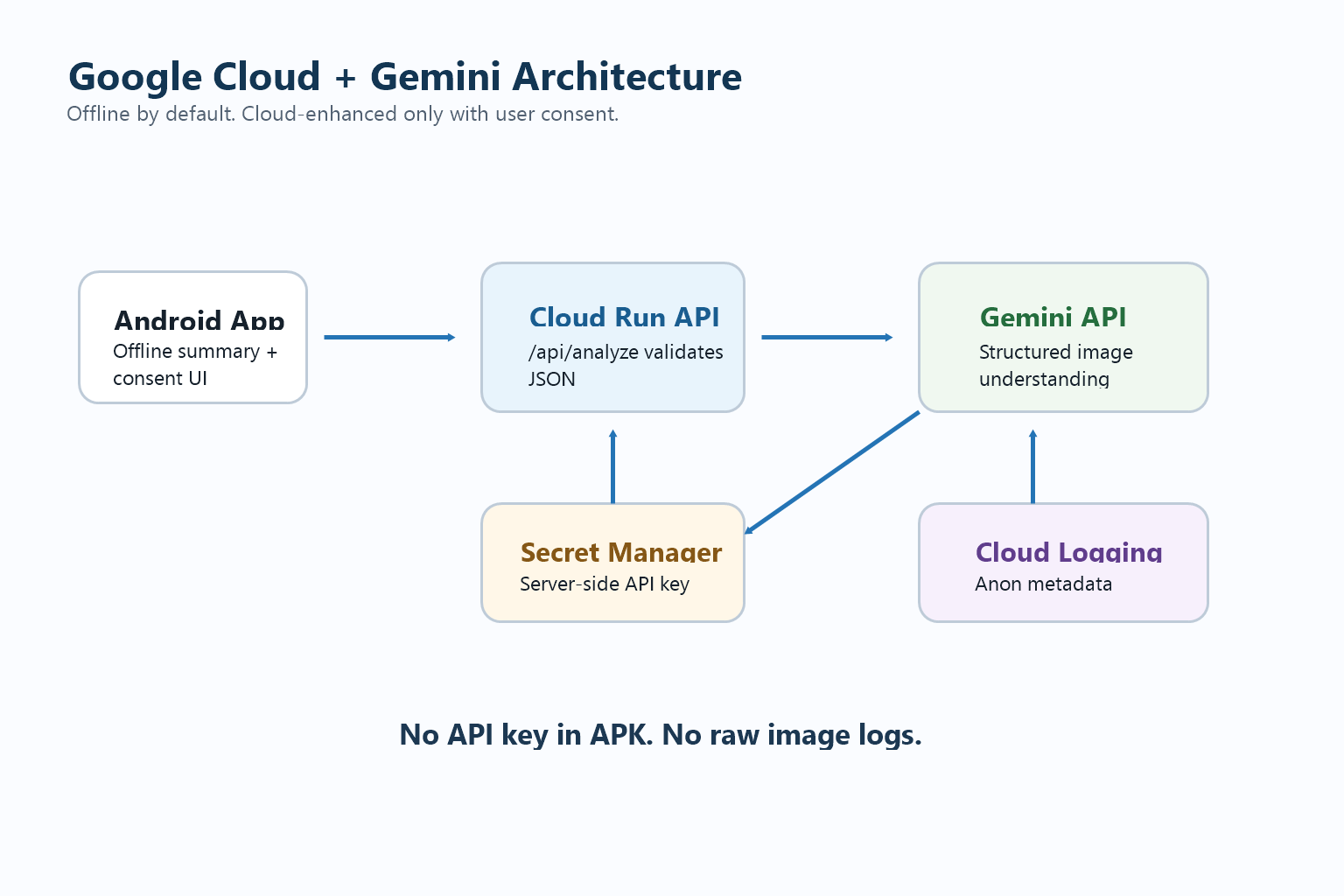
Google Cloud Run and Gemini API architecture
-
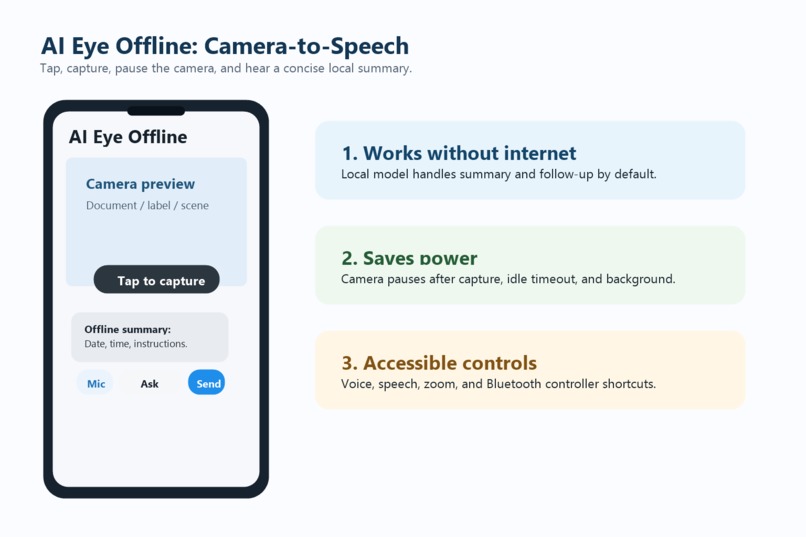
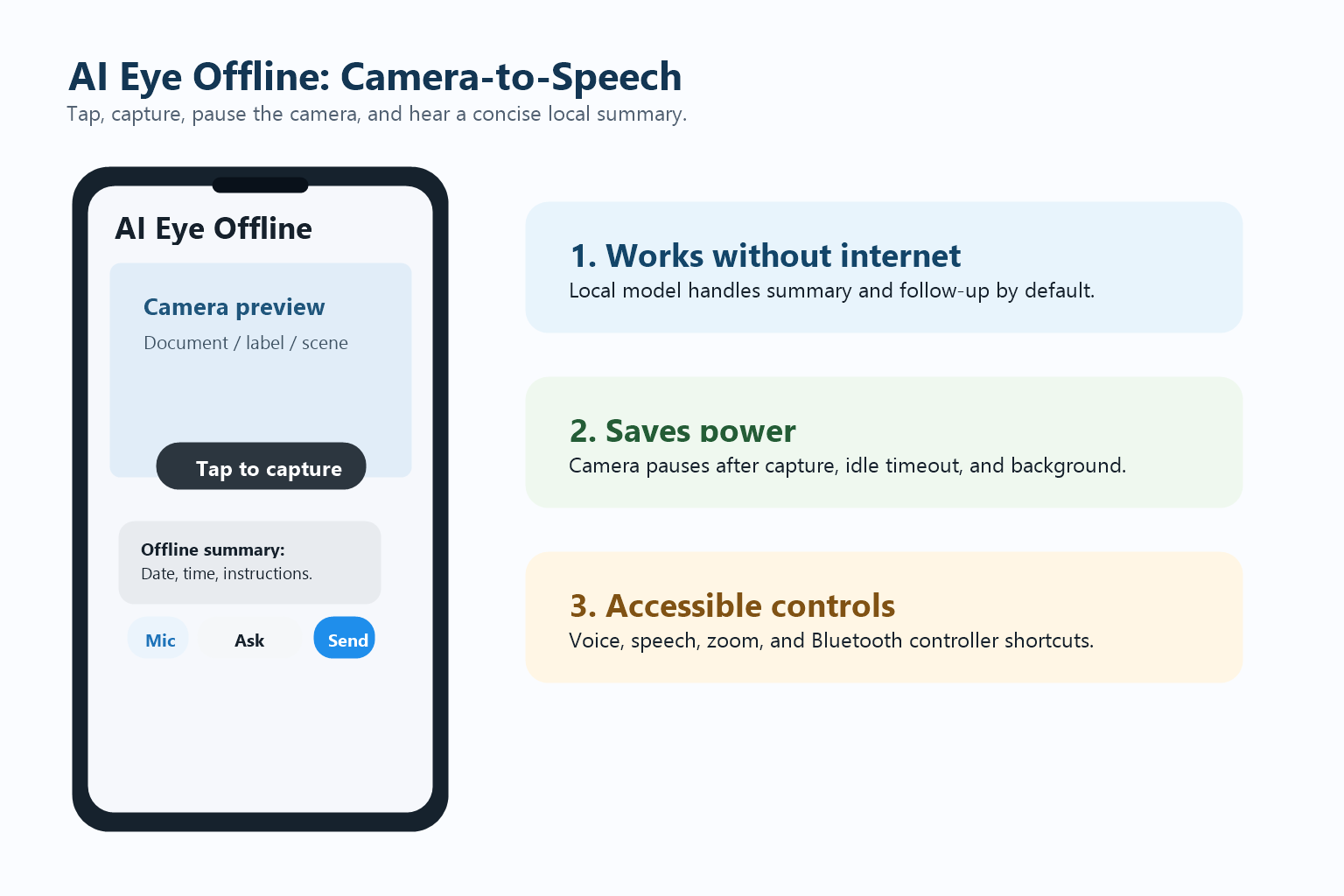
Offline camera-to-speech core workflow
-
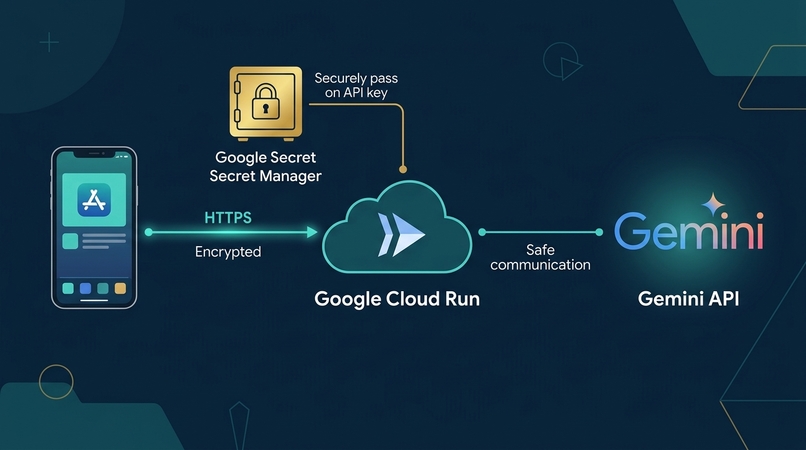
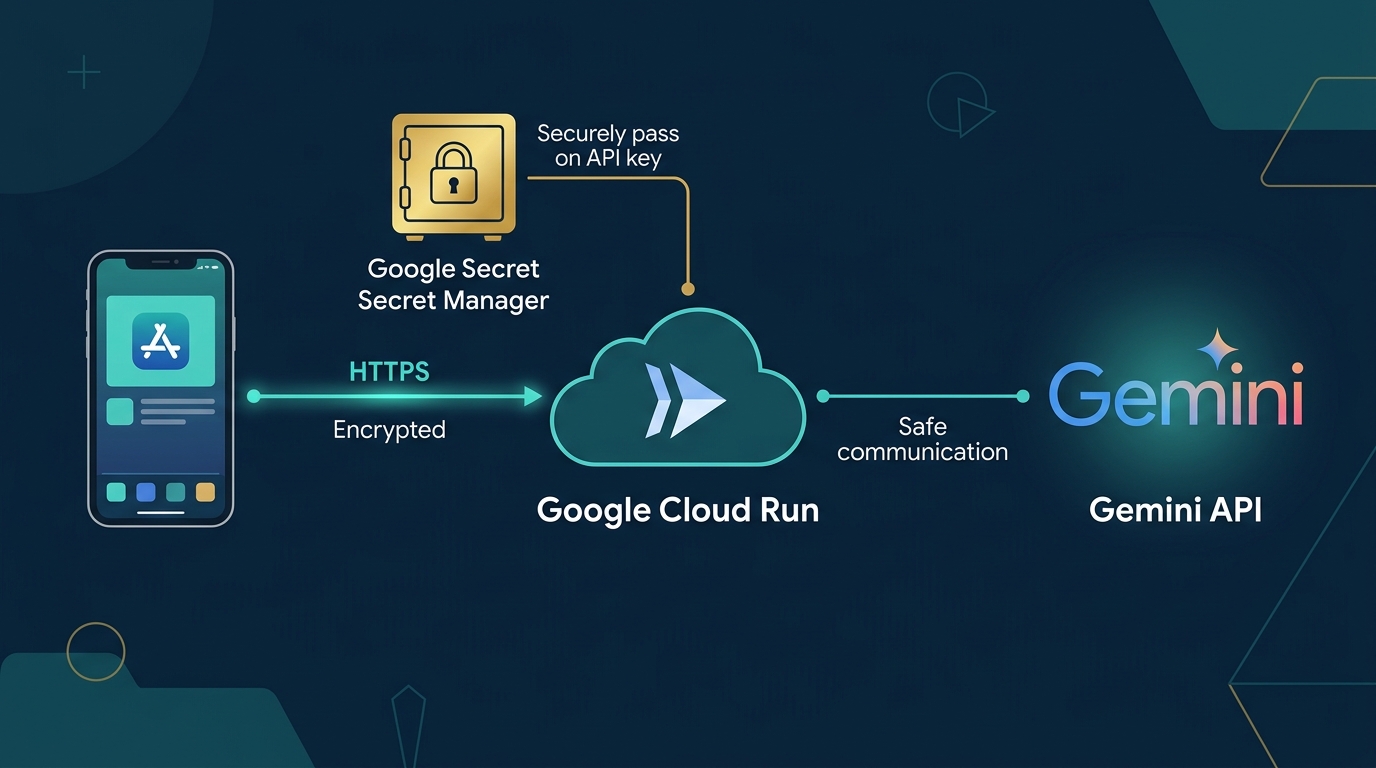
Cloud architecture overview
Inspiration
Many people need quick help understanding printed documents, labels, signs, medical appointment slips, and everyday visual information. Existing cloud-only vision apps can be powerful, but they often require a network connection and may raise privacy concerns when every image is uploaded by default.
AI Eye Offline was built around a different idea: visual assistance should be private and useful even without internet access. The app performs the core workflow on-device first, then offers an optional Gemini Enhanced Vision mode only when the user wants deeper reasoning.
What it does
AI Eye Offline is an Android accessibility app that lets a user open the camera, take a photo, pause the camera automatically to save battery, hear a short spoken summary, and ask follow-up questions by voice or text.
Core features include one-tap camera operation, offline local model import, local photo saving, text-to-speech output, speech-to-text input, pinch zoom, Bluetooth controller shortcuts, and optional Gemini Enhanced Vision through Google Cloud Run.
The cloud enhancement flow is designed for low-vision users. Before upload, the app speaks a privacy reminder, then presents large cancel, voice consent, and agree-and-analyze controls.
How we built it
The mobile app is built with Flutter and Android native integrations. The offline workflow uses a locally imported Gemma .litertlm model through LiteRT-LM / local inference. Camera lifecycle logic pauses the camera after capture, after idle preview timeout, and when the app moves into the background.
For the XPRIZE version, we added a server-side Gemini Enhanced Vision API on Google Cloud Run. The Android APK does not contain the Gemini API key. The backend stores the key through Secret Manager and exposes a narrow /api/analyze endpoint.
The backend calls Gemini API for image understanding and visual question answering, asks Gemini to return structured JSON, validates the result, applies safety rules, and returns a concise spoken response to the app.
How we use Gemini API
Gemini is used for optional cloud-enhanced visual reasoning. The Cloud Run backend sends Gemini the user question, an optional local offline summary, a single user-consented image, and instructions to return structured JSON only.
The response schema includes observed facts, important visible text, a priority message, a spoken response, confidence, retake/human-help flags, and a safety note. The app speaks only the concise spokenResponse by default.
How we use Google Cloud
Google Cloud Run hosts the backend API. Secret Manager stores GEMINI_API_KEY outside the APK and source code. Cloud Logging records anonymous execution metadata such as request ID, latency, confidence, and safety flags, without logging raw images or sensitive OCR text.
Safety and privacy
AI Eye Offline is offline-first. When the local Gemma model is installed, photos are processed on the phone and are not uploaded for offline analysis.
Gemini Enhanced Vision is optional and consent-based. When a phone cannot run the large local Gemma model, or when the user wants deeper visual reasoning, the app can use AI Eye Cloud Run and Gemini API. Before the first cloud request in each app session, the app speaks a privacy reminder and shows large low-vision-friendly buttons for cancel, voice consent, and agree.
If the photo or question appears to involve medical documents, prescriptions, identity documents, names, phone numbers, addresses, or other sensitive content, the app shows an additional stronger warning before cloud analysis.
The backend is designed not to store raw photos. It keeps only anonymous operational metadata such as request ID, mode, latency, success/failure, model name, and consent scope. The Gemini API key is never stored in the APK or GitHub repo; it is stored server-side through Google Secret Manager.
The system avoids high-risk guidance such as medical diagnosis, medication dosage confirmation, emergency instructions, hazardous navigation decisions, legal advice, or financial advice. If confidence is low or the task is high-risk, the assistant asks the user to retake the image or ask someone nearby.
Challenges we ran into
- Balancing privacy with the power of cloud vision models.
- Keeping the interaction simple enough for low-vision users.
- Avoiding overconfident OCR or image-understanding answers.
- Protecting API keys by moving Gemini calls server-side.
- Managing large local model files without packaging them inside the APK.
Accomplishments that we're proud of
- Working Android camera-to-speech flow.
- Offline local model import workflow.
- Battery-saving camera lifecycle.
- Voice and Bluetooth-controller operation.
- Accessible cloud consent flow.
- Gemini Enhanced Vision Cloud Run backend with tests.
- Structured safety response design.
- English Devpost, README, testing, and demo-video materials.
What's next for AI Eye Offline
- Deploy the Cloud Run backend and build the final APK with its service URL.
- Add per-device usage limits and lightweight cost controls.
- Create a Play Store closed test.
- Improve offline OCR accuracy and retake guidance.
- Collect anonymized helpful/incorrect feedback from testers.
- Add multilingual spoken responses.


Log in or sign up for Devpost to join the conversation.